
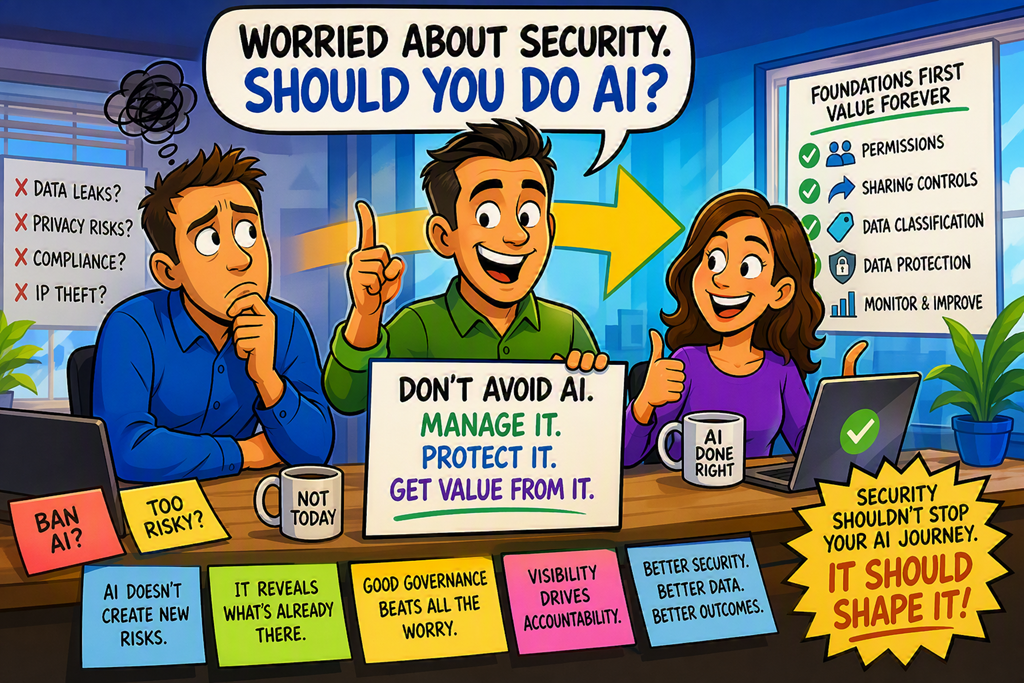
The people most concerned about AI security are often the people who should be using AI first.
That sounds backwards, but hear me out.
I still meet organisations that have effectively banned AI because someone raised concerns about data leakage, privacy, compliance or intellectual property protection.
Meanwhile, staff are already using AI on personal devices, free online tools and consumer accounts completely outside corporate visibility.
That’s not security.
That’s avoidance.
The better question isn’t whether you should use AI.
The real question is whether you’re prepared to manage it properly.
What is AI security, really?
Many people think AI security is about stopping users from accessing AI tools.
I think that’s an outdated view.
AI security is about controlling how organisational data is accessed, processed and governed when AI becomes part of everyday work.
Notice what’s missing?
The AI itself.
The same principles we’ve applied to email, file sharing, Teams, SharePoint and mobile devices now apply to AI. Identity matters. Permissions matter. Data classification matters. Monitoring matters.
The organisations that already have these foundations in place are often much better positioned for AI adoption than they realise.
“Isn’t this just another technology that introduces risk?”
Every technology introduces risk.
Email introduced risk.
Cloud services introduced risk.
Mobile devices introduced risk.
The objective has never been to eliminate risk. The objective has always been to manage it.
Step-by-Step: Preparing Microsoft 365 for AI
Review Your Permissions
Open:
Microsoft 365 Admin Centre > Reports > Usage
and
SharePoint Admin Centre > Active Sites
Look for locations that contain sensitive information and identify who has access.
AI doesn’t magically create new permissions.
It simply makes existing permissions more visible and more useful.
If everyone can access everything today, AI will expose that problem faster.
Check Sharing Settings
Open:
SharePoint Admin Centre > Policies > Sharing
Review whether users can create anonymous sharing links or share broadly outside the organisation.
Many organisations discover their biggest security exposure has nothing to do with AI.
It’s uncontrolled sharing.
Microsoft provides useful guidance in its documentation on https://learn.microsoft.com/sharepoint/modern-experience-sharing-permissionsSharePoint sharing and permissions.
Classify Important Data
Open:
Microsoft Purview Portal > Information Protection
Apply sensitivity labels to important content.
Start simple.
Financial information.
Client information.
HR records.
Commercial agreements.
You don’t need a hundred labels.
You need a handful that people will actually use.
Microsoft provides detailed guidance on https://learn.microsoft.com/purview/sensitivity-labelssensitivity labels.
Configure Data Protection
Open:
Microsoft Purview Portal > Data Loss Prevention
Create policies that prevent sensitive information being shared incorrectly.
Think of this as putting guard rails around the business rather than trying to control every individual action.
A good starting point is Microsoft’s guidance on https://learn.microsoft.com/purview/dlp-learn-about-dlpData Loss Prevention.
Monitor and Improve
Open:
Microsoft Purview Portal > Audit
Review activity regularly.
Look at what users are doing.
Look at sharing behaviour.
Look at data movement.
Security isn’t a project.
It’s an ongoing discipline.
Why this actually changes behaviour
This is where I think many organisations miss the opportunity.
AI doesn’t just increase productivity.
It exposes operational weaknesses.
If permissions are messy, AI highlights it.
If data governance is weak, AI highlights it.
If information is scattered everywhere with no ownership, AI highlights it.
That’s a good thing.
For years, many businesses have accumulated technical debt around information management because users could only find information if they knew exactly where to look.
AI changes that equation.
Suddenly information becomes discoverable.
Suddenly forgotten files become valuable.
Suddenly people start asking questions about why certain information is available to everyone.
Those are all governance conversations that should have happened years ago.
AI isn’t creating new security problems as much as it’s revealing existing ones.
That’s an important distinction.
Visibility drives accountability.
The organisations seeing the best outcomes are not necessarily the ones with the biggest security budgets.
They’re the ones with the best operational habits.
Permissions are reviewed.
Data is classified.
Sharing is controlled.
Access is monitored.
Those practices were valuable before AI.
They’re even more valuable now.
Copilot doesn’t invent information. It works with what you’ve already allowed people to access.
That’s one reason I encourage organisations to start their AI journey even when they have concerns.
The process often becomes a catalyst for improving overall security.
If you’re not showing clients this, you’re leaving value on the table.
Many SMBs have spent years investing in Microsoft 365 security controls they barely use.
AI provides a practical reason to finally turn those investments into operational practices.
Here’s the real win.
The organisations that approach AI through a security lens often end up improving both.
They strengthen governance, improve data quality, reduce risk and gain productivity at the same time.
Not because AI solved the problem.
Because AI forced them to look at the problem.
Security shouldn’t stop your AI journey.
Security should shape it.
When done properly, AI isn’t the risk.
The absence of governance is the risk.

