
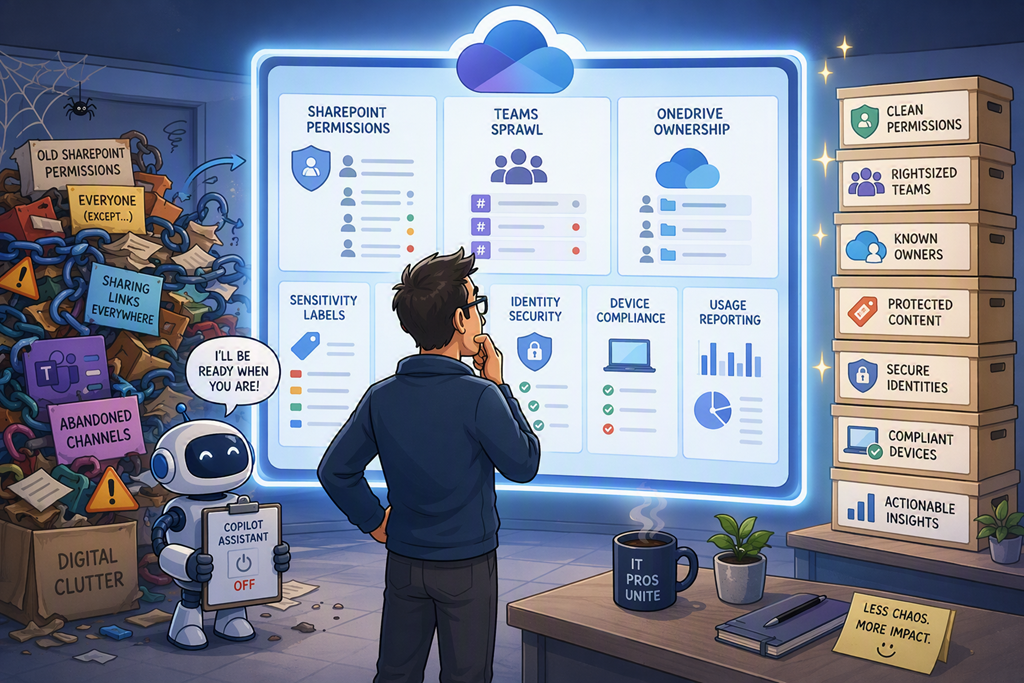
One of the biggest mistakes I continue to see with Microsoft 365 Copilot is treating the licence purchase as the project.
It’s not.
The licence is the easy part. The hard part is making sure the information Copilot can access is actually worth finding.
Copilot doesn’t create information. It exposes what already exists.
If your tenant is messy, overshared and unmanaged, Copilot simply helps users find the mess faster.
What is Microsoft 365 Copilot readiness, really?
Most people think readiness is about licences, supported apps and technical prerequisites.
That’s not readiness. That’s procurement.
Real readiness means asking whether your Microsoft 365 environment contains information that is organised, secured and governed well enough for AI to work across it. Microsoft talks about defining your strategy, protecting sensitive data and checking readiness before rollout in its Microsoft 365 Copilot rollout guidance.
Copilot works across the data users already have access to. That should make every MSP pause.
Because if users already have access to content they shouldn’t, Copilot won’t politely ignore it. It will work with the permissions you’ve given it.
Step-by-Step: Review your tenant before assigning licences
Audit SharePoint permissions
Start with SharePoint.
This is where a lot of the Copilot value lives, and it’s also where many of the surprises hide.
Review high-value sites, external sharing, broad groups, anonymous links and old project workspaces. Microsoft has specific guidance around building a secure and governed data foundation for Copilot, including oversharing remediation and guardrails.
Notice what’s missing?
Most SMB tenants have never had a proper SharePoint permissions review.
Review OneDrive ownership
Every OneDrive is effectively a knowledge repository.
Look for departed staff, abandoned content, sensitive folders and business-critical files that only one person controls.
Copilot won’t know whether that file belongs in a managed SharePoint library instead. It will simply see information the user can access.
Clean up Teams sprawl
Open the Teams admin centre and look at inactive teams, duplicated teams and channels nobody owns.
If humans can’t tell which Team contains the source of truth, don’t expect Copilot to magically understand your operating model.
“We thought Copilot was giving bad answers.”
In many cases, the tenant was giving bad data.
Review sensitivity labels
If you use Microsoft Purview, check whether sensitivity labels exist, whether they’re published to the right users and whether people understand them.
Sensitivity labels are not decoration. They classify and can protect organisational data across Microsoft 365, as Microsoft explains in its sensitivity labels documentation.
Keep labels simple.
A label nobody understands is just another button nobody presses.
Check retention and stale content
Old content is not harmless just because storage is cheap.
Review retention policies, old libraries, archived Teams and documents that should no longer be active reference material.
Copilot can make stale content visible again.
That’s not intelligence. That’s exposure.
Validate identity and device controls
Before assigning Copilot licences, review MFA, Conditional Access, privileged accounts and device compliance.
This is where SMBs often underinvest.
They buy the AI licence, but the tenant still has weak identity hygiene and unmanaged devices.
That’s backwards.
Decide how you’ll measure usage
Don’t wait until renewal time to ask whether Copilot is working.
Set expectations early. The Microsoft 365 admin centre includes a Microsoft 365 Copilot usage report for adoption and usage metrics.
That matters because licence assignment is not adoption.
A user having Copilot and a user changing the way they work are two different things.
Why this actually changes behaviour
Here’s the real win.
A Copilot readiness review improves the tenant even before you assign the first paid licence.
Permissions get cleaned up.
Teams become easier to navigate.
Content ownership improves.
Old information gets archived.
Security conversations become practical instead of theoretical.
Copilot doesn’t get tired. Use that.
But don’t ask it to compensate for years of neglected governance.
The best Copilot deployments I’ve seen don’t start with a licence order. They start with a conversation about data, access and outcomes.
My recommendation?
Treat Copilot readiness as an MSP service, not a pre-sales checklist.
If you’re not showing clients what Copilot might expose before they pay for it, you’re leaving value on the table.
Microsoft 365 Copilot isn’t there to fix a messy tenant.
It’s there to make a well-run tenant dramatically more useful.

