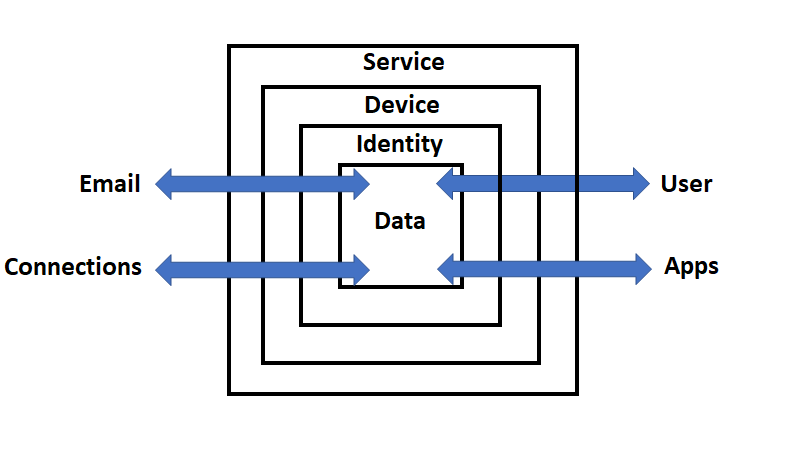
If you’ve been following along at home, I’ve been working on a simplified security model for the Microsoft cloud. After further thought, I’ve come to the conclusion that firstly, the browser is not an independent connector, it is in fact an app. Thus, I have replaced it as a connector with a User connector. The inclusion of a specific user (basically a real live person) came about after concluding that an identity and a user are actually two separate things. This is because a user can actually have multiple identities, for example to on premise infrastructure which maybe different from the cloud.
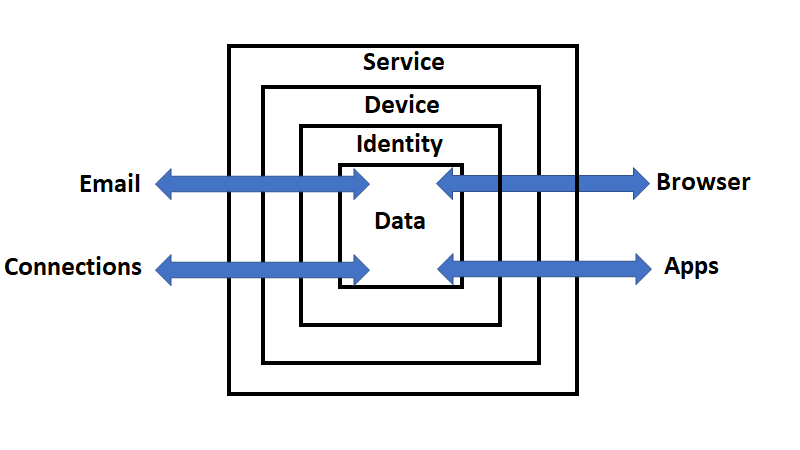
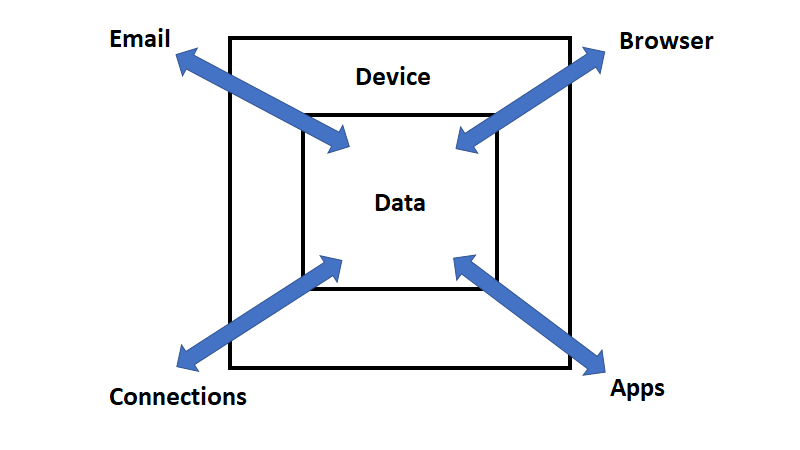
So, the current model starts with containers where data flows:
1. Service – e.g. Microsoft 365
2. Device – e.g PC or phone
3. Identity – e.g. Azure AD
4. Data – e.g. files, folders
Through and into these containers flows data from connectors like:
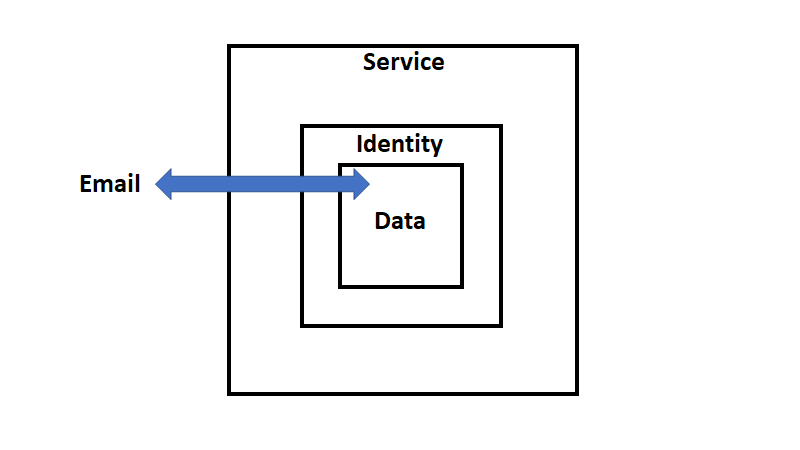
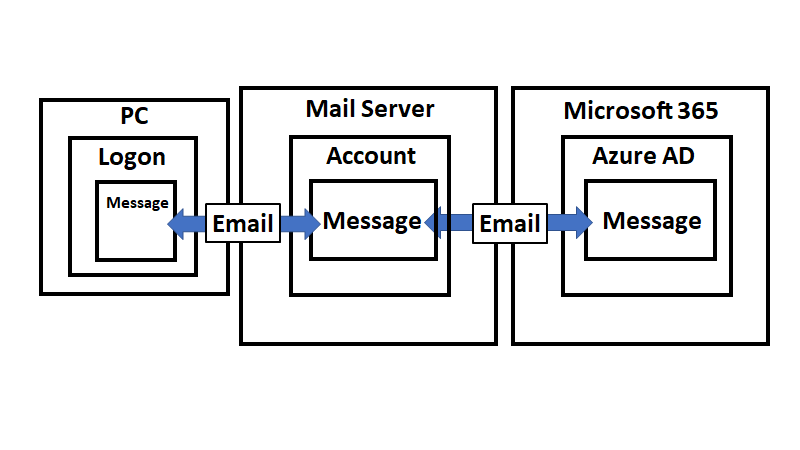
1. Email
2. Connections – e.g. LANs, Internet
3. Apps – e.g. Microsoft Office, Browser
4. User
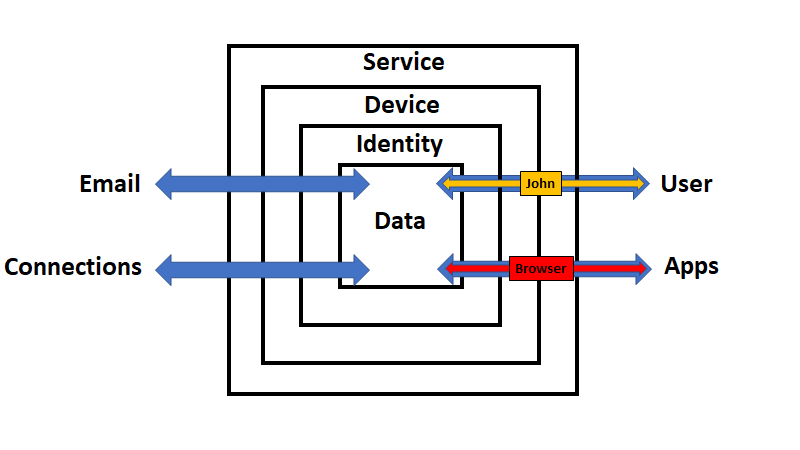
Since I have now replaced the browser connector by a user connector, let’s work through an interactions here to test my logic out.
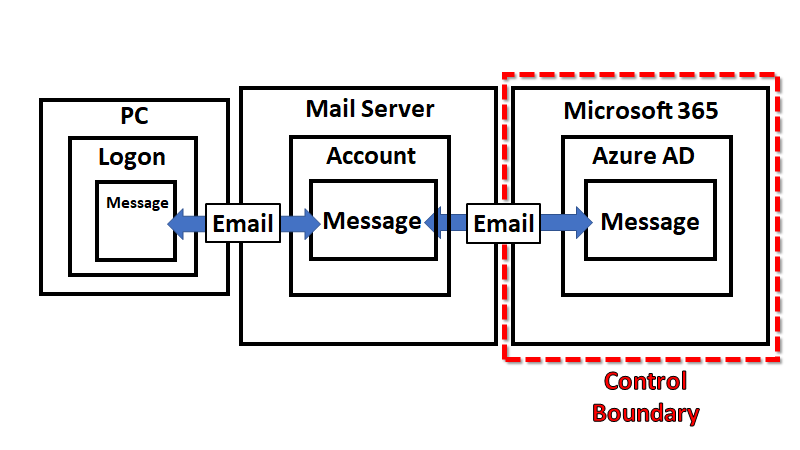
To use a browser the user (i.e. John) will need to login to a device. Assuming that device is Azure AD connected, it means that they will be using a device inside the service (Microsoft 365) as shown above. Remember also, that as each interaction crosses a container boundary logs will be written. To gain access to a device managed by the Microsoft 365 (the service), the John (the user) will need to verify their identity with Azure AD. This process can be protected with features like multi factor authentication (MFA) and Conditional Access (CA). Once the user has successfully completed this process they can access both the data in the inner container, the device and any applications, like the browser, on the device.
If the John (the user) wants to access the data within the service they can do so securely. Remember, that any access to data via an app like a browser crosses a container boundary and thus logs are captured. In this case, those events will be captured and available in the unified audit log.
Of course, John (the user) is also typically going to want to access data from outside Microsoft 365 (the service) and there needs to be as much protection as possible provided during that process. The first step in that protection process is to protect the application, that is the browser. This can be achieved via the Microsoft Edge baseline settings for Intune. Also, because the browser is an application running on the device that also should be protected. That can be done via the Windows 10 Security baseline, which is part of Endpoint Manager as well as Microsoft Defender SmartScreen. Further protection can be layered on with Windows Defender for Endpoint. If the user saves information into SharePoint, OneDrive for Business or Teams (i.e. the data container) it is protected via Defender for Office 365.
Data can also be protected via Azure Information Protection (AIP) and Windows Information protection (WIP). These features of Microsoft 365 (i.e. the service) allow the business to determine whether information can be stored on a device and what protection it should have no matter where it is stored. If the user is allowed to save information onto the device it can also be protected via Bitlocker which can be enforced via Endpoint Manager policies.
Now, if John (the user) was to access the service from a device that was not Azure AD joined they could do this but because the data still resides inside the service it can still be protected using things like control access from unmanaged devices.
Ok, I’m becoming happier that this model fits the bill. Each container provides layers of protection such as:
– Service – Alerts, Log searching, Microsoft Cloud App security, Exchange online filtering, etc., etc.
– Device – Bitlocker, Endpoint manager policies, etc
– Identity – MFA, CA, Azure identity Protection, etc
– Data – AIP, WIP, encryption at rest, etc
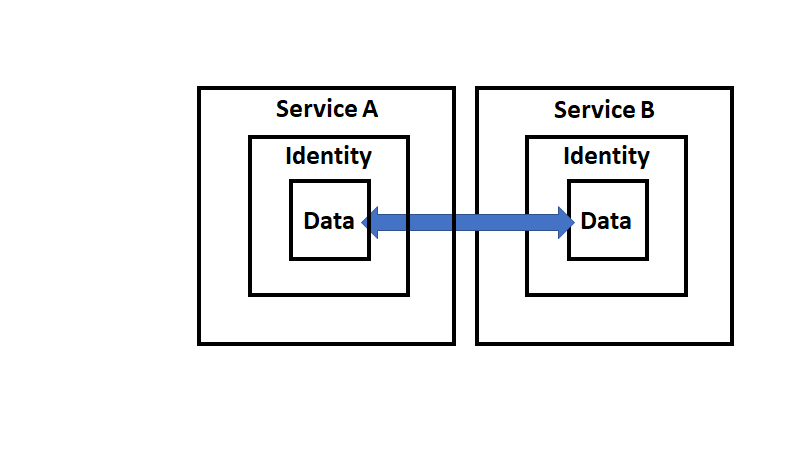
and crossing each boundary also generates separate sets of logs for the interaction.
I feel pretty confident with this security model in place I can now start attaching the specific security features the Microsoft Cloud provides in each location and explaining the role they play. I have mentioned a few here just to give you an idea and verify to myself that the model works but now I think it is time to take this mode and run with it! What do you think? Love to hear your thoughts.