

In today’s digital workspace, AI-powered assistants like Microsoft 365 Copilot and traditional search engines serve different purposes and excel in different scenarios. This guide explains why you should not treat an AI tool such as Copilot as a general web search engine, and details when to use AI over a normal search process. We also provide example Copilot prompts that outperform typical search queries in answering common questions.
Understanding AI Tools (Copilot) vs. Traditional Search Engines
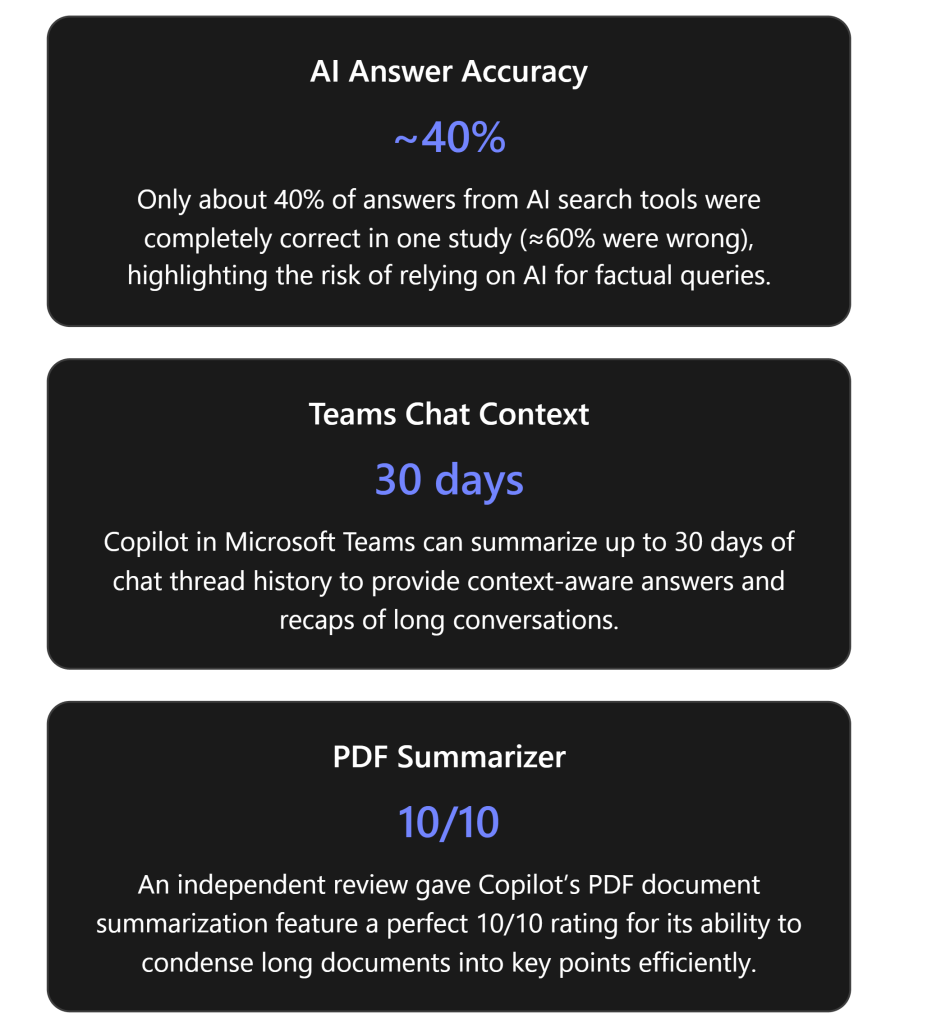
AI tools like Microsoft 365 Copilot are conversational, context-aware assistants, whereas search engines are designed for broad information retrieval. Copilot is an AI-powered tool that helps with work tasks, generating responses in real-time using both internet content and your work content (emails, documents, etc.) that you have permission to access[1]. It is embedded within Microsoft 365 apps (Word, Excel, Outlook, Teams, etc.), enabling it to produce outputs relevant to what you’re working on. For example, Copilot can draft a document in Word, suggest formulas in Excel, summarize an email thread in Outlook, or recap a meeting in Teams, all by understanding the context in those applications[1]. It uses large language models (like GPT-4) combined with Microsoft Graph (your organizational data) to provide personalized assistance[1].
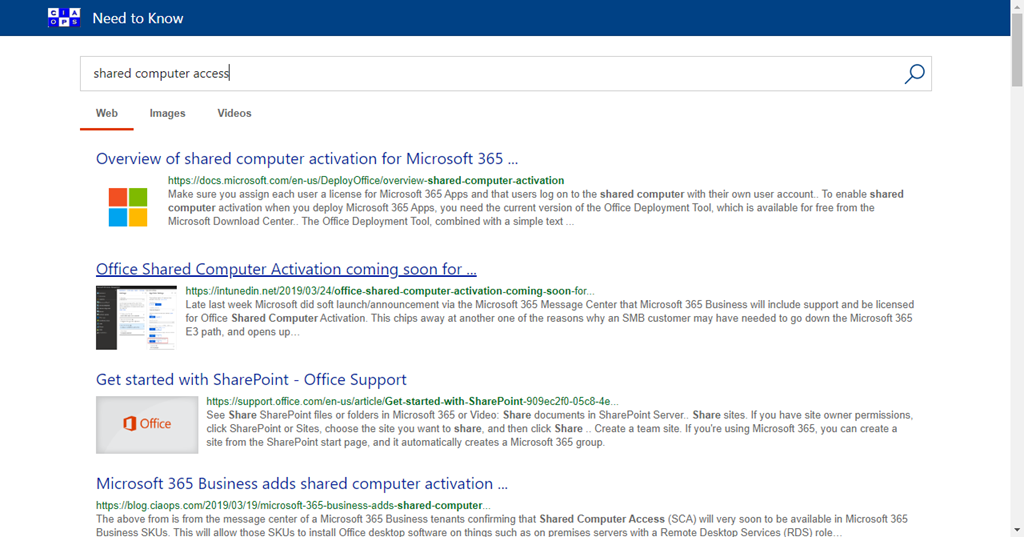
On the other hand, a search engine (like Google or Bing) is a software system specifically designed to search the World Wide Web for information based on keywords in a query[2]. A search engine crawls and indexes billions of web pages and, when you ask a question, it returns a list of relevant documents or links ranked by algorithms. The search engine’s goal is to help you find relevant information sources – you then read or navigate those sources to get your answer.
Key differences in how they operate:
- Result Format: A traditional search engine provides you with a list of website links, snippets, or media results. You must click through to those sources to synthesize an answer. In contrast, Copilot provides a direct answer or content output (e.g. a summary, draft, or insight), often in a conversational format, without requiring you to manually open multiple documents. It can combine information from multiple sources (including your files and the web) into a single cohesive response on the spot[3].
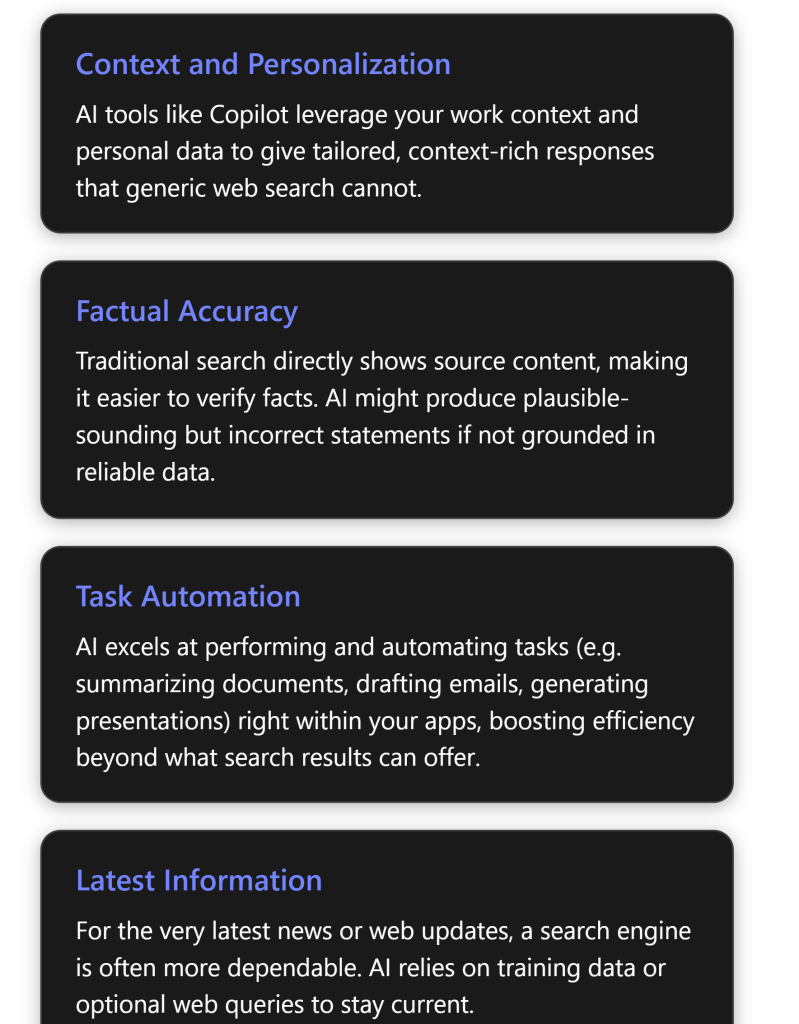
- Context and Personalization: Search engines can use your location or past behavior for minor personalization, but largely they respond the same way to anyone asking a given query. Copilot, however, is deeply personalized to your work context – it can pull data from your emails, documents, meetings, and chats via Microsoft Graph to tailor its responses[1]. For example, if you ask “Who is my manager and what is our latest project update?”, Copilot can look up your manager’s name from your Office 365 profile and retrieve the latest project info from your internal files or emails, giving a personalized answer. A public search engine would not know these personal details.
- Understanding of Complex Language: Both modern search engines and AI assistants handle natural language, but Copilot (AI) can engage in a dialogue. You can ask Copilot follow-up questions or make iterative requests in a conversation, refining what you need, which is not how one interacts with a search engine. Copilot can remember context from earlier in the conversation for additional queries, as long as you stay in the same chat session or document, enabling complex multi-step interactions (e.g., first “Summarize this report,” then “Now draft an email to the team with those key points.”). A search engine treats each query independently and doesn’t carry over context from previous searches.
- Learning and Adaptability: AI tools can adapt outputs based on user feedback or organization-specific training. Copilot uses advanced AI (LLMs) which can be “prompted” to adjust style or content. For instance, you can tell Copilot “rewrite this in a formal tone” or “exclude budget figures in the summary”, and it will attempt to comply. Traditional search has no such direct adaptability in generating content; it can only show different results if you refine your keywords.
- Output Use Cases: Perhaps the biggest difference is in what you use them for: Copilot is aimed at productivity tasks and analysis within your workflow, while search is aimed at information lookup. If you need to compose, create, or transform content, an AI assistant shines. If you need to find where information resides on the web, a search engine is the go-to tool. The next sections will dive deeper into these distinctions, especially why Copilot is not a straight replacement for a search engine.
Limitations of Using Copilot as a Search Engine
While Copilot is powerful, you should not use it as a one-to-one substitute for a search engine. There are several reasons and limitations that explain why:
- Accuracy and “Hallucinations”: AI tools sometimes generate incorrect information very confidently – a phenomenon often called hallucination. They do not simply fetch verified facts; instead, they predict answers based on patterns in training data. A recent study found that generative AI search tools were inaccurate about 60% of the time when answering factual queries, often presenting wrong information with great confidence[4]. In that evaluation, Microsoft’s Copilot (in a web search context) was about 70% completely inaccurate in responding to certain news queries[4]. In contrast, a normal search engine would have just pointed to the actual news articles. This highlights that Copilot may give an answer that sounds correct but isn’t, especially on topics outside your work context or beyond its training. Using Copilot as a general fact-finder can thus be risky without verification.
- Lack of Source Transparency: When you search the web, you get a list of sources and can evaluate the credibility of each (e.g., you see it’s from an official website, a recent date, etc.). With Copilot, the answer comes fused together, and although Copilot does provide citations in certain interfaces (for instance, Copilot in Teams chat will show citations for the sources it used[1]), it’s not the same as scanning multiple different sources yourself. If you rely on Copilot alone, you might miss the nuance and multi-perspective insight that multiple search results would offer. In short, Copilot might tell you “According to the data, Project Alpha increased sales by 5%”, whereas a search engine would show you the report or news release so you can verify that 5% figure in context. Over-reliance on AI’s one-shot answer could be misleading if the answer is incomplete or taken out of context.
- Real-Time Information and Knowledge Cutoff: Search engines are constantly updated – they crawl news sites, blogs, and the entire web continuously, meaning if something happened minutes ago, a search engine will likely surface it. Copilot’s AI model has a knowledge cutoff (it doesn’t automatically know information published after a certain point unless it performs a live web search on-demand). Microsoft 365 Copilot can fetch information from Bing when needed, but this is an optional feature under admin control[3][3], and Copilot has to decide to invoke it. If web search is disabled or if Copilot doesn’t recognize that it should look online, it will answer from its existing knowledge base and your internal data alone. Thus, for breaking news or very recent events, Copilot might give outdated info or no info at all, whereas a web search would be the appropriate tool. Even with web search enabled, Copilot generates a query behind the scenes and might not capture the exact detail you want, whereas you could manually refine a search engine query. In summary, Copilot is not as naturally in tune with the latest information as a dedicated search engine[5].
- Breadth of Information: Copilot is bounded by what it has been trained on and what data you provide to it. It is excellent on enterprise data you have access to and general knowledge up to its training date, but it is not guaranteed to know about every obscure topic on the internet. A search engine indexes virtually the entire public web; if you need something outside of Copilot’s domain (say, a niche academic paper or a specific product review), a traditional search is more likely to find it. If you ask Copilot an off-topic question unrelated to your work or its training, it might struggle or give a generic answer. It’s not an open portal to all human knowledge in the way Google is.
- Multiple Perspectives and Depth: Some research questions or decisions benefit from seeing diverse sources. For example, before making a decision you might want to read several opinions or analyses. Copilot will tend to produce a single synthesized answer or narrative. If you only use that, you could miss out on alternative viewpoints or conflicting data that a search could reveal. Search engines excel at exploratory research – scanning results can give you a quick sense of consensus or disagreement on a topic, something an AI’s singular answer won’t provide.
- Interaction Style: Using Copilot is a conversation, which is powerful but can also be a limitation when you just need a quick fact with zero ambiguity. Sometimes, you might know exactly what you’re looking for (“ISO standard number for PDF/A format”, for instance). Typing that into a search engine will instantly yield the precise fact. Asking Copilot might result in a verbose answer or an attempt to be helpful beyond what you need. For quick, factoid-style queries (dates, definitions, simple facts), a search engine or a structured Q\&A database might be faster and cleaner.
- Cost and Access: While not a technical limitation, it’s worth noting that Copilot (and similar AI services) often comes with licensing costs or usage limits[6]. Microsoft 365 Copilot is a premium feature for businesses or certain Microsoft 365 plans. Conducting a large number of general searches through Copilot could be inefficient cost-wise if a free search engine could do the job. In some consumer scenarios, Copilot access might even be limited (for example, personal Microsoft accounts have a capped number of Copilot uses per month without an upgrade[6]). So, from a practical standpoint, you wouldn’t want to spend your limited Copilot queries on trivial lookups that Bing or Google could handle at no cost.
- Ethical and Compliance Factors: Copilot is designed to respect organizational data boundaries – it won’t show you content from your company that you don’t have permission to access[1]. On the flip side, if you try to use it like a search engine to dig up information you shouldn’t access, it won’t bypass security (which is a good thing). A search engine might find publicly available info on a topic, but Copilot won’t violate privacy or compliance settings to fetch data. Also, in an enterprise, all Copilot interactions are auditable by admins for security[3]. This means your queries are logged internally. If you were using Copilot to search the web for personal reasons, that might be visible to your organization’s IT – another reason to use a personal device or external search for non-work-related queries.
Bottom line: Generative AI tools like Copilot are not primarily fact-finding tools – they are assistants for generating and manipulating content. Use them for what they’re good at (as we’ll detail next), and use traditional search when you need authoritative information discovery, multiple source verification, or the latest updates. If you do use Copilot to get information, be prepared to double-check important facts against a reliable source.
When to Use AI Tools (Copilot) vs. When to Use Search Engines
Given the differences and limitations above, there are distinct scenarios where using an AI assistant like Copilot is advantageous, and others where a traditional search is better. Below are detailed reasons and examples for each, to guide you on which tool to use for a given need:
Scenarios Where Copilot (AI) Excels:
- Synthesizing Information and Summarization: When you have a large amount of information and need a concise summary or insight, Copilot shines. For instance, if you have a lengthy internal report or a 100-thread email conversation, Copilot can instantly generate a summary of key points or decisions. This saves you from manually reading through tons of text. One of Copilot’s standout uses is summarizing content; reviewers noted the ability to condense long PDFs into bulleted highlights as “indispensable, offering a significant boost in productivity”[7]. A search engine can’t summarize your private documents – that’s a job for AI.
- Using Internal and Contextual Data: If your question involves data that is internal to your organization or personal workflow, use Copilot. No search engine can index your company’s SharePoint files or your Outlook inbox (those are private). Copilot, however, can pull from these sources (with proper permissions) to answer questions. For example, *“What decision did
References
[1] What is Microsoft 365 Copilot? | Microsoft Learn
[2] AI vs. Search Engine – What’s the Difference? | This vs. That
[3] Data, privacy, and security for web search in Microsoft 365 Copilot and …
[4] AI search engines fail accuracy test, study finds 60% error rate
[5] AI vs. Traditional Web Search: How Search Is Evolving – Kensium
[6] Microsoft 365 Copilot Explained: Features, Limitations and your choices
[7] Microsoft Copilot Review: Best Features for Smarter Workflows – Geeky …








 CIAOPS