You’ll Never Win Playing a Game That’s Rigged for Someone Else

image

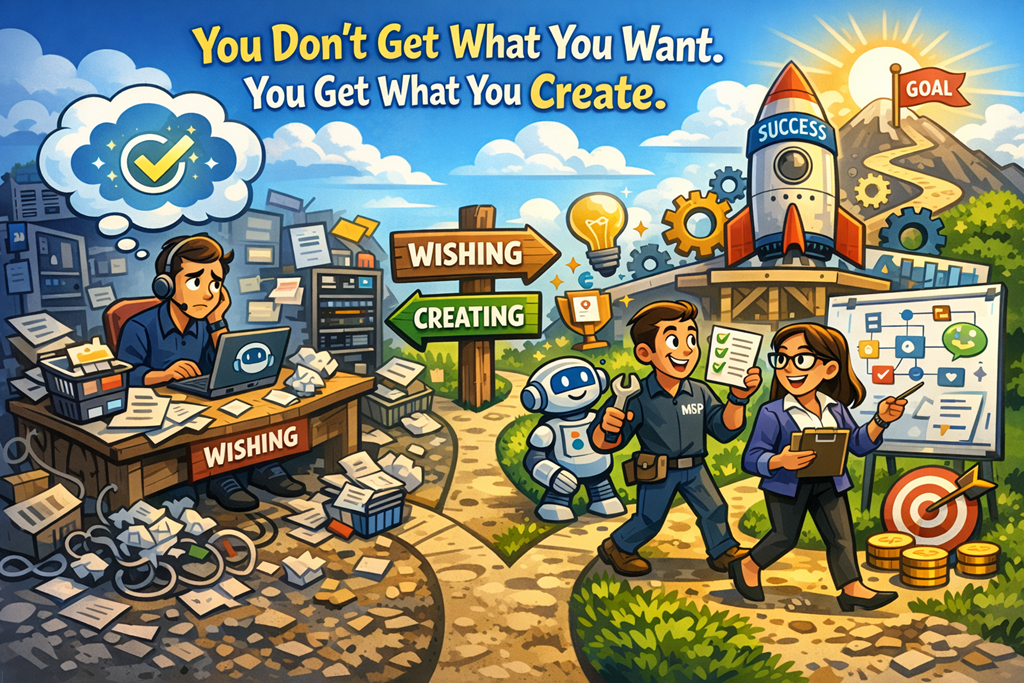
You’ll never win playing a game that’s rigged for someone else to win.

Of course it feels hard. Of course it feels unfair. That’s because it is.

The problem isn’t that you’re bad at the game.
The problem is that you’re playing their game.

Most MSPs are exhausted not because they’re lazy, unskilled, or unlucky — but because they’ve bought into a model that was never designed to let them win. The race to the bottom on price. The endless bundle of “all you can eat” support. The expectation that you’ll absorb risk, complexity, and compliance… for margins that barely justify the stress.

And then we act surprised when it hurts.

If you’re selling the same stack, the same licensing, the same “per seat” offering as every other MSP down the road, you are not competing — you’re commoditising yourself. You’re playing a game where the rules reward scale, not quality. Volume, not insight. Marketing budgets, not experience.

That game is rigged.
And it’s rigged for vendors, marketplaces, and platforms — not for you.

Look at where the incentives sit.

Vendors want adoption. They want logos, seats, and usage metrics. They don’t care if you spend nights cleaning up conditional access, remediating insecure tenants, or explaining to customers why “secure by default” wasn’t actually default. You do the work. They report the growth.

Marketplaces want simplicity. Fixed pricing. Comparability. They want buyers to see MSPs as interchangeable — because that reduces friction. Unfortunately, it also erases differentiation.

Customers, conditioned by years of underpricing, want “everything included” and are shocked when security incidents, audits, or AI projects cost extra. Because no one ever taught them that outcomes have a cost.

And MSPs? MSPs are left trying to make a premium living inside a discount model.

That’s the rigged game.

The mistake most MSPs make is trying to win harder instead of changing the game.

They work longer hours. They add more services “for free”. They chase more customers instead of better ones. They hope automation will save margins that were never there to begin with.

It won’t.

You don’t escape a rigged game by playing it better.
You escape by opting out.

That means hard decisions. Uncomfortable positioning. Saying “no” to customers who only value price. Charging properly for risk, compliance, and complexity. Building IP instead of just reselling licences. Teaching customers that security, governance, and AI readiness are not add‑ons — they’re the foundation.

It means shifting from “we’ll do whatever you want” to “this is how we do it, and here’s why.”

It means working on your business model, not just in your ticketing system.

Yes, that’s harder in the short term.
Yes, you’ll lose some customers.
Yes, it will feel risky.

But staying where you are is riskier.

Because the current model doesn’t get easier with time. It gets tighter. More compliance. More security pressure. More AI complexity. More expectation — with the same margins.

The MSPs who will survive — and thrive — aren’t the ones who hustle harder inside broken rules.

They’re the ones who redesign the rules.

They stop competing on sameness and start competing on clarity.
They stop selling hours and start selling outcomes.
They stop apologising for price and start justifying value.

If what you’re doing feels impossibly hard, ask yourself this:

Are you failing…
Or are you just playing a game that was never designed for you to win?

Because once you see the rigging, you have a choice.

And the most powerful move isn’t working harder.

It’s stepping off the board.

Creating Custom Copilot Cowork Skills That Actually Matter for SMBs

image

If you’re still using Copilot like a fancy chatbot, you’re missing the point.

Copilot Cowork is Microsoft’s quiet shift from AI that answers questions to AI that actually does work. And the real power move for SMBs isn’t the built‑in skills—it’s custom Cowork skills that encode how your business actually runs. [learn.microsoft.com]

This is where Copilot stops being impressive and starts being profitable.

What a Custom Cowork Skill Really Is

A custom Cowork skill is not code, not an agent, and not a Power Automate flow. It’s a structured set of instructions written in a simple SKILL.md file and stored in the user’s OneDrive under:

/Documents/Cowork/Skills/<skill-name>/SKILL.md

Copilot Cowork automatically discovers up to 20 custom skills per user at the start of every conversation and loads them when relevant. No prompting gymnastics required. [learn.microsoft.com]

Think of a custom skill as:

“Every time I do this type of work, follow these rules, pull this data, and produce that output.”

For SMBs, that’s gold.


Example 1: Client Meeting Prep for a 10‑Person Consultancy

The problem:
SMB consultants spend 15–30 minutes before every client meeting digging through emails, Teams chats, and old documents. It’s repetitive, error‑prone, and always rushed.

The custom Cowork skill:
Client Meeting Brief

What the skill does:

  • Pulls calendar context for the upcoming meeting

  • Finds recent emails and Teams messages with that client

  • Identifies open actions from last meeting notes in OneDrive

  • Produces a 1‑page Word briefing with:

    • Client objective

    • Outstanding issues

    • Risks and next steps

Why it works for SMBs:
It saves time without introducing new tools. Everything stays inside Microsoft 365, using data they already trust. No CRM integration required.
[learn.microsoft.com]


Example 2: Weekly Operations Report for an Owner‑Managed Business

The problem:
Business owners hate status reporting, but flying blind is worse. Most weekly reports are inconsistent, late, or ignored.

The custom Cowork skill:
Weekly Ops Summary

What the skill does:

  • Reviews sent emails and calendar activity from the past 7 days

  • Pulls key numbers from a defined Excel file in OneDrive

  • Generates a consistent Word report using the owner’s template

  • Flags anything that looks overdue or hasn’t progressed

Why it works for SMBs:
Custom skills enforce discipline without admin overhead. The report looks the same every week, uses the same data sources, and takes seconds—not hours—to produce.


Example 3: Standardised Client Follow‑Ups for Professional Services

The problem:
Follow‑up emails are inconsistent. Some are overly casual, others too formal, and key details get missed.

The custom Cowork skill:
Client Follow‑Up Drafter

What the skill does:

  • Detects completed meetings

  • Creates a draft email using the company’s approved structure:

    • Summary

    • Decisions made

    • Actions and owners
  • Saves the draft for approval before sending

Copilot Cowork always asks for confirmation before external communication, which is critical for SMB risk management.


What Doesn’t Work Well as a Custom Skill

Not everything should be a skill.

Avoid:

  • One‑off tasks (“Summarise this document”)

  • Highly variable creative work

  • Anything that relies on local files (Cowork only accesses OneDrive and SharePoint)

The sweet spot is repeatable, boring, but important work.


Why MSPs Should Care (Even More Than SMBs)

For MSPs, custom Cowork skills become:

  • A standardised service delivery layer
  • A way to encode best practice for L1–L3 staff

  • A differentiator that isn’t just “we sell Copilot licences”

You don’t deploy Copilot.
You operationalise it.

Custom Cowork skills are how you turn AI from a novelty into a system—especially in SMB environments where consistency matters more than scale.

If you’re not teaching your customers how to do this, someone else will.


Further reading:
Microsoft Learn – Create custom Copilot Cowork skills
https://learn.microsoft.com/en-us/microsoft-365/copilot/cowork/use-cowork#create-custom-skills

More People Are Defeated by Blisters Than Mountains

image

Most MSPs don’t fail because the mountain was too big.

They fail because of the blisters.

Everyone loves to talk about the big challenges in this industry. Security threats. AI disruption. Microsoft changing the rules (again). Margin pressure. Talent shortages. Clients who don’t “get it”.

Those are the mountains. They’re visible. They’re dramatic. They make for great conference slides and LinkedIn posts.

But they’re not what usually beats you.

What actually takes MSPs out are the small, constant, grinding irritations that never quite get fixed.

The blisters.

Blisters are the daily annoyances you tolerate because “we’ll deal with that later”. The manual processes. The undocumented exceptions. The one client who’s “special”. The script that almost works. The onboarding checklist that lives in someone’s head. The sales process that depends entirely on you being in the room.

One blister on its own is manageable. You adjust your stride. You push through.

But blisters compound. They rub. They slow you down. They drain energy. And eventually, you stop walking altogether.

I see this constantly with MSPs.

They know where they want to go. Better margins. Fewer clients, higher value. Standardised stacks. Security-first offerings. Maybe even some actual time off.

But they never get there because the day-to-day friction is unbearable.

Take security as an example.

Most MSPs don’t lose customers because they can’t deploy Microsoft Defender or configure Intune. They lose because they never standardised how they do it. Every tenant is slightly different. Every exception is “just this once”. Every review is a bespoke exercise.

The mountain isn’t security.

The blister is inconsistency.

Or look at AI and Copilot adoption.

The mountain feels massive: “How do we sell this? Support this? Price this? Train clients?”

But the blister is simpler and far more dangerous: the MSP hasn’t even embedded AI properly inside their own business. No internal standards. No prompting framework. No documented use cases. No expectation that staff use it daily.

So it becomes yet another thing on the list. Another half‑done initiative. Another source of background frustration.

And then there’s the biggest blister of all: the owner bottleneck.

Most MSPs are not constrained by the market. They’re constrained by the person at the top trying to hold everything together.

If sales requires you. If escalation requires you. If documentation quality depends on you. If decision-making waits for you.

That’s not leadership. That’s friction disguised as control.

The mountain is “scaling the business”.

The blister is refusing to let go of how things are done today.

Here’s the uncomfortable truth:
You don’t need to climb faster.
You need better boots.

Better boots look boring. They’re not sexy. They don’t make great keynote topics.

They look like:

  • Ruthless standardisation, even when it annoys a few clients.

  • Saying “no” to edge cases that don’t fit your model.

  • Documenting the obvious so it stops living in your head.

  • Automating the unglamorous tasks that quietly drain hours.

  • Training your team properly instead of hoping they’ll “figure it out”.

  • Fixing internal friction before chasing external growth.

Mountains are conquered once.

Blisters are endured every single day.

If you want to win long term as an MSP, stop obsessing over the next big summit. Turn your attention inward. Identify the friction you’ve normalised. The pain you’ve accepted. The inefficiencies you excuse because “that’s just how it is”.

Because in this industry, it’s rarely the size of the challenge that defeats you.

It’s the small, preventable pain you refused to address early.

Stop Prompting. Start Delegating: How to Use Copilot Cowork Skills Step by Step

image

Most people are still using Copilot like a very expensive chatbot. Ask a question, get an answer, move on. Copilot Cowork changes that model completely. Instead of responding once, it takes ownership of work, executes it step by step, and stays with the task until it’s finished—or you tell it to stop. Microsoft calls this a coworker, not an assistant, for a reason.

At the heart of this shift are Cowork skills. These aren’t prompts or templates; they’re defined capabilities Cowork loads dynamically to get real work done across Microsoft 365.

Let’s break down what this actually means and how to start using it properly.


What Are Copilot Cowork Skills (and Why You Should Care)

Copilot Cowork ships with a set of built‑in skills covering common Microsoft 365 workloads—things like documents, email, meetings, research, and scheduling. When you give Cowork a task, it plans the work, selects the relevant skills, and executes them in sequence, showing its progress as it goes.

The key difference from normal Copilot usage is this:

  • You give one outcome‑based instruction
  • Cowork figures out the steps
  • It asks for approval before irreversible actions (like sending an email)

  • Output is saved directly to OneDrive or SharePoint, ready for use.

This is procedural AI, not conversational AI—and that matters for anyone serious about productivity or governance.


Step 1: Open Copilot Cowork

Start in Microsoft 365 Copilot:

  1. Open the Microsoft 365 Copilot app
  2. Select Cowork from the available agents

  3. You’ll land on the Cowork home page, with suggested starter tasks like:

    • Catch me up

    • Organise my inbox

    • Prepare for a meeting

    • Research a company

These aren’t marketing examples—they’re fully functional task starters designed to load the right skills automatically.


Step 2: Enter a Task, Not a Prompt

In the chat input box:

  1. Type what you want done, not how to do it

    • e.g. “Prepare me for my meeting with the sales team tomorrow”
  2. Press Enter or select Send
  3. Cowork immediately starts planning and executing the task

Behind the scenes, Cowork decides which skills to use—email, calendar, meetings, documents—based on your request. You don’t need to micromanage this.


Step 3: Add Context with Files (This Is Critical)

Cowork is good by default, but it’s far better with context.

To attach files:

  1. Drag and drop files directly into the chat, or
  2. Select Add attachments and choose:

    • Work files from OneDrive, SharePoint, or Teams

    • Upload files from your device

    • Reference meetings or people from your tenant
  3. Wait for file uploads to complete, then send your task

This is how you stop Copilot guessing and start getting outputs that match how you work.


Step 4: Follow Along While Cowork Works

Once the task starts, you’ll see:

  • A thinking/processing indicator
  • Step‑by‑step progress as Cowork executes each phase

  • Pauses when approval is required for higher‑risk actions

This is deliberate. Microsoft designed Cowork so you stay in control—even when you’re delegating complex, multi‑step work.


Step 5: Resume or Extend the Task

Cowork treats work as ongoing, not single‑use:

  • Recent tasks appear on the home page

  • You can resume any task without starting from scratch

  • You can add new instructions while Cowork is still working

This is especially powerful for research, reporting, and meeting prep workflows.


The Bigger Picture

If you’re still judging Copilot by how clever its answers sound, you’re missing the point. Cowork is about execution, traceability, and control inside your M365 boundary. That’s the real shift—and it’s why skills matter more than prompts.

Used properly, Copilot Cowork isn’t faster typing. It’s labour delegation.

And that’s the mindset change most people haven’t caught up with yet.

Cowork skills – https://learn.microsoft.com/en-us/microsoft-365/copilot/cowork/use-cowork#cowork-skills

Attention Doesn’t Pay the Bills. Customers Do.

image

Let’s clear something up.

Yes, the way you “win” on the internet is by getting attention. Views, likes, comments, impressions. All of that matters online.

But the way you win in business is very different.

You win by getting customers.
You win by keeping customers.
You win by getting paid—consistently and profitably.

And too many MSPs are confusing those two games.

I see it all the time: smart operators spending hours chasing reach, engagement, and visibility, while their sales pipeline is thin, their close rates are soft, and their cash flow is tighter than it should be.

Attention feels productive. Revenue is productive. They are not the same thing.


The Internet Rewards Noise. Businesses Reward Results.

The internet is designed to reward whoever can hold attention the longest. The loudest take. The hottest takes. The most dramatic predictions about AI, cybersecurity, or “the death of MSPs.”

But your P&L doesn’t care how clever your LinkedIn post was.

Your team doesn’t get paid in impressions.
Your vendors don’t accept likes as currency.
Your bank doesn’t extend credit because your reel went viral.

Attention is only valuable if it leads somewhere. And for MSPs, there are only three places it should lead:

  1. A sales conversation

  2. A signed agreement

  3. Recurring revenue

Anything else is a distraction.


Attention Is the Door. Sales Is the Room.

Don’t get me wrong—attention matters. You can’t sell to people who don’t know you exist.

But attention is the entry point, not the destination.

Think of it like this: attention opens the door. Sales is what happens once someone steps inside.

Most MSPs obsess over opening more doors and never think about what happens next.

  • Is your message clear about who you help?

  • Is it obvious what problem you solve?

  • Is there a simple, direct next step to talk to you?

  • Or are you just “posting content” and hoping something magical happens?

Hope is not a growth strategy.


MSPs Don’t Have a Marketing Problem. They Have a Conversion Problem.

Here’s the uncomfortable truth: most MSPs don’t need more leads. They need better leverage from the leads they already get.

You don’t need to be everywhere.
You don’t need to post every day.
You don’t need to copy whatever the loudest MSP on LinkedIn is doing.

You need a system that turns attention into trust, and trust into action.

That means:

  • Clear positioning

  • A strong point of view

  • A sales process that doesn’t rely on “following up forever”

  • And an offer that actually solves a painful, expensive problem for your ideal client

If attention doesn’t move someone closer to buying, it’s just entertainment.


Vanity Metrics Will Lie to You

The most dangerous metrics are the ones that make you feel good without making you money.

Followers. Views. Engagement rate.

I’ve seen MSPs with massive online audiences who struggle to close deals. I’ve also seen quiet, almost invisible MSPs doing seven figures with healthy margins because their message is tight and their sales process works.

Revenue is a lagging indicator—but it’s the only one that doesn’t lie.

If your marketing looks great but your numbers don’t, the market is giving you feedback. Listen to it.


Build for Money, Not Applause

Here’s a simple filter I use:

“If this worked perfectly, would it directly lead to a sales conversation?”

If the answer is no, it’s probably not a priority.

That doesn’t mean everything has to be aggressive or transactional. It means everything has to be intentional.

Content should:

  • Attract the right people

  • Repel the wrong ones

  • Frame problems in a way that positions you as the obvious solution

If it doesn’t do that, it’s noise.


Final Thought

Attention is a tool.
Money is the scoreboard.

Don’t confuse activity with progress. Don’t confuse visibility with viability.

Win the internet if you want—but make sure you’re winning your business first.

Because at the end of the day, attention doesn’t compound.
Customers do.

Stop Checking. Start Scheduling. How to Use Scheduled Prompts in Microsoft 365 Copilot

image

One of the biggest mistakes I see with AI adoption is treating Copilot like a fancy search engine.

You jump in, ask a question, get an answer… then disappear for a week and repeat the process.

That’s not transformation. That’s dabbling.

If you want real value from Microsoft 365 Copilot, you need to stop reacting and start automating your intent. One of the easiest ways to do that is by creating a scheduled prompt.

In plain English: instead of remembering to ask Copilot the same question every week, you tell Copilot once to do it for you — on a schedule — and deliver the result where you already work.

Let’s walk through exactly how to do that, using a simple but powerful example:
a regular update on what’s new in Microsoft 365.


What Is a Scheduled Prompt in Copilot?

A scheduled prompt allows you to:

  • Define what you want Copilot to do

  • Specify how often it should run

  • Choose where the results are delivered

Think of it as turning Copilot from a chatbot into a digital analyst that checks things for you while you’re busy doing real work.

For MSPs and IT pros, this is gold. Updates, changes, alerts, summaries — all on autopilot.


Step-by-Step: Creating a Scheduled Prompt in Microsoft 365 Copilot

Step 1: Open Microsoft 365 Copilot

Start in either:

  • Microsoft Teams (Copilot app), or

  • copilot.microsoft.com while signed in with your Microsoft 365 account

You want the full Microsoft 365 Copilot, not consumer Copilot.


Step 2: Go to Prompt Management / Scheduled Prompts

Inside Copilot:

  1. Select Prompts or Create a prompt
  2. Choose Scheduled prompt (or “Run on a schedule”, depending on your tenant wording)

This is where you switch from ask once to ask repeatedly.


Step 3: Write Your Prompt (This Matters More Than You Think)

Here’s an example prompt you can copy and adapt:

Each week, provide a clear summary of what is new or changed in Microsoft 365.

Include:
- New features released
- Upcoming changes that are rolling out
- Any features that are being retired or deprecated
- Items that may impact security, compliance, or end users

Summarise the information in plain English.
Highlight what matters most for SMBs and IT administrators.
Include links to official Microsoft documentation where available.

Notice what’s missing?

No hype. No vague “tell me about”.
You’re setting expectations, scope, and audience.

That’s how you get useful output.


Step 4: Set the Schedule

Now tell Copilot when to run it:

  • Frequency: Weekly

  • Day: Pick something predictable (Monday or Friday work well)

  • Time: During business hours so it’s there when you are

Copilot doesn’t get tired. Use that.


Step 5: Choose the Delivery Location

This is where Copilot shines compared to standalone AI tools.

You can send the output to:

  • A Teams chat with yourself

  • A Teams channel (great for internal IT updates)

  • Your email
  • A OneNote page for long-term knowledge capture

My recommendation?
A private Teams chat or a dedicated “Microsoft 365 Updates” channel.

Meet people where they already are.


Why This Actually Changes Behaviour

Here’s the real win.

Once Copilot delivers the information without you asking, you:

  • Stop missing updates

  • Stop reacting late to changes

  • Start scanning trends instead of chasing announcements

That’s how Copilot moves from interesting tool to operational advantage.

And once people see this working, the conversation shifts from:

“What can Copilot do?”

to:

“What should we automate next?”

That’s when adoption sticks.


If you’re rolling Copilot out to an SMB or MSP client and you haven’t shown them scheduled prompts, you’re leaving value (and credibility) on the table.

Copilot isn’t there to answer questions.

It’s there to remove them completely.

Vibe Marketing Is Not a Lead Strategy

image

They don’t have enough leads.

So they look around, see what the cool kids are doing…

…and start vibe marketing a solution built for the wrong problem.

More posts.
More ads.
More trends.
More “hooks”.

And nothing changes.

You post more, and nothing happens.
Like shouting into the void.

You spend more on ads, and nothing happens.
Like burning $100 bills.

You copy viral trends and obsess over their hooks.
Like an actor practising a script.

And maybe — maybe — you get more views.

But you don’t want views.

You want leads.
You want clients.
You want money.

And that’s where vibe marketing falls apart.

The Real Problem Isn’t Marketing

Most businesses don’t actually have a marketing problem.

They have a clarity problem.

Marketing amplifies what already exists. If what exists is vague, generic, or misaligned, all you’re doing is amplifying noise.

So instead of fixing the foundations, people chase activity:

  • “We need to post more”

  • “We need to be on TikTok”

  • “We need a personal brand”

  • “We need to go viral”

No.
You need to know who you are for, what painful problem you solve, and why someone should trust you with it.

Without that, marketing is just motion without traction.

Views Are a Vanity Metric

This is the part no one likes to hear.

Views don’t pay invoices.
Likes don’t sign contracts.
Followers don’t equal revenue.

You can have thousands of impressions and still have an empty pipeline.

Why?

Because attention without intent is worthless.

If your content is designed to be liked instead of useful, you’ll attract people who are entertained — not people who are ready to buy.

This is especially true in B2B and professional services. MSPs, consultants, advisors, agencies — your buyers aren’t impulse shopping. They’re looking for confidence, competence, and clarity.

They don’t want vibes.
They want answers.

Trend Chasing Is a Trap

When you copy what’s trending without understanding why it works, you end up performing instead of positioning.

You start sounding like everyone else.

Same phrases.
Same hooks.
Same recycled advice.

And when everyone sounds the same, price becomes the only differentiator.

That’s how you end up in a race to the bottom, competing with people who are cheaper, louder, or willing to promise more than you ever should.

Good marketing isn’t about being clever.

It’s about being clear.

The Question You Should Be Asking

Instead of asking:

“What should I post?”

Ask this:

“What does my ideal client need to understand before they’re ready to buy from me?”

That’s the content that converts.

Not motivational fluff.
Not generic tips.
Not trend-based noise.

But content that:

  • Names the real problem they’re avoiding

  • Explains the cost of not fixing it

  • Shows them a better way

  • Positions you as the guide, not the hero

That’s not sexy.
It’s effective.

Marketing That Actually Produces Leads

Lead-generating marketing does a few unglamorous things very well:

  • It speaks to a specific audience, not “everyone”

  • It addresses a specific problem, not a broad category

  • It offers a clear next step, not vague inspiration

  • It builds trust over time, not hype in a moment

That might look like fewer posts.
It might look like longer posts.
It might look like content that doesn’t “perform” on social.

But it performs where it matters — in conversations, enquiries, and signed agreements.

Stop Performing. Start Positioning.

If you’re posting constantly and nothing is happening, the answer isn’t “more”.

The answer is better alignment.

Marketing isn’t about shouting louder.

It’s about being heard by the right people — at the right moment — with the right message.

So before you jump on the next trend, platform, or tactic, ask yourself:

  • Do I actually understand my buyer?

  • Is this solving a real problem, or just filling a content calendar?

  • Would this make someone trust me enough to book a call?

If the answer is no, it’s not marketing.

It’s just vibes.

And vibes don’t close deals.

Quick Wins with Microsoft To Do & Planner

image

End the Post‑it chaos—manage tasks like a pro.

I still see it everywhere. Sticky notes on monitors. Whiteboards half‑erased. Notebooks full of half‑written to‑dos. And then the same people tell me they’re “too busy” to look at their task list.

The problem isn’t work volume. It’s task sprawl.

What’s changed for me lately is how Microsoft 365 Copilot reframes this mess. Not by magically doing the work for you, but by forcing clarity. Copilot doesn’t tolerate vague intentions. It thrives on decisions. And that’s where tools like Microsoft To Do and Planner suddenly matter a lot more than people think.

Personal work lives in To Do

Team work lives in Planner
Everything else is noise.

Here’s the mental model I use—and it’s one I now teach MSPs managing multiple clients.

If it’s my responsibility, it goes into Microsoft To Do.
If it’s shared responsibility, it belongs in Planner.

Simple rule. Massive impact.

To Do becomes the single place I track personal commitments: follow‑ups, prep work, client actions, things I’ve promised someone else I’ll handle. No tasks scattered across emails, chats, or worse—memory.

Planner is where teams work. Projects, operational tasks, recurring client work. It creates shared visibility, which is the real currency of modern collaboration.

Copilot amplifies this by helping surface what actually matters. When tasks are consistently captured, Copilot can help prioritise, summarise, and prompt next steps. When tasks are scattered… Copilot just shrugs.

A simple setup that actually sticks

For MSPs, especially those juggling multiple clients, complexity is the enemy. Here’s the setup I see working consistently:

  • One To Do list for “Today”, one for “This Week”, one for “Waiting On”
  • One Planner plan per client or per service area, not per technician

  • Buckets in Planner for lifecycle stages: New, In Progress, Blocked, Done

That’s it.

No elaborate taxonomies. No colour‑coded madness. If someone needs a training session just to understand your task system, it’s already failed.

What changes with Copilot is the feedback loop. When tasks live in the right place, Copilot can summarise Planner progress for a client meeting, highlight overdue work, or help you re‑prioritise your To Do list based on what’s slipping.

More importantly, it changes behaviour. People stop “remembering” work and start managing it.

The real win isn’t automation—it’s trust

Here’s what I’ve observed repeatedly: once teams trust that tasks are captured, stress drops. Meetings shorten. Decisions speed up.

Copilot doesn’t replace judgement. It supports it. When I can ask, “What did I commit to this week?” or “What’s blocking this client project?” and get a clear answer, I stop second‑guessing myself.

That’s productivity at a human level.

Not more tools. Fewer excuses.

Try this today

Here’s the challenge I give every team I work with:

Move one sticky‑note task into Microsoft To Do today and report back.

Just one.

Then notice what happens. It stops floating around your head. It gets a due date. It becomes visible. Copilot can actually work with it.

Repeat that daily and, within a week, the chaos starts shrinking.

Microsoft 365 Copilot doesn’t magically make you organised. But it rewards people who are willing to be intentional. Tools like To Do and Planner are already in your stack. Used properly, they turn “busy” into “under control”.

And that’s a quick win worth taking.