
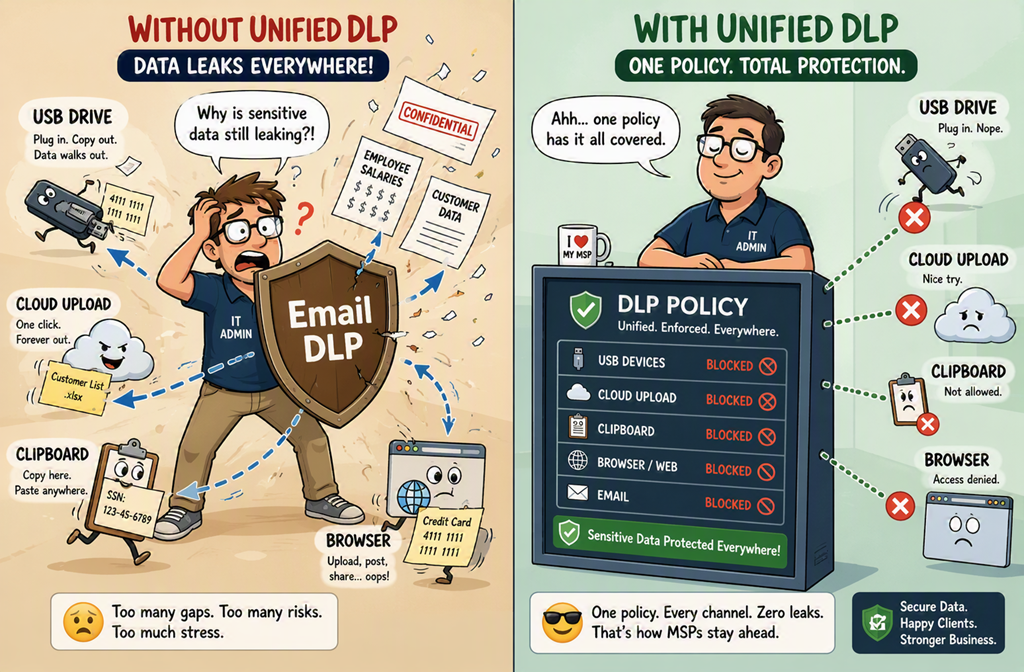
Most SMBs think they’ve “done DLP” because they ticked a box in Exchange.
They scan outbound email.
They block the occasional credit card number.
They call it done.
That’s not DLP. That’s transport filtering.
Real data loss doesn’t just leave through email anymore. It walks out via USB, clipboard, browser uploads, and users who don’t realise they’re doing anything wrong.
If you’re only protecting email, you’re protecting yesterday’s risk.
The shift is simple: stop thinking about where data leaves, and start thinking about where data lives and how it’s used.
What is Microsoft Purview DLP, really?
At its core, Microsoft Purview DLP is a policy engine that watches how sensitive data is used and shared, then steps in when it shouldn’t be.
Not just email. Not just files.
Behaviour.
It looks across Microsoft 365 — Exchange, SharePoint, Teams — and now endpoint devices as well.
That matters.
Exchange DLP scans emails and attachments and enforces actions.
Endpoint DLP extends this to USB copies, printing, clipboard, and uploads.
“We’ve got DLP on email, so we’re covered.”
No, you’ve just moved the problem somewhere else.
Data will always find another path out.
Step-by-Step: building a real DLP policy (Exchange + endpoint)
1. Go to the Purview portal
Navigate to Data loss prevention → Policies → Create policy.
2. Choose your locations
Select Exchange Online and Devices.
3. Define what matters
Use built-in sensitive information types and add context like external recipients.
4. Choose actions that teach
Warn, block, or allow override with justification.
5. Turn on endpoint coverage
Monitor and control how sensitive data is used directly on devices.
User copies sensitive file to USB → Block
User uploads to personal cloud → Block
User tries to email externally → Warn or encrypt
Notice what’s missing?
Separate tools.
Why this actually changes behaviour
Most security controls are reactive.
DLP — when done right — isn’t.
It works in the moment.
That’s the real win.
Instead of cleaning up incidents, you prevent them.
And you educate users while they work.
“Why did that get blocked?”
Now you’ve got a conversation instead of a breach.
My recommendation?
Start with one policy that covers Exchange and Endpoints. Run in audit mode. Then enforce.
Security doesn’t fail at the perimeter anymore. It fails in the moment of use.
DLP isn’t there to watch data leave.
It’s there to stop it leaving in the first place.

