Microsoft Cloud Best practices

pexels-element-digital-1293266

I get asked quite regularly about best practices for the Microsoft Cloud so what I have done is start a new file in my GitHub repository here:

https://github.com/directorcia/Office365/blob/master/best-practices.txt

where you’ll find links to articles from Microsoft and others (i.e. NIST, CIS, etc) around best practices for the Microsoft Cloud.

Let me know if you have any more and I’ll add them.

November poll

ask-blackboard-chalk-board-chalkboard-356079

For November I’m asking people:

Are you using a third party product/service to ‘backup’ Office 365 outside of what Microsoft provides?

which I greatly appreciate you thoughts here:

http://bit.ly/ciasurvey202011

You can view the results during the month here:

http://bit.ly/ciaresults202011

and I’ll post a summary at the end of the month here on the blog.

Please feel free to share this survey with as many people as you can so we can get better idea on this question.

Disabling basic authentication in Microsoft 365 admin console

I’ve previously spoken about why it is important to:

Disable basic auth to improve Office 365 security

PowerShell is generally the easiest manner in which that can be done. However it is possible via the Microsoft admin portal.

image

Navigate to:

https://admin.microsoft.com/

and select Settings from the options on the left. Then select Org settings and then Modern authentication on the right as shown above.

image

You should then see a dialog box appear like that shown above. At the bottom you will find the capability to enable or disable basic authentication.

image

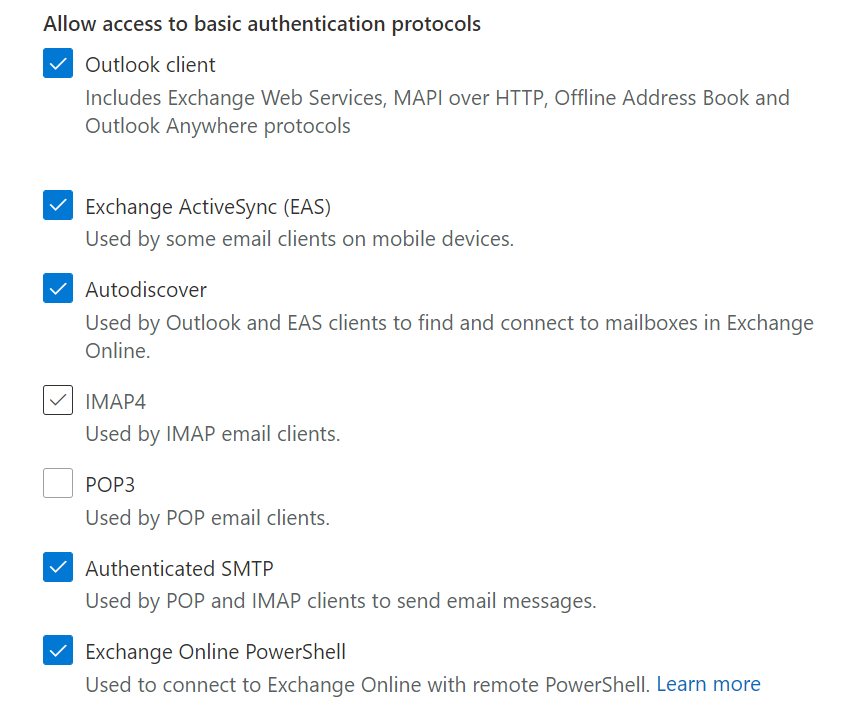
If you want to disable basic authentication for the protocols listed simply unselect that option as shown above where it has been done for IMAP4 and POP3.

Before you go and disable things it is a good idea to have and see what maybe using basic authentication. You can do that by following the steps I outlined in this article:

Determining legacy authentication usage

Disabling basic authentication is a major way to improve the security of your tenant and is strongly recommended for all environments.

New Exchange Policy Configuration analyzer

image

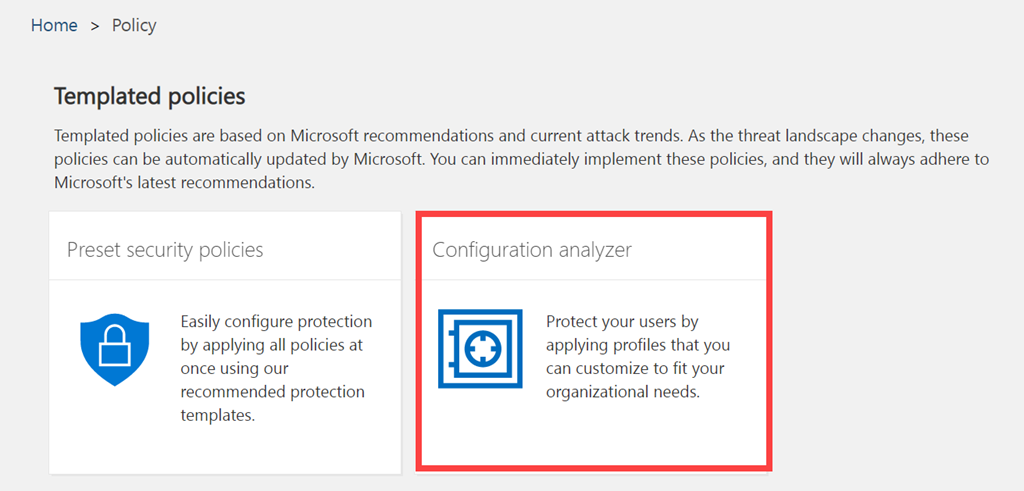
If you have a look in your Threat Management policies in Security and Compliance you’ll see a new tile called Configuration Analyzer as shown above. The direct URL is:

https://protection.office.com/configurationAnalyzer

image

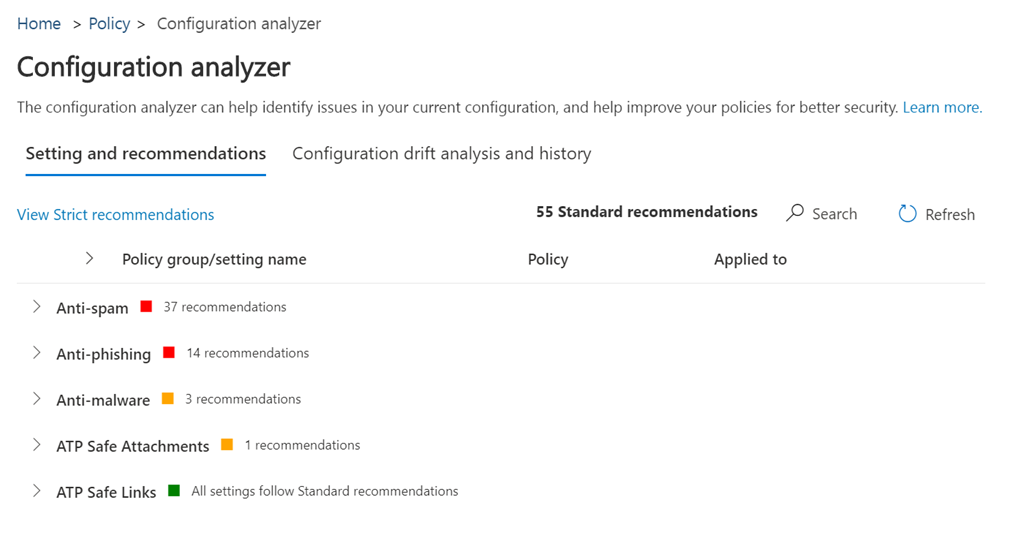
When you select this tile you’ll see a screen like that shown above which compares your current policy settings to Microsoft best practices.

image

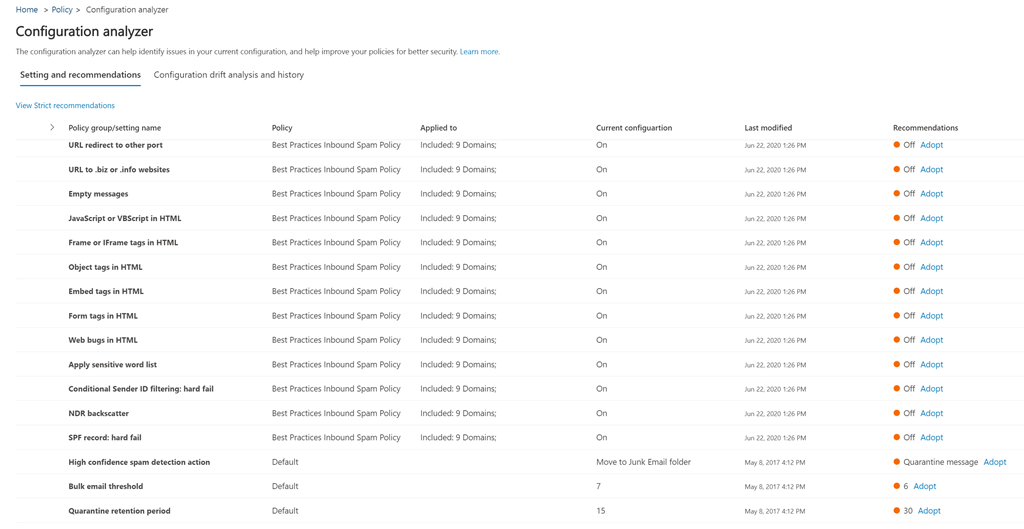
If you expand any of the headings you’ll the settings in question and what the recommendation is on the right. You’ll also see a link that allows you to easily Adopt this setting.

image

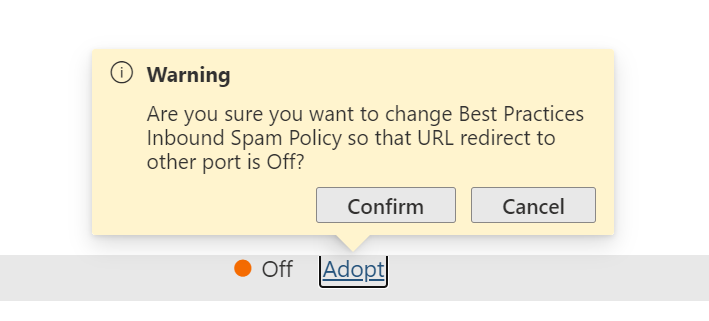
If you do select the Adopt link, you’ll be presented with the above warning asking you whether you wish to proceed and Confirm or Cancel the change.

image

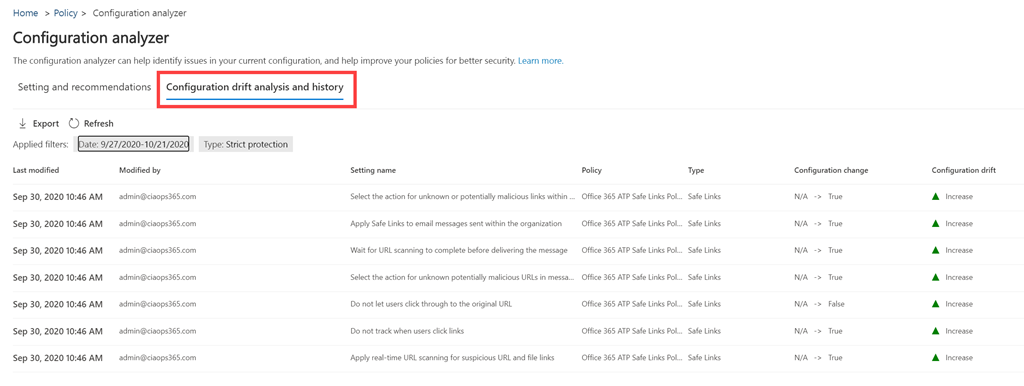
You will also see a Configuration drift analysis and history option as shown above. This allows you to compare changes in configuration over time and their effect. Basically, whether changes made improve email security or not.

If you want to learn more about Microsoft’s best practice configurations I suggest you take a look at my previous article:

New templated email policies

I see this as a further step towards what I spoke about here:

The changing security environment wit Microsoft 365

and how Ai will soon do all this automatically.

Custom Praise badges in Microsoft Teams

image

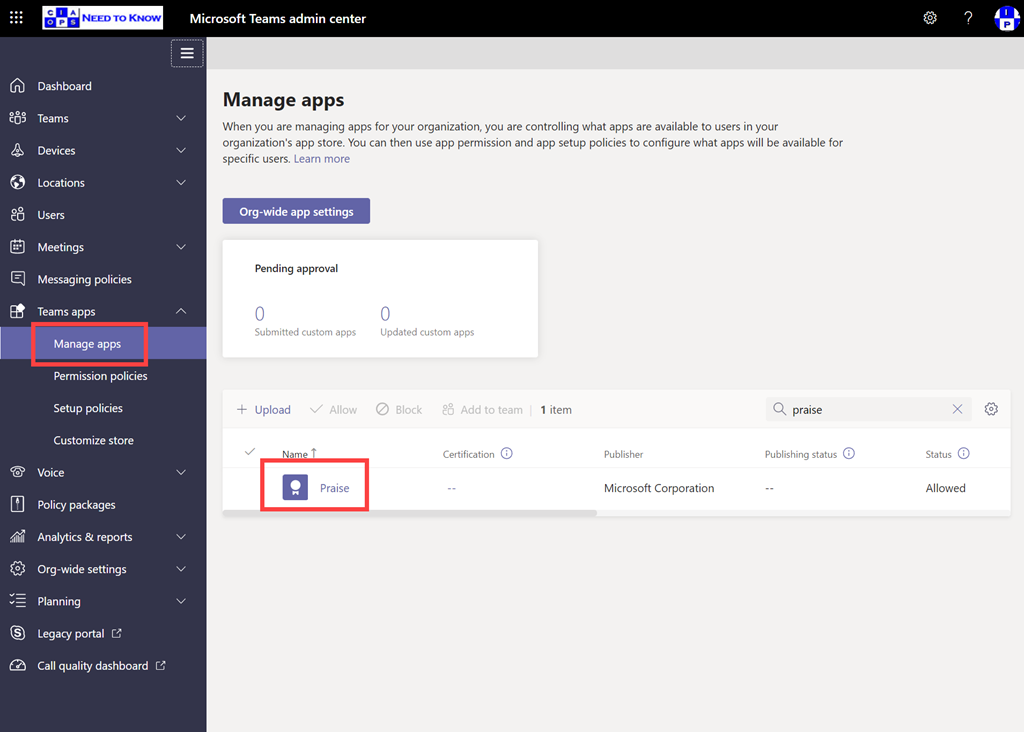
If you navigate to the Teams admin portal and expand the Teams apps option from the menu on the left, you should see a Managed apps option. You can locate the Praise app by using search on the right.

image

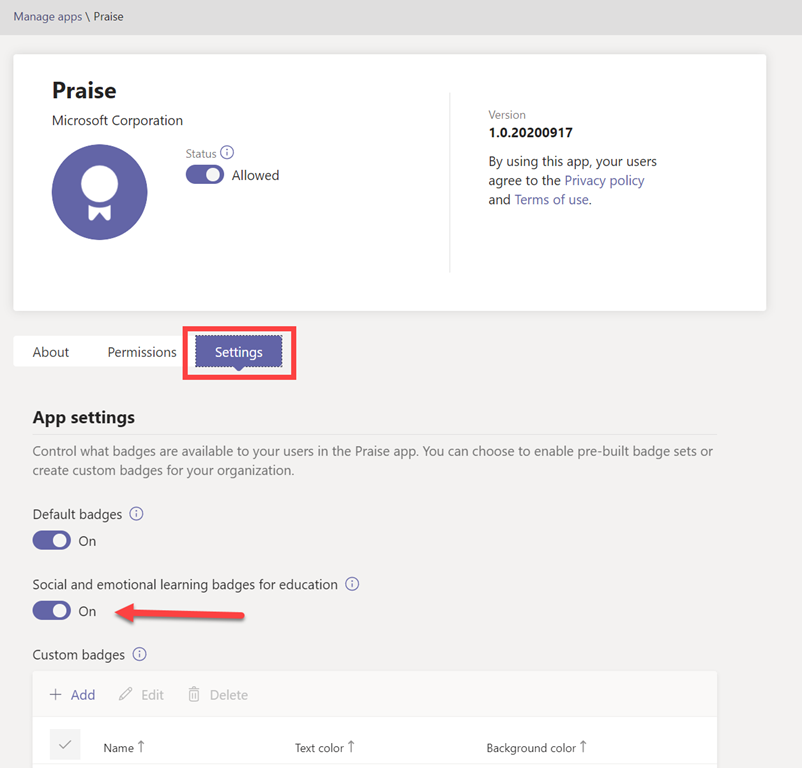
If you select the Praise app you’ll then see a screen like that shown above. If you then select the Settings option just under the information banner you get the badges options.

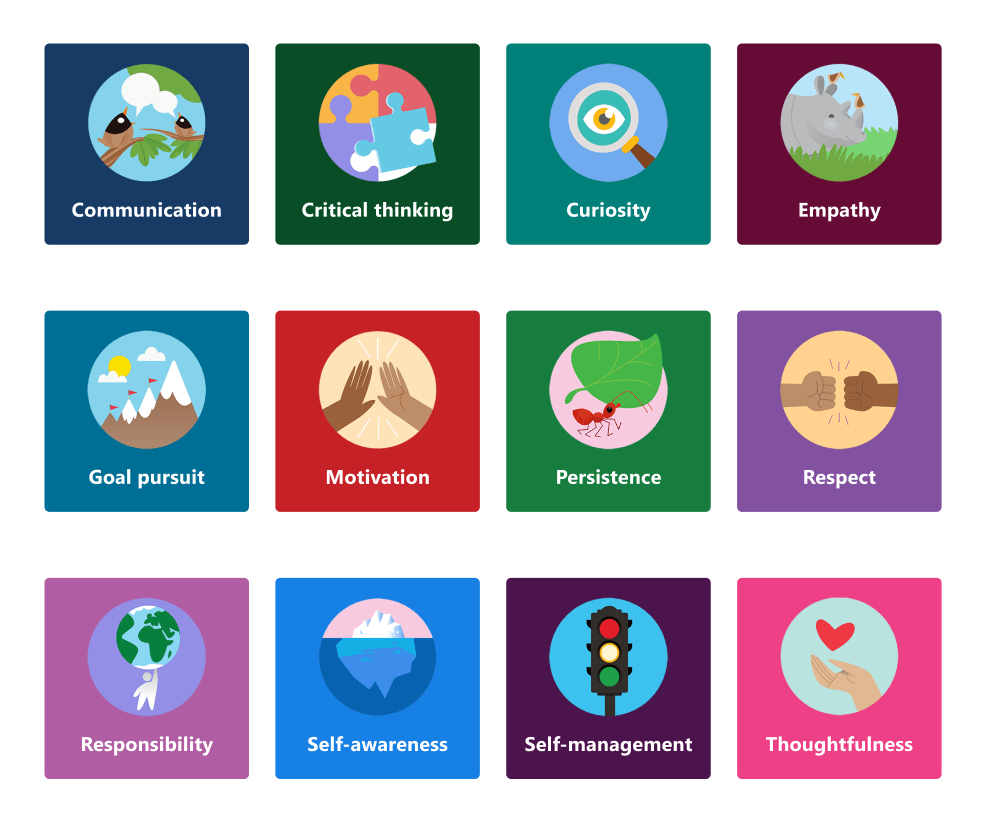
Generally, default badges are enabled but why not also enable the Social and emotional learning badges for education as well? They are free after all!

Preview of the Social and emotional learning badges for  education

When you do so, you’ll see the additional badges shown above in your Teams Praise app.

image

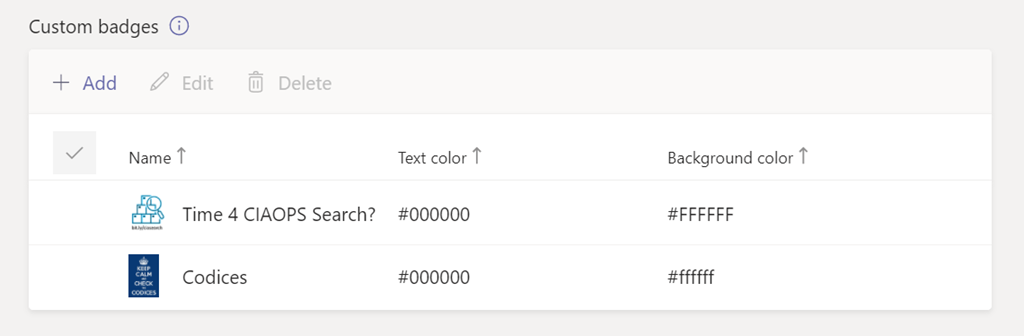
Even better, further down, you can also add you own custom Praise apps.

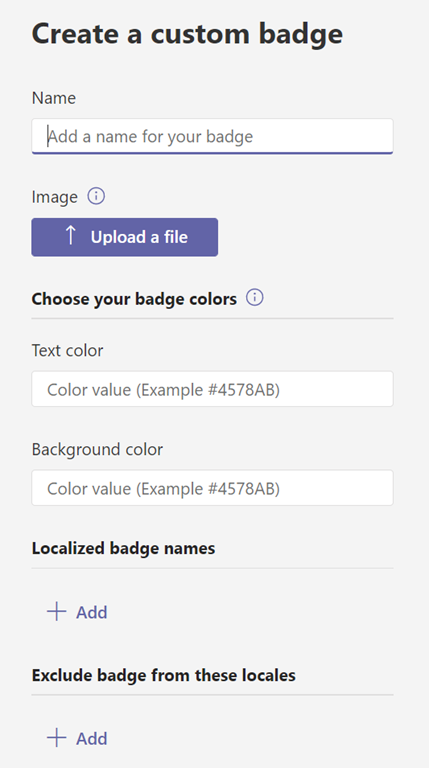
image

Just update a suitable badge graphic and add the details about the badge.

image

So now, when you Praise someone in Teams, you have many more options, including your own custom ones as shown above.

When selecting an image, keep badge dimensions in mind. For the best quality, we recommend uploading an image file that is 216 x 216 pixels (which are the maximum dimensions). Avoid stretching or distorting the image to fit these dimensions.

The above is from a great Microsoft article:

Manage the Praise app in the Microsoft Teams admin center

that provide lots of information about the Praise app and badges. So I recommend you take a look to learn more.

Revisiting some facts around Microsoft 365 backup

A while ago I wrote an article:

Do you need to backup Office 365?

Recently, Tony Redmond wrote this article on a similar topic:

Questioning Six Reasons Why Backing up Office 365 is Critical

That then lead to the following debate:

The Great Debate: The Need For Office 365 Backup [VIDEO]

I’ve also seen people quote the following from Microsoft:

Microsoft Services Agreement

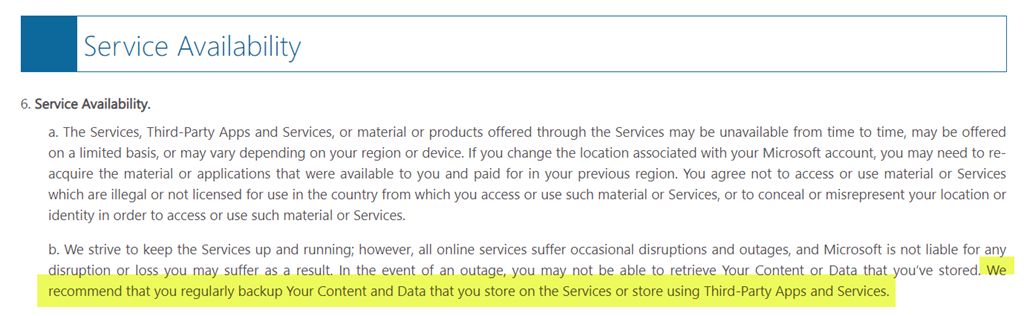
which contains the following clause:

image

which reads:

“We recommend that you regularly backup Your Content and Data that you store on the Services or store using Third-Party Apps and Services.”

However, it is important to note at the top of that document:

image

which reads:

These terms (“Terms“) cover the use of those Microsoft consumer products, websites, and services listed at the end of these Terms here (#serviceslist) (the “Services“).”

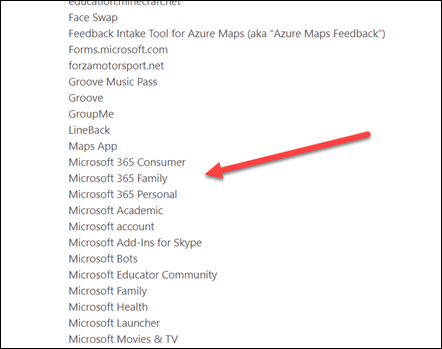
Note hyperlink to “services” that agreement actually covers. That leads to the following URL:

https://www.microsoft.com/en/servicesagreement/#serviceslist

and when you look through that list there are no M365/O365 commercial services listed:
image

Thus, that Microsoft Services Agreement doesn’t apply when talking about data retention in Microsoft 365 commercial products.

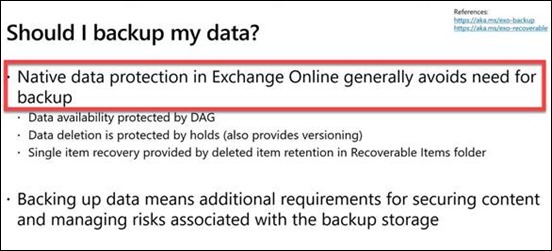
In fact, the following slide was taken from a recent Microsoft Ignite 2020 presentation:
clip_image001

Here’s the time stamped video it came from – https://youtu.be/zBHXVGrxBqM?t=1971 (Protecting Exchange Online Mailboxes As A Secure Vault)

I will also highlight the following article:

Set the OneDrive retention for deleted users

which says:
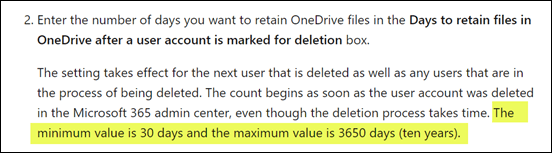
image

The minimum value is 30 days and the maximum value is 3650 days (ten years).

As my original article states and Tony Redmond reinforces, the importance is to understand what M365 does out of the box with data retention and how that can and ‘should’ be configured to reduce risk. After which, third party products can be added to supplement what Microsoft 365 does. As I say, more backups are good but at some point they fail to significantly reduce risk for the investment made in them. That point is up to the individual business to determine.

It is important to have the correct information when it comes to data retention and recovery in Microsoft 365, and if you don’t appreciate what can be done with Microsoft 365 out of box then I’d encourage you to go and take a closer look, because it does a pretty good job in my opinion.


Need to Know podcast–Episode 256

We’ve crossed the 8 bit barrier and now into 16 bit episode numbers! I’ll give you a quick round up of what I thought was the most important announcements from Microsoft and where you can go to get all the information Microsoft recently provides about its products. Then I’ll speak with Microsoft MVP Lars Klint about his project with llamas. Yup, that’s the animal, not some secret code word. So listen in for some fun as well as interesting take away Lars has to share in this episode.

This episode was recorded using Microsoft Teams and produced with Camtasia 2020

Take a listen and let us know what you think – feedback@needtoknow.cloud

You can listen directly to this episode at:

https://ciaops.podbean.com/e/episode-256-lars-klint-and-llamas/

Subscribe via iTunes at:

https://itunes.apple.com/au/podcast/ciaops-need-to-know-podcasts/id406891445?mt=2

The podcast is also available on Stitcher at:

http://www.stitcher.com/podcast/ciaops/need-to-know-podcast?refid=stpr

Don’t forget to give the show a rating as well as send us any feedback or suggestions you may have for the show.

Resources

@larsklint

@directorcia

Introducing llama cam

llama cam

Lars Klint blog

Ignite book of news

Ignite on demand sessions

New management capabilities for Microsoft Defender Antivirus in Microsoft 365 Business Premium

Announcing Microsoft 365 Lighthouse for Managed Service Providers serving small & medium customers

Seven ways we’re empowering every person and every organization to thrive in a new world of work

Discover the new Teams feature that supports social-emotional learning

Microsoft Defender for Endpoint adds depth and breadth to threat defense across platforms

Announcing SharePoint Syntex

Celebrating the top OneDrive moments from Microsoft Ignite 2020

SharePoint admin and migration announcements at Ignite 2020

What’s New in Microsoft Teams

Collaboration, communication and knowledge sharing with Microsoft Teams, SharePoint, Project Cortex

October poll

ask-blackboard-chalk-board-chalkboard-356079

For October I’m asking people:

Do you feel things are changing too quickly with Microsoft 365?

which I greatly appreciate you thoughts here:

http://bit.ly/ciasurvey202010

You can view the results during the month here:

http://bit.ly/ciaresults202010

and I’ll post a summary at the end of the month here on the blog.

Please feel free to share this survey with as many people as you can so we can get better idea of there is too much change with Microsoft 365?