Why the Essential Eight Falls Short for Microsoft 365 Copilot

image

The Essential Eight has done a lot of good.

It’s helped lift the baseline security posture of thousands of Australian organisations. It’s given boards something concrete to point at. And it’s given MSPs a common language to talk about “doing security properly”.

But here’s the uncomfortable truth:

The Essential Eight is not a good security framework for working with Microsoft 365 Copilot.

That doesn’t mean it’s useless.
It means it was never designed for this problem.

And pretending otherwise is where things start to break.

The Essential Eight Was Built for a Different Era

At its core, the Essential Eight is a host‑centric, exploit‑reduction framework.

Patch your systems.
Lock down macros.
Control admin privileges.
Stop ransomware from ruining your week.

That mindset made perfect sense when the primary risks were:

  • Malware executing on endpoints

  • Credential theft via phishing

  • Lateral movement across on‑prem networks

Copilot changes the threat model completely.

Copilot doesn’t break in.
It doesn’t escalate privileges.
It doesn’t drop malware.

It uses the access you’ve already given people—and amplifies it.

That’s a fundamentally different class of risk.

Copilot Turns “Access” Into the Attack Surface

The Essential Eight assumes that if a user can access something, the risk has already been accepted.

Copilot doesn’t.

Copilot takes that access and:

  • Aggregates it

  • Summarises it

  • Correlates it

  • Surfaces it in seconds

A user who technically had access to 10,000 SharePoint files—but never opened them—now has an AI assistant that can reason over all of them at once.

Nothing in the Essential Eight meaningfully addresses:

  • Overshared SharePoint sites

  • Inherited permissions chaos

  • “Everyone except external users” links

  • Legacy Teams and Groups no one remembers creating

From an Essential Eight perspective, everything is fine.

From a Copilot perspective, the tenant is a loaded weapon.

“We’re Essential Eight Compliant” Is a False Sense of Safety

This is where I see organisations get caught out.

They’ve ticked the boxes:

✅ MFA enforced
✅ Devices compliant
✅ Admin roles restricted
✅ Patching up to date

Then they turn on Copilot and assume security is handled.

It isn’t.

Because Essential Eight compliance tells you almost nothing about:

  • Who can see sensitive data

  • Whether data is correctly classified

  • Whether information barriers exist

  • Whether users understand the impact of AI on data exposure

Copilot doesn’t care that your macros are locked down.

It cares about data sprawl.

The Essential Eight Doesn’t Model “Inference Risk”

This is the biggest gap.

Copilot introduces inference risk—the ability to derive sensitive insights from non-sensitive data.

Individually harmless documents can become highly sensitive when combined:

  • A pricing doc

  • A staff list

  • A project timeline

  • A financial forecast

Copilot can stitch those together in ways humans rarely do.

The Essential Eight has no control for:

  • Semantic aggregation

  • Contextual inference

  • AI‑assisted discovery

You can be perfectly compliant and still expose far more than you realise.

Copilot Needs a Data‑Centric Security Model

If you’re serious about Copilot, your security thinking has to shift.

From:

“Can this device run malicious code?”

To:

“Should this person ever see this information—at scale?”

That means frameworks and controls that focus on:

  • Information architecture

  • Permission hygiene

  • Data classification and sensitivity labels

  • SharePoint and Teams governance

  • Ongoing access reviews

  • User behaviour and intent

None of which are meaningfully addressed by the Essential Eight.

This Doesn’t Mean You Throw the Essential Eight Away

Let’s be clear.

The Essential Eight is still a solid baseline.

You absolutely should be doing it.

But treating it as sufficient for Copilot is a mistake.

It’s like saying:

“We’ve installed seatbelts, so autonomous driving is safe.”

Different problem. Different risk profile.

The Right Question to Ask

Instead of asking:

“Are we Essential Eight compliant?”

Copilot forces a better question:

“What could Copilot expose tomorrow that we’d be uncomfortable explaining to the board?”

If you can’t answer that confidently, the framework you’re using is the wrong one for the job.

Copilot doesn’t reward checkbox security.

It rewards intentional design, clean data, and disciplined governance.

And that’s a conversation the Essential Eight simply wasn’t built to have.
This Is the Reality Now

image

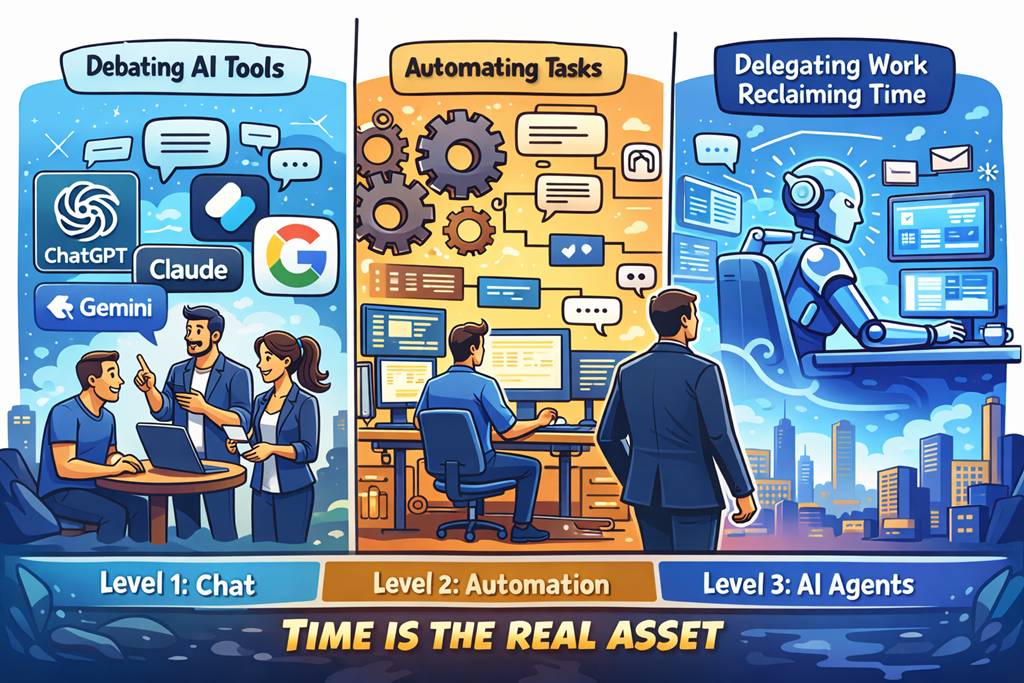
Most people are still stuck at Level 1.

They’re arguing about which AI tool is “best”.
ChatGPT vs Copilot. Claude vs Gemini. Model versions. Token limits. Benchmarks.

It’s all noise.

Because the real advantage was never the tool.

It’s how you delegate.

We’ve seen this movie before. When cloud arrived, people obsessed over which hypervisor was better instead of rethinking infrastructure. When SaaS took off, they argued about features instead of outcomes. AI is no different. The ones arguing about tools are missing the shift entirely.

Chat gives you answers.
Automation gives you leverage.
Agents give you time back.

And time is the only asset that actually matters.

Chat Is the Training Wheels

Chat-based AI is incredible. Don’t get me wrong. It’s useful, powerful, and accessible. It helps you think, draft, brainstorm, research, and unblock yourself.

But chat is still you doing the work.

You ask.
You refine.
You copy.
You paste.
You decide.

That’s not leverage. That’s assistance.

Chat is the equivalent of having a smart junior sitting next to you, waiting for instructions. Helpful? Absolutely. Transformational? Only if you stop there.

Most people do.

They feel productive because they’re faster — but they’re still the bottleneck.

Automation Is Where Leverage Starts

Automation changes the equation.

When you automate, work happens without you being present. Decisions are made based on rules. Actions trigger automatically. Systems talk to systems.

This is where output starts to scale without effort scaling with it.

But automation still has limits. It’s rigid. It does exactly what you tell it to do — no more, no less. It’s fantastic for repeatable, predictable processes, but it struggles when judgement is required.

Which brings us to the real shift.

Agents Are the Force Multiplier

Agents are where things get uncomfortable — because they replace you in the loop.

Agents don’t just answer questions.
They monitor.
They decide.
They act.
They escalate only when needed.

That’s delegation at a level most people aren’t ready for.

Instead of asking AI to help you do the work, you assign the work and walk away. You define outcomes, guardrails, and exceptions — and the agent handles the rest.

This is the difference between working with AI and working through AI.

One saves time.
The other gives it back.

Time Is the Only Asset That Matters

Money can be earned again.
Tools can be replaced.
Skills can be relearned.

Time is gone forever.

And yet most business owners, MSPs, and professionals are using AI to shave minutes instead of reclaim hours. They’re optimising tasks instead of eliminating them. They’re still “busy”, just faster at being busy.

The winners in this next phase aren’t going to be the people who know the most prompts.

They’ll be the people who know how to delegate to systems.

Who design workflows where AI works while they sleep.
Who build agents that handle the boring, repetitive, low‑value decisions.
Who spend their time on strategy, relationships, and leverage — not execution.

This Is the World We’re In Now

This isn’t future talk. It’s not hype. It’s not “someday”.

This is now.

AI isn’t just a tool you use anymore. It’s labour you can assign. And the moment you understand that, the question changes.

It’s no longer:
“Which AI should I use?”

It’s:
“What work should I never do again?”

The only real question left is whether you’re going to lean into that reality — or keep asking AI for answers while time keeps slipping through your fingers.

Because AI won’t run out of capacity.

You will.

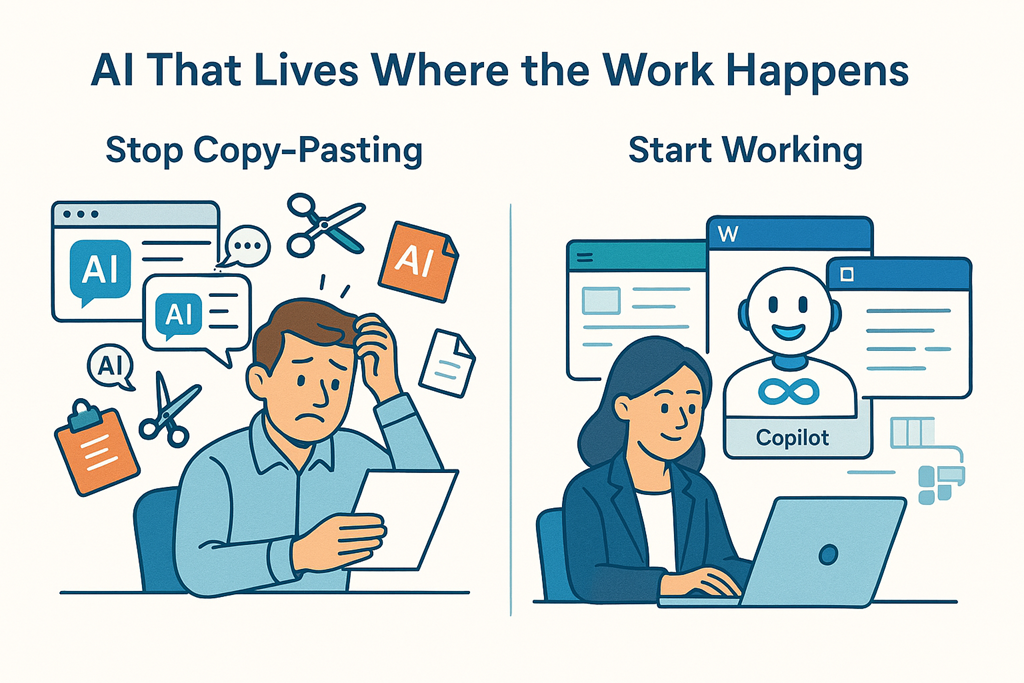
Why Microsoft Copilot Wins: Because Copy‑Paste Isn’t a Workflow

image

There’s a lot of noise right now about AI tools.

Everyone has one. Everyone claims theirs is “the best”. And on the surface, they all seem to do the same thing: you type a prompt, it spits out words, code, or ideas.

But after working with AI daily — and helping MSPs and businesses actually use it — I’ve come to a very clear conclusion:

Microsoft Copilot isn’t better because it’s smarter.
It’s better because it’s integrated.

And that changes everything.

The Copy‑Paste Tax No One Talks About

Most AI tools live in a browser tab.

You ask a question.
You get an answer.
Then you copy it.
Then you paste it somewhere else.

Word. Excel. Outlook. Teams. PowerPoint. CRM. Ticketing system.

That constant switching feels minor… until you add it up.

It’s mental context‑switching.
It’s broken flow.
It’s extra clicks.
It’s friction.

Over a day, a week, a month — it’s a tax on productivity that nobody puts in a pricing comparison.

AI that forces you to copy and paste is still making you do the hard work.

Copilot Lives Where the Work Happens

Copilot doesn’t sit off to the side like a clever intern waiting for instructions.

It’s embedded directly into the tools people already use:

  • Writing inside Word
  • Analysing data inside Excel
  • Responding inside Outlook
  • Summarising conversations inside Teams
  • Building decks inside PowerPoint

That matters more than most people realise.

Because the real value of AI isn’t generating content.
It’s reducing friction in the flow of work.

With Copilot, you’re not moving information between systems.
You’re working on the thing, while the AI works with you.

Context Is the Secret Sauce

Here’s the uncomfortable truth about most AI tools:

They only know what you tell them.

Every prompt starts from scratch unless you manually paste in context. Emails. Documents. Spreadsheets. Notes. Meeting transcripts.

That’s not intelligence. That’s busywork.

Copilot, on the other hand, is grounded in your Microsoft 365 data — respecting permissions, security, and compliance — and understands:

  • The document you’re editing

  • The email thread you’re replying to

  • The meeting you just came out of

  • The spreadsheet you’re staring at

  • The chat you missed yesterday

You don’t have to re‑explain your world every time.

That’s the difference between an AI toy and an AI assistant built for work.

Real Productivity Is Invisible

The biggest productivity gains don’t look impressive in a demo.

They look like:

  • Finishing an email in 30 seconds instead of 5 minutes

  • Turning meeting notes into actions without rewriting them

  • Asking “what changed?” instead of rereading 20 messages

  • Starting a document without staring at a blank page

Copilot excels here because it removes micro‑tasks you shouldn’t be doing in the first place.

You’re not “using AI”.
You’re just getting work done faster.

Security and Compliance Aren’t Optional

This is where a lot of organisations quietly get nervous.

Browser‑based AI tools are often disconnected from your identity, your data controls, and your compliance posture. People paste sensitive information in because they’re trying to be efficient — and suddenly governance is gone.

Copilot inherits your existing Microsoft 365 security model:

  • Identity

  • Permissions

  • Data boundaries

  • Compliance controls

It only shows users what they already have access to.

That’s not just a technical detail.
For MSPs and regulated businesses, it’s the difference between “we can use this” and “we can’t touch this”.

The Best AI Is the One People Actually Use

Here’s the final point — and it’s the one that matters most.

If AI requires:

  • Training people on a new interface

  • Convincing them to change tools

  • Forcing them to remember “where the AI lives”

…adoption will stall.

Copilot shows up inside the tools people already know.

No change management theatre.
No new browser tabs.
No “remember to use the AI”.

It’s just… there.

And that’s why it wins.

Not because it’s flashy.
Not because it’s louder.
But because it understands a simple truth:

AI only delivers value when it disappears into the workflow.

And right now, Copilot does that better than anything else on the market.

CIA Brief 20260322

image

Defending the AI Era: New Microsoft Capabilities to Protect AI –

https://techcommunity.microsoft.com/blog/MicrosoftDefenderCloudBlog/defending-the-ai-era-new-micros…

From Impersonation Calls to Transparent Reporting: Defending the New Front Door of Attacks –

https://techcommunity.microsoft.com/blog/MicrosoftDefenderforOffice365Blog/from-impersonation-calls…

Secure data as AI scales: New Microsoft Purview innovations at RSA 2026 –

https://techcommunity.microsoft.com/blog/microsoft-security-blog/secure-data-as-ai-scales-new-micro…

Secure agentic AI end-to-end –

https://www.microsoft.com/en-us/security/blog/2026/03/20/secure-agentic-ai-end-to-end/

Secure access in the age of AI: Key findings from our 2026 Report –

https://techcommunity.microsoft.com/blog/microsoft-entra-blog/secure-access-in-the-age-of-ai-key-fi…

When tax season becomes cyberattack season: Phishing and malware campaigns using tax-related lures –

https://www.microsoft.com/en-us/security/blog/2026/03/19/when-tax-season-becomes-cyberattack-season…

Copilot can reschedule conflicting events in Outlook –

https://techcommunity.microsoft.com/blog/microsoft365insiderblog/copilot-can-reschedule-conflicting…

Observability for AI Systems: Strengthening visibility for proactive risk detection –

https://www.microsoft.com/en-us/security/blog/2026/03/18/observability-ai-systems-strengthening-vis…

What’s New in Microsoft Sentinel and XDR: AI Automation, Data Lake Innovation, and Unified SecOps –

https://techcommunity.microsoft.com/discussions/microsoftthreatprotection/what%E2%80%99s-new-in-mic…

Structured document generation with forms now in preview –

https://techcommunity.microsoft.com/blog/SPBlog/structured-document-generation-with-forms-now-in-pr…

Act Now: Lock in Current Pricing on Microsoft 365 Copilot Business Bundles –

https://techcommunity.microsoft.com/blog/microsoft365copilotblog/act-now-lock-in-current-pricing-on…

AI‑Powered Troubleshooting for Microsoft Purview Data Lifecycle Management now available –

https://techcommunity.microsoft.com/blog/exchange/ai%E2%80%91powered-troubleshooting-for-microsoft-…

Publish to web delivers polished files externally with one click –

https://techcommunity.microsoft.com/blog/Microsoft365InsiderBlog/publish-to-web-delivers-polished-f…

After hours

Why All “AI Layoffs” Are Actually a Big Lie  – https://www.youtube.com/watch?v=3JdV2qGCAFk

Editorial

If you found this valuable, the I’d appreciate a ‘like’ or perhaps a donation at https://ko-fi.com/ciaops. This helps me know that people enjoy what I have created and provides resources to allow me to create more content. If you have any feedback or suggestions around this, I’m all ears. You can also find me via email director@ciaops.com and on X (Twitter) at https://www.twitter.com/directorcia.

If you want to be part of a dedicated Microsoft Cloud community with information and interactions daily, then consider becoming a CIAOPS Patron – www.ciaopspatron.com.

Watch out for the next CIA Brief next week

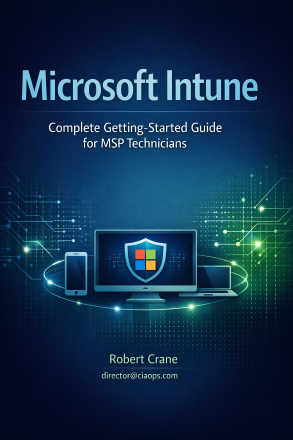
New Publication – Microsoft Intune: Complete Getting Started Guide for MSP Technicians

blog

https://directorcia.gumroad.com/l/intunegs

Unlock the Power of Modern Device Management with Microsoft Intune!

Are you ready to transform your IT operations and deliver seamless, secure device management for your clients or organization? This publication is your essential guide to mastering Microsoft Intune in small-to-medium business environments, packed with actionable insights, step-by-step instructions, and real-world best practices1.

Why Choose This Guide?
  • Comprehensive & Practical: Written as a hands-on runbook, this publication walks you through every critical step—from tenant setup and device enrollment to policy creation, app deployment, and troubleshooting. Each procedure is explained in clear, jargon-free language, so you know not just what to do, but why it matters1.

  • For All Skill Levels: Whether you’re a Level 1 technician new to device management or a seasoned MSP architect, you’ll find targeted sections for your needs. L1s get the basics and rollout checklists; L2/L3s get advanced automation, multi-tenant architecture, and the latest platform updates1.

  • Up-to-Date for 2026: Stay ahead of the curve with coverage of critical updates, new features, and evolving best practices—including Windows 10 end-of-life, Azure Front Door IP changes, Autopilot v2, AI-powered Intune Suite features, and expanded support for Linux and macOS1.

  • Troubleshooting & Optimization: Avoid common pitfalls with detailed troubleshooting guides, diagnostic tools, and security quick wins. Learn how to monitor, report, and remotely manage devices for maximum efficiency and compliance1.

  • Customer Communication Templates: Reduce helpdesk calls and boost user satisfaction with ready-to-use email templates, BYOD guides, and rollout communications1.

Who Should Buy This Guide?
  • Managed Service Providers (MSPs) seeking to scale operations and deliver consistent, high-quality Intune deployments.

  • IT professionals and consultants responsible for device management, security, and compliance in Microsoft 365 environments.

  • Organizations planning migrations, upgrades, or new deployments of Microsoft Intune.

What You’ll Achieve
  • Confidently build, operate, and troubleshoot Intune environments.

  • Streamline onboarding, policy rollout, and app deployment across Windows, macOS, iOS/iPadOS, and Android.

  • Implement best practices for security, compliance, and ongoing maintenance.

  • Communicate effectively with end users and stakeholders.

Don’t settle for guesswork—equip yourself with the definitive guide to Microsoft Intune and deliver results that delight your clients and users.

See all the titles available at – https://directorcia.gumroad.com/

From Push to Pull–A more effective approach to prompting

Video URL = https://www.youtube.com/watch?v=xYCVKQwEFgY

In this video, I reveal the game-changing secret to getting incredible results from AI tools like Copilot. If you’ve ever spent ages crafting detailed prompts only to get disappointing answers, you’re not alone! I show you how to flip the script with a simple mindset shift—turning your AI from a passive tool into an active collaborator. Discover the difference between push prompting and pull prompting, and learn a proven formula that boosts accuracy and makes your AI do the heavy lifting. Watch as I demonstrate this method in real-world scenarios, including Microsoft Excel, and see how a conversational approach can transform your workflow. Get ready to unlock smarter, faster, and more useful AI results—starting today! You can find my full publication at – https://directorcia.gumroad.com/l/aaiprompt

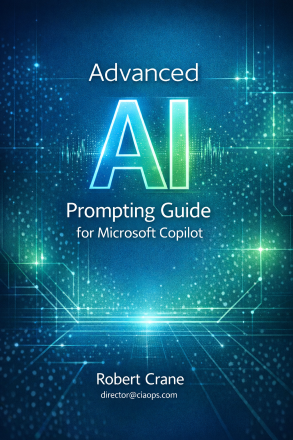
New Publication – Advanced AI Prompting Guide for Microsoft Copilot

blog

https://directorcia.gumroad.com/l/aaiprompt

Advanced AI Prompting Guide for Microsoft Copilot

Unlock the true power of Microsoft 365 Copilot with the definitive guide to advanced AI prompting. Written for experienced Copilot users, this publication transforms your approach from basic instructions to strategic, collaborative conversations that deliver more accurate, efficient, and tailored results across Word, Excel, Outlook, Teams, and PowerPoint.

Why Buy This Guide?
  • Go Beyond Basics: Move past simple prompts and discover the game-changing concept of pull prompting. Learn how to shift Copilot from a passive tool to an active collaborator, improving accuracy by up to 20% for complex tasks and reducing trial-and-error cycles.

  • Practical, Real-World Examples: Step-by-step methods and worked examples for business, education, and software development. Application-specific techniques help you get the most out of Copilot in every Microsoft 365 app.

  • Prompt Templates & Checklists: Access a comprehensive library of prompt templates, quick-reference checklists, and decision matrices to streamline your workflow and boost productivity.

  • Build Custom Copilot Agents: For administrators and developers, learn how to design and deploy custom Copilot agents using structured system instructions in Copilot Studio—perfect for recurring, organisation-wide workflows.

  • Grounded in Microsoft Guidance: All techniques are based on Microsoft’s official recommendations and real-world practice, ensuring you’re always aligned with best practices.

Who Should Buy?
  • Microsoft 365 Copilot users ready to advance beyond basic prompting

  • Business professionals, educators, and developers seeking more consistent and powerful AI interactions

  • IT administrators and Copilot Studio builders wanting to create custom agents for their organisation

Key Features
  • Clear explanations of push vs. pull prompting, with actionable strategies for each

  • Application-specific guidance for Word, Excel, Outlook, Teams, and PowerPoint

  • Best practices, common pitfalls, and troubleshooting tips

  • Licensing and usage terms for personal and organisational use (see publication for details)


Elevate your AI skills and productivity—purchase the Advanced AI Prompting Guide and become a leader in intelligent collaboration with Microsoft 365 Copilot.

See all the titles available at – https://directorcia.gumroad.com/

Why Finding “Good Staff” Isn’t the Real Problem for MSPs

image

Ask any MSP owner what’s holding their business back and you’ll usually hear the same answer within minutes: we can’t find good people. I hear it constantly. At events, on calls, in peer groups. It’s almost become an accepted truth of the industry.

But after years of running, advising, and working alongside MSPs, I don’t think the real issue is a lack of qualified staff. I think the real issue is that most MSPs are still trying to build modern businesses using hiring assumptions from ten or fifteen years ago.

The market has changed. The work has changed. The people have changed. Many MSPs haven’t.

The skills shortage isn’t going away – and waiting won’t help

The first uncomfortable truth is this: the talent shortage is not temporary. It’s not something that will “settle down next year” or magically fix itself once the economy shifts. Demand for technical capability keeps increasing, while the pool of people who want traditional MSP roles keeps shrinking.

Hoping things will improve is not a strategy. Building your business so it can survive and grow despite hiring challenges is.

MSPs that continue to rely on reactive hiring – scrambling to find someone every time workload spikes – will always feel understaffed, stressed, and fragile.

We need to stop obsessing over “perfect” candidates

One of the biggest self-inflicted wounds I see is MSPs defining “qualified” far too narrowly. They want someone with MSP experience, multiple certifications, deep technical skills, and great customer service – often for a role that offers limited growth and constant pressure.

That unicorn doesn’t exist. And if they do, they’re not applying for your job ad.

The better question isn’t “who already knows everything?” but “who can learn, adapt, and fit how we work?” Technical skills can be taught. Attitude, curiosity, and communication are much harder to fix.

Some of the best people I’ve seen in MSPs didn’t come from MSPs at all. They came from customer service, retail, internal IT, or completely different industries. What they had was the ability to think, listen, and improve.

If your entry-level roles burn people out, they’ll keep leaving

Let’s be blunt: many MSP help desk roles are miserable. High volume, constant interruptions, angry customers, little autonomy, and an unspoken expectation that people should “tough it out” before earning something better.

Then we act surprised when turnover is high.

If the only career path you offer is “suffer now, maybe get promoted later”, people will leave as soon as something better appears. And these days, something better appears very quickly.

MSPs that retain staff design roles people can actually stay in. They create visible career paths. Not everyone needs to become a senior engineer. Some people are brilliant at documentation, automation, service coordination, onboarding, or security operations. When those paths exist and are respected, retention improves dramatically.

Your biggest staffing risk is over-reliance on key individuals

Another hard truth: many MSPs don’t have a staffing problem, they have a dependency problem.

If only one or two people really understand how things work, your business is already in trouble. Every sick day, resignation, or holiday becomes a risk event. That’s not a people issue – that’s a design issue.

Standardisation fixes this. Documented processes, consistent tooling, repeatable builds, and automation reduce the amount of tribal knowledge locked in people’s heads. They also lower the experience barrier for new hires, making it easier to bring people up to speed without overwhelming your seniors.

Yes, standardisation takes time. But it pays back every single day after.

Automation isn’t about replacing staff – it’s about saving them

There’s still a strange fear in some MSPs that automation will make roles redundant. In reality, the opposite is true. Automation is often the only reason people don’t burn out.

When technicians spend their days resetting passwords, fixing the same problems, and running the same checks manually, they disengage. When those tasks are automated, their work becomes more interesting, more valuable, and more sustainable.

Automation allows smaller teams to do better work. It also makes MSP roles far more attractive to modern technicians who expect to work smarter, not harder.

Training isn’t a cost – it’s the price of retention

If you don’t invest in your people’s growth, someone else will. This is one of the simplest truths in the industry, yet it’s still treated as optional.

Training doesn’t need to be extravagant. What matters is intent and consistency. Protected learning time, clear expectations, mentoring, and internal knowledge sharing all signal that people matter beyond their billable hours.

People stay where they feel they are progressing. They leave where they feel stuck.

The goal isn’t more staff – it’s a more resilient MSP

The most successful MSPs I see aren’t the ones that hire fastest. They’re the ones that design their businesses to scale without breaking every time hiring gets hard.

They standardise aggressively. They automate deliberately. They hire for mindset, not résumés. They create roles people want to grow into, not escape from.

Finding qualified staff will probably always be challenging. But it doesn’t have to define your limits.

The real question MSPs should be asking isn’t “why can’t we find good people?”
It’s “why does our business fall apart unless we do?”