
If AI Does the Work, Why Am I Paying the Same?

An MSP owner and a client in a tense boardroom discussion at dusk

Sooner or later, one of your customers is going to ask you that question. Maybe not in those words, but the thought is already forming. They read the same headlines you do. Many of them now have Microsoft 365 Copilot on their own desktops, summarising Teams meetings and drafting Outlook replies. They can see what AI does, and they’ve worked out that their MSP is using it too. The obvious next step in their mind is a discount. I think that pressure is real, it’s coming fast, and how you respond will shape your business for years.

Don’t hide it, and don’t race to the bottom

The first temptation is to keep quiet. Say nothing about AI, keep billing the way you always have, and hope nobody asks. That won’t last. Your customers are using the same tools, so the “magic” isn’t a moat anymore. When they discover you’ve been quietly automating work while charging as if it were all done by hand, trust takes the hit, not your margin.

The second temptation is worse. Cut prices to match the time saved. If a task that took an hour now takes ten minutes, charge for ten minutes. Follow that logic and you’re pricing yourself on keystrokes, in a market where keystrokes are getting cheaper every month. That’s a race with no finish line, only a cliff. I made a similar point in Know What Can Move, and What Must Not: be clear about what you’re prepared to trade before the conversation starts.

Price the outcome and the accountability

Customers were never really paying for your hours. They were paying for things to work, for problems to go away, and for someone to stand behind the result. AI doesn’t change that. If anything, it sharpens it.

Here’s the part people forget. When Copilot or an agent gets something wrong, who carries the responsibility? Not the software. You do. Your expertise in knowing when the answer is right, and your accountability when it isn’t, is what the customer is buying. Price that, not the effort.

So be open about how you use AI. Explain where it speeds things up, where a human still checks the work, and how you keep their data safe in Purview and Entra while you do it. Transparency turns a suspicious question into a sensible conversation.

Reinvest the savings where they can see it

The time AI gives back shouldn’t vanish into thin air. Put it into work your customers never had before: more proactive maintenance, tighter security reviews, faster response, and more time spent advising rather than fixing.

Then make that visible. Picture a monthly insights report your team builds with Copilot in Word and Excel, showing tickets resolved, risks found, and recommendations for next quarter. Picture faster ticket resolution because your techs triage with Copilot before they even pick up the phone. Those are tangible gains a customer can point to.

The quarterly review moment

Picture a quarterly review with a long-standing client. Halfway through, they lean back and ask, “If AI does the work, why am I paying the same?”

A weak answer is defensive. A strong answer sounds like this: “You’re right, we use AI every day. Here’s what it freed us to do for you this quarter.” Then show them the security improvements, the faster turnaround and the advice they acted on. Walk them through what they now get that they didn’t a year ago. The question stops being about price and becomes about value.

Where I land

Customers will push for discounts. Let them push. Your job is to make the value so obvious that the discount argument loses its footing. Stop selling time. Start selling outcomes, judgement and accountability, because those are the things AI makes more valuable, not less.

Microsoft 365 Backup pricing

image

I recently detailed how to

Set up Microsoft 365 backup

I thought it was about time to take a look at the cost of Microsoft 365 Backup to see how it compares to other offerings.

The interesting thing is that billing is a little different from other third party solution. Microsoft 365 Backup is based on storage not on users. This makes direct comparison hard, so let me just focus on Microsoft 365 Backup is billed for now.

If you take a look at the Microsoft 365 Backup site you’ll see that at this point in time the service is billed at US$0.15 per GB per month. That is no matter what the data is whether, SharePoint, Exchange, OneDrive for Business. Data is data and the backup cost is per GB per month.

You’ll find this from Microsoft:

Pricing model for Microsoft 365 Backup (Preview)

in which you need to note:

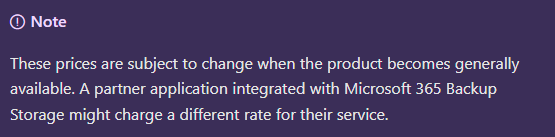
image

there is also a Microsoft 365 Backup pricing spreadsheet here:

https://aka.ms/M365BackupCalculator

but bottom line is to add up all your data storage and multiple by US$0.15, right? Not so quick. Per the documentation:

The size of protected content is equal to the cumulative size of the mailboxes being protected plus the size of the SharePoint sites and OneDrive accounts being protected (that is, the size of the live OneDrive accounts and SharePoint sites as display in the live sites’ usage reports) plus the size of any deleted/versioned content held for restore during the protection period.

Let’s say that I have 1,024GB (1TB) of total data I wanted backed up across SharePoint, Exchange and ODFB. That is relatively easy to determine via the usage reporting tools in Microsoft 365. Where it becomes more challenging is determining the deleted data capacity.What exactly is that?

After some digging, in essence, deleted data is data that has been purged from the service. For example, deleted data is data that was backed up in the SharePoint Online recycle bin that has now expired the standard retention period of 93 days and is no longer in SharePoint Online. Thus, deleted data, is largely, data that no longer resides in the service but has been backed up inside the service at some stage. Ok, but how will I know what that is? That’s a challenge. I can’t find an easy way of determining that. Maybe we’ll see that soon in Microsoft 365 Backup as I think we need to have it, otherwise knowing the costs becomes challenging.

For now, let’s say that the deleted data is exactly the same as my source data inside the services currently being backed up. Thus, if I have 1TB of live data to be backed up, let’s assume the total amount being sent to Microsoft 365 Backup is 2TB. Thus, the cost of this would be:

2,048 GB x US$0.15 = US$307.20 per month

If I assume say 30 users in that tenant of that size then I get roughly US$10 per month per user. I’m taking this as the high end benchmark for SMB in terms of tenant size. I’m just trying to get an average benchmark price with these numbers. That figure is around US$10 per user per month for Microsoft 365 Backup (with plenty of assumptions I admit, but you got to start somewhere)

I appreciate this is all very subjective but upon first glimpse, but looking at a few example tenants around the place and doing the same sort of calculations, I found that, at the very least, Microsoft 365 Backup seems to be comparable to the pricing of third party products on a purely economic basis, which I found interesting.

Of course, price isn’t the only measure of product value and the more live and deleted data you have as well as the longer you retain that data the more expensive it becomes with Microsoft 365 Backup. However, interestingly, Microsoft 365 Backup is pretty cost effective for smaller environments, that is, typically those in SMB. The challenge is that most competitive products are a flat fee per month per user (like a Microsoft 365 Business Premium license is), whereas Microsoft 365 Backup is a consumption based (Azure) fee (i.e. you pay for what you use). That leads to variable costs which many people don’t favour. But, remember with Microsoft 365 Backup your overall backup cost could be much lower as well. It all depends on what you use.

It is still early days for Microsoft 365 Backup and I remind you that it is still in preview at the moment. I’ll take a look a feature comparisons to third party services in an upcoming article but I found it interesting that Microsoft 365 Backup has taken a different approach to pricing that could work well in SMB, but I’ll take a closer look at the feature set in an upcoming article and hopefully present a better picture of how you should be considering Microsoft 365 Backup.

For me, that fact that it generally seems to be price competitive in SMB environments is a plus (aka in the ballpark). Not definitive, I grant you to replace what might be in place with other solutions from third parties, but still it is a good start in the comparison journey.

I’ll have more to share soon on what I’ve found and how I believe Microsoft 365 Backup can work in SMB.