Combining PowerShell and AI for M365 Security Analysis

powershell_ai_m365_security_no_text

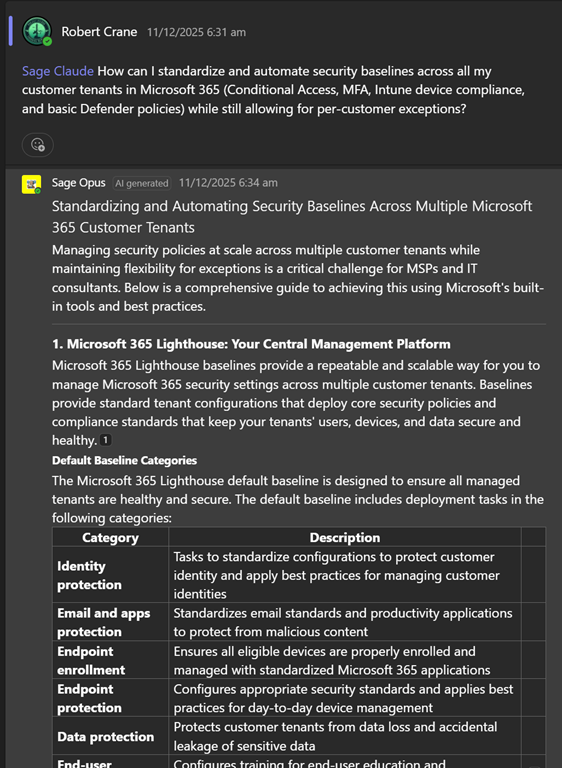
I’ve used AI to create smart Microsoft 365 expert technical agents which I have deployed to Teams for CIAOPS Patrons:
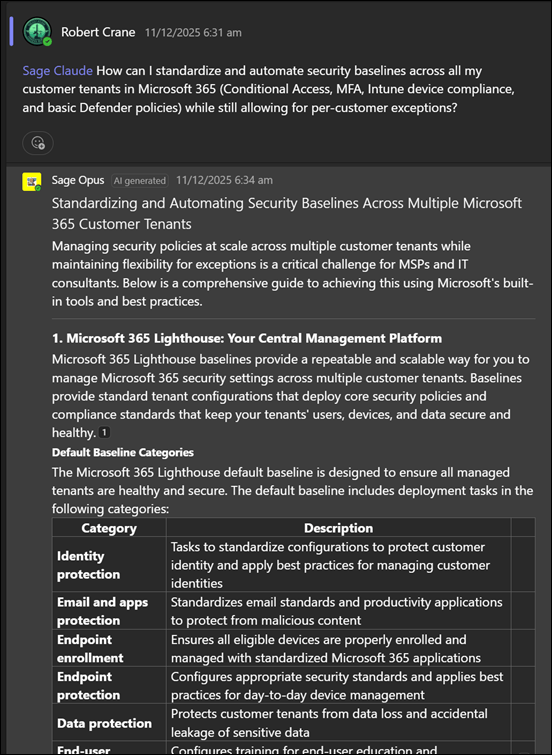
image

I’ve also created a smart Microsoft 365 expert technical agent that you can use for free via email:

https://blog.ciaops.com/2025/06/11/get-your-m365-questions-answered-via-email-2/

simply by putting your question in the body of an email and sending it to robert.agent@ciaops365.com.

Now, I have integrated AI into my PowerShell scripts! Let me explain what I’ve done.

I’ve created an agent in Azure AI Foundry that is ‘grounded’ with all my M365 knowledge that is in the CIAOPS Patron community. I’ll cover off what I have learned about Azure AI Foundry in another post.

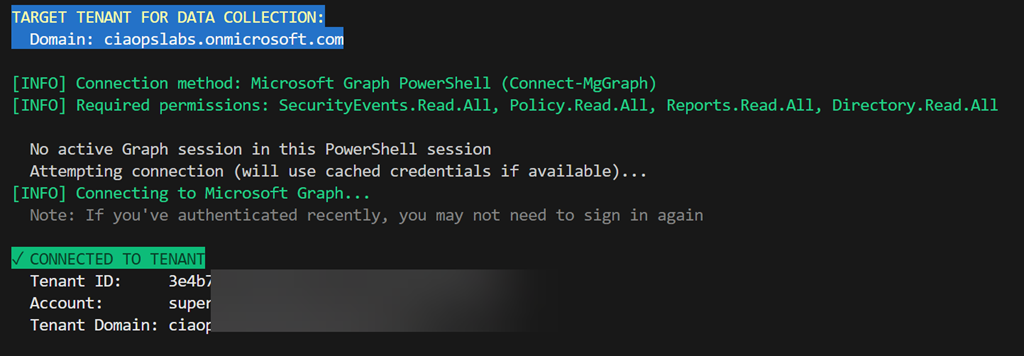
Next, I created a PowerShell script that firstly logs into a tenant to be inspected,

image

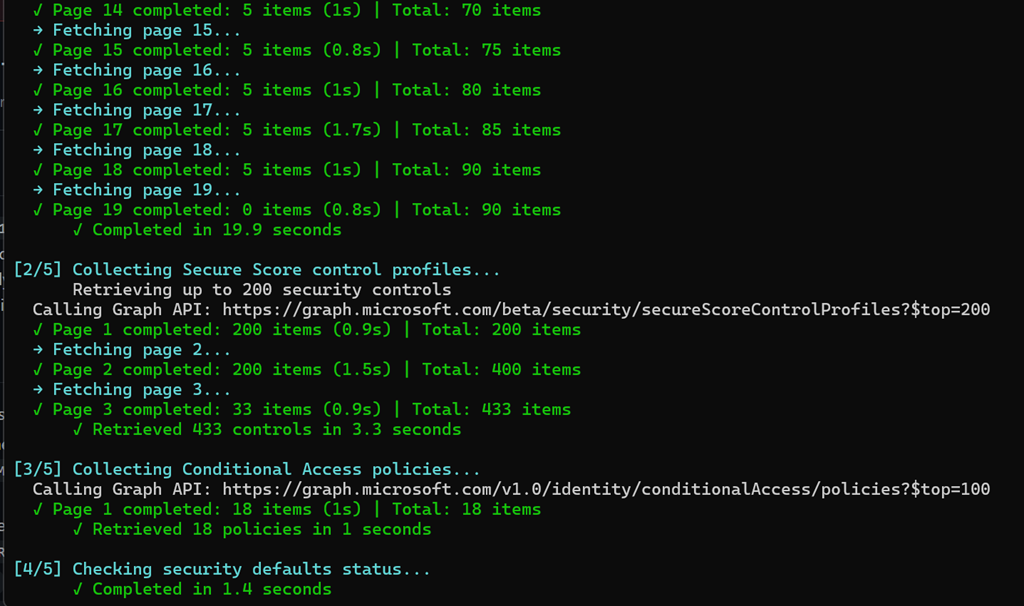
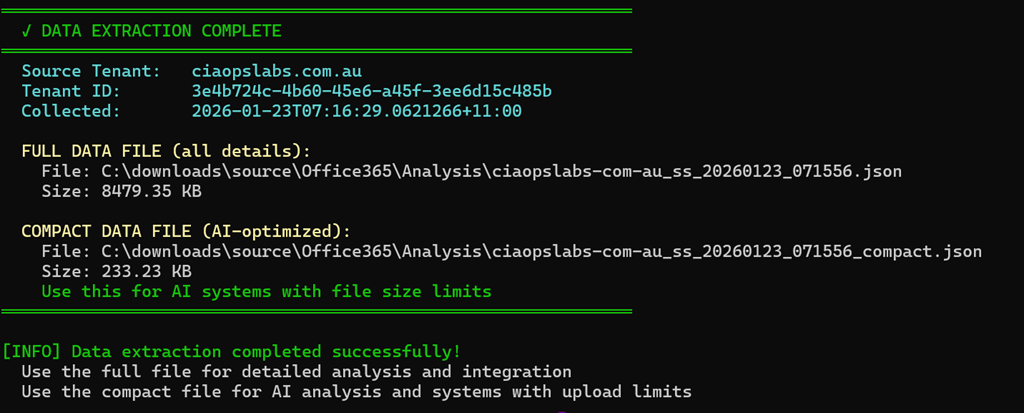
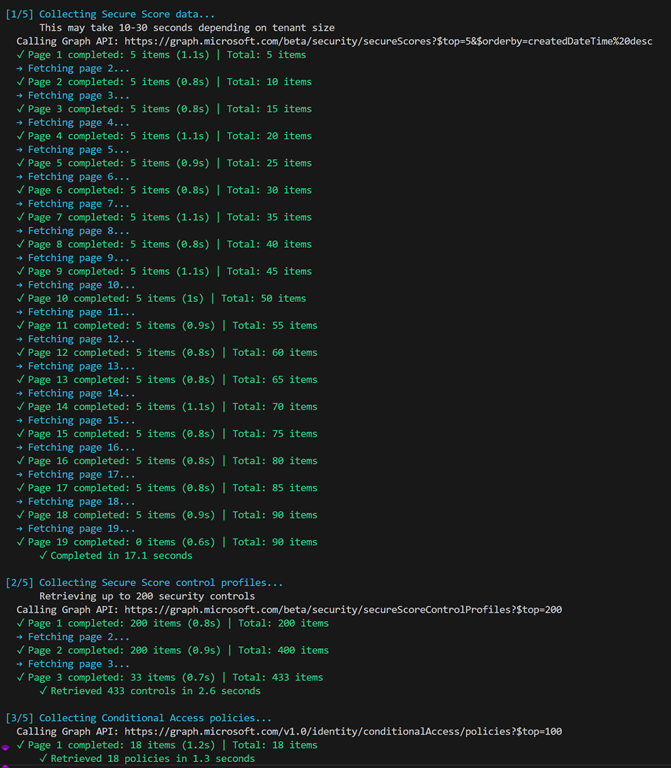
extracts all the security information like Secure Score details, Conditional Access policies and more,
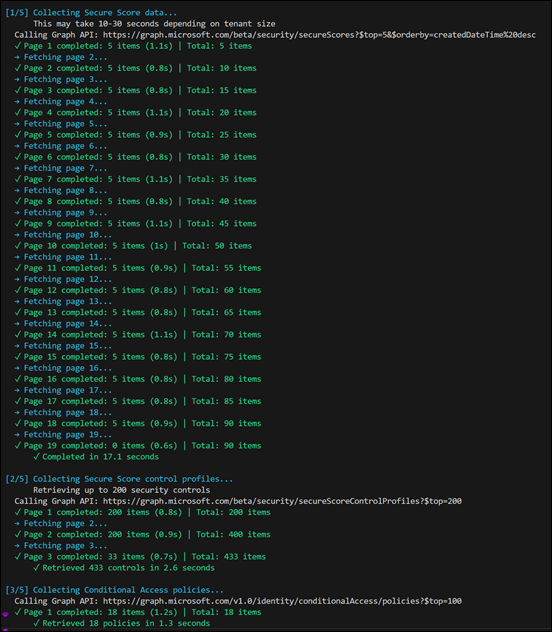
image

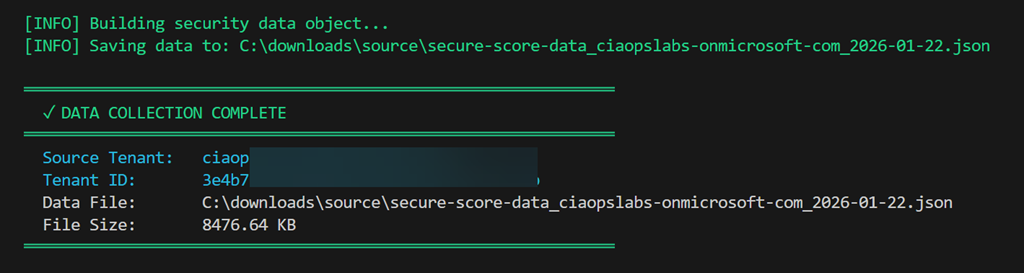
bundles all that up into a single JSON file (about 8MB in size)
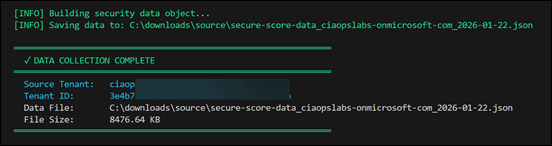
image

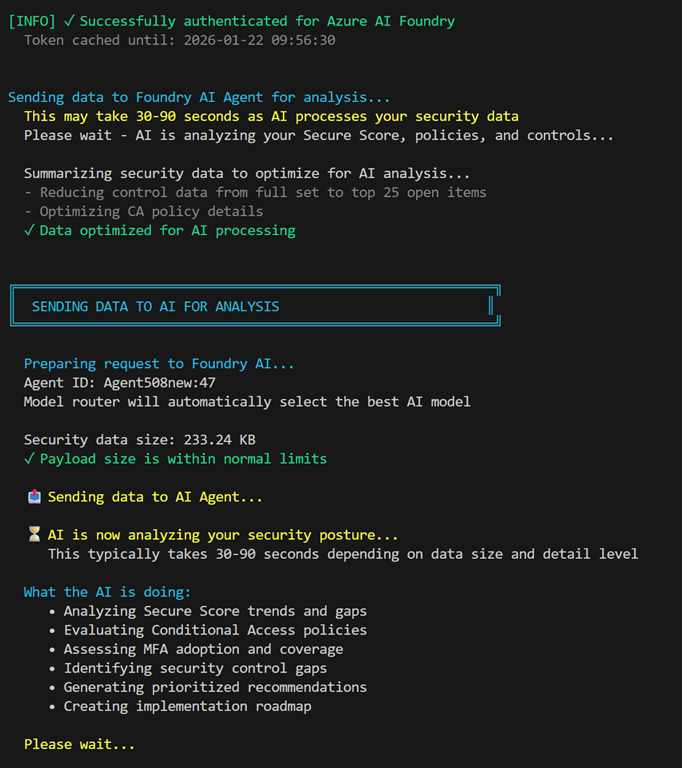
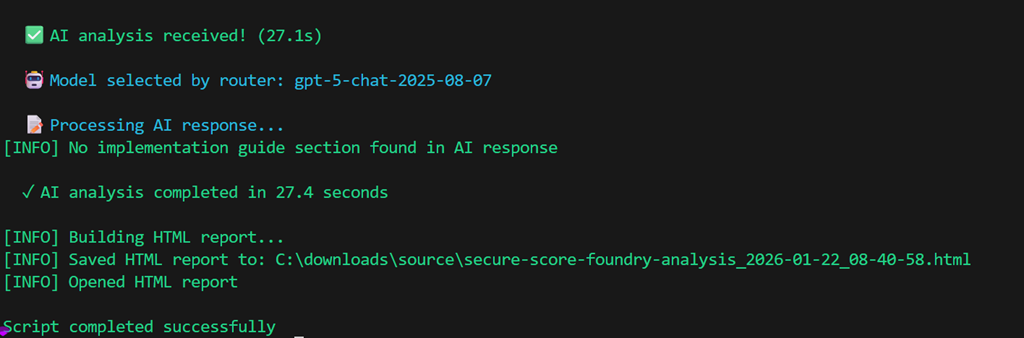
and then connects to my Foundry agent and uploads that extracted data for analysis
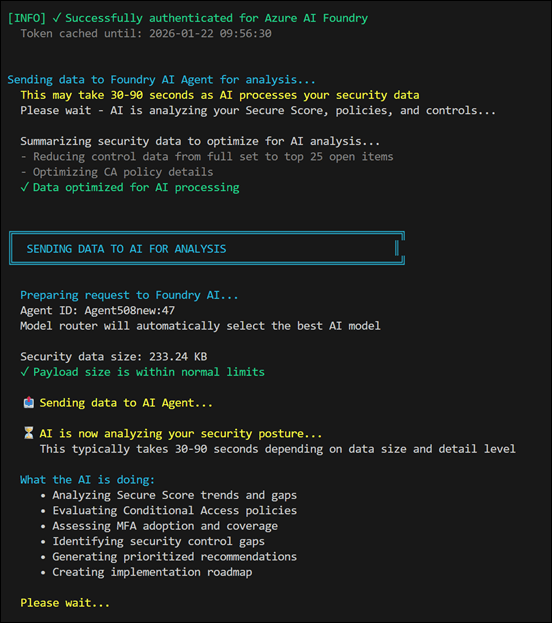
image

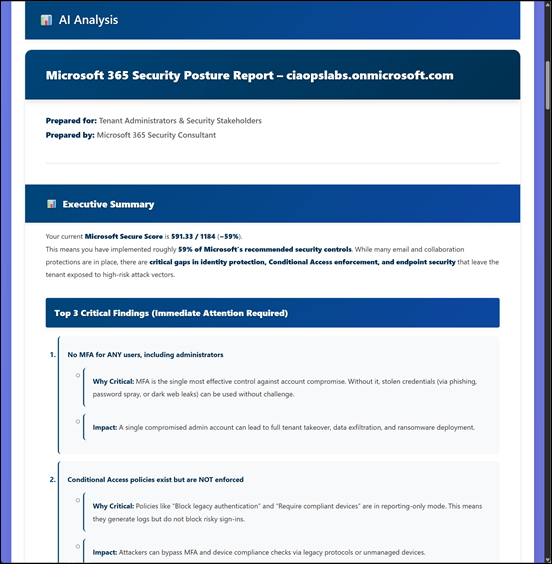
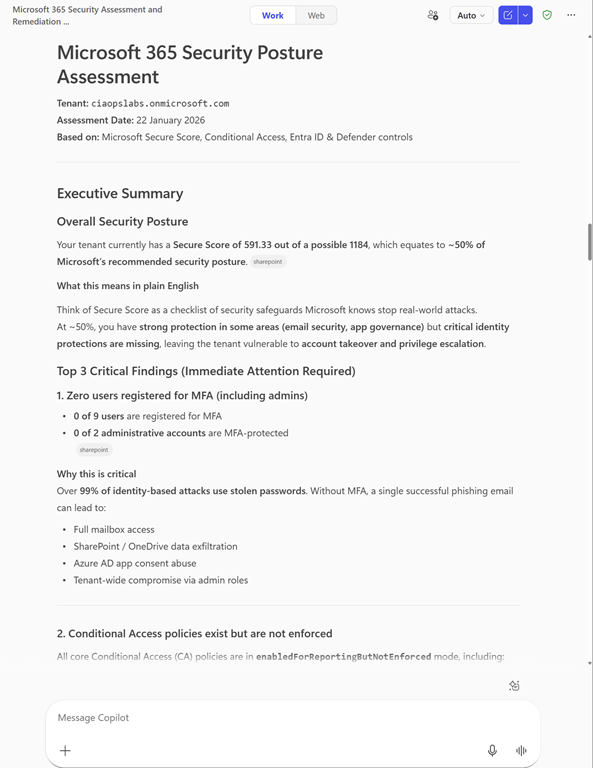
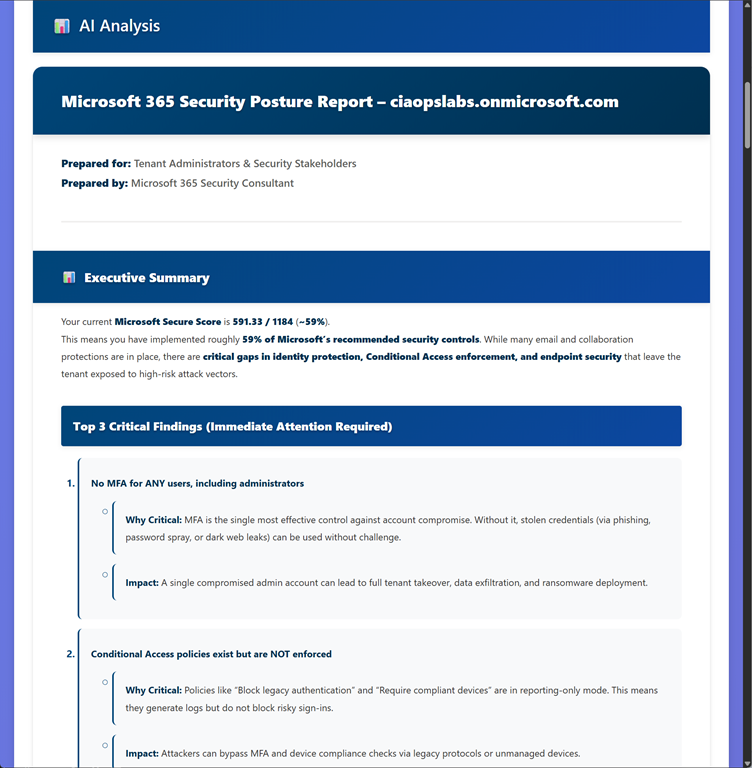
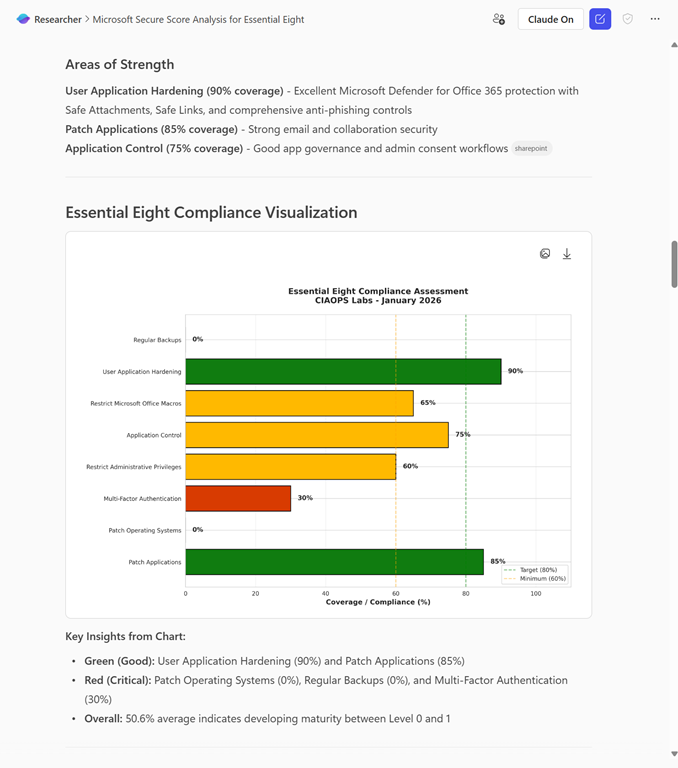
After analysis it generates and displays an extensive HTML report
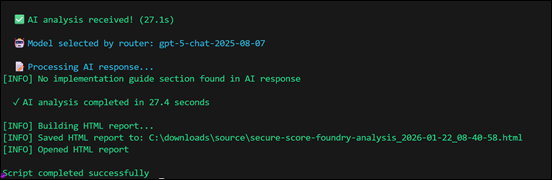
image

which looks like:

image

and you can find a complete copy of to review at here, because it is too large for this post:

https://github.com/directorcia/Office365/blob/master/Analysis/secure-score-foundry.png
image

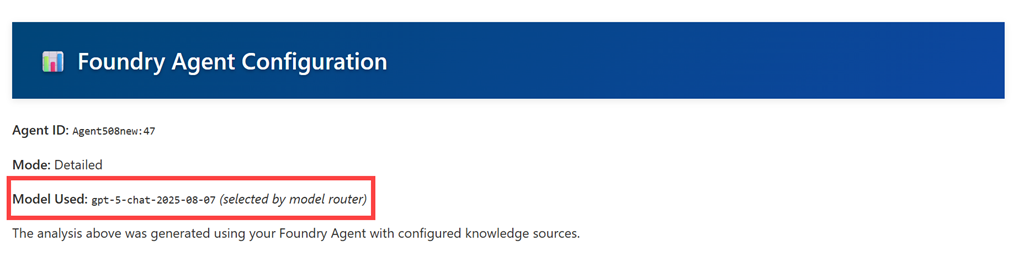
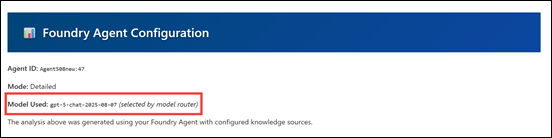
I’ve configured my Foundry agent to use a ‘Model router’, meaning that the agent uses what it things is the best LLM to do the analysis automatically.

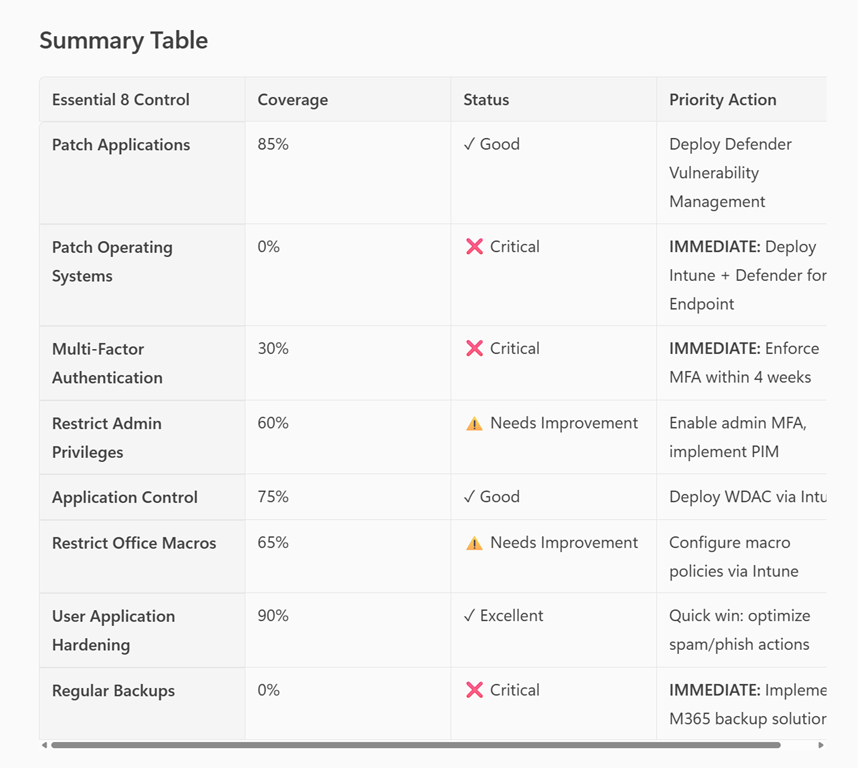
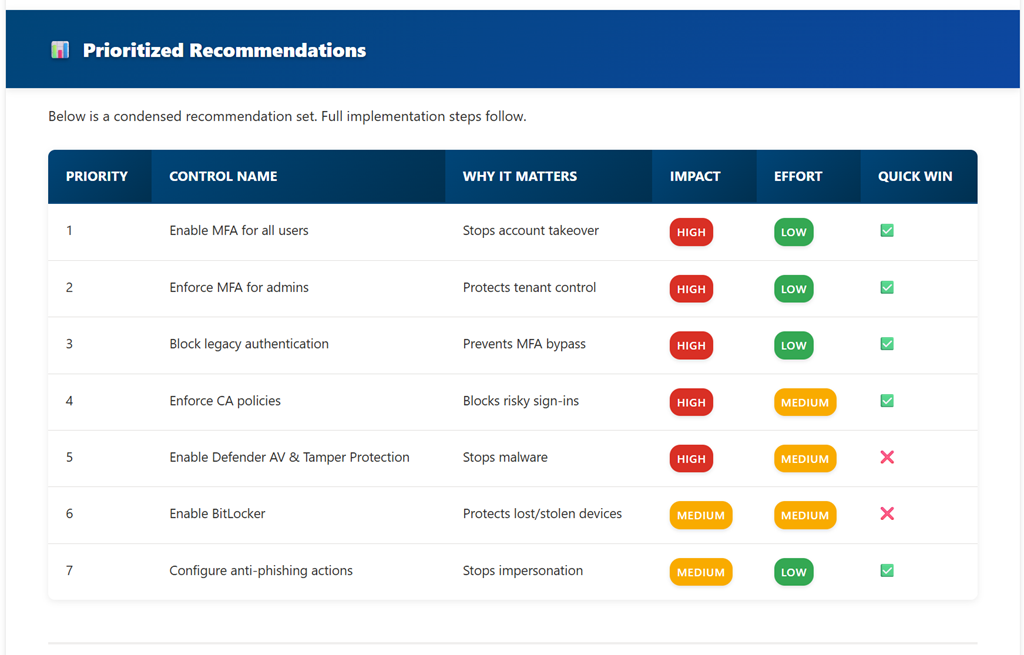
The report include Prioritized recommendations:
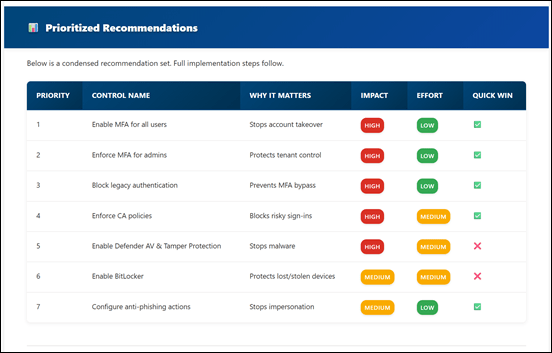
image

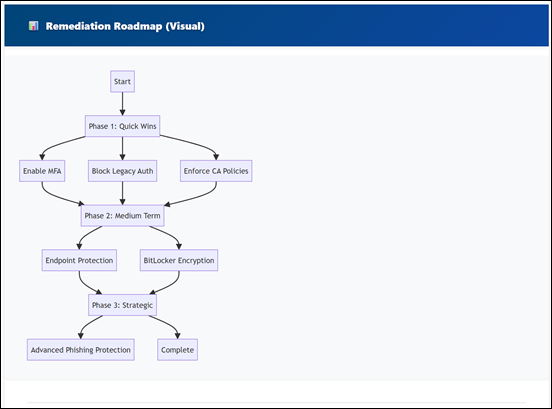
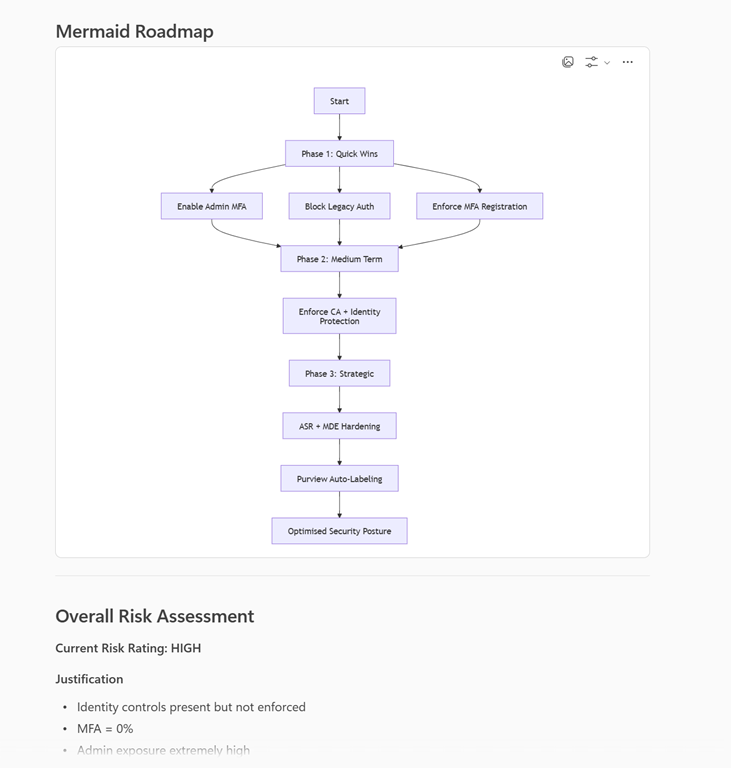
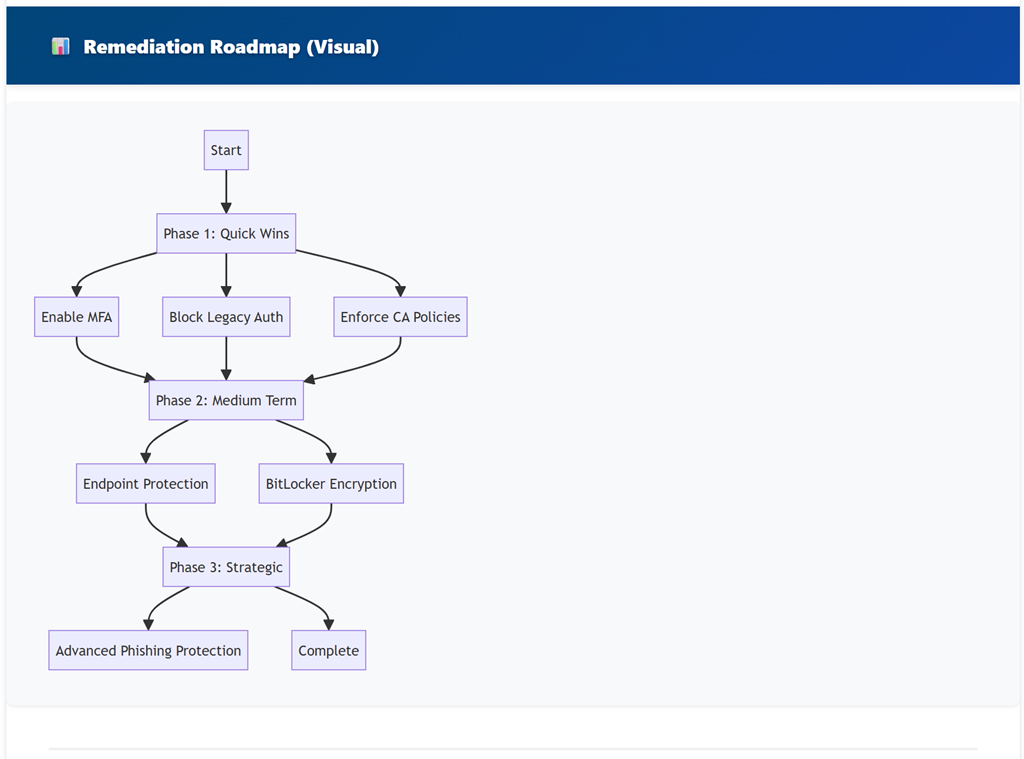
A visualized Remediation Roadmap:

image

and whole lot more. I encourage you to take a moment and study the example output for yourself, which is AI generated.

I am now building similar AI analysis scripts for al M365 services like Exchange, SharePoint, etc and plant expand these over time.

Here’s the best part. As part of my testing process I am happy to make this Secure Score AI Analysis script available to a select few who read this and send me an email (director@ciaops.com) asking for a copy. You’ll need to be comfortable with PowerShell and have the MSGraph module already installed to run the script. Even better for the select few that do respond – I’ll give you access to my Azure AI Foundry agent for FREE to do the analysis. There are some conditions you’ll need to agree to, like going on my email list and understanding this is all still a beta test but there will be no cost if you qualify and agree. To start that process just email me (director@ciaops.com) saying you are keen to give it a go and I’ll send along the all the details.

There are just so many ways that I can see how to integrate AI with PowerShell and I’ll be sharing more soon on what I am doing.

Incident Response Plan with M365BP Publication

Insta-550

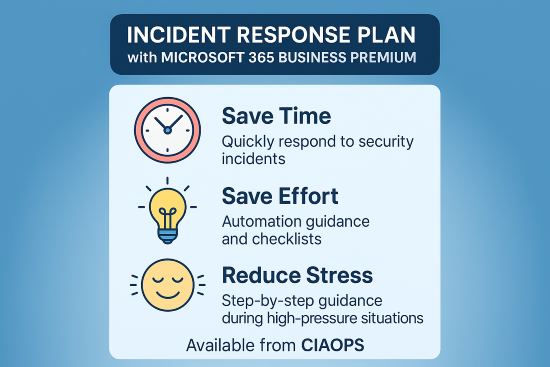
I’ve just finished off a new publication – Incident Response Plan with Microsoft 365 Business Premium. The details are:

Executive Summary

This playbook provides a comprehensive, step-by-step approach for responding to security incidents in Microsoft 365 Business Premium environments. It follows the NIST incident response lifecycle and integrates Microsoft’s best practices for cloud security. The plan is designed to help organizations minimize damage, protect sensitive data, restore operations quickly, and meet legal and regulatory requirements.

Key Components

Length = Over 90 pages

Quick Start Guide

  • Emergency Checklist: Immediate actions for newly discovered incidents, with a printable 1–2 page checklist for high-pressure situations.
  • Decision Tree: Rapid classification of incident severity (Critical, High, Medium, Low) to guide response urgency.

Notable Features

  • Checklists and Templates: Ready-to-use forms for incident logs, evidence collection, communications, and insurance claims.
  • Technical Guidance: PowerShell scripts and portal instructions for investigation and remediation.
  • Compliance Alignment: Guidance for GDPR, HIPAA, CCPA, and other regulatory notifications.
  • Continuous Improvement: Emphasis on regular drills, lessons learned, and updating the plan after incidents.

Intended Outcomes

  • Swift, organized response to security incidents.
  • Minimized business disruption and data loss.
  • Compliance with legal and regulatory requirements.
  • Improved cyber resilience through ongoing training and process refinement.

Like my last publication:

Implementing ACSC Essential Eight Maturity Level 3 with Microsoft 365 Business Premium publication

You can get your copy by heading over to my Ko-Fi at:

https://ko-fi.com/ciaops

and leaving me a one time tip for whatever you feel it is worth I’ll then email you a copy. Also ensure you include a message letting me know you want this particular publication

Note – All CIAOPS Patrons receive all my publications for free as part of their subscription. The benefits of membership.

ASD Conditional Access policies comparison script

Screenshot 2025-11-26 092018

I have taken the ASD Conditional Access policy recommendations here:

https://blueprint.asd.gov.au/configuration/entra-id/protection/conditional-access/policies/

and created a script here:

https://github.com/directorcia/Office365/blob/master/asd-ca-get.ps1

that will compare your existing Conditional Access configuration to what the ASD recommends and tell you what you should consider changing to bring your policies more in alignment with those from the ASD.

Screenshot 2025-11-26 092225

Above, you’ll see one policy evaluation and recommendation outputted to a HTML file for easy reading.

The documentation for the script is here:

https://github.com/directorcia/Office365/wiki/ASD-Conditional-Access-Policy-Evaluation-Script

I look forward to hearing what you experience is using my script.

ASD iOS Compliance policy check script

Screenshot 2025-11-25 085221

I’ve taken the iOS Compliance policy settings recommendations from the ASD Blueprint for Secure Cloud and created an online JSON settings file here:

https://github.com/directorcia/bp/blob/main/Intune/Policies/ASD/ios-compliance.json

I’ve then created a PowerShell script here:

https://github.com/directorcia/Office365/blob/master/asd-ioscomp-get.ps1

with documentation here:

https://github.com/directorcia/Office365/wiki/ASD-iOS-Compliance-Policy-Check

that reads the online JSON file (or uses a local version if you want to use that) and compares the recommended ASD settings to those in your own Intune environment. Note, the script makes NO CHANGES to your environment, it simply reads the current settings.

It then produces the console output you see above and a HTML report like this:

Screenshot 2025-11-25 085940

You can refer to this page I also created:

https://github.com/directorcia/bp/wiki/iOS-Compliance-Policy-Settings-%E2%80%90-Security-Rationale

as to why these settings are important to the security of your M365 environment.

Look out for more scripts like this coming soon. I welcome any suggestion about improving this.

ASD Windows Compliance policy check script

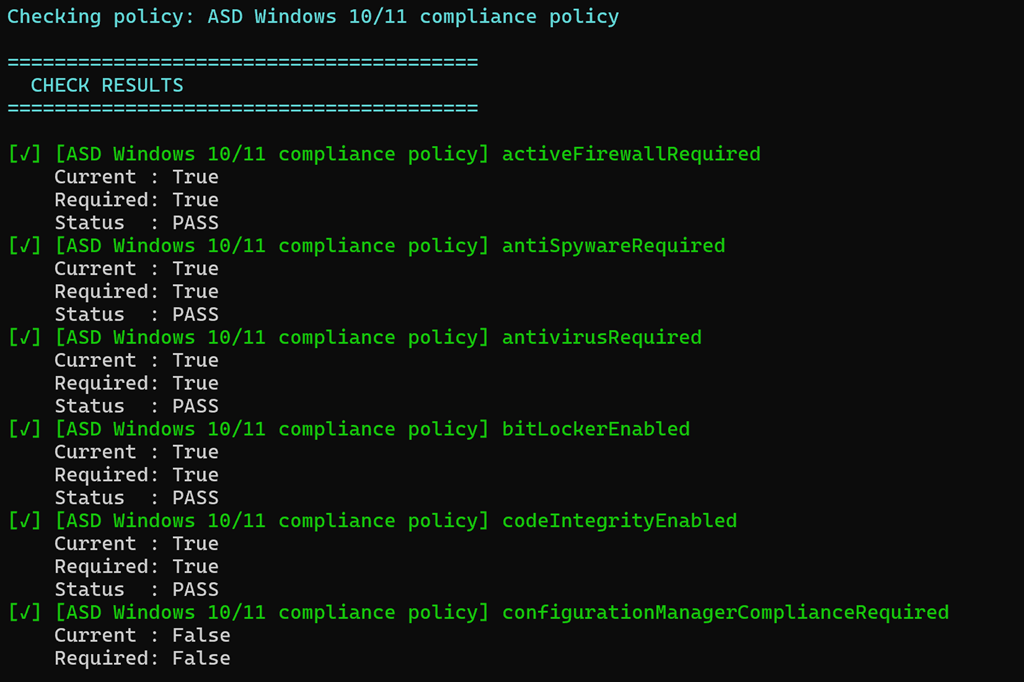
Screenshot 2025-11-19 101833

I’ve taken the Windows Compliance policy settings recommendations from the ASD Blueprint for Secure Cloud and created an online JSON settings file here:

https://github.com/directorcia/bp/blob/main/Intune/Policies/ASD/windows-compliance.json

I’ve then created a PowerShell script here:

https://github.com/directorcia/Office365/blob/master/asd-wincomp-get.ps1

with documentation here:

https://github.com/directorcia/Office365/wiki/Windows-Compliance-Policy-Check

that reads the online JSON file (or uses a local version if you want to use that) and compares the recommended ASD settings to those in your own Intune environment. Note, the script makes NO CHANGES to your environment, it simply reads the current settings.

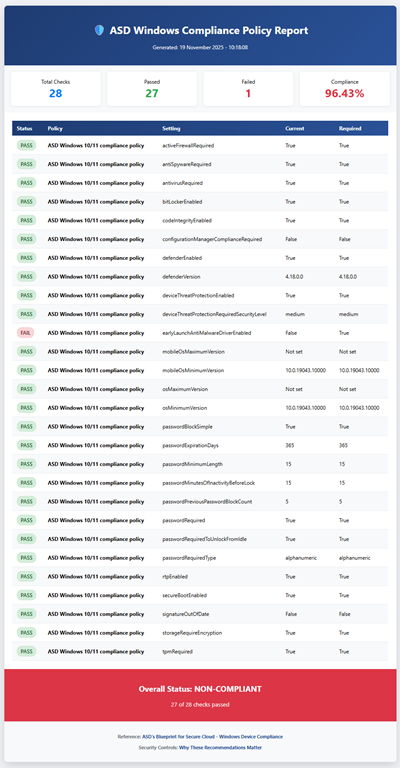
It then produces the console output you see above and a HTML report like this:

Screenshot 2025-11-19 101937

You can refer to this page I also created:

https://github.com/directorcia/bp/wiki/indows-Compliance-Policy-Settings-%E2%80%90-Security-Rationale

as to why these settings are important to the security of your M365 environment.

Look out for more scripts like this coming soon. I welcome any suggestion about improving this.

ASD OWA settings check script

Screenshot 2025-11-13 073547

I’ve taken the Exchange Online Outlook web app policies settings recommendations from the ASD Blueprint for Secure Cloud and created an online JSON settings file here:

https://github.com/directorcia/bp/blob/main/ASD/Exchange-Online/Roles/owamail.json

I’ve then created a PowerShell script here:

https://github.com/directorcia/Office365/blob/master/asd-owamail-get.ps1

with documentation here:

https://github.com/directorcia/Office365/wiki/ASD-OWA-Mailbox-Configuration-Check

that reads the online JSON file (or uses a local version if you want to use that) and compares the recommended ASD settings to those in your own Exchange Online environment. Note, the script makes NO CHANGES to your environment, it simply reads the current settings.

It then produces the console output you see above and a HTML report like this:

Screenshot 2025-11-13 074141

You can refer to this page I also created:

https://github.com/directorcia/bp/wiki/Exchange-Online-OWA-Mailbox-Security-Controls

as to why these settings are important to the security of your M365 environment.

Look out for more scripts like this coming soon. I welcome any suggestion about improving this.

ASD Mailflow settings check script

Screenshot 2025-11-12 091022

I’ve taken the Exchange Online Mail Flow settings recommendations from the ASD Blueprint for Secure Cloud and created an online JSON settings file here:

https://github.com/directorcia/bp/blob/main/ASD/Exchange-Online/Settings/mailflow.json

I’ve then created a PowerShell script here:

https://github.com/directorcia/Office365/blob/master/asd-mailflow-get.ps1

with documentation here:

https://github.com/directorcia/Office365/wiki/ASD-Mail-Flow-Configuration-Check

that reads the online JSON file (or uses a local version if you want to use that) and compares the recommended ASD settings to those in your own Exchange Online environment. Note, the script makes NO CHANGES to your environment, it simply reads the current settings.

It then produces the console output you see above and a HTML report like this:

Screenshot 2025-11-12 091607

You can refer to this page I also created:

https://github.com/directorcia/bp/wiki/Exchange-Online-Mail-Flow-Security-Controls

as to why these settings are important to the security of your M365 environment.

Look out for more scripts like this coming soon. I welcome any suggestion about improving this.

ASD Remote domains check script

Screenshot 2025-11-04 095333

I’ve taken the Exchange Online Remote Domains settings recommendations from the ASD Blueprint for Secure Cloud and created an online JSON settings file here:

https://github.com/directorcia/bp/blob/main/ASD/Exchange-Online/Mail-flow/remote-domains.json

I’ve then created a PowerShell script here:

https://github.com/directorcia/Office365/blob/master/asd-remotedomain-get.ps1

with documentation here:

https://github.com/directorcia/Office365/wiki/ASD-Remote-Domain-Configuration-Check

that reads the online JSON file (or uses a local version if you want to use that) and compares the recommended ASD settings to those in your own Exchange Online environment. Note, the script makes NO CHANGES to your environment, it simply reads the current settings.

It then produces the console output you see above and a HTML report like this:

Screenshot 2025-11-04 100053

You can refer to this page I also created:

https://github.com/directorcia/bp/wiki/Exchange-Online-Remote-Domain-Security-Controls

as to why these settings are important to the security of your M365 environment.

Look out for more scripts like this coming soon. I welcome any suggestion about improving this.