The Answer Is Never "More"

MAI_4d2b4c51bee396cc

Every business owner I talk to has the same instinct when something isn’t working. Add something. Not enough leads? Launch a new offer. Service slipping? Hire another person. Growth flat? Spin up a new program, a new campaign, a new line of work. Adding feels good. It feels like progress. It costs almost nothing in the moment, and it gives you something to point at when someone asks what you’re doing about the problem.

The trouble is that adding is the cheap part. Keeping the thing alive afterwards is where the real bill lands.

Adding is light, owning is heavy

A new offer takes an afternoon to design and an email to announce. But now it needs pricing, delivery, support, a place in your onboarding, a line in your reporting, and a person who owns it when it breaks. The new hire fills a gap on Monday and becomes a salary, a review cycle, and a management responsibility by Friday. None of that weight shows up on the day you make the decision. It accumulates quietly, one addition at a time, until you’re carrying a load you never consciously agreed to.

I see this constantly in the MSP world, because our whole industry is built on saying yes. A client asks for one more thing, and it’s easier to absorb it than to have the awkward conversation. Multiply that across a few years and a few dozen clients, and you end up with a service catalogue nobody can fully explain and a delivery model held together by the memory of whoever happens to still work there.

How the tangle gets built

Nobody sets out to build a mess. It happens in sensible-looking steps. A bolt-on tool here. A side agreement there. A special process for one customer that quietly becomes the process for everyone. A department that exists because two years ago a problem needed an owner. Each layer made sense on its own. Stacked together, they form something heavy and strangely fragile, and at some point you realise you’ve become the load-bearing wall. Pull you out and the whole thing sways.

That’s the part that catches people off guard. You set out to build a business that runs without you, and instead you’ve built one that can’t run at all unless you’re sitting in the middle of it, holding the seams together.

Subtraction is a skill worth practising

The harder, more valuable move is taking things away. Killing the offer that earns little and costs plenty. Retiring the program that three people use. Saying no to the request that doesn’t fit, even when yes would be easier today. Subtraction rarely feels like progress in the moment, which is exactly why so few owners do it. But a smaller, sharper business is far easier to run, sell, and live inside than a sprawling one.

You can’t subtract what you can’t see, though, and most owners genuinely don’t know what they’re carrying. This is where I’ve found Microsoft 365 quietly useful — not as a fix, but as a way to make the weight visible. Ask Copilot in Teams to summarise every service, project, and recurring commitment mentioned across your channels over the last quarter, and you’ll get an honest inventory of what your business is actually maintaining versus what you think it is. Point Copilot at your shared mailbox and ask which client requests keep recurring and which offers nobody has touched in months. The answers are usually uncomfortable, and that’s the point.

From there, a single SharePoint page or a Loop component listing every active offer, tool, and program — with an owner and a last-reviewed date against each — turns “we should clean this up someday” into something you can actually work through. I’ve had owners use Copilot in Excel to model what dropping their two worst-performing services would do to revenue and to workload, and the workload relief almost always dwarfs the revenue hit. That’s the number that frees you to cut.

The lighter business wins

The goal isn’t a bigger business. It’s a business light enough that you can still lift it. Every time you reach for “more” as the answer, it’s worth pausing to ask whether you’re solving the problem or just burying it under another layer you’ll have to carry next year.

The best thing I’ve removed from my own business cost me nothing to delete and gave me back hours every week. Adding will always feel easier. Removing is what actually sets you free.


AI Doesn’t Care About Your MSP Business Model

image

I’ve been thinking about a question that might make some MSPs uncomfortable.

Should the next technology revolution be guided by the same people who have spent the last twenty years building businesses that depend on things staying exactly the way they are?

That sounds harsh, but hear me out.

Every major technology shift creates winners and losers. Cloud changed the value of servers. Microsoft 365 changed the value of maintaining Exchange on-premises. Remote monitoring and management changed the need for technicians driving between customer sites. AI is now doing the same thing to knowledge work.

Yet when I talk to some MSPs about AI, I often hear the same response.

“It’s not ready.”

“Our clients aren’t asking for it.”

“We’ll wait and see.”

“They still need us to do the basics.”

Maybe. But that’s exactly what people said about cloud computing.

The Incentive Problem

The challenge isn’t that MSPs don’t understand technology. Most understand it very well.

The challenge is incentives.

If you’ve built a successful business around selling licences, managing devices, responding to support tickets and charging for technical expertise, then AI creates a problem. The more capable AI becomes, the more it starts consuming activities that have traditionally generated revenue.

If a Microsoft 365 Copilot prompt can analyse a meeting, draft a proposal and create an action plan in minutes, what happens to the hours previously spent doing that work?

If an AI agent can resolve basic support requests, summarise conversations and retrieve information from SharePoint or Teams, what happens to the service model built around handling those requests?

It’s understandable that some MSPs look at this and feel uncomfortable.

But technology has never cared about existing business models.

History Doesn’t Reward Defenders

I’ve seen this pattern before.

Businesses often spend more energy trying to protect the old revenue stream than understanding the new opportunity. They look at disruption as something to resist rather than something to harness.

The problem is that customers rarely share that loyalty to the old model.

Business owners don’t wake up in the morning hoping to buy more support hours. They want outcomes. They want faster decisions. They want less administration. They want their staff spending more time serving customers and less time managing information.

Today, a growing number of those outcomes can be delivered through AI.

Whether MSPs like it or not.

The Risk of Becoming the Blocker

One of the dangers for traditional MSPs is becoming the organisation that says no.

No, you shouldn’t use AI yet.

No, you shouldn’t change your process.

No, your existing approach is good enough.

Meanwhile, another adviser walks in and shows the client how Microsoft 365 Copilot can reduce the time spent preparing for meetings in Teams, drafting emails in Outlook and analysing information in Excel.

Guess which adviser the client sees as helping them move forward?

I’ve always believed that our role as technology professionals is not to preserve the status quo. It’s to help customers navigate change safely and effectively.

That doesn’t mean blindly embracing every new feature that appears. Governance still matters. Security still matters. Data quality still matters. AI without preparation can create as many problems as it solves.

But that’s very different from pretending the change isn’t happening.

The MSP Opportunity

Ironically, AI may create one of the biggest opportunities MSPs have seen in years.

Most businesses have no idea how to prepare their data, secure their environment or establish the governance needed to use AI safely. They need guidance. They need strategy. They need trusted advisers.

That’s where MSPs can create enormous value.

But only if they’re willing to evolve.

The conversation can’t stay focused on devices, licences and tickets. It needs to move towards business processes, information management, knowledge discovery and AI readiness.

That’s where the real opportunity sits.

Final Thoughts

I don’t think AI should be entrusted solely to old-school MSPs who want everything to stay the same. Equally, I don’t think businesses should rush headlong into AI without experienced technology advisers.

The answer lies somewhere in the middle.

The MSPs that thrive over the next decade won’t be the ones defending the past. They’ll be the ones helping clients prepare for the future.

Because AI isn’t interested in protecting anyone’s business model.

It’s simply moving forward.

And the question every MSP needs to answer is whether they’ll be leading that change or explaining to clients why they missed it.

The Hard Part Isn’t Adding Anymore

MAI_d4a9050a50fc1a5a

I caught myself last week with eleven browser tabs open, three half-built automations, a new Planner board nobody asked for, and a Teams channel I’d spun up that morning and already forgotten the purpose of. None of it was hard to create. That was the problem. Every one of those things took me about ninety seconds, and ninety seconds is now the entire cost of bringing something new into existence.

For most of my working life, the brake on doing more was effort. You wanted a new report, a new process, a new client deliverable — and the friction of actually building it slowed you down enough to ask whether it was worth it. That friction is mostly gone. Copilot drafts the document, the deck, the email sequence. Power Automate wires the workflow. The wall that used to stop me from acting on every passing idea has quietly come down.

Speed without judgement is just mess

I’ll be honest about the wiring in my own head. I’m wired to react. A thought lands, I want to act on it immediately, and for years that instinct ran straight into the resistance of having to do the work by hand. The work was the filter. It forced a pause.

Now there’s no pause. The reaction and the execution have collapsed into the same moment. I think “we should have a dashboard for that” and Copilot in Excel has one in front of me before the idea’s even finished forming. Multiply that across a week and you don’t get a sharper business. You get a cluttered one. More dashboards nobody reads. More channels nobody checks. More automations quietly firing into inboxes that have stopped paying attention.

The skill that used to matter was production — the ability to make the thing. That’s not scarce anymore. Anyone with a Copilot licence can produce. What’s scarce now is the judgement to know which of the ten things you could build is the one that actually matters, and the discipline to let the other nine die.

Taste is the work now

I keep coming back to the word taste, because I can’t find a better one. It’s the ability to look at everything you’re capable of generating and recognise what’s worth keeping. It’s hearing the difference between a real signal and noise dressed up to look like progress. And it’s having the spine to cut — to delete the document, kill the channel, switch off the automation — even though it cost you almost nothing to make and feels wasteful to throw away.

This is uncomfortable, especially for those of us who measure ourselves by output. Cutting feels like the opposite of productivity. But a business that adds endlessly and never subtracts doesn’t get faster. It gets heavier. Every new thing you create has a maintenance cost, an attention cost, a “what was this for again?” cost that lands months later. The Loop pages multiply. The SharePoint sites pile up. The thing you built in ninety seconds takes a year to quietly rot in front of everyone.

So I’ve started running my week the other way around. Instead of asking Copilot what else I could build, I ask it what I should stop. I’ll point it at a Teams channel and ask for a summary of the last month — and if the honest answer is “three automated posts and no human replies,” that’s my cue to shut it down. I use Copilot to find the dead weight, not just to make more.

The momentum problem

Here’s the part I want to be straight about, because it’s where I think a lot of us are stuck. You can feel that your best work is still in front of you. The ambition is real. But the momentum you’re chasing won’t arrive while the business is carrying this much weight. Every unfinished idea, every half-used tool, every process you bolted on and never removed is drag. You can’t accelerate something this loaded, no matter how fast you’re able to add to it.

The temptation, when you feel slow, is to add more — a new tool, a new system, a new initiative to fix the sluggishness. That instinct is exactly backwards. The way through isn’t more production. It’s subtraction. The lightness comes from what you’re willing to remove.

It’s never been easier to make something. Which means the rare, valuable, genuinely hard skill is no longer making — it’s choosing. Less, but the right less. That’s the whole game now.

The Real Power of Copilot in Excel Isn’t Formulas. It’s Repeatability.

image

The first thing most people do when they open Copilot in Excel is ask it for a formula.

That’s understandable. For decades, Excel expertise has often been measured by how quickly someone can build complex formulas, create PivotTables, or untangle messy spreadsheets. Copilot changes that. You can now describe what you want in plain English and let the AI do much of the heavy lifting.

But after looking at the latest capabilities around Copilot Skills in Excel, I think many people are missing the bigger opportunity.

The real value isn’t that Copilot can generate a formula.

It’s that it can help you repeat a proven process over and over again.

In most organisations, especially SMBs and MSPs, there are a handful of people who know how to make Excel sing. They’re the people who understand financial models, reporting structures, forecasting tools, and data analysis techniques. Everyone else tends to rely on them whenever something complicated appears in a workbook.

That creates a bottleneck.

I’ve seen it countless times. Month-end reporting arrives and everyone waits for the same person. Quarterly forecasting needs updating and the same expert gets involved again. A new staff member arrives and spends weeks learning spreadsheet processes that only exist in somebody’s head.

That’s not really an Excel problem.

It’s a knowledge-sharing problem.

Copilot Skills in Excel feel like Microsoft’s attempt to address exactly that issue. Rather than repeatedly explaining the same process, you can package those instructions into a reusable skill that Copilot can invoke when required. According to Microsoft’s documentation, skills allow Copilot in Excel to perform repeatable tasks using predefined instructions, and organisations can create custom skills stored in OneDrive for reuse. [support.mi…rosoft.com], [support.mi…rosoft.com]

That might sound like a small change, but I think it’s significant.

From Spreadsheet Expert to Process Expert

Imagine you’ve spent years refining a monthly reporting workbook.

You know exactly how the raw data is imported. You know which columns need cleaning. You know which calculations matter and which charts management expects to see.

Traditionally, every new employee needed training. Documentation had to be updated. Mistakes inevitably crept in.

Now imagine creating a skill that guides Copilot through that process.

Instead of asking a colleague to remember twenty separate steps, they simply invoke the skill and allow Copilot to perform the work in a consistent manner.

The expertise becomes transferable.

That’s a very different proposition from merely generating formulas.

Excel Is Becoming More Conversational

Something else strikes me here.

For years, becoming good at Excel meant learning Excel’s language. You memorised formulas, syntax, functions, and workarounds.

Copilot flips that model.

Now Excel is increasingly learning your language.

You can ask questions about data. Request analysis. Generate charts. Create reports. Import information. Explain formulas. Build dashboards. And increasingly, define repeatable business processes using natural language instructions. [support.mi…rosoft.com], [support.mi…rosoft.com]

That’s a major shift.

The barrier to entry drops dramatically.

People who previously avoided advanced spreadsheet work now have a capable assistant sitting beside them.

The Opportunity for MSPs

From an MSP perspective, I think this capability will become particularly interesting.

Most advice around AI focuses on content generation, meeting summaries, or email drafting. Those are valuable, but they’re often incremental productivity gains.

Skills have the potential to standardise operations.

Imagine creating repeatable Excel processes for:

  • Monthly financial reporting

  • Customer profitability analysis

  • Service desk trend reporting

  • Project forecasting

  • Licence consumption tracking

  • Security compliance reporting

Rather than documenting procedures in lengthy manuals, organisations can embed that knowledge directly into skills that guide Copilot.

That’s a much more scalable approach.

And importantly, it helps preserve organisational knowledge when staff move on.

The Human Still Matters

Of course, none of this removes the need for human oversight.

One lesson I’ve repeated many times with Microsoft 365 Copilot is that AI works best when it’s treated as a capable assistant, not an autonomous decision maker.

If Copilot analyses data, review the results.

If it creates a forecast, validate the assumptions.

If it generates a report, make sure the conclusions make sense.

The person remains accountable. Copilot simply removes much of the repetitive effort.

Final Thoughts

When people think about AI in Excel, they often focus on saving a few minutes creating formulas or formatting data.

That’s useful.

But I think the more interesting story is the ability to capture expertise and make it reusable.

The organisations that benefit most from AI won’t necessarily be those with the smartest prompts. They’ll be the ones that systematically turn repeatable knowledge into repeatable processes.

Excel Skills look like another step in that direction.

And for many businesses, that could end up being far more valuable than any individual formula.

You Didn’t Build a Business. You Built a To-Do List That Breathes.

MAI_dd7b3dc5448fe805

I had coffee with an MSP owner a few weeks back who couldn’t tell me what his business actually did anymore. Not because he didn’t know — but because there was too much to say. Three service lines. A new marketing funnel. A second office. A partner program he’d signed up for and half-forgotten. A stack of AI tools nobody had time to learn. He listed it all, then went quiet, and said the thing I keep hearing: “I’m busier than I’ve ever been and I can’t feel any of it.”

That’s the trap nobody warns you about. We’re told growth is addition. More clients, more staff, more channels, more tools. So we add. And every addition feels like progress on the day you make it. The problem is what addition does over time. It buries the thing that made the business worth building in the first place.

More Doesn’t Sound Like More

When you started, people could hear you. A client rang and got you. An email went out and it sounded like a person. The whole thing had a voice because there was one person behind it, and that person was unmistakable.

Then you scaled. You hired. You layered in process and policy and a second tier of support. All sensible. All necessary. But somewhere in there your voice got distributed across fifteen people and four systems, and the signal faded. The business got louder and you got quieter. That’s not a failure of growth — it’s the natural physics of it. The bigger the thing, the harder it is to hear the person who started it.

The Calendar Owns You Now

Here’s the part that stings. You built this to get freedom, and now it runs your week. Your inbox sets your priorities. Your calendar tells you where to be. Saturday morning you’re at the desk again, not because anyone made you, but because the machine you built only runs if you keep feeding it. You didn’t escape the job. You promoted yourself into a bigger one.

I don’t think the answer is to add a productivity app to manage the other productivity apps. That’s just one more thing on the pile. The answer is subtraction — and the uncomfortable truth is that subtraction takes more discipline than addition ever did. Anyone can say yes to a new channel. Saying no, or worse, dismantling something you already built, feels like going backwards.

Where Copilot Actually Earns Its Keep

This is the one place I’ll defend the AI tools, because most of them genuinely are just more noise. The useful ones give you back the thing you lost: your attention.

I use Copilot in Outlook to clear the overnight pile in minutes instead of an hour — not to write clever emails, but to tell me which three actually need me and draft the rest so I can move on. I’ll open a week’s worth of Teams meetings I half-listened to and ask Copilot to pull out what was decided and what’s mine to do, so I’m not carrying it all in my head. When a client account feels foggy, I ask Copilot to summarise everything across the emails, the files in SharePoint, and the chat history into one page. That’s not adding a tool. That’s using a tool to remove the overhead the other tools created.

The test is simple. Does it give you back time, or does it ask for more? If a new system needs three people and a fortnightly meeting to maintain, it isn’t growth. It’s weight. I’ve quietly killed more standing meetings and subscriptions this year than I started, and the business got clearer for it.

Audit What You’ve Added

Try this. Open your calendar in Outlook and look at last month honestly. Every recurring meeting, every program, every channel — ask what it actually returns. Not what it promised when you started it. What it returns now. Most owners I know find a third of it could go tomorrow and nobody would notice, except them, who’d suddenly have their head back.

The strongest businesses I work with aren’t the ones that added the most. They’re the ones that stayed recognisable — where you can still hear the person who built it, because they were ruthless about what they let in.

You can add forever. There’s always another channel, another tool, another hire. But at some point the thing you built starts to own you instead of the other way around. The way out isn’t more. It’s less, chosen on purpose.

GAIN: Knowing What to Hand to AI and What to Hold Onto

image

A while back I caught myself spending a Saturday morning copying figures into a spreadsheet by hand. Forty minutes in, it landed on me — Copilot could have done this while I made a coffee. I wasn’t being thorough. I was being slow. And when the person at the top moves slowly, everything behind them backs up too.

That morning is why I keep coming back to a simple way of sorting the work in front of me: what to pass over, what to speed up, what to build alongside the machine, and what I should never let go of. Four buckets. GAIN.

Pass over the work that doesn’t need you

Most of us hold on to tasks out of pure habit. The first draft. The long document that needs boiling down. The background reading before a client call. None of that needs your judgement — it just needs doing. So let it be done. I’ll ask Copilot in Word to condense a forty-page proposal, or have it pull the recurring themes out of a month of client emails in Outlook. I’m not after ideas. I’m after a finished job. Once you start looking, the size of this pile is genuinely surprising.

Speed up the things that already work

Every business runs on small, repeatable steps. An enquiry arrives, someone qualifies it, someone books the meeting, someone sends the follow-up. You’re not reinventing that — you’re stripping out the waiting in between. With Power Automate sitting under Copilot, a new lead can be sorted, routed, and have a meeting request out the door before anyone’s even read it. Two hours back a week, every week, for as long as the doors are open. That compounds in a way that’s easy to dismiss when you’re staring at the setup.

Build something you couldn’t make alone

This is the part people skip past. The real value isn’t AI standing in for you — it’s the two of you producing something neither would on its own. I’ll have Copilot take ideas I’ve already worked through, connect them in ways I hadn’t spotted, and hand them back in a different shape. Sometimes I’ll drop a Loop page of rough notes and let it pull the thread together while I’m out of the office. I come back and I’m editing, not starting from a blank page. Minutes of shaping instead of hours of grinding. You shift from making the thing to sharpening it — and that’s a far better use of your attention.

Keep what only you can do

Not everything belongs on these piles, and pretending otherwise is how people lose the plot. Taste can’t be handed over — it’s learned, never taught, and certainly never prompted. Vision stays yours, because the machine has no idea what your clients will want next year. And care — actually feeling something for the work and the people on the other end of it — that’s the whole point of doing any of this. Copilot can draft the message; it can’t mean it. Guard those three closely.

The aim was never to turn yourself into the software. It’s to clear away everything else so there’s more room for the part of the job that’s unmistakably yours. I’m curious how far that line shifts over the next year — but those last few things, I don’t think they move at all.

Copilot in Excel

image

Most people who tell me Copilot in Excel is useless are half right.

It is useless — on their spreadsheet. Because their spreadsheet is a tangle of merged cells, blank rows, and a title floating in cell A1.

They open the Copilot pane, ask a question, get a shrug, and write the whole thing off as hype.

That’s not a Copilot problem. That’s a data problem.

Here’s the part nobody tells the client. Copilot in Excel only reads structured data. Fix the structure and the same “useless” tool answers everything you throw at it. The fix takes about ten seconds.

What is Copilot in Excel, really?

Forget the demos where someone conjures a dashboard out of thin air. Day to day, Copilot in Excel does four ordinary jobs, and does them well.

It summarises a table. It writes a formula column for you and explains how it works. It highlights, sorts and filters on request. And it flags trends or outliers you’d otherwise have to eyeball.

Notice what’s on that list? Nothing exotic. These are the things your clients already do by hand, slowly, every single week.

The catch is the layout. Copilot needs the data set out so it can read it. Microsoft is blunt about this — your data has to be an Excel table or a clean supported range, as spelled out in Format data for Copilot in Excel. One header row. Headers on columns only. No merged cells. No subtotals baked in. No blank rows cutting the data in half.

Give it a table and it flies. Give it a “report” with a logo in A1 and three blank rows for spacing, and it just stares back.

Step-by-Step: getting Copilot to actually answer
Save the file to the cloud

Copilot only works on files saved to OneDrive or SharePoint with AutoSave turned on. A workbook sitting on the desktop gets you a greyed-out button. File > Save a Copy > OneDrive, and AutoSave flips on by itself.

Turn your data into a table

Click any cell in your data. Press Ctrl+T. Confirm the “My table has headers” box. That’s it.

That one step fixes more “Copilot doesn’t work” complaints than everything else I show people combined.

Open the Copilot pane

The Copilot icon lives on the Home tab, far right of the ribbon. Click it and the pane slides in from the right with a few starter prompts. The official Get started with Copilot in Excel page is a tidy thing to hand a client here.

Ask once, specifically

This is where people fumble. They type “summarise this” and get mush. Be specific about the column and the goal:

Add a column that flags any order in the Total column over 5000 as "Review", and explain the formula.

Notice what’s in that prompt? A named column. A clear rule. A request to explain. That’s the whole difference between a useful answer and a coin toss. Ask once, but ask properly.

Why this actually changes behaviour

Here’s the real win, and it isn’t the formulas.

For years the gap between a spreadsheet and an answer was Excel knowledge. XLOOKUP, pivot tables, nested IFs — the stuff that lives in the head of one person in the office and nowhere else.

Copilot closes that gap. The person who knew the question but not the syntax can now just ask.

“But won’t it get things wrong?”

Yes. It will. Microsoft says so plainly in their Copilot in Excel FAQ — read what it writes, check it, then accept it. Treat it like a sharp junior who’s fast but needs reviewing. You wouldn’t ship a graduate’s first draft unread either.

And that review habit is the part worth teaching. Copilot doesn’t replace judgement. It removes the typing between you and the judgement.

If you look after SMB clients, this is a five-minute conversation that pays for itself. Most of them are already paying for the Copilot licence and getting nothing from it in Excel — because their data was never structured for it.

Show them Ctrl+T. Show them one good prompt. Watch the lights come on.

If you’re not showing your clients this, you’re leaving value on the table that they’re already paying for.

Copilot in Excel isn’t there to make people better at Excel. It’s there to make Excel skill stop being the thing that holds them back.

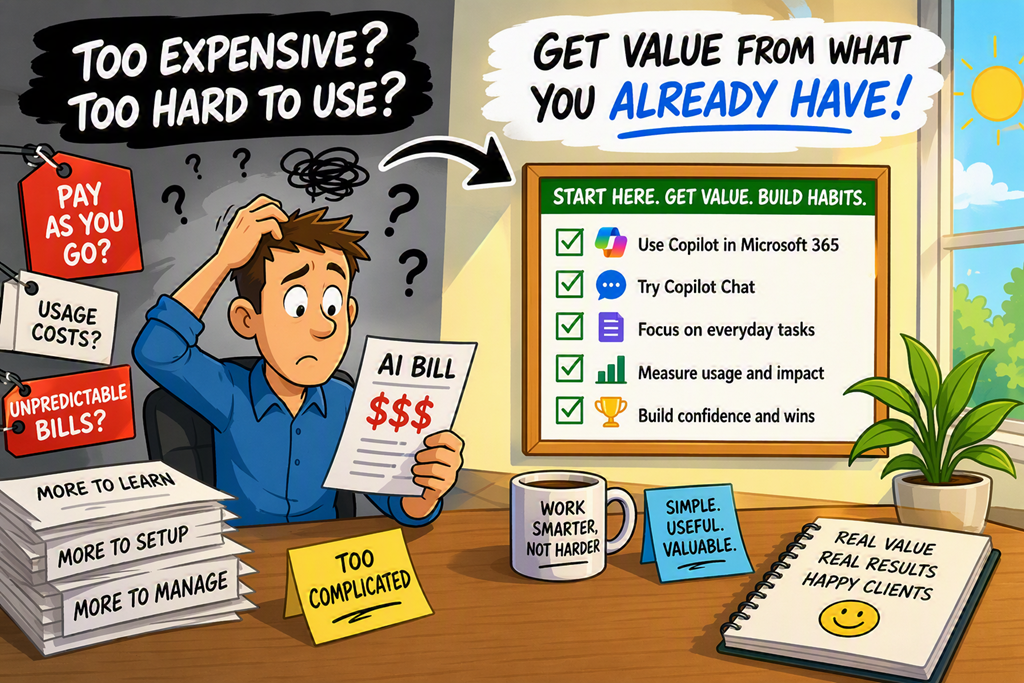
Has Microsoft Made Copilot Cowork Too Expensive and Too Hard to Use for SMB?

image

A lot of SMBs think their AI journey starts by buying more AI.

I think that’s the wrong place to start.

Over the last few months I’ve spoken to plenty of SMBs and MSPs who are excited about Microsoft Copilot, curious about Copilot Cowork, and interested in agents. Then they see the pricing model, hear the term pay-as-you-go, start looking at consumption costs, and immediately become nervous.

I don’t blame them.

The real question isn’t whether Copilot Cowork is good. The question is whether Microsoft has made it too expensive and too complicated for the average SMB to realise value from it.

And right now, I think there’s a genuine argument that they have.

Technology should remove friction, not introduce it.

What is Copilot Cowork, really?

Forget the product names for a moment.

Copilot Cowork is essentially Microsoft’s way of allowing AI experiences to go beyond the capabilities included in your existing Microsoft 365 subscription.

That can mean accessing additional AI services, consuming AI-powered workflows, running agents, or using capabilities that incur usage-based costs rather than being covered under a fixed licence.

The attraction is obvious.

You only pay for what you use.

The problem is that most SMBs have spent the last twenty years moving away from unpredictable IT costs. Fixed monthly subscriptions made budgeting easier. Consumption billing moves the conversation in the opposite direction.

That’s where things start getting uncomfortable.

“Isn’t this just cloud pricing all over again?”

In many ways, yes.

The difference is that AI usage can be harder for business owners to understand than storage, mailboxes or virtual machines.

Step-by-Step: Getting Value Before Paying More

Review the Copilot Features You Already Have

Open the Microsoft 365 apps your users work with every day.

Look at the built-in Copilot experiences already available in products such as Edge, Outlook, Teams and Microsoft 365.

Microsoft continues to expand these capabilities, often without organisations fully realising what’s already included.

You can learn more from https://learn.microsoft.com/microsoft-365/copilot/microsoft-365-copilot

Enable Microsoft 365 Copilot Chat

Navigate to:

Microsoft 365 App > Copilot

Many organisations still aren’t getting consistent value from Copilot Chat, despite it being available to users.

If your staff aren’t regularly using Copilot Chat, adding more AI services is unlikely to solve the problem.

Identify Repetitive Business Processes

Look for activities that happen repeatedly:

  • Status reporting

  • Meeting preparation

  • Policy summarisation

  • Document review

  • Knowledge retrieval

These are usually the areas where AI can provide immediate value.

Microsoft’s adoption guidance is available through https://learn.microsoft.com/microsoft-365/copilot/adoption/ adoption resources.

Measure Usage Before Expanding

Use the reporting and administrative tools available within Microsoft 365 to understand whether users are actually engaging with Copilot.

Many organisations skip this step entirely.

They purchase AI licences first and measure value later.

That’s backwards.

Introduce Consumption-Based Services Carefully

Only after people are regularly using the AI capabilities already available should you consider broader AI consumption models.

If you do move forward, make sure you understand how billing controls and cost management work.

Microsoft provides additional information through https://learn.microsoft.com/microsoft-365/copilot/microsoft-365-copilot-page.

Why this actually changes behaviour

The biggest issue isn’t price.

It’s uncertainty.

SMBs don’t generally object to paying for technology that creates value.

They object to paying for technology when they can’t predict what the bill will be or explain what they’re getting in return.

That’s an adoption problem, not a technical problem.

Copilot Cowork asks organisations to think differently about AI consumption. That’s understandable from Microsoft’s perspective, but it introduces complexity at a time when many SMBs are still trying to establish basic AI habits.

Notice what’s missing?

People.

If users aren’t actively incorporating AI into their daily workflows, no pricing model will save the deployment.

My recommendation?

Use every Copilot capability already included in Microsoft 365 first.

Build habits.

Measure outcomes.

Identify repeatable wins.

Only then move toward consumption-based AI services.

Copilot doesn’t get tired. Use that.

But don’t pay for more AI until you’ve proven the value of the AI you already have.

The real opportunity isn’t buying more AI.

It’s getting more value from the AI you’ve already paid for. If you’re not showing clients this, you’re leaving value on the table.