Capability beats resources every single time

image

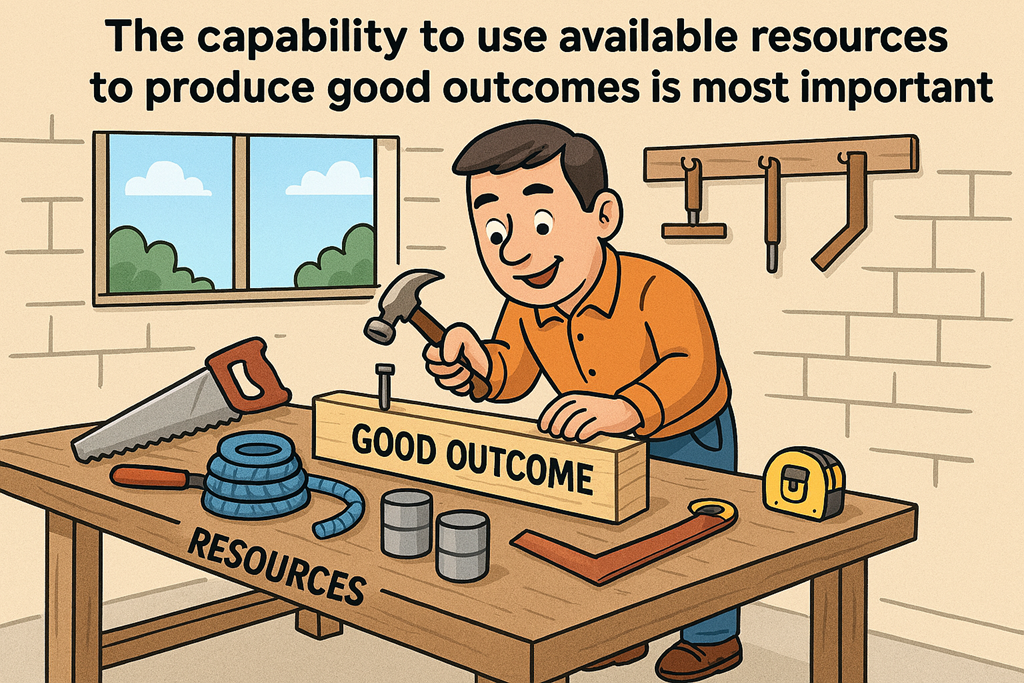
Most organisations don’t fail because they lack tools, money or technology. They fail because they lack the capability to use what they already have to produce good outcomes.

That might sound blunt, but it’s one of the most consistent patterns I see across businesses, MSPs and IT teams.

They have Microsoft 365.
They have security products.
They have AI tools.
They have documentation, frameworks, policies and “best practice”.

And yet outcomes are poor.

Why? Because capability matters more than availability.

Having access is not the same as being capable

Modern business environments are stacked with resources. Cloud platforms, SaaS tools, automation, AI copilots, security dashboards — the list keeps growing.

But access to resources doesn’t magically translate into results.

Capability is what turns potential into performance.

Capability means:

  • Knowing what to use
  • Knowing when to use it
  • Knowing why it matters
  • And being able to apply it consistently under pressure

Without that, more tools just add more noise.

I’ve seen organisations buy premium licences, deploy advanced features, and still operate like nothing changed — because nobody actually knew how to use the capability to drive outcomes.

Outcomes don’t come from features — they come from execution

This is where many technology discussions go off the rails.

The focus shifts to:

  • “What features do we have?”

  • “What licence do we need?”

  • “What tool should we buy next?”

Instead, the better question is: What outcome are we trying to achieve, and do we have the capability to get there?

Security is a perfect example.

Buying security tools doesn’t make you secure.
Configuring policies once doesn’t make you resilient.
Compliance frameworks don’t implement themselves.

Outcomes like reduced risk, faster recovery, safer users and better decision‑making only happen when people understand how to use the tools as part of a system, not as isolated checkboxes.

Capability is a multiplier

Resources on their own are static. Capability is a force multiplier.

Two organisations can have the same tools and budgets, yet one dramatically outperforms the other. The difference is rarely technology. It’s capability.

High‑capability teams:

  • Adapt faster when things change

  • Get more value from fewer tools

  • Recover quicker when things go wrong

  • Make better decisions with incomplete information

Low‑capability teams:

  • Depend on vendors to think for them

  • Struggle when documentation is outdated

  • Freeze when incidents don’t follow the playbook

  • Keep buying “solutions” to fix people problems

Capability compounds over time. Tools depreciate. Skills appreciate.

Capability is built, not installed

This is the uncomfortable truth many leaders avoid.

You can’t deploy capability with a script, a purchase order or a project plan.

Capability is built through:

  • Repetition

  • Context

  • Practice

  • Feedback

  • Failure (and learning from it)

That’s why checklists alone don’t work.
That’s why “we sent them on a course” doesn’t stick.
That’s why shelfware exists.

People become capable when they use resources to solve real problems, not when they memorise features.

MSPs: this is your real value

For MSPs, this is where the opportunity — and responsibility — lies.

Clients don’t need more tools. They need better outcomes.

Your value isn’t:

  • Installing another product

  • Enabling another feature

  • Sending another report nobody reads

Your value is helping clients build the capability to use what they already have to:

  • Reduce risk

  • Improve productivity

  • Make better decisions

  • Sleep better at night

That means shifting conversations away from tools and towards outcomes, behaviour and repeatable execution.

Ask better questions

If you want better outcomes, start asking better questions:

  • What are we actually trying to improve?

  • What decisions should this capability enable?

  • Who needs to act differently as a result?

  • What happens if this fails at 2am on a Sunday?

  • Can this be repeated, not just demonstrated once?

These questions expose gaps in capability far faster than another product demo ever will.

The bottom line

Resources are everywhere. Capability is rare.

The organisations that win aren’t the ones with the biggest stacks — they’re the ones that can use what they have well, consistently, and under pressure.

If you care about outcomes, stop asking what else you need to buy.

Start asking whether you’re capable of using what you already have.

Because capability — not access — is what produces good outcomes.

Teams vs Email: Which to Use When

image

Still emailing files back and forth? There’s a better way.

Email has been around forever, which is both its strength and its biggest problem. It’s familiar, universal, and dangerously easy to misuse. Most workplaces aren’t struggling because they lack tools — they’re struggling because they’re using the wrong tool for the job.

The real productivity gain doesn’t come from “moving everything to Teams”. It comes from knowing when to use Outlook, when to use Teams chat, and when a Teams channel is the right answer.

Let’s make that decision easier.


The core problem isn’t email — it’s overload

Email works brilliantly for external communication, formal messages, and one‑to‑one correspondence. Where it falls apart is collaboration.

Long reply‑all threads. Multiple versions of the same attachment. “See my comments in the attached doc v7 FINAL‑FINAL.docx”. Sound familiar?

Every time a conversation becomes ongoing, shared, or file‑centric, email starts to create friction. Teams exists to remove that friction — but only if it’s used properly.


A simple decision framework

Before you send that next message, ask one question:

Is this a conversation, a collaboration, or a communication?

Your answer determines the tool.


Use Outlook email when…

Email is still the right choice when:

  • You’re communicating externally (customers, suppliers, partners)

  • The message is formal, contractual, or needs an audit trail

  • It’s a one‑to‑one message with no expectation of ongoing discussion

  • You’re sending a summary or decision, not working something out

Email is a delivery mechanism, not a workspace. Treat it like the envelope, not the filing cabinet.


Use Teams chat when…

Teams chat is ideal for quick, informal, time‑sensitive conversations:

  • Clarifying a question

  • Getting a fast answer

  • Coordinating in the moment (“Are you free now?”)

  • Lightweight internal discussions that don’t need long‑term visibility

Chat is fast — and that’s both good and bad.

The mistake people make is using chat for work that actually matters later. Chats are hard to search, easy to lose, and tied to individuals rather than outcomes. If the conversation needs to live beyond today, chat probably isn’t the right place.


Use Teams channels when…

This is where the real shift happens.

Teams channels are for shared work, ongoing conversations, and files that matter.

Use a channel when:

  • Multiple people need visibility

  • Files will be edited collaboratively

  • The conversation will continue over days or weeks

  • The context matters more than the individual participants

  • You want one source of truth, not ten inboxes

A Teams channel replaces the entire email thread — conversation, files, history, and decisions — in one place.

This is the part most organisations get wrong. They create Teams, but still default to email “because that’s what we’ve always done”. The result is duplication, confusion, and frustration.


The practical rule most teams need

Here’s the rule I give clients:

If you’re about to reply‑all for the third time, stop and move it to a Teams channel.

One long email thread replaced with one Teams conversation per week is enough to change how people work. You don’t need a big transformation program — just one deliberate habit change.

Post the update in the channel. Upload the file once. Tag the people who need to see it. Let the conversation sit next to the work.


This is about behaviour, not technology

Teams doesn’t magically fix collaboration. It exposes it.

If your team lacks clarity, ownership, or structure, Teams will surface that quickly. Used well, though, it reduces noise, improves visibility, and stops work disappearing into inboxes.

Email isn’t going away. Nor should it. But if your internal collaboration still lives there, you’re paying a productivity tax you don’t need to.

So this week, pick one email thread and replace it with a Teams conversation.

You’ll wonder why you didn’t do it sooner.

CIA Brief 20260411

image

Anthropic’s powerful new AI model raises concerns about high-tech risks –

https://www.youtube.com/watch?v=lMaCfQMlXY0

Defender XDR – Monthly news – April 2026 –

https://techcommunity.microsoft.com/blog/microsoftthreatprotectionblog/monthly-news—april-2026/45…

Investigating Storm-2755: “Payroll pirate” attacks targeting Canadian employees –

https://www.microsoft.com/en-us/security/blog/2026/04/09/investigating-storm-2755-payroll-pirate-at…

SOHO router compromise leads to DNS hijacking and adversary-in-the-middle attacks –

https://www.microsoft.com/en-us/security/blog/2026/04/07/soho-router-compromise-leads-to-dns-hijack…

Inside an AI‑enabled device code phishing campaign –

https://www.microsoft.com/en-us/security/blog/2026/04/06/ai-enabled-device-code-phishing-campaign-a…

Security Copilot Skilling Series –

https://techcommunity.microsoft.com/blog/microsoft-security-blog/security-copilot-skilling-series/4…

A modernized comments experience for Word, Excel, and PowerPoint on iPhone –

https://techcommunity.microsoft.com/blog/microsoft365insiderblog/a-modernized-comments-experience-f…

Microsoft Defender for Cloud Customer Newsletter –

https://techcommunity.microsoft.com/blog/microsoftdefendercloudblog/microsoft-defender-for-cloud-cu…

A third-party connector integrating Claude with Microsoft Sentinel is now available –

https://techcommunity.microsoft.com/blog/microsoftsentinelblog/a-third-party-connector-integrating-…

Threat actor abuse of AI accelerates from tool to cyberattack surface –

https://www.microsoft.com/en-us/security/blog/2026/04/02/threat-actor-abuse-of-ai-accelerates-from-…

The best backup is the one you never think about –

https://techcommunity.microsoft.com/blog/microsoft365insiderblog/the-best-backup-is-the-one-you-nev…

What’s new in Microsoft Intune – March –

https://techcommunity.microsoft.com/blog/microsoftintuneblog/what%E2%80%99s-new-in-microsoft-intune…

What’s New in Microsoft 365 Copilot | March 2026 –

https://techcommunity.microsoft.com/blog/microsoft365copilotblog/what%E2%80%99s-new-in-microsoft-36…

What’s new in Power Platform: March 2026 feature update –

https://www.microsoft.com/en-us/power-platform/blog/power-apps/whats-new-in-power-platform-march-20…

High Volume Email reaches General Availability in Exchange Online –

https://techcommunity.microsoft.com/blog/exchange/high-volume-email-reaches-general-availability-in…

Microsoft 365 Copilot: Researcher with multi-model intelligence –

https://www.youtube.com/watch?v=G4ZqK7_15uw

Copilot Cowork: Sales and Finance Workflows –

https://www.youtube.com/watch?v=h7nv7OCfsCY

File-level archiving comes to Microsoft 365 Archive (public preview) –

https://techcommunity.microsoft.com/blog/microsoft_365blog/file-level-archiving-comes-to-microsoft-…

Introducing multi-model intelligence in Researcher –

https://techcommunity.microsoft.com/blog/microsoft365copilotblog/introducing-multi-model-intelligen…

Copilot Cowork: Now available in Frontier –

https://www.microsoft.com/en-us/microsoft-365/blog/2026/03/30/copilot-cowork-now-available-in-front…

Microsoft SharePoint Turns 25! –

https://techcommunity.microsoft.com/blog/microsoft365insiderblog/microsoft-sharepoint-turns-25/4505…

Protect your enterprise from shadow AI and more: Announcements at RSAC 2026 –

https://blogs.windows.com/msedgedev/2026/03/23/protect-your-enterprise-from-shadow-ai-and-more-anno…

Guidance for detecting, investigating, and defending against the Trivy supply chain compromise –

https://www.microsoft.com/en-us/security/blog/2026/03/24/detecting-investigating-defending-against-…

What’s new in SharePoint lists –

https://www.youtube.com/watch?v=HVrNK7MPzLk

Accessibility Assistant now flags inaccessible hyperlinks –

https://techcommunity.microsoft.com/blog/microsoft365insiderblog/accessibility-assistant-now-flags-…

After hours

Bessent summoned Wall Street leader to discuss Anthropic’s new AI  – https://www.youtube.com/watch?v=Kl9LKFMj3Eg

Editorial

If you found this valuable, the I’d appreciate a ‘like’ or perhaps a donation at https://ko-fi.com/ciaops. This helps me know that people enjoy what I have created and provides resources to allow me to create more content. If you have any feedback or suggestions around this, I’m all ears. You can also find me via email director@ciaops.com and on X (Twitter) at https://www.twitter.com/directorcia.

If you want to be part of a dedicated Microsoft Cloud community with information and interactions daily, then consider becoming a CIAOPS Patron – www.ciaopspatron.com.

Watch out for the next CIA Brief next week

Cleaning Up the Microsoft 365 Mess Nobody Wants to Talk About

image

Most MSPs don’t get called in when things are going well.

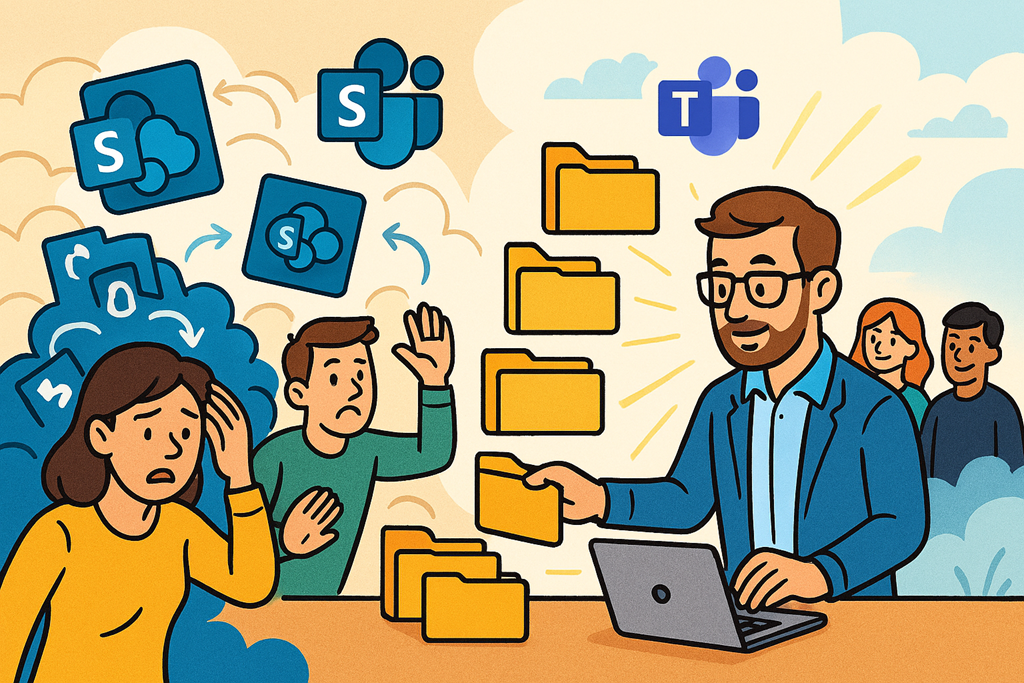
They call you when SharePoint is a disaster, Teams is unusable, and staff have quietly given up trying to “do it the Microsoft way”. Files are everywhere, no one trusts search, and every conversation about collaboration starts with an eye roll.

And here’s the uncomfortable truth:
This mess didn’t happen overnight. It was designed that way — usually by rushing a migration, skipping governance, or treating Microsoft 365 like a file server with emojis.

The Real Problem Isn’t SharePoint or Teams

When a client says “SharePoint is terrible” or “Teams doesn’t work”, they’re rarely talking about the platform.

They’re talking about:

  • Duplicate document libraries with no ownership

  • Teams created for one meeting that still exist three years later

  • Channel sprawl with no naming standards

  • Files living in chats, OneDrive, SharePoint, desktops, and “somewhere else”

  • No idea where the authoritative version of anything lives

Microsoft 365 didn’t fail them.
Implementation did.

Migration ≠ Transformation

One of the biggest mistakes I see is confusing a migration with a solution.

Too many Teams and SharePoint migrations are glorified copy‑paste exercises:

  • Lift the file server

  • Dump it into SharePoint

  • Auto‑create Teams

  • Declare success

But all you’ve done is move the mess into the cloud — and now it’s harder to clean up because people are actively working in it.

A bad on‑prem file structure is annoying.
A bad SharePoint structure actively damages productivity every single day.

Why This Is a Goldmine for MSPs (If You Handle It Right)

Here’s the opportunity most MSPs miss.

Clients don’t want another platform.
They want:

  • Less friction

  • Clear rules

  • Confidence that “this is the right place to put things”

Fixing a messy SharePoint or Teams environment isn’t a one‑off job. It’s a reset.

The best engagements I see follow a pattern:

  1. Stabilise – Stop the bleeding. Lock down creation, clean up obvious duplication, identify owners.

  2. Standardise – Define what Teams are for, what SharePoint sites are for, and when to use each.

  3. Simplify – Fewer Teams. Fewer sites. Clear naming. Clear lifecycle rules.

  4. Educate – Not training for the sake of it, but contextual guidance: “Put this here. Not there.”

This isn’t sexy work.
But it’s high‑trust, high‑value work.

Governance Is Not a Dirty Word

Every time I hear “we didn’t want to slow users down”, I know what’s coming next.

Chaos.

Lightweight governance doesn’t block productivity — it enables it. Users move faster when they’re not guessing. When they know where things go. When they trust search. When they’re not creating Teams just to avoid asking where files live.

MSPs who position governance as “making life easier” instead of “locking things down” win every time.

The Payoff

When you fix a collaboration mess properly, clients notice:

  • Meetings get shorter

  • Onboarding gets faster

  • Internal arguments about “where things are” disappear

  • Microsoft 365 finally feels like an asset, not a tax

And you stop being the MSP who “just keeps the lights on”.

You become the partner who made things work again.

That’s problem‑solving.
That’s pain‑point focus.
And that’s where real MSP value lives.

Stop Selling Tools. Start Delivering Security Outcomes.

image

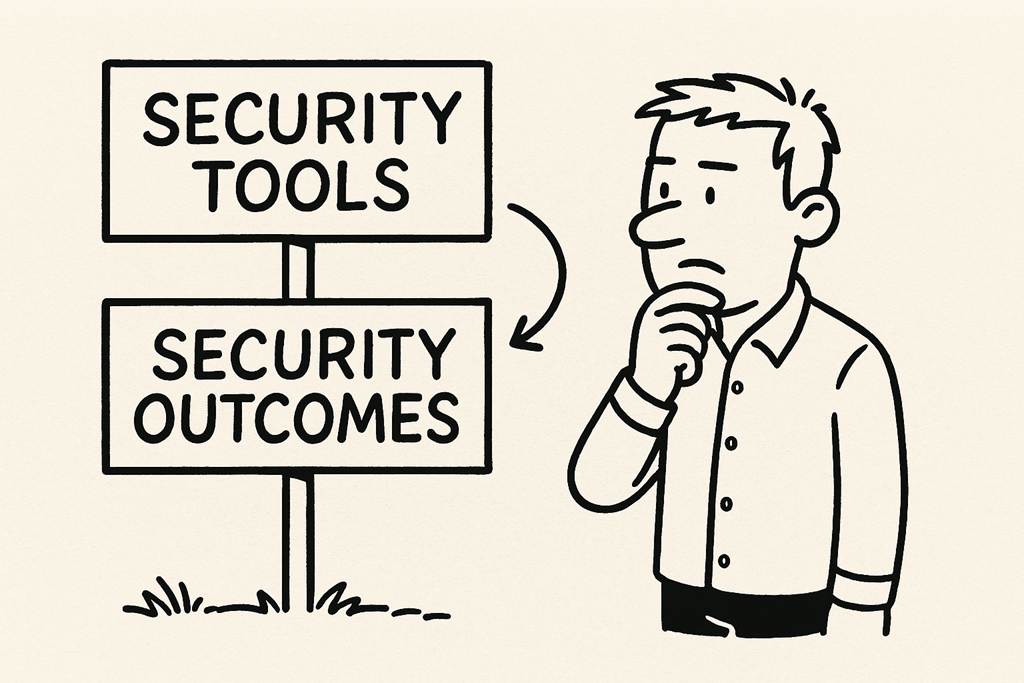
One of the biggest mistakes I see in SMB security is confusing owning security tools with being secure.

“We’ve got MFA.” “We’ve got Defender.” “We’ve got backups.” “We’ve got a firewall.”

Great. None of those are outcomes.

They’re ingredients.

Security outcomes are what actually matter to the business — and if you don’t frame your security work that way, you end up with clients who think they’re safe right up until the day they’re not.

Tools Don’t Stop Incidents. Outcomes Do.

An SMB doesn’t wake up worried about Conditional Access policies or EDR configurations.

They worry about:

  • Getting locked out of email

  • Paying a ransom

  • Losing customer data

  • Missing payroll

  • Failing a cyber insurance claim

  • Being offline for days

Those are business outcomes — and security should be measured against how well it prevents or limits those events, not how many licences are assigned.

Owning a tool doesn’t mean it’s configured correctly. Having it configured doesn’t mean it’s monitored. Monitoring doesn’t mean anyone knows what to do when something breaks.

Security only exists when all of those pieces work together to achieve a real‑world result.

Outcome‑Driven Security Changes the Conversation

When you focus on outcomes, the conversation with SMBs changes dramatically.

Instead of saying:

“We’re deploying Microsoft Defender.”

You say:

“We’re reducing the chance that ransomware takes out your business — and if it does get in, we’ll detect it early and recover fast.”

Instead of:

“We’re enforcing MFA.”

You say:

“We’re stopping attackers from logging in as your staff, even if passwords are stolen.”

Instead of:

“We’ve configured backups.”

You say:

“If everything is encrypted tomorrow, we can restore your critical systems within hours, not days.”

Same tools. Completely different value.

The Outcome Stack Most SMBs Actually Need

If you strip away the marketing noise, most SMB security outcomes fall into a few simple buckets:

1. Prevent the most common attacks Phishing, credential theft, malware, token abuse. Outcome: attackers struggle to get in.

2. Limit blast radius If someone does get in, they can’t access everything. Outcome: one compromised account doesn’t become a company‑wide incident.

3. Detect quickly Alerts fire early, not days later. Outcome: incidents are contained before they become disasters.

4. Recover confidently Backups work, restores are tested, roles are clear. Outcome: downtime is measured in hours, not weeks.

5. Prove it Evidence exists for insurance, audits, and management. Outcome: no scrambling, no guesswork, no “we think it’s set”.

Notice something?

None of those outcomes mention a specific product.

Why Tool‑First Security Fails SMBs

SMBs are especially vulnerable to tool‑centric security because:

  • Licences get sold but not fully configured

  • Defaults are mistaken for “secure”

  • Alerts are ignored or misunderstood

  • No one owns incident response

  • Evidence is never collected

This is how you end up with tenants full of expensive security features that would look great in a demo… and fail completely in a real incident.

Security theatre feels good. Security outcomes save businesses.

Frameworks Help — If You Use Them Properly

Frameworks like Essential Eight, SMB1001, or similar are useful only when they’re treated as outcome checklists, not box‑ticking exercises.

The question shouldn’t be:

“Do we have this control?”

It should be:

“What risk does this reduce, and how do we know it’s working?”

That mindset forces:

  • Validation

  • Testing

  • Monitoring

  • Evidence collection

  • Continuous improvement

In other words: real security.

MSPs: This Is Your Unfair Advantage

For MSPs, outcome‑focused security isn’t just better — it’s a differentiator.

Anyone can resell licences. Anyone can deploy a baseline. Very few can explain, demonstrate, and continuously deliver security outcomes.

If you can show a client:

  • What you’re protecting

  • Why it matters to their business

  • How you’ll know if it fails

  • What happens when it does

…you move from “IT provider” to trusted risk partner.

That’s where long‑term value lives.

Final Thought

Security tools are necessary. They are not sufficient.

If your security story starts and ends with products, dashboards, or licences, you’re missing the point.

Focus on outcomes. Design backwards from real‑world incidents. Measure what matters. Prove it continuously.

Because at the end of the day, the business doesn’t care what tools you deployed.

They care whether they can still operate tomorrow.

Your SMB Doesn’t Need an “AI Strategy”. It Needs an AI Playbook (and Copilot is the easiest place to start)

image

You’re running a business. You’ve got a laptop and a handful of people trying to do everything. The big end of town has entire departments. That gap used to cost a fortune to close. Now it’s a line item on a monthly bill — if you implement it properly.

Here’s the part most people miss: AI doesn’t replace the need for a system. It rewards the business that already has one. And if you want the most practical AI solution for SMB, Microsoft 365 Copilot is the obvious choice because it’s already sitting inside the tools your team lives in every day.

Step 1: Map the gaps (stop guessing, start listing)

Big companies have functions you don’t: marketing, customer service, finance, legal, HR, operations, data analysis — and a stack of internal “glue work” that keeps everything moving.

So write them down. Literally. Your list becomes the blueprint.

Now here’s the Copilot twist: don’t just “ask AI what to do”. Use that list to identify the high-friction work your people are doing manually inside Microsoft 365 — drafting, summarising, searching, reporting, meeting follow-up, customer comms, internal documentation. That’s where Copilot earns its keep because it’s integrated into Word, Outlook, Teams, and the rest.

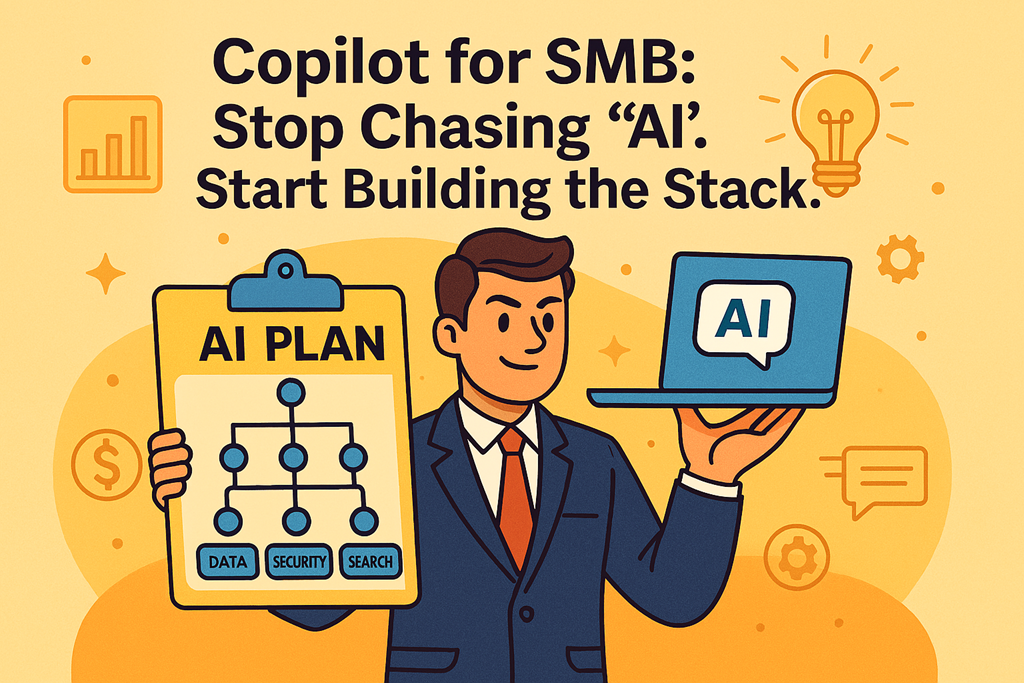
Step 2: Build the stack under Copilot (data → security → search)

Copilot sits on top of your Microsoft 365 data. Which means your outcome depends on what’s underneath.

I like to explain it as an AI stack:

  • Data: email, SharePoint, OneDrive, Teams — where the business actually runs.
  • Security: identity and access controls, permissions, labelling, DLP, retention — the guardrails.
  • Search: if users can already find things they shouldn’t, Copilot will find them faster.

This is why “turning on Copilot” without checking oversharing and permissions is reckless. A proper rollout starts with tightening what’s already loose, before you unleash a new way to discover information.

Step 3: Pilot first, then scale (because SMBs win by being deliberate)

The smartest SMB Copilot deployments look boring on paper: 5–10 users, ~6 weeks, controlled scenarios, clear success measures.

Why? Because the pilot forces you to do the real work:

  • Confirm licensing and assign it to roles that actually produce/coordinate information.
  • Configure the tenant and entry points users will use (especially Teams/M365 app surfaces).
  • Clean up data access and permissions to avoid “AI-enabled oversharing”.
  • Train users and establish prompt standards (more on that next).
Step 4: Treat prompting as a skill (because it is)

The video nailed it: prompting well is a skill. Don’t dabble. Build competence.

For Copilot, that means a short internal prompt playbook that’s grounded in real workflows: “draft this proposal from these notes”, “summarise this email thread and propose next steps”, “turn these meeting notes into tasks”, “rewrite this customer email with a firmer tone”, “create an agenda and pre-read”.

And set one rule early: Copilot is probabilistic. Users must verify outputs like they’d verify a junior staff member’s work. (Because that’s effectively what it is.)

Step 5: Protect your differentiators (keep the human magic where it matters)

Not everything should be automated. If something is your superpower — your relationships, your product insight, your unique judgement — keep it.

Pick your two differentiators and guard time for them. Let Copilot take the admin, the first drafts, the summaries, the rewrites, the “where is that thing?” work.

Step 6: Use speed as the weapon (SMB advantage, amplified)

Big companies drown in approvals and meetings. SMBs can move in hours. Copilot accelerates that — faster drafts, faster answers, faster iteration.

But speed without standards becomes chaos. Which leads to the final step…

Step 7: Document everything (and measure it)

Document the workflows you repeat. Save your best prompts. Create templates. Build “definition of done” checklists. Then get Copilot to check its own output against your standards.

And measure adoption: if you don’t monitor usage and outcomes, you’re just funding curiosity. Build simple reporting around usage, scenarios adopted, and where users are stuck.

Bottom line: Copilot can give SMBs “big company capability” without big company headcount — but only if you implement it as a system: map gaps, pilot properly, build skills, protect differentiators, move fast, and document what works.

CIAOPS AI Dojo: Microsoft Copilot Training Built Specifically for MSPs

blog

Microsoft Copilot is quickly becoming a standard expectation in Microsoft 365 environments. Clients are asking about it. Microsoft is bundling it aggressively. And MSPs are being pulled into conversations about AI productivity, security, and compliance—often before they feel ready.

Turning on Microsoft 365 Copilot is easy.

Running it safely, governing it properly, and supporting it commercially as an MSP is not.

That’s why so many managed service providers find themselves thinking:

“We enabled Copilot for a client… now what?”

The MSP Problem With Microsoft Copilot

For MSPs, Copilot introduces a unique set of challenges:

  • It reflects existing permissions, exposing long‑standing data and security issues

  • It creates legal, privacy, and compliance risk that MSPs may inherit

  • It changes user behaviour faster than policies and processes can adapt

  • It raises client expectations—without increasing MSP margins by default

Most Copilot advice online is either hype‑driven or enterprise‑theoretical. Neither helps an MSP supporting real SMB tenants under commercial pressure.

What Is CIAOPS AI Dojo?

CIAOPS AI Dojo is a Microsoft Copilot training and enablement program built specifically for MSPs.

It is designed to help MSPs:

  • Deploy Copilot safely in real Microsoft 365 tenants

  • Put governance and guardrails in place before incidents occur

  • Confidently advise clients on Copilot readiness and risk

  • Turn Copilot into a repeatable, billable managed service

AI Dojo is not a one‑off course.
It is a membership‑based program that evolves as Microsoft Copilot changes—because MSPs can’t afford outdated guidance.

Who AI Dojo Is For

CIAOPS AI Dojo is aimed primarily at:

  • SMBs‑focused MSPs supporting Microsoft 365 tenants

  • IT service providers being asked about Copilot by clients

  • MSP owners, technical leads, and vCIOs responsible for AI advice

  • Consultants who need a defensible Copilot delivery framework

While internal IT teams may benefit, AI Dojo is built with the MSP reality in mind: limited time, commercial risk, and the need for repeatable delivery.

A Framework MSPs Can Reuse Across Every Client

At the core of AI Dojo is the CIAOPS Copilot Adoption Stack™:

Foundation → Control → Enablement → Optimisation

This framework gives MSPs:

  • A structured way to assess Copilot readiness

  • Clear governance using tools like Purview and DLP

  • Safe user enablement without “AI chaos”

  • A way to prove value and manage Copilot ongoing

Most importantly, it gives MSPs a way to say “not yet”—with evidence.

What MSPs Get Inside AI Dojo

Members receive:

  • Curated, up‑to‑date Microsoft Copilot guidance for MSP use

  • Practical Copilot workflows relevant to SMB environments

  • Plain‑English explanations MSPs can reuse with clients

  • Ongoing learning sessions focused on governance and delivery

  • A trusted filter that cuts through Microsoft and AI noise

Everything is grounded in real MSP‑managed Microsoft 365 tenants.

Simple Membership, No Lock‑In

AI Dojo is designed to be low‑friction for MSPs:

  • No lock‑in

  • Cancel anytime

  • Ongoing updates as Copilot evolves

This is continuous Copilot enablement—not static training.

Built for MSPs Who Want Control, Not Chaos

If you’re an MSP who wants to stop guessing, stop absorbing unpriced risk, and start delivering Microsoft Copilot with confidence, CIAOPS AI Dojo is open.

Join CIAOPS AI Dojo:
https://www.ciaops.com/ai-dojo

Turn Microsoft Copilot from a risky experiment into a governed, repeatable, and commercially defensible MSP service.

    Need to Know podcast–Episode 362

    In this episode of the CIAOPS Need to Know podcast, we take an AI‑first look at what’s happening across the Microsoft Cloud and what it really means for small and medium businesses. Episode 362 cuts through the noise to focus on the practical, real‑world impact of artificial intelligence as Microsoft continues to embed AI across Microsoft 365, Azure, and everyday productivity tools.

    We discuss how an AI‑first mindset is changing the way SMBs should think about security, productivity, and operational efficiency, along with what partners and IT professionals need to pay attention to right now. Expect clear explanations, informed opinions, and actionable insights designed to help you make sense of rapid change without the hype.

    Brought to you by www.ciaopspatron.com

    you can listen directly to this episode at:

    https://ciaops.podbean.com/e/episode-362-ai-first/

    Subscribe via iTunes at:

    https://itunes.apple.com/au/podcast/ciaops-need-to-know-podcasts/id406891445?mt=2

    or Spotify:

    https://open.spotify.com/show/7ejj00cOuw8977GnnE2lPb

    Don’t forget to give the show a rating as well as send me any feedback or suggestions you may have for the show.

    Resources

    Explore the tools, communities, and content mentioned in this episode:

    CIAOPS Need to Know podcast – CIAOPS – Need to Know podcasts | CIAOPS

    X – https://www.twitter.com/directorcia

    director@ciaops.com

    CIAOPS Blog – CIAOPS – Information about SharePoint, Microsoft 365, Azure, Mobility and Productivity from the Computer Information Agency

    Join my Teams shared channel – Join my Teams Shared Channel – CIAOPS

    CIAOPS Merch store – CIAOPS

    Become a CIAOPS Patron – CIAOPS Patron

    CIAOPS Brief – CIA Brief – CIAOPS

    CIAOPS Labs – CIAOPS Labs – The Special Activities Division of the CIAOPS

    Support CIAOPS – Support CIAOPS

    Get your M365 questions answered via email

    Please fill out this form

    A special thanks to the CIAOPS Patron community for making this podcast possible. You can find the benefits of a subscription to the community and become a member at https://www.ciaopspatron.com

    Microsoft 365 Copilot & AI in the Workplace

    Product updates and new Copilot experiences

    • What’s new in Microsoft 365 Copilot – March 2026

    https://techcommunity.microsoft.com/blog/microsoft365copilotblog/what%E2%80%99s-new-in-microsoft-365-copilot–march-2026/4506322

    • Copilot Cowork now available in Frontier

    https://www.microsoft.com/en-us/microsoft-365/blog/2026/03/30/copilot-cowork-now-available-in-frontier/

    https://playground.microsoft.ai/chat

    AI Security, Threats & Protection

    How Microsoft is addressing AI as both a tool and an attack surface

    • Defending the AI era: New Microsoft capabilities to protect AI

    https://techcommunity.microsoft.com/blog/MicrosoftDefenderCloudBlog/defending-the-ai-era-new-microsoft-capabilities-to-protect-ai/4503885

    • Threat actor abuse of AI accelerates from tool to cyberattack surface

    https://www.microsoft.com/en-us/security/blog/2026/04/02/threat-actor-abuse-of-ai-accelerates-from-tool-to-cyberattack-surface/

    Endpoint & Device Management (Intune)

    Modern management platform updates

    • What’s new in Microsoft Intune – March 2026

    https://techcommunity.microsoft.com/blog/microsoftintuneblog/what%E2%80%99s-new-in-microsoft-intune-%E2%80%93-march/4493136

    Power Platform

    Low‑code and automation platform updates

    • What’s new in Power Platform – March 2026 feature update

    https://www.microsoft.com/en-us/power-platform/blog/power-apps/whats-new-in-power-platform-march-2026-feature-update/

    Microsoft 365 Data, Storage & Compliance

    Archiving and information lifecycle management

    • File‑level archiving comes to Microsoft 365 Archive (Public Preview)

    https://techcommunity.microsoft.com/blog/microsoft_365blog/file-level-archiving-comes-to-microsoft-365-archive-public-preview/4506886

    Microsoft 365 Platform Milestones

    Product anniversaries and platform evolution

    • Microsoft SharePoint turns 25

    https://techcommunity.microsoft.com/blog/microsoft365insiderblog/microsoft-sharepoint-turns-25/4505368

    • Celebrating 30 years of Microsoft Exchange

    https://techcommunity.microsoft.com/blog/exchange/celebrating-30-years-of-microsoft-exchange/4503439