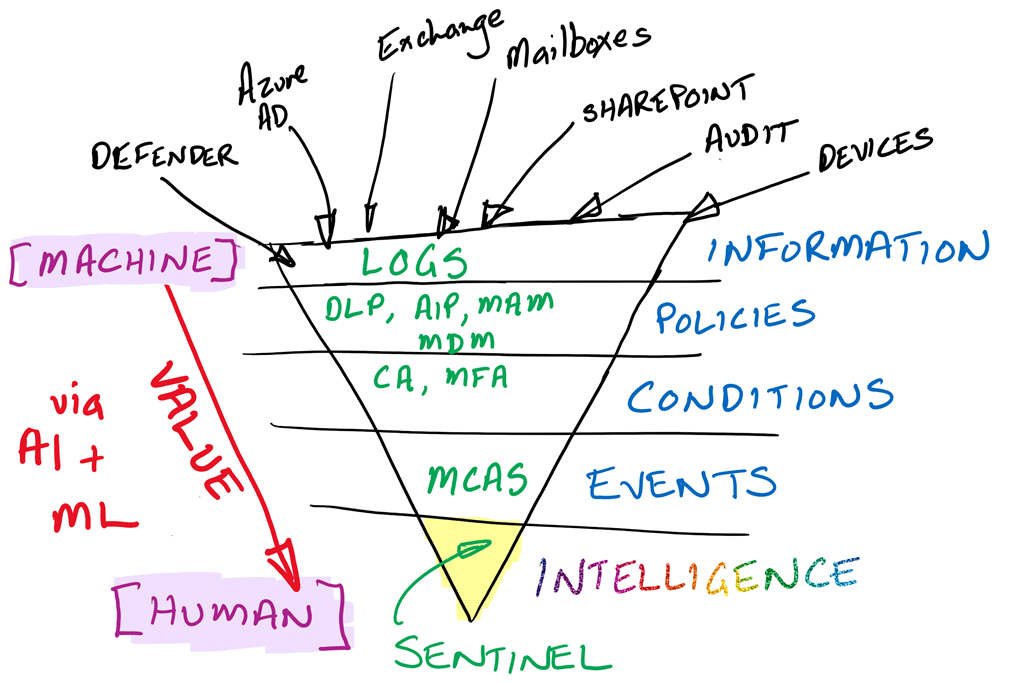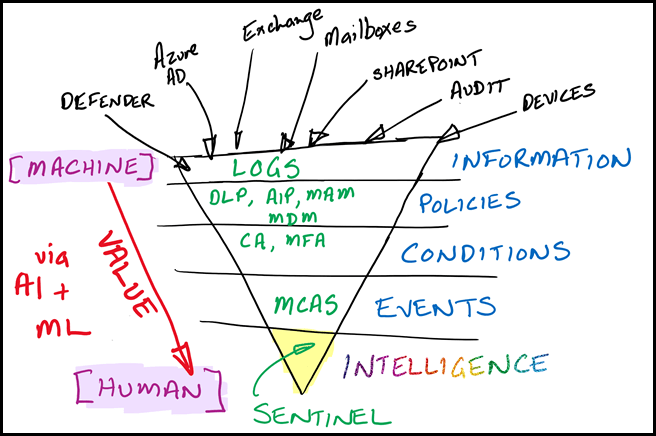
I use the above diagram to help people understand where they should be investing human capital when it comes to security. I see too many people who are responsible for security focused at the Information (top and widest) level of the above diagram.
The Information level is a constant deluge of independent and uncorrelated signals. At this level I would suggest that probably 95% or more of these signals are benign or should be ignored. Thus, if you are investing precious human capital at this level, you are wasting 95% of that or more.
The Information level in today’s security environment is where the machine (aka software) provides the greatest return on investment. This is because the machine can constantly evaluate every signal that arrives, impartially, consistently and tirelessly. It also doesn’t care that 95% of the signals it evaluates has little or no value. It can also do this 24/7/365. It will continue to do this faster and faster with the passage of time.
The Policy level can takes these raw signals and produce results to better secure the organisation. For example, a Data Loss Prevention Policy (DLP) can evaluate the usage of a document and its contents, then determine whether to allow of block access. The machine can’t create the DLP policy but it can very effectively evaluate it and take action. The human adds value to the equation by creating the policy the machine implements.
The Condition level can further use policies, like Conditional Access (CA) based on multiple signals i.e. where a device is connecting from, what information it wants access to, who the user requesting and so on to then determine whether access should be granted. Once again, the machine doesn’t craft the policy but evaluates and enforces the policy constantly. Once again, the human adds value to the equation by creating the policy the machine evaluates all the combined signals against.
Hopefully, you can see my argument here, that the further down the triangle you go, the more effectively human capital is utilised. Conversely, the further up the triangle the more efficient it is for the machine. At the Events level, services like Microsoft Cloud App Security (MCAS) align signals into a format that is much easier for a human to digest and evaluate. Here the machine looks up signals such as IP locations and usages automatically to provide even more data for human assessment.
The machine can thus digest the raw information, then use techniques such as Artificial Intelligence (AI) and Machine Learning (ML) to refine the information and make it more relevant. That is add value. This allows the human to apply what they are best at, on the highest quality information, not the lowest. The precious human analysis effort is deployed where it has the most impact, in a pool of refined and relevant information that has been culled of low quality results.
I would suggest that the relevancy of signals at the Intelligence level, using tools like Azure Sentinel, is much greater than the mere 5% I suggested as a benchmark at the Information layer. But even if it was just 5%, the value of this 5% is infinitely higher because the total value of the signals at this level is much much greater than at lower levels and there are far fewer of them to examine. If the human has the same amount of time and cognitive load to invest at any level, doing so at the Intelligence level all them to spend far more time on each individual item. Anyone who knows will tell you, when it comes to a quality output, you need to invest time.
As with unread email items in an inbox, many people love to make themselves feel important by pointing to how many emails they are receiving. The number of emails your receive or have accumulated is totally irrelevant! What is the important is the VALUE of the information, NOT the quality. So it also is with security. Overwhelming yourself with signals from many different system doesn’t align with better security. If anything, it introduces greater fatigue, distraction and inconsistency, leading to much poorer security.
We live in a world that has more information coming at it daily than there has ever been in history. Tomorrow there will be even more and so on and so on. That growth is only going to accelerate. You cannot approach this modern environment with old approaches such as drowning yourself in low value signals. There are simply too many, and at some point nothing more gets processed due to overwhelm. The smart move is to use technology efficiently. Put it to work on the repetitive and mundane work that humans are not good at or like doing even less. Move down the levels until you have systems that give you intelligence rather than swamping you in a sea of information. After all, isn’t NOT doing this just a self imposed DDOS (distributed denial or service) attack?