My Gear 2023

You can take a look back at last year’s gear here:

My Gear 2022

there were/are some major changes happening with my assortment.

Surface Duo 2 – My ‘Google’ phone. This as a ‘secondary’ or backup phone. It has all the Microsoft apps installed on it and is connected to my Microsoft 365 production account. Most importantly, it has the Microsoft Authenticator app for MFA access for certain apps.  I also have the latest Microsoft Surface pen which I really like. It is probably the best ‘electronic scribing’ device I have used.

i have to admit that I haven’t used this device that much since I bought it. Some of the reasons for that were that I planned to use it as a writing device (i.e. notepad) but storing the pen with the device has proved problematic. yes, it does have a magnetic area to hold the pen but you can’t just throw the device in a bag and expect the pen to be still connected. The pen really needs some form of pouch in which the pen lives so it can always be with the device. The other thing is the large camera bump prevents the device from laying completely flat. This makes it very hard to use as a replacement notebook on a desk. One of my resolutions this year will be to try and use this device much more to get full benefits from the investment made as I do really like the device and feel it can serve a real purpose for me. I just have to work out how to reduce the friction of using it everyday..

iPhone 12 Pro Max – Is my main mobile device. Unfortunately, there is a growing crack on the screen that I believe was initiated by the Surface Duo 2 camera bump, when the devices where in my laptop bag together. The phone still works and the crack is off to one side of the screen but I can see the crack growing and full expect one day to have to replace the device. I want to delay this as long as possible since I have invested in a Quad Lock case and multiple holders (car, desktop, etc) for this case. A new phone will mean a new case, which isn’t the end of the world, just additional hassle.

One thing that I have configured my iPhone for is default grey scale display. I do this for two major reasons, firstly to prevent the phone from grabbing and holding my attention and secondly to save power. With the colours disabled on your phone it is amazing at how les tempting it is to play with it and use it as a crux when you are bored.

The great thing I will say about about iDevices is their battery life. My experience is that this allows them to work for years and years, providing great value.

Surface Pro 7 – This is my main desktop machine. Being the same form factor, it just slotted directly into my Kensington SD7000 Surface Pro Docking Station I already have in place. This machine runs Windows 11.

I am considering a potential Surface Pro 9 purchase, however as of yet I can’t really justify it. The other downside of going to a Surface Pro 9 is that it won’t fit in my Kensington SD7000 Surface Pro Docking Station which I really love.

Surface Pro 6 – My backup and travelling machine. I use it pretty much every day as an adjunct to my main machine. It lives on my secondary Kensington SD3500v docking station connected to a full screen and acts as my backup in case my main machine fails or is unavailable for some reason. It is also a handy way to test things from outside my environment by hot spotting to my phones. This machine run Windows 10 but could run Windows 11. I haven’t upgraded as yet because I want to maintain at least one production machine on Windows 10.

This is the machine I am considering replacing with a Surface Pro 9, given that it will plug directly into the existing Kensington SD3500v docking station. The question then is, what do I do with the Surface Pro 6? It still works. How can I make best use of this device if I no longer use it as my travelling device and backup? That, I haven’t figured out yet.

Surface Pro X – I use this machine as a ‘lite’ travelling desktop as well as a whiteboarding machine for demos and training. Give that it comes with the Surface Pen and has a nice large screen and will lie flat it makes the prefect device for scribing. I also use this device for writing note into places like OneNote. Perhaps not the most effective use of the device but it beats the iPad when it comes to scribing hands down in my books. This machine runs Windows 11.

This is another machine that I haven’t used as much as I want to. I am considering converting it to a full time desk notepad for writing (given it has a Surface Pen which I love). Last year saw the keyboard fail and I agonised over whether to replace it because it ain’t cheap. In the end I did buy a replacement keyboard to main the most functionality with the device. The problem is that if I use it as a dedicated desktop notebook device (i.e. flat on the desk with the cover removed) then it tends to get in way. I think I just need to spend some more time with the ergonomics on my desk to get the most productivity and use from this device going forward.

Surface Pro 3 – Continues to work fine and function as a test machine in my production environment. This machine has now been removed from my production network and operates stand alone. It does this so it can run my IoT project work. I found that with the security I have on my production network that I could not easily operate the IoT software I needed so the simple solution was to remove it from the production network and use it stand alone. This machine is slow and clunky, but for now it is doing the job it needs to. This machine is not suitable for Windows 11.

Surface – I have had an original Surface version 1 for many years now. The keyboard has long since broken by the system still works fine, although somewhat under powered with only 4GB of RAM. This machine is now a dedicated device on a separate test tenant. This allows me to test Autopilot and other settings on it regularly. This machine is not suitable for Windows 11.

iPad mini 5th Gen – I decided I wanted a smaller ‘notebook’ size table to use like a paper diary, amoungst other things, so I went out and bought an iPad mini.

I also now use this iPad mini with the Apple pencil, which generally works well. The secret is to get a good case for both the iPad mini and the pencil. My choice was:

Finite Case with Pencil holder

which I’d certainly recommend as it is flexible, tough and cheap.

The only major downside of the iPad mini is that battery life is a lot less than the full size iPad, which is understandable. I have however never run out of juice but you do notice the power levels fall away quickly when compared to the full size version. I like that the iPad mini comfortable fits on my desk, works will with the Apple pencil and is much more transportable than the larger version. I was a little concerned that the screen size would be too small to enjoy movies and read web pages, etc but that hasn’t proved to be the case. I happy use it lying back on the couch to watch a variety of programs and read web sites.

After a number of years the Apple Pencil doesn’t really hold a charge any more. That is disappointing, although I appreciate it doesn’t have a huge battery. This has again increased the friction with me finding a suitable replacement for a paper notebook because every time I want to write something down, I need to charge the pencil up which takes ages. I may look at getting a new and updated Apple pencil but unsure as to whether I can really justify that in line with the plan to use the Surface Duo more.

D-Link Wireless N300 Model Router DSLG225 – to allow connect to the NBN broadband network.

Ubiquiti – I have a variety of Ubiquiti equipment in place including a  Security Gateway. All these have worked flawlessly and I can’t recommend this gear highly enough.

Docking station – I still love my Kensington SD7000 Surface Pro Docking Station. It is a really neat device, that suits most modern Surface Pro devices. It is slim, compact and now all me to have 3 external monitors off the one Surface devices (as you can never have enough screen now can you eh?). I can plug in all my devices, microphones, phones, etc to it and all the cables are hidden at the back. I also like that you can adjust the screen up and down, a bit like a Surface Studio.

Occasionally, one of my monitors goes dark and a few seconds later comes back, kinda like it is doing a reset or refresh. Maybe I need to update some drivers? Apart from that it continues to perform flawlessly.

The original Kensington SD3500v has now moved to work with the travelling PC when it is running in my office and that is also working well, making it a truly ‘plug and play’ experience when I get back from road trips.

Amazon Kindle – Still have this but it has now largely been superseded by the iPad mini for reading books. I still love my Kindle but if I can have one less device then I’m going to take that option. so for now, the Kindle has been relegated as a backup.

Xbox One S – Still use it to watch YouTube, Netflix and Amazon video but now playing more games thanks to Minecraft Dungeons and Call of Duty game.

I didn’t make any major hardware investments in 2021.

The items that I retired from front line operations last year where:

1. WDSentinel

I will admit that I have my eye on a Surface Pro 9 replacement for the Surface Pro 7 depending on how things pan out this year. I doubt I’ll be upgrading to the new iPhone 13 as I don’t see any major benefits for the costs, that is unless the screen fractures. I want to focus on getting the most from my Surface Duo 2 given its price. I also hear rumours of a Duo 3, so hopefully I’ll be able to trade in Duo 2 in if I decide to.

My Stuff 2023

This post is my annual post aimed at bringing the links to everything I have out there on the Internet together into a single place. Here we go.

About me

Social Media

Free Stuff

Regular technical and business information, tutorials, walk throughs, learnings, upcoming courses and more.

Here you’ll find currently almost 200 videos full of tutorials on SharePoint, Office 365, Azure and technology.

Presentations and whitepapers for free download.

Documentation for older versions of SharePoint on premises, especially the free versions and those that came with SBS.

Cloud lecture series is a set of free tutorials, training session and so on that I have provided over the years:

I have number of free GitHub repositories that include things like PowerShell scripts, pricing calculators, reference documents, helpful links and more. You will find all these at:

With over 293 episodes and now in it’s 13th year my podcast focuses on providing you news and updates from the Microsoft Cloud around Microsoft 365 and Azure.

You can subscribe using iTunes or Stitcher. If you’d like to be a guest or know someone who would, please let me know.

Need to Know webinars are held monthly and announced on my blog. These are conducted using Microsoft Teams.

and subscribe to previous and upcoming webinar recordings and resources here:

My free Teams shared channel you are welcome to join. To do so follow the instruction here:

https://blog.ciaops.com/2022/07/29/join-my-teams-shared-channel/ 

here you’ll find a forum on the Microsoft Cloud.

Commercial stuff

This stuff helps pay for free stuff above so I appreciate your support for my paid work.

Access to the CIAOPS community for technical support, product discounts and access to the best Office 365 and Azure information

For end user focused training on Microsoft 365 services and applications:

Lots of courses on Microsoft 365, PowerShell, Azure, SharePoint and the like.

General Interest

This accounts sends a tweet to commemorate a significant dates from the Australian battles in France during World War 1.

I’m a big believer in supporting those who want to build their own business but just need a leg up to get started. Kiva is simply and easy way to provide this and I recommend this to everyone.

In 2022 I read over 45 books. That means I do a lot of reading on a variety of topics and with Goodreads you can follow along with the books I’m reading as well as those that I add to my bookshelf. I’ll have an upcoming post on my recommended reads, so watch out for that post coming soon.

  • Xbox gamer tag = director cia

I don’t play a whole lot these days, but when I do I typically play:

– Minecraft Dungeons

– Call of Duty

– Minecraft

If you ever need to send me stuff you can do so via the following address:

PO Box 5
Beecroft NSW 2119
Australia

My Bitcoin address is – bitcoin:bc1qwgcr296c7rtjvlpkv9yy5033qjgwwrvttxhtm7

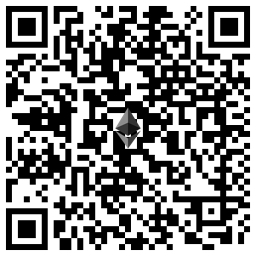
My Ethereum address is – ethereum:0xD7cc991E1f84B625C3723D2965C9948238F5DFe8

Microsoft 365 incident response training

pexels-pixabay-69934

In early 2023 I’ll be running an incident response training course for Microsoft 365 environments. Training will held over four consecutive weeks. Each session will be two (2) hours and run from 9am Sydney time.The dates are:

Wednesday January 11th 2023 – Before an incident. What you need to do to prepare

Wednesday January 18th 2023 – During an incident. What you need to do when an incident occurs

Wednesday January 25th 2023 – After an incident. What needs to be done after an incident has occurred

Wednesday February 1st 2023 – Lab exercises and group best practice discussions

The sessions will be recorded and other materials from the sessions (checklists, etc) will be available to attendees afterwards.

This event will be conducted remotely via Microsoft Teams.

The aim of this training is to help you better prepare for a security incident inside the Microsoft 365 environment. You’ll learn what settings you should enable and what processes you should have in place before an incident occurs. The sessions will also take you through common examples of incidents and help you understand what needs to be done when they occur and how to minimise risk and impact to a business. The sessions will also take your through the post-incident process to build confidence with what information needs to be maintained and how to prevent similar incidents re-occurring. The final session will be a group hands on lab and discussion so you can put all the skills you have learned to the test.

The price for this event will be:

Gold Enterprise Patron = Free

Gold Patron = $33 inc GST

Silver Patron = $99 inc GST

Bronze Patron = $176 inc GST

Non Patron = $399 inc GST

You can learn more about the CIAOPS Patron community at www.ciaopspatron.com.

I hope that you’ll join me in January for this event as I believe it provides some much needed training in a very important aspect of managing and securing Microsoft 365. If you are serious about security for Microsoft 365, then you need a plan and this training will aim to give you just that plus some experience to boot!

You can register you interest in attending this course here – http://bit.ly/ciaopsroi after which I’ll be in contact with you to arrange payment and get you enrolled.

As always, if you have any questions about this training please email me on – director@ciaops.com.

I hope to see you there.

Techwerks 17

bw-car-vehicle

I am happy to announce that Techwerks 17 will be held in Melbourne CBD on Thursday September 29th 2022

The course is limited to 20 people and you can sign up and reserve your place now! You reserve a place by completing this form:

http://bit.ly/ciaopsroi

or by sending me an email (director@ciaops.com) expressing your interest.

The content of these all day face to face workshops is driven by the attendees. That means we cover exactly what people want to see and focus on doing hands on, real world scenarios. Attendees can vote on topics they’d like to see covered prior to the day and we continue to target exactly what the small group of attendees wants to see. Thus, this is an excellent way to get really deep into the technology and have all the questions you’ve been dying to know answered. Typically, the event produces a number of best practice take aways for each attendee. So far, the greatest votes are for deeper dives into the Microsoft Cloud including Microsoft 365, Azure, Intune, Defender for Endpoint, security such as Azure Sentinel and PowerShell configuration and scripts, with a focus on enabling the technology in SMB businesses.

Recent testimonial – “I just wanted to say a big thank you to Robert for the Brisbane Techworks day. It is such a good format with each attendee asking what matters them and the whole interactive nature of the day. So much better than death by PowerPoint.” – Mike H.

The cost to attend in Melbourne is:

Gold Enterprise Patron = Free

Gold Patron = $33 inc GST

Silver Patron = $99 inc GST

Bronze Patron = $176 inc GST

Non Patron = $399 inc GST

I hope to see you there.

Techwers 16

image

I am happy to announce that Techwerks 16 will be held in Brisbane CBD on Thursday August 18th 2022.


The course is limited to 30 people and you can sign up and reserve your place now! You reserve a place by completing this form:


http://bit.ly/ciaopsroi


or by sending me an email (director@ciaops.com) expressing your interest.


The content of these all day face to face workshops is driven by the attendees. That means we cover exactly what people want to see and focus on doing hands on, real world scenarios. Attendees can vote on topics they’d like to see covered prior to the day and we continue to target exactly what the small group of attendees wants to see. Thus, this is an excellent way to get really deep into the technology and have all the questions you’ve been dying to know answered. Typically, the event produces a number of best practice take aways for each attendee. So far, the greatest votes are for deeper dives into the Microsoft Cloud including Microsoft 365, Azure, Intune, Defender for Endpoint, security such as Azure Sentinel and PowerShell configuration and scripts, with a focus on enabling the technology in SMB businesses.


Recent testimonial – “I just wanted to say a big thank you to Robert for the Brisbane Techworks day. It is such a good format with each attendee asking what matters them and the whole interactive nature of the day. So much better than death by PowerPoint.” – Mike H.


The cost to attend in Brisbane is:


Gold Enterprise Patron = Free


Gold Patron = $33 inc GST


Silver Patron = $99 inc GST


Bronze Patron = $176 inc GST


Non Patron = $399 inc GST


I hope to also have a streaming option available as well. The costs for this will be:


Gold Enterprise Patron = Free


Gold Patron = Free


Silver Patron = Free


Bronze Patron = $33 inc GST


Non Patron = $99 inc GST


CIAOPS Patron information can be found here – www.ciaopspatron.com

I hope to see you there.

Bad guys keep winning (Part VI)

pexels-kat-wilcox-923681

I’m super angry about this, so be prepared for a bit of a rant. I’m posting this in the hope that it maybe found by others who maybe concerned about a recent call they received from the “Security Department of VISA and Mastercard” detailing fraud on their banking accounts.

My senior parents received a call from “Neil Spence” from the “Security Department of VISA and Mastercard” claiming there had been some potential fraudulent transactions from eBay and Amazon on an account. The total of these was around $400. He then asked whether they wanted them investigated and stopped. Of course they said “Yes please”. He then said he would transfer them to their bank to speak with someone to take action and block these transactions. During this process he provided a call back number 1800 829 403 (which turns out to be the number for the Australian Government Department of Aged Care Fraud hotline which is nothing to do with VISA. I also called and determined there is no “Neil Spence” their either) and a reference number SIP5010.

Now the ‘helpful’ person at ‘the bank’ they were transferred to, got them to provide all the account details (account number and balances) and made a great show of saying that this isn’t a scam because they were not being asked for the PIN to any accounts. The ‘bank’ said it would investigate.

A few days later the ‘bank’ called back and said they had identified that fraud had indeed taken place but by an employee of the ‘bank’ at the local branch they use. The ‘bank’ then said they wanted the help of my parents by catching the employee in act of conducting this fraud. To do this, my parents needed to go the bank immediately and make a cash withdrawal of just over $8,000 and then wait for more instructions. They were however told not to mention this at the bank branch otherwise it would tip off the investigation and allow the perpetrator to get away scott-free!

At this point it was determined that it was a scam but here’s where it gets interesting for me. Even though I was confident that no money was missing I thought it best to call the bank. That process took me down a rabbit hole of pushing numbers on a phone routing system, entering account details, trying to work out how to enter an alpha numeric password via tones, etc. My parents had no hope negotiating that.

When I did eventually get through, I was on hold for more than 20 minutes with no idea of how much longer I’d be, so I hung up and called the Police on a general number. That too went to hold and again I gave up after 20 or so minutes of no reply and no idea of wait numbers.

Here’s why the scammers win. They target people of an older generation who are less comfortable with the modern method of banking (Internet and phone). They also target them because they tend to not question authority. They then establish trust and get the target to ‘help’ them catch the bad actors, that makes the target feel guilty that they should help catch the alleged perpetrator. All this ends up doing is draining money from their accounts and sending it to the scammers all the while making people like my parents less trusting of their local branch staff, which is exactly the people they should be going to. There is no doubt, these scammers know their game.

At this stage it seems like the initial attempt at obtaining funds has been thwarted but given account details were shared unwittingly, we’ll need to be extra vigilant and potentially cancel all the credit cards which will be a very painful process. Very. So this issue is not over by any means and at the very least my parents will probably continue to receive more called from the ‘bank’ and I expected these to become more hostile when they don’t comply.

What has truly made me angry is just how hard it is for people of my parents generation to get help on these matters. Luckily, I was able to provide an external perspective as well as do some investigation of my own. What would of happened if I wasn’t available to assist? Most likely, the scammers would have continued to fleece my parents for large of money over a few weeks.

No wonder the bad guys (and gals) keep winning if the responses I got from the authorities trying to report this is anything to go by. Where is the protection for our societies most vulnerable? As I have said many, many times cybersecurity is largely an illusion, especially when enacted by big institutions. It seems like it is you against some very clever and motivated scammers and if you are the right target, then you really don’t stand much of a chance. From where I sit, there is lots of talk but the problem is not getting any better. Just look at the news and amounts people are scammed out of regularly. Why is there not better protection? People have a right to not have their hard earned money fleeced from them when they are with a large institution that makes all these noises about being cybersecurity-aware and investing billions in protecting customer. Unless you fit their customer profile seems like you are on your own to me!

A sad state of affairs were we are all reduced to looking after ourselves. But what about those who are unable to do this? Do we just let them get fleeced? As I said, I’m angry that it is victim who pays and hope this information is of value to someone else and prevents them from being fleeced or put through this drama.

Be a winner. Don’t recruit, build an employment system

pexels-洋榤-郭-2399840

One of my favourite quotes is from Scott Adams:

Losers have goals. Winners have systems.

Scott Adams is the creator of the Dilbert cartoon strip, which many would say provides perceptive insight into how many businesses are run today and the personalities inside them.

This systems based approach lines up with some recent articles I’ve written:

Every business today is a software business

and

We all need to automate more

because, probably the place where I see the least use of systems is when it comes to employing and training staff. Most businesses cast a random net looking for people with unique skills and experience, but when they employee people they find, they largely don’t develop them further in any structured way. They hope that they will ‘accumulate’ knowledge throughout their time and apply to the business adding value along the way. That is a pretty haphazard approach to probably the most important resource in a business.

I think a far better model to emulate is brought to us from the military. They take recruits, from all walks of life and experience, then put them through standardised training to get people with the skills they need. They have done this successfully for thousands of years. It is a proven model for results. Why don’t more commercial businesses take this approach?

I had a recent conversation with a technology provider who was having trouble finding a high level cloud technician for a role. Given the the constantly changing cloud technology field, how would you ever expect to find someone like that I asked? To attract such a candidate the business is going to have a huge salary package, well above what the small business could afford. But he insisted that this is exactly ‘what his business needed to succeed’. No it doesn’t! That approach to me is completely bonkers because you are putting all your eggs in a single basket with someone would could choose to leave at any point in time, including immediately after starting.

I suggest that a far better approach would be to build a ‘training system’ to produce the candidates you require. You can take people with much lower skills sets and put them through a largely continuous automated training process to give them the skills needed. If the candidate resigns or ‘drops out’ of the system at any point, you simply feed the next candidate into the start from which, again, out will pop exactly the person with the skills that you need.

The other advantage with an ‘employment system’ like this is that the business owns it, manages it and controls it. It isn’t reliant on someone who could leave a the business at any stage.

When you speak with most managers they say they employ on attitude and develop skills but that is definitely not what I see executed, especially in IT reseller businesses. Most get rushed into selecting a candidate because they have a desperate need and then hope against hope that they will work in that role. In the majority of cases, they don’t, which means it’s right back to recruitment stage again.

The challenge with systems is that don’t grow on trees or magically appear when you rub a lamp. They need to be designed. They need to built. They need to be maintained and they need to be automated. I’ll go back to one of my other favourite quotes I’ve used before recently:

“Compound interest is the eighth wonder of the world. He who understands it, earns it … he who doesn’t … pays it.”

― Albert Einstein

and say that compound interest ONLY works when you invest FIRST! All you need to do is start and keep working at it. Too many people focus on the end result rather than what they need to do NOW to move the ball forward.

I’ve spoken before about:

Core Microsoft Cloud IT Professional skills

and

The benefits of certification

It would also be hard to say that there is not an abundance of training available today from many, many sources on just about any topic you can name. Leverage these, put a program together, track people’s process and enhance it over time. If you are smart, you’ll get those who are undertaking the training to provide feedback and even adjust it for you. Thus, each new employee is helping to improve your training system.

Many employers incorrectly fear that if they train employees, they will leave. Many studies show the reserve is actually true. Employees prefer businesses that provide training and invest in their careers rather than those that don’t. Besides, as I said earlier, if an employee chooses to leave, you just insert another one into the system you have created.

The chances of you obtaining a suitably qualified candidate in the market today is pretty low. Instead, do what the military does and has done for thousands of years to great success, take anyone and put them into a system that creates the desired end result. By doing so you gain independence and you build another item of unique value in your business. Be a winner, build an employment system.