Microsoft Defender Threat Intelligence portal

image

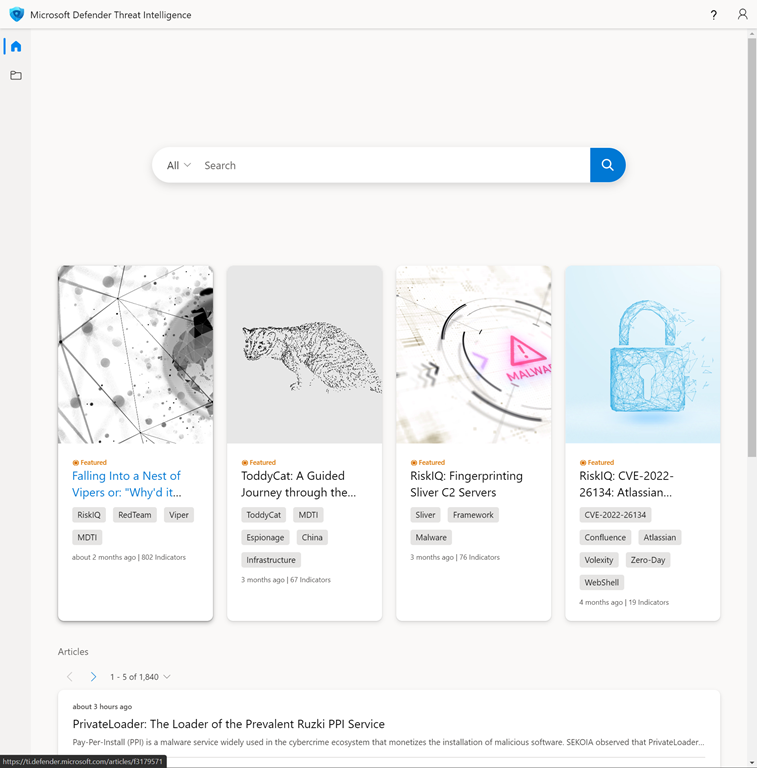
Microsoft has a new security portal at:

https://ti.defender.microsoft.com

which comes from their recent RiskIQ acquisition. In essence it is a place that you can search for security intelligence and information around all sorts of indicators.

image

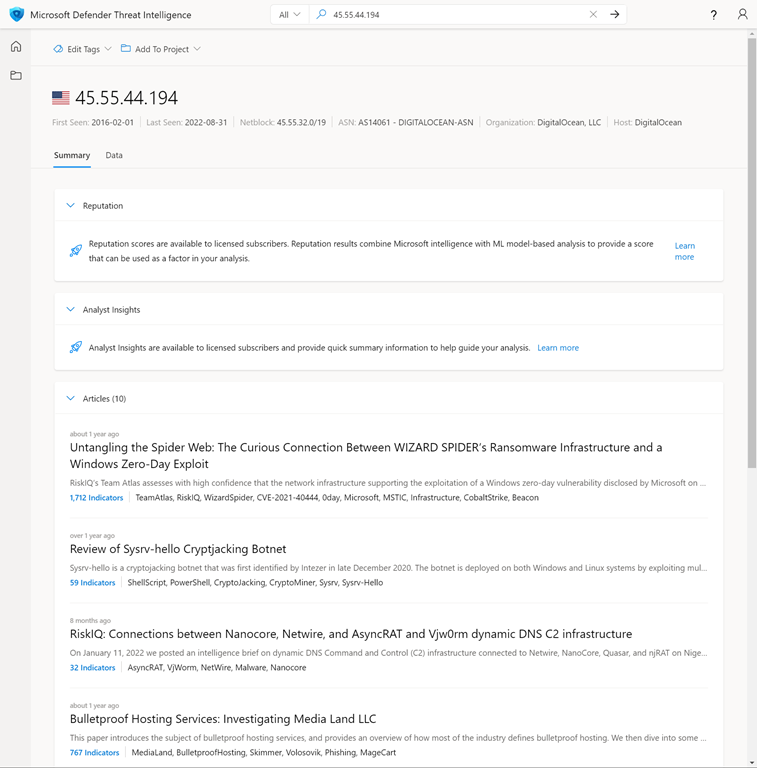
If I for example search for an IP address that showed up in my Microsoft Sentinel as a known bad IP I see the above results.

image
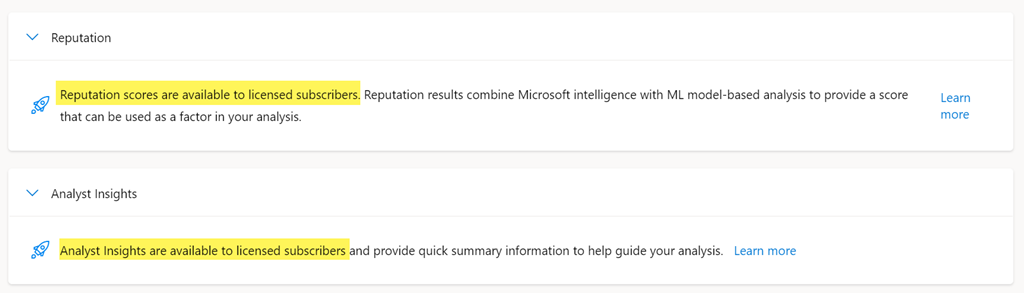
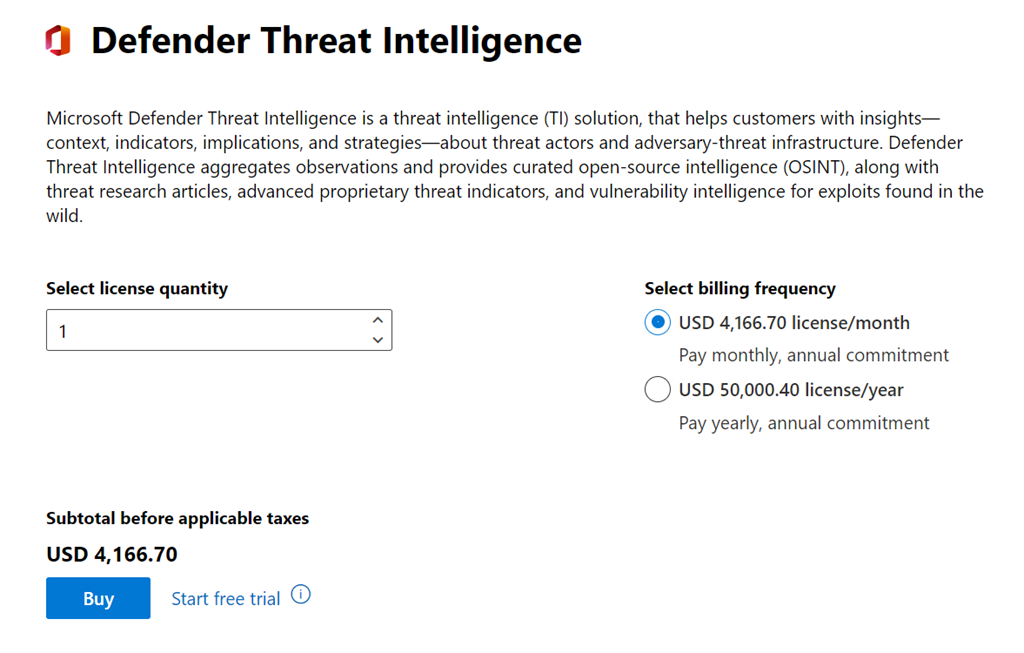
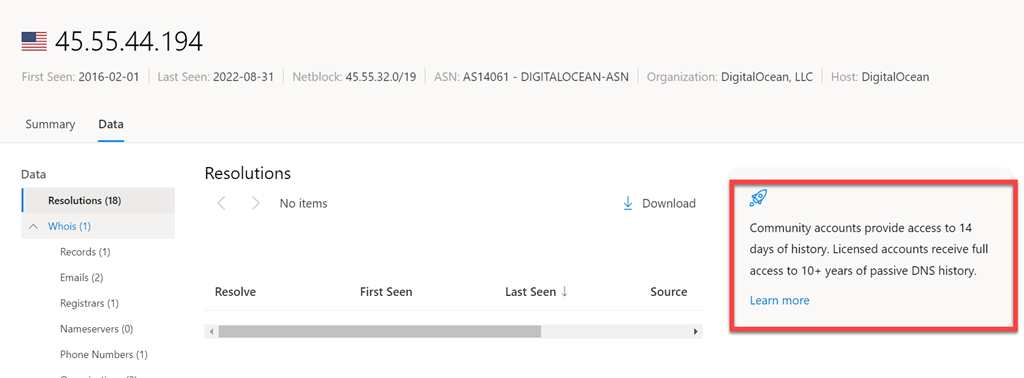
If you look closely, you’ll see the ‘good’ stuff requires a subscription. How much is a subscription I hear you ask? Well, make sure you are sitting down before you proceed because it is:

image

Yup, that is US$4,1667.70 per month! Wow!

image

That said, the free or ‘community’ version does provide a lot of valuable information and I would recommend that you add the site to your list of tools when threat hunting. Personally, I would have liked to have seen a pay as you go (PAYG) option provisioned out of Azure like things such as Sentinel is. Hopefully, the price will come down or at least there may eventually be a tier that smaller business can live with. But for now, have a look and use the features provided for free as there are many. You can learn more from the documentation here:

What is Microsoft Defender Threat Intelligence (Defender TI)?

Need to Know podcast–Episode 286

Another round of updates from the Microsoft Cloud. Also trying a video version of the podcast on YouTube (link below). Also trying an ‘editorial’ section which this month is on Secure Score. Let me know what you think.

Take a listen and let us know what you think – director@ciaops.com

You can listen directly to this episode at:

https://ciaops.podbean.com/e/episode-286-updates/

Subscribe via iTunes at:

https://itunes.apple.com/au/podcast/ciaops-need-to-know-podcasts/id406891445?mt=2

The podcast is also available on Stitcher at:

http://www.stitcher.com/podcast/ciaops/need-to-know-podcast?refid=stpr

Don’t forget to give the show a rating as well as send me any feedback or suggestions you may have for the show.

This episode was recorded using Microsoft Teams and produced with Camtasia 2022.

Brought to you by www.ciaopspatron.com

Resources

@directorcia

YouTube version on podcast

Join my shared channel

CIAOPS Monthly webinar

Microsoft Ignite

iOS Lockdown mode

Visual Studio Code on the web

Gone phishing tournament

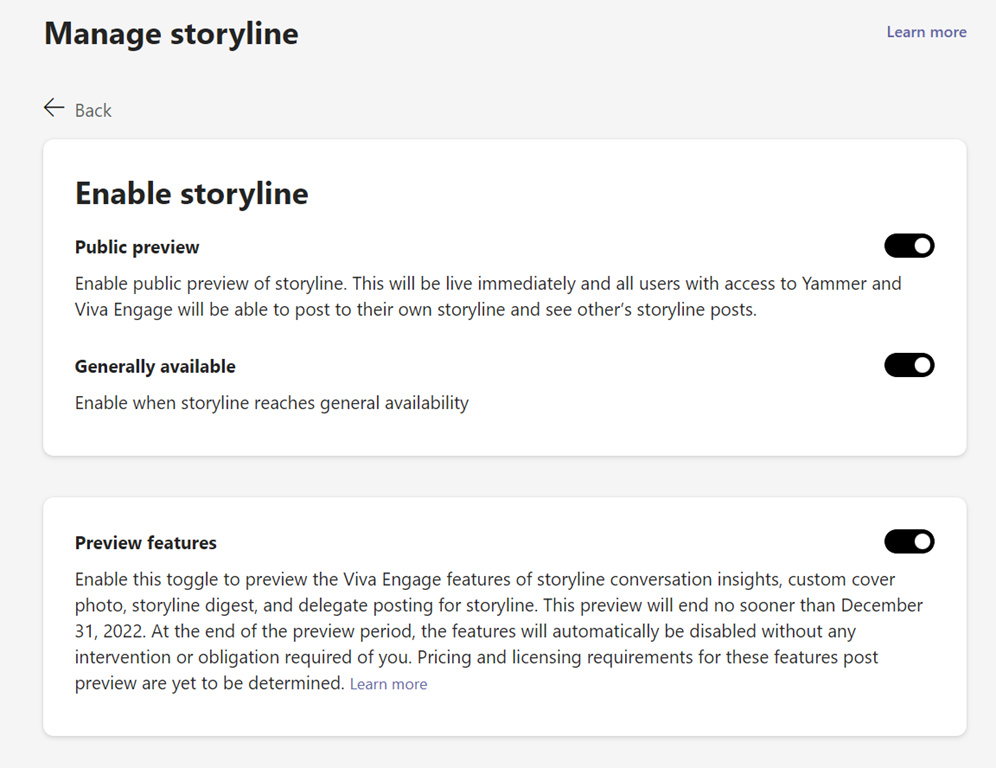
Storyline is in public preview

Microsoft SMB study

Edge enhanced security

image

A new security option in Microsoft Edge.You’ll find it in Settings | Privacy, search and services as shown above. Three levels are available once you enable it (it is disabled by default).

What is does according to the documentation is:

Enhanced security in Microsoft Edge helps safeguard against memory-related vulnerabilities by disabling just-in-time (JIT) JavaScript compilation and enabling additional operating system protections for the browser.

and more information is found here:

Enhance your security on the web with Microsoft Edge

There is also the option to white list certain URLs if required.

So, if you want a bit more security when using Edge, turn it on! I have.


Techwerks 17

bw-car-vehicle

I am happy to announce that Techwerks 17 will be held in Melbourne CBD on Thursday September 29th 2022

The course is limited to 20 people and you can sign up and reserve your place now! You reserve a place by completing this form:

http://bit.ly/ciaopsroi

or by sending me an email (director@ciaops.com) expressing your interest.

The content of these all day face to face workshops is driven by the attendees. That means we cover exactly what people want to see and focus on doing hands on, real world scenarios. Attendees can vote on topics they’d like to see covered prior to the day and we continue to target exactly what the small group of attendees wants to see. Thus, this is an excellent way to get really deep into the technology and have all the questions you’ve been dying to know answered. Typically, the event produces a number of best practice take aways for each attendee. So far, the greatest votes are for deeper dives into the Microsoft Cloud including Microsoft 365, Azure, Intune, Defender for Endpoint, security such as Azure Sentinel and PowerShell configuration and scripts, with a focus on enabling the technology in SMB businesses.

Recent testimonial – “I just wanted to say a big thank you to Robert for the Brisbane Techworks day. It is such a good format with each attendee asking what matters them and the whole interactive nature of the day. So much better than death by PowerPoint.” – Mike H.

The cost to attend in Melbourne is:

Gold Enterprise Patron = Free

Gold Patron = $33 inc GST

Silver Patron = $99 inc GST

Bronze Patron = $176 inc GST

Non Patron = $399 inc GST

I hope to see you there.

New tenant admin app in Microsoft Teams

image

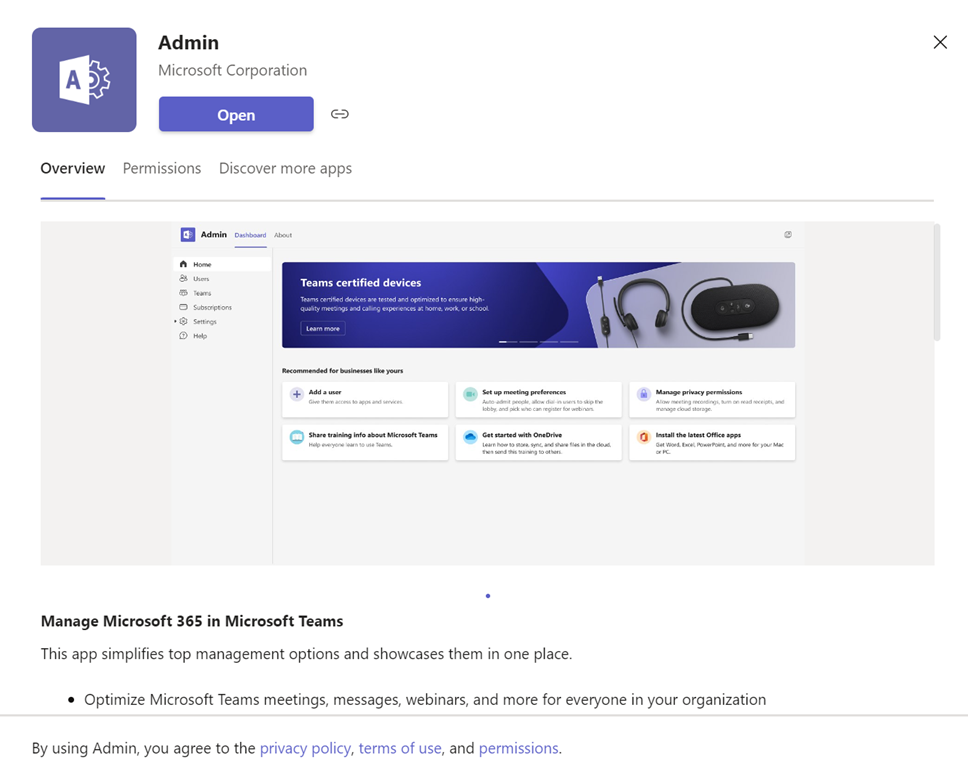
If you search the apps available in Microsoft Teams you’ll find a new one from Microsoft called Admin as shown above.

image

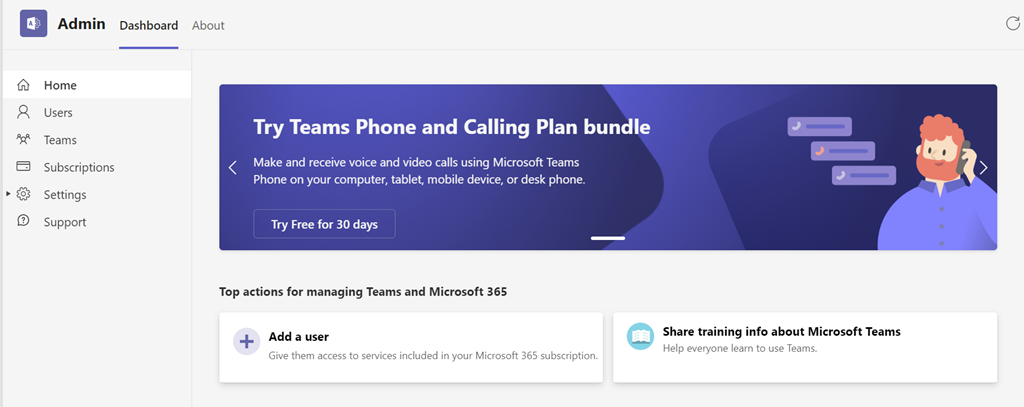
When you add the Admin app to your Microsoft Teams environment you see a number of basic administration options you can alter as shown above.

image

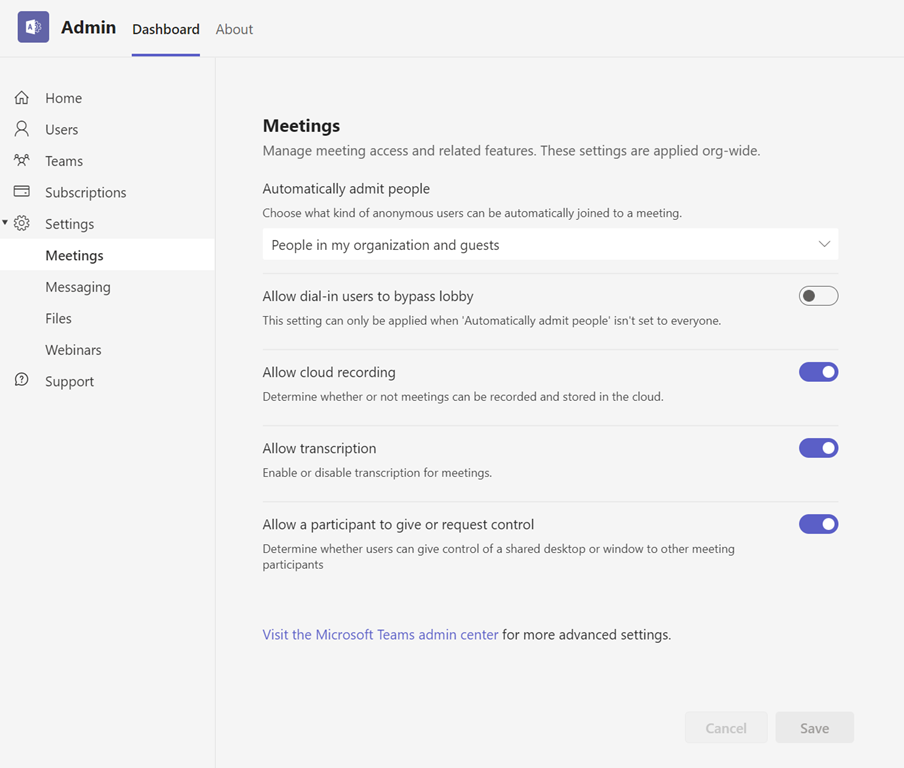
You can, for example, set some basic meeting settings as shown above.

At this stage the app is pretty basic but it is handy to have many of the common admin settings inside Microsoft Teams overcoming the need to switch out to the admin console. Over time I’d guess that more options will be added to this app to make Microsoft 365 management easier.

What to check with spoofed email in Microsoft 365

If you find that a spoofed email is reaching users inboxes in Microsoft 365 (say something like managing.director@gmail.com pretending to be managing.director@yourdomain.com) then here are some initial suggestions and things to check.

Firstly, ensure you have SPF, DKIM DMARC configured for your domain. They all help reduce spoofed emails getting to the inbox. 

Set up SPF to help prevent spoofing

Support for validation of DKIM signed messages

Use DMARC to validate email

Next, run the analyzer that is built into the Microsoft 365 Security Center to see where your policies may deviate from best practices.

Configuration analyzer for protection policies in EOP and Microsoft Defender for Office 365

and you’ll find those best practice settings here:

Recommended settings for EOP and Microsoft Defender for Office 365 security

I’d be checking against the strict rather than the standard settings if it was me.
image

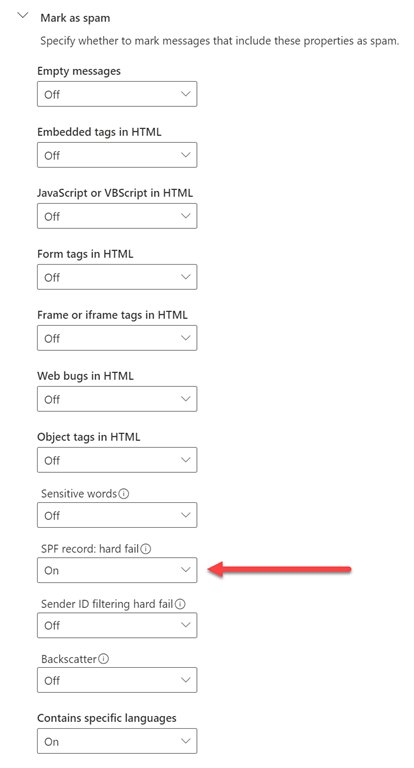
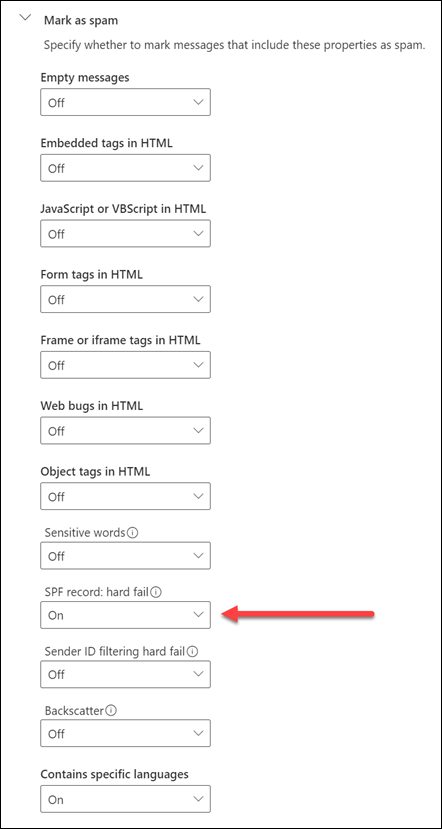
In the settings for your spam policy in Exchange Online there are a few additional settings you can enable as shown above. Even though the Microsoft best practices doesn’t recommend it, I still have most of these set and at a minimum recommend that the SPF hard fail option be enabled.
image

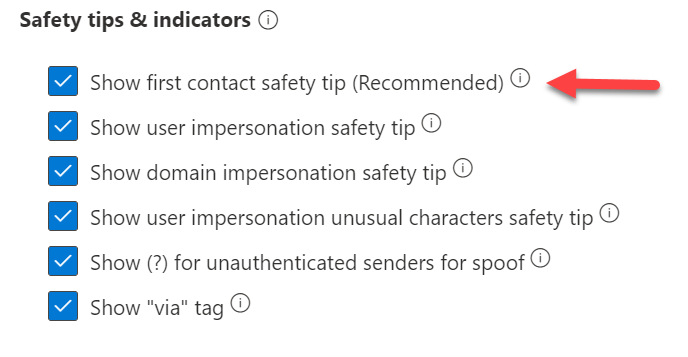
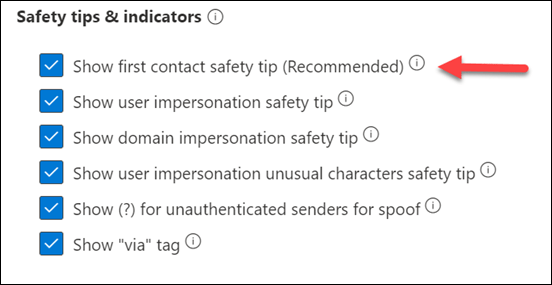
In your Anti-phishing policies ensure the option for Show first contact safety tip is enabled as shown above. Microsoft Best Practice policies don’t set this. In general make sure all the above settings are all enabled as shown.

Another good indicator to configure is

Set-ExternalInOutlook -Enabled $true

using PowerShell, that will let you know about

Native external sender callouts on email in Outlook

Another custom adjustment you can consider is changing the Spam Confidence Level (SCL)

Spam Confidence level (SCL) in EOP

A further option you may wish to tweak beyond Microsoft’s recommended best practices is the phishing thresholds in anti-phishing policies:

Advanced phishing thresholds in anti-phishing policies in Microsoft Defender for Office 365 

When you get emails that are confirmed as trying to trick users, make sure you report them to Microsoft

How do I report a suspicious email or file to Microsoft?

Use the Submissions portal to submit suspected spam, phish, URLs, legitimate email getting blocked, and email attachments to Microsoft

Probably the best way to do that is to use the free add-in that works with Outlook.

Enable the Report Message or the Report Phishing add-ins

doing so helps build the intelligence for Exchange Online as well as helping others who may see similar insecure emails.

The final option available to you is always to reach out to Microsoft for assistance.

Get help or support for Microsoft 365 for business

I would also suggest you check any white listing options you may have in Exchange Online as these are easily forgotten over time. Best practice is not to white list any domain or specific email address but always check when you see repeated emails get through filtering. I can’t tell you how many times I find this as the cause of any issue. Keep in mind, there are few places that you can white list emails:

Create safe sender lists in EOP

You can of course also block the insecure sender:

Create blocked sender lists in EOP

Remember that if you tighten your email security the result will probably be an increase in false positives, at least initially, as Exchange Online learns to evaluate the changes and user behaviours based on the updated settings. Email security is not an exact science. The bad operators are working just as hard to bypass all these settings so it is always going to be a game of cat and mouse. However, hopefully, using the Microsoft recommended best practices and some additional tweaks as suggested above, you can prevent the vast majority of insecure emails out of your users email boxes.