All the news and announcements from Microsoft Inspire plus Azure AD getting renamed to Entra as well as some recent security news you should be across. Lots in this episode so listen along and let me know what you think.
The content of these all day face to face workshops is driven by the attendees. That means we cover exactly what people want to see and focus on doing hands on, real world scenarios. Attendees can vote on topics they’d like to see covered prior to the day and we continue to target exactly what the small group of attendees wants to see. Thus, this is an excellent way to get really deep into the technology and have all the questions you’ve been dying to know answered. Typically, the event produces a number of best practice take aways for each attendee. So far, the greatest votes are for deeper dives into the Microsoft Cloud including Microsoft 365, Azure, Intune, Defender for Endpoint, security such as Azure Sentinel and PowerShell configuration and scripts, with a focus on enabling the technology in SMB businesses.
Recent testimonial – “I just wanted to say a big thank you to Robert for the Brisbane Techworks day. It is such a good format with each attendee asking what matters them and the whole interactive nature of the day. So much better than death by PowerPoint.” – Mike H.
Microsoft Intune now has the ability to run ‘on demand’ PowerShell scripts on devices. My video above takes you through the basics of uploading your scripts to Intune and then executing them on a device.
turns out that to drive any motor more serious you’ll need a dedicated motor driver board and a separate power supply just for the motors. Luckily Adafruit has just such a board available:
This board will allow you to drive up to 4 independent motors.
which you connect to M1, M2, M3 or M4 shown above.
Flipping the board over, you’ll also find the connection for the external power (5-12V DC) required to actually drive the motors. I decided to use 4 x AA batteries in a separate holder with an on/off switch:
that, as you can from the above, includes 2 x DC motors.
I connected these to M1 and M2 on the motor driver board, as well as also connecting up the external power for the motors.
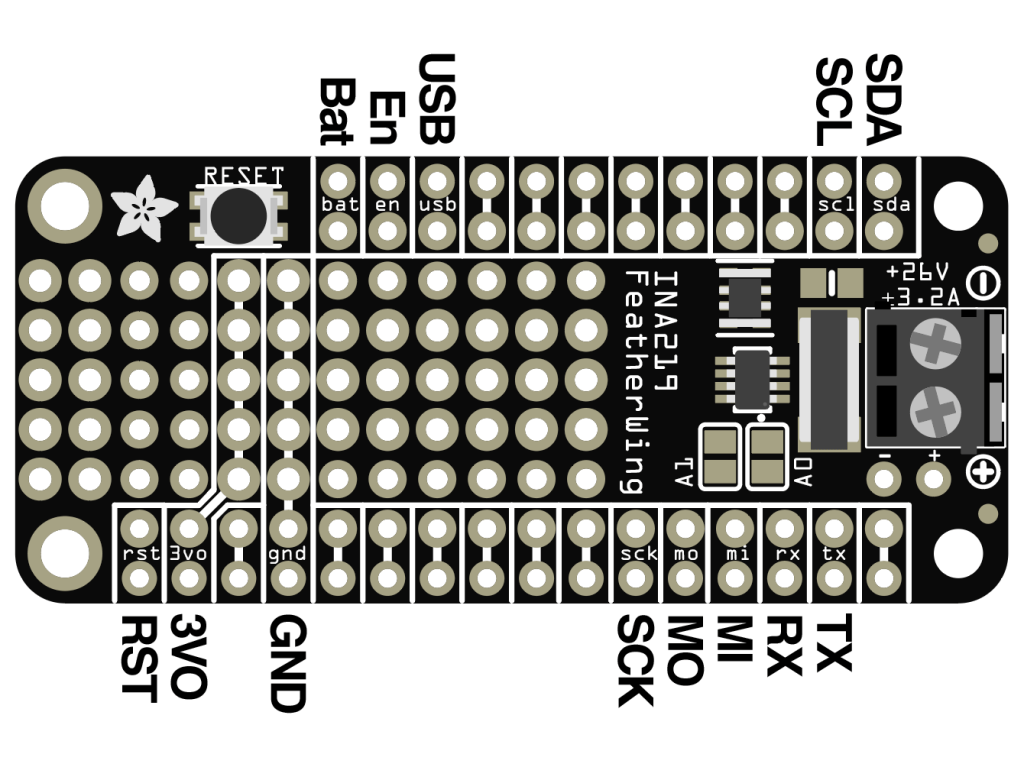
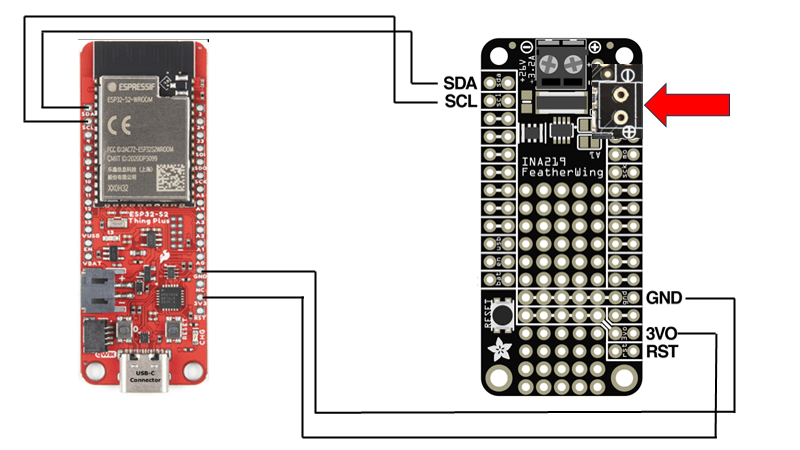
I then needed to connect 3.3V and GND to the motor driver board which are shown above and in more detail here:
The final piece of the puzzle is to connect the SDA and SCL pins from the Sparkfun ThingPlus ESP32-S2 Wroom to the SDA and SCL pins on the motor driver so they can communicate.
To talk to the motor driver board you’ll need to use the Adafruit motor shield v2 library. I’ll cover off some of the code I’ve created in an upcoming post.
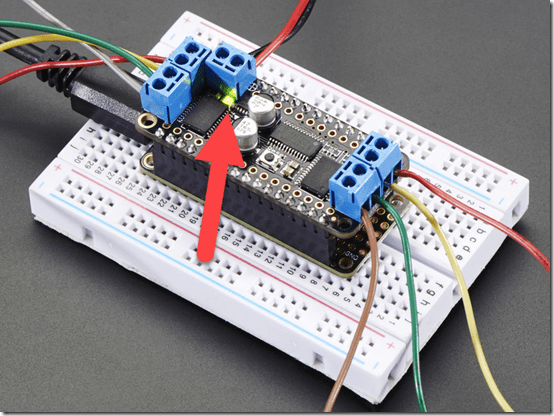
When you apply the power supply for the motors to this board a green LED is lit just under the power connector as shown above. I wasted a few hours with this until I discovered a fault solder joint that was the cause of my issues.
So my wiring looks like:
with the two motors for the drive wheels connected to M1 and M2 as mentioned above and whole thing sitting on the mini robot rover chasis.
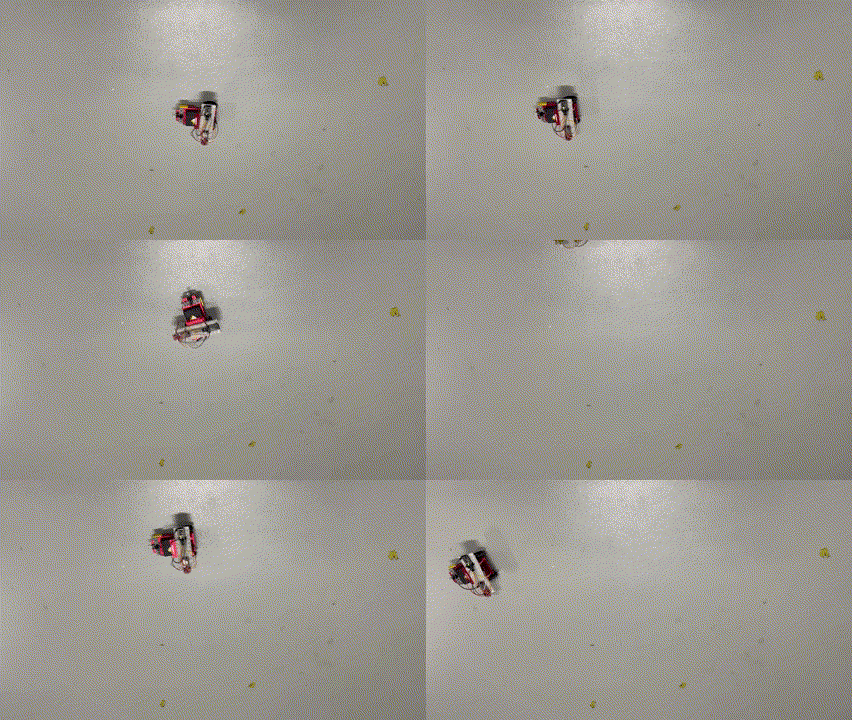
I now have a mobile device I can command to move about the room. Next step is actually writing the code to make it work, which I’ll cover off in an upcoming post, so stay tuned. However, here’s a sneak peak of what I managed to do:
I can happily confirm that I have again be recognised by Microsoft again as an Most Valued Professional (MVP) in the Office 365 Apps and Services category for 2023 – 2024.
As always, I’m humbled by the recognition and thank Microsoft for awarding this to me and also making the program available. This is my 12 consecutive year as an MVP and I am very proud of that achievement, given the rapid pace of change with technology and especially the Microsoft 365 platform.
Being an MVP allows me to better share my knowledge of the M365 service with others. It provides me the ability to interact with s skilful set of peers who are also MVPs as well as with people at Microsoft directly. That is very beneficial to getting even more to grips with what M365 can do and the change it can make for businesses, especially small businesses.
I look forward to continuing to doing my best into the future around helping people understand M365 through mediums such as this blog, my podcast and YouTube channel. The core of being an MVP is that you love to help others with Microsoft technology so if you have a question, I’m all ears.
Again, I thank Microsoft for the recognition and I look forward to sharing even more going forward..
A common need I see is to be able to have a Document Library in SharePoint Online be changed so that all the permissions throughout inherit from the parent as they would have by default typically. This ‘re-inheritance’ can be done manually, but once you start having a few unique permissions is a deep structure, doing so can be challenging and time consuming.
Unique permissions look like the example above, where you can see the standard banner that appears at the top of the page.
The answer to ‘re-inheriting’ permissions in bulk is to use PowerShell. I have created a script to do exactly this, which you can find here:
Before you run this script, you’ll need to connect to the Document Library you want to change using PnP.PowerShell. Luckily, I also have a script for that here:
As I mentioned in a recent article, you’ll need to run all of these scripts typically with PowerShell V7.
The connection script will allow you to select your SharePoint site as shown above.
The connection process will then do a web code login to the selected Document Library as shown above.
After the connection script has completed you should the run the reset script. When you do you’ll see a window showing you all the items you can select to reset. Pick the one you want to continue.
The reset script will then loop through all the items it can find and set their permission back to inheritance.
If the original SharePoint location is refreshed, you’ll see that all items now inherit as expected, as shown above.
This should make getting back to a know starting point with permissions in a SharePoint Online Document Libraries much easier. However, with any permission changes you need to take care and understand the ramifications of what you are doing and the impact they will have. Remember, this script resets ALL permissions for ALL items back to inheriting.
I have tested as best as I can, but if you find any issue please let me know and remember to run this in PowerShell V7!






 CIAOPS