The course is designed for the end user who wants to better understand how Copilot for Microsoft 365 can help improve their productivity across the suite of applications that Microsoft 365 provides access to, including Word, Excel, Outlook, Teams and more. This course is not aimed at administrators but those using Microsoft 365 in their business.
This new course is also available to CIAOPS Patrons as part of their benefits, so they too can get up to speed with Copilot in Microsoft 365.
Look out for more courses coming soon from CIAOPS.
I’m a HUGE fan of OneNote. Personally, I feel it is the one tool that makes me the most productive. As an engineer I’ve always been documenting stuff simply because I can’t remember it all. I learnt many, many years ago that writing it down and getting it out of my memory is in fact the best way to retain and use that information.
Before OneNote, like many people, I used paper to capture everything but the more I captured the more challenges that brought. Such challenges included, how do I back up these paper notes? How do I find things with paper notes? How do I store these paper notes? and so on. Enter OneNote to solve all these issues.
Thus, I have OneNote notebooks on just about everything these days. It’s a huge source of knowledge that I can access anywhere on any device. Love it. If I need to find something I just use the inbuilt search functionality and it would pop right out. Magic!
Given that I also now have Copilot for Microsoft 365, I have started to explore how these two product combined can make me more productive and I’d like to share a use case with you that has made me sit up and pay attention to what the combination of these two services can now provide.
When you become a CIAOPS Patron you get access to two extensive notebooks on Microsoft 365 and Azure. These notebooks contain my cumulative knowledge of the Microsoft Cloud and I use them pretty much every day in my work.
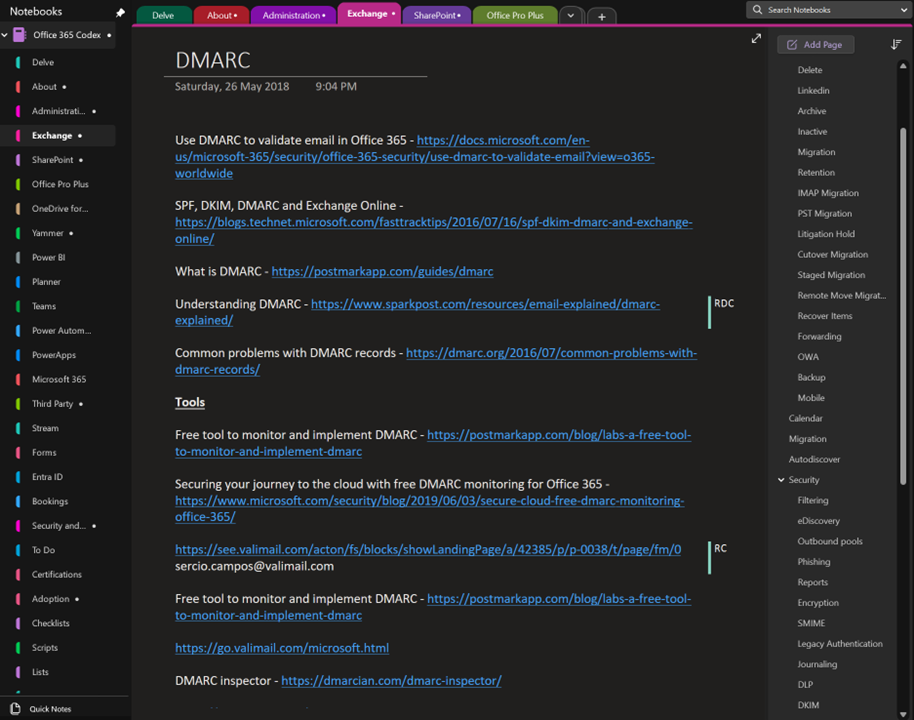
The above shows you an example page on DMARC from my Office 365 codex. The page typically contains knowledge plus links. You see on the right I have a section for every Microsoft 365 service and on the right many pages relating to that service. Here DMARC is a dedicated page in the Exchange section along with other pages such as Retention, Migration etc.
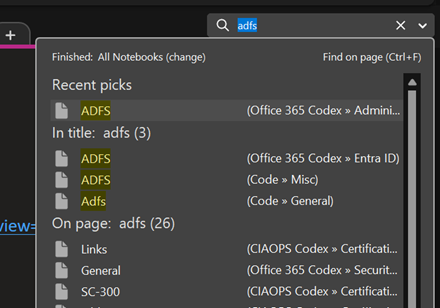
Typically, to find any information on Microsoft 365 I’d go to the top right and just use search as shown above.
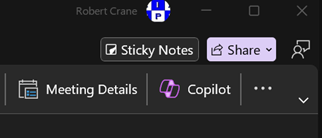
But now my desktop version of OneNote has a Copilot button as shown above. This capability doesn’t appear to be available in the web version of OneNote yet. I hope it will be soon.
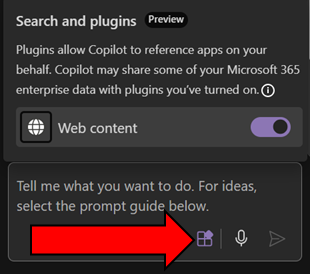
Before you go too much further make sure you select the Plugins button inside the Copilot window that appear and enable Web content as shown above. This will give you the best of both worlds with AI. It will work across you data (the notebook typically, andl in your tenant) as well as information from the web.
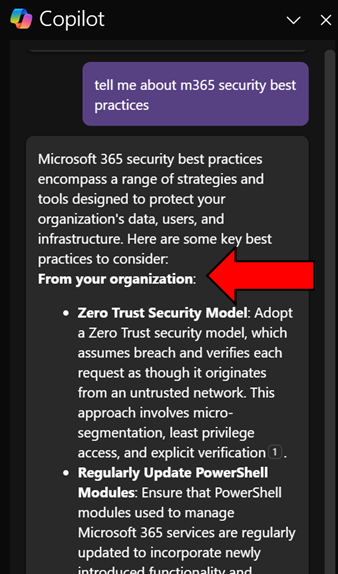
When I ask Copilot a question here you’ll see that it return information from my organization (shown above)
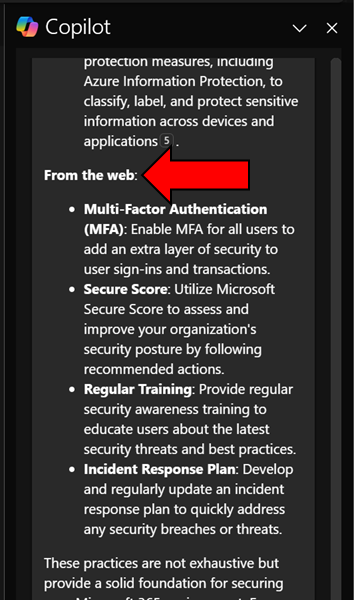
and from the web.
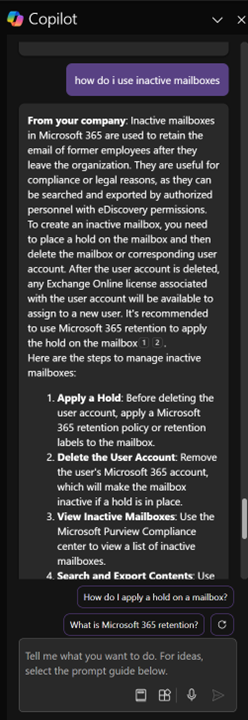
Another example is asking Copilot how to work with Exchange Online inactive mailboxes, as shown above. Again, it works with my own information and information on the web and presents in easy to digest format as well as providing me additional relevant prompts.
I have to say that this now my go to for unlocking all the knowledge I have accumulated in all my OneNote notebooks. Of course, I can probably extract something similar from other Copilot interfaces in Microsoft 365 but giving me this capability inside an application that I use more than email is a huge productivity boostt for me. Hopefully now that I have shown you what it can do for me too can go and see what Copilot for Microsoft 365 and OneNote can do for you. Let me know in the comments your use case, I’m all ears!
This video will show you how to enabled and use Microsoft Copilot for Security across the different interfaces that it integrates with. You’ll also see how to delete Copilot for Security when complete. The blog article referenced in the video is here – https://blog.ciaops.com/2024/04/02/a-day-with-copilot-for-security/
Lots of Ai and security news since the last episode. We are also on the cusp of Microsoft Build so we expect even more shortly. Although I’m a tad under the weather (apologies for sounding a bit nasal) but I felt I needed to get this episode out before the deluge of information we expect shortly from build. I think the OpenAI announcements along with those from Google are the most worthy to pay attention to here but I’m sure there should be something to interest everyone here. Listen on and enjoy!
Summary of podcast episode straight from Copilot for Microsoft 365:
Key topics:
Key Topics:
GPT-4 announcement and demo: Robert highlighted the impressive features and capabilities of the new AI model from Open AI and how it might integrate with Microsoft products. 2:23
Google Project Astra and augmented reality: Robert shared his interest in the Google demo of AI vision and voice and how it could revive the Google Glass concept. 6:47
Microsoft Build and security initiatives: Robert anticipated some major announcements from Microsoft around AI and security at the Build conference and mentioned the Secure Future initiative to address recent breaches. 8:03
Passkeys and passwordless authentication: Robert encouraged the listeners to try out the new passkeys feature for Microsoft 365 and consumer accounts to enhance their security and convenience. 12:18
Teams enhancements and features: Robert reviewed some of the new and improved functionalities in Teams, such as presenter window, voice isolation, multiple accounts, and guest sharing with Loop. 15:28
Copilot updates and improvements: Robert showcased some of the ways that Copilot can help with creating summaries, FAQs, notebooks, and templates across different Microsoft 365 apps. 21:47
OneDrive for Business capabilities: Robert summarized some of the new and enhanced features in OneDrive for Business, such as media view, offline mode, coloured folders, and export sync reports. 24:40
The biggest challenge for SMB with the AI offerings from Microsoft is to determine exactly which Copilot is being talked about. This is because there is a Copilot for just about everything now. From Copilot for Github, to Copilot for Security, Copilot for the Power Platform and so on. Job number one therefore is focusing on which Copilot will provide the most benefit for the organisation.
Before you rush in purchase any Copilot ensure you understand the financial commitment required as well. For example, currently, Copilot for Microsoft 365 is an annual up front commitment of around AU$45 per month paid in advance. So even though AU$45 per month may sound enticing, the billing is actually around AU$540 up front before you even get started! The cost of various Copilot licenses vary, so it is important to determine what you need and what the cost and cashflow of this investment will be ahead of time. With Copilot for Microsoft 365 remember that once you purchase it you’ll have it for at least 12 months. You should ask yourself the question as to whether it will be used for the full period that you have paid for? If implemented inside a business correctly I feel there is little doubt that the benefits will be forthcoming but importantly, just buying and assigning the licenses to users is no guarantee of success with any Copilot.
No matter which Copilot you do focus on, that Copilot will not be an ‘everyone’ license. What that means is that not all employees of the business will gain the benefits from the license. Thus, you need to target the Copilot you want at those who will get the most from it.
In this case I’ll focus on Copilot for Microsoft 365 which is targeted at improving the productivity of knowledge workers. The best candidates for this license are those users who ‘create’ things. Think of people who create reports, create marketing material and so on. Little benefit will be had providing Copilot for Microsoft 365 to those that merely ‘process’ information. That is those say entering accounts or stock information.
It important to appreciate that Copilot for Microsoft 365 is neither The Terminator or C3PO. This is because the actual work still needs to be done by a person. Copilot for Microsoft 365 will assist in this process and make it easier and faster but it will not do the complete job end to end just yet. This means it is important to see Copilot for Microsoft 365 as an intelligent assistant that works beside the individual who has access to it, rather than a replacement for that individual.
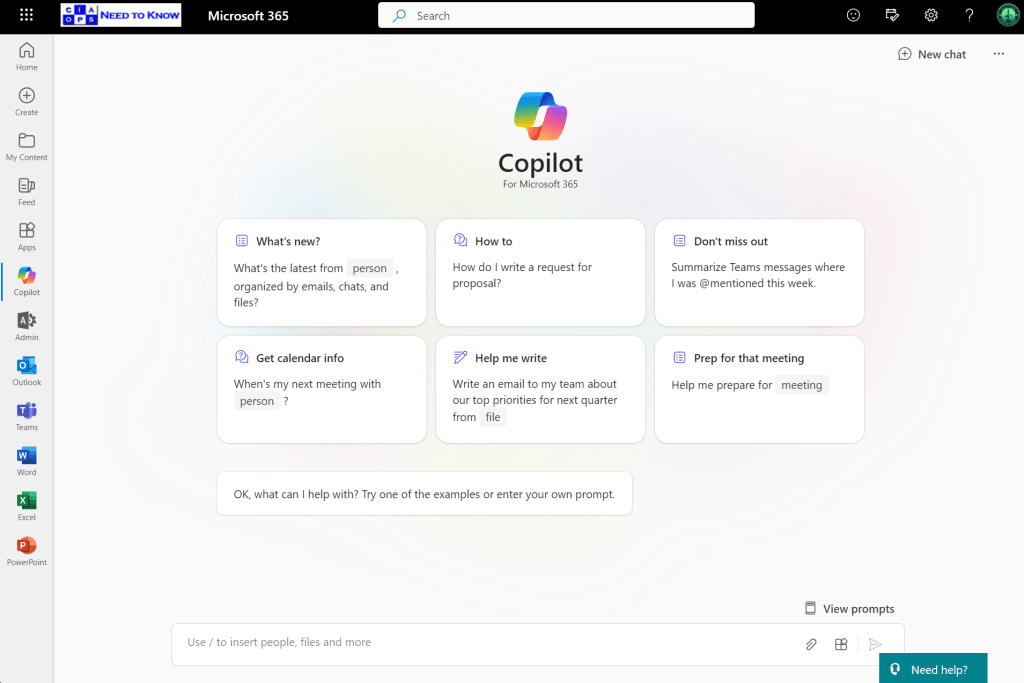
Copilot for Microsoft 365 surfaces itself in a variety of locations in the Microsoft 365 environment. One of those is chat like so:
Here is probably the most general place you can use Copilot for Microsoft 365. Ask it any question and it will reason over your data as well as potentially from the web
Provided you enable the plugin as shown above first.
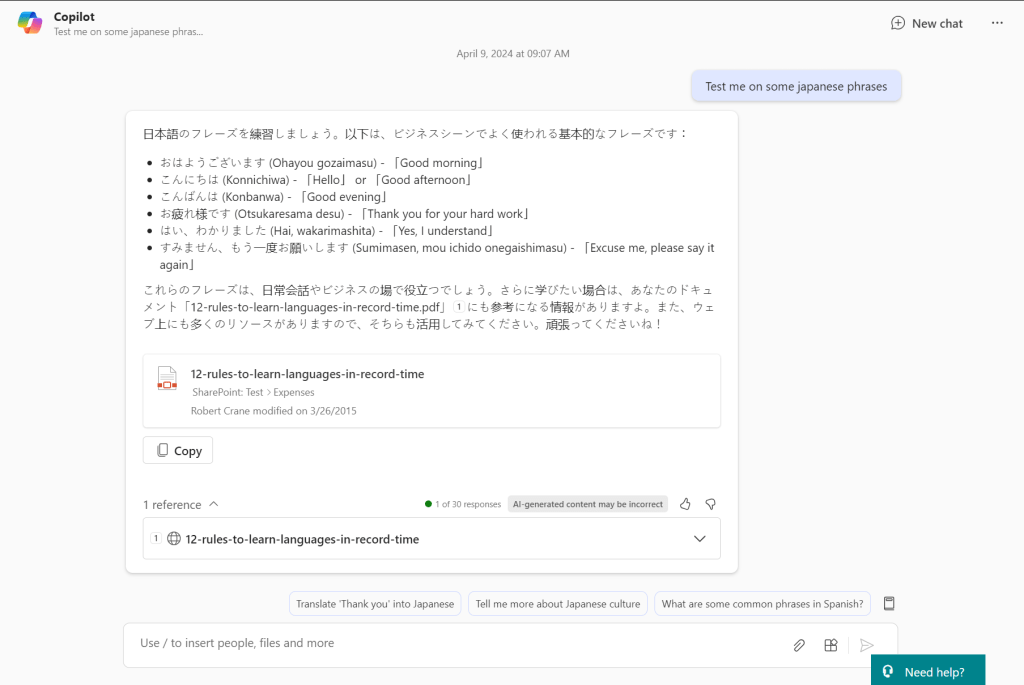
If prompt it with something generic like ‘Test me on some japanese phrases‘ you see the response it returns with above. If I expand the References you can see that Copilot for Microsoft 365 has returned material from the web (12-rules-to-learn-languages-in-record-time as well as referring a document that is in SharePoint. It is important to note that benefit this provides over other stand alone AI chat programs like ChatGPT that only return information from the web. Thus, the biggest different with Copilot for Microsoft 365 is that is works across the web and data in Microsoft 365.
The simplest way then to think about Copilot for Microsoft 365 is that it is a search engine on steroids. It is important to remember that what you see is largely based on search, that is, what it finds. This means that if you haven’t properly secured your Microsoft 365 environment Copilot for Microsoft 365 is going to find stuff you may not realise it can. That isn’t because Copilot for Microsoft 365 is doing something wrong, it is in fact that you have left the door open on your data and you need to tighten your permissions. The reality is that same information could have been found with standard Microsoft 365 search. Copilot for Microsoft 365 simply does a better job of finding and displaying it.
The takeaway here then is that your business needs to ensure you have appropriate permissions prior to implementing Copilot for Microsoft 365 or you maybe surprised at what pops out.
If I now ask chat to create an image for me based on a prompt you’ll see from the above that it can’t. It instead gives me a handy tip as to how to achieve this. Not only do you need the right Copilot for the job you also need to use Copilot in the right location to get the result you want. As I said, currently, Copilot for Microsoft 365 is not C3PO that can solve any task you give it from anywhere.
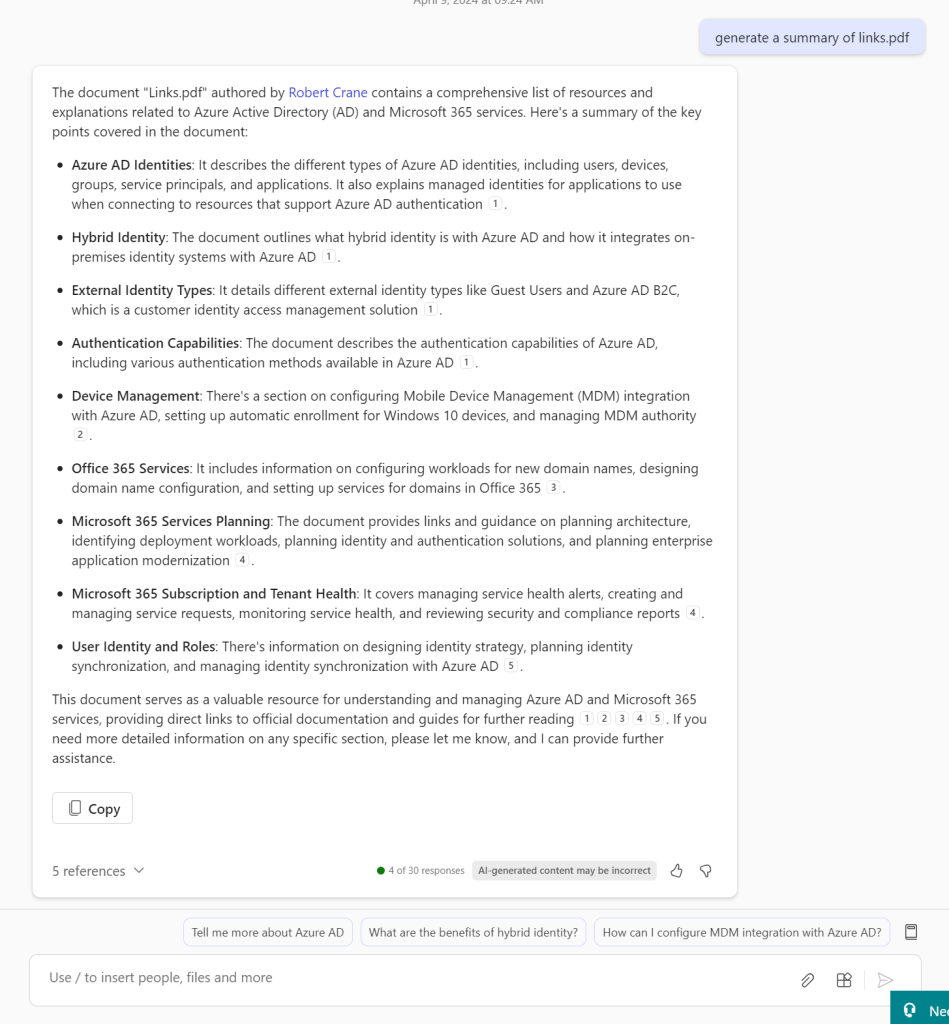
If I ask Copilot for Microsoft 365 to summarize a document by only giving it the name of the document it does an amazing job as you can see above.
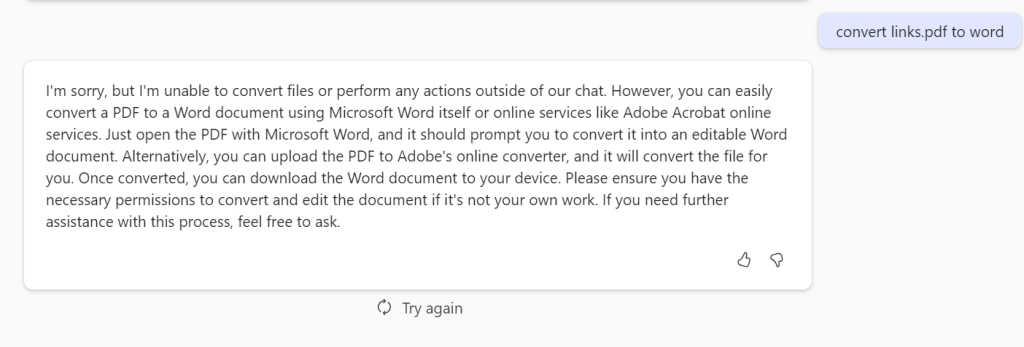
But if I ask it to convert this PDF to a Word document it again is not something that can be done here.
It is also important to remember that Copilot for Microsoft 365 responses are not immediate. They take a few moments to generate. That can be frustrating for people who are used to “immediate’ responses and are time challenged. Again, Copilot for Microsoft 365 is great research tool that you spend time with, it not a tool that you fire rapid questions at expecting an immediate response, just yet.
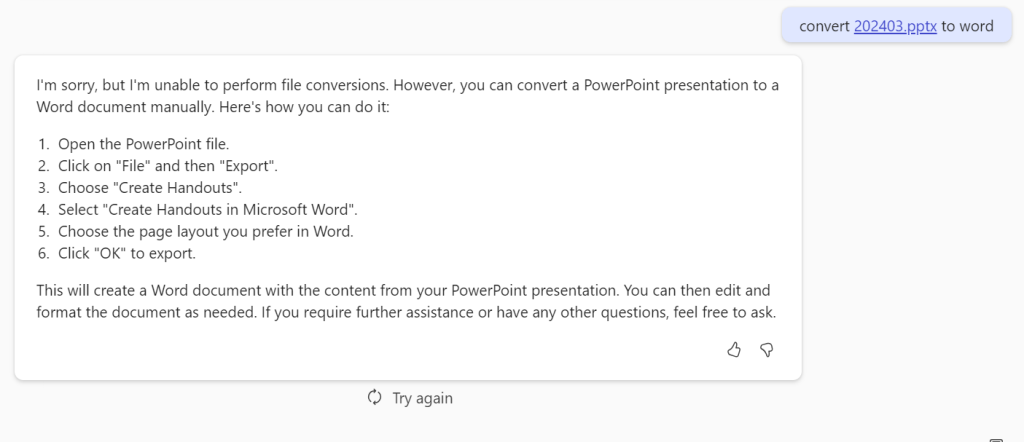
If I ask Copilot for Microsoft 365 to convert a PowerPoint document you’ll see I get a response that gives me a little more more information about what I should do.
However, when I do the same thing in Word I get the result that I really wanted. The take away is that a large amount of Copilot for Microsoft 365 how and where you use it. Yes, it can convert stuff into Word but you need to use Copilot for Microsoft 365 inside Word to achieve that. I’m sure that will change over time, but for now, keep that in mind when using Copilot for Microsoft 365.
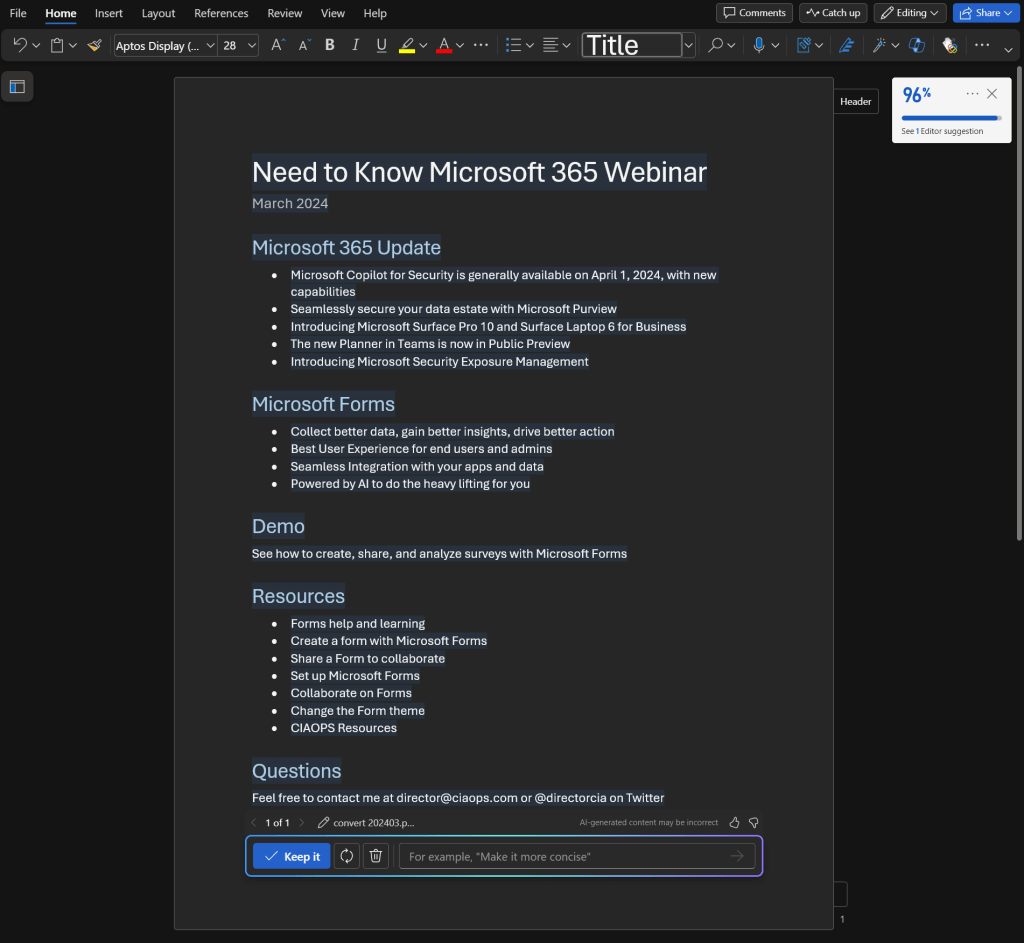
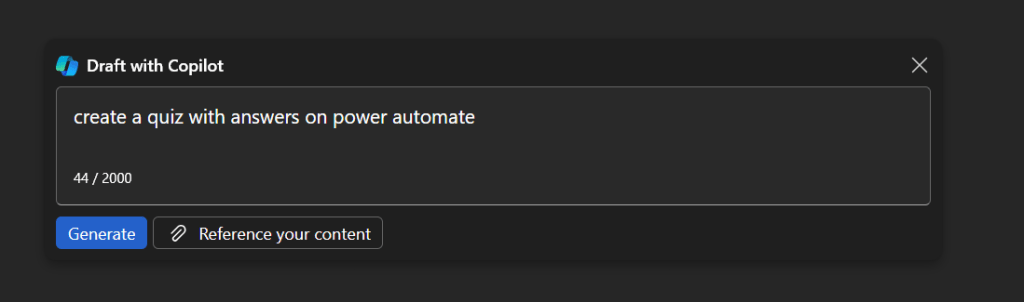
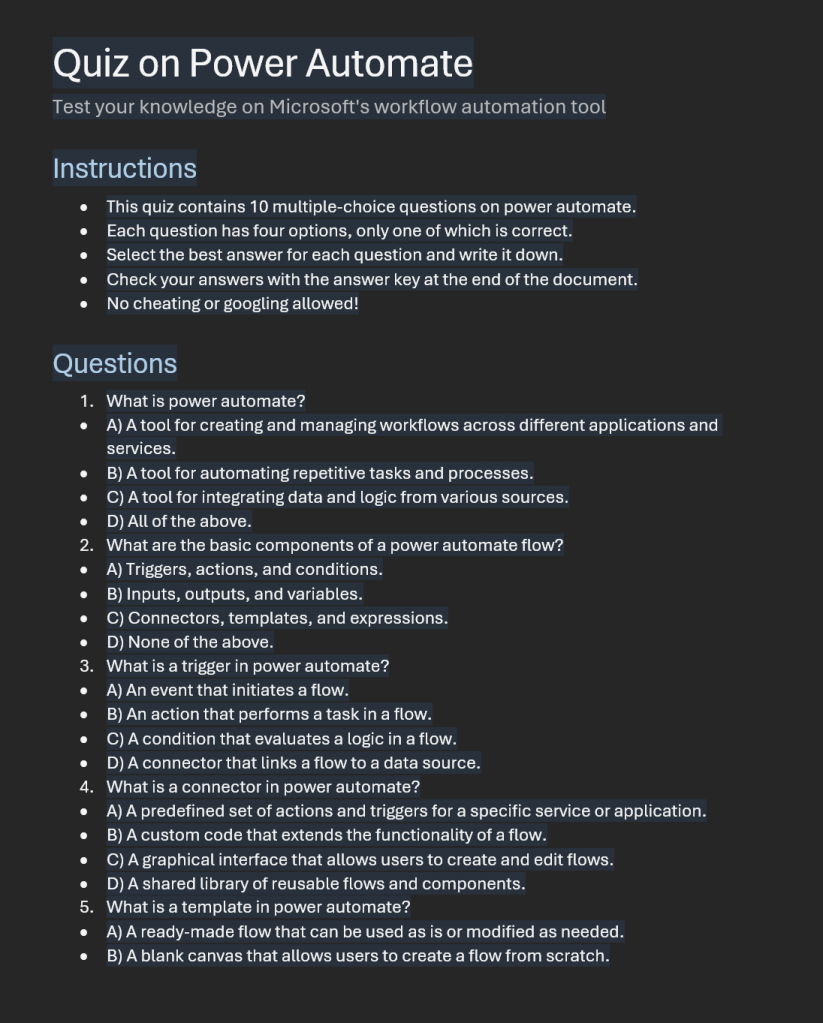
Where Copilot for Microsoft 365 really shines is in creating new content from scratch. If I start with a blank document in Word and prompt it with the above, the result is:
Which saves me hours and hours when I need to generate new content. Keep in mind however, generating new content constantly is not always the job of everyone inside a business.
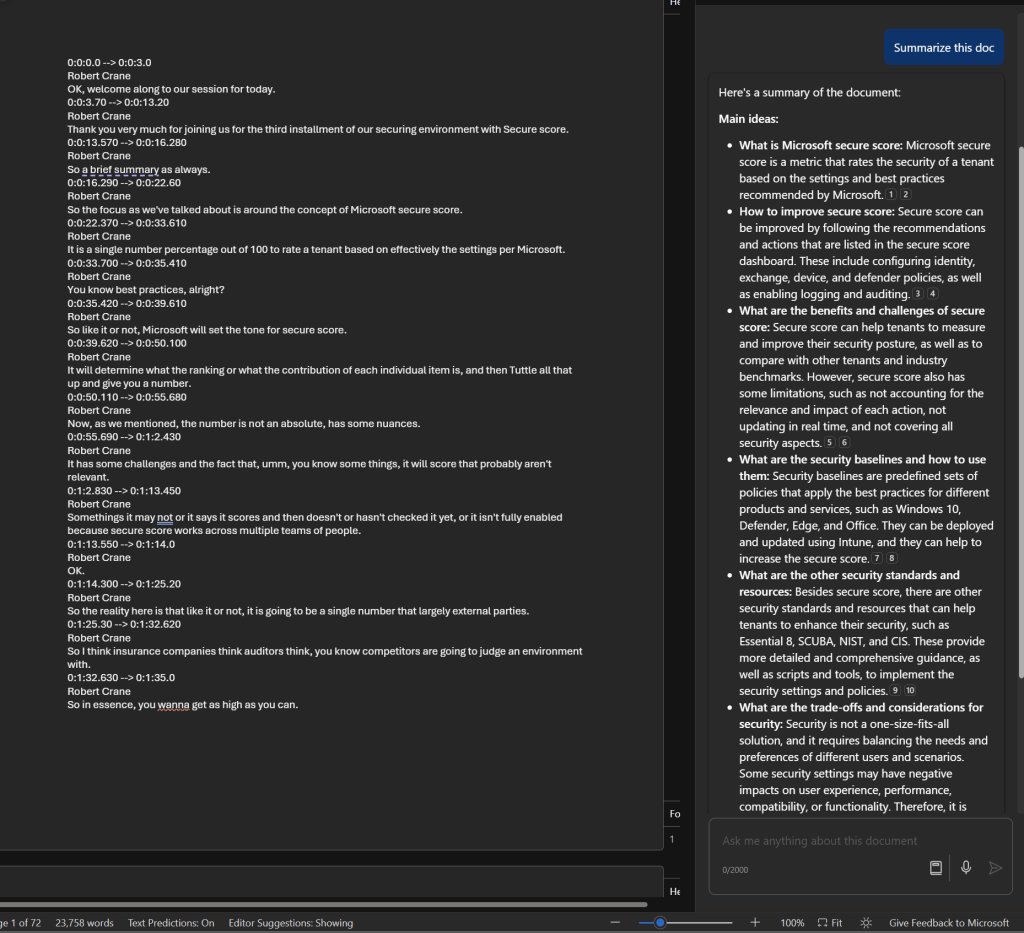
Another area where Copilot for Microsoft 365 really shines is summarizing information as seen above. Here, I’ve had it work on a 72 page document, which was a transcript of a webinar session, and produce the summary.
As you can see, that summary includes references and I can continue asking questions about that.
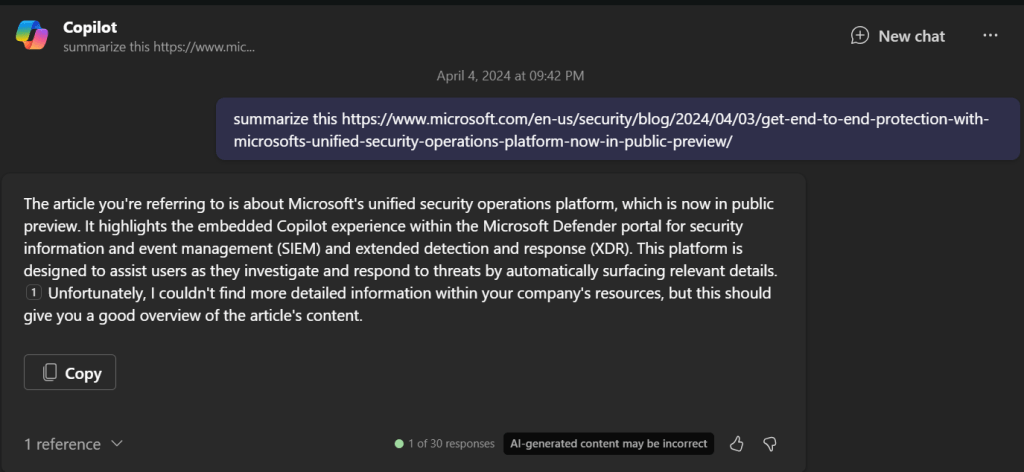
Summarization also works well in the chat interface, even with external websites like what is shown above. The same is also evident inside Teams.
If you plan to use Copilot for Microsoft 365 with Teams you’ll typically have to enable both recording and transcriptions on the meetings to get the benefits. There is the option to automatically a recording with every Teams meeting but my question is, are the really all worth recording?
Thus, a reason you may want to consider it for more people inside your organization is if they are required to wade through a lot of information as part of their role.
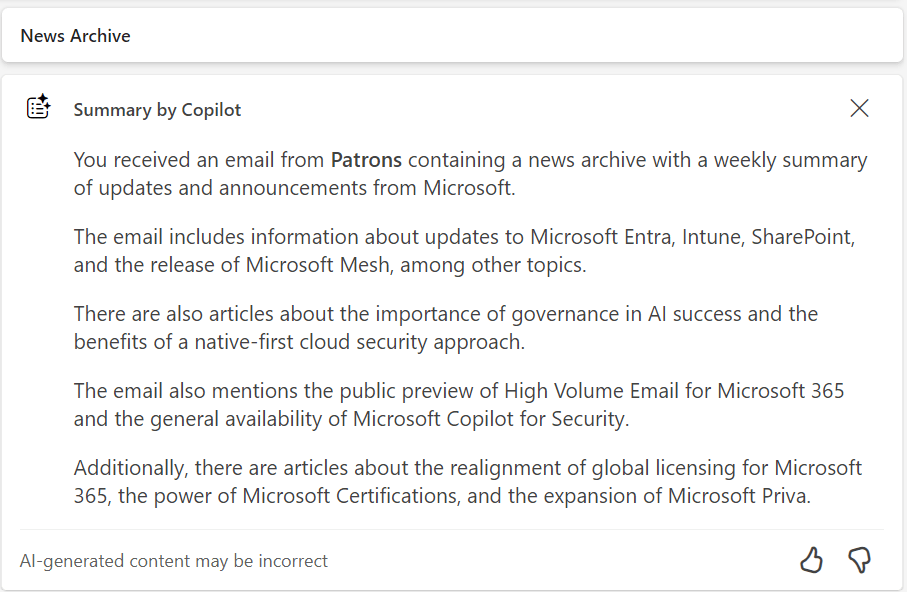
The same summarization capability is surfaced in Outlook as shown above.
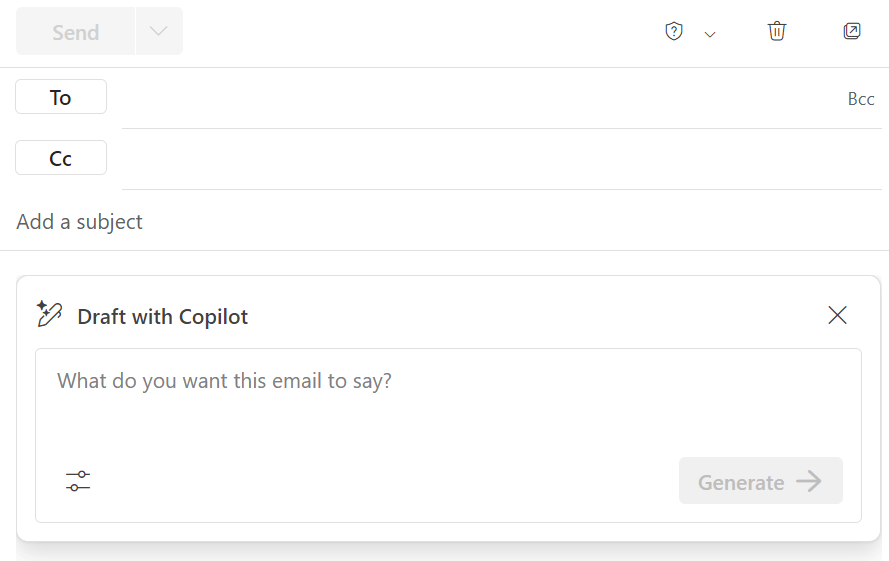
As well as generating new content for emails. The current limitation here is that to get the most benefit from Copilot for Microsoft 365 you’ll need to be using the New Outlook, which I feel is still missing many important features that the classic desktop version has (e.g. drag and drop of attachments to Windows Explorer). I’m sure these will come to classic Outlook over time and it is easy enough to switch back and forth but, for now, New Outlook is where Copilot for Microsoft 365 really works best.
Without doubt Copilot for Microsoft 365 has big benefits with email, however it again comes down to how people use Outlook. In my experience, most people do not need to write or read long complex emails. They simply send and reply using brief responses. For these people Copilot for Microsoft 365 isn’t going to provide huge benefits but if your role does involve working with long and complex subject matter in emails (think lawyers for example) the Copilot for Microsoft 365 would be a huge productivity benefit for them.
The summary would be that you firstly need to define exactly what processes in you business you want to make more productive (email processing, document creation, etc). You then need to select the appropriate Copilot for that (typically Copilot for Microsoft 365 to work with emails, documents, etc). Then, you need to identify those users in the business who will gain the most from using Copilot, and this typically will not be every user initially. With all that identified you should then ensure you have permissioned your data appropriately and then purchase the appropriate licenses and assign them to those selected users. The last task will be to train those selected users on how to use the Copilot you have selected because you cannot and should not assume they will natively know how to get the most out of it. You need to train them to help them understand the most effective method for them to use in their day to day work and when it is appropriate use and when it is not.
The Copilot for Microsoft 365 you see today is only the beginning of how AI will become infused throughout Microsoft 365. Today, it is like you manually needing to run spell checker, soon spell checker will happen on the fly. That is what we can expect sooner rather than later when it comes to Copilot for Microsoft 365.
The bottom line is that Copilot for Security is a very beneficial tool for SMB. The approach, as always with SMB, is going to be that it needs to used in a specific manner to unlock the best ROI for smaller businesses.
I want to make it clear that I have no special inside information about Copilot for Security in any way. Everything here my own experience, summation and projection of how Copilot for Security can work for SMB customers.
Copilot for Security is going to give SMB customers access to expertise, in an on demand capacity, that most would simply not be able to afford otherwise. It is also going to be able to provide this expertise when and where is required, without the need of employing additional skilled specialised staff. Thus, the best way to think of Copilot for Security is that, it is an on demand experienced and skilled cyber security specialist consultant that can be employed when required for around $4 per hour. I however would suggest that probably a better way to budget for Copilot in Security is to allocate around $100 per month for the capabilities that Copilot for Security can provide in an ongoing basis. At $100 per month for what can be done to improve your cybersecurity environment is a worthwhile investment for an SMB serious about security.
Importantly, you need to understand that Copilot for Security is not a stand alone service. It is a service from which you only get the most from if you already have appropriate security services and signals enabled in your environment. It is this data that feeds Copilot for Security and produces the quality analysis you desire. In short, a lack of signals will mean a lacks of results with Copilot for Security. So the starting point, before you invest a penny in Copilot for Security is to ensure you have everything turned on and enabled in your environment that can help Copilot for Security do its job.
You are also going to be get more from Copilot for Security the more Microsoft security services you have. I feel that Microsoft 365 Business Premium is the minimum license SMB should have if they are serious about cybersecurity. This is because Microsoft 365 Business Premium is going to give you important tools like Intune and EntraID P1 that help Copilot for Security really shine. However, I suggest you need to go beyond just Microsoft 365 Business Premium and look at additional services like Sentinel and Defender EASM to provide even greater benefit and more signals for Copilot for Security to work with.
The next step to implementing Copilot for Security is to ensure you have an Azure subscription enabled in your environment, because this is how Copilot for Security will be billed. Another important asset needed is a familiarity and comfort using the pricing tools that Azure provides, like budgets and assigning resources. These Azure skills are going to help ensure costs are monitored and you don’t end up with bill shock. Just adding an Azure subscription without knowing how to manage an Azure environment effectively will result in spending much more money that is necessary.
Copilot for Security works best out of the box with the Microsoft Security stack. Integrating with things like Defender for Endpoint (Business), Intune, Sentinel and the like are quite straight forward assuming they have been enabled prior to on boarding Copilot for Security. Also, given the on-demand approach that should be taken with SMB, it means the integrations with Microsoft Security services will largely automatically light up when the service is re-enabled as required. Yes, you can and will be able to integrate third party security services but these will typically require some reconfiguration after re-enabling the service, while the Microsoft stuff will typically just be enabled. This means less to do after re-enabling Copilot for Security when you need it.
Unfortunately, Copilot for Security in SMB will not be a set and forget proposition. Doing so will rack up enterprise size charges that are unsustainable for SMB. This means Copilot for Security in SMB will be a service that needs to be turned on and off as required. At the moment , there is no simple way to achieve this but there will be. I have already seen solutions with Azure Logic Apps Azure Functions, PowerShell, etc that automate this on demand process already. However, none yet are a simple button press. This means that, for the time being, some manual intervention is required every time that Copilot for Security is enabled or disabled. Yes, there is a cost to this manual switching approach but it is a small price to pay when compared to the cost of leaving Copilot for Security running 24/7.
Another important point to appreciate on billing is that the fact that even though you would only configure the smallest SCU of 1 initially, this scales on the demand placed on Copilot for Security. In my testing, when I have been placing load on Copilot for Security, say for investigating an incident, I have seen the SCU in use jump up as high as 4. This means you are actually paying 4 SCUs x $4 = $16 per hour with Copilot for Security. Now, if you are in the middle of major investigation I feel that sort of investment is more than justified but it is important to remember, in all aspects, Copilot for Security is a service based on consumption. That is, you pay for what you use, per hour. This is very different from the flat fee per month billing that Microsoft 365 uses.
The way that I see Copilot for Security being used effectively will be that it is enabled and set up in the tenant and then de-provisioned. Then once a week someone will come in, re-provision Copilot for Security, run some checks, ask some questions, for an hour or so and the de-provision the service. Where Copilot for Security will really shine for SMB will be by bringing security information from all the services together in one place and generating report and ‘plain english’ emails and communications for the management of a business. If you asks for a summary, Copilot for Security will generate one for you in a matter of moments which you can copy and paste and send on. Doing that alone will save hours when it comes to effectively monitoring a Microsoft 365 security environment.
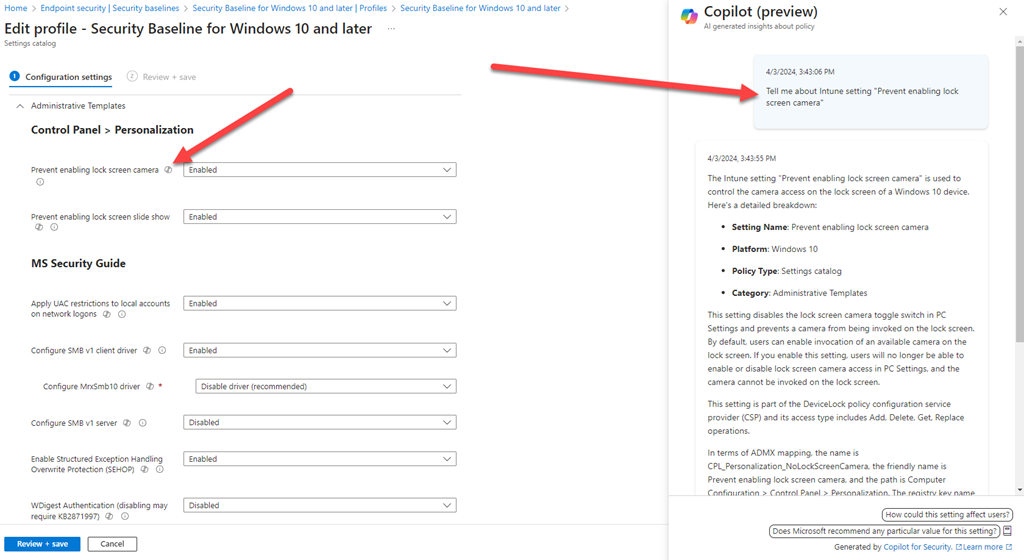
The other place that I see Copilot for Security providing the business benefit in SMB will be in device management, that is, in Intune. I have been working to understand all the new settings in the updated Windows 10 Security Baseline policy and the integration with Copilot for Security has been magic. It allows me to quickly query individual settings to understand what they do rather than having to dig through granular documentation. This is a huge time saver and really helps expose the value that Intune provides because Copilot for Security can analyse, report and summarise policies as well as provide a wealth of information at your finger tips. As with most AI, the biggest benefit will come from its use with people who know the least about the service it integrates with. Intune is a great case in point here. Most IT Professionals I know have very low experience and understanding with Intune and what it can do. They are intimidated by the interface and all the settings. Copilot for Security helps overcome this and makes even a unskilled Intune operator far more effective and efficient with it. That in a nutshell is the bottom line about how SMB should look at ANY AI. It is not yet something that removes the need to do the work, it does however mean you can complete the work required without needing high levels of skill and experience with the service much faster than without it.
Another other typical place I see Copilot for Security coming into its own is during a security incident. Unfortunately, most SMBs are not prepared or experienced in dealing with a cybersecurity incident. Luckily, Copilot for Security can be called on, as needed, to provide skilled cybersecurity services. Again, Copilot for Security will not resolve or investigate the issue automatically for you, however its capabilities are going to provide the business with the skills they need to solve the issue rather than having to deploy additional human resources. Thus, when an incident is detected, Copilot for Security is provisioned to assist with the investigation. At the end of the shift, it is de-provisoned to either be used tomorrow or the next time there is an incident. Of course, the usage costs of Copilot for Security will escalate with any type of intense usage, but again having access to the capabilities of Copilot for Security in a time or need for SMB will be priceless. Most importantly, these skills can be deployed almost immediately to help resolve the issue.
We need to remember that it is still early days for Copilot for Security. That means the service will continue to improve over time. This is great for SMB because it means even while the service is de-provisioned it is improving for the next time that it is needed. Another significant different is the shift from scripts to playbooks. Without AI you largely need to use PowerShell to achieve detailed incident investigations. However, with Copilot for Security you simply ask it a number of standard questions in English to get the same result. When these standard questions are combined together you get a playbook. Thus, there will be a playbook for ransomware attack, one for business email compromise and so on. This frees the responder from having to be a PowerShell expert and have access to the right PowerShell scripts to simply running and playbook inside Copilot for Security. Many of these playbooks already exist inside Copilot for Security now and they will just keep growing. A whole community will emerge providing playbooks for Copilot for Security. Many will be incorporated directly in the product. Best of all you’ll be able to add your own based on previous situation and interactions with Copilot for Security. SMB has the most to benefit from not re-inventing the wheel and simply providing what others provide already largely for free.
There is nothing Copilot for Security does that can’t already be achieved by a skilled operator. The challenge in SMB is having access to such skilled operators and having access pretty much immediately when required. I see Copilot for Security becoming more and more integrated with the security settings we see in the Microsoft 365 security admin console. Imagine when Copilot for Security is integrated with Exchange Online threat policies and can actually adjust these automatically to make your environment more secure. I can see a day when Copilot for Security can configure a complete environment to any security framework of your choice by simply (say Essential 8) using an inbuilt playbook. The possibilities are endless and should be very exciting for those in SMB since, rarely, are their jobs to be skilled cybersecurity anaylsis and operators. Copilot for Security brings those skills down to being applied on demand, for what I would suggest is a very small investment.
In summary then, is Copilot for Security a benefit to SMB? Yes, without doubt. Does Copilot for Security need to be implemented differently in SMB? Yes, without doubt. It is all about using the tools effectively for the job and from what I see. Copilot for Security is a highly effective tool when used correctly. However, as I have talked about before, Copilot for Security has pre-requisites to make it an effective tool. The greatest of these is ensuring that signals are already in place for Copilot for Security to use. You really shouldn’t be thinking about using Copilot for Security anywhere until all that is in place purely and simply because that is what feeds Copilot for Security. Poor input leads to poor output and this Copilot for Security should not be seen as a stand alone saviour of the lack of cybersecurity skills in SMB. It should be seen as the icing on the cake of what is already a amazing stack of services from Microsoft to protect the SMB customer.
Given that Copilot for Security has just been released, I thought I’d spin it up in my tenant and see what it looks like.
To get the most from Copilot for Security you’ll first need to have an Azure subscription. You’ll get more out of the service if you also have Intune and Sentinel as well as aggregation of your logs, but an Azure subscription is all you need to get started.
The easiest way to commence the set up process is to visit:
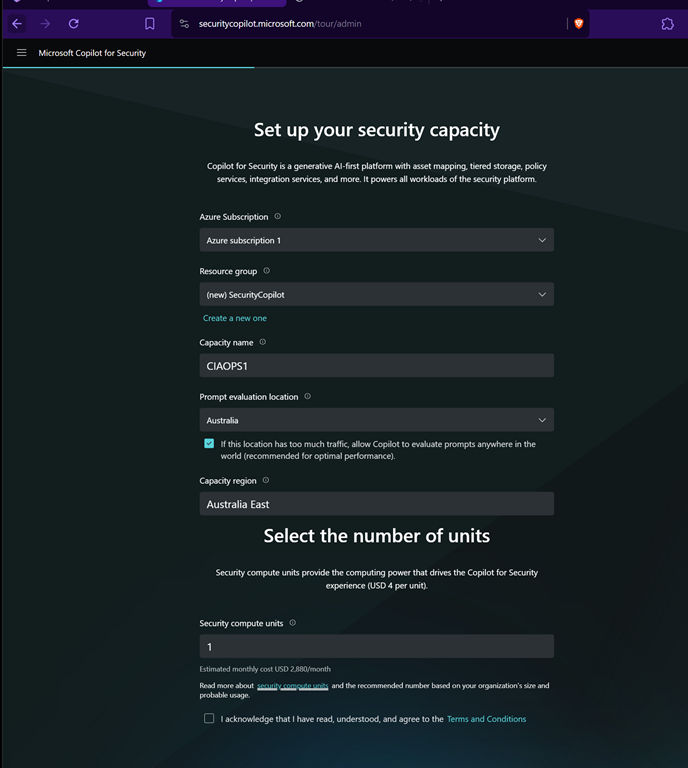
where you’ll be greeted with the set up wizard shown above.
Prior to setting up Copilot for Security, as I mentioned, you need an Azure subscription and I’d also recommend setting up a dedicated Azure Resource Group to help monitor and manage costs.
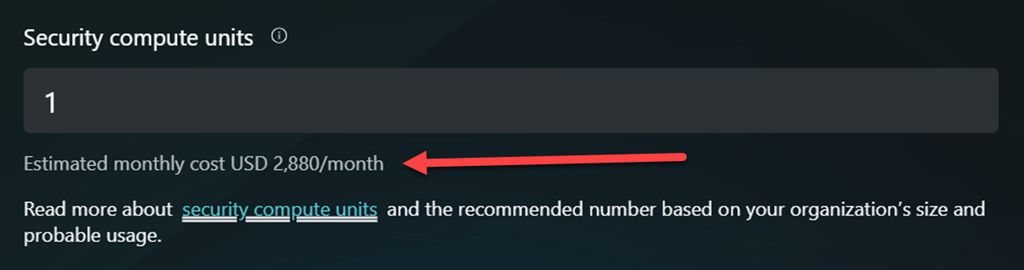
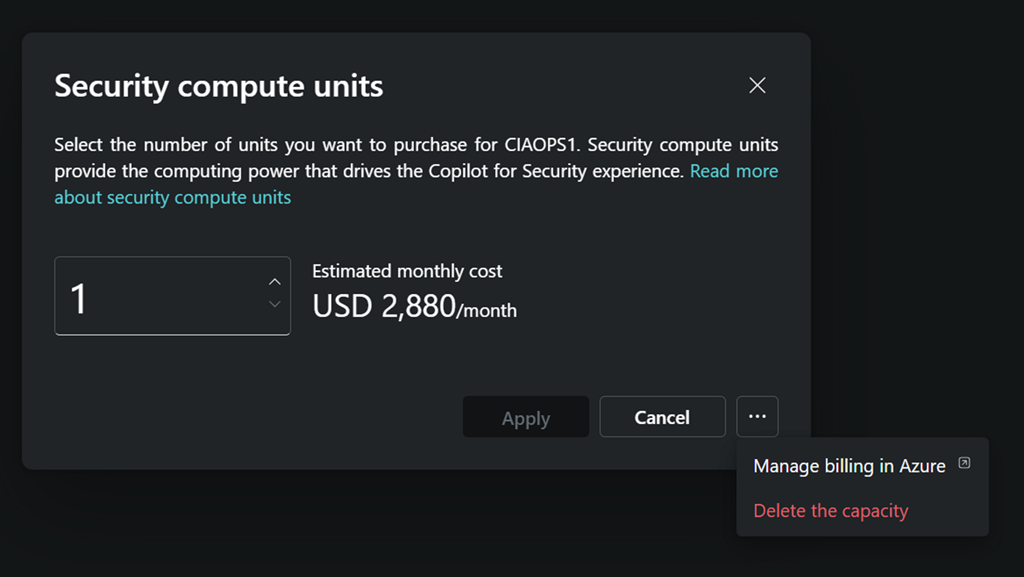
It is important to under what this will cost you in the default configuration. That is detailed on this page:
Yup, you read right $2,880 per month is the minimum! That is basically $4 per hour over 730 hours in a month. So, ensure you turn all this OFF once you have finished testing!
Once you complete all the listed fields you can continue.
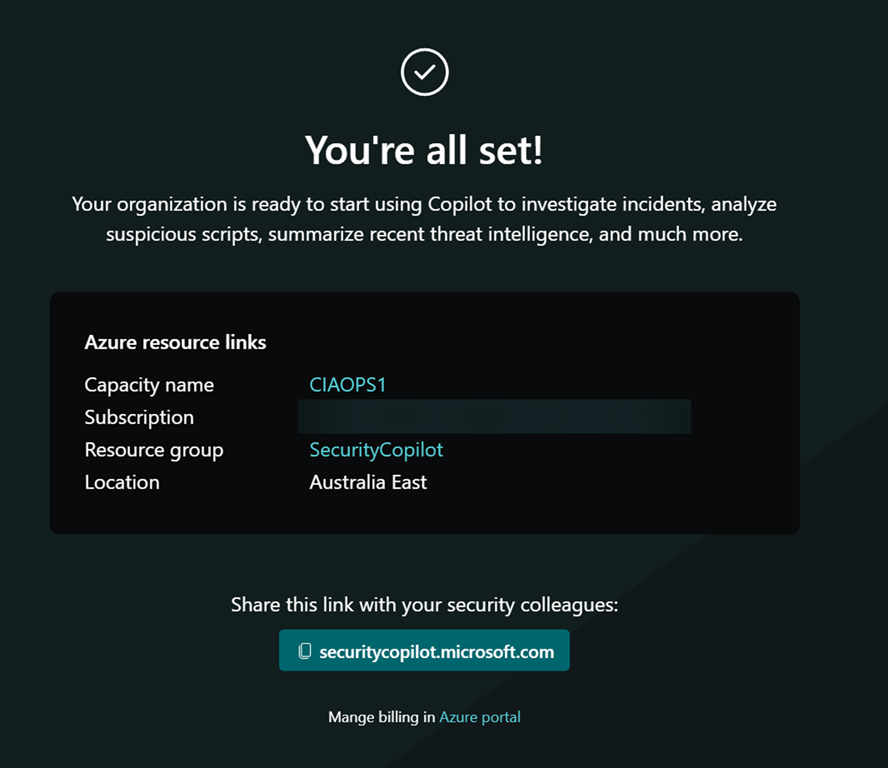
You’ll need to wait a moment or two as the service is set up.
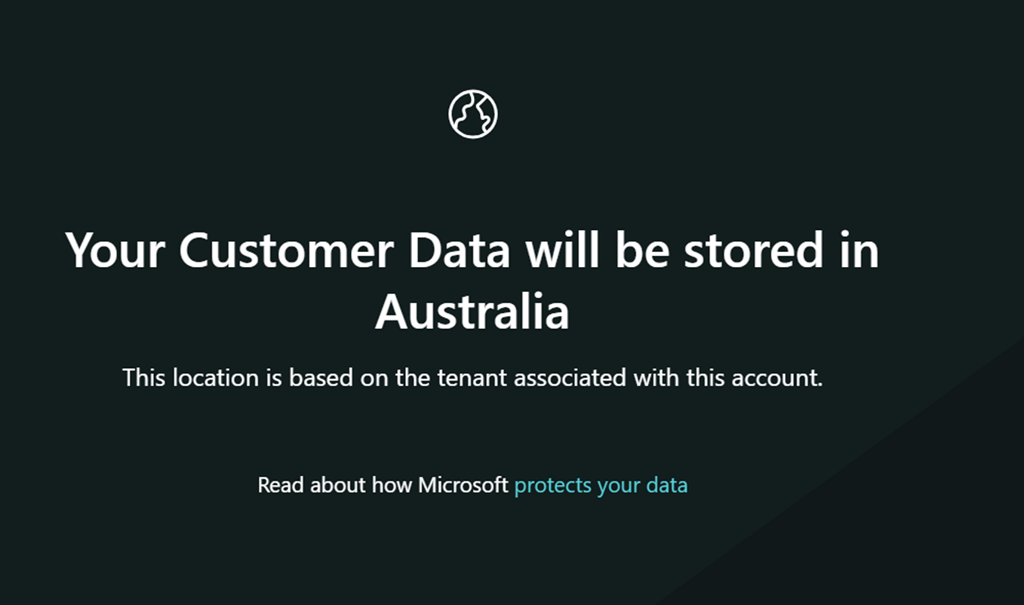
Since the Azure Resource Group into which I’m placing Copilot for Security is in Australia, my data will also be in Australia.
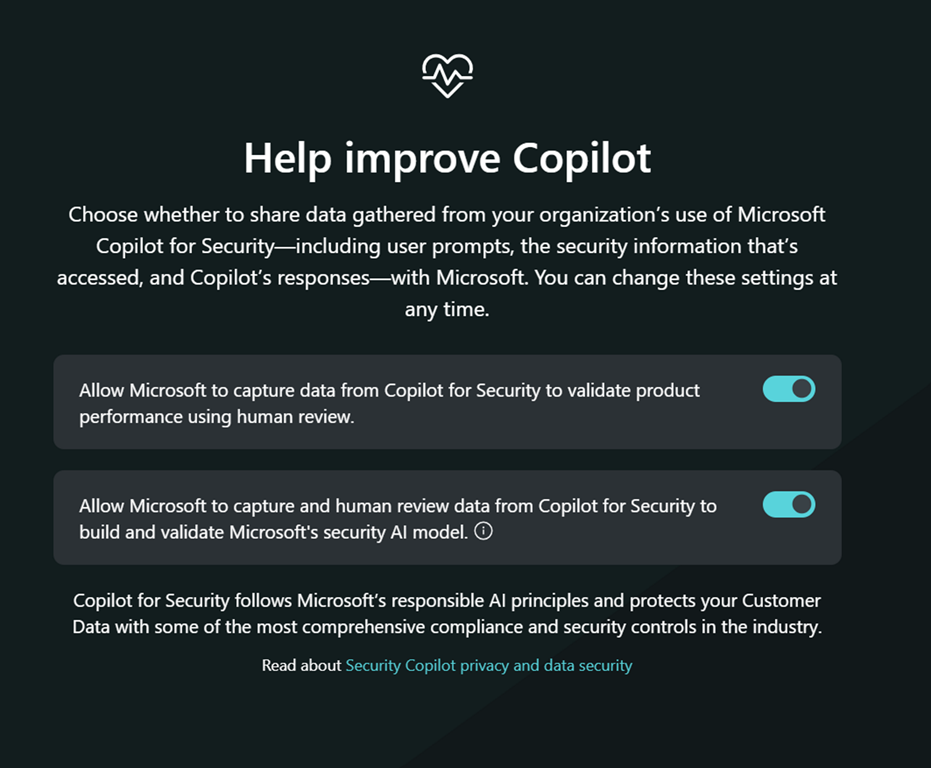
You’ll then be asked whether you wish to help Copilot improve as shown above. Make your choice and continue.
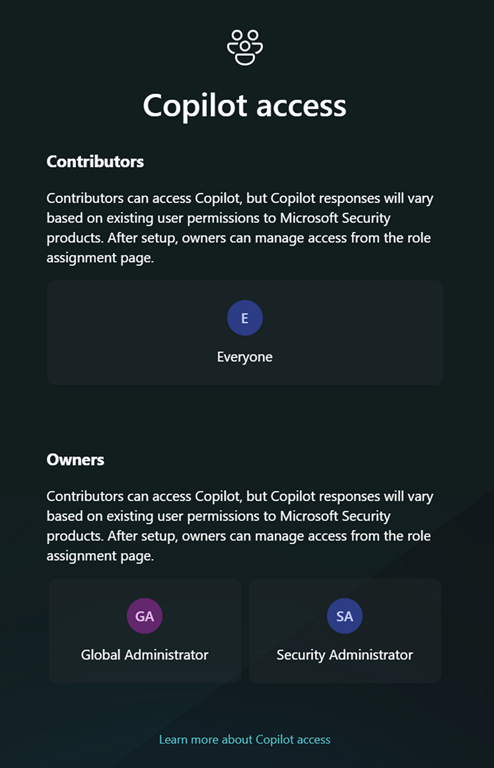
Next, you get the option to set up any permissions. As this is simply a test and I’ll be the only one using it I didn’t make any changes and just continued.
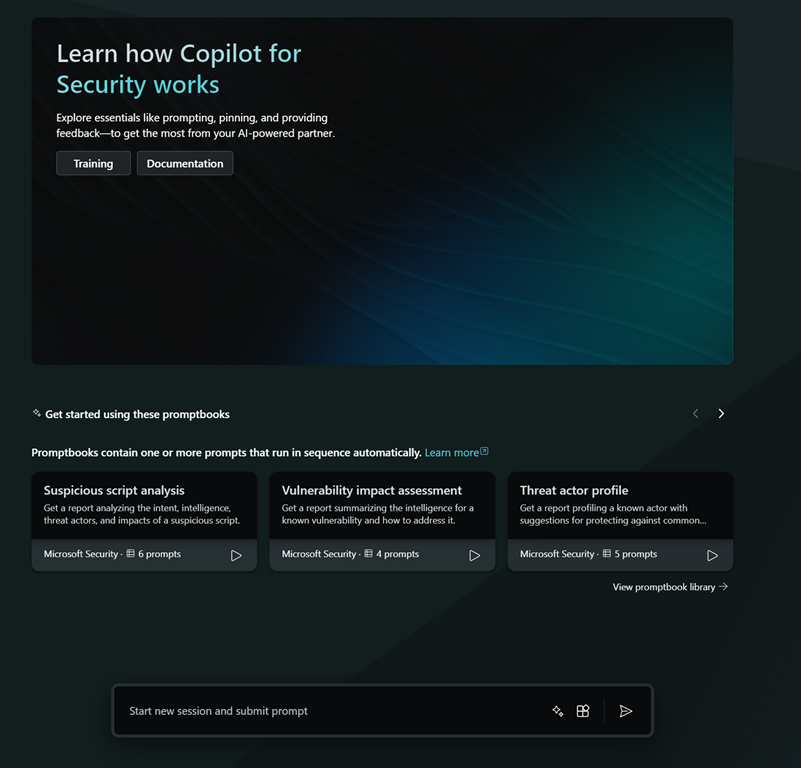
you should see the above, where you can input your query.
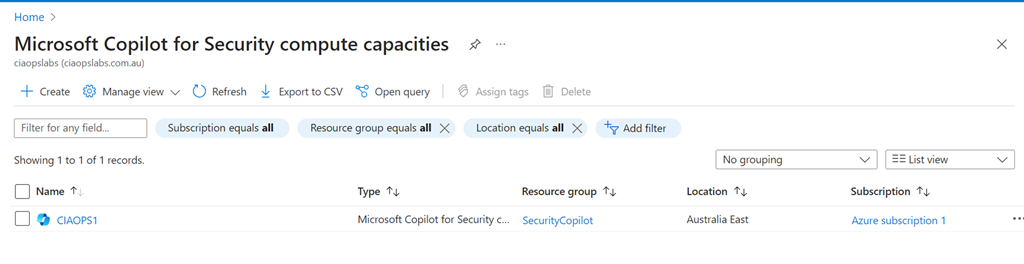
If you look in the Azure back end you will see a new item called Copilot inside your Azure portal, which looks like the above.
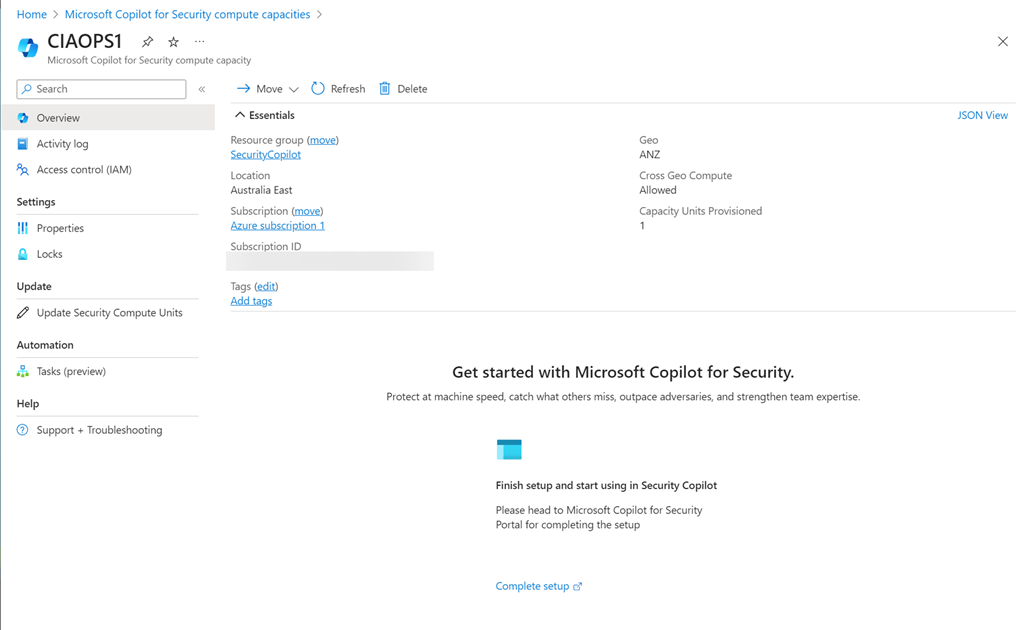
Selective the resource displayed the above.
You’ll also notice that you can’t adjust the Security Compute Units (SCU) below 1.
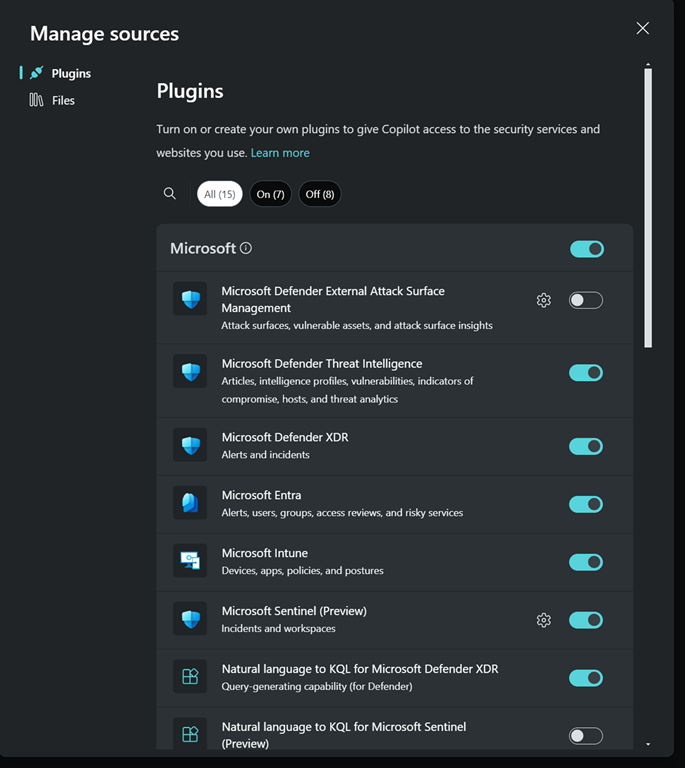
By clicking this button in the prompt
you’ll see all the plugins that can be configured in your environment
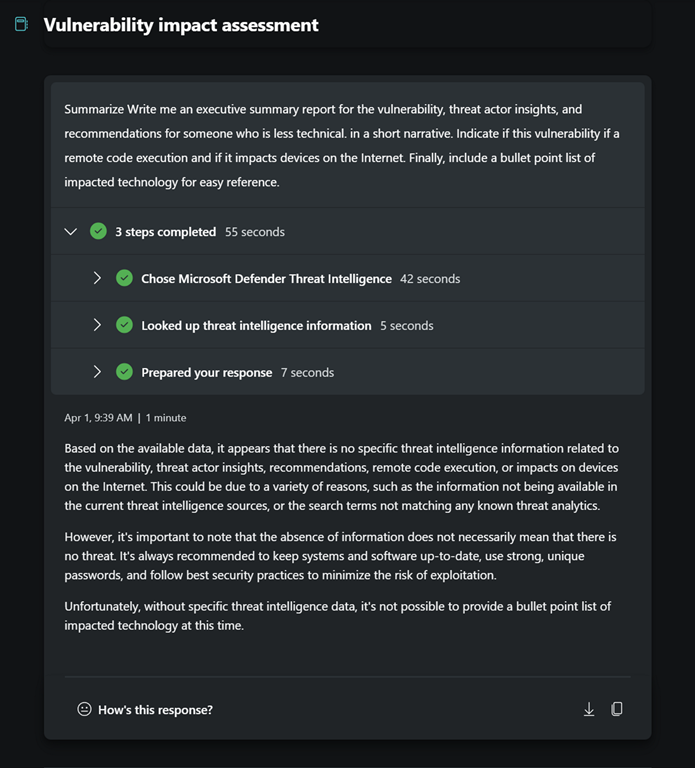
So, I went off and had a play to see what results it would give me.
I asked for some summaries.
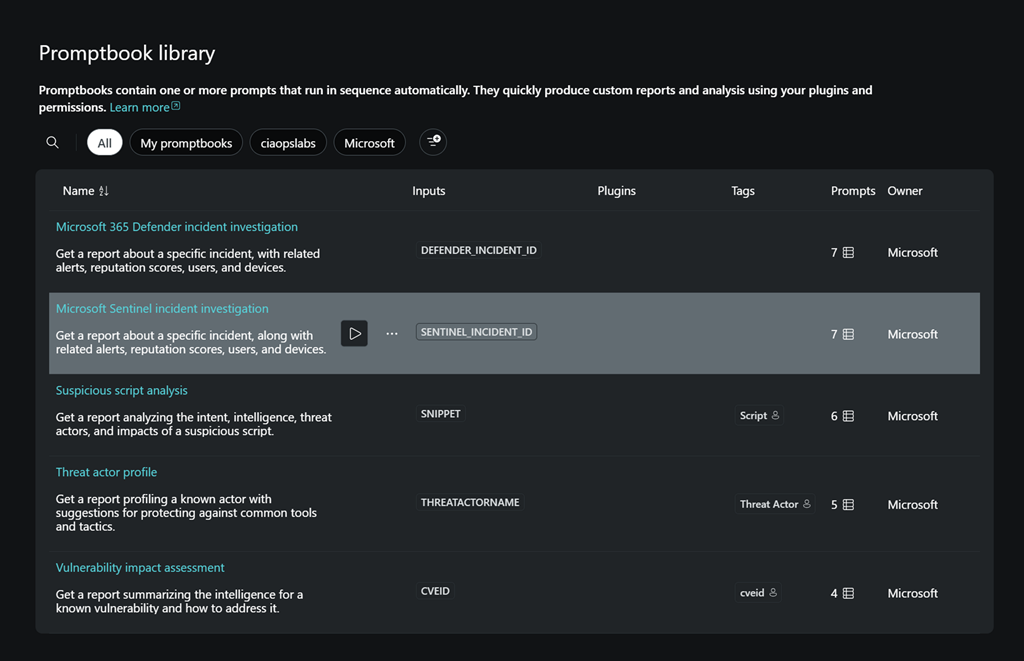
and I had a look at some inbuilt playbooks.
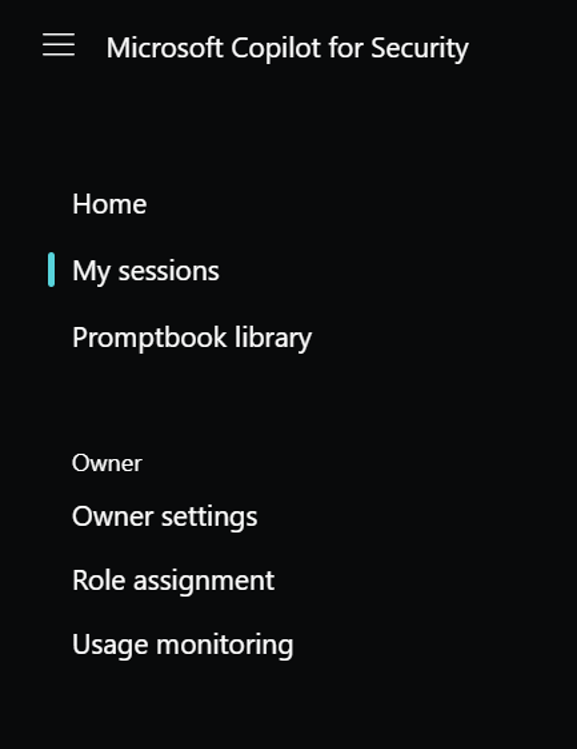
I them dug around into the Usage monitoring which you’ll find the menu at the top left of the page.
In here I could change the Security compute units and delete them as well. Which I did eventually after play around a bit more.
Clearly, most smaller businesses are not going to justify running this full time. It is therefore VERY important to delete the SCU when you have finished playing around. After doing that and running Copilot for Security I was interested to see my bill, but as yet no amounts have appeared in my Azure portal. I’ll share these when they appear.
I still however believe this can be an effective security tool for SMB, PROVIDED, you enable and disable it as required, kind of on demand. I’m playing with doing that for myself to better understand any limitations on that approach and I’ll report back.
I have more to share on my findings so far so stay tuned.









 CIAOPS