
Exchange Online now has the ability to migrate across tenants, as shown above. More details are here:

Information about SharePoint, Microsoft 365, Azure, Mobility and Productivity from the Computer Information Agency
Exchange Online now has the ability to migrate across tenants, as shown above. More details are here:
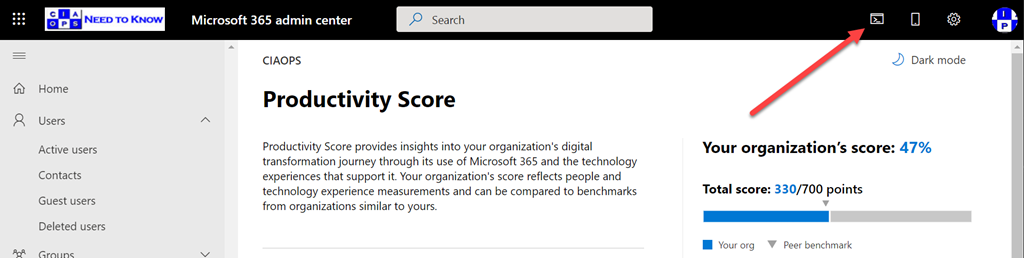
If you take a close look at your Microsoft 365 admin center, as shown above, you might see a new icon in the top right. The Azure Cloud shell is now available right from here.

If you select that, you’ll then see a PowerShell style window appear at the bottom of page as shown above. Here you can run all your favourite scripts directly in a browser!
I’ve covered the Azure Cloud Shell in previous articles:
Connecting to Exchange Online with Azure Cloud Shell
and you can read the Microsoft documentation here:
The only limitation seems to me is that you need an active Azure subscription tied to your Microsoft 365 environment because Azure Cloud Shell does need some storage to operate. But who doesn’t have an Azure subscription in their tenant these days right?
Deploy Office 365 and Azure together
(Hint, this is another reason to ALWAYS sell an Azure subscription when you sell Microsoft 365 if you are a reseller).
Hopefully, Microsoft might allow some included storage in the future for those without an Azure subscription.
Having the ability to run PowerShell directly from the browser with Microsoft 365 is a super handy addition and hopefully the functionality will keep extending with this.
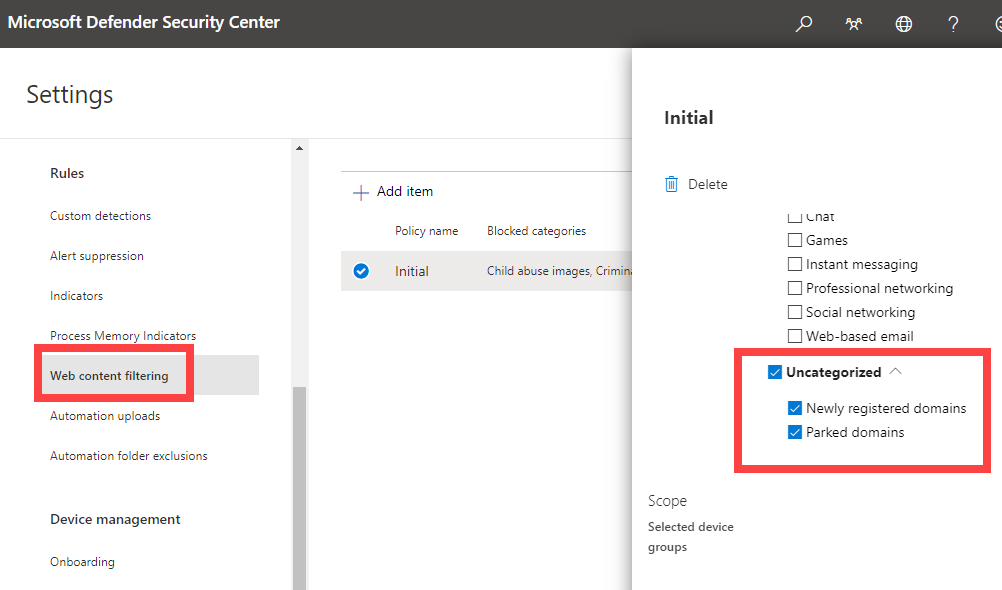
A nice new option I just noticed in Defender for Endpoint web filtering. As shown above, you can now block users navigating to newly registered domains and parked domains that can be used for phishing attacks.
To set this, navigate to Settings, the under Rules select Web content filtering and create or adjust a policy to include all the Uncategorized options as shown above.

Some events change us. Some events change our community. Some events change our nation and finally, some events change the world. We are perhaps living through one of those world changing events now. It won’t be the first and it won’t be the last such event, but it has pretty much impacted everything. Over one hundred years ago, you could contend, the First World War had a similar effect. It made us more aware of our place on the world stage and it brought terrible death and destruction. Perhaps most importantly, it changed our perception of what it means to be Australian.
During that war, some experienced that firsthand in far away countries, for reasons that were not easily understood. Some never returned from places they went so willingly but were completely unfamiliar with. In the end, they did what they thought was right. They did what they felt obligated to do. They did this for King and Country. It is therefore respectful for us to pause and remember that. To remember their sacrifice and remember those that never returned all those years ago.
In just about every town I’ve been through in Australia, here is some memorial to those that served in the Great War. They are the ones who gave birth to the ANZAC legend. That legacy continues today with the recognition and acknowledgement we provided all those that have served and are serving our country and our community. In the end, it comes down to real people, with real families who made such sacrifices and bear the burden. It is important for us not overlook such sacrifices and continue to celebrate this remarkable part of our heritage that plays such an important part in what we have become.
As many of these heroes did, let’s look to our ‘mates’ for support just as much as providing them support. We are all in this together and can achieve amazing results, as the ANZACs did all those years ago, if we follow their lead and simply try to help. Their courage and resolve was born from not want to ‘let their mates down’. So it should be for us. Like the deeds of the ANZACs all those years ago, it is through our deeds that our legacy will live on and be the foundation for future generations. Let us try and prove a foundation as good as what we have been given. That indeed, would be best way to honour our ANZAC heroes.
Lest We Forget
If you want to learn more about the ANZAC battlefields in northern France, visit my web site – www.anzacsinfrance.com.
Jeff Alexander from Microsoft joins me to catch up and talk about the ‘new normal’, securing remote environments, update management, migrations and more. Jeff also shares some handy information about the Microsoft Fasttrack service and why everyone should take advantage of it. I also bring you up to date with what’s happens in the Microsoft Cloud at the top of the show, so lean back, listen in and enjoy.
This episode was recorded using Microsoft Teams and produced with Camtasia 2020.
Brought to you by www.ciaopspatron.com
Take a listen and let us know what you think – feedback@needtoknow.cloud
You can listen directly to this episode at:
https://ciaops.podbean.com/e/episode-266-jeff-alexander/
Subscribe via iTunes at:
https://itunes.apple.com/au/podcast/ciaops-need-to-know-podcasts/id406891445?mt=2
The podcast is also available on Stitcher at:
http://www.stitcher.com/podcast/ciaops/need-to-know-podcast?refid=stpr
Don’t forget to give the show a rating as well as send us any feedback or suggestions you may have for the show
Resources
Jeff Alexander – @jeffa36, About Me, Linkedin
Windows 10 Cloud Configuration
Step-by-step threat protection in Microsoft Defender for Office 365
Announcing the iOS/iPadOS Security Configuration Framework
OneDrive sync 64-bit for Windows now in public preview
Block BCC Messages to Distribution Groups in Exchange Online
Install Viva Connections today
Get started with trials for Microsoft Viva Topics
New threat and vulnerability management experiences in Microsoft 365 security
Microsoft Forms is a handy way to collect all sorts of information. There have been some handy recent improvements.
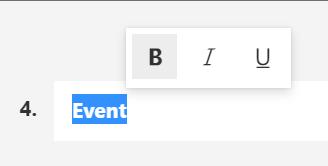
Per roadmap item 79448 – now you can bold, italic, underline, etc headings as shown above.
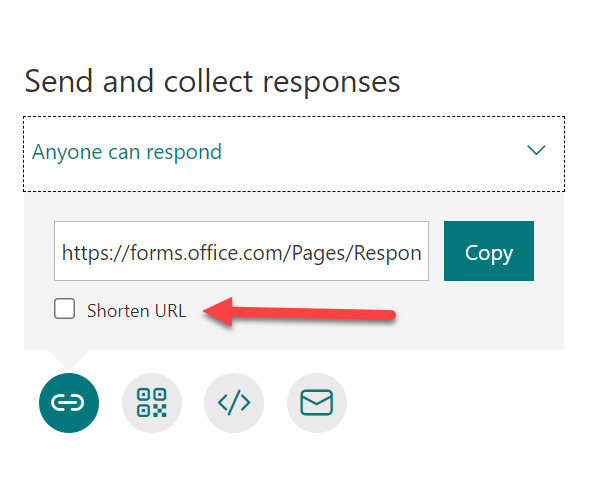
Also now when you share a form you’ll see a Shorten URL option as shown above.
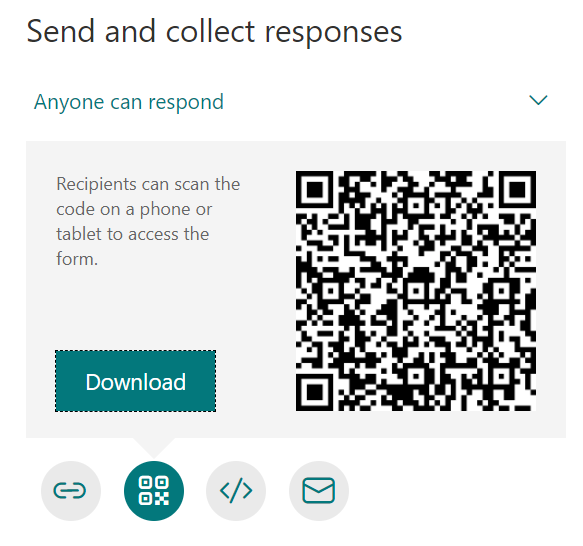
Don’t overlook the ability to also grab a QR code, in the same location, as shown above.
As mentioned in Roadmap item 79448:
Microsoft Teams: Forms Polls in Teams Meetings Improvements
A set of top asks will be addressed with this general release. Polls in Teams Meetings now support guests and an optimized mobile experience.
I’ve highlighted what I’m excited to see, polls in Teams now supporting guest users!
Microsoft Forms is great way to collect all sorts of information, from inside and outside your business. It also makes a great front end on a Power Automate sequence to save you further time and money. Here’s a great place to start learning more:
I recently did a presentation for the Brisbane Azure User Group on Azure Sentinel, which you can find above or here:
https://www.slideshare.net/directorcia/introduction-to-azure-sentinel-246191172
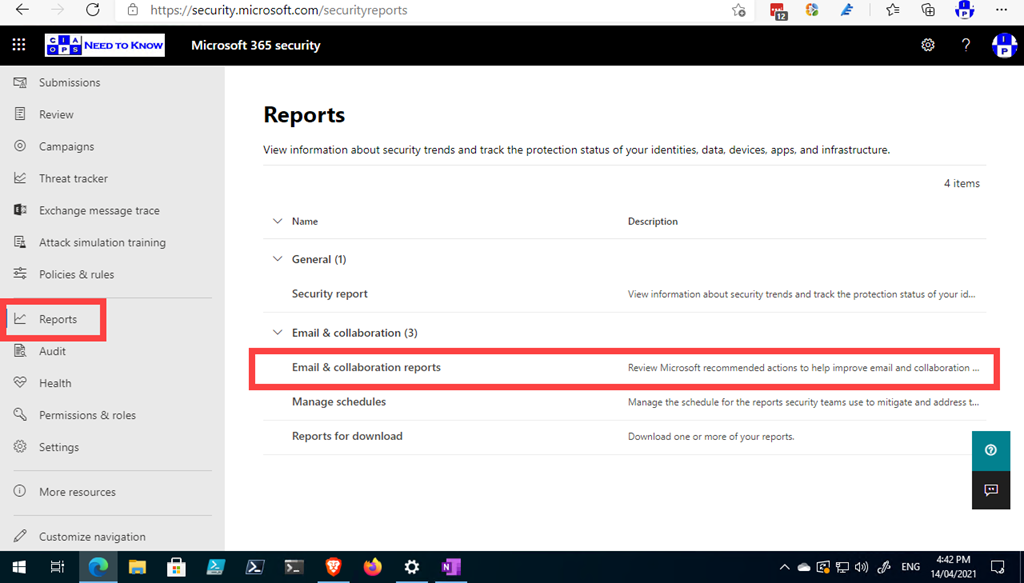
There are some real nice and helpful email report in your Microsoft 365 Security console if you haven’t taken a look recently. You can pull them up by visiting:
https://security.microsoft.com/securityreports
as shown above. Then selecting Email & collaboration reports on the right.
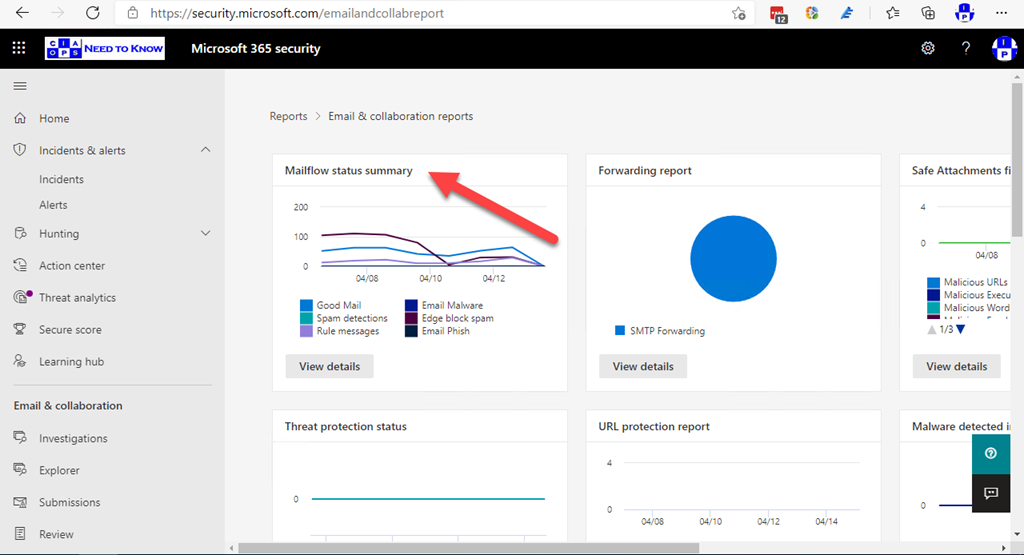
The one I really like is the Mailflow status summary which you can drill into further by clicking on the heading or selecting the View details button.

If you then select the Funnel option across the top as shown, you get an idea of the number of bad emails that are being caught by each stage of the filtering process, from top (total in) to bottom (remaining out).
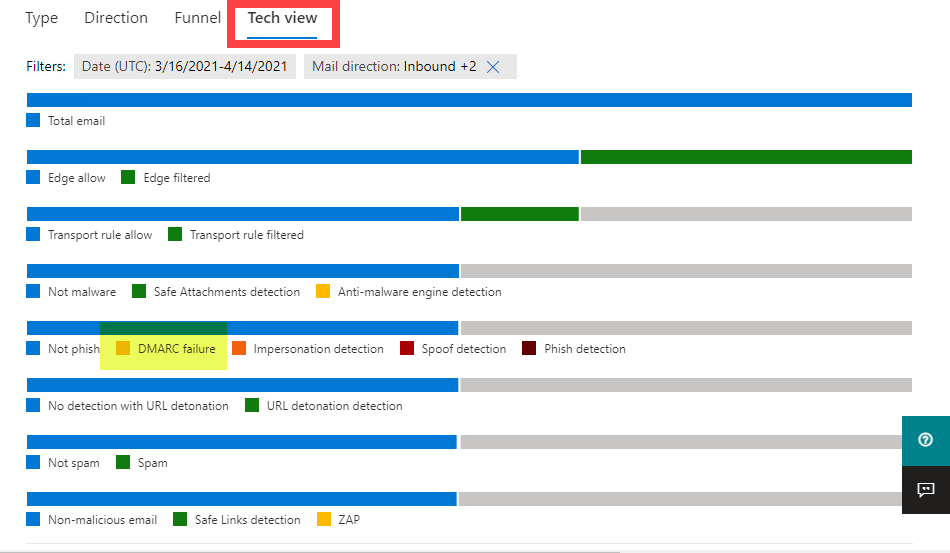
However, the report I love is the one you get when you select the Tech view as shown above. Why? Because this one even shows you results from DMARC as highlighted.

Many also allow you to Create schedule as shown above,
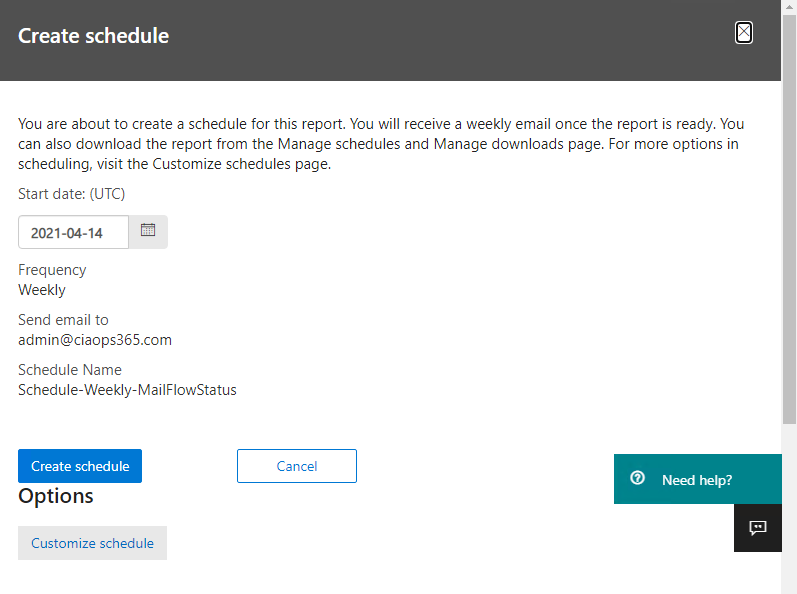
that allows you to email the reports regularly.
Keep an eye on the reporting areas of your tenant, as they are rapidly improving and expanding!

 CIAOPS