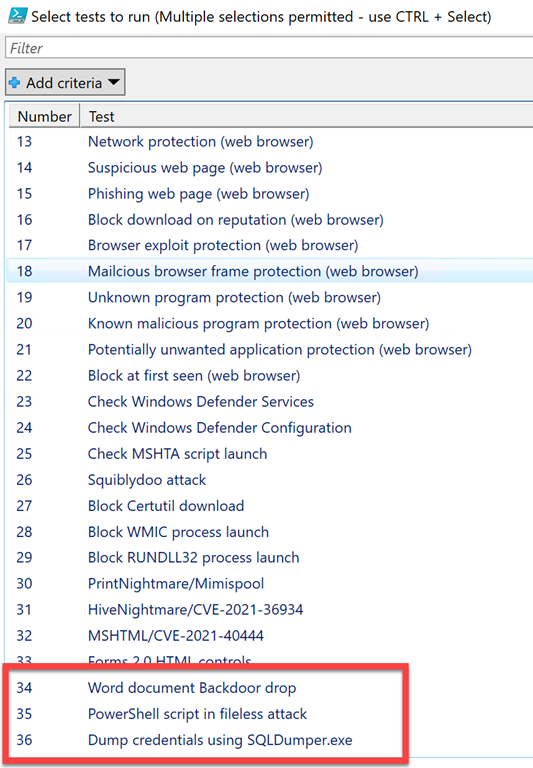
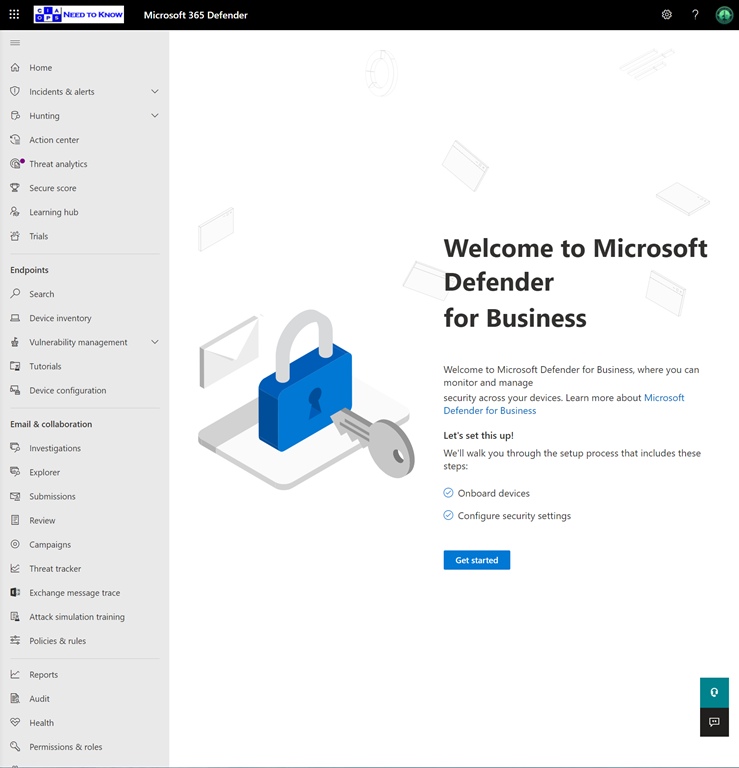
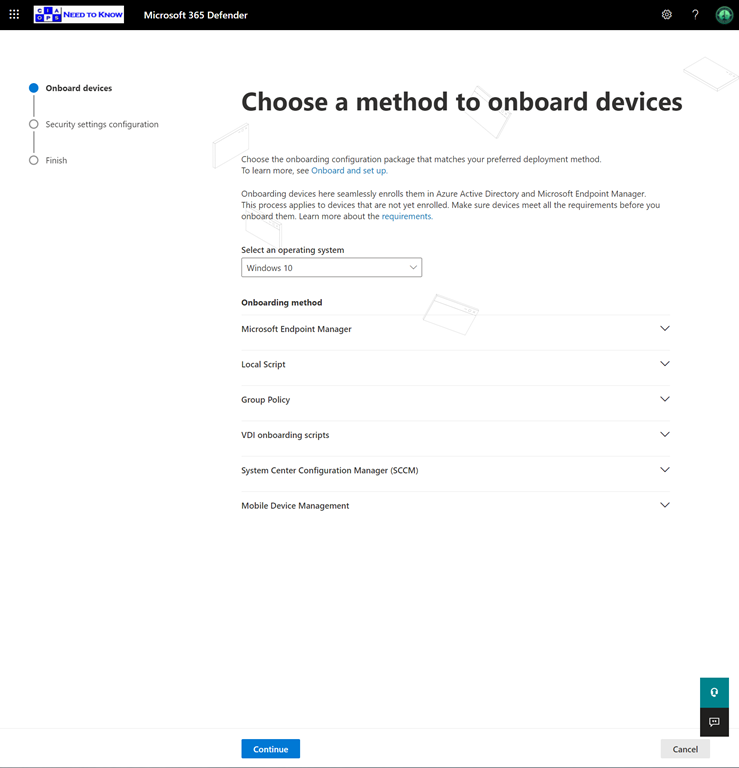
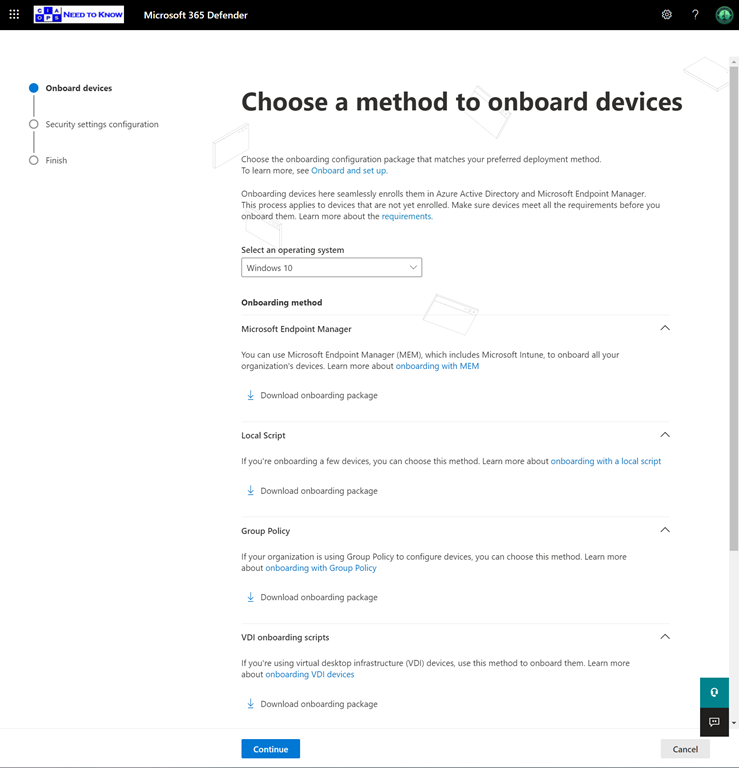
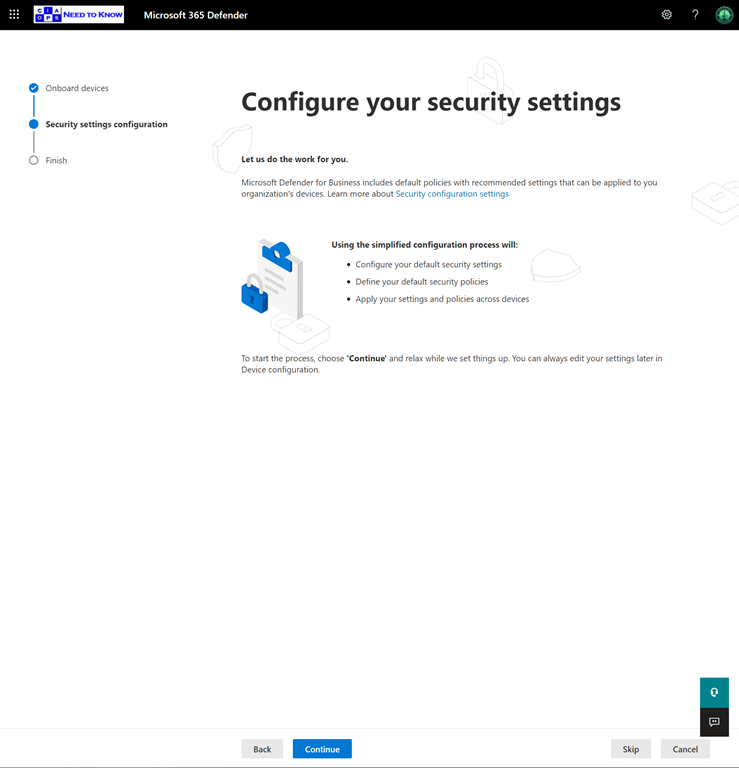
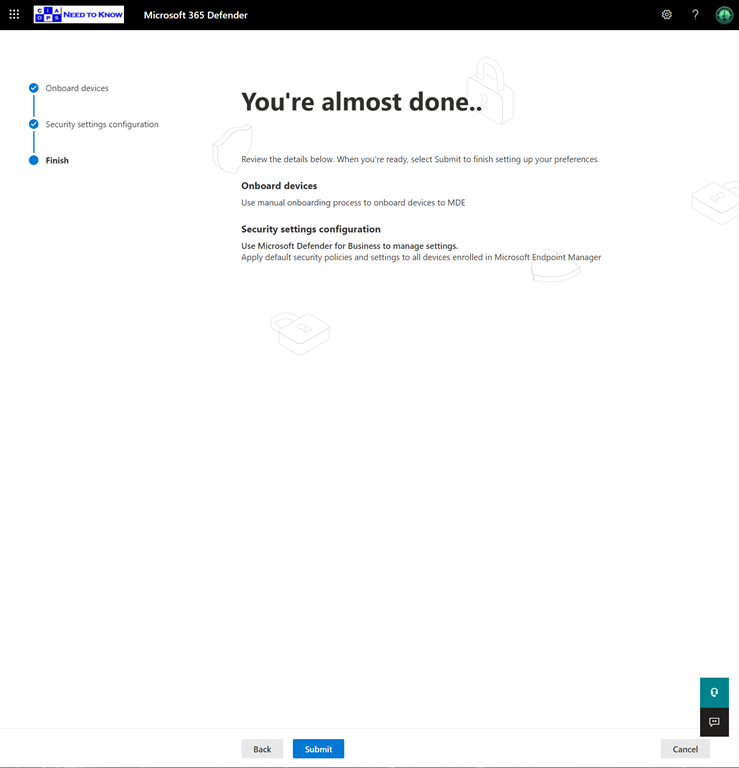
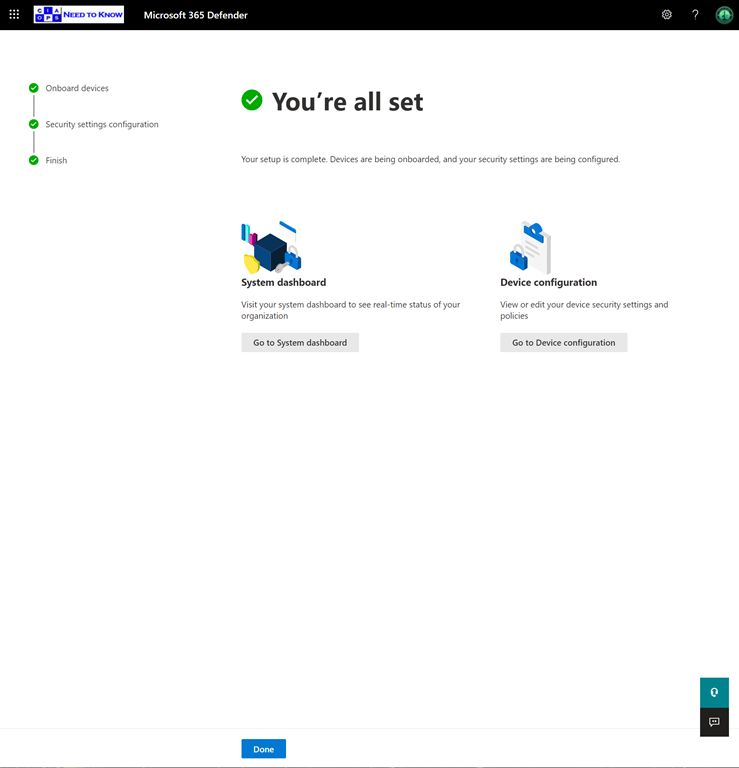
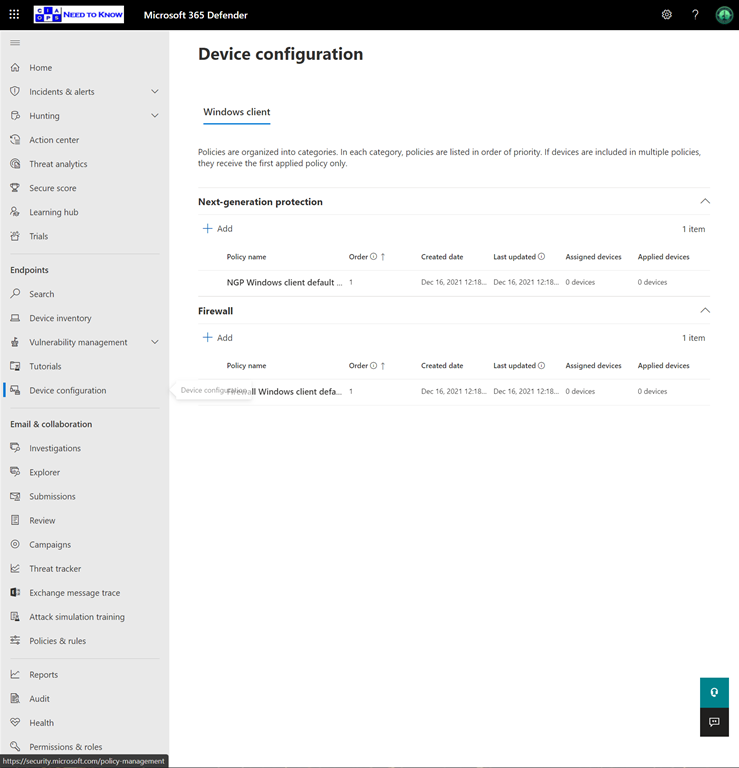
Here is a walkthrough of the onboarding for Microsoft Defender for Business trial.
I’ll update you with more on this trial as I play with. so stay tuned.

It is time to pause and reflect on the sacrifices of others. Many of these, unfortunately, go unnoticed and unappreciated. The good thing is most sacrifices are not made with a desire of repayment, they are freely given.
Over 100 years ago our nation, along with many others, sacrificed the lives of millions of people in what is commonly referred to as the Great War. Yet, immediately after that sacrifice, a greater of lives were lost to the Spanish Flu.
The outcome of both events was the same for many. Death. This is also something that all of us have in our future. It is a certainty, yet we spend our whole lives avoiding the acknowledgement that our time is limited. For many, it came much sooner than they expected and in places they didn’t expect.
As we enter a world that is opening up after this generations’ pandemic, we should turn and examine the lessons of history. It wasn’t that long after the Great War and the Spanish Flu that the world was plunged yet again, into another global war that slaughtered yet more millions of people.
The moral is that appreciation for what we have is something worth contemplating. A great way to acknowledge this gift is to sacrifice for others. It is not the amount or value of the sacrifice that matters, it is the effort of that sacrifice that makes it worthwhile for both giver and receiver.
Today, we take a moment. In silence, and remember the many that provided the ultimate sacrifice for us to live with the benefits we experience today. As much as we need to thank those who gave to us, we must provide for those who are to come. We should look to build on what those before gave to us. That is the best way to demonstrate our gratitude.
The world and people in it are far from perfect, but if they have anything in common it is a sense of where they are right here, right now. That is not a result of their own designs. It is the integration of their intention and the sacrifices of others.
To those that served us, and continue to serve us. Whether on the battlefield or in a hospital, directly or indirectly. Thanks. Your efforts have made a difference far beyond what you will ever appreciate.
I came across a handy tip recently that I thought I share.
When you use Task Manager in Windows, select the Details tab and then Right-mouse click on the headings to reveal the menu as shown above. From this menu choose Select Columns.
Scroll down the list of columns that appears and select:
Image path name
and
Command line
as shown above, then select OK.
As shown above, you should now see a column that displays the path to the executable for that task as well as a column showing the actual command line options required to run that task. This is a very handy option when you are troubleshooting tasks.
I need some help in my question to enable Windows System Guard in my environment. If you want to know what it is see:
Hardening the system and maintaining integrity with Windows Defender System Guard
and the Microsoft article is here:
Windows Defender System Guard: How a hardware-based root of trust helps protect Windows 10
and in summary Windows System Guard is:
Windows Defender System Guard reorganizes the existing Windows 10 system integrity features under one roof and sets up the next set of investments in Windows security. It’s designed to make these security guarantees:
– Protect and maintain the integrity of the system as it starts up
– Validate that system integrity has truly been maintained through local and remote attestation
I enabled it using the techniques in this article:
System Guard Secure Launch and SMM protection
To verify it is enabled 9according to the article) you check MSInfor32 and you should see:
i.e. Secure Launch appear in both:
1. Virtualization based Security Configured
and
2. Virtualization based security Services Running
However, in my case I don’t see it appear under Virtualization based security Services Running as you see above?
Now, the Microsoft article does say:
Credential Guard is definitely running per my MSInfo32
To check Virtualization Based Security I can run the command:
Get-CimInstance –ClassName Win32_DeviceGuard –Namespace root\Microsoft\Windows\DeviceGuard
and I see the following:
According to the documentation,
if VirtualizationBasedSecurityStatus = 2 then:
VBS is enabled and running
Now, if I look at the SecurityServicesRunning field I see:
only Credential Guard and HVCI running per:
i.e no System Guard Secure launch. This confirms what I see in MSInfo32.
Verifying Device Guard is where things get challenging, because this:
Why we no longer use the Device Guard brand
seems to indicated the device Guard is now Windows Defender Application Control (WDAC)??
However, there is this article:
Windows 10 Device Guard and Credential Guard Demystified
from early 2021 talking about Device Guard?? Here, Device Guard is:
Now that we have an understanding of Virtual Secure Mode, we can begin to discuss Device Guard. The most important thing to realize is that Device Guard is not a feature; rather it is a set of features designed to work together to prevent and eliminate untrusted code from running on a Windows 10 system
Device Guard consists of three primary components:
According to that article the CCI is located at:
Computer Configuration \ Administrative Templates \ System \ Device Guard \ Deploy Code Integrity Policy
But I can’t see that on my machine as shown above??
I can’t see how to specifically enabled VSM Protected Code Integrity, I can only find:
Finally, my machine does have UEFI and secure boot enabled:
The last piece of the puzzle is a service called Secure Launch:
which I have running and seems to be linked to System Guard but I can find no confirmation of what this service actually does??
In summary, I am at a loss to understand why my machine seems to not have System Guard enabled even though it is capable it seems. I feel confident that I do have all the requirements in place but the Configurable Code Integrity (CCI) may be the issue but I can’t find anything on how to configure that.
My ask then, is if you have any information on helping me get System Guard working on my machine or help me understand why it isn’t working I’d appreciate it as I have drawn a blank with all my other sources.

Some events change us. Some events change our community. Some events change our nation and finally, some events change the world. We are perhaps living through one of those world changing events now. It won’t be the first and it won’t be the last such event, but it has pretty much impacted everything. Over one hundred years ago, you could contend, the First World War had a similar effect. It made us more aware of our place on the world stage and it brought terrible death and destruction. Perhaps most importantly, it changed our perception of what it means to be Australian.
During that war, some experienced that firsthand in far away countries, for reasons that were not easily understood. Some never returned from places they went so willingly but were completely unfamiliar with. In the end, they did what they thought was right. They did what they felt obligated to do. They did this for King and Country. It is therefore respectful for us to pause and remember that. To remember their sacrifice and remember those that never returned all those years ago.
In just about every town I’ve been through in Australia, here is some memorial to those that served in the Great War. They are the ones who gave birth to the ANZAC legend. That legacy continues today with the recognition and acknowledgement we provided all those that have served and are serving our country and our community. In the end, it comes down to real people, with real families who made such sacrifices and bear the burden. It is important for us not overlook such sacrifices and continue to celebrate this remarkable part of our heritage that plays such an important part in what we have become.
As many of these heroes did, let’s look to our ‘mates’ for support just as much as providing them support. We are all in this together and can achieve amazing results, as the ANZACs did all those years ago, if we follow their lead and simply try to help. Their courage and resolve was born from not want to ‘let their mates down’. So it should be for us. Like the deeds of the ANZACs all those years ago, it is through our deeds that our legacy will live on and be the foundation for future generations. Let us try and prove a foundation as good as what we have been given. That indeed, would be best way to honour our ANZAC heroes.
Lest We Forget
If you want to learn more about the ANZAC battlefields in northern France, visit my web site – www.anzacsinfrance.com.
I have just released a new script in my GitHub repository that will report on the local device Attack Surface Reduction settings (ASR) as shown above. You’ll find it here:
https://github.com/directorcia/Office365/blob/master/win10-asr-get.ps1
There no pre-requisites. Just run it on your Windows 10 devices to report.
If you are looking to change the ASR settings for your environment, I suggest you have a read of my previous article:
Attack surface reduction for Windows 10
I’d strongly encourage you to enable ASR across your Windows 10 fleet to reduce risks of attack.

The 11th hour of the 11th day of 11th month is the anniversary of the end of the “The Great War” as it was known. At that time the world was also starting to be engulfed with what would become known as the Spanish Flu. Both of these tragedies killed millions of people worldwide and left an indelible mark on history.
Over one hundred years later, the world finds itself again in the midst of geopolitical friction and a global pandemic. If there is one thing we can take from history is that humanity came through these challenges and continued. It is therefore probably never more important than now to take a moment and remember all those who died. Some did so serving their country, like the ANZAC soldiers. Others did so serving humanity, the medical staff. Yet others were simply innocent victims of these major events.
In current times, probably the most challenging period in about one hundred years, we should pause, reflect and give thanks for what we have. We should give thanks for those who sacrificed for others. We should remember all those whose lives were changed forever in ways they probably had little control over. All that lived through the horror of one hundred years ago are now gone. Their legacy is merely our memory.
Our service to them should not only be to remember their deeds and circumstances but to learn from the lessons of history and ask what can in done, no matter how small, for others and greater good. Like it or not, we are all in this together and the way that out is always via a shared experience. If history teaches us anything, solutions to problems come via the application of shared humanity not individualism. There is never a better time than now to demonstrate this.
The cessation of World War One brought an end to savage fighting and unprecedented carnage wrought on an industrial scale never seen before. It was however a time when ANZAC troops distinguished themselves and both Australia and New Zealand probably ‘arrived’ on the world stage. Their legacy lives on. Their sacrifices are not forgotten. Their courage provides us strength to face, battle and defeat our own challenges in the modern experience.
Let us therefore take a moment to pause, remember, draw strength and work together, as they did, for a better world for all.
For those interested in the accomplishments of the ANZACs in Europe during World War One, please have a look at my web site – Australian Battlefields of World War I – France
Previous parts in this series have been:
Office 365 Mobile MDM – Modern Device Management with Microsoft 365 Business Premium–Part 1
Intune MDM – Modern Device Management with Microsoft 365 Business Premium – Part 2
Intune MAM – Modern Device Management with Microsoft 365 Business premium – Part 3
Endpoint Manager – Modern Device Management with Microsoft 365 Business Premium – Part 4
Baselines – Modern Device Management with Microsoft 365 Business Premium – Part 5
Deployment – Modern Device Management with Microsoft 365 Business Premium – Part 6
Autopilot admin – Modern Device Management with Microsoft 365 Business Premium – Part 7
Autopilot endpoint – Modern Device Management with Microsoft 365 Business Premium – Part 8
Deploying applications – Modern device Management with Microsoft 365 Business Premium – Part 9
I’m going to wrap up this series with a range for helpful links that provide lots of help when troubleshooting issues with device management. I’ve covered a lot so far and figured that it is better to give you this one location to use for getting help with device management.
As I have noted elsewhere in this series, the best general best practice tips to help with troubleshooting I can give you are:
1. Maintain good documentation of your device management environment. The more complex it becomes, the more important good documentation becomes.
2. Maintain good naming conventions. With so many policies potentially in play with device management having a logical naming convention for make life a lot easier.
3. Start small and grow. Don’t implement everything at once. Start with one policy at a time, get that working and build on that. Doing too much too fast is a recipe for frustration.
Good troubleshooting links:
Intune troubleshooting 101 – https://techcommunity.microsoft.com/t5/Intune-Customer-Success/Intune-Troubleshooting-101/ba-p/924827
Troubleshoot device enrollment in Microsoft Intune – https://docs.microsoft.com/en-gb/intune/enrollment/troubleshoot-device-enrollment-in-intune
Troubleshoot Windows device enrollment problems in Microsoft Intune – https://docs.microsoft.com/en-gb/intune/enrollment/troubleshoot-windows-enrollment-errors
Troubleshoot iOS device enrollment problems in Microsoft Intune – https://docs.microsoft.com/en-gb/intune/enrollment/troubleshoot-ios-enrollment-errors
Troubleshoot Android Enterprise device problems in Microsoft Intune – https://docs.microsoft.com/en-gb/mem/intune/enrollment/troubleshoot-android-enrollment
How to get support for Microsoft Intune – https://docs.microsoft.com/en-ca/intune/get-support
Intune app protection diagnostics and managed browser bookmarks – https://blogs.technet.microsoft.com/cbernier/2018/02/05/intune-app-protection-diagnostics-and-managed-browser-bookmarks/
Set the mobile device management authority – https://docs.microsoft.com/en-us/intune/mdm-authority-set
Troubleshooting devices using the dsregcmd command – https://docs.microsoft.com/en-us/azure/active-directory/devices/troubleshoot-device-dsregcmd
MDM Diagnostics Tool – Tips & Tricks – Windows Autopilot Troubleshooting – https://www.anoopcnair.com/mdm-diagnostics-tool-windows-autopilot/
Azure AD device registration error codes – https://s4erka.wordpress.com/2018/03/06/azure-ad-device-registration-error-codes/
Enroll devices by using a device enrollment manager account – https://docs.microsoft.com/en-us/intune/device-enrollment-manager-enroll
Manually sync your Windows device – https://docs.microsoft.com/en-us/intune-user-help/sync-your-device-manually-windows
How long does it take for devices to get a policy, profile or app after they are assigned? – https://docs.microsoft.com/en-us/intune/configuration/device-profile-troubleshoot#how-long-does-it-take-for-devices-to-get-a-policy-profile-or-app-after-they-are-assigned
Common questions, issues, and resolutions with device policies and profiles in Microsoft Intune – https://docs.microsoft.com/en-us/intune/configuration/device-profile-troubleshoot#how-long-does-it-take-for-devices-to-get-a-policy-profile-or-app-after-they-are-assigned
Send log data to storage, event hubs or log analytics in Intune – https://docs.microsoft.com/en-us/intune/fundamentals/review-logs-using-azure-monitor
Do not clone an Azure AD-joined or MDM-enrolled Windows 10 OS – https://oofhours.com/2020/06/07/do-not-clone-an-azure-ad-joined-or-mdm-enrolled-windows-10-os/
Diagnose MDM failures in Windows 10 – https://docs.microsoft.com/en-us/windows/client-management/mdm/diagnose-mdm-failures-in-windows-10
Common error codes and descriptions in Microsoft Intune – https://docs.microsoft.com/en-us/mem/intune/fundamentals/troubleshoot-company-resource-access-problems
Hopefully, you’ll be able to solve any issue you come up against by consulting the list of above links. I know I have.
Microsoft 365 device management will continue to evolve over time and I’ll continue to update you here on my blog, so stay tuned for more articles on Microsoft 365 device management.