Need to Know podcast–Episode 201

We’ve recovered from our 200th episode and are getting back into the swing of our regular programming with some updates, information and opinions from the Microsoft Cloud. We cover some recent important updates, especially in the area of security, as well as some news around Microsoft 365 and Azure. We also dip our toes quickly into the area of certifications but we’ll need more time to do justice to the topic. So stay tuned for that episode coming real soon. For now, sit back and enjoy as we get back to what we like doing – keeping you up to date with everything that’s happening in the Microsoft Cloud.

Take a listen and let us know what you think – feedback@needtoknow.cloud

You can listen directly to this episode at:

https://ciaops.podbean.com/e/episode-201-back-to-normal/

Subscribe via iTunes at:

https://itunes.apple.com/au/podcast/ciaops-need-to-know-podcasts/id406891445?mt=2

The podcast is also available on Stitcher at:

http://www.stitcher.com/podcast/ciaops/need-to-know-podcast?refid=stpr

Don’t forget to give the show a rating as well as send us any feedback or suggestions you may have for the show.

Resources

@contactbrenton

@directorcia

CIAOPS Patron Program

Microsoft Cloud outage information

Duplicating a Microsoft Planner plan using PowerShell

GitHub and free access to private repositories

Office 365 will automatically block Flash and Silverlight

Azure AD makes sharing and collaboration seamless for any user account

Microsoft’s Cyber defense Operations Center shares best practices

Step 3 – Protect your identities. Top 10 actions to secure your environment

Get ready for the new Microsoft 365 Security Center and Microsoft 365 Compliance Center
Microsoft 365 NIST 800-53 action plan

Improved security is a shared responsibility

image

The Internet has ensured that everyone who is connected is connected together. Everyone being connected together has some massive advantages but it also makes us vulnerable to those who wish to exploit this fact. The reason we all get so much spam is because it is so easy and so cheap to send. However, after all these years, why is the dominate email traffic source always spam? It’s because it morphs and evolves to avoid detection. The same applies for other threats such as phishing.

Technology provides some great tools to deal with spam and phishing but they can’t remove 100% of the threats that are out there. Many also rely on people reporting attacks and suspect item in their inbox to security vendors so they can analyse the results and improve their own detection.

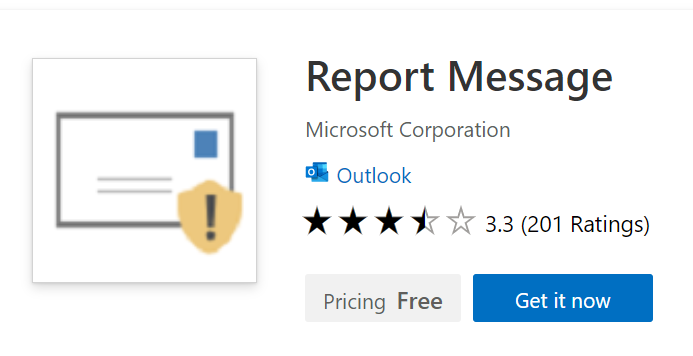
The problem with reporting incidents you come across in your own inbox has been a challenge. Who or where do you send your reports to? Now Microsoft has a free add in for Outlook that allows you to quickly and easily report spam and phishing directly to them.

To do this visit:

https://appsource.microsoft.com/en-us/product/office/WA104381180?src=office

and install the Report Message add in for Outlook to your environment.

image

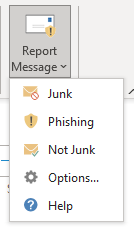
Then when a suspect email is detected you can easily report it via a few clicks.

For more information about installing and configuring the Report Message add-in across your Office 365 environment see:

Enable the Report Message add-in

Don’t just sit there and ignore spam and phishing attacks. Report them and potentially help save someone else from becoming a victim! When you connect to the Internet you become part of a global community. Help the community fight back again those seeking to take advantage of others. The more we all report attacks the less there will be.

Join me in the fight to take back the Internet!