May webinar resources

https://docs.com/d/embed/D25190661-9264-8810-9010-000861518520%7eMd4186d87-61d5-259a-4d26-00a8bd86cfff

April’s webinar is done and dusted. You can download the slides from:

May 2017 Need to Know Webinar

If you are not a CIAOPS patron you want to view or download a full copy of the video from the session you can do so here:

http://www.ciaopsacademy.com/p/april-2017-need-to-know-webinar/

I covered as much as I could on SharePoint Document Libraries, but there is so much more I could have done. Thanks everyone for attending

you can also now get access to all webinars via:

http://ciaops-academy.teachable.com/courses/need-to-know-webinars

for a nominal fee.

See you next month.

Learning Collaboration in Office 365

people-woman-coffee-meeting2

A little while ago I announced that I’ll be conducting a new course focused on showing you the best practices when it comes to collaboration in Office 365. This will answer questions about whether you should use Microsoft Teams over Yammer, what roles Groups plays and to drive adoption for your business to ensure that everyone makes full use of the Office 365 suite they have been allocated.

You’ll find all the original information about the course here:

Understanding collaboration in Office 365 course

The course gives you the opportunity to participate in the learning live. You’ll be able to complete the hands on tutorials right there and then. You’ll get immediate feedback on what you’ve learnt and you’ll also be able to ask questions and most importantly get your questions answered right there and then. If you think this is just going to be a boring webinar style presentation, then you in for a shock as nothing could be further from the truth. This course will be more hands on than if you were sitting in a classroom!

Best of all is that all the sessions will be recorded and made available to you, along with all the training materials (notes, links, whitepapers and more) FOREVER! That’s right, you can continue to come back to the course and watch the training at your leisure. You can even download it all and watch it offline. So if you are too shy to attend the live events you’ll still get full benefit from all the material.

Those lucky enough to have signed up already have been able to take advantage of the initial substantial early bird discount, however if you missed that then you need to act now to get a $30 discount. Use the coupon code EAERLYBIRD2 at checkout or click here to have the discount automatically applied upon registration:

Understanding collaboration in Office 365 – $30 discount

Remember, you need to use the link or the coupon code to get the discount.

An additional offer is that if you are not already a CIAOPS Academy affiliate you should sign up so you can offer this course to others and receive a commission. That’s right, just refer this (or any CIAOPS Academy course) to others and you’ll receive a percentage of the course direct to you. To become an affiliate simply sign up for free at the CIAOPS Academy and then contact me (director@ciaops.com) to let me know you want to be an affiliate and I’ll send you all the details and get you signed up asap.

The count down to the course kick off on the 1st of June is on and I’d encourage you to take advantage of this discount before it expires on the 19th of May. Remember, the course includes over 5 hours of hands on training, video recordings of all sessions as well a lifetime access to all the course materials including video replays, course notes, links, white papers and more. All of which you can download and view offline.

If you want to learn how Office 365 can give your business a completive edge by being more effective and productive then sign up today to take advantage of this discount.

I’ll also point out that if you sign up as a CIAOPS Patron you’ll not only receive discounts starting at 25% on this course but you’ll also get access to my private Office 365 Facebook community where you can get your questions answered by myself and other in the community daily. For all the benefits of being a CIAOPS Patron head over to:

http://www.patreon.com/ciaops

I hope to see you on the course with me and those who have already signed up.

New sharing interface in Office 365

image

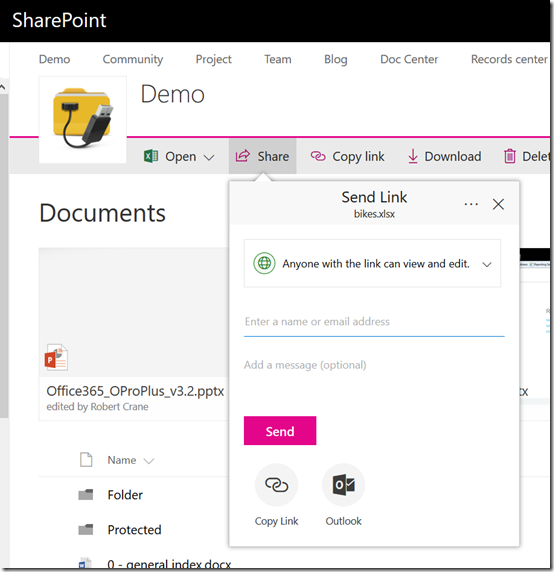
Looks like we have a new interface for sharing files in both Teams Sites (above),

image

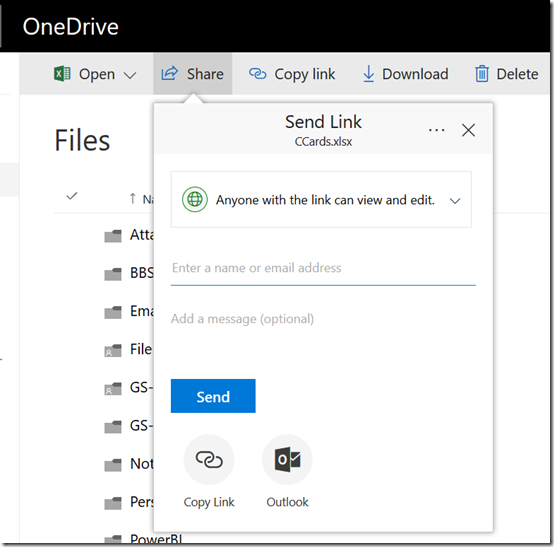
and OneDrive (above).

Now the sharing option drops down from the Share menu rather than popping up a dialog box in front of everything.

image

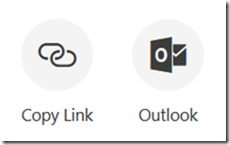
It also has some buttons at the bottom to help you with the way you want to share the item.

image

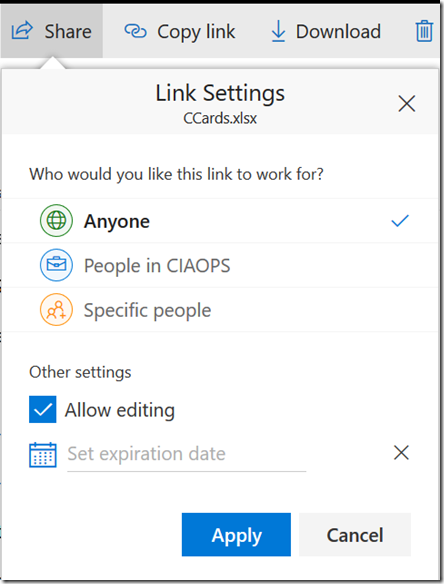
You can adjust the link settings by clicking on the pull down menu for whom you wish to share the link with.

image

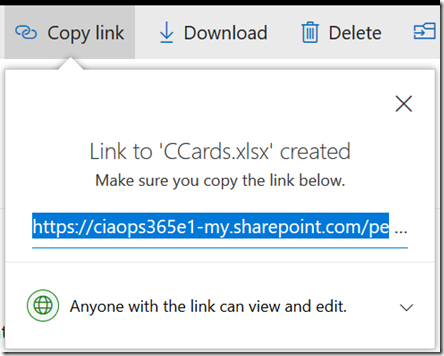
You also get the same style of menu when you try and get a link as shown above.

You may not as yet see these options but expect them to be rolling out to you soon.

Changing a Group/Teams icon in Office 365

image

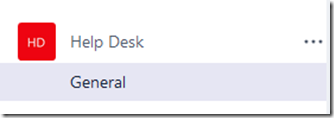
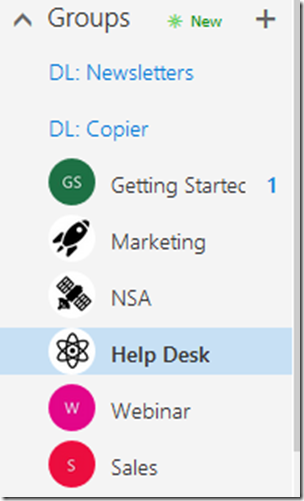
If you go out and create a new Microsoft Team you don’t get the opportunity to add a custom icon for that Team. Thus, you get a Team as shown above with just some letters and coloured background which is rather boring.

image

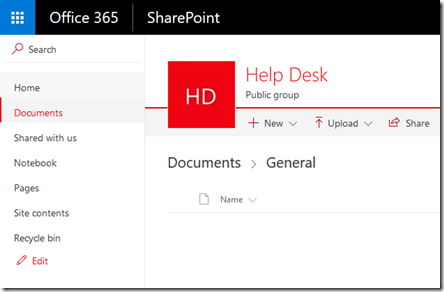
However, when you create a Microsoft Team, you also get a SharePoint Team Site. Unfortunately, this also just has the same ‘standard’ icon by default.

image

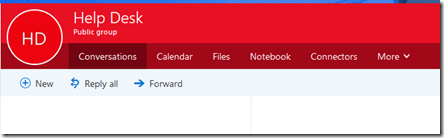
A Microsoft Team also creates an Office 365 Group which again has the same old ‘standard’ icon.

So how do you change the icon?

image

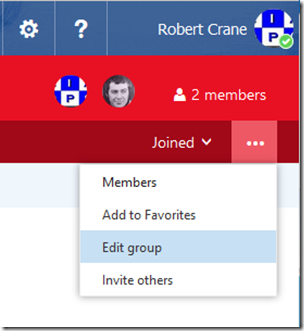
Go to the very right of the Group menu and select the three dots (also called an ellipse). From the menu that appears select Edit Group.

image

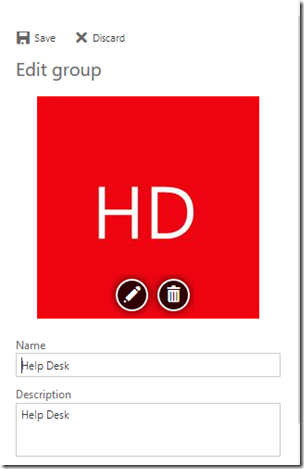
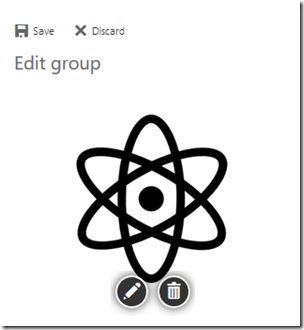
A panel will slide out from the right. Select the pencil icon on the image and upload you new icon.

image

When the new images appears in the pane, select the Save option at the top of the panel, just above the image.

image

You should see your Group icon update as shown above.

image

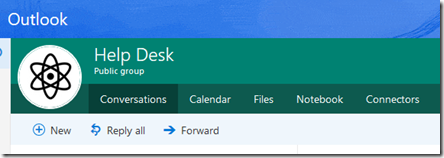
You should also see the icon update in Outlook on the web (OWA) as shown above.

image

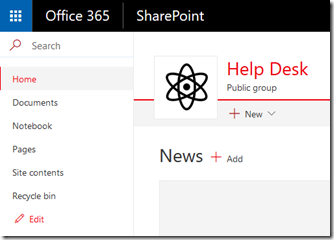
The SharePoint Team Site icon should also update automatically

image

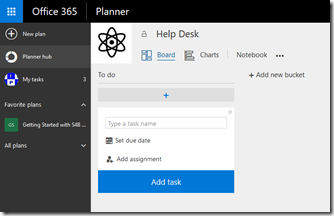
and the Planner plan connected to the Group and Team.

image

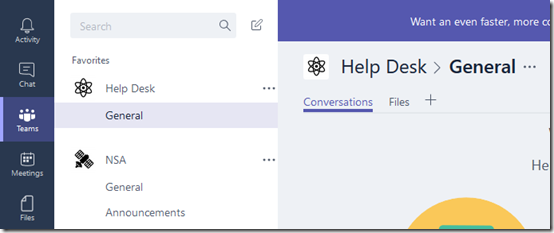
and finally into the Microsoft Teams app itself.

One icon to rule them all!

Understanding collaboration in Office 365 course

people-woman-coffee-meeting2

I’m happy to announce a new course is available from the CIAOPS Academy. This course will focus on the collaboration tools available in Office 365. This means SharePoint, Teams, Yammer, OneDrive and more. You’ll not only learn how these products work but you’ll also learn how to use them effectively to increase the productivity of your business.

The course will divided into 5 live sessions held every Friday in June. Thus:

Friday June 2nd 2017 – SharePoint & OneDrive
Friday June 9th 2017 – Groups, Teams and Staffhub
Friday June 16th 2017 – Yammer & Skype for Business
Friday June 23rd 2017 – Delve & Planner
Friday June 30th 2017 – Migration and Driving adoption

The sessions will run for 1 hour and be recorded. Session time are:

8am – 9am – Sydney, Australia
3pm – 4pm – PDT, USA
6pm – 7pm – EDT, USA
11pm – 12am – BST, UK

The recordings of each session will be available shortly after each session is completed. Although each session will run for 60 minutes, there will be an open Q and A at the end that will continue as long as people have questions not answered in the session.

All the material, including recordings, course notes and additional offers will be available for download after the fact.

The material presented during this course is a great way to fast track you understanding and adoption of Office 365 adoption tools in your business. Not only will you see the technology in use but the sessions will include hands on material for all students to participate in, so you’ll be directly interacting with the technology during the time. This way you’ll get to see and experience exactly what is possible with Office 365 collaboration technologies.

If you are keen to jump on board then I have a special early bird discount as a reward. Normally the cost of the course is US$299 but if you sign up before the 12th of May 2017 at 9:00am you’ll receive $60 off the cost using the coupon code EARLYBIRD1 or this direct link:

Understanding collaboration in Office 365 – $60 early bird discount

Remember, you need to use the link or the coupon code to get the discount.

An additional offer is that if you are not already a CIAOPS Academy affiliate you should sign up so you can offer this course to others and receive a commission. That’s right, just refer this (or any CIAOPS Academy course) to others and you’ll receive a percentage of the course direct to you. To become an affiliate simply sign up for free at the CIAOPS Academy and then contact me (director@ciaops.com) to let me know you want to be an affiliate and I’ll send you all the details and get you signed up asap.

In summary. Sign up for the upcoming CIAOPS Academy Office 365 collaboration course here (and get an early bird discount):

Understanding collaboration in Office 365 – $60 early bird discount

and contact me (director@ciaops.com) if you want to become an academy affiliate and receive commissions for courses you sell.

I hope to see you in attendance at the course in June.

April webinar resources

https://docs.com/d/embed/D25190964-2382-8197-9450-000528713933%7eMd4186d87-61d5-259a-4d26-00a8bd86cfff

April’s webinar is done and dusted. You can download the slides from:

April 2017 Need to Know Webinar

If you are not a CIAOPS patron you want to view or download a full copy of the video from the session you can do so here:

http://www.ciaopsacademy.com/p/april-2017-need-to-know-webinar/

We had a great session around Microsoft Staffhub with some fantastic questions from attendees. Thanks everyone for attending

you can also now get access to all webinars via:

http://ciaops-academy.teachable.com/courses/need-to-know-webinars

for a nominal fee.

See you next month.

The rule of three

forks

I’m a big believer in systems and doing things for a reason (because doing random things only generates random results, which ain’t good). I also like to keep things as simple as possible.

With that in mind I’d like to tell you about my ‘Rule of Three’. You may have already seen this in action in a previous blog post about designing an initial SharePoint structure for migration:

A basic SharePoint Online Framework

So where did this rule of three come from? Well, in my experience when it comes to change most people can’t handle more than three changes. In essence, they can’t juggle more than three new concepts or changes at a time in their mind.

Let’s view that in light of a migration to Office 365 from a traditional on premises file server. The first change is moving to Office 365 itself, the second change is around the fact that files are now accessed via a browser in SharePoint rather than via Windows Explorer and a mapped drive. The final change is around the structure inside a SharePoint site (i.e. where the hell are my files actually?).

Thus, most people can accommodate three changes but that is their limit. If you add a fourth then this is where the illogical occurs. At the point of mental overload (i.e. four or more changes) not only is the user unable to cope with this last change but they also abandon all the previous changes they had already accepted. That is, at the point of overload they throw their hands up in the air and say ‘this is all too hard’ and throw in the towel, abandoning all change. Like a house of cards, overload a user and their whole adoption acceptance collapses and you have to start again, but typically you are now starting with a bigger mess and face more resistance.

Thus, pushing people to the point of failure results in catastrophic failure of adoption, where they no longer accept any change. That is bad news when it comes to adoption and thus should be avoided at all costs. In many cases, after the point of overload and collapse the user becomes much more resistant to any thing that you propose that is different from what they already know.

So, when you are making changes in people’s lives, especially when it comes to how they use technology in their job, remember my rule of three and don’t overload them. Also keep in mind this article I wrote a while back:

Stop making your users feel stupid

because making them feel stupid is the fastest way to tip them into catastrophic failure and create a rod for your own back.

Keep it simple to start with but don’t give them any more than three things to juggle at a time. As they become comfortable with one thing add another but limit the balls they have in air to no more than three. A lot of small changes in rapid succession are much more likely to succeed than massive jumps.

February Webinar Resources

https://docs.com/d/embed/D25191508-8189-6254-8310-001748698594%7eMd4186d87-61d5-259a-4d26-00a8bd86cfff

Our February webinar event is all done. You can see the slides either above or download them directly from here:

February 2017 Need to Know Webinar

If you are not a CIAOPS patron you want to view or download a full copy of the video from the session you can do so here:

http://www.ciaopsacademy.com/p/february-2017-need-to-know-webinar/

you can also now get access to all webinars via:

http://ciaops-academy.teachable.com/courses/need-to-know-webinars

for a nominal fee.

Thanks to everyone who attended and I hope to see you again next month when the focus session will be on Microsoft Teams.