
The way that devices running Windows 10, iOS, Android and MacOS get managed with Microsoft 365 Business Premium can be daunting to those who aren’t familiar with it. The common way that it is explained is from the inside out, that is via policies in Intune first, rather than starting with the big picture and working in.
I therefore thought that I’d do my best to explain it from what I see is a more logical way to understand what is going on.

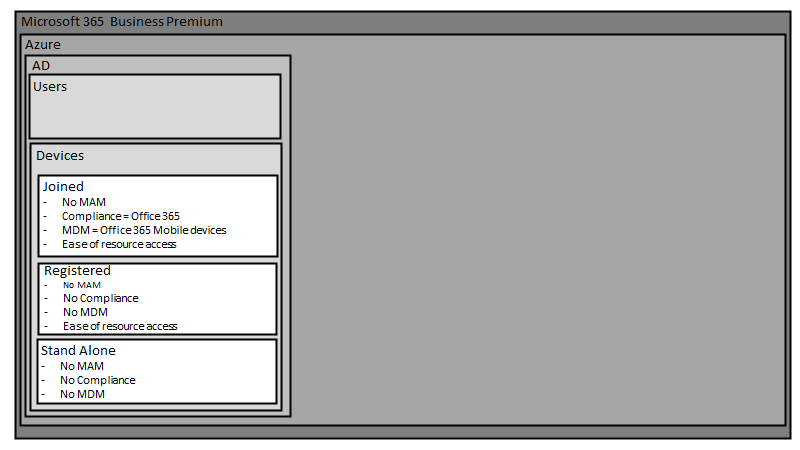
The starting point is the Microsoft 365 Business Premium tenant in which everything lives.

Inside a Microsoft 365 Business Premium tenant is an Azure AD tenant. See my article:
Deploy Office 365 and Azure together
for more information.

Inside the Azure AD tenant is Active Directory (AD) (i.e. Azure AD).

Inside Azure AD are user identities (i.e. login credentials).
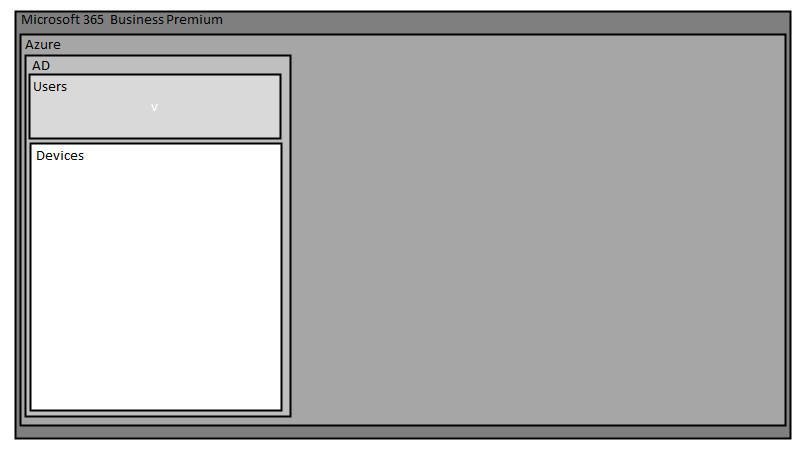
Also inside Azure AD are devices.
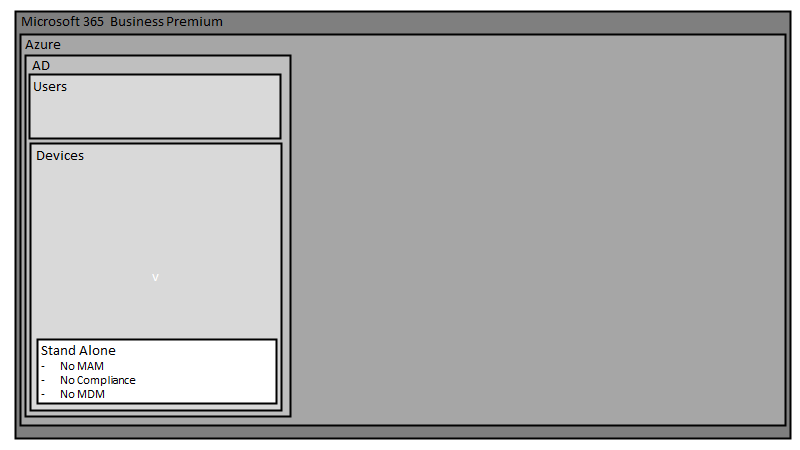
The first type of device that can be used, are devices that are totally stand alone. They have no connection to the tenant or are joined in any way. Given a larger canvas, these would live outside the tenant, however for convenience and space, I’ll simply represent them where they are.
If you want to access Microsoft 365 Business Premium services on such devices, you typically do so just using a browser. There is no device (MDM) or application management (MAM) of these devices as well as no compliance to ensure they meet requirements like an up to date operating system.
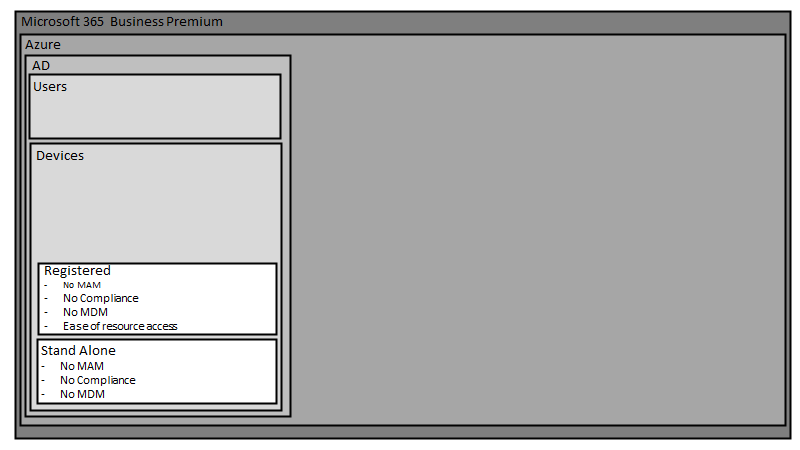
The next set of devices are those that are simply ‘registered’ with Azure AD. You do this by following these steps:
Register your personal device on your organization’s network
for more information see:
Once a device is registered it will appear in Azure AD.
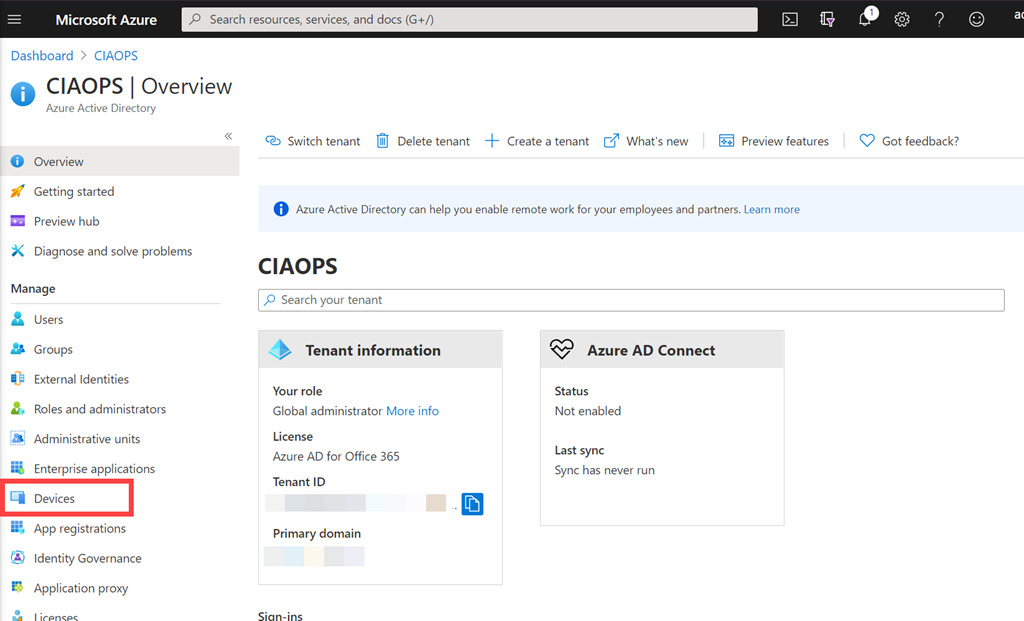
You typically find that in the Azure Portal under the Azure Active Directory service and then selecting Devices as shown above.
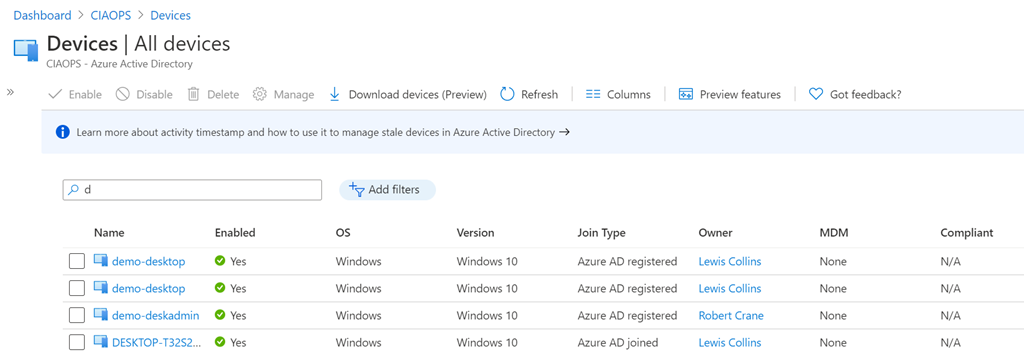
You will see that registered devices are displayed as Azure AD registered as shown above.
Azure AD registered devices typically have no application control (MAM), no device management (MDM) or compliance. The one advantage you do get over stand alone devices is that access to Microsoft 365 resources, like files, is easier and subject to less prompts to enter credentials.
Registered Azure AD devices are a typical scenario you see for BYOD in a pure Office 365 environment. That is, environments WITHOUT Intune.
The final type of devices are Azure AD Joined devices. The way that you join a device to Azure AD is covered here:
Join your work device to your organization’s network
and for more information about Azure AD joined devices see:
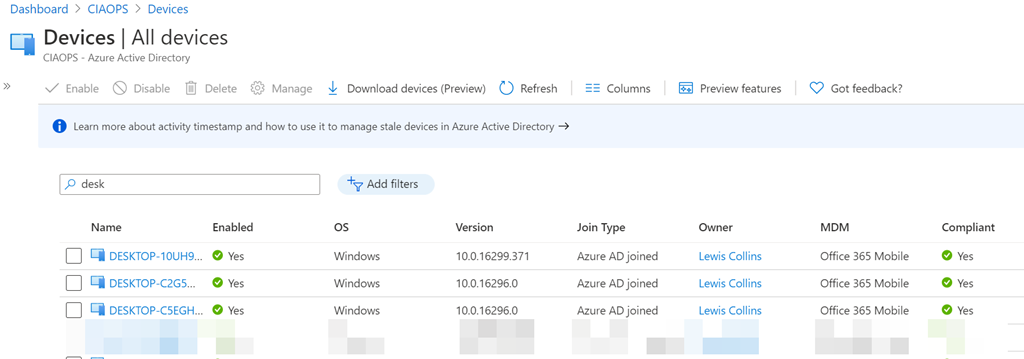
Azure AD joined devices will be shown as above with the join type as Azure AD joined. You will also note that these devices have MDM (device) management being Office 365 Mobile and a field for whether they are Compliant.
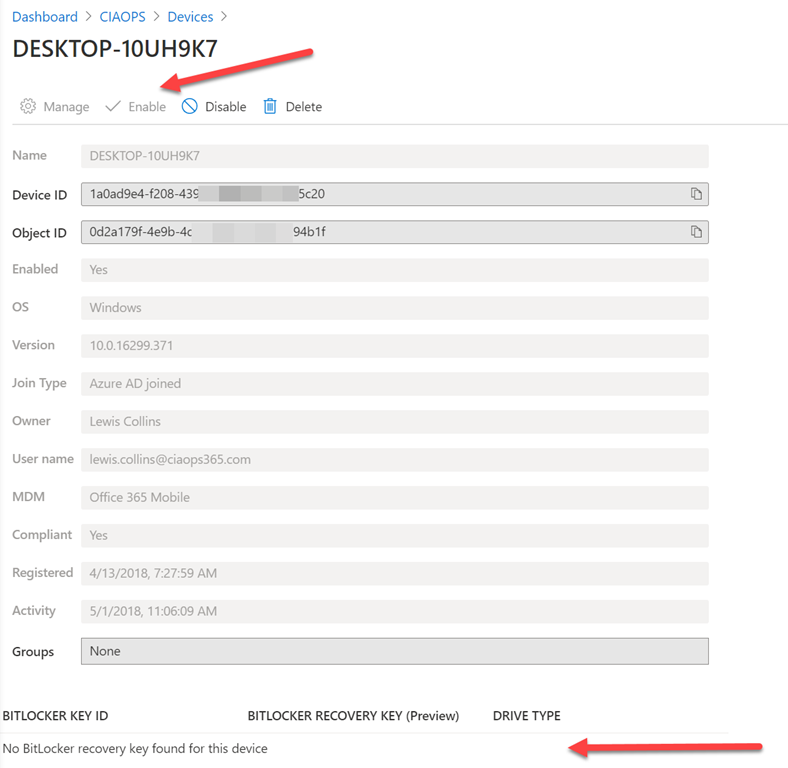
If you select an Azure AD joined device you largely get an inventory, as shown above, of that device, plus the ability to Enable, Disable and Delete the device via the top menu. Another benefit is the ability to capture BitLocker keys as well, which are shown at the bottom of the device if BitLocker is configured on the device.
Thus, the benefits of Azure AD joined devices is that they have some basic device management (via Office 365 mobile) as well as ability to be check for compliance. You can also, for example, do a device level wipe (i.e. factory reset) which you can’t do with the prior device connection methods. Azure AD Joined devices are also able to have easier access to Microsoft 365 services as with the previous two device connection methods.
Azure AD joined devices are a typical scenario you see for company issued devices in a pure Office 365 environment. That is, environments WITHOUT Intune where the company provides the device to employees.
Thus, Office 365 has a basic MDM and compliance capability which is detailed here:
Set Up Basic Mobility and Security
How you configure the Office 365 Mobile policies is found here:
Create device security policies in Basic Mobility and Security
You may need to use the direct URL:
https://protection.office.com/devicev2
to see these.
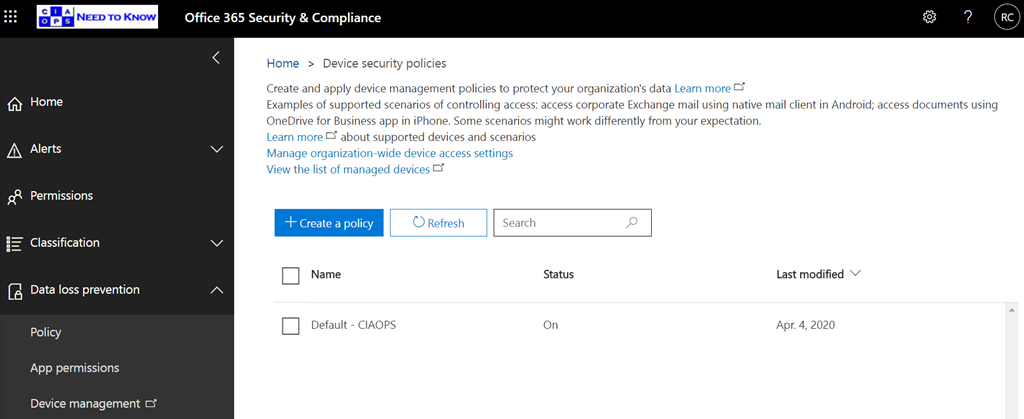
If you look at what these policies provide you see
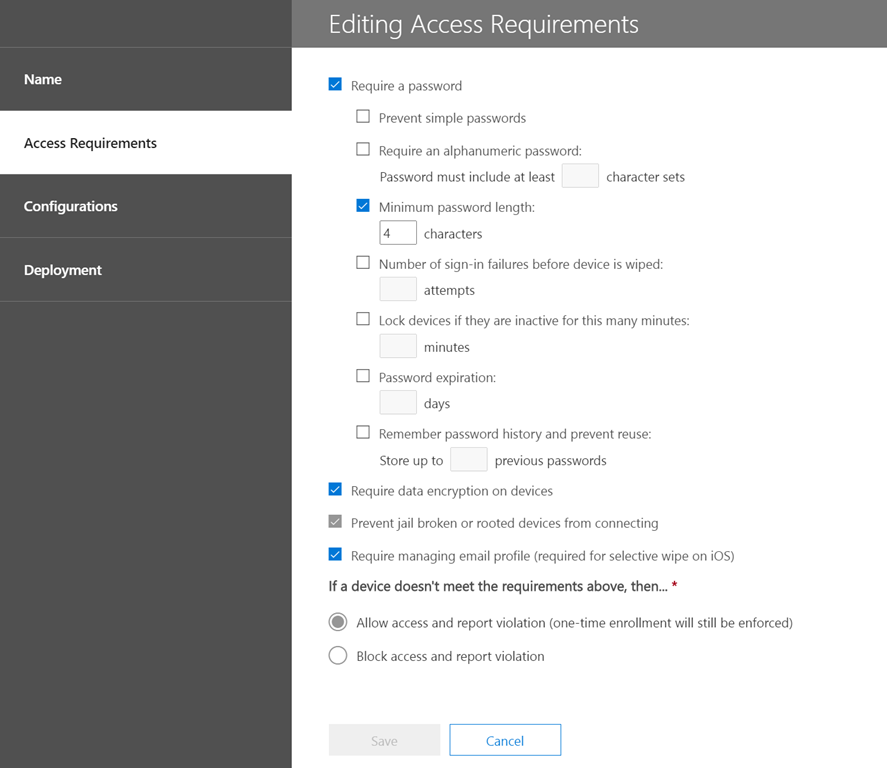
for Access Requirements and
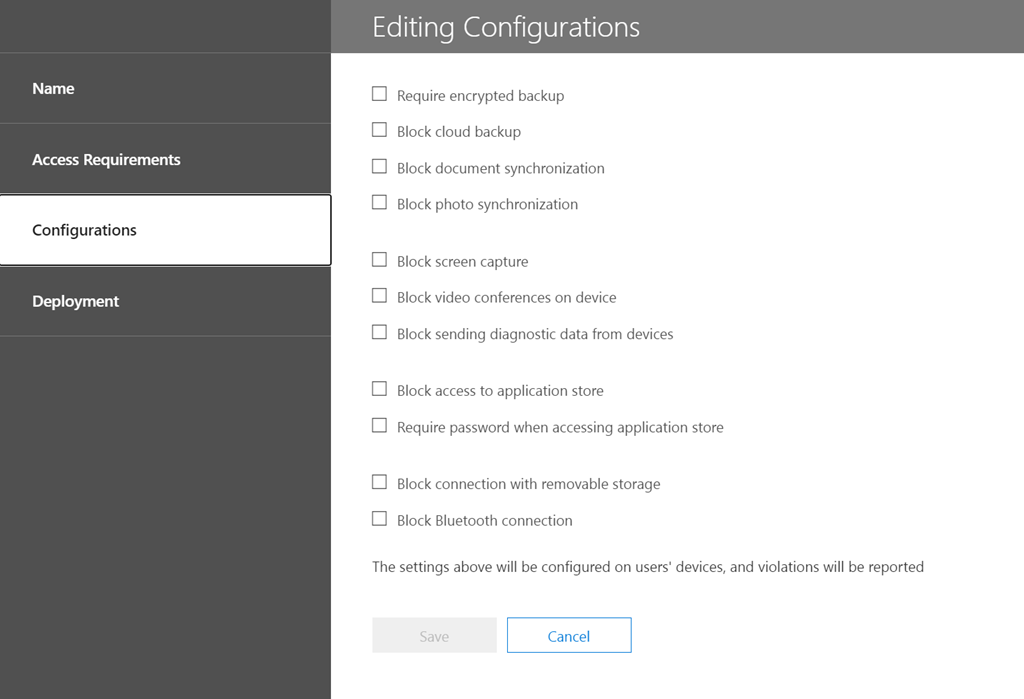
for Configurations.
Both of these options are quite limited and don’t provide any specific device OS/type targeting. They also roll compliance (Access requirements) and configuration together into a single policy, which lacks a certain amount of flexibility. In essence then, this is why the out of the box device management that comes with Office 365, known as Office 365 Mobile is ‘basic’. This is why something with more power and granularity is required if you are serious about device management.
You will note that, Office 365 Mobile management does not provide any real application management (MAM). This prevents doing things like push install to devices.
In summary, what has been covered so far is the out of the box device management capabilities you get with all Office 365 tenants. We can extend this much further using Microsoft 365 Business Premium and the power of Intune to manage devices. However, I’ll save that for an upcoming article as I want to break these concepts up into digestible chunks for people. So next we’ll take a look at how we can extend this basic device configuration using Intune.
Modern Device Management with Microsoft 365 Business Premium–Part 2


 CIAOPS