Stream Usage Statistics and Recycle Bin

image

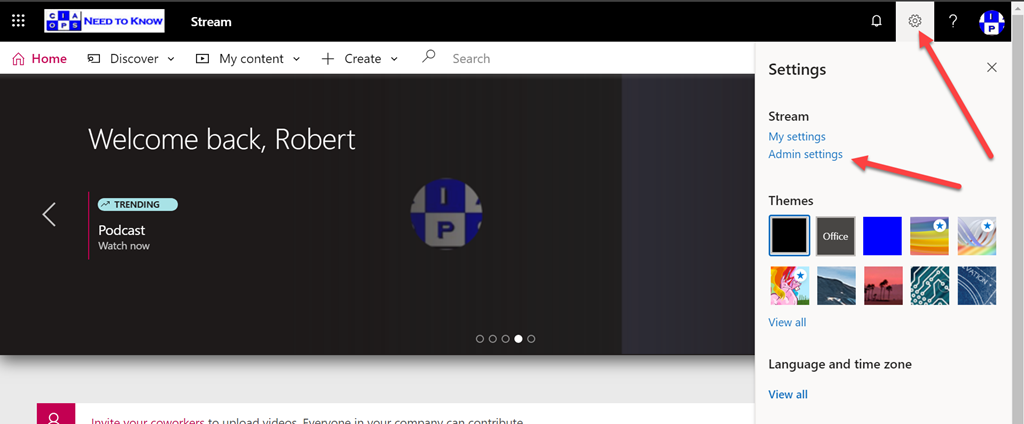
If you are a Microsoft Stream administrator (and by default global tenant Microsoft 365 administrators are), then you can select the Cog in the top right of the Stream page and then select Admin settings as shown above.

image

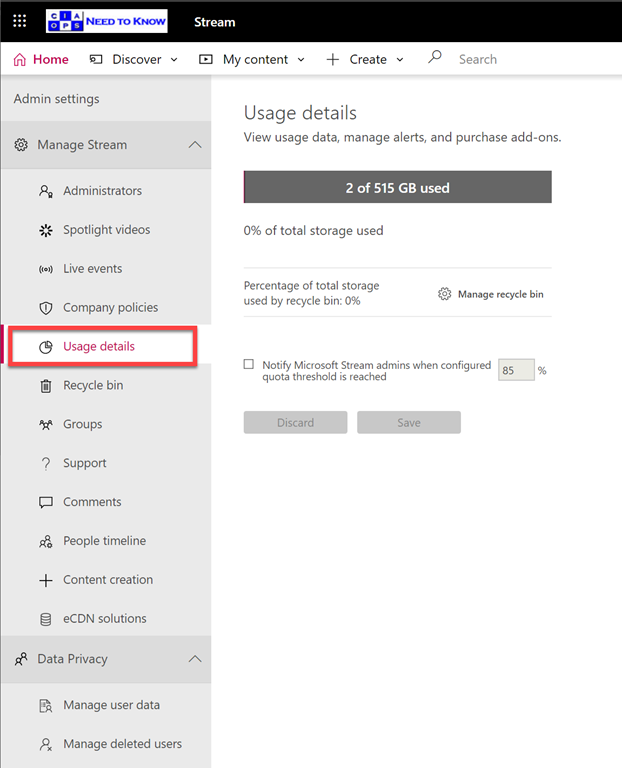
Then on the left hand side you’ll be able to select Usage details under the Manage Stream heading. This will then show you a report of how much data your videos are currently consuming. When your organization purchased Microsoft Stream, you received 500 GB of base storage and an additional 0.5 GB of storage per licensed user. If you need additional storage for your Stream content, you can purchase one or more 500 GB storage add-ons.

image

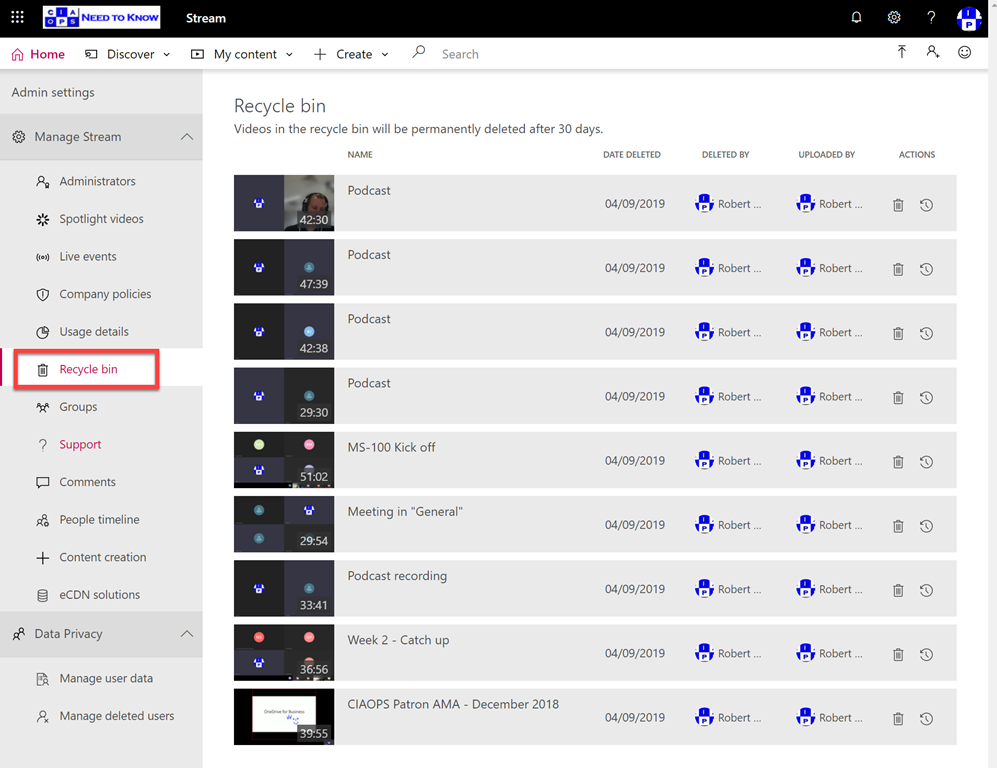
You can also select the Recycle bin option, also on the left, to recover any videos that have been deleted for 30 days.

There are plenty more administration options inside the Stream admin area, so go and check them out!

Need to Know podcast–Episode 216

In this episode I speak with Rohan Milne, Global CEO of Switch Connect who are a telephony provider focused on enabling voice with Microsoft Teams. Rohan gives the state of play in the Australian market as well as the opportunities, not only around voice in Team, but also around digital transformation across the whole Microsoft 365 suite. Listen along for some great insights and clarification on how to take advantage of this opportunity if you are an IT reseller.

This episode was recorded using Microsoft Teams and produced with Camtasia 2019

Take a listen and let us know what you think – feedback@needtoknow.cloud

You can listen directly to this episode at:

https://ciaops.podbean.com/e/episode-216-switch-connect/

Subscribe via iTunes at:

https://itunes.apple.com/au/podcast/ciaops-need-to-know-podcasts/id406891445?mt=2

The podcast is also available on Stitcher at:

http://www.stitcher.com/podcast/ciaops/need-to-know-podcast?refid=stpr

Don’t forget to give the show a rating as well as send us any feedback or suggestions you may have for the show.

Resources

@switchconnectau

Switch Connect

Switch Connect – YouTube

@contactbrenton

@directorcia


Connecting to Exchange Online with Azure Cloud Shell

I’ve written previously about

Azure Cloud Shell

and how handy it is when it comes to connecting to your tenant with PowerShell. What you may not realise is that you can also Azure Cloud Shell to connect to Exchange Online! All you need to do once you have launched Azure Cloud Shell is run the command:

connect-exopssession

image

As you can see from the above where I have connected and then used the command get-mailbox inside Azure Cloud Shell.
image

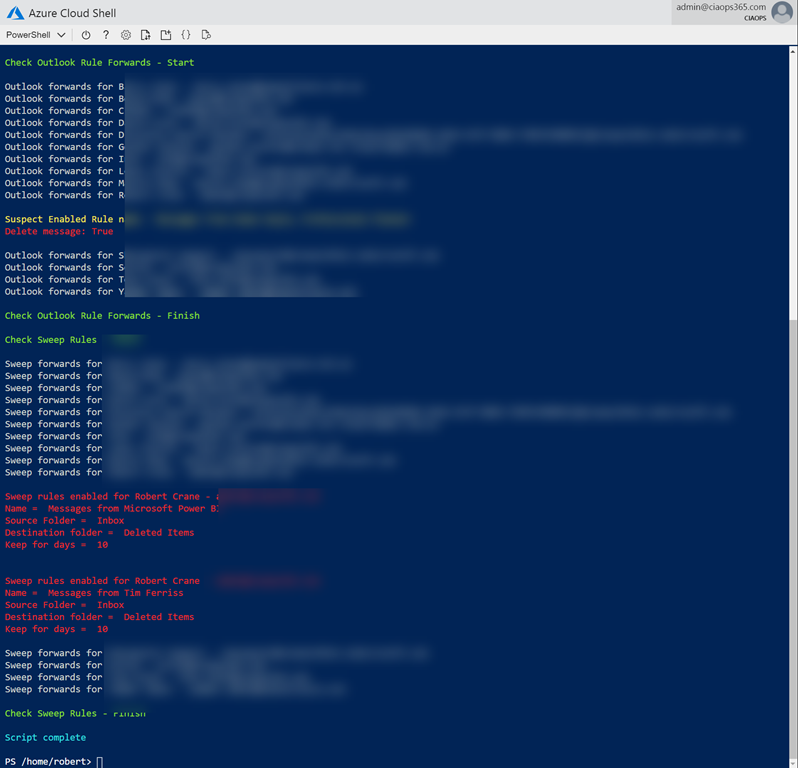
This now means you could copy my mailbox forwarding checking script:

https://github.com/directorcia/Office365/blob/master/o365-exo-fwd-chk.ps1

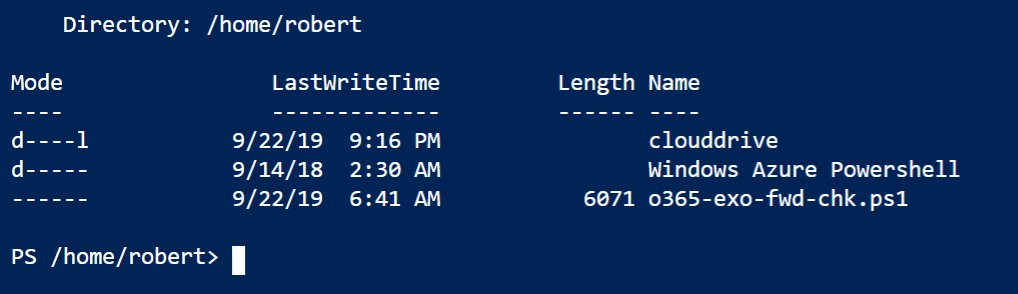
into your Clouddrive that is part of Azure Cloud Shell and run it.

image

And thanks to Clouddrive it will be there next time you use Azure Cloud Shell. Handy eh? If you want to learn about this capability, visit:

Azure Cloud Shell now supports Exchange Online

Edge Enterprise Preview

image

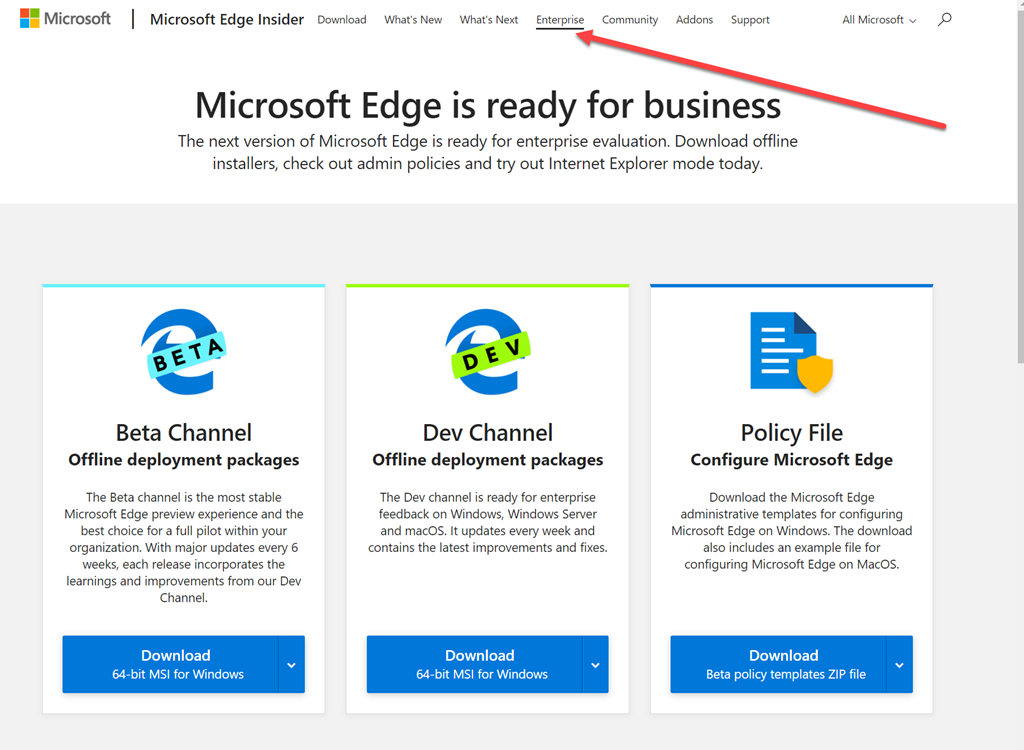
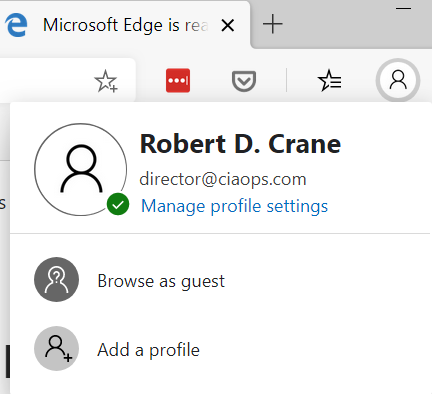
Just in case you weren’t aware, the Edge Insider Preview has an Enterprise option that allows you to sign in with your Office 365 credentials.

image

and is also available for MacOS.

I will also say that having now used Edge Insider Preview for a while, I can thoroughly recommend it and have never had any troubles. I really like all this integration when you look at Windows 10, Azure AD, Microsoft 365, Office and now Edge.

Need to Know podcast–Episode 215

In this episode I speak with Alex Fields about the power of conditional access. You’ll learn what it is, how to implement it as well as many best practices recommended by Alex based in his experience and knowledge. The great new is conditional access is part of Microsoft 365 Business, so listen in for the way to make it work to protect your information.

Brenton and I also bring you up to speed with all the latest Microsoft Cloud news, so listen in for the latest as always. We hope you enjoy this episode and don’t forget to send us your feedback.

This episode was recorded using Microsoft Teams and produced with Camtasia 2019

Take a listen and let us know what you think – feedback@needtoknow.cloud

You can listen directly to this episode at:

https://ciaops.podbean.com/e/episode-215-alex-fields/

Subscribe via iTunes at:

https://itunes.apple.com/au/podcast/ciaops-need-to-know-podcasts/id406891445?mt=2

The podcast is also available on Stitcher at:

http://www.stitcher.com/podcast/ciaops/need-to-know-podcast?refid=stpr

Don’t forget to give the show a rating as well as send us any feedback or suggestions you may have for the show.

Resources

@vanvfields

@contactbrenton

@directorcia

CIAOPS Patron Community

ITProMentor

ITProMentor – Best parctices

Attacker Kill Chain described

ITProMentor – Free Microsoft 365 Business eBook

ITProMentor – Licensing Guide

Telstra Purple

New version of To-Do

Authenticator backup on Android now available

Prepare for iPadiOS Launch

New webparts coming to SharePoint

Azure QuickStart Center

Top 5 advantages of syncing with OneDrive

Modernize your root site

CIAOPS Need to Know Microsoft 365 Webinar–September

laptop-eyes-technology-computer

The September webinar is here. This month we’ll take a closer look at Microsoft Teams. You’ll learn what Teams is and how it integrates with the rest of the services available in Microsoft 365. I’ll again be using Microsoft Teams Live Events to host this, so by being part of this you’ll also see how this great technology from Microsoft functions. There will also be the latest Microsoft Cloud news as well as Q and A plus loads more. I’d love if you’d come along and be part of this.

You can register for the regular monthly webinar here:

September Webinar Registrations

The details are:

CIAOPS Need to Know Webinar – September 2019
Friday 20th of September  2019
11am – 12am Sydney Time

All sessions are recorded and posted to the CIAOPS Academy.

There of course will also be open Q and A so make sure you bring your questions for me and I’ll do my best to answer them.

The CIAOPS Need to Know Webinars are free to attend but if you want to receive the recording of the session you need to sign up as a CIAOPS patron which you can do here:

http://www.ciaopspatron.com

or purchase them individually at:

http://www.ciaopsacademy.com/

Also feel free at any stage to email me directly via director@ciaops.com with your webinar topic suggestions.

I’d also appreciate you sharing information about this webinar with anyone you feel may benefit from the session and I look forward to seeing you there.

Techwerks 9–Melbourne 22nd November

bw-car-vehicle

I am happy to announce that Techwerks 9 will be held in Melbourne on Friday the 22nd of November. The course is limited to 20 people and you can sign up and reserve your place now! You reserve a place by completing this form:

http://bit.ly/ciaopsroi

or  sending me an email (director@ciaops.com) expressing your interest.

The content of these all day face to face workshops is driven by the attendees. That means we cover exactly what people want to see and focus on doing hands on, real world scenarios. Attendees can vote on topics they’d like to see covered prior to the day and we continue to target exactly what the small group of attendees wants to see. Thus, this is an excellent way to get really deep into the technology and have all the questions you’ve been dying to know answered. Typically, the event produces a number of best practice take aways for each attendee. So far, the greatest votes are for deeper dives into the Microsoft Cloud including Microsoft 365, Azure, Intune, security and PowerShell configuration and scripts, with a focus on enabling the technology in SMB businesses.

Recent testimonial – “I just wanted to say a big thank you to Robert for the Brisbane Techworks day. It is such a good format with each attendee asking what matters them and the whole interactive nature of the day. So much better than death by PowerPoint.” – Mike H.

The cost to attend is:

Gold Enterprise Patron = Free

Gold Patron = $33 inc GST

Silver Patron = $99 inc GST

Bronze Patron = $176 inc GST

Non Patron = $399 inc GST

Due to demand for a business only focused event I’m announcing the very first CIAOPS Execwerks to also be held in the Melbourne the day before, on the 21st of November from 12pm – 8pm. This separate event is strictly limited to 15 people and will focus on the helping attendees develop the business side of their cloud practice. It will provide tactics, tips and techniques on improving your go to market approach using the Microsoft cloud. Importantly, you’ll also learn from others in this interactive session as to what works and what doesn’t work plus gain from others in the space.The aim of Execwerks is to take your business to the next level of profitability.

To be part of this inaugural event you’ll need to visit:

http://bit.ly/ciaopsroi

or  sending me an email (director@ciaops.com) expressing your interest and to receive more details.

Both sessions are strictly limited in numbers, so make sure you sign up quickly as places always fill very fast.

I hope to see you there.