CIAOPS Need to Know Microsoft 365 Webinar – January

laptop-eyes-technology-computer

Join me for the free monthly CIAOPS Need to Know webinar. Along with all the Microsoft Cloud news we’ll be taking a look at Defender for Business.

Shortly after registering you should receive an automated email from Microsoft Teams confirming your registration, including all the event details as well as a calendar invite.

You can register for the regular monthly webinar here:

January Webinar Registrations

(If you are having issues with the above link copy and paste – https://bit.ly/n2k2301

The details are:

CIAOPS Need to Know Webinar – January 2023
Friday 27th of January 2023
11.00am – 12.00am Sydney Time

All sessions are recorded and posted to the CIAOPS Academy.

The CIAOPS Need to Know Webinars are free to attend but if you want to receive the recording of the session you need to sign up as a CIAOPS patron which you can do here:

http://www.ciaopspatron.com

or purchase them individually at:

http://www.ciaopsacademy.com/

Also feel free at any stage to email me directly via director@ciaops.com with your webinar topic suggestions.

I’d also appreciate you sharing information about this webinar with anyone you feel may benefit from the session and I look forward to seeing you there.

My software and services 2023

startup-photos

Here’s last year’s post for comparison:

My software and services – 2022

My PC’s are either running the latest version of Windows 10 (22H2) or Windows 11 (22H2) without any issues. Some machines cannot be upgraded to Windows 11 and some I have left at Windows 10 for the time being to verify their operation. I no longer run any Windows 10 Insider builds as I had trouble backing out of these when I needed to. I still have Office Insider builds happening in my environment.

All Windows machines are directly joined to Azure AD and managed via Intune and Microsoft Endpoint Manager, except for one that remains stand alone for use with my IoT projects.  The Azure AD connected configurations are based on the Windows MDM security baseline settings. All machines only use  Windows Defender for local security monitoring and management. Thanks to Microsoft E5 on my production tenant, I am also using Microsoft Defender For Endpoint at the back end for monitoring and investigation of endpoint threats.

My two main tenants are an Office 365 E5 demo and Microsoft 365 production environments. A mix of Windows 10 Pro and Enterprise machines are all Azure AD joined to the Microsoft 365 production domain. The production Microsoft 365 tenant has Microsoft 365 Business for all users except myself. I have a Microsoft 365 E5 license on which I have configured all the services including integrated PSTN calling via Switch Connect.

I use Microsoft Sentinel to monitor threats across my environments via a single pane of glass. I have also now added Defender EASM.

I use the following major browsers:

Edge – my primary browser across all my devices including iOS and Android. I have it locked down with baseline policies via Microsoft Endpoint Manager.

Brave – I have become increasingly concerned about the surreptitious tracking that many sites perform, especially when it comes to social media sites. I therefore now do all my ‘random browsing’, searching and viewing of social media sites.

– Firefox – I now only use this on my Surface Pro X because Brave doesn’t offer an ARM version.

I have now cranked Edge up to the maximum security level but wanted to isolate the most likely tracking culprits into another browser that was security focused. After some evaluation, I have chosen Brave to be this browser. This is now where I do all the stuff that is more likely to be tracked and now hopefully blocked or at least minimised. I have also set this browser up to use Duck Duck Go as the default search engine, otherwise I use Bing for my production Edge browser. I have completely eliminated Google Chrome off all my machines without any issues and recommend those who are becoming more concerned about their privacy, like me, do the same.

Services like SharePoint Online and OneDrive I use regularly both in the demo and production tenant. I have the OneDrive sync client installed, running and connected to various locations on my production and demo tenants. I can now sync across all my different tenants as well as my consumer OneDrive storage. I have common places pinned to my Windows Explorer Quick access, which I find to be a real time saver.

I regularly use Microsoft Teams which is now my main messaging application. All the CIAOPS Patron resources like the intranet, team, etc all reside in the Office 365 E5 demo tenant but I connect to it on my desktop normally via an Azure B2B guest account from my production tenant. Thus, I can admin the Patron resources in a browser if need be but I get the same experience on my desktop as any Patron would. Handy to know what works and doesn’t work with Microsoft Teams guest access. Thanks to Microsoft E5 and Switch Connect, I also have Teams connected as a phone.

I use Lastpass to keep my passwords and private information secure. It allows me to do things like generate and store unique passwords for each website that I sign up for. It is also available across all browsers on my machine (including Microsoft Edge). I also now also use Lastpass to store secure notes. I will admit that recent security breaches with Lastpass have me concerned and I start exploring an alternative password manager.

The extensions I run in all my browsers are:

LastPass

GetPocket

Duck Duck Go Privacy Essentials

I use Microsoft Power Automate for automation as well as Azure Functions.

For my email newsletters I use Mailchimp.

My preferred public social networks for business, in order are:

1. Twitter

2. Linkedin

3. Mastodon

I consume a lot of content from YouTube both for business and personal interest. I also also use YouTube extensively for my publicly available training video training.

Microsoft Office desktop software is still part of my everyday workday via applications such as Outlook, Word, Excel, PowerPoint, etc. I use the desktop version of Outlook on my Surface Pro 7 which lives on my desk but I only use Outlook Web App on my travelling Surface Pro 6 device. I could happily not use Outlook on the desktop any more I believe but I still use so I understand the experience for most users. However, I do see the day when Outlook on the desktop begins to lose its appeal.

One of the things I have added to my desktop version of Outlook is a digital certificate that signs every email that I now send. This helps the receiver confirm that the message they have received is in fact from me and that it hasn’t been altered in any way. There are some issues when people attempt to reply to these emails from a mobile device but I believe a fix from Microsoft is coming..

The key application from the suite for me is OneNote. OneNote is my go to Swiss Army knife for just about everything digital. I use it to capture all sort of data. I even use it as a diary as I have detailed previous here:

One of the ways I use OneNote

The reason OneNote is key is because:

1. Just about everything I put in there us searchable

2. It is freely available across all platforms.

3. All my information is synced and accessible on all devices.

4. It is available on the web or offline if needed.

I am a big user of OneNote on my mobile devices. This combination has allowed me to totally eliminate my paper notebooks for things such as journaling.

I use Pure Text to easily paste information, especially to and from OneNote as only text.

I am now a big Microsoft To-Do user. I use it to keep many tasks and items that I need to follow up. I love how it is available on all my devices and syncs across them all as well.

I use Windows terminal now for things like PowerShell execution and Microsoft Whiteboard for demonstrations and training.

Microsoft PowerToys allows me to customise my desktop layouts using FancyZones, for those machines that are not running Windows 11 where this functionality is effectively included.

Another key service I use everyday along with Microsoft 365 and OneNote is Azure. Typically, I use it for running up virtual machines that I test various things with but I also use it with my IoT projects.

I use Microsoft Sentinel to monitor all my services and machines in one single console and tell me about any incidents now along with Defender EASM to search out vulnerabilities.

There is just so much that can be done with Azure and I pretty much use it everyday.

All of my data now lives in Microsoft 365 protected with things like Windows Information Protection and other Microsoft information protection options. All my Windows machines run with full disk encryption thanks to Bitlocker.

I have implemented Windows Defender Application Control (WDAC) to provide application control to improve security in my environment.

To capture my desktop for my online training academy or my YouTube channel I use Camtasia. I use SnagIt to capture screen shots and add highlights and emphasis to these. Snagit allows me to capture complete screens or specific areas quickly and easily.

I use Microsoft Teams to record my podcasts, which I then produce with Camtasia. These are uploaded to Podbean where they syndicated across various network.

To compose and publish blog articles I use Open Live Writer. My blog lives on WordPress.com.

My web site and Battlefields site live on Squarespace.

The majority of images I get, like the one at the top of this article, I get from Pexels. Pickit is also another great option.

For improved meeting management productivity I use Microsoft FindTime.

My Surface Duo 2 device is connected to my Surface Pro 7 using the Microsoft Your Phone app making it super easy to interact with the phone while on the desktop. I really wish they have this capability for the iPhone, but I’m not holding my breath,

I use Visual Studio Code in which I do most of my PowerShell editing and publishing. I also use it now for my IoT projects. The end result typically is my GitHub repository where you will find a range of scripts and other resources that I maintain regularly. With Visual Studio Code I can edit publish and sync all my machines and my GitHub repository no matter where I am. Very handy.

Here are also a few of the other items I use regularly that are not for business:

Amazon Prime Video – only place to the latest The Grand Tour action. I also liked the Jack Ryan series and well as the Gymkana Files but most of this viewing is now on my iPad mini.

NetFlix – Seen a lot of great stuff this give all the time in lock down but most of this viewing is now on my iPad mini.

XBox Live Gold – access to all the online Xbox goodness.

Duolingo – language learning, Japanese and Italian at the moment but most of this access is now on my iPad mini.

Duolingo Math – for keeping the brain sharp.

Kindle app – for typically reading books on my iPad

I try and keep my production machines as ‘clean’ and free of unused software as possible. I ensure that they are updated regularly. Any software testing that I need to do is typically done on a virtual machine in Azure.

So there you have it, the major software and services that I use regularly. I continue to search out additional software that will improve my productivity. If you use something that you’ve found really handy, please let me know and I always keen to explore what works for others.


My Gear 2023

You can take a look back at last year’s gear here:

My Gear 2022

there were/are some major changes happening with my assortment.

Surface Duo 2 – My ‘Google’ phone. This as a ‘secondary’ or backup phone. It has all the Microsoft apps installed on it and is connected to my Microsoft 365 production account. Most importantly, it has the Microsoft Authenticator app for MFA access for certain apps.  I also have the latest Microsoft Surface pen which I really like. It is probably the best ‘electronic scribing’ device I have used.

i have to admit that I haven’t used this device that much since I bought it. Some of the reasons for that were that I planned to use it as a writing device (i.e. notepad) but storing the pen with the device has proved problematic. yes, it does have a magnetic area to hold the pen but you can’t just throw the device in a bag and expect the pen to be still connected. The pen really needs some form of pouch in which the pen lives so it can always be with the device. The other thing is the large camera bump prevents the device from laying completely flat. This makes it very hard to use as a replacement notebook on a desk. One of my resolutions this year will be to try and use this device much more to get full benefits from the investment made as I do really like the device and feel it can serve a real purpose for me. I just have to work out how to reduce the friction of using it everyday..

iPhone 12 Pro Max – Is my main mobile device. Unfortunately, there is a growing crack on the screen that I believe was initiated by the Surface Duo 2 camera bump, when the devices where in my laptop bag together. The phone still works and the crack is off to one side of the screen but I can see the crack growing and full expect one day to have to replace the device. I want to delay this as long as possible since I have invested in a Quad Lock case and multiple holders (car, desktop, etc) for this case. A new phone will mean a new case, which isn’t the end of the world, just additional hassle.

One thing that I have configured my iPhone for is default grey scale display. I do this for two major reasons, firstly to prevent the phone from grabbing and holding my attention and secondly to save power. With the colours disabled on your phone it is amazing at how les tempting it is to play with it and use it as a crux when you are bored.

The great thing I will say about about iDevices is their battery life. My experience is that this allows them to work for years and years, providing great value.

Surface Pro 7 – This is my main desktop machine. Being the same form factor, it just slotted directly into my Kensington SD7000 Surface Pro Docking Station I already have in place. This machine runs Windows 11.

I am considering a potential Surface Pro 9 purchase, however as of yet I can’t really justify it. The other downside of going to a Surface Pro 9 is that it won’t fit in my Kensington SD7000 Surface Pro Docking Station which I really love.

Surface Pro 6 – My backup and travelling machine. I use it pretty much every day as an adjunct to my main machine. It lives on my secondary Kensington SD3500v docking station connected to a full screen and acts as my backup in case my main machine fails or is unavailable for some reason. It is also a handy way to test things from outside my environment by hot spotting to my phones. This machine run Windows 10 but could run Windows 11. I haven’t upgraded as yet because I want to maintain at least one production machine on Windows 10.

This is the machine I am considering replacing with a Surface Pro 9, given that it will plug directly into the existing Kensington SD3500v docking station. The question then is, what do I do with the Surface Pro 6? It still works. How can I make best use of this device if I no longer use it as my travelling device and backup? That, I haven’t figured out yet.

Surface Pro X – I use this machine as a ‘lite’ travelling desktop as well as a whiteboarding machine for demos and training. Give that it comes with the Surface Pen and has a nice large screen and will lie flat it makes the prefect device for scribing. I also use this device for writing note into places like OneNote. Perhaps not the most effective use of the device but it beats the iPad when it comes to scribing hands down in my books. This machine runs Windows 11.

This is another machine that I haven’t used as much as I want to. I am considering converting it to a full time desk notepad for writing (given it has a Surface Pen which I love). Last year saw the keyboard fail and I agonised over whether to replace it because it ain’t cheap. In the end I did buy a replacement keyboard to main the most functionality with the device. The problem is that if I use it as a dedicated desktop notebook device (i.e. flat on the desk with the cover removed) then it tends to get in way. I think I just need to spend some more time with the ergonomics on my desk to get the most productivity and use from this device going forward.

Surface Pro 3 – Continues to work fine and function as a test machine in my production environment. This machine has now been removed from my production network and operates stand alone. It does this so it can run my IoT project work. I found that with the security I have on my production network that I could not easily operate the IoT software I needed so the simple solution was to remove it from the production network and use it stand alone. This machine is slow and clunky, but for now it is doing the job it needs to. This machine is not suitable for Windows 11.

Surface – I have had an original Surface version 1 for many years now. The keyboard has long since broken by the system still works fine, although somewhat under powered with only 4GB of RAM. This machine is now a dedicated device on a separate test tenant. This allows me to test Autopilot and other settings on it regularly. This machine is not suitable for Windows 11.

iPad mini 5th Gen – I decided I wanted a smaller ‘notebook’ size table to use like a paper diary, amoungst other things, so I went out and bought an iPad mini.

I also now use this iPad mini with the Apple pencil, which generally works well. The secret is to get a good case for both the iPad mini and the pencil. My choice was:

Finite Case with Pencil holder

which I’d certainly recommend as it is flexible, tough and cheap.

The only major downside of the iPad mini is that battery life is a lot less than the full size iPad, which is understandable. I have however never run out of juice but you do notice the power levels fall away quickly when compared to the full size version. I like that the iPad mini comfortable fits on my desk, works will with the Apple pencil and is much more transportable than the larger version. I was a little concerned that the screen size would be too small to enjoy movies and read web pages, etc but that hasn’t proved to be the case. I happy use it lying back on the couch to watch a variety of programs and read web sites.

After a number of years the Apple Pencil doesn’t really hold a charge any more. That is disappointing, although I appreciate it doesn’t have a huge battery. This has again increased the friction with me finding a suitable replacement for a paper notebook because every time I want to write something down, I need to charge the pencil up which takes ages. I may look at getting a new and updated Apple pencil but unsure as to whether I can really justify that in line with the plan to use the Surface Duo more.

D-Link Wireless N300 Model Router DSLG225 – to allow connect to the NBN broadband network.

Ubiquiti – I have a variety of Ubiquiti equipment in place including a  Security Gateway. All these have worked flawlessly and I can’t recommend this gear highly enough.

Docking station – I still love my Kensington SD7000 Surface Pro Docking Station. It is a really neat device, that suits most modern Surface Pro devices. It is slim, compact and now all me to have 3 external monitors off the one Surface devices (as you can never have enough screen now can you eh?). I can plug in all my devices, microphones, phones, etc to it and all the cables are hidden at the back. I also like that you can adjust the screen up and down, a bit like a Surface Studio.

Occasionally, one of my monitors goes dark and a few seconds later comes back, kinda like it is doing a reset or refresh. Maybe I need to update some drivers? Apart from that it continues to perform flawlessly.

The original Kensington SD3500v has now moved to work with the travelling PC when it is running in my office and that is also working well, making it a truly ‘plug and play’ experience when I get back from road trips.

Amazon Kindle – Still have this but it has now largely been superseded by the iPad mini for reading books. I still love my Kindle but if I can have one less device then I’m going to take that option. so for now, the Kindle has been relegated as a backup.

Xbox One S – Still use it to watch YouTube, Netflix and Amazon video but now playing more games thanks to Minecraft Dungeons and Call of Duty game.

I didn’t make any major hardware investments in 2021.

The items that I retired from front line operations last year where:

1. WDSentinel

I will admit that I have my eye on a Surface Pro 9 replacement for the Surface Pro 7 depending on how things pan out this year. I doubt I’ll be upgrading to the new iPhone 13 as I don’t see any major benefits for the costs, that is unless the screen fractures. I want to focus on getting the most from my Surface Duo 2 given its price. I also hear rumours of a Duo 3, so hopefully I’ll be able to trade in Duo 2 in if I decide to.

My Stuff 2023

This post is my annual post aimed at bringing the links to everything I have out there on the Internet together into a single place. Here we go.

About me

Social Media

Free Stuff

Regular technical and business information, tutorials, walk throughs, learnings, upcoming courses and more.

Here you’ll find currently almost 200 videos full of tutorials on SharePoint, Office 365, Azure and technology.

Presentations and whitepapers for free download.

Documentation for older versions of SharePoint on premises, especially the free versions and those that came with SBS.

Cloud lecture series is a set of free tutorials, training session and so on that I have provided over the years:

I have number of free GitHub repositories that include things like PowerShell scripts, pricing calculators, reference documents, helpful links and more. You will find all these at:

With over 293 episodes and now in it’s 13th year my podcast focuses on providing you news and updates from the Microsoft Cloud around Microsoft 365 and Azure.

You can subscribe using iTunes or Stitcher. If you’d like to be a guest or know someone who would, please let me know.

Need to Know webinars are held monthly and announced on my blog. These are conducted using Microsoft Teams.

and subscribe to previous and upcoming webinar recordings and resources here:

My free Teams shared channel you are welcome to join. To do so follow the instruction here:

https://blog.ciaops.com/2022/07/29/join-my-teams-shared-channel/ 

here you’ll find a forum on the Microsoft Cloud.

Commercial stuff

This stuff helps pay for free stuff above so I appreciate your support for my paid work.

Access to the CIAOPS community for technical support, product discounts and access to the best Office 365 and Azure information

For end user focused training on Microsoft 365 services and applications:

Lots of courses on Microsoft 365, PowerShell, Azure, SharePoint and the like.

General Interest

This accounts sends a tweet to commemorate a significant dates from the Australian battles in France during World War 1.

I’m a big believer in supporting those who want to build their own business but just need a leg up to get started. Kiva is simply and easy way to provide this and I recommend this to everyone.

In 2022 I read over 45 books. That means I do a lot of reading on a variety of topics and with Goodreads you can follow along with the books I’m reading as well as those that I add to my bookshelf. I’ll have an upcoming post on my recommended reads, so watch out for that post coming soon.

  • Xbox gamer tag = director cia

I don’t play a whole lot these days, but when I do I typically play:

– Minecraft Dungeons

– Call of Duty

– Minecraft

If you ever need to send me stuff you can do so via the following address:

PO Box 5
Beecroft NSW 2119
Australia

My Bitcoin address is – bitcoin:bc1qwgcr296c7rtjvlpkv9yy5033qjgwwrvttxhtm7

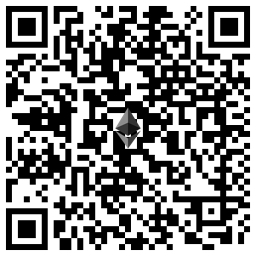
My Ethereum address is – ethereum:0xD7cc991E1f84B625C3723D2965C9948238F5DFe8