The content of these all day face to face workshops is driven by the attendees. That means we cover exactly what people want to see and focus on doing hands on, real world scenarios. Attendees can vote on topics they’d like to see covered prior to the day and we continue to target exactly what the small group of attendees wants to see. Thus, this is an excellent way to get really deep into the technology and have all the questions you’ve been dying to know answered. Typically, the event produces a number of best practice take aways for each attendee. This event will largely focus on AI including Copilot, Agents and Agent creation, etc with a special focus on what is relevant for small business.
Recent testimonial – “I just wanted to say a big thank you to Robert for the Brisbane Techworks day. It is such a good format with each attendee asking what matters them and the whole interactive nature of the day. So much better than death by PowerPoint.” – Mike H.
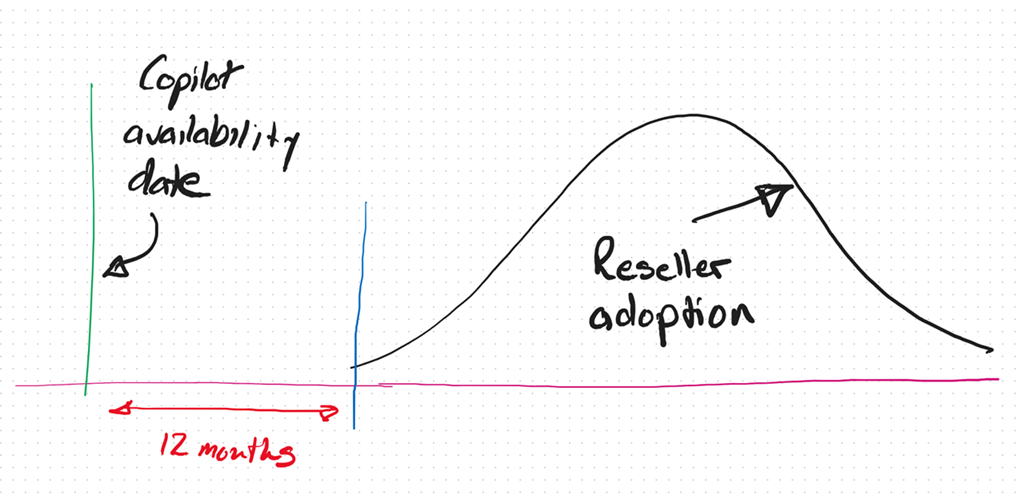
As we now approach the 12 month anniversary of when Microsoft 365 Coplot was available widely in SMB (16 January 2024), I thought I’d reflect on what I see in the market.
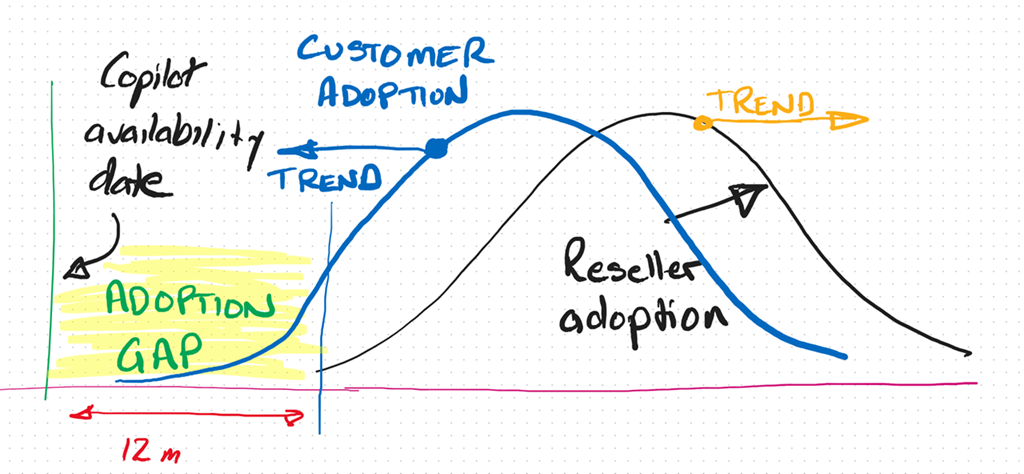
It is my experience that only now, 12 months after the release of Microsoft 365 Copilot, are the most progressive resellers and MSPs orientating themselves to understand and make AI part of their business and what they offer to their customers. This means even the most progressive are already at least 12 months behind.
As I have said previously, I see the reaction to Ai from SMB IT Professionals and MSPs much like what happened with the move to the cloud. In short, that cynicism at best and denial at worst, seems to have again reappeared.
If you simply look at the business opportunity presented by AI it is hard for me to grasp why more IT Professionals and MSPs are not taking advantage of this unique opportunity for their business.
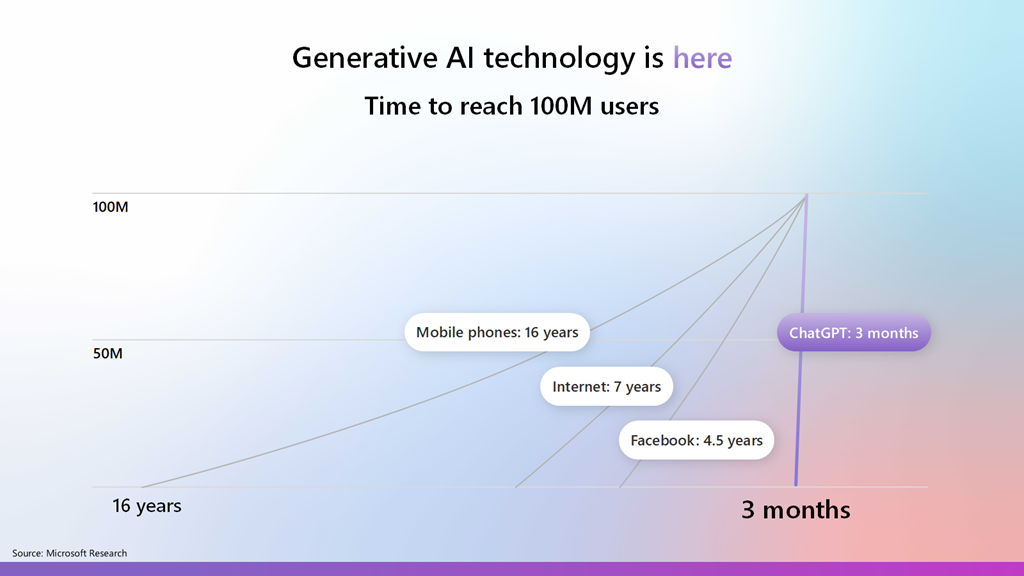
Most commentators agree that AI is one of the fastest adopted technologies in history and is now widely in use by individuals and business, because it part it is so easy to use. This explosive growth and penetration represents business opportunity that many IT Professionals and MSPs are well positioned to take advantage of, yet there seems to a hesitancy like there was moving to the cloud.
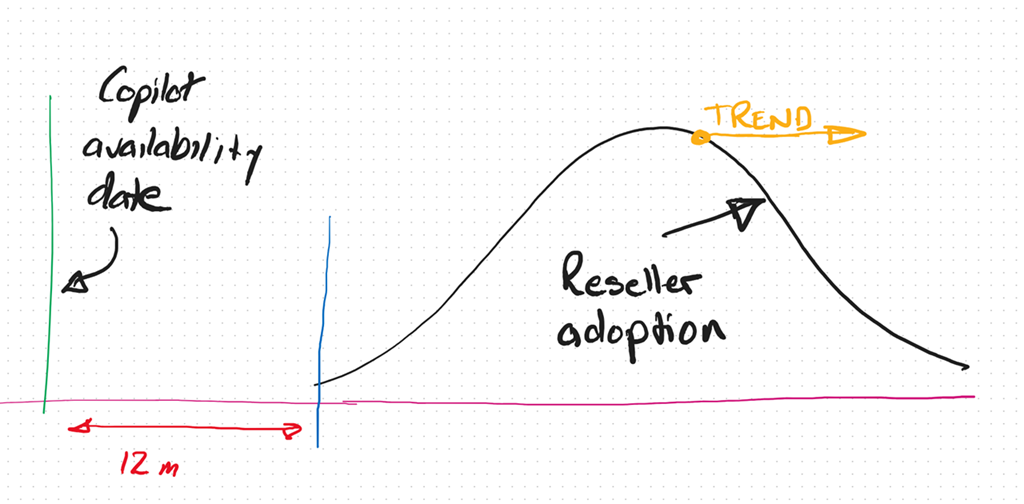
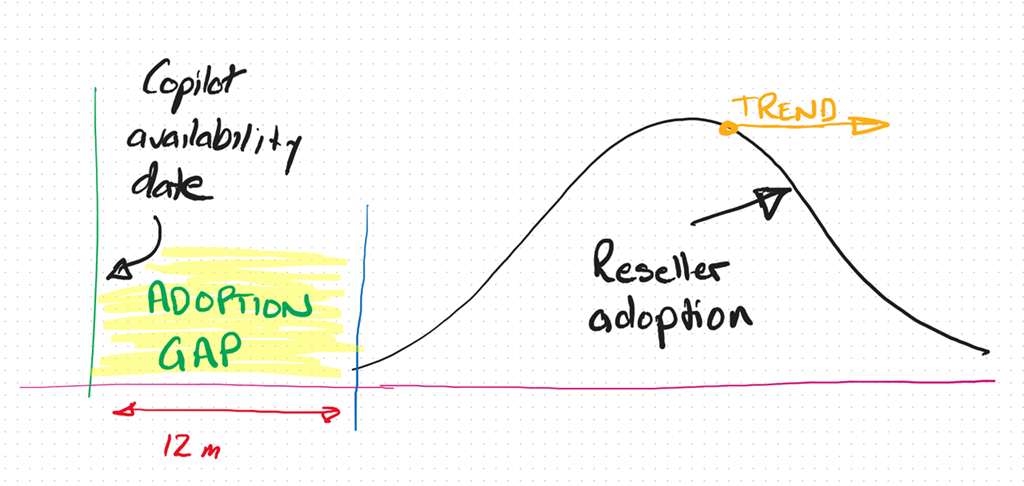
In fact, I see the IT Professional and MSP adoption curve with AI trending more and more away from adoption and integration into their businesses. To be brutally honest, the peak in that Reseller adoption curve, in my books, is at least 3 – 5 years behind already.
Thus, the adoption gap continues to increase. So too the opportunity.
Alternatively, if you look at the customer trends, you find they are adopting AI much faster and looking to integrate into their business to remain competitive. The net result is that customers and their IT providers are trending in opposite directions when it comes to adopting AI from what I see.
Any new technology requires re-tooling and an investment in knowledge. Both of these don’t magically just appear inside a business or an individual, they require a dedicated approach to integrating these as well as some work. From what I see, customers are prepared to do this work because they see the business benefits but most IT Providers don’t. To me, that represents a huge risk that many incumbent IT providers wil miss out on the opportunity that the AI wave presents. The worst case scenario is that customers will ‘do it themselves’ with any need of an IT Provider.
At its core I believe the mismatch I’m seeing is the result of the incumbent MSP model being ‘reactive’. That is, waiting until something breaks and then fix it. It is like the fire brigade that waits until the bell rings and then goes to put out the fire. I think we are shifting to work where more consideration has to be given to a proactive approach to solving business needs before they arise rather than waiting for them to happen and reacting. To many technology providers AI represents something that will ‘break’ the status quo and that is not something they desire.
A reactive business I would suggest is not appropriate in the age of AI. Why? Because Ai doesn’t break, doesn’t need configuring, doesn’t require on going maintenance, password resets, etc. The age of AI is all about software and creators not mechanics as most IT Providers are. The reality now is that you don’t need to be an ‘expert’ in your field, even when it comes technology. Many people, when augmented with Ai can perform a lot more tasks and topics than they ever could. The agent that I have built with Copilot Studio and publish into Teams to answer technical questions continues to amaze me daily with the quality of answers while reducing my need to do that manually. Why hasn’t every MSP implemented something like that in their business already? The tools are there to get more value from the knowledge in their business, make their lives easier and business more profitable.
Another factor I see is one of demographics. Most small MSPs are run by what you might euphemistically call ‘industry veterans’, meaning they have been doing what they do for a long time. This ‘time in business’ tends towards an inertia and a hesitancy to embrace or enthusiastically embrace change. The pace of technology change is increasing, not decreasing and that requires adaptation to the ever changing environment. This will always be challenging when the trend is to inertia.
A common approach with many SMB IT Providers is their belief that they have to do it all. Whether than belief comes from a desire for revenue or fear of competition, it is not something that is really possible in today’s diverse environment. Like ever other business, an IT provider runs a BUSINESS and the primary goal of any business is to make a profit to provide the freedom to grow, enjoy, help others, etc. Any business needs to make business decisions about what they do to generate revenue in their business. Sometimes, these business decisions are not easy. Generally, these decisions will also involve some form of risk. But, they need to be made for the business to succeed.
The simplest metric for making these decisions is profit. Will this decision generate my business more profit than this decision? Is the question du jour. This undoubtably means leaving somethings on the tables as well as abandoning others as time changes. To wit:
“You can’t do today’s job with yesterday’s methods and be in business tomorrow” – George W. Bush
The position that any business (or individual) is in today is a product of the choices they have made over time. Future success, thus, will also be a product of choices made now and into the future. All decisions come with a cost, the best choice for a business is the one which has the least risk and most profit opportunity?
Over many years, and having been through a few new technology cycles, I have learned that sometimes you can lead a horse to water but you can’t make them drink. Sometimes, inertia is too powerful and change doesn’t happen no matter how much you try. A better use of effort is with those that want the opportunity change brings. The good news for those select few is that, thanks to inertia, your competition is much smaller than it probably is in existing business models.
I am not suggesting that you throw the baby out with the bathwater here when it comes to AI and wholesale abandon business models that are currently profitable. What I am suggesting is to look to the future and see where the ‘ball is going’ and be there to meet it. Today, that only takes a small investment but overtime that investment will become larger and larger just to get onboard. As have highlighted with something like Bitcoin, a small investment early would today reap substantial rewards. You would never go all in, but a few hundred dollars back in the early days when most people scoffed at blockchain technology would certain see you having the last laugh now.
This AI stuff is, by all accounts, moving faster than any previous technology, which means the risks of getting left behind are much greater. It seems clear that Ai is going to have a major impact in all businesses, including small business. All businesses are looking to skilled providers to assist them with understanding and adopting AI. The good news I see for the very few SMB IT providers who ‘get’ Ai and integrating it into their business, is that there little competition now and into the foreseeable future. In an environment with increasing demand your chances of profitability are extremely high. It just takes a small amount of effort to overcome the effects of inertia and ride the coat tails of what certainly will be the next great wave in technology.
Happy Christmas to all listeners. A final episode before the holidays, again with some AI generated content but this time from technical articles not product announcements. I pointed NotebookLM at some Exchange Online best practices documents to see what it came up with and love your feedback on whether this a better or worse than the previous two episodes that also had AI generated content. Happy holidays everyone and thanks again for listening.
Something new for this episode, AI generated content! This is part one of a two part test with the incorporation of AI generated content. In this episode I used Google NotebookLM to generated the Ai conversation you’ll hear, after my normal intro. I am really interested in your feedback on what you think, good or bad. Watch out for part two, coming soon.
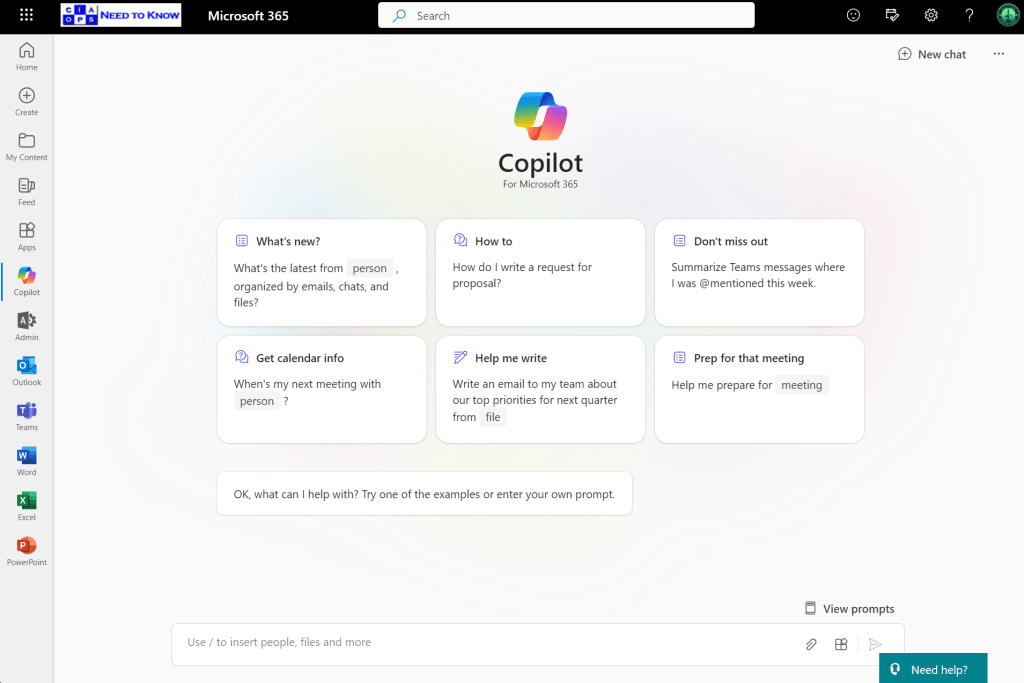
If you are using the Copilot for Microsoft 365 chat interface as shown above
and you ask it to reference something on the web, such as asking for a summary of a piece of legislation, you’ll probably find that it doesn’t deliver on the results expected as shown above.
This is because, if you want Copilot for Microsoft 365 to use content from the web you’ll need to enable a Plugin. You find these in the lower right of the screen, on the input line as shown above.
When you select the Plugin icon you’ll see the above dialog box appear where you can enable web content.
If you now run the same prompt, you’ll get a much better result as shown above.
Unfortunately, at this stage you have to enable the web content plugin each time you use Copilot for Microsoft 365. I’m still search for a way to have this enabled by default. If you do know how to do that, please let me.
The biggest challenge for SMB with the AI offerings from Microsoft is to determine exactly which Copilot is being talked about. This is because there is a Copilot for just about everything now. From Copilot for Github, to Copilot for Security, Copilot for the Power Platform and so on. Job number one therefore is focusing on which Copilot will provide the most benefit for the organisation.
Before you rush in purchase any Copilot ensure you understand the financial commitment required as well. For example, currently, Copilot for Microsoft 365 is an annual up front commitment of around AU$45 per month paid in advance. So even though AU$45 per month may sound enticing, the billing is actually around AU$540 up front before you even get started! The cost of various Copilot licenses vary, so it is important to determine what you need and what the cost and cashflow of this investment will be ahead of time. With Copilot for Microsoft 365 remember that once you purchase it you’ll have it for at least 12 months. You should ask yourself the question as to whether it will be used for the full period that you have paid for? If implemented inside a business correctly I feel there is little doubt that the benefits will be forthcoming but importantly, just buying and assigning the licenses to users is no guarantee of success with any Copilot.
No matter which Copilot you do focus on, that Copilot will not be an ‘everyone’ license. What that means is that not all employees of the business will gain the benefits from the license. Thus, you need to target the Copilot you want at those who will get the most from it.
In this case I’ll focus on Copilot for Microsoft 365 which is targeted at improving the productivity of knowledge workers. The best candidates for this license are those users who ‘create’ things. Think of people who create reports, create marketing material and so on. Little benefit will be had providing Copilot for Microsoft 365 to those that merely ‘process’ information. That is those say entering accounts or stock information.
It important to appreciate that Copilot for Microsoft 365 is neither The Terminator or C3PO. This is because the actual work still needs to be done by a person. Copilot for Microsoft 365 will assist in this process and make it easier and faster but it will not do the complete job end to end just yet. This means it is important to see Copilot for Microsoft 365 as an intelligent assistant that works beside the individual who has access to it, rather than a replacement for that individual.
Copilot for Microsoft 365 surfaces itself in a variety of locations in the Microsoft 365 environment. One of those is chat like so:
Here is probably the most general place you can use Copilot for Microsoft 365. Ask it any question and it will reason over your data as well as potentially from the web
Provided you enable the plugin as shown above first.
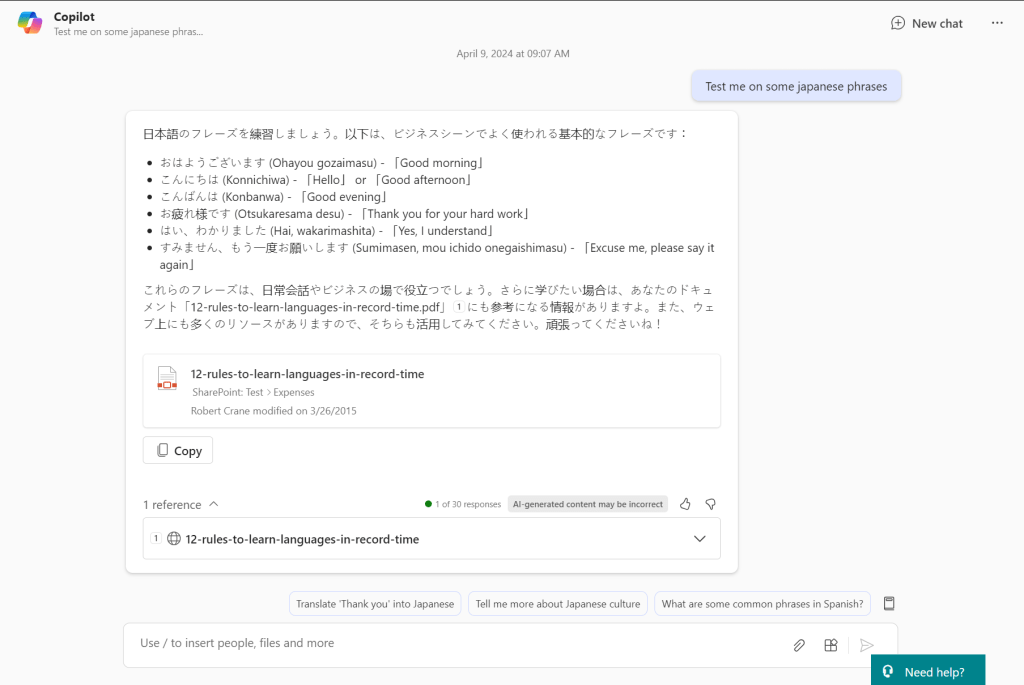
If prompt it with something generic like ‘Test me on some japanese phrases‘ you see the response it returns with above. If I expand the References you can see that Copilot for Microsoft 365 has returned material from the web (12-rules-to-learn-languages-in-record-time as well as referring a document that is in SharePoint. It is important to note that benefit this provides over other stand alone AI chat programs like ChatGPT that only return information from the web. Thus, the biggest different with Copilot for Microsoft 365 is that is works across the web and data in Microsoft 365.
The simplest way then to think about Copilot for Microsoft 365 is that it is a search engine on steroids. It is important to remember that what you see is largely based on search, that is, what it finds. This means that if you haven’t properly secured your Microsoft 365 environment Copilot for Microsoft 365 is going to find stuff you may not realise it can. That isn’t because Copilot for Microsoft 365 is doing something wrong, it is in fact that you have left the door open on your data and you need to tighten your permissions. The reality is that same information could have been found with standard Microsoft 365 search. Copilot for Microsoft 365 simply does a better job of finding and displaying it.
The takeaway here then is that your business needs to ensure you have appropriate permissions prior to implementing Copilot for Microsoft 365 or you maybe surprised at what pops out.
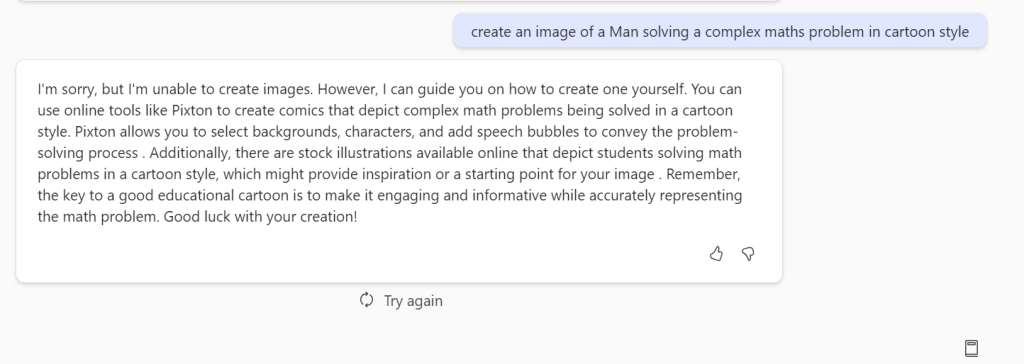
If I now ask chat to create an image for me based on a prompt you’ll see from the above that it can’t. It instead gives me a handy tip as to how to achieve this. Not only do you need the right Copilot for the job you also need to use Copilot in the right location to get the result you want. As I said, currently, Copilot for Microsoft 365 is not C3PO that can solve any task you give it from anywhere.
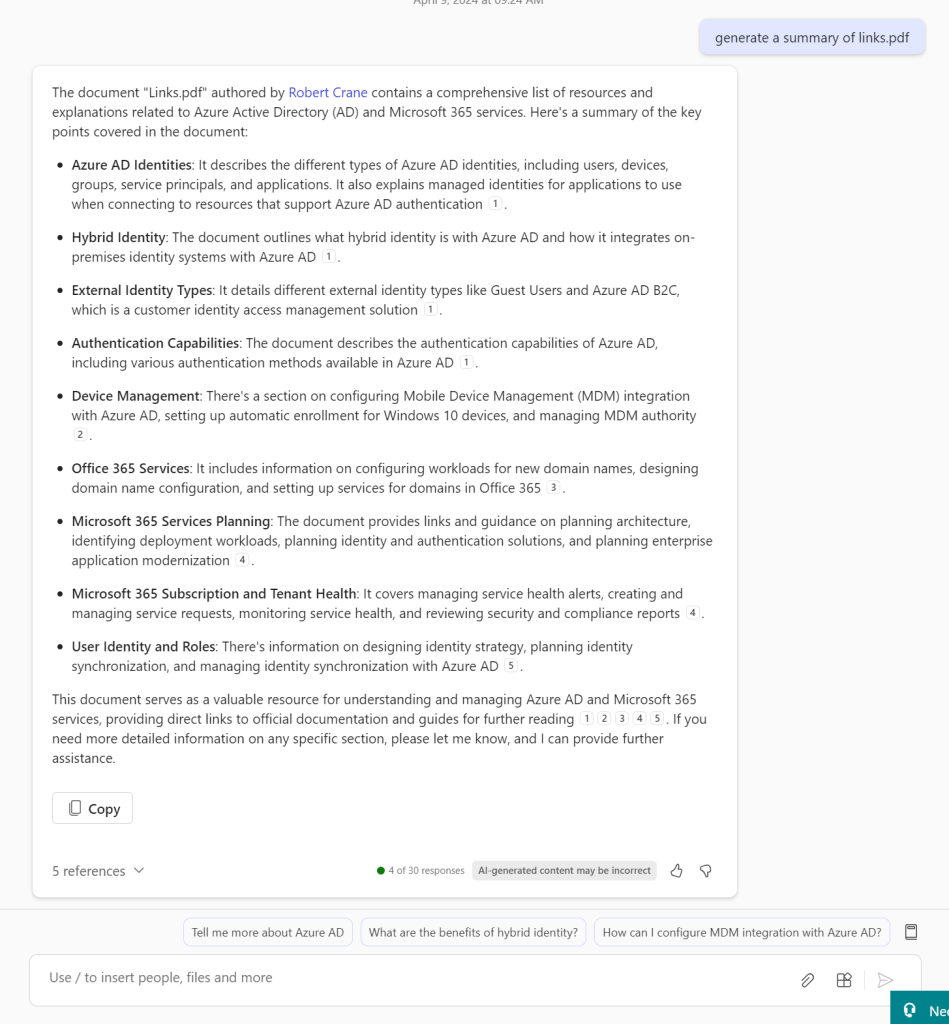
If I ask Copilot for Microsoft 365 to summarize a document by only giving it the name of the document it does an amazing job as you can see above.
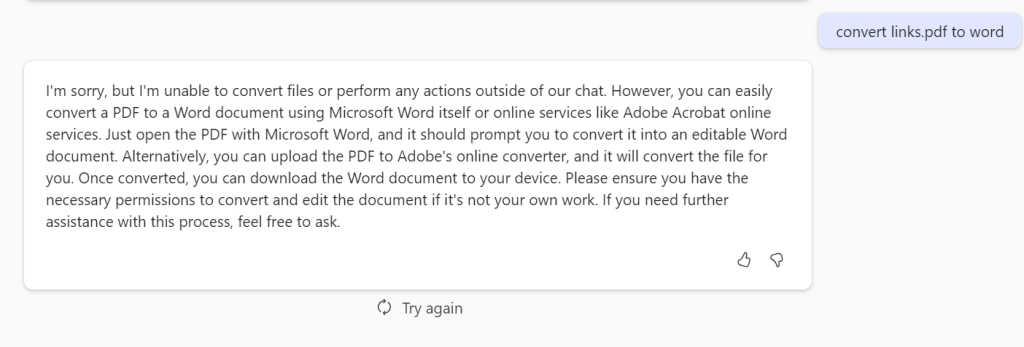
But if I ask it to convert this PDF to a Word document it again is not something that can be done here.
It is also important to remember that Copilot for Microsoft 365 responses are not immediate. They take a few moments to generate. That can be frustrating for people who are used to “immediate’ responses and are time challenged. Again, Copilot for Microsoft 365 is great research tool that you spend time with, it not a tool that you fire rapid questions at expecting an immediate response, just yet.
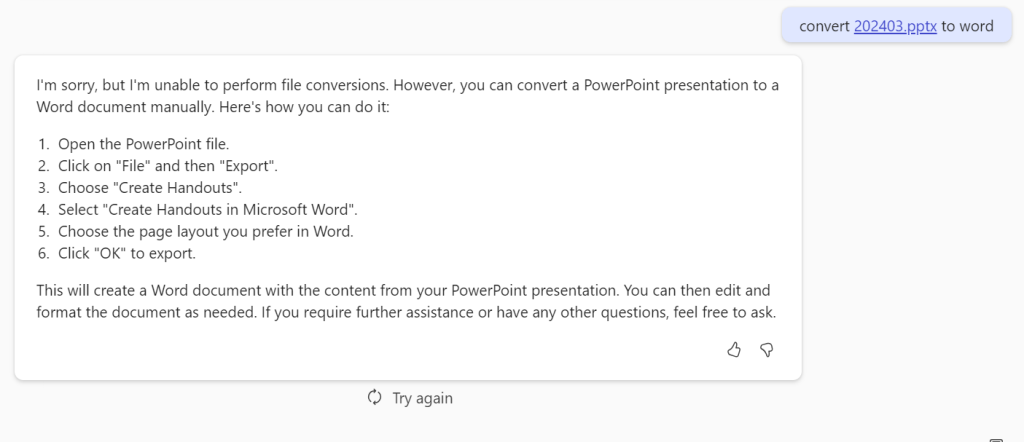
If I ask Copilot for Microsoft 365 to convert a PowerPoint document you’ll see I get a response that gives me a little more more information about what I should do.
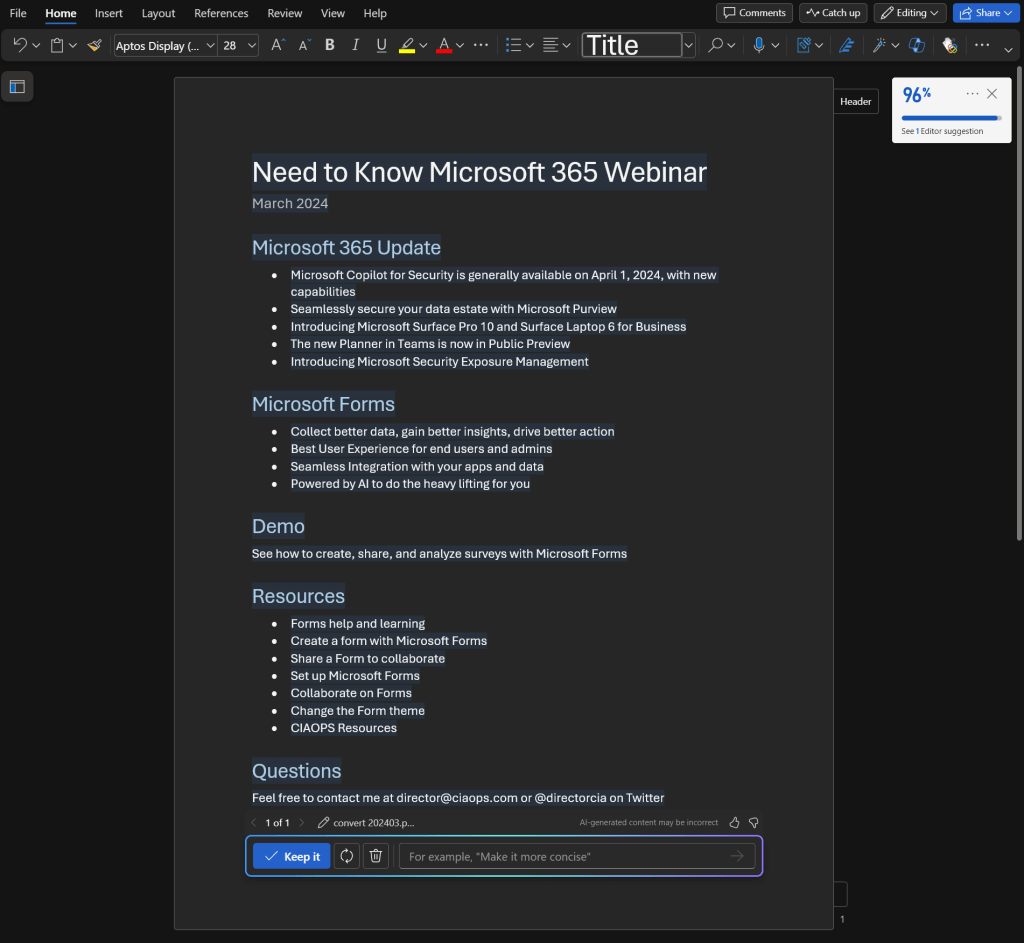
However, when I do the same thing in Word I get the result that I really wanted. The take away is that a large amount of Copilot for Microsoft 365 how and where you use it. Yes, it can convert stuff into Word but you need to use Copilot for Microsoft 365 inside Word to achieve that. I’m sure that will change over time, but for now, keep that in mind when using Copilot for Microsoft 365.
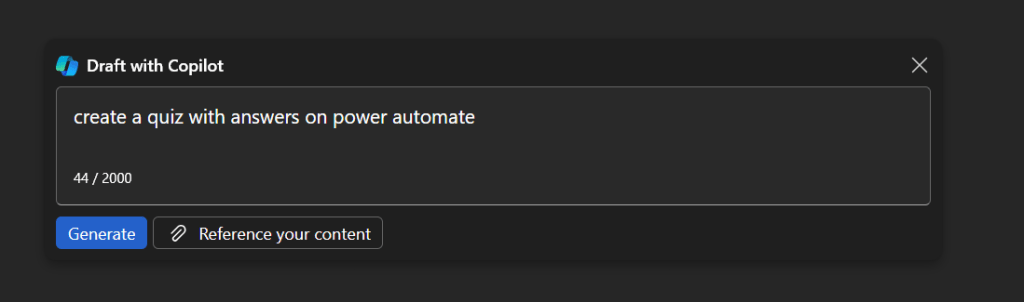
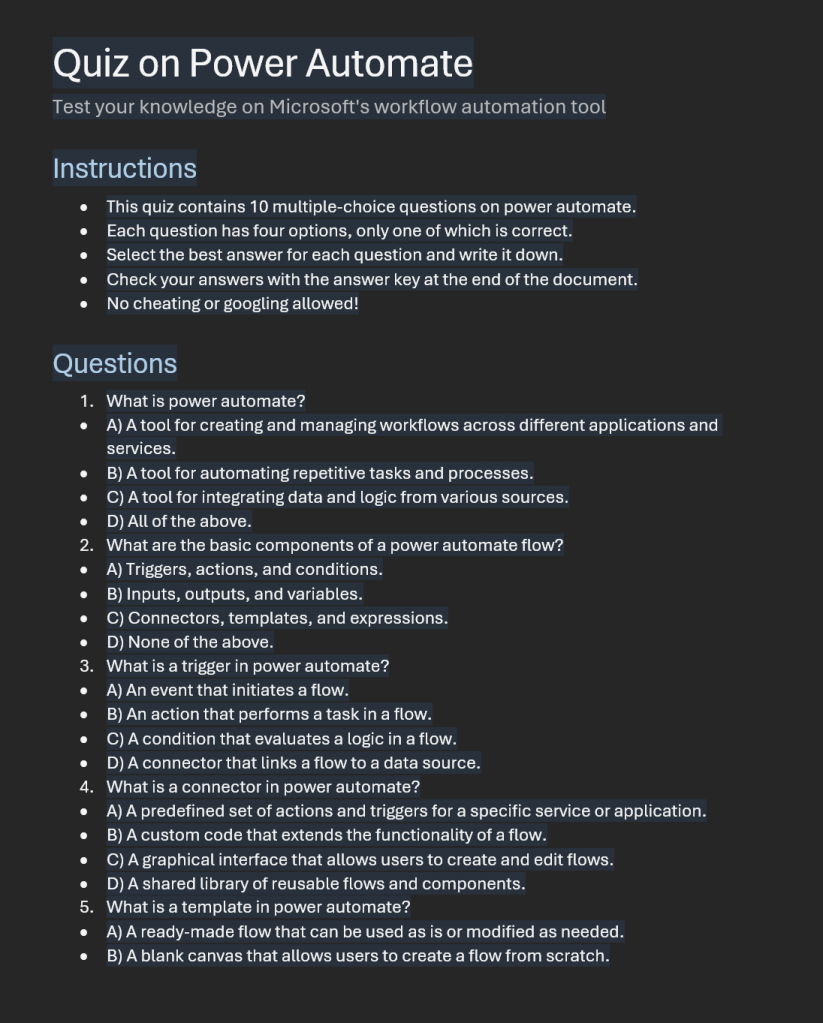
Where Copilot for Microsoft 365 really shines is in creating new content from scratch. If I start with a blank document in Word and prompt it with the above, the result is:
Which saves me hours and hours when I need to generate new content. Keep in mind however, generating new content constantly is not always the job of everyone inside a business.
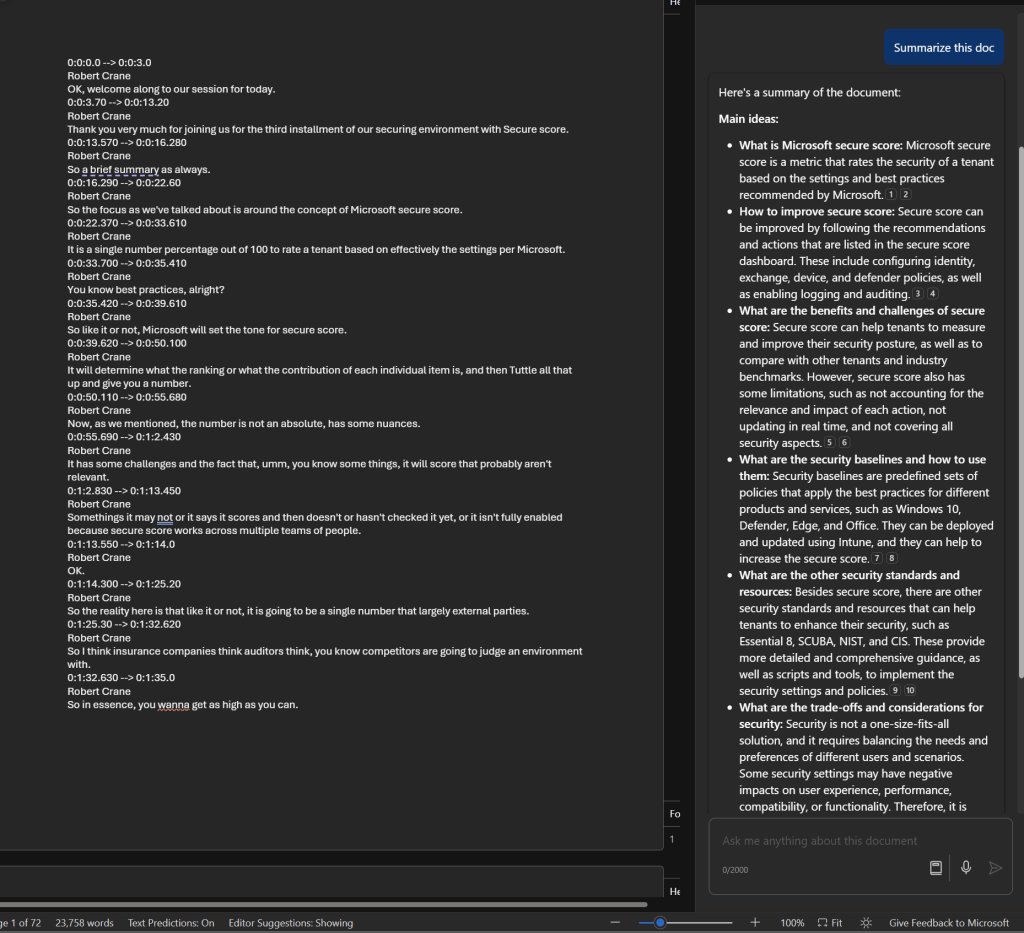
Another area where Copilot for Microsoft 365 really shines is summarizing information as seen above. Here, I’ve had it work on a 72 page document, which was a transcript of a webinar session, and produce the summary.
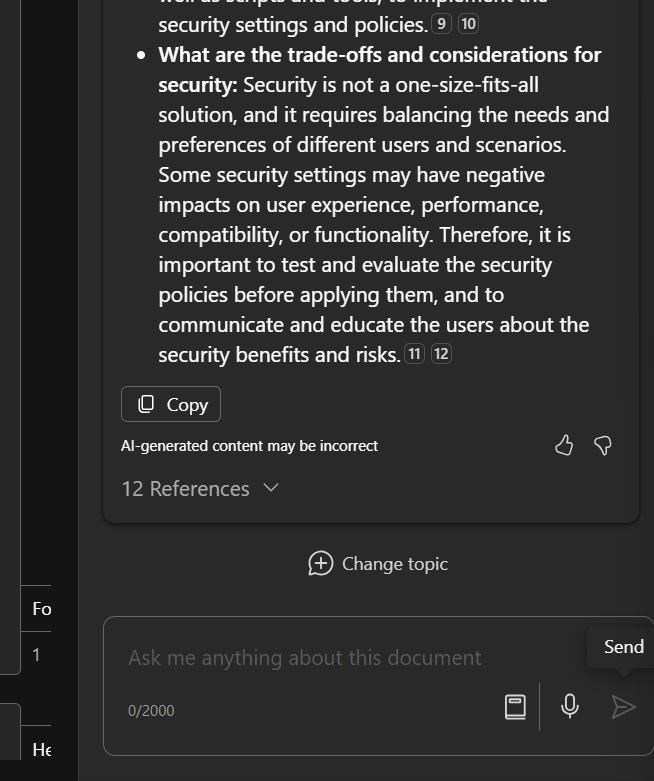
As you can see, that summary includes references and I can continue asking questions about that.
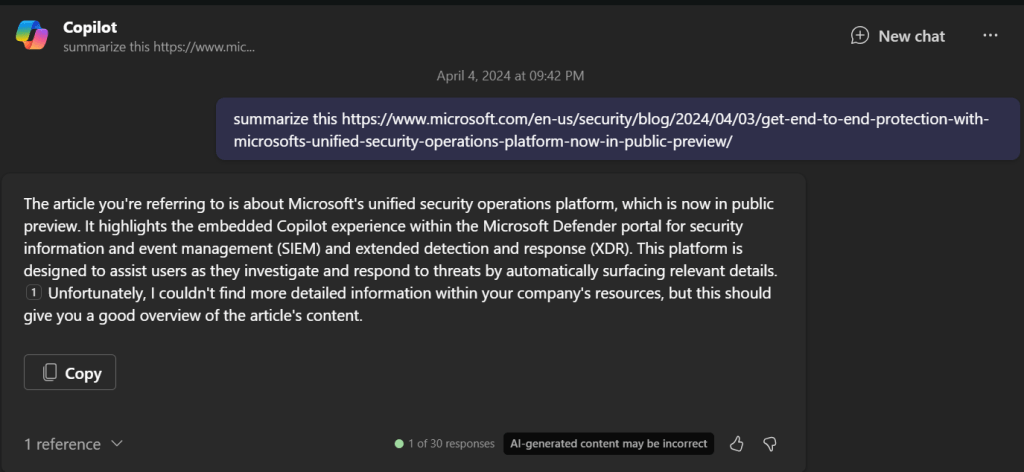
Summarization also works well in the chat interface, even with external websites like what is shown above. The same is also evident inside Teams.
If you plan to use Copilot for Microsoft 365 with Teams you’ll typically have to enable both recording and transcriptions on the meetings to get the benefits. There is the option to automatically a recording with every Teams meeting but my question is, are the really all worth recording?
Thus, a reason you may want to consider it for more people inside your organization is if they are required to wade through a lot of information as part of their role.
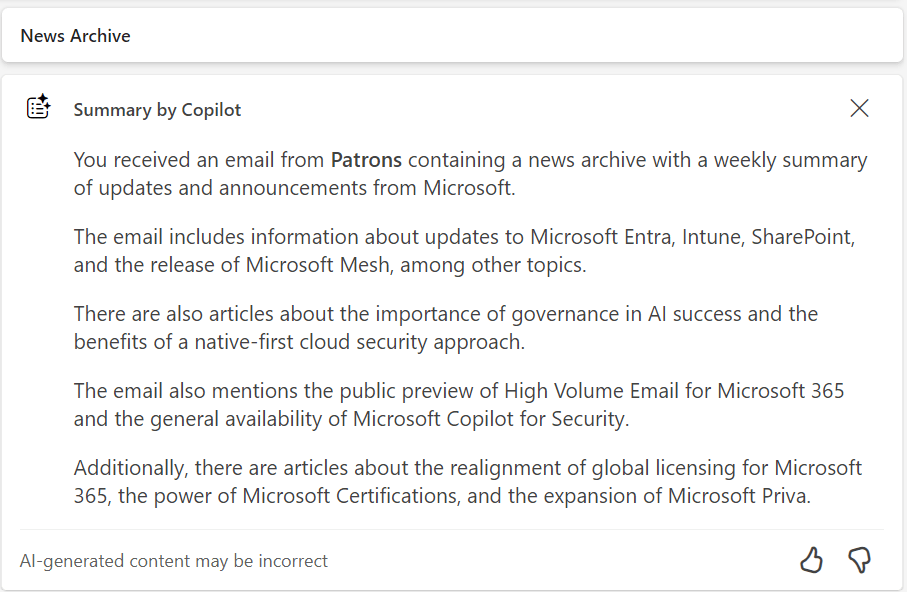
The same summarization capability is surfaced in Outlook as shown above.
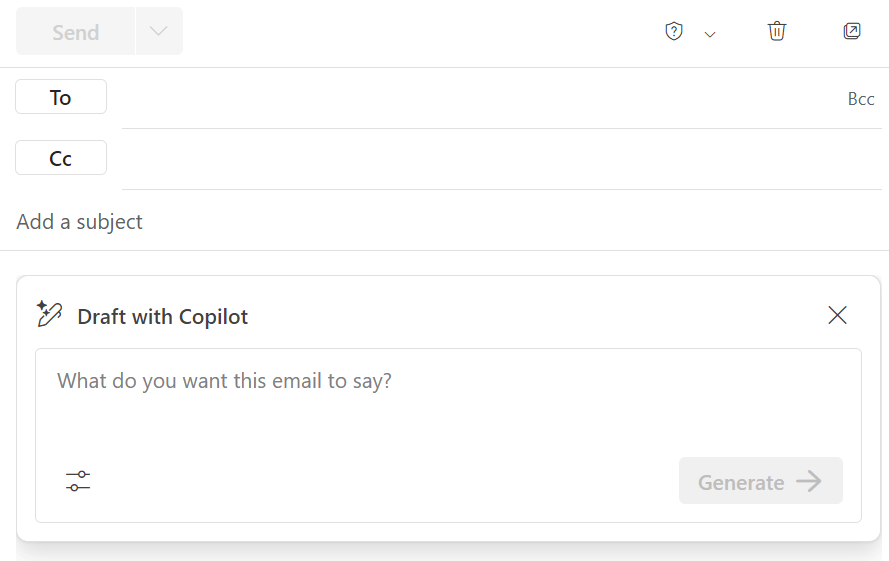
As well as generating new content for emails. The current limitation here is that to get the most benefit from Copilot for Microsoft 365 you’ll need to be using the New Outlook, which I feel is still missing many important features that the classic desktop version has (e.g. drag and drop of attachments to Windows Explorer). I’m sure these will come to classic Outlook over time and it is easy enough to switch back and forth but, for now, New Outlook is where Copilot for Microsoft 365 really works best.
Without doubt Copilot for Microsoft 365 has big benefits with email, however it again comes down to how people use Outlook. In my experience, most people do not need to write or read long complex emails. They simply send and reply using brief responses. For these people Copilot for Microsoft 365 isn’t going to provide huge benefits but if your role does involve working with long and complex subject matter in emails (think lawyers for example) the Copilot for Microsoft 365 would be a huge productivity benefit for them.
The summary would be that you firstly need to define exactly what processes in you business you want to make more productive (email processing, document creation, etc). You then need to select the appropriate Copilot for that (typically Copilot for Microsoft 365 to work with emails, documents, etc). Then, you need to identify those users in the business who will gain the most from using Copilot, and this typically will not be every user initially. With all that identified you should then ensure you have permissioned your data appropriately and then purchase the appropriate licenses and assign them to those selected users. The last task will be to train those selected users on how to use the Copilot you have selected because you cannot and should not assume they will natively know how to get the most out of it. You need to train them to help them understand the most effective method for them to use in their day to day work and when it is appropriate use and when it is not.
The Copilot for Microsoft 365 you see today is only the beginning of how AI will become infused throughout Microsoft 365. Today, it is like you manually needing to run spell checker, soon spell checker will happen on the fly. That is what we can expect sooner rather than later when it comes to Copilot for Microsoft 365.
Join me for the free monthly CIAOPS Need to Know webinar. Along with all the Microsoft Cloud news we’ll be taking a look at Copilot for Microsoft 365 now that it is available generally..
Shortly after registering you should receive an automated email from Microsoft Teams confirming your registration, including all the event details as well as a calendar invite.
You can register for the regular monthly webinar here:
CIAOPS Need to Know Webinar – Febraury 2024 Tuesday 20th of February 2024 11.00am – 12.00am Sydney Time
All sessions are recorded and posted to the CIAOPS Academy.
The CIAOPS Need to Know Webinars are free to attend but if you want to receive the recording of the session you need to sign up as a CIAOPS patron which you can do here:
Also feel free at any stage to email me directly via director@ciaops.com with your webinar topic suggestions.
I’d also appreciate you sharing information about this webinar with anyone you feel may benefit from the session and I look forward to seeing you there.
Join me for the free monthly CIAOPS Need to Know webinar. Along with all the Microsoft Cloud news we’ll be taking a look at Microsoft Copilot in all it’s various forms to help separate fact from fiction.
Shortly after registering you should receive an automated email from Microsoft Teams confirming your registration, including all the event details as well as a calendar invite.
You can register for the regular monthly webinar here:
CIAOPS Need to Know Webinar – December 2023 Thursday 29th of December 2023 11.00am – 12.00am Sydney Time
All sessions are recorded and posted to the CIAOPS Academy.
The CIAOPS Need to Know Webinars are free to attend but if you want to receive the recording of the session you need to sign up as a CIAOPS patron which you can do here:
Also feel free at any stage to email me directly via director@ciaops.com with your webinar topic suggestions.
I’d also appreciate you sharing information about this webinar with anyone you feel may benefit from the session and I look forward to seeing you there.







 CIAOPS