CIAOPS Tech Dojo–December

pexels-pixabay-46253

In this month’s Tech Dojo we take a look at Azure AD Applications and their creation, use and management. These are virtual events, hosted using Microsoft Teams, that will provide you with deep dive into a technical topic from the Microsoft Cloud.

Costs:

Non CIAOPS Patrons = AU$99 inc GST

Date:

Wednesday December 15th 0930 – 1100 Sydney AU time

If you are interested in attending please complete the expression of interest here:

https://bit.ly/ciapatrondojo

and you’ll be sent more details of the event.

Better passwordless logins are here

Microsoft has announced some great improvements to the Microsoft Authenticator passwordless process.

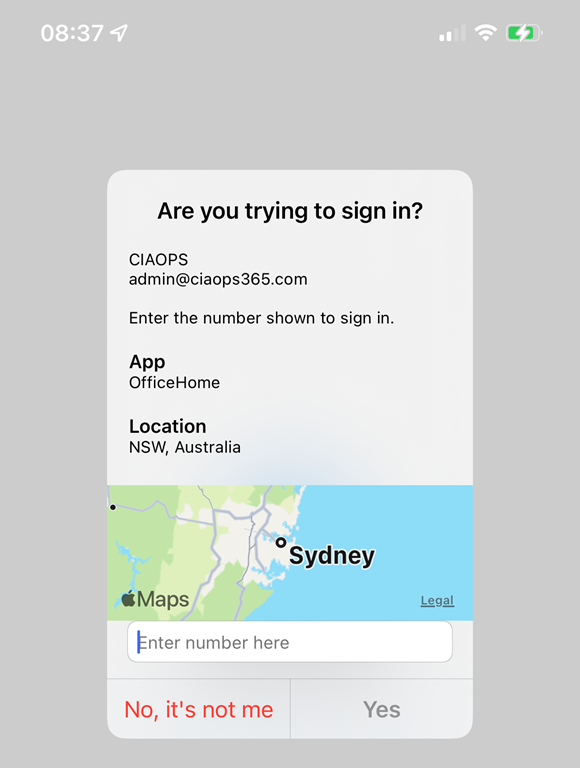
IMG_1151

One of these, as you can see above, I have already enabled on my tenant. It allows you to do number matching AND provides you the location from where you are logging in via a map.

To enable this in your tenant visit the link:

Enable additional context in the portal

This is a great enhancement for MFA with Microsoft 365. Simple and easy to use. Great work Microsoft. You can read about the other exciting announcements here:

Several Microsoft Authenticator security features are now available!

Need to Know podcast–Episode 278

In this episode I round up the major updates from Microsoft Ignite November 2021 as well as having a chat with Phil Meyer, Partner Technology Strategist – Hosting and Cloud from Microsoft about things like the new Microsoft commerce platform. Plenty of great information in this episode, so listen in and share around.

Take a listen and let us know what you think – feedback@needtoknow.cloud

You can listen directly to this episode at:

https://ciaops.podbean.com/e/episode-278-phil-meyer/

Subscribe via iTunes at:

https://itunes.apple.com/au/podcast/ciaops-need-to-know-podcasts/id406891445?mt=2

The podcast is also available on Stitcher at:

http://www.stitcher.com/podcast/ciaops/need-to-know-podcast?refid=stpr

Don’t forget to give the show a rating as well as send us any feedback or suggestions you may have for the show.

This episode was recorded using Microsoft Teams and produced with Camtasia 2020.

Brought to you by www.ciaopspatron.com

Resources

Phil Meyer – Linkedin, philme@microsoft.com

Ignite November 2021 book of news

Introducing Microsoft Defender for Business

Windows 365 Business will offer Windows 11 and admin capabilities

Change your SharePoint domain name (preview)

Rich, secure content and collaboration for hybrid work – Ignite 2021 announcements

New Power Platform capabilities announced at Microsoft Ignite

Introducing Microsoft Loop

Q&A in Teams is in Public Preview

Microsoft Ignite Fall 2021: Innovations coming to Microsoft Teams

Power Platform Community November webinar–Sessions

As mentioned here:

Power Platform Community November webinar

We had some issues with the screen recordings. The presenters graciously agree to re-record each of their sessions and they are now available for viewing here:

Patron Power Platform Community November 2021 Webinar – Session 1 – YouTube

Patron Power Platform Community November 2021 Webinar – Session 2 – YouTube

Patron Power Platform Community November 2021 Webinar – Session 3 – YouTube


Power Platform Community November webinar


You can now view the recording of the Power Platform Community November webinar here:

Unfortunately, something went wrong with the screen sharing between the presenters! We’ll look at get individual recordings of their presentations up soon. Stay tuned

The slides are also available:

https://www.slideshare.net/directorcia/patron-power-platform-community-november-2021-webinar

Watch out for the opportunity to register for the December webinar!

Checking Microsoft 365 Email Forwarding using PowerShell

A typical tactic after a business email compromise event is the creation of email forwarding rules using any one, or more, of these methods by an attacker:

Use rules in Outlook Web App to automatically forward messages to another account

Client rules

Sweep

It is therefore good practice to regularly check and verify the email forwarding rules inside your Microsoft 365 environment.

I have created a free PowerShell script exactly for this purpose, which you can find here:

Office365/o365-exo-fwd-chk.ps1 at master · directorcia/Office365 · GitHub

and the video:

https://www.youtube.com/watch?v=Oqk_yd6U3bk&t=16s

will provide a walk through of its execution.

The extra value that many have missed with Microsoft Defender for Business

If you haven’t heard, Microsoft has announced a new version of Defender for Endpoint called Defender for Business. Even better, its going to include Defender for Business in Microsoft 365 Business Premium for free:

“Included as part of Microsoft 365 Business Premium”

This is great news, and the feature set is amazing and all for free, BUT I think most people have overlooked what I would consider the best feature of the new Defender for Business.

Most traditional Managed Service Providers (MSPs) manage endpoints (devices) using a Remote Management and Monitoring tool (RMM) that they need to install on devices, typically only on PCs and not mobile devices like iPhones. Such RMM tools, from third parties, have been subject to successful supply chain attacks as well.

What most have over looked with Defender for Business is that the agent it installs on devices (including iOS and Android I will add) acts in many ways like an RMM agent but provide far more functionality.

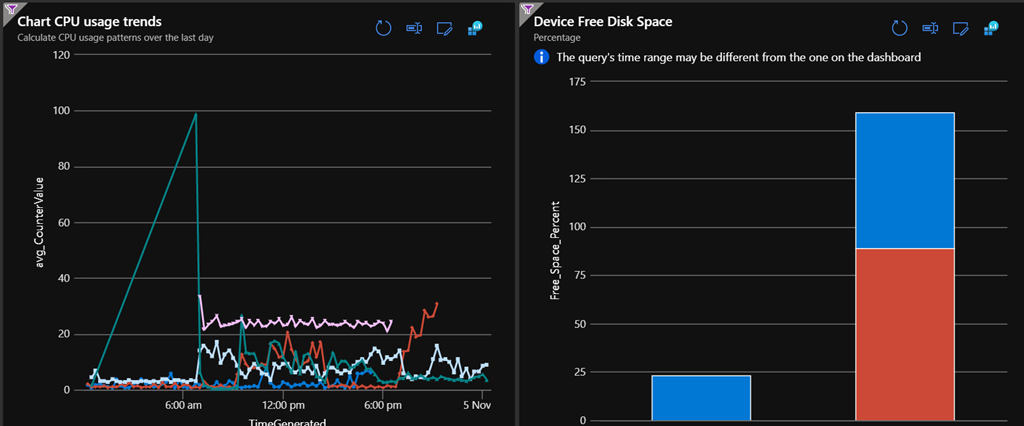
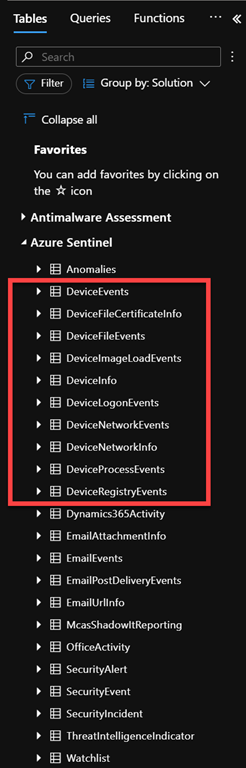
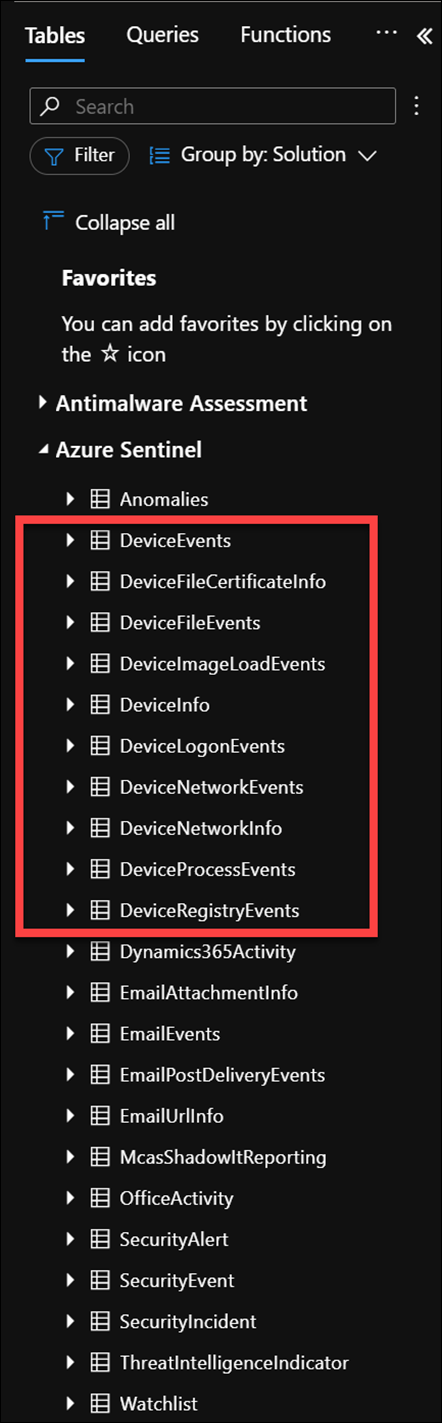
An example of why is if you have a look at the free data sources for Azure Sentinel you’ll notice the following:

SecurityIncident – Free

SecurityAlert – Free

DeviceEvents- Paid

DeviceFileEvents – Paid

DeviceImageLoadEvents – Paid

DeviceInfo – Paid

DeviceLogonEvents – Paid

DeviceNetworkEvents – Paid

DeviceNetworkInfo – Paid

DeviceProcessEvents – Paid

DeviceRegistryEvents – Paid

DeviceFileCertificateInfo – Paid

The point is not whether they are free or not, the point is that the Defender for Business is capturing all that device information and feeding it into a centralised cloud dashboard (Sentinel).

Remember, that one of the key things about Sentinel is that you can create customised reports and queries based on the data you ingest. In my case, as an example,
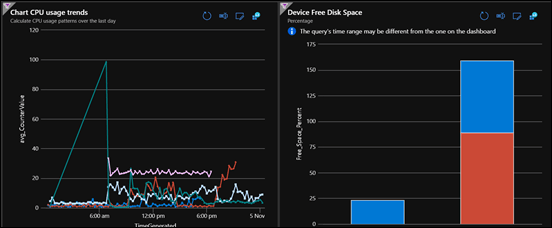
image

I’ve created multiple custom dashboards from this data to report things like device CPU usage and disk space (above), much like a third party RMM tool BUT WITHOUT the need for a third party RMM tool!
image

This is because that log data from the device is now available in a centralised location where it can be reported, queried and displayed just about any way you wish!

The Defender for Business agent on devices also makes Microsoft Defender for Cloud Apps (new name for Microsoft Cloud App Security), especially Cloud App Discovery, even more powerful because it now has much greater visibility into the applications and their traffic than before thanks to the Defender for Business agent. Per Set up Cloud Discovery:

  • Microsoft Defender for Endpoint integration: Cloud App Security integrates with Defender for Endpoint natively, to simplify rollout of Cloud Discovery, extend Cloud Discovery capabilities beyond your corporate network, and enable machine-based investigation.

On its own, Cloud App Security collects logs from your endpoints using either logs you upload or by configuring automatic log upload. Native integration enables you to take advantage of the logs Defender for Endpoint’s agent creates when it runs on Windows and monitors network transactions. Use this information for Shadow IT discovery across the Windows devices on your network.

Without doubt, Defender for Business has massively improved the security capabilities for Microsoft 365 Business Premium with its inclusion. However, I would contend that it has achieved just as much with the reporting capabilities now available, especially when combined with Cloud App Discovery (which is included in Microsoft 365 Business as well) and Microsoft Sentinel.

The way I see it, Microsoft has just provided TWICE the capability and value by adding Defender for Business to Microsoft 365 Business Premium, yet I don’t think many appreciate that yet.