My Gear 2022

You can take a look back at last year’s gear here:

My Gear 2021

there were/are some major changes happening with my assortment.

Surface Duo 2 – My ‘Google’ phone. This as a ‘secondary’ or backup phone. It has all the Microsoft apps installed on it and is connected to my Microsoft 365 production account. Most importantly, it has the Microsoft Authenticator app for MFA access for certain apps. I’ll need to spend more time with this device as it is quite different from a ‘normal’’ phone. I also have the latest Microsoft Surface pen which I really like. It is probably the best ‘electronic scribing’ device I have used.

I have relegated my Pixel 4XL phone now to the testing bench.

iPhone 12 Pro Max – Is now my main mobile device having replaced the old iPhone XS Max last year. I traded the XS Max in for the full amount on offer (around $600 from memory) and used this as a credit on the newer 12 Pro Max, which I decided to buy outright. With the contract expiring and a re-evaluation of how I use my phone I downgraded my calling plan and purchased the new phone outright. it ended up being much cheaper that way.

After a few years of living the ‘iPhone lifestyle’ I gotta admit I still don’t get people’s fanaticism about it. Yes, it is well engineered, better than most I’ll readily admit, but at the end of the day it is just a phone for me. I have a few common apps I use on it, apart from all the Microsoft ones, but honestly, I just use it as a phone not as a surrogate friend.

Surface Pro 7 – This is my main desktop machine. Being the same form factor, it just slotted directly into my Kensington SD7000 Surface Pro Docking Station I already have in place. This meant that my Surface Pro 6 device has been relegated to my backup or travelling device (which kinda didn’t happen at all in 2021 now did it!).

The only real noticeable difference with the Surface Pro 7 is that it is a little faster, however it is the machine that I use most day to day and has performed flawlessly.

Surface Pro 6 – Moved from being my primary desktop to being my backup and travelling machine. I use it pretty much every day as an adjunct to my main machine. It lives on my secondary Kensington SD3500v docking station connected to a full screen and acts as my onsite backup in case my main machine fails or is unavailable for some reason. It is also a handy way to test things from outside my environment by hot spotting to my phones.

Surface Pro X – I use this machine as a ‘lite’ travelling desktop as well as a whiteboarding machine for demos and training. Give that it comes with the Surface Pen and has a nice large screen and will lie flat it makes the prefect device for scribing. I also use this device for writing note into places like OneNote. Perhaps not the most effective use of the device but it beats the iPad when it comes to scribing hands down in my books.

Surface Pro 3 – Continues to work fine and function as a test machine in my production environment. This allows me to apply policies via Microsoft Endpoint Manager before applying them to my main production machines.

Surface – I have had an original Surface version 1 for many years now. The keyboard has long since broken by the system still works fine, although somewhat under powered with only 4GB of RAM. This machine is now a dedicated device on a separate test tenant. This allows me to test Autopilot and other settings on it regularly. This machine is not suitable for Windows 11.

iPad mini 5th Gen – I decided I wanted a smaller ‘notebook’ size table to use like a paper diary, amoungst other things, so I went out and bought an iPad mini.

I also now use this iPad mini with the Apple pencil, which generally works well. The secret is to get a good case for both the iPad mini and the pencil. My choice was:

Finite Case with Pencil holder

which I’d certainly recommend as it is flexible, tough and cheap.

The only major downside of the iPad mini is that battery life is a lot less than the full size iPad, which is understandable. I have however never run out of juice but you do notice the power levels fall away quickly when compared to the full size version. I like that the iPad mini comfortable fits on my desk, works will with the Apple pencil and is much more transportable than the larger version. I was a little concerned that the screen size would be too small to enjoy movies and read web pages, etc but that hasn’t proved to be the case. I happy use it lying back on the couch to watch a variety of programs and read web sites.

All in all I’m very happy with this devices as a replacement for a paper diary or notebook, although I hope that Duo 2 can take over this role soon.. When you add in everything else it can provide as well I’m happy to say that apart from my desktop PC, this is probably the device I use most.

D-Link Wireless N300 Model Router DSLG225 – to allow connect to the NBN broadband network.

Ubiquiti – I have a variety of Ubiquiti equipment in place including a  Security Gateway. All these have worked flawlessly and I can’t recommend this gear highly enough.

Docking station – I still love my Kensington SD7000 Surface Pro Docking Station. It is a really neat device, that suits most modern Surface Pro devices. It is slim, compact and now all me to have 3 external monitors off the one Surface devices (as you can never have enough screen now can you eh?). I can plug in all my devices, microphones, phones, etc to it and all the cables are hidden at the back. I also like that you can adjust the screen up and down, a bit like a Surface Studio.

Occasionally, one of my monitors goes dark and a few seconds later comes back, kinda like it is doing a reset or refresh. Maybe I need to update some drivers? Apart from that it continues to perform flawlessly.

The original Kensington SD3500v has now moved to work with the travelling PC when it is running in my office and that is also working well, making it a truly ‘plug and play’ experience when I get back from road trips.

WD Sentinel DX4000 – Thanks to the cloud and a decent broadband connection, I have now pretty much eliminated this device, although I still maintain it in a very minor capacity. Unless it completely fails, i doubt I will ever get rid of it and it does make a good place to store back ups of things like photos.

Amazon Kindle – Still have this but it has now largely been superseded by the iPad mini for reading books. I still love my Kindle but if I can have one less device then I’m going to take that option. so for now, the Kindle has been relegated as a backup.

Xbox One S – Still use it to watch YouTube, Netflix and Amazon video but now playing more games thanks to Minecraft Dungeons and Call of Duty game.

My major hardware investments in 2021 where:

1. iPhone 12 Pro Max

2. Surface Duo 2

The items that I retired from front line operations last year where:

1. iPhone XS Max

2. Pixel 4XL

2021 didn’t see too many changes overall. I will admit that I have my eye on a Surface Pro 8 replacement for the Surface Pro 7 depending on how things pan out this year. I doubt I’ll be upgrading to the new iPhone 13 as I don’t see any major benefits for the costs. I want to focus on getting the most from my Surface Duo 2 given its price. I also hear rumours of a Duo 3, so hopefully I’ll be able to trade in Duo 2 in if I decide to.

My Stuff 2022

This post is my annual post aimed at bringing the links to everything I have out there on the Internet together into a single place. Here we go.

About me

Social Media

Free Stuff

Regular technical and business information, tutorials, walk throughs, learnings, upcoming courses and more.

Here you’ll find currently almost 200 videos full of tutorials on SharePoint, Office 365, Azure and technology.

Presentations and whitepapers for free download.

Documentation for older versions of SharePoint on premises, especially the free versions and those that came with SBS.

Cloud lecture series is a set of free tutorials, training session and so on that I have provided over the years:

I have number of free GitHub repositories that include things like PowerShell scripts, pricing calculators, reference documents, helpful links and more. You will find all these at:

With over 280 episodes and now in it’s 12th year my podcast focuses on providing you news and updates from the Microsoft Cloud around Office 365 and Azure.

You can subscribe using iTunes or Stitcher. If you’d like to be a guest or know someone who would, please let me know.

Need to Know webinars are held monthly and announced on my blog. These are conducted using Microsoft Teams.

and subscribe to previous and upcoming webinar recordings and resources here:

Commercial stuff

This stuff helps pay for free stuff above so I appreciate your support for my paid work.

Access to the CIAOPS community for technical support, product discounts and access to the best Office 365 and Azure information

For end user focused training on Office 365 services and applications:

Lots of courses on Office 365, PowerShell, Azure, SharePoint and the like.

General Interest

This accounts sends a tweet to commemorate a significant dates from the Australian battles in France during World War 1.

I’m a big believer in supporting those who want to build their own business but just need a leg up to get started. Kiva is simply and easy way to provide this and I recommend this to everyone.

In 2021 I read over 40 books. That means I do a lot of reading on a variety of topics and with Goodreads you can follow along with the books I’m reading as well as those that I add to my bookshelf. I’ll have an upcoming post on my recommended reads, so watch out for that post coming soon.

If you ever need to send me stuff you can do so via the following address:

PO Box 5
Beecroft NSW 2119
Australia

My Bitcoin address is – bitcoin:bc1qwgcr296c7rtjvlpkv9yy5033qjgwwrvttxhtm7

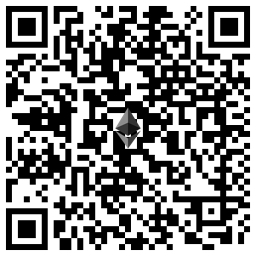
My Ethereum address is – ethereum:0xD7cc991E1f84B625C3723D2965C9948238F5DFe8

CIAOPS Tech Dojo–January 2022

pexels-pixabay-46253

In next month’s Tech Dojo, since it is still the holiday season, we take a look at doing a Crypto 101 session. You’ll learn about coins, storage, NFTs, smart contracts and more. All for information and not investment advice. Come learn about the exciting world of blockchain.

Costs:

Non CIAOPS Patrons = AU$99 inc GST

Date:

Wednesday January 12th 0930 – 1100 Sydney AU time

If you are interested in attending please complete the expression of interest here:

https://bit.ly/ciapatrondojo

and you’ll be sent more details of the event.

CIAOPS Business Dojo–December

pexels-oleg-magni-861233

In this month’s Business Dojo we take a look at create a security offering with Microsoft Sentinel. These are virtual events, hosted using Microsoft Teams, that will provide you with deep dive into a business topic from the Microsoft Cloud.

Costs:

Non CIAOPS Patrons = AU$99 inc GST

Date:

Wednesday December 22nd 0930 – 1100 Sydney AU time

If you are interested in attending please complete the expression of interest application here to be considered for the event:

https://bit.ly/patronbiz

and you’ll be sent more details.

A lot of talk but little action on cyber security

pexels-gezer-amorim-2293558

I attended a recent IT Professionals User Group meeting that featured yet another presentation by yet another ‘security’ vendor. Maybe I’m missing the point of these types of presentations but I didn’t feel it moved the needle in any meaningful way when it comes to cyber security. I wish I could get that time back I’ll be honest.

I’m finding that continual disappointment a lot if I’m honest. There is lots of talk but very little meaningful action when it comes to cyber security. Most of the focus of cyber security seems to be continually placed solely on how bad things are and this is probably more to aid in selling ‘product’ than it is in really providing real meaningful solutions. That, is a bad thing.

It is unfortunate that the whole ‘cybersecurity’ space is now seen as a revenue opportunity rather than a problem to be solved. Fear is probably the cheapest and easiest method of selling something and I see it in full swing where ever I go these days. There is no doubt that fear gets people’s attention, but fear alone does not solve the problem. Fear is an emotion not an action.

Good cyber security doesn’t need more bells, whistles and bright shiny objects, it needs people to implement and adhere to best practices and star using what they have already. Rarely does adding anything ‘more’ solve a problem because typically, more is simply a way to avoid addressing the actual root cause of the problem and making hard choices that need to be made. It is merely a way to be distracted from doing the ‘hard yards’ that implementing and adhering to best practices requires.

The amount of time, money, blood, sweat, PowerPoint slides and tears I see being utterly wasted on inconsequential approaches to cyber security utterly amazes me. Just when I think it can’t get it any worse, it does. It is no co-incidence, I would suggest, that as this wasted effort increases so to does the actual damage that cyber security incidents realise. Co-incidence? I think not! Why? All talk, no action.

Yes, there is no doubt, by any measure there is an issue. However, there isn’t a need to keep telling me this over and over and over again in the vain hope that I’ll buy some quantity of your magic cyber security snake oil remedy that in all honesty will just complicate things and rarely aid in help solve the problem. Work with what you have access to first, then seek to add more. Security starts with simplicity.

If you haven’t worked it out already, people are the problem when it comes to cyber security. Simple. The methodology and the tools to solve the problem are already available. Yet they largely lie under implemented and under utilised because of the human consequence from the lure from the next bright shiny object peddled by those regurgitating familiar statistics but with different slide decks.

Perhaps it’s just the old world engineer in me, out of touch with greater humanity, and that may be true. However, it doesn’t mean I’m wrong!

Stop trying to buy your way to peak cyber security and start doing the work. It is that simple. And guess what? All the stuff you need to improve cyber security is probably already available to you and is laying around neglected. The missing key ingredient is nothing more than effort expenditure. We’ll never solve the cyber security problem without effort and I think this quote from Edison is quite apt here:

Opportunity is missed by most people because it is dressed in overalls and looks like work

I will never claim that cyber security is easy. What I will however claim, is that there is so you much you can and should be doing but you aren’t. Everyone that is. From the business owner to the IT Professional to the government and beyond, let’s focus on solving the problem rather than simply using it as a topic of conversation or a method of sales conversion. Let your actions speak louder than your words when it comes to cyber security.

Need to Know podcast–Episode 277

In this episode I speak with ex-Microsoftie and now founder of Partner Elevate around the state of the partner channel and the alignment of incentives and campaigns for the modern workplace. I also bring you right up to date on the eve of Microsoft Ignite on exactly what’s the latest with the Microsoft Cloud.

This episode was recorded using Microsoft Teams and produced with Camtasia 2020.

Brought to you by www.ciaopspatron.com

Take a listen and let us know what you think – feedback@needtoknow.cloud

You can listen directly to this episode at:

https://ciaops.podbean.com/e/episode-277-des-russell/

Subscribe via iTunes at:

https://itunes.apple.com/au/podcast/ciaops-need-to-know-podcasts/id406891445?mt=2

The podcast is also available on Stitcher at:

http://www.stitcher.com/podcast/ciaops/need-to-know-podcast?refid=stpr

Don’t forget to give the show a rating as well as send us any feedback or suggestions you may have for the show.

Resources

Des Russell – Linkedin, Partner Elevate, Email – desmond@partnerelevate.com

Web version of Visual Studio Code

Microsoft now the most valuable company

Recent Microsoft earnings

What’s new in Teams for October 2021

Web content filtering is now GA

Manage All Your Surface Devices in a Single Portal

Autofill your addresses and payment info with Microsoft Authenticator

NOBELIUM targeting delegated administrative privileges to facilitate broader attacks

Techwerks 13

bw-car-vehicle

I am happy to announce that Techwerks 13 will be held in Melbourne CBD on November 25th 2021.

The course is limited to 30 people and you can sign up and reserve your place now! You reserve a place by completing this form:

http://bit.ly/ciaopsroi

or by sending me an email (director@ciaops.com) expressing your interest.

The content of these all day face to face workshops is driven by the attendees. That means we cover exactly what people want to see and focus on doing hands on, real world scenarios. Attendees can vote on topics they’d like to see covered prior to the day and we continue to target exactly what the small group of attendees wants to see. Thus, this is an excellent way to get really deep into the technology and have all the questions you’ve been dying to know answered. Typically, the event produces a number of best practice take aways for each attendee. So far, the greatest votes are for deeper dives into the Microsoft Cloud including Microsoft 365, Azure, Intune, Defender ATP, security such as Azure Sentinel and PowerShell configuration and scripts, with a focus on enabling the technology in SMB businesses.

Recent testimonial – “I just wanted to say a big thank you to Robert for the Brisbane Techworks day. It is such a good format with each attendee asking what matters them and the whole interactive nature of the day. So much better than death by PowerPoint.” – Mike H.

The cost to attend in Melbourne is:

Gold Enterprise Patron = Free

Gold Patron = $33 inc GST

Silver Patron = $99 inc GST

Bronze Patron = $176 inc GST

Non Patron = $399 inc GST

I hope to also have a streaming option available as well. The costs for this will be:

Gold Enterprise Patron = Free

Gold Patron = Free

Silver Patron = Free

Bronze Patron = $33 inc GST

Non Patron = $99 inc GST

I hope to see you there.

Need to Know podcast–Episode 273

Listen along as I speak with IT business owner David Nicholls from Solve Business Services on his journey to becoming a ‘modern’ cloud IT Professional. David shares the successful processes and approaches he has taken to ‘transform’ his business to be providing cloud support services.

Also, plenty of news and updates from the Microsoft Cloud, including the announcement date for Windows 11. so tune in to stay up to date.

This episode was recorded using Microsoft Teams and produced with Camtasia 2020.

Brought to you by www.ciaopspatron.com

Take a listen and let us know what you think – feedback@needtoknow.cloud

You can listen directly to this episode at:

Episode 273 – David Nicholls (podbean.com)

Subscribe via iTunes at:

https://itunes.apple.com/au/podcast/ciaops-need-to-know-podcasts/id406891445?mt=2

The podcast is also available on Stitcher at:

http://www.stitcher.com/podcast/ciaops/need-to-know-podcast?refid=stpr

Don’t forget to give the show a rating as well as send us any feedback or suggestions you may have for the show.

Resources

David Nicholls – Web, Linkedin

Windows 11 available on October 5

Windows 11 preview is now available on Azure Virtual Desktop

Introducing Microsoft Defender for Endpoint Plan 1

Get free DMARC visibility with Valimail Authenticate and Microsoft Office 365

Announcing Apple M1 native support for Microsoft Defender for Endpoint

Simplifying the Quarantine Experience

Securing your Windows 365 Cloud PCs

Troubleshoot Windows 365 Business Cloud PC setup issues