
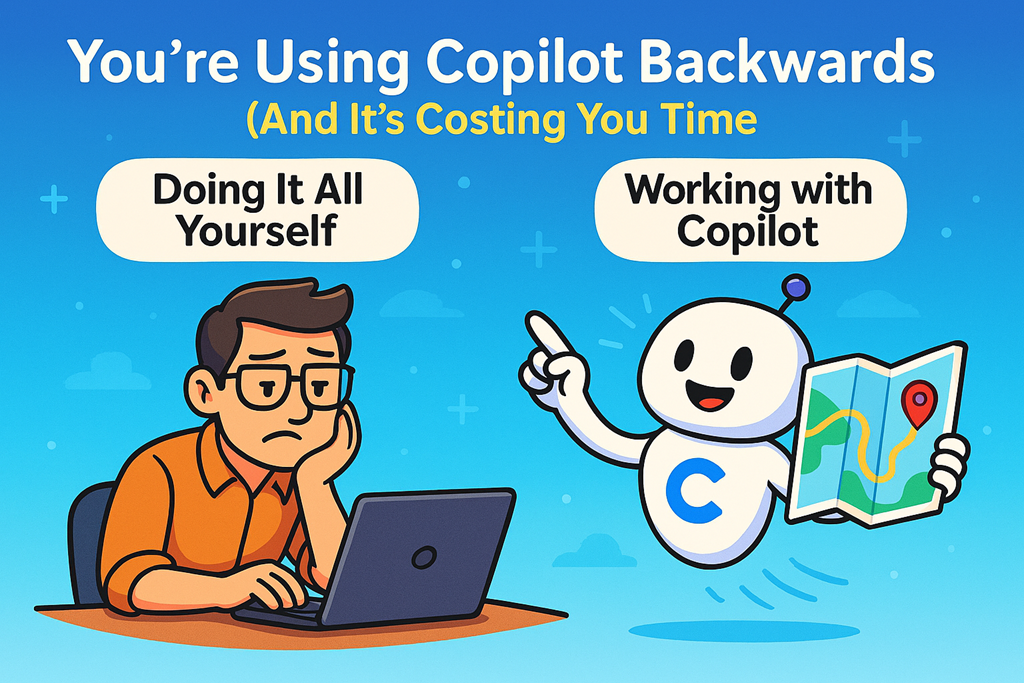
Most people say Copilot “isn’t very good”.
What they really mean is they’re doing all the hard work themselves and then tossing Copilot a half‑finished task at the end, hoping it magically improves things.
It won’t.
If you’re spending 80% of the effort thinking, drafting, structuring, and deciding — and then asking Copilot to “clean it up” — you’ve already missed the point. At that stage, Copilot isn’t an assistant. It’s just a fancy spell‑checker.
And I see this constantly with business users and MSPs rolling out Microsoft 365 Copilot.
The Common Copilot Anti‑Pattern
Here’s what usually happens:
- Someone writes most of an email, proposal, policy, or presentation themselves
- They paste it into Copilot
- They ask: “Can you make this better?”
Copilot shrugs (digitally), rewrites what you already decided, and gives you something that feels… underwhelming.
So the conclusion becomes: “Copilot isn’t worth it.”
Wrong diagnosis.
The real issue is how Copilot is being used.
Copilot Isn’t Meant to Finish Your Thinking
Copilot shines when it’s allowed to do the thinking with you, not after you’ve already locked everything in.
If you treat Copilot like a junior admin who only gets the task once the design is finished, don’t be surprised when the output adds little value.
Microsoft 365 Copilot works best when you reverse the flow:
- You define where you want to end up
- Copilot helps work out how to get there
That’s a fundamental mindset shift — especially for technical people who are used to solving everything themselves.
Outcome First. Steps Later.
Instead of feeding Copilot instructions, templates, or half‑baked drafts, start with the result you want.
For example:
- “I need a customer‑friendly explanation of why MFA is non‑negotiable”
- “I need a repeatable onboarding sequence for new Microsoft 365 customers”
- “I need internal guidance for staff on safe Copilot usage with client data”
Notice what’s missing?
No steps. No structure. No micromanaging.
Just the destination.
Copilot is very good at mapping routes — if you stop insisting on driving the whole way yourself.
Make Copilot Do the Heavy Lifting
Here’s the part most people skip: context discovery.
Instead of guessing what Copilot needs and dumping everything into one massive prompt, tell Copilot to interrogate you.
Ask it to identify the missing context.
For example:
- Ask Copilot to identify the key assumptions it needs
- Let it surface the constraints, tone, audience, or risks you haven’t considered
- Answer those questions clearly — then step back
This is where Copilot becomes genuinely useful. You’re no longer wrestling with a blank page or reworking mediocre drafts. You’re guiding a system that can reason across your Microsoft 365 data, your documents, your emails, and your environment.
That’s the real power MSPs should be showing customers.
Why This Matters for SMB Copilot Adoption
SMBs don’t need another tool. They need leverage.
Copilot isn’t about typing faster. It’s about:
- Better decisions
- More consistent communication
- Less mental load on key staff
- Fewer bottlenecks around “the one person who knows”
But only if it’s introduced correctly.
If your Copilot rollout training is just “click here and type this”, you’re setting everyone up for disappointment. Copilot adoption succeeds when users understand how to think with it, not just how to prompt it.
The Simple Rule to Remember
You provide the destination.
Copilot helps chart the course.
If you’re doing most of the thinking before Copilot ever gets involved, you’re paying for a Ferrari and pushing it uphill.
Use Copilot earlier. Trust it more. And stop asking it to finish work you should never have started alone in the first place.
That’s when Microsoft 365 Copilot stops being a novelty — and starts being a competitive advantage.


One thought on “You’re Using Copilot Backwards (And It’s Costing You Time)”