
One the things that I have tasked myself with is to go back through my scripts and using AI (aka Github Copilot) to improve my code.
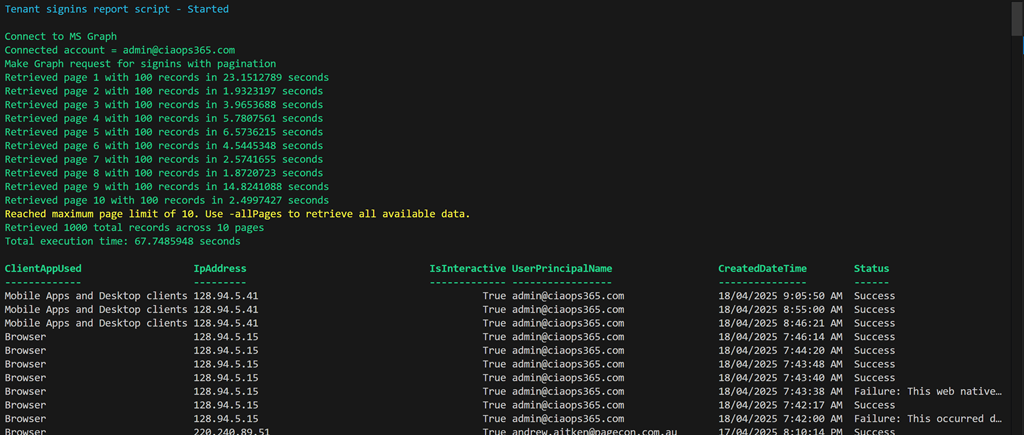
The latest script to get this treatment is:
https://github.com/directorcia/Office365/blob/master/graph-signins-get.ps1
which now has greater flexibility and speed. I also used Copilot to produce documentation for the script which is here:
https://github.com/directorcia/Office365/wiki/Get-tenant-signins
In my Visual Studio Code editor what I did was simply to open up the script.
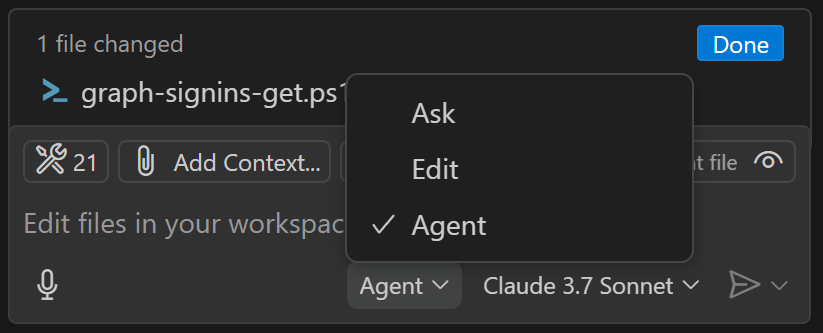
I then set Copilot to operate in ‘agent’ mode, as shown above. I also selected an AI model to use. I have the default choices of:
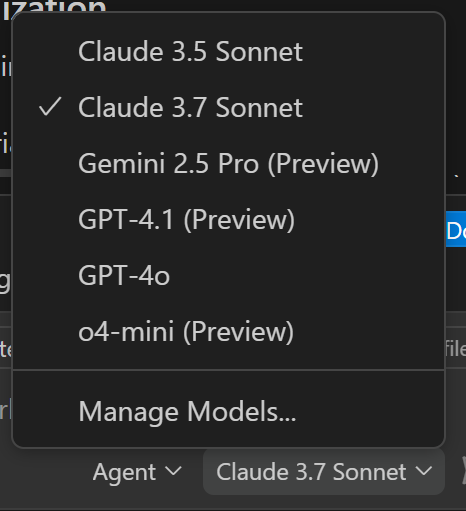
I can also configure others like Gemini if I want. This time I selected Claude 3.7 and then basically told Copilot to ‘improve’ my code. After that I asked it to provide options for using paging to get more results as well as ensuring the output was in local time.
After one update to the time format it produced an error when it ran but I simply told Copilot to fix that error and it did so. The code once again executed.
Thus, the updated script and documentation is now available via the links above and I am amazed at how easy it was to make all these changes to get the result that I wanted without having to type any additional code myself into the script! I suppose he downside is that the code is more complex and I don’t intrinsically understand it as well as if I had written every line, but I have Copilot to help explain any part of the code to me if needed and the time savings getting to a result speak for themselves.
The functionality that AI provided for me via Github Copilot is enormous and should make short work of any PowerShell automation I do in the future. If you are using PowerShell (or any code) then you really need to be looking at the benefits AI will provide you.
 CIAOPS