
The new Outlook is slowly improving.
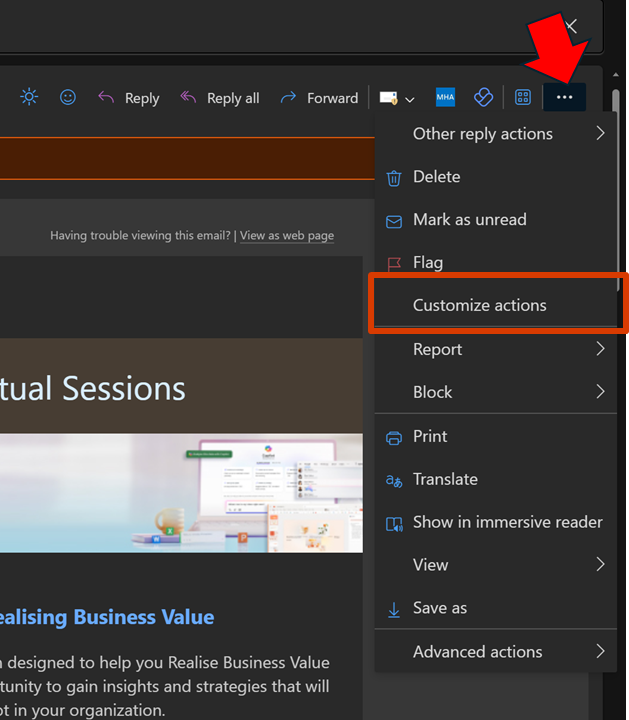
One key missing component for me was the integration with OneNote, as I like to send stuff from Outlook to OneNote. That feature is now there but simply isn’t enabled. To enable OneNote integration, open an email and select the ellipse (3 dots) as shown. From the menu that appears select Customize actions.
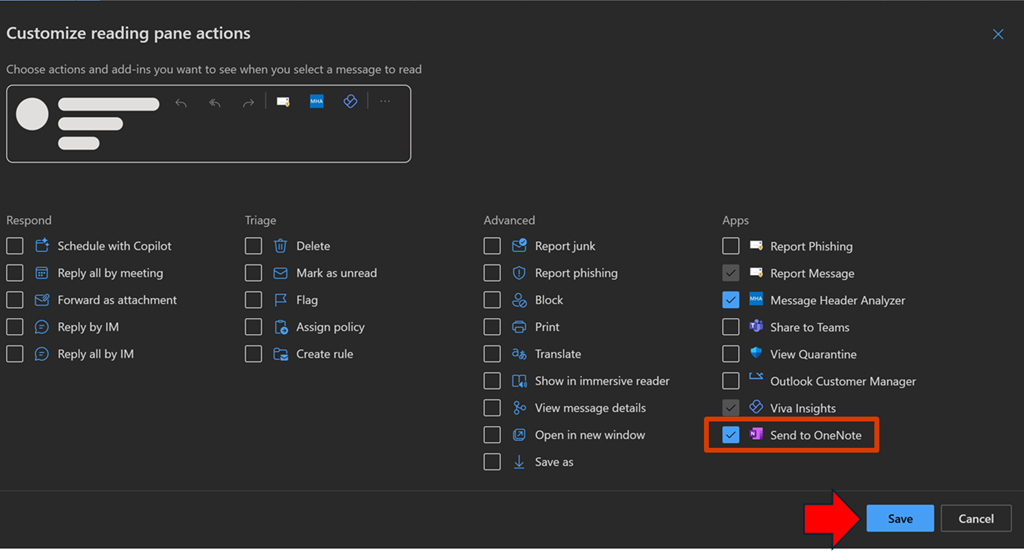
From the menu that select Send to OneNote, as shown above. Then select Save.
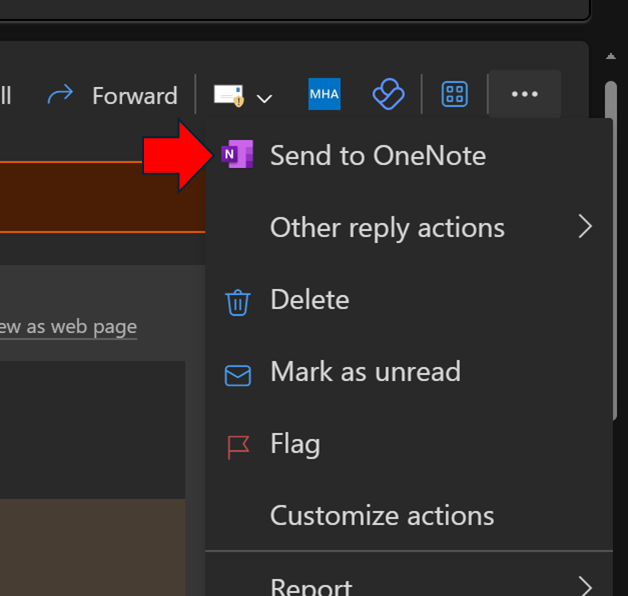
When you return to that menu for an email you should see the Send to OneNote as shown above.
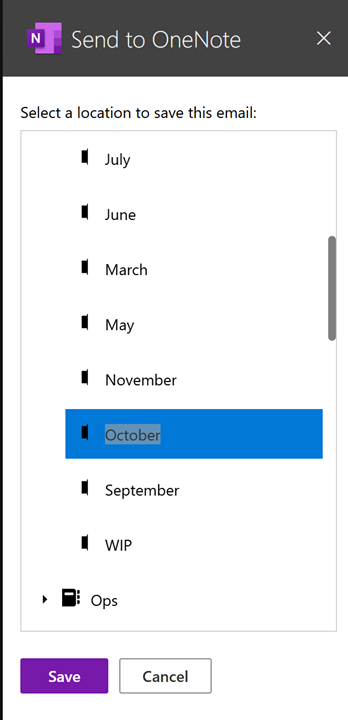
A dialog will appear on the right as shown above, allowing you to select where you wish the email saved.
Unfortunately, it only currently saves the content to a new page in the section in the notebook you nominate, not inside an existing page as used to happen in Outlook ‘classic’.
Hopefully, we’ll get the ability to send to an existing OneNote page as we used to be able to. At least I can send information to OneNote that I was unable to before I customized the actions as I have shown here.
 CIAOPS