
After the last project:
I wanted to have the device take input from a switch (which also came in the Starter kit).
Based on my existing projects I now created a configuration of:
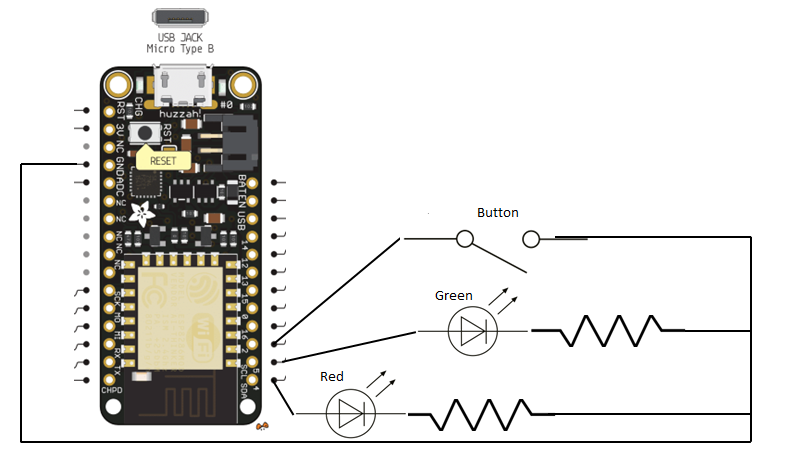
Pin 4 = Red LED + Resistor (560 ohm)
Pin 5 = Green LED + resistor (560 ohm)
Pin 2 = button
Each of these lines then went to the GND pin.
For the code I found the following article which was a great help:
from which I adapted my own code at:
https://github.com/directorcia/Azure/blob/master/Iot/huzzah-button.c
So that when the button is pressed it swaps which LED is on like so:
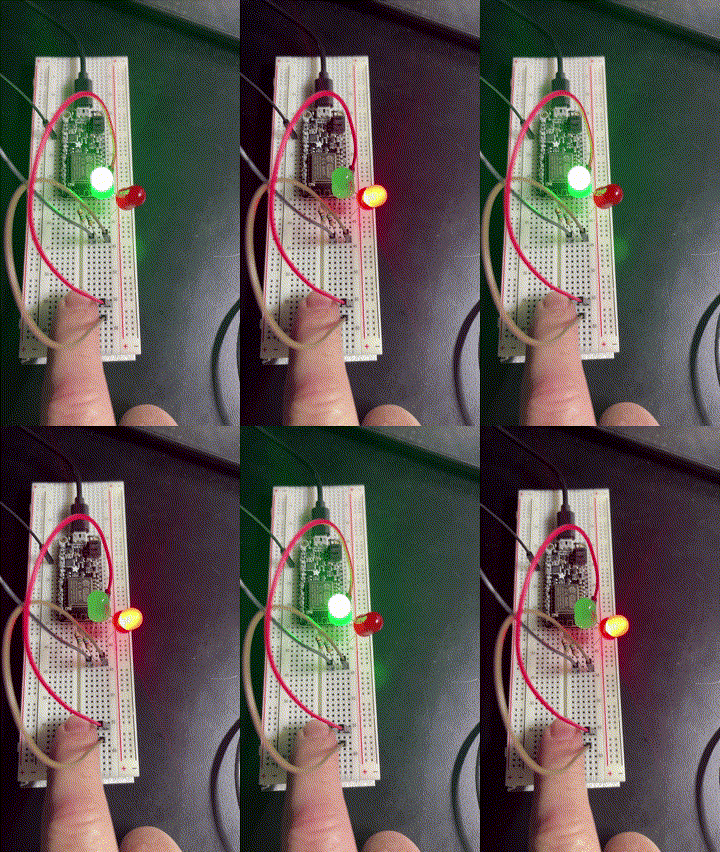
Of course, it could be improved but I am still calling it a success as all I really wanted to do was incorporate input from an external source.
With all this now done, the next aim is to work out how to connect the device to Azure and get Azure capturing the input from the device and reporting it somehow.


I’m going through pretty much exactly the same journey as you, just getting into IoT / Arduino type stuff. Slightly different microcontroller though – I have one of these ridiculously tiny boards: https://www.seeedstudio.com/xiao-series-page. I wondered about sending a webhook to Power Automate and transferring data that way. Haven’t got round to doing it yet, but don’t see why it shouldn’t work fine.
LikeLike
It is a tough slog I’m finding. The info is everywhere but nowhere. I have my device connected to Azure now but have issues with one connection type I’m trying to solve. Eventually, I want to be able to communicate with the device using Power Automate. However, that is a ways off.
LikeLike