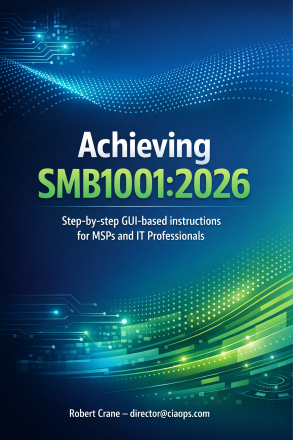
New Publication – Achieving SMB1001:2026. Step by step GUI based instructions for MSPs and IT Professionals

blog

https://directorcia.gumroad.com/l/smb1001-2006-gui

Unlock the highest level of cybersecurity and compliance for your business with the definitive SMB1001:2026 Compliance Guide.

What Is It?

A comprehensive, step-by-step, GUI-based manual designed for Managed Service Providers (MSPs), IT professionals, and compliance officers. This guide demystifies the SMB1001:2026 Level 5 (Diamond) standard, providing clear instructions for implementing every required control using Microsoft 365 Business Premium and related Microsoft tools.


Key Features
  • Complete Coverage: All five domains—Technology Management, Access Management, Backup & Recovery, Policies & Plans, Education & Training—are mapped to actionable controls.

  • Stepwise Implementation: Each control includes requirements, GUI navigation, best practices, and links to official Microsoft documentation.

  • Audit-Ready Evidence: Guidance on collecting and maintaining evidence (screenshots, reports, policies) for every control, ensuring audit readiness.

  • Advanced Security: Includes new 2026 controls like Endpoint Detection & Response (EDR), SPF/DKIM/DMARC for email, and phishing-resistant MFA.

  • Vendor/Product Comparisons: Practical tables for backup, insurance, training, DMARC, vulnerability scanning, and password managers—helping you choose the right tools.


Benefits
  • Achieve SMB1001:2026 Level 5 Certification: Essential for regulatory compliance, cyber insurance, and client trust.

  • Reduce Audit Risk: Clear evidence requirements and troubleshooting guides minimize compliance gaps.

  • Streamline IT Operations: GUI-based instructions minimize reliance on PowerShell/CLI, making implementation accessible to Level 1 support staff.

  • Protect Against Modern Threats: Ransomware, phishing, credential compromise, and vendor risk are all addressed with layered security controls.

  • Save Time & Reduce Errors: Step-by-step guidance, best practices, and troubleshooting appendices ensure smooth rollout and rapid problem resolution.


Who Should Buy?
  • MSPs and IT professionals managing Microsoft 365 environments for SMBs.

  • Compliance officers and business managers seeking audit-ready, best-practice security.

  • Organizations aiming for SMB1001:2026 certification, improved cyber insurance premiums, and a mature security posture.


How It Solves Your Problems
  • Fragmented Compliance: Brings all controls together in one place, mapped to Microsoft 365 tools.

  • Audit Evidence Gaps: Provides templates and checklists for evidence collection and retention.

  • Risk of Misconfiguration: Stepwise, GUI-based instructions reduce errors and ensure correct implementation.

  • Backup & Recovery Weaknesses: Covers offsite, air-gapped, and immutable backup strategies, with vendor comparisons.

  • Human Error & Training: Includes security awareness, phishing simulation, and role-based IT/admin training modules.


Why Purchase?
  • Required for SMB1001:2026 Level 5 (Diamond) certification.

  • Simplifies complex compliance and security requirements.

  • Saves time and reduces operational risk.

  • Provides audit-ready documentation and evidence.

  • Aligns with Microsoft 365 tools for seamless integration.


Take the guesswork out of cybersecurity compliance. Invest in the SMB1001:2026 Compliance Guide and empower your business to achieve, maintain, and prove the highest standards of security and operational resilience.

Achieving SMB1001:2026 is available here – https://directorcia.gumroad.com/l/smb10012006

See all the titles available at – https://directorcia.gumroad.com/

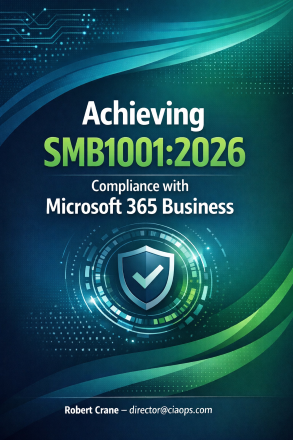
New Publication–Achieving SMB1001:2026 with M365 Business Premium

achieving smb1001-2026-cover-blog

https://directorcia.gumroad.com/l/smb10012006

Unlock Your Path to SMB1001:2026 Certification—The Definitive Guide for Modern Cybersecurity Excellence

Are you ready to elevate your business’s cybersecurity posture and achieve the new SMB1001:2026 standard? This publication, Achieving SMB1001:2026 Compliance with Microsoft 365 Business Premium, is your essential roadmap to mastering the latest requirements from Dynamic Standards International (DSI), released in September 2025.

Why Choose This Guide?
  • Comprehensive Coverage of the Latest 2026 Standard: Stay ahead with detailed explanations of all new controls, refinements, and tier changes introduced in SMB1001:2026. Learn how to implement advanced requirements like DMARC email authentication, Endpoint Detection & Response (EDR), AI governance, and enhanced supplier security—features not found in previous editions1.

  • Step-by-Step Implementation: Benefit from practical, actionable guidance for every control across Bronze to Diamond levels. Each section provides clear instructions for leveraging Microsoft 365 Business Premium tools—Intune, Defender for Business, Purview, and more—to meet compliance efficiently and confidently.

  • Gap Analysis & Control Mapping: Instantly identify what’s changed from SMB1001:2025 to 2026. The publication includes side-by-side tables and checklists, so you can pinpoint new, relocated, and updated controls, ensuring your compliance journey is audit-ready and future-proof1.

  • Real-World Solutions: Discover how to use Microsoft 365’s integrated security features to satisfy every requirement—from patch management and password hygiene to advanced backup strategies and supplier trust programs. Includes tips for evidence collection, policy documentation, and ongoing compliance management.

  • Focused on the Latest Threats: The 2026 standard responds to today’s evolving cyber risks, including email-based attacks, AI misuse, and supply chain vulnerabilities. This guide shows you how to implement controls that directly address these challenges, protecting your business from costly incidents and regulatory penalties.

  • Accelerate Your Certification: Whether you’re starting at Bronze or aiming for Diamond, this publication provides a clear, phased roadmap. Achieve certification faster, reduce audit stress, and gain a competitive edge with a security posture aligned to global best practices.

Who Should Buy This Guide?
  • IT Managers, MSPs, and Security Professionals seeking a practical, up-to-date reference for SMB1001:2026 implementation.

  • Business Owners and Executives wanting to understand the value and process of certification, and how it strengthens business resilience.

  • Compliance Officers and Auditors needing authoritative guidance on evidence collection, policy updates, and audit preparation.

Key Benefits
  • Save Time and Resources: Avoid costly trial-and-error with proven, step-by-step instructions and ready-to-use checklists.

  • Reduce Risk: Implement controls that directly mitigate ransomware, phishing, and supply chain threats.

  • Future-Proof Your Business: Stay compliant with the latest cybersecurity standard, ensuring your organization is prepared for evolving regulations and threats.


Don’t settle for outdated guidance—choose the publication that’s fully aligned with SMB1001:2026 and unlock your path to certification and cyber resilience.

SMB1001:2025 is available here – https://directorcia.gumroad.com/l/smb1001-2025?layout=profile

See all the titles available at – https://directorcia.gumroad.com/

CIAOPS Need to Know Microsoft 365 Webinar – February

laptop-eyes-technology-computer_thumb

Now in our tenth year!

Join me for the free monthly CIAOPS Need to Know webinar. Along with all the Microsoft Cloud news we’ll be taking a look at the new Baseline Security Mode.

Shortly after registering you should receive an automated email from Microsoft Teams confirming your registration, including all the event details as well as a calendar invite.

You can register for the regular monthly webinar here:

February Registrations

(If you are having issues with the above link copy and paste – https://bit.ly/n2k2602 )

The details are:

CIAOPS Need to Know Webinar – February 2026
Friday 20th of February 2026
11.00am – 12.00am Sydney Time

All sessions are recorded and posted to the CIAOPS Youtube channel.

Also feel free at any stage to email me directly via director@ciaops.com with your webinar topic suggestions.

I’d also appreciate you sharing information about this webinar with anyone you feel may benefit from the session and I look forward to seeing you there.

PowerShell script to extract Exchange Online data for your own AI analysis

A while ago I wrote a script that reads Microsoft 365 security information and exports it to a JSON data file. The idea is that you can take this data file and use it with your AI of choice. I have now developed a similar script but for Exchange Online information.

Screenshot 2026-02-01 213211

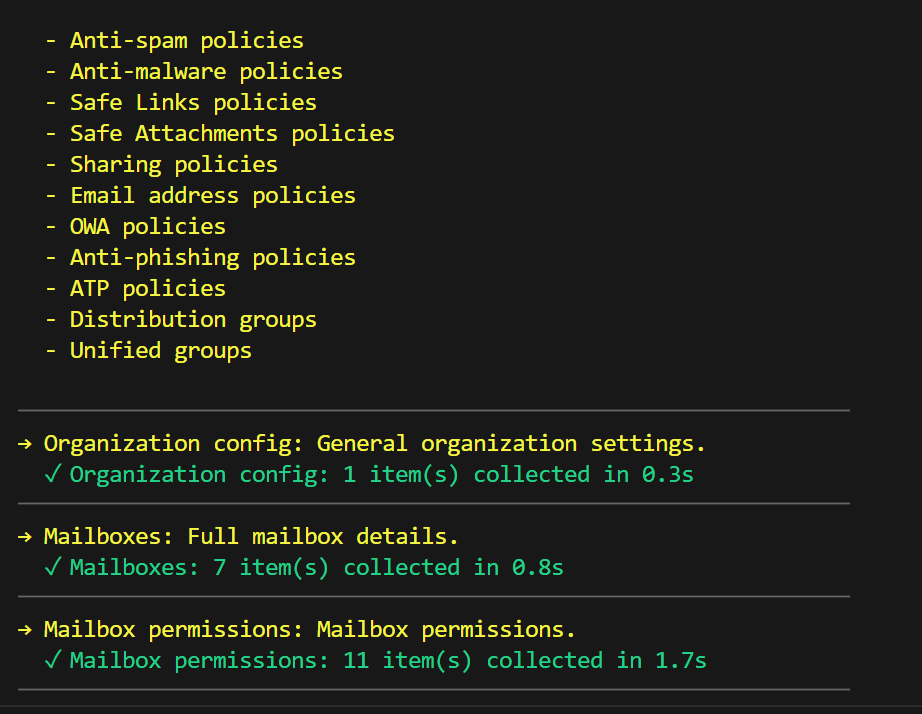
When you run the script it will connect to Exchange online and extract the information from a variety of locations

Screenshot 2026-02-01 213303

It will produce 2 output JSON files in the parent directory. The standard data file can be quite large, in the case above it is around 15MB. The other file produced is more ‘compact’ around 100 – 200KB

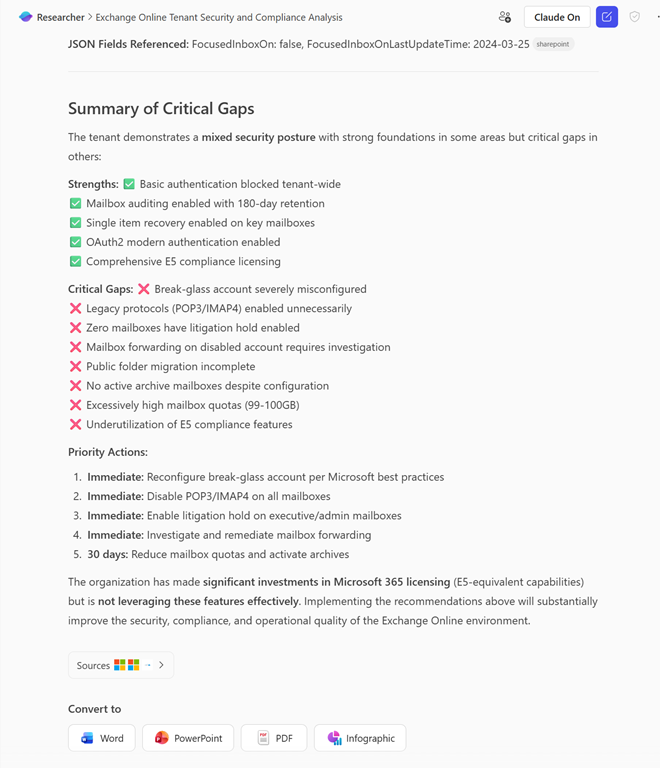
Screenshot 2026-02-01 213701

You can then take either of these JSON files and feed them into you AI system of choice. The above shows you the result when I fed it into Copilot Researcher.,

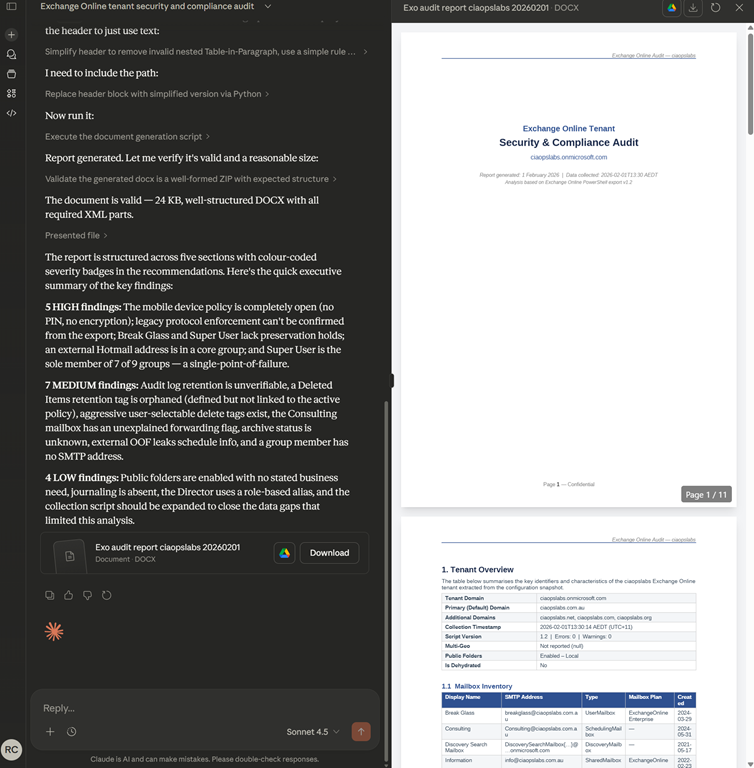
Screenshot 2026-02-01 214046

and I even got a nice Word document when I fed it into Claude online.

You can download the script here:

https://github.com/directorcia/Office365/blob/master/Analysis/Exchange/exo-extract.ps1

and find the documentation here:

https://github.com/directorcia/Office365/wiki/Extract-Exchange-Online-information

as well as a long prompt you can use with your Ai of choice here:

https://github.com/directorcia/Office365/blob/master/Analysis/Exchange/prompt-long.txt

Given that email systems are typically at the highest security risk, this script shoudl allow you to quickly and easily evaluate its posture as well as giving you a range of improvement suggestions.

Unlocking Microsoft 365 Security: How I Automated AI-Powered Risk Analysis with PowerShell

Video URL – https://www.youtube.com/watch?v=gyPXlI6GHCo

In this video, I walk you through my exclusive PowerShell script that transforms Microsoft 365 security management. Watch as I extract real-time security data from my Microsoft 365 tenant, summarize it, and seamlessly upload it to a custom AI Foundry agent powered by GPT-5. You’ll see how I authenticate using Azure AD, leverage model routing for the best AI analysis, and generate a detailed, actionable HTML security report—complete with risk assessments, prioritized recommendations, and remediation guides. This tool is available only to subscribers, so if you want to supercharge your Microsoft 365 security with AI automation, this is a must-watch! Drop your questions in the comments and discover what’s possible when PowerShell meets next-gen AI. See the blog post at – https://blog.ciaops.com/2026/01/22/co…

Essential 8 AI report via PowerShell

Screenshot 2026-01-25 112744

I recently provided a PowerShell script to extract M365 data for your own AI analysis. Also as part of that I provided two recommended prompts you can use to generate a report based on that data. I have now added an Essential 8 prompt you can use to generate a detailed Essential 8 analysis and report, which you an find here:

https://github.com/directorcia/Office365/blob/master/Analysis/Secure%20Score/prompt-e8.txt

Screenshot 2026-01-25 112919

You can see the result of this prompt in the images provided, which in this case was used with Copilot Researcher with Claude.

You can of course, use this prompt with any AI you prefer and just use it as a starting point and customise to suit your needs

If you have any further suggestions for prompts with this extract security data please let me know.

PowerShell script to extract M365 security data for your own AI analysis

blog

I wrote about how I have now integrated PowerShell and AI recently:

https://blog.ciaops.com/2026/01/22/combining-powershell-and-ai-for-m365-security-analysis/

In that example, I use my own agent developed in Azure AI Foundry to analyse security data extracted from Microsoft 365. In there I did offer free access to the script and my Foundry AI agent for analysis. However, I do appreciate that many people are hesitant to allow a ‘foreign’ AI system to evaluate private M365 security data.

Therefore, I have created another script that will simply extract your M365 security data and put it into a local JSON file that you can then upload to your own AI for analysis. You will find that script at:

https://github.com/directorcia/Office365/blob/master/Analysis/Secure%20Score/o365-secure-score-extract.ps1

and the documentation is here:

https://github.com/directorcia/Office365/wiki/Extract-Microsoft-365-Secure-Score-information

To use this script you need to have the PowerShell Graph module installed and use an account that has appropriate access to M365 security information.

Screenshot 2026-01-23 074402

When run, you’ll see it extract the security from various places in the tenant as shown above.

Screenshot 2026-01-23 074545

It will then save that information to a local file as shown above.

Screenshot 2026-01-23 074702

In this case you’ll see that I used the –compact option to two data files. The normal one, which is around 8MB and a smaller one around 234KB. The reason for this is that I found in my testing that many AI systems don’t support large file uploads (M365 Copilot does but). So the smaller one can work with those limited systems.

Once you give your AI system of choice access to the data file by uploading it, you can then use any prompt you wish to analyse the data. Here are some prompts I have created you can use. A long one:

https://github.com/directorcia/Office365/blob/master/Analysis/Secure%20Score/prompt-long.txt

and a shorter one:

https://github.com/directorcia/Office365/blob/master/Analysis/Secure%20Score/prompt-short.txt

I have uploaded my test data into a variety of AI systems but have gotten the best results from M365 Copilot Researcher and Analyst:

Screenshot 2026-01-23 075229

Screenshot 2026-01-23 080158

My original script does the extraction and the uploading for you together, but this new script now allows you to do just the extraction and then take that data and use any AI system or prompt you wish.

I have also created a number of additional scripts that extract as well as analyse a variety of other M365 services such as Exchange, SharePoint Entra Id and more. These are available to CIAOPS Patrons.

If you find a great prompt to use with this extracted data, let me know and I’ll share it so everyone can benefit.

Combining PowerShell and AI for M365 Security Analysis

powershell_ai_m365_security_no_text

I’ve used AI to create smart Microsoft 365 expert technical agents which I have deployed to Teams for CIAOPS Patrons:

image

I’ve also created a smart Microsoft 365 expert technical agent that you can use for free via email:

https://blog.ciaops.com/2025/06/11/get-your-m365-questions-answered-via-email-2/

simply by putting your question in the body of an email and sending it to robert.agent@ciaops365.com.

Now, I have integrated AI into my PowerShell scripts! Let me explain what I’ve done.

I’ve created an agent in Azure AI Foundry that is ‘grounded’ with all my M365 knowledge that is in the CIAOPS Patron community. I’ll cover off what I have learned about Azure AI Foundry in another post.

Next, I created a PowerShell script that firstly logs into a tenant to be inspected,

image

extracts all the security information like Secure Score details, Conditional Access policies and more,

image

bundles all that up into a single JSON file (about 8MB in size)

image

and then connects to my Foundry agent and uploads that extracted data for analysis

image

After analysis it generates and displays an extensive HTML report

image

which looks like:

image

and you can find a complete copy of to review at here, because it is too large for this post:

https://github.com/directorcia/Office365/blob/master/Analysis/secure-score-foundry.png

image

I’ve configured my Foundry agent to use a ‘Model router’, meaning that the agent uses what it things is the best LLM to do the analysis automatically.

The report include Prioritized recommendations:

image

A visualized Remediation Roadmap:

image

and whole lot more. I encourage you to take a moment and study the example output for yourself, which is AI generated.

I am now building similar AI analysis scripts for al M365 services like Exchange, SharePoint, etc and plant expand these over time.

Here’s the best part. As part of my testing process I am happy to make this Secure Score AI Analysis script available to a select few who read this and send me an email (director@ciaops.com) asking for a copy. You’ll need to be comfortable with PowerShell and have the MSGraph module already installed to run the script. Even better for the select few that do respond – I’ll give you access to my Azure AI Foundry agent for FREE to do the analysis. There are some conditions you’ll need to agree to, like going on my email list and understanding this is all still a beta test but there will be no cost if you qualify and agree. To start that process just email me (director@ciaops.com) saying you are keen to give it a go and I’ll send along the all the details.

There are just so many ways that I can see how to integrate AI with PowerShell and I’ll be sharing more soon on what I am doing.