CIAOPS Need to Know Microsoft 365 Webinar – March

laptop-eyes-technology-computer_thumb

Join me for the free monthly CIAOPS Need to Know webinar. Along with all the Microsoft Cloud news we’ll be taking a look at Purview (aka Compliance) in Microsoft 365.

Shortly after registering you should receive an automated email from Microsoft Teams confirming your registration, including all the event details as well as a calendar invite.

You can register for the regular monthly webinar here:

March Webinar Registrations

(If you are having issues with the above link copy and paste – https://bit.ly/n2k2503)

The details are:

CIAOPS Need to Know Webinar – March 2025
Friday 28th of March 2025
11.00am – 12.00am Sydney Time

All sessions are recorded and posted to the CIAOPS Academy.

The CIAOPS Need to Know Webinars are free to attend but if you want to receive the recording of the session you need to sign up as a CIAOPS patron which you can do here:

http://www.ciaopspatron.com

or purchase them individually at:

http://www.ciaopsacademy.com/

Also feel free at any stage to email me directly via director@ciaops.com with your webinar topic suggestions.

I’d also appreciate you sharing information about this webinar with anyone you feel may benefit from the session and I look forward to seeing you there.

Testing sensitive information types in Microsoft Purview

2025-02-25_07-45-21

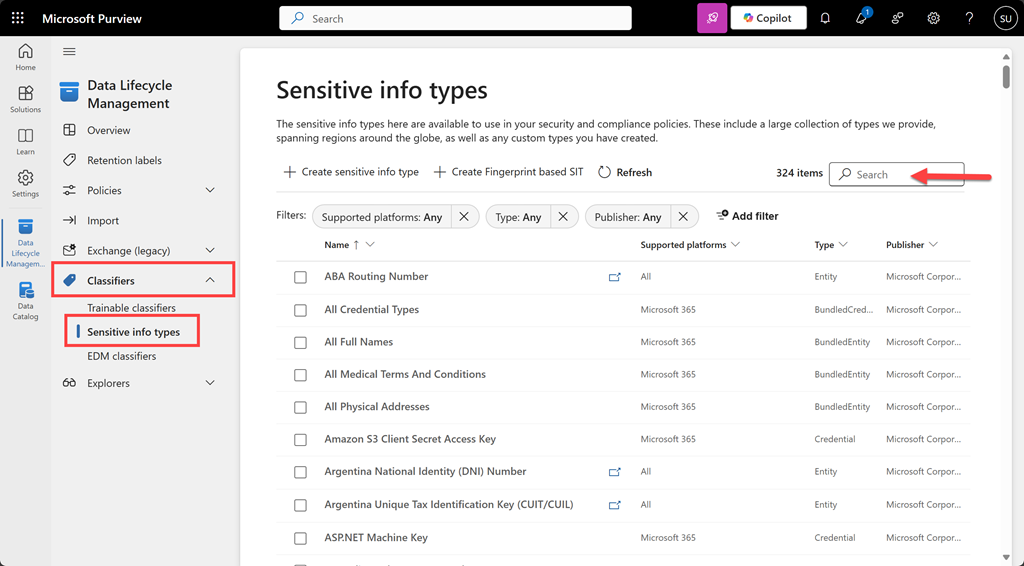
To test a file for a sensitivity type navigate to the Microsoft Purview portal. From the solutions icon on the left hand side select Data Lifecycle Management. Expand the Classifiers option from the menu and select Sensitive info types as shown above. You can search for the an item via a search in the top right.

image

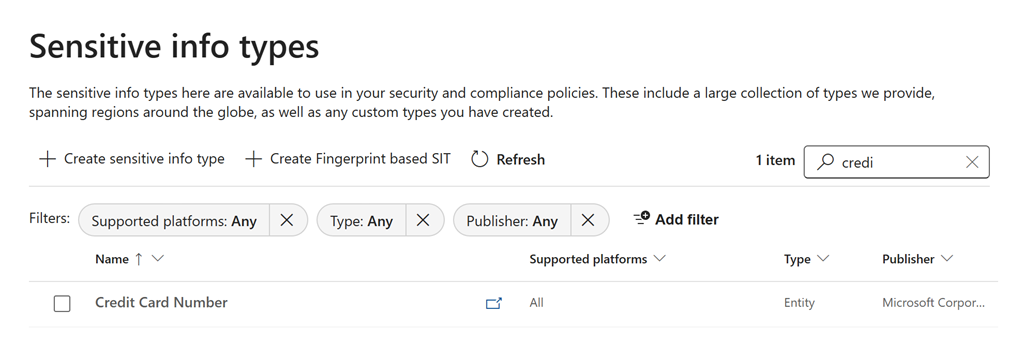
Here, I’ll located Credit Card Number as shown above.

image

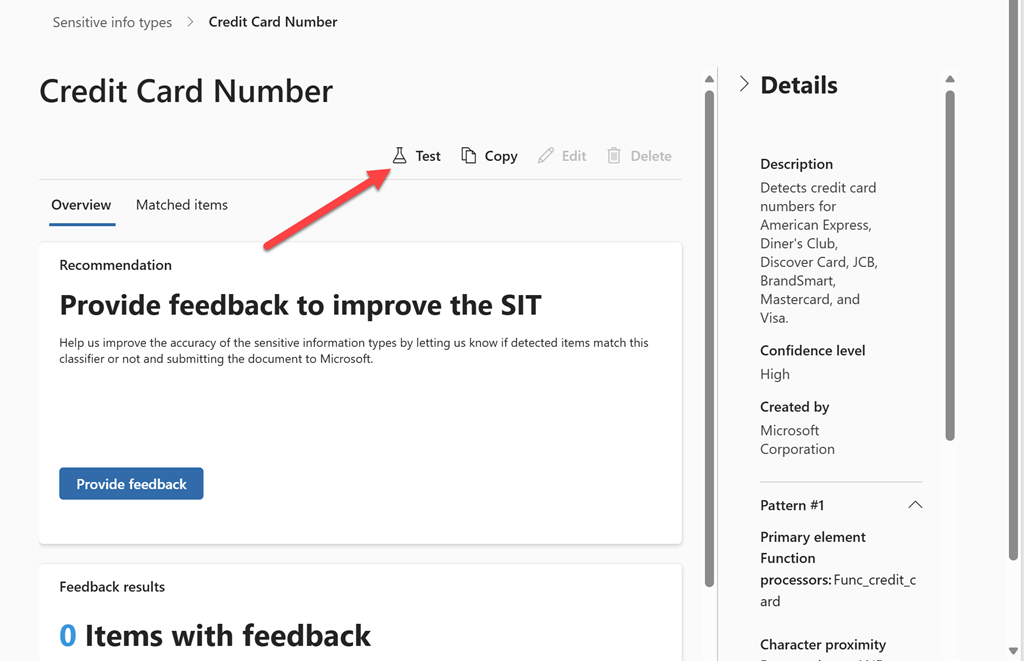
On the right hand side you will find a Test icon as indicated above.

image

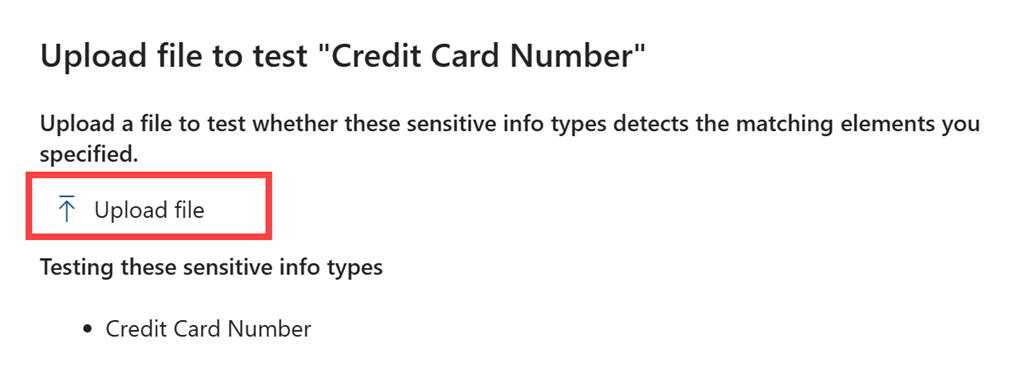
From the right will appear a window with an option to Upload file as shown above.

image

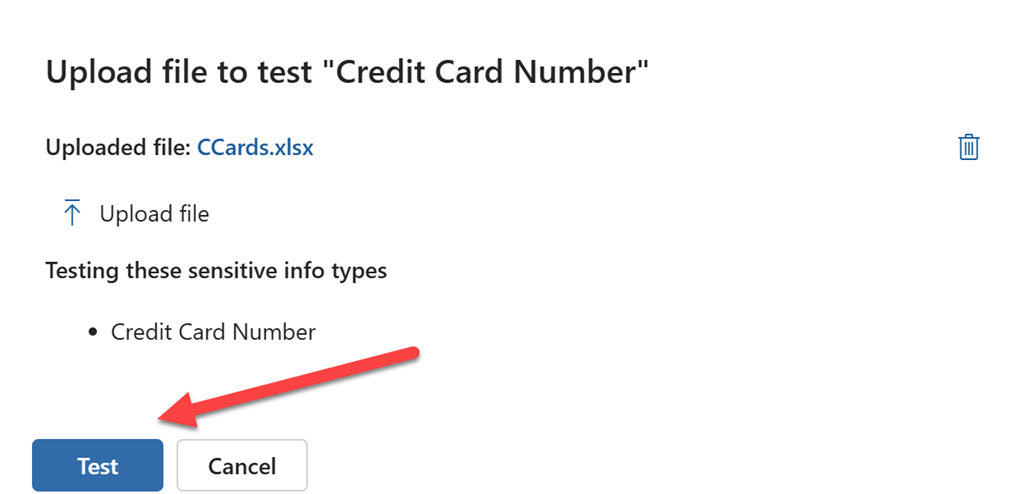
Once you have uploaded the file you wish to test, select the Test button at the bottom of the page as shown.

image

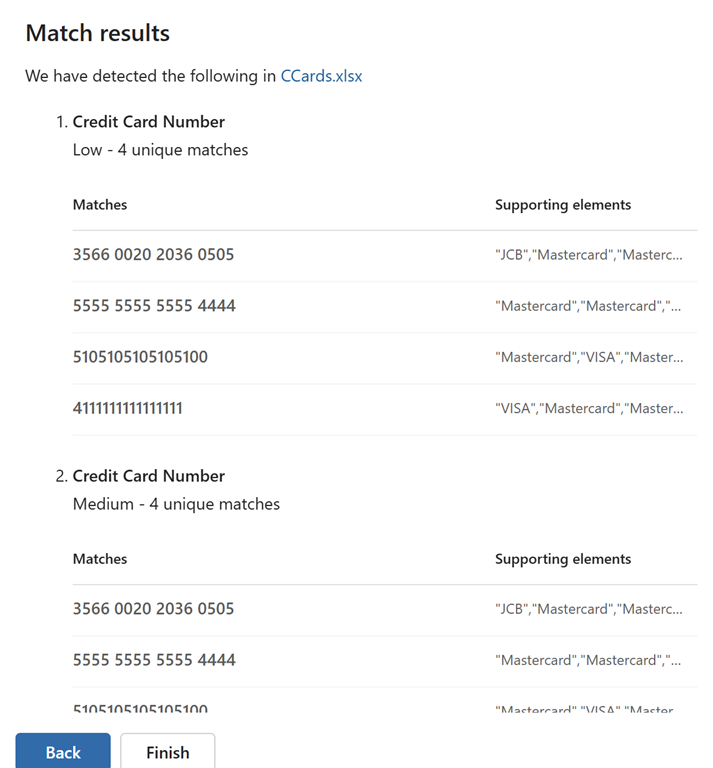
After a moment or two, you’ll see the results of the test as shown above.

This manual sensitive information testing process will allow you to verify whether your file content will be identified by services such as DLP in MIcrosoft Purview. This should make creating policies to ptotect your information easier.

Checking your environment for oversharing

Microsoft now provides the ability to check yoru environment for oversharing my running a data assessment report which you’ll find in DSPM for AI inside Microsoft Purview.

Here’s my video to get you started:

https://www.youtube.com/watch?v=aVUQ6PGnMmE

some documentation to help is here:

Get started with Data Security Posture Management

Hopefully, the reporting will become more details and allow you to take direct action on individual items that are reported. However, for now, it is a handy report to have in your bag of tricks.

Configuring DLP with Microsoft 365 Copilot

Here is a video that takes you through the process of setting up a Data Loss Prevention Policy (DLP) that protects content when used in Microsoft 365 Copilot.

To achieve this you need to set up Data Labelling in your Microsoft 365 environment which is not covered in this video. Documentation from Microsoft on DLP with Microsoft 365 Copilot can be found here:

Learn about the Microsoft 365 Copilot policy location (preview)