New publication available

blog

https://directorcia.gumroad.com/l/copilotequiv

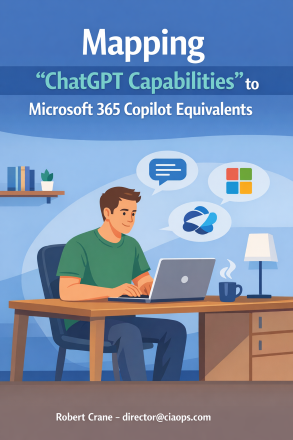
Mapping “ChatGPT Capabilities” to Microsoft 365 Copilot  Equivalents

Unlock the Power of AI Productivity: Mapping ChatGPT Capabilities to Microsoft 365 Copilot

Are you a small business owner or professional eager to harness the full potential of AI in your daily workflow? This essential guide demystifies the differences and synergies between ChatGPT and Microsoft 365 Copilot, showing you how to achieve every productivity hack with enterprise-ready tools you already own.

What’s Inside:

  • Feature-by-Feature Comparisons: Discover how ChatGPT’s most popular features—custom instructions, persistent memory, voice and vision modes, data analysis, and more—map directly to Microsoft 365 Copilot’s built-in capabilities across Word, Excel, Outlook, Teams, and PowerPoint.

  • Practical Guidance: Step-by-step instructions make it easy for non-technical users to enable and master Copilot, with troubleshooting tips and real-world examples.

  • Security & Privacy Insights: Learn why Copilot’s integration with your Microsoft 365 environment offers superior data protection and compliance for business users.

  • Comprehensive Tables & Visuals: Instantly see which Copilot features match your favorite ChatGPT tricks, with clear notes on licensing, differences, and best practices.

  • Extend & Automate: Explore how plugins, connectors, and Power Platform automations let you customize Copilot for your unique business needs—no coding required.

Why Buy This Guide?

  • Save Time: Stop searching for answers—find out exactly how to use Copilot to draft documents, analyze data, manage emails, schedule meetings, and more.

  • Boost Productivity: Leverage AI to automate routine tasks, generate insights, and collaborate smarter—directly within the Microsoft 365 apps you use every day.

  • Stay Secure: Make informed decisions about AI adoption with clear explanations of privacy, licensing, and compliance.

  • Future-Proof Your Workflow: Get ahead of the curve with up-to-date information on Copilot’s evolving features, plugin ecosystem, and integration roadmap.

Whether you’re new to AI or a seasoned tech enthusiast, this publication is your roadmap to mastering Microsoft 365 Copilot and transforming the way you work.

See all the titles available at – https://directorcia.gumroad.com/
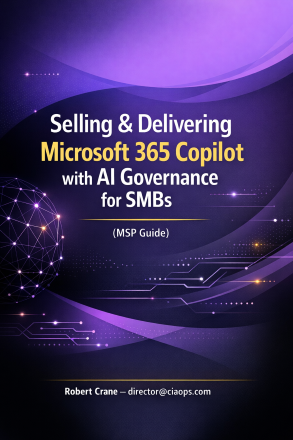
Introduction to Copilot Notebooks

blog

Unlock the power of AI-driven productivity with Microsoft 365 Copilot Notebooks!
Are you ready to transform the way you organize, analyze, and create? This comprehensive beginner’s guide reveals how Copilot Notebooks—Microsoft’s revolutionary AI-enhanced workspace—can become your personal project brain, helping you work smarter, not harder.

Why This Guide Is a Must-Have for Every Microsoft 365 User
  • Supercharge Your Workflow:
    Learn how to gather content from Word, Excel, PowerPoint, PDFs, emails, and more into a single, organized notebook. No more hunting for scattered files—Copilot Notebooks centralize everything you need for any project.

  • AI-Powered Insights at Your Fingertips:
    Discover how to ask Copilot questions about your collected materials and receive instant, context-aware answers. Whether you need a summary, trend analysis, or a draft report, Copilot delivers tailored results based on your actual content—not generic web searches.

  • Automate Tedious Tasks:
    Say goodbye to manual note-taking and repetitive documentation. Let Copilot turn meeting notes into action lists, summarize long email threads, or draft proposals in seconds, freeing you to focus on what matters most.

  • Boost Collaboration and Creativity:
    Share notebooks with colleagues, co-author in real time, and leverage AI to keep everyone aligned. Copilot Notebooks are designed for seamless teamwork and creative brainstorming.

  • Stay Ahead with Audio Overviews:
    Unique to Copilot Notebooks, generate AI-narrated audio summaries of your projects—perfect for reviewing information on the go or multitasking.

  • Step-by-Step, Beginner-Friendly:
    This guide walks you through setup, best practices, and real-world use cases (data analysis, task automation, documentation), making it easy for anyone to get started—no technical expertise required.

Empower yourself to work faster, smarter, and more creatively.

Get your copy of the “Microsoft 365 Copilot Notebooks: Beginner’s Guide” today and unlock a new era of productivity!

I would always appreciate you supporting my work by purchasing a copy (nominate your own price) here:

https://directorcia.gumroad.com/l/bgcn 

and don’t forget all my other publications can be found here:

https://directorcia.gumroad.com/
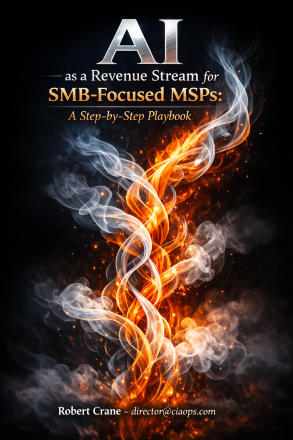
Unlock New Revenue with AI: The Ultimate Playbook for MSPs Serving SMBs

cover440

Transform your MSP business and your clients’ success with “AI as a Revenue Stream for SMB-Focused MSPs: A Step-by-Step Playbook.”
My comprehensive guide reveals how Managed Service Providers (MSPs) can harness the power of AI—especially Microsoft 365 Copilot—to create profitable, recurring revenue streams while delivering real, measurable value to small and mid-sized business clients.

What’s Inside:

  • Proven Strategies: Learn how to build in-house AI expertise, develop marketable service offerings, and position your MSP as the go-to AI advisor for SMBs.
  • Actionable Playbooks: Step-by-step instructions for AI readiness assessments, Copilot pilot deployments, custom AI solution development, and ongoing managed AI services.
  • Real-World Examples: Discover practical use cases, pricing models, and packaging ideas that have driven success for forward-thinking MSPs.
  • Marketing & Sales Tactics: Get tips on educating your market, overcoming AI skepticism, and using demos and case studies to close deals.
  • ROI-Focused Guidance: Master value-based pricing, SaaS-style subscriptions, and how to clearly demonstrate the business impact of AI for your clients.

Why This Guide?

  • Written by industry experts with deep Microsoft 365 and AI experience.
  • Packed with checklists, templates, and ready-to-use service packages.
  • Designed for immediate action—whether you’re just starting with AI or looking to scale your offerings.

Perfect for:

  • MSPs and IT consultants serving small and mid-sized businesses.
  • Business owners seeking to future-proof their services and boost client retention.
  • Anyone looking to monetize AI and Microsoft Copilot in the real world.

Don’t let your MSP get left behind.
Download “AI as a Revenue Stream for SMB-Focused MSPs” and start building your next growth engine today!

As a Boxing Day sale, I’m offering this publication for free in exchange for your joining my email list. To get your copy just provide your details here:

https://forms.office.com/r/T4ZSWhquJ8

and will be emailed out to you. This offer is valid until 1/1/2026.

I would always appreciate you supporting my work by purchasing a copy (nominate your own price) here:

https://directorcia.gumroad.com/l/airevenue

and don’t forget all my other publications can be found here:

https://directorcia.gumroad.com/

All the best for the holidays.

Incident Response Plan with M365BP Publication

Insta-550

I’ve just finished off a new publication – Incident Response Plan with Microsoft 365 Business Premium. The details are:

Executive Summary

This playbook provides a comprehensive, step-by-step approach for responding to security incidents in Microsoft 365 Business Premium environments. It follows the NIST incident response lifecycle and integrates Microsoft’s best practices for cloud security. The plan is designed to help organizations minimize damage, protect sensitive data, restore operations quickly, and meet legal and regulatory requirements.

Key Components

Length = Over 90 pages

Quick Start Guide

  • Emergency Checklist: Immediate actions for newly discovered incidents, with a printable 1–2 page checklist for high-pressure situations.
  • Decision Tree: Rapid classification of incident severity (Critical, High, Medium, Low) to guide response urgency.

Notable Features

  • Checklists and Templates: Ready-to-use forms for incident logs, evidence collection, communications, and insurance claims.
  • Technical Guidance: PowerShell scripts and portal instructions for investigation and remediation.
  • Compliance Alignment: Guidance for GDPR, HIPAA, CCPA, and other regulatory notifications.
  • Continuous Improvement: Emphasis on regular drills, lessons learned, and updating the plan after incidents.

Intended Outcomes

  • Swift, organized response to security incidents.
  • Minimized business disruption and data loss.
  • Compliance with legal and regulatory requirements.
  • Improved cyber resilience through ongoing training and process refinement.

Like my last publication:

Implementing ACSC Essential Eight Maturity Level 3 with Microsoft 365 Business Premium publication

You can get your copy by heading over to my Ko-Fi at:

https://ko-fi.com/ciaops

and leaving me a one time tip for whatever you feel it is worth I’ll then email you a copy. Also ensure you include a message letting me know you want this particular publication

Note – All CIAOPS Patrons receive all my publications for free as part of their subscription. The benefits of membership.

Implementing ACSC Essential Eight Maturity Level 3 with Microsoft 365 Business Premium publication

bp

I’ve developed a new publication called – “Implementing ACSC Essential Eight Maturity Level 3 with Microsoft 365 Business Premium”. Here is the summary:


This guide is designed for small and medium business managed service providers (MSPs) aiming to achieve ACSC Essential Eight Maturity Level 3 (ML3) using Microsoft 365 Business Premium. ML3 is the highest standard of cyber resilience recommended by the Australian Cyber Security Centre (ACSC), focusing on proactive defense against sophisticated cyber threats and regulatory compliance.


  • The Essential Eight are eight interlocking security controls: Application Control, Patch Applications, Configure Office Macro Settings, User Application Hardening, Restrict Administrative Privileges, Patch Operating Systems, Multi-Factor Authentication (MFA), and Regular Backups.
  • ML3 requires proactive, defense-in-depth measures, rapid patching, advanced identity management, and centralized logging.
2. Microsoft 365 Business Premium as the Foundation
  • Integrates productivity tools with enterprise-grade security (Intune, Entra ID, Defender for Business, Purview).
  • The new Microsoft Defender Suite for Business Premium (formerly E5 Security add-on) provides advanced features like privileged identity management, threat hunting, and extended data retention.
3. Implementation Guidance for Each Control
  • Application Control: Use Windows Defender Application Control (WDAC) to prevent unauthorized code/drivers. Requires hardware support (TPM 2.0, VBS).
  • Patch Management: Enforce rapid patching for applications and OS, automate updates via Intune, and use Defender Vulnerability Management for monitoring.
  • Restrict Admin Privileges: Separate admin accounts, enforce least privilege, use Entra Privileged Identity Management (PIM), and centralize logging.
  • MFA: Only phishing-resistant, cryptographically bound factors (FIDO2, smartcards, Windows Hello for Business) are permitted at ML3.
  • Macro & Application Hardening: Block macros from the Internet, enforce signed macros, remove legacy components (IE11, old .NET), and apply Attack Surface Reduction rules.
  • Regular Backups: Use Microsoft Purview for retention, Azure Backup for non-M365 workloads, and test restores regularly.
  • Governance: Continuous compliance monitoring with Purview Compliance Manager, Sentinel, and regular audits.
4. Business & Operational Benefits
  • Enhanced security, regulatory compliance, operational efficiency, business continuity, and competitive advantage.
5. Licensing & Cost Considerations
  • ML3 can be achieved with Business Premium plus the Defender Suite add-on.
  • The guide provides a staged implementation plan (gap assessment, MFA rollout, patching, advanced controls, continuous improvement).

Conclusion

Achieving ML3 with Microsoft 365 Business Premium and the Defender Suite delivers measurable improvements in security, compliance, and resilience. The guide provides step-by-step instructions, best practices, and references to Microsoft documentation for each control area. Continuous improvement, regular training, and staying current with ACSC/Microsoft updates are emphasized for ongoing compliance and protection.


There is lots that I could keep adding to this publication but I’m going to throw it out there and see whether people find value before I invest more time in it. Currently the report is 31 pages in total.

I have also decided on a different distribution method this time as well. If you want a copy head over to my Ko-Fi at:

https://ko-fi.com/ciaops

and leave me a one time tip for whatever you feel it is worth I’ll email you a copy. Also ensure you include a message letting me know you want the publication.

If you then provide me feedback on the publication, such as how it can be improved or any errors you find, I’ll then send you the next version for free when it becomes available.

This seems to me to be the easiest way to determine whether it is worth my time investing more effort to improve the document.

Let’s see.