*** UPDATE April 2023 – Dilbert has moved behind a paywall and is no longer available. See my updated post Adoption with fun and astronomy for alternate engaging content.
The majority of IT products and services are not actually used by IT people (amazing eh?). They are in fact, used by ordinary people (aka Muggels) in businesses, trying to do their job. For these people, changing the way that they work is frustrating because they need to adopt new approaches and tools. Helping with this adoption is a key to the success of modern approaches to IT I believe.
A handy technique that I have found to work well is make using new systems fun. In the distant past, when I was implementing SharePoint on premises, I used to implement the Daily Dilbert web part to post a Dilbert cartoon onto the front page of the SharePoint Intranet each day. The idea was to help drive adoption by getting people to visit the company Intranet to read the Dilbert comic and then, hopefully, dive into the other content that was there.
Today, the technology has changed but the adoption challenge hasn’t. I thought that I’d therefore share with you a way to get a Dilbert comic into your Teams channel daily using Power Automate.
This is all made possible via APIs and a suitable one I found is:
https://dilbert-api.glitch.me/json
which will produce an output that looks like this:
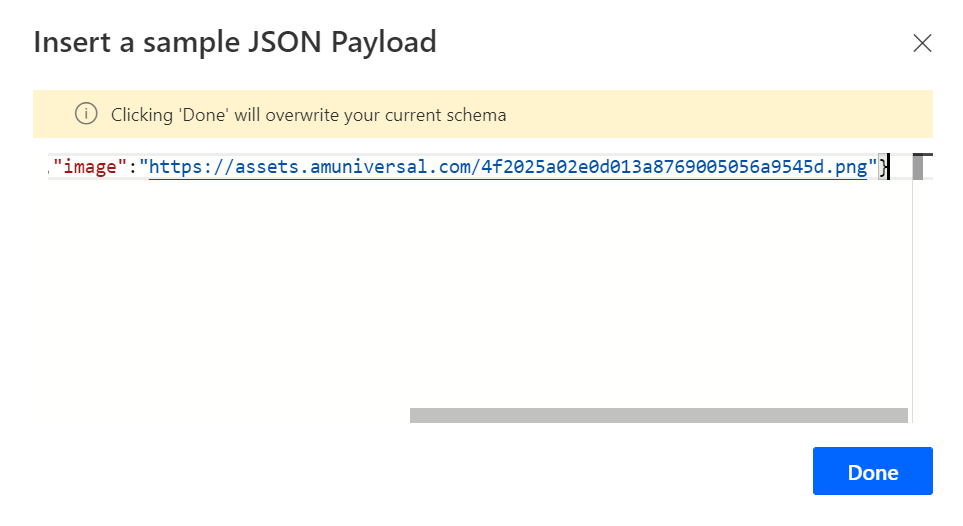
{"title":"Simulation TestingElbonia University Partial Win","image":"https://assets.amuniversal.com/4f2025a02e0d013a8769005056a9545d.png"}
In here you’ll see an image link to the Dilbert Cartoon.
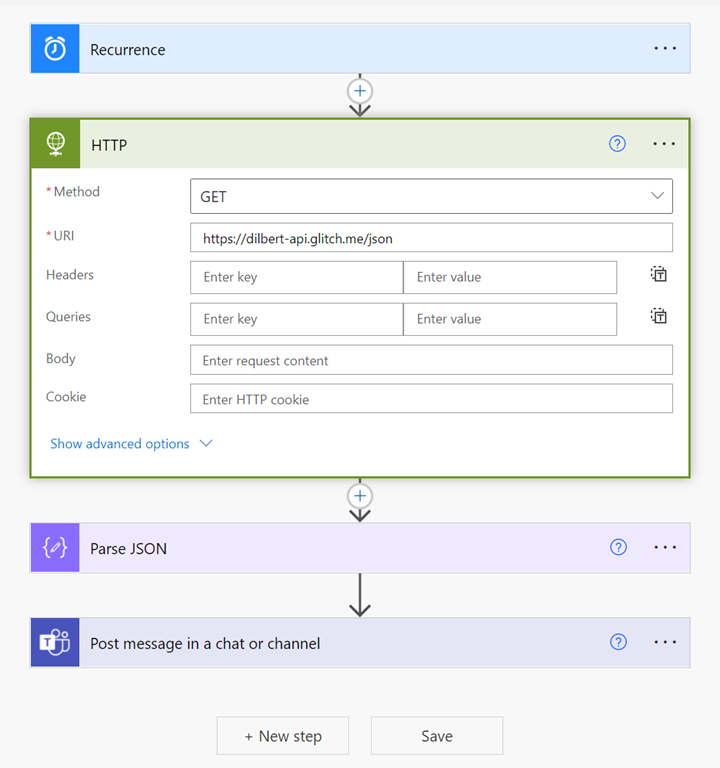
Step one is to create a new Flow that is triggered at a recurring time.
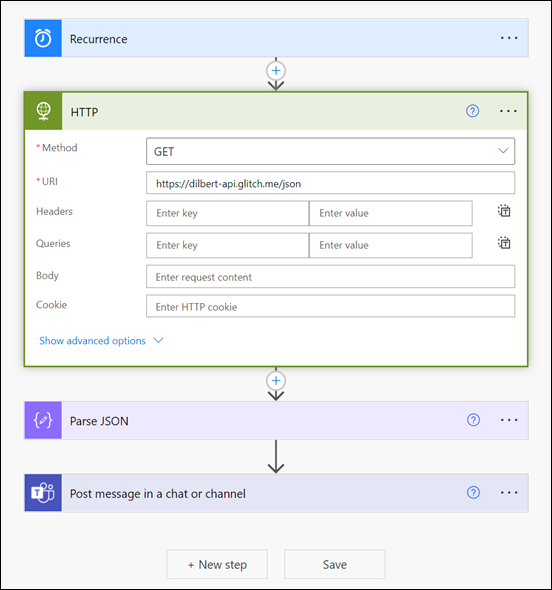
Next, you want to add the HTTP action. In here, use the GET method and the URI set to the above API link as shown above.
The HTTP action is actually a ‘premium’ connector and may not be available to you by default. Thus, you may need an upgraded Power Platform license to have this available. Remember however, you’ll only need that license for the user creating and running that Flow.
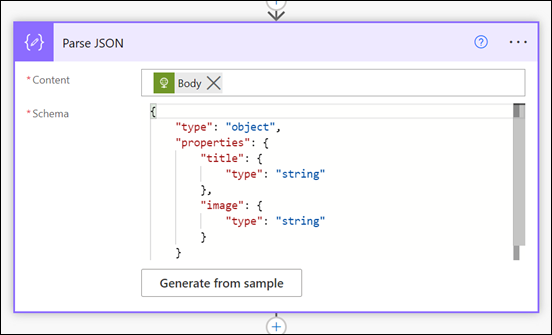
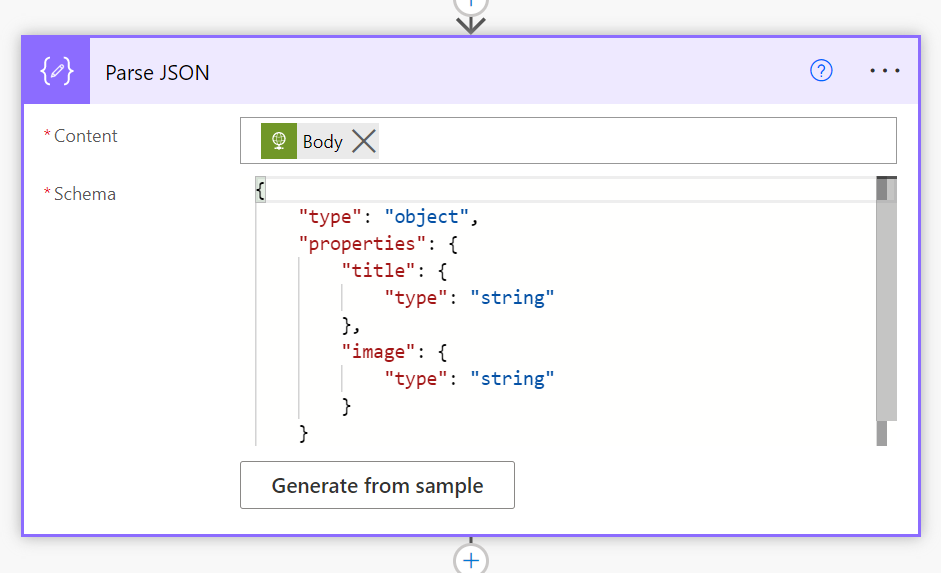
You’ll then need to the Parse JSON action as shown above. The content here will be the Body from the HTTP action above and simply copy and paste the output of the API above into the option Generate from sample.

Now add Post message in a chat or channel action.
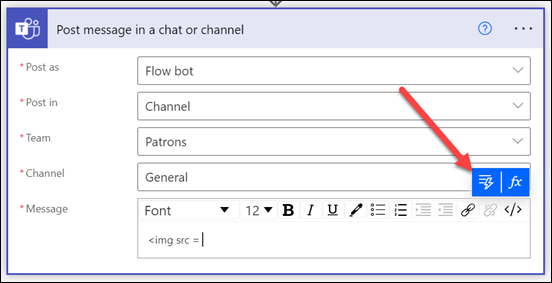
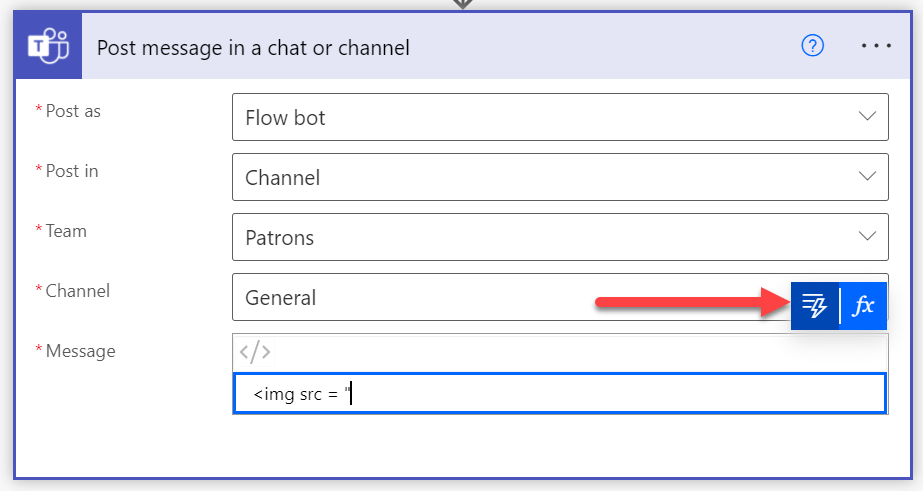
Enter option to post into the Team and Channel of your choice as shown above.

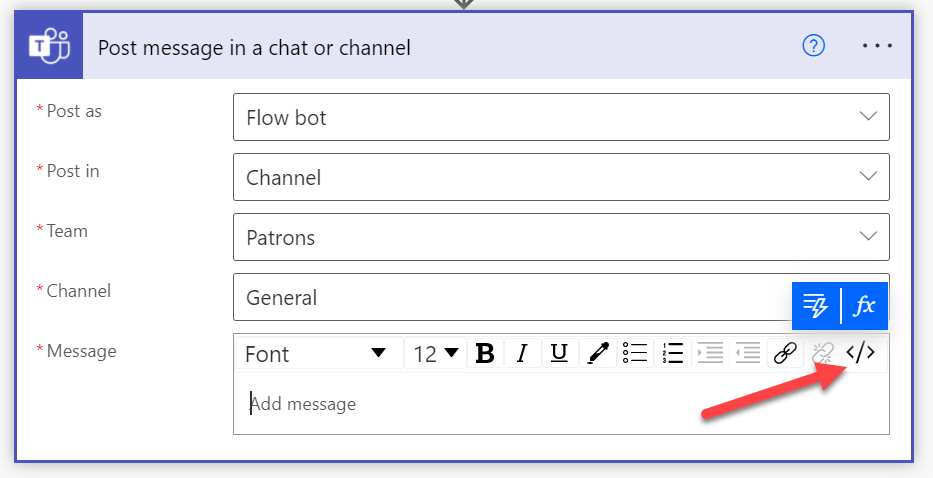
For the Message field select the </> option from the menu bar across the top, as shown. This will allow you to use raw HTML code here.
Type the following:
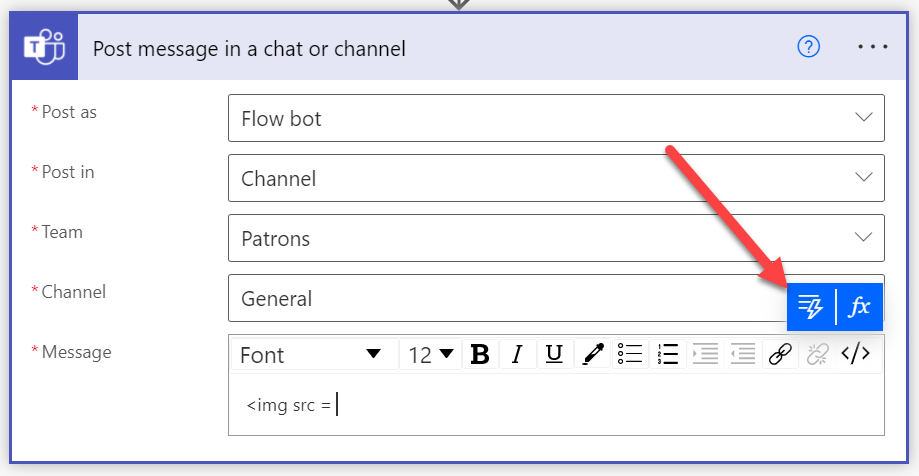
<img src = ”
then select the option to insert dynamic content like so:
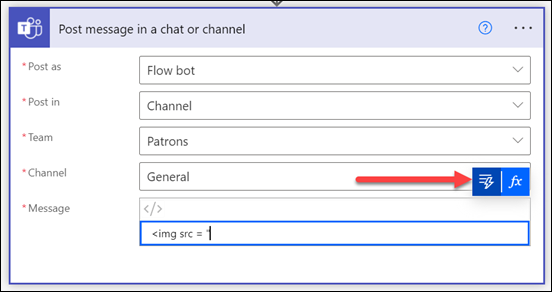
(the lightning bolt icon)
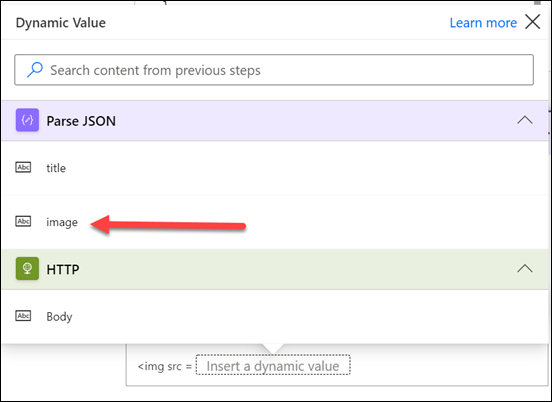
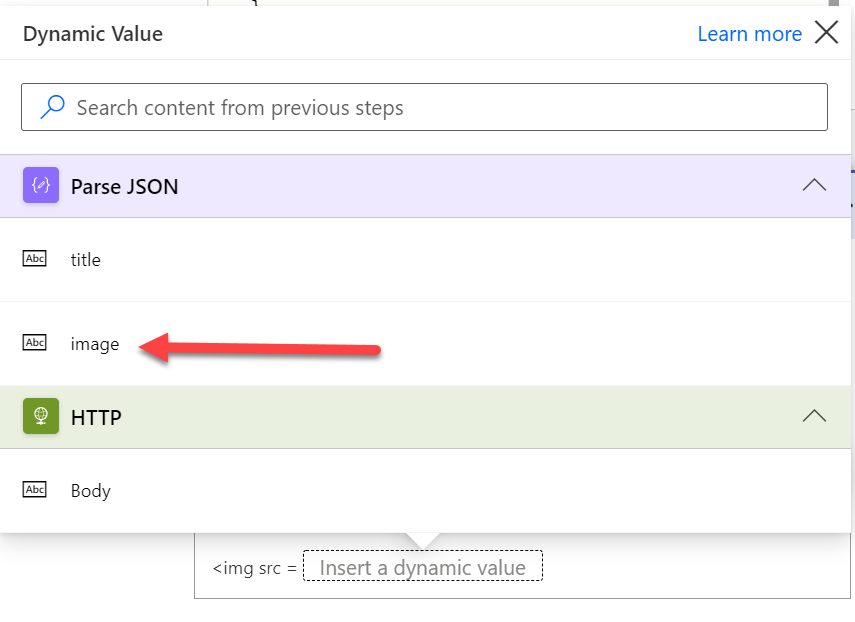
In this list that appears you should be able to select image as shown above.
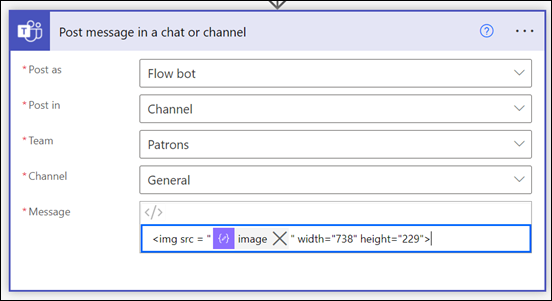
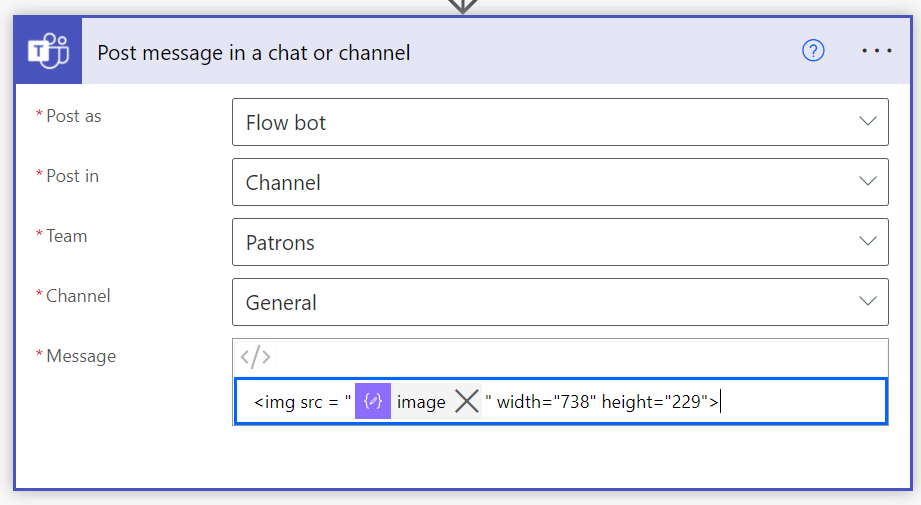
add the following text after the dynamic field
” width=”738″ height=”229″>
so the completed Message field looks like:

It is important that the HTML formatting is correct, otherwise the image will not display.

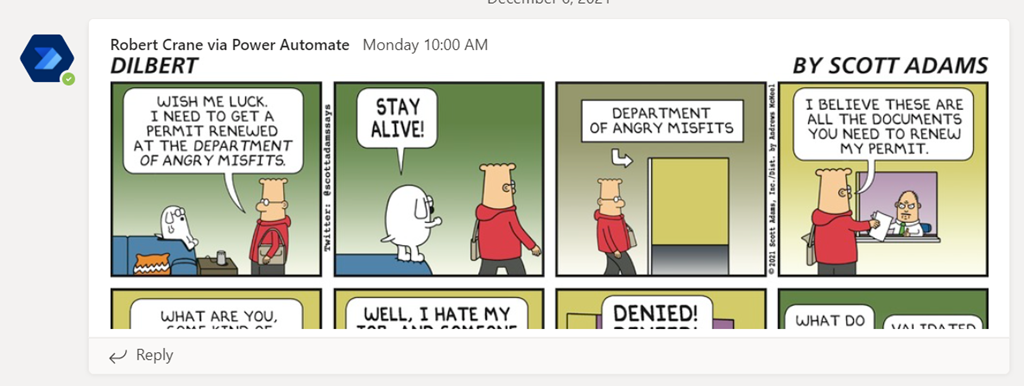
If you now test your Flow you should see the cartoon appear in your Teams channel as shown above. If you have scheduled your Flow daily then you should see a new comic every day. Remember, there is only one cartoon every 24 hours! Rerunning the Flow before then will simply display the same strip.
When the daily comic is more than three frames then it is cut off by default like so:
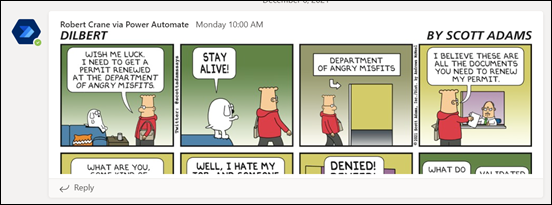
However, clicking on the comic will enlarge it for full viewing. This limitation is due to the height and wide parameters the HTML code used inside the Flow. Most strips are only three frames, that is why I used those height and width defaults for most readability most of the time, but you can vary those parameter if you wish.
So, the idea is to make visiting a Team a more fun place to visit regularly, hopefully with people engaging about the content to help drive adoption.
This Flow/API method can be utilised with just about anything that supports an API. Another I have found (although somewhat more risqué) is a Chuck Norris API here:
https://api.chucknorris.io/
which can be moulded to give a similar result (be it text only).
The only limitation of all of this is the need for the premium Flow HTTP action, but as I said, it is well worth the investment and is only really necessary for the user creating the Flow. Having a premium license for Flow opens up so many more capabilities, so it is highly recommended if you want to get serious about automation inside your environment.
Happily, Daily Dilbert is back baby! And now in Microsoft Teams.




 CIAOPS