
Copilot agent stuck on Waiting for user

Screenshot 2025-04-26 083251

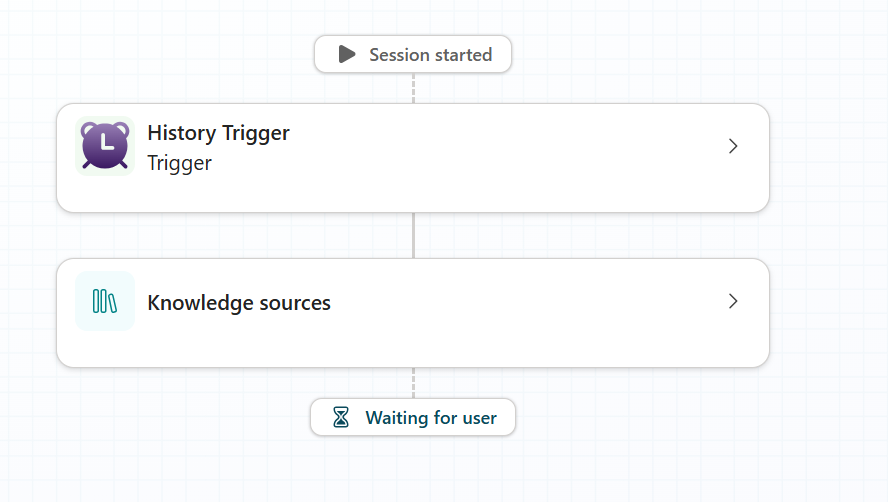
I’ve been working on an autonomous action in Copilot Studio and found that it seems ot get stuck on”Waiting for user” as shown above.
Screenshot 2025-04-26 083410

When I open that activity, again you’ll see that it says “Waiting on user”
Screenshot 2025-04-26 083508

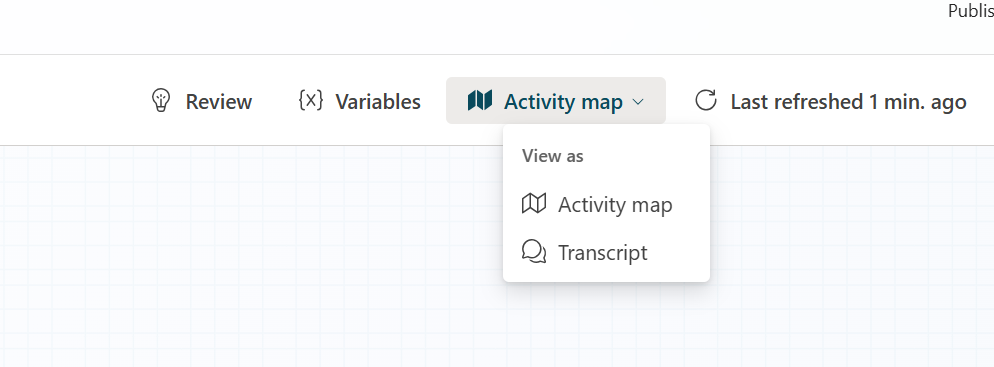
If I go to the top right and select Transcript from the menu as shown above.

Screenshot 2025-04-26 082748

I see these two buttons, as shown above. Problem is, neither of them actually do anything! this appears to be a bug.

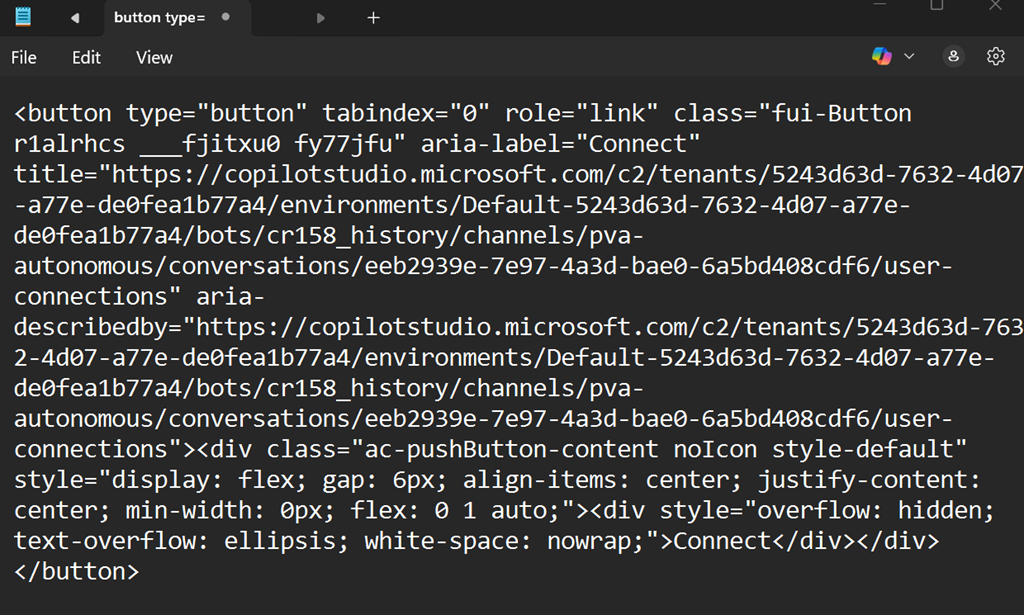
The solution is to put your browser into developer mode. Search the element for the text:

copilotstudio.microsoft.com/c2

This the start of the URL that the button should use. Copy that elment and paste it into Notepad.
Screenshot 2025-04-26 084058

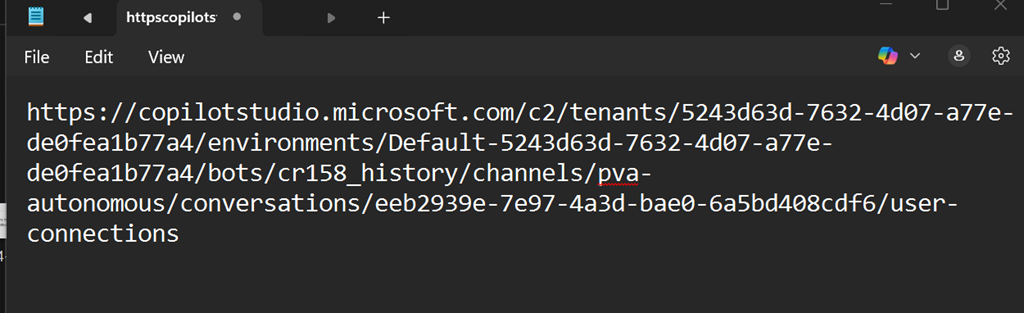
Remove everything but teh URL like so:
Screenshot 2025-04-26 084153

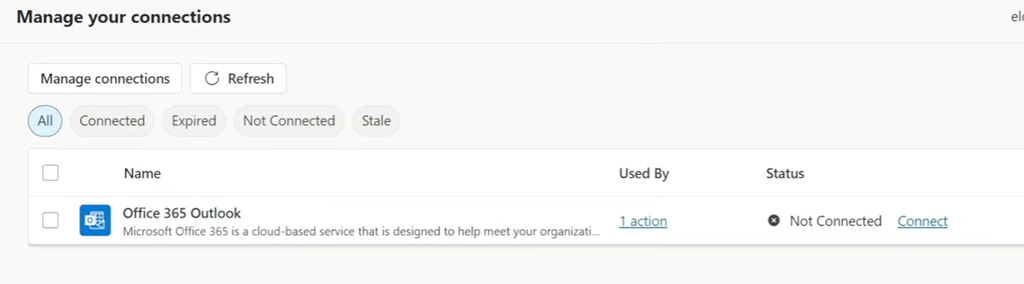
Copy that URL and paste it into a new browser tab in the same session and you should now see the following page:
Screenshot 2025-04-26 084517

You will probably see that it isn’t connected as shown above. if so, click the Connect button to reconnect the service.
Screenshot 2025-04-26 084309

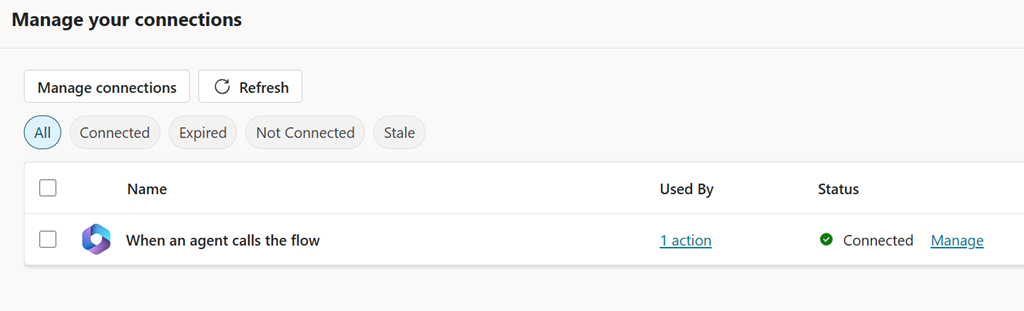
When it properly connected it should appear as shown above and now your Copilot Studio action should work and no longer be paused at Waiting for user going forward.

A huge shout out to Shervin Shaffie from Microsoft whose YouTube video provide the solution for me. The video is here:

https://youtu.be/4s7Qa_cYZyQ?si=4-TSkrr-T6_CNqdD&t=1320

at timestamp 22:00 where he walks through fixing the problem as I have outlined in this blog post.

Hopefully, Microsoft is now aware of this issue and will resolve it soon.
Get-Formatdata issues when connecting to Exchange Online with PowerShell

*** Update 10 July 2020. This is a back end service issue that Microsoft is working on to resolve. See the following for more details – https://techcommunity.microsoft.com/t5/exchange/error-when-connecting-to-exchange-online-vis-powershell/m-p/1512141#M5466

image

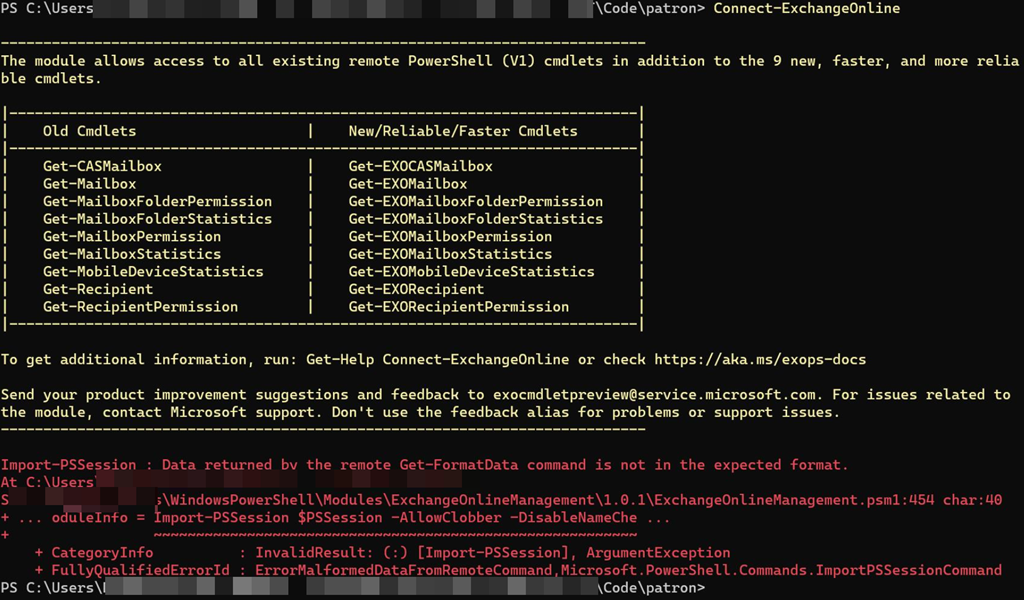
To connect to Exchange Online with PowerShell you simply type a command like:

connect-exchangeonline

as shown above. This “should” work with Exchange Online PowerShell V2. However, as you can also see from the above screen shot this generates the following error on a number of tenants:

Import-PSSession : Data returned by the remote Get-FormatData command is not in the expected format

This therefore, prevents you from connecting to Exchange Online via PowerShell.

Interestingly, you get the same issue if you use the older method of connecting to Exchange Online via PowerShell (aka V1) to those same specific tenants. It is also independent of the device you use to connect, updates, etc. It seems to be tied to only a limited number of tenants for some reason.

image

The fix for now is to specify the –delegatedorganization parameter with the full .onmicrosoft.com user identity. When you do that, to exactly the same tenant, you can gain access as shown above without an error.

So, if you need access use:

connect-exchangeonline –delegatedorganization <tenantname>.onmicrosoft.com

and you should be able to gain access. The problem is that this is ok for interactive sessions but if you already have bulk automated scripted in place that don’t use this then it is painful to start changing these just to accommodate a ‘limited’ number of affected tenants.

I am chasing down some leads to try to determine a reason for this and hopefully find a resolution soon.