

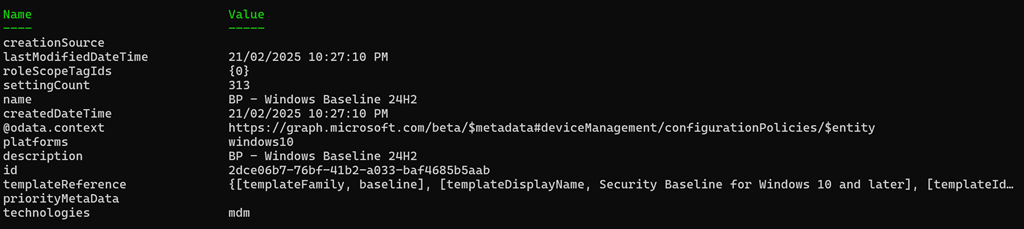
Microsoft has updated the Windows Security Baseline for Endpoint Security in Intune to 24H2 as shown above. Baselines are an easy way to set a vast array of best practice settings across your Windows devices in a single policy, already pre-configured by Microsoft.
I have extracted the policy to a JSON file and made it available at:
https://github.com/directorcia/bp/blob/main/Intune/Policies/Endpoint/Baselines/win.json
and the previous one is here:
https://github.com/directorcia/bp/blob/main/Intune/Policies/Endpoint/Baselines/Archive/win.json
You can now simply import that directly into your environment programmatically using something like PowerShell.
I will note that when I initially exported the templated and tried to import it back I got the error:
Invalid Reference id found in Policy
after a lot of troubleshooting (and I mean a LOT) I tracked down the issue to be related to id 241:
{
“id”: “241”,
“settingInstance”: {
“choiceSettingValue”: {
“value”: “device_vendor_msft_policy_config_deviceguard_machineidentityisolation_0”,
“children”: [],
“settingValueTemplateReference”: {
“useTemplateDefault”: false,
“settingValueTemplateId”: “6a208e4b-0e34-4d12-a821-3173e99f3ce0”
}
},
“@odata.type”: “#microsoft.graph.deviceManagementConfigurationChoiceSettingInstance”,
“settingDefinitionId”: “device_vendor_msft_policy_config_deviceguard_machineidentityisolation”,
“settingInstanceTemplateReference”: {
“settingInstanceTemplateId”: “1fa97457-2a1f-4e33-b3c2-9a4c8930510d”
}
}
}
removing that from teh template allowed the rest of the template to import. I’ll have to spend some more time working out the exact settings and hopefully by then Microsoft fixes the issue and I’ll update the JSON in my Best Practices repository. However, for now the JSON at the URL can be imported.



 CIAOPS