
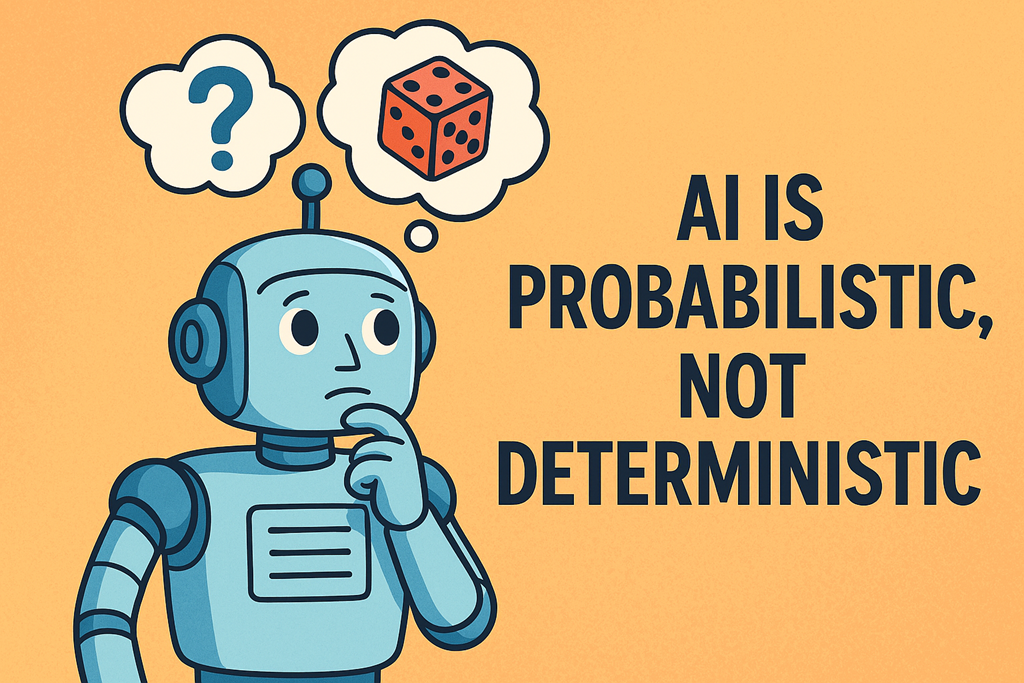
One of the most common frustrations I hear from people using AI is this:
“I asked it the same question yesterday and got a different answer today.”
And usually that’s followed by:
“So… which one is right?”
This is where most people run head‑first into a concept they weren’t expecting: AI is probabilistic, not deterministic.
That sounds technical. It isn’t. But it does change how you should think about using AI.
Deterministic vs probabilistic (in plain English)
A deterministic system works like a calculator.
- 2 + 2 = 4
- Every time
- Forever
Same input. Same output. No surprises.
Traditional software works this way. Code is written, rules are defined, and the system follows them exactly. That’s why accounting systems, payroll, and databases behave predictably. They have to.
AI doesn’t work like that.
AI is probabilistic. That means it doesn’t calculate “the answer”. It calculates the most likely next word, then the next, then the next — based on probabilities.
Think less calculator and more very well‑read human.
AI is making an educated guess (every single time)
When you type a prompt into an AI system, it isn’t “looking up” an answer. It’s generating a response based on:
- Patterns it learned during training
- The context of your prompt
- The words it has already generated
- Statistical likelihoods
Each word is chosen because it’s likely, not because it’s guaranteed.
That’s why:
- You won’t always get the same response twice
- Wording matters more than people expect
- Small changes in prompts can produce big changes in results
This isn’t a flaw. It’s literally how the system works.
Why this confuses people
Most of us have spent our entire digital lives interacting with deterministic systems.
- Search engines return ranked results
- Forms either submit or error
- Software either works or crashes
So when AI gives us a plausible but slightly different answer, our brain goes:
“Hang on… which one is correct?”
The answer is often: both could be reasonable.
AI isn’t trying to be a source of absolute truth. It’s trying to be a useful collaborator.
Prompts are instructions, not questions
This is the biggest mindset shift.
If you treat AI like Google and just “ask a question”, you’ll get inconsistent results and frustration.
If you treat AI like a new employee who wants to help but lacks context, things improve dramatically.
That employee:
- Is smart
- Has read a lot
- Doesn’t know your business
- Doesn’t know what “good” looks like to you
So the quality of the output depends heavily on the quality of your instructions.
Because the system is probabilistic, vague instructions lead to vague (or unpredictable) outcomes.
Why structure reduces randomness
Good prompting doesn’t remove probability — but it constrains it.
Clear prompts:
- Reduce ambiguity
- Narrow the range of possible responses
- Increase consistency
For example:
- “Summarise this” → wide range of outcomes
- “Summarise this in 5 bullet points for a non‑technical audience, focusing on business impact” → much tighter results
You’re not forcing the AI to be deterministic. You’re guiding the probabilities in your favour.
The real risk: false certainty
The most dangerous mistake isn’t that AI is probabilistic.
It’s that people forget it is.
AI responses often sound confident, polished, and authoritative — even when they’re wrong, incomplete, or missing context.
That’s why:
- You should always review outputs
- You shouldn’t blindly trust first drafts
- Human judgement still matters
AI is brilliant at drafting, summarising, ideation, and acceleration.
It is not a replacement for thinking.
The takeaway
If you remember one thing, make it this:
AI doesn’t give you the answer.
It gives you a likely answer.
Your job isn’t to demand certainty from a probabilistic system.
Your job is to:
- Give clearer instructions
- Provide better context
- Review and refine the output
When you do that, AI stops feeling unpredictable — and starts feeling powerful.
And once you understand that shift, everything about prompting suddenly makes a lot more sense.

 CIAOPS