
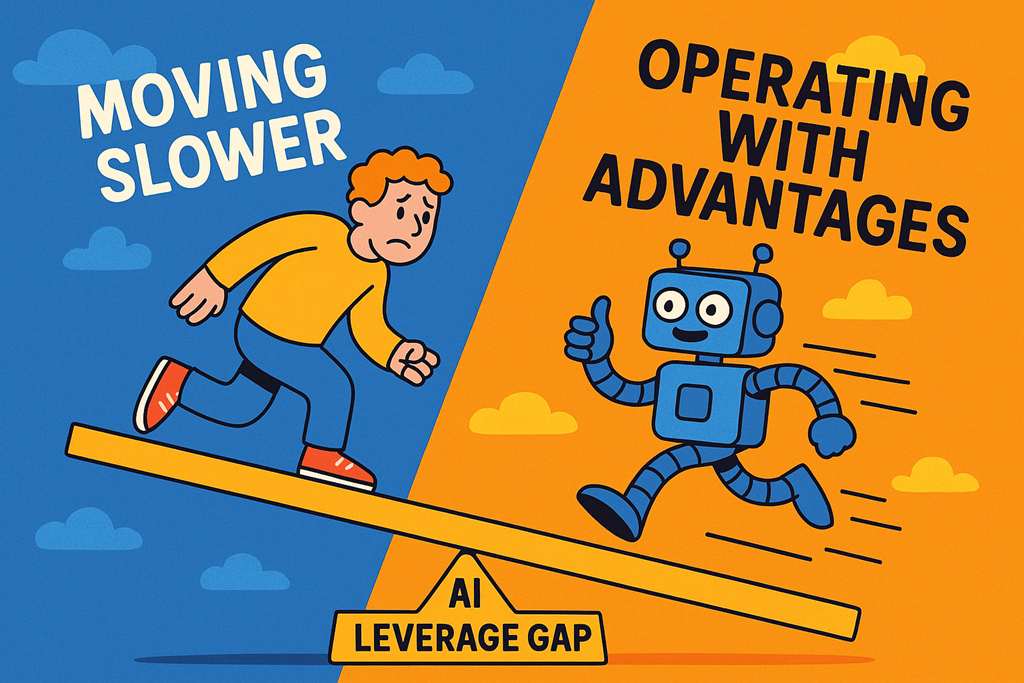
There’s a gap opening up in the MSP market.
Not a skills gap. Not a pricing gap.
A leverage gap.
And it’s getting wider every month.
On one side are MSPs quietly using AI to move faster, operate leaner, and make better decisions with the same—or fewer—people.
On the other side are MSPs still doing things largely the way they did three years ago, just with more tools, more tickets, and more pressure.
The uncomfortable truth is this:
AI isn’t just improving productivity. It’s changing what efficient looks like.
And if you’re on the wrong side of that shift, the cost compounds quickly.
Leverage Is the New Competitive Advantage
Historically, MSPs scaled through people.
More clients meant more engineers, more service managers, more admin. Margins were protected by standardisation, process, and volume.
AI breaks that model.
The most significant change isn’t that AI can “do tasks”. It’s that it reduces the friction between thinking and doing. Documentation gets written faster. Analysis happens instantly. Repetitive decisions don’t require human attention anymore.
That creates leverage.
Two MSPs can charge similar prices, deliver similar services, and look identical on a website—yet one operates with dramatically lower internal effort.
That MSP doesn’t win because they’re smarter.
They win because they’re amplified.
Moving Slower Becomes a Hidden Tax
The first cost of being on the wrong side of the AI leverage gap isn’t obvious. It shows up quietly.
Quotes take longer to produce.
Client reports are delayed.
Internal documentation falls behind.
Staff burn time on tasks that don’t move the business forward.
None of this feels catastrophic in isolation. But it accumulates.
When one MSP can respond to a client request in minutes and another takes days, the slower business starts to feel “expensive”, even if their pricing hasn’t changed.
Speed becomes part of perceived value.
And once customers get used to faster responses, better insights, and more proactive communication, there’s no going back.
Costs Don’t Rise. They Just Stop Falling.
One of the least discussed impacts of AI adoption is cost avoidance.
The MSP using AI effectively doesn’t necessarily slash headcount. What they do is delay the next hire. They absorb growth without adding people. They reduce rework. They eliminate manual overhead that used to be “just part of the job”.
The MSP not using AI keeps adding bodies to handle complexity.
Over time, the cost structures diverge.
One business gains operating leverage.
The other keeps paying the human tax.
This matters because MSP pricing is under constant pressure. Clients expect more outcomes, more insight, and more value—without line‑item increases.
If your cost base can’t flex downward, margin erosion becomes inevitable.
The Competitive Gap Becomes Structural
At some point, this stops being about efficiency and becomes existential.
MSPs with AI leverage can:
- Take on clients others can’t service profitably
- Offer higher‑touch experiences without increasing cost
- Invest more in sales, marketing, and productisation
- Absorb shocks—staff loss, client churn, market changes—more easily
Meanwhile, slower MSPs are forced into defensive decisions:
- Discounting to win deals
- Stretching staff too thin
- Avoiding growth because it “hurts too much”
- Saying no to opportunities they can’t resource
The gap isn’t just operational. It becomes strategic.
This Isn’t About Tools. It’s About Intent
The AI leverage gap isn’t caused by not owning the right licence.
It’s caused by treating AI as a feature instead of a force multiplier.
MSPs who win here aren’t asking, “What can AI do?”
They’re asking, “Where am I still paying humans to do work a machine could amplify?”
They experiment internally first. They document better. They think in systems, not tasks. They accept that some roles will change—and design for it instead of resisting it.
Most importantly, they act before things are perfect.
The Gap Will Keep Widening
This isn’t a wave that crashes and recedes. It’s a rising baseline.
Every improvement in AI capability raises the minimum standard of what “good” looks like. Clients may not articulate it clearly, but they feel it. They notice responsiveness. They notice insight. They notice confidence.
And they notice when another provider seems to have momentum you don’t.
The AI leverage gap isn’t coming.
It’s already here.
The only real question for MSPs now is whether they’ll use it to pull ahead—or let it quietly push them behind.


 CIAOPS