Need to Know podcast–Episode 357

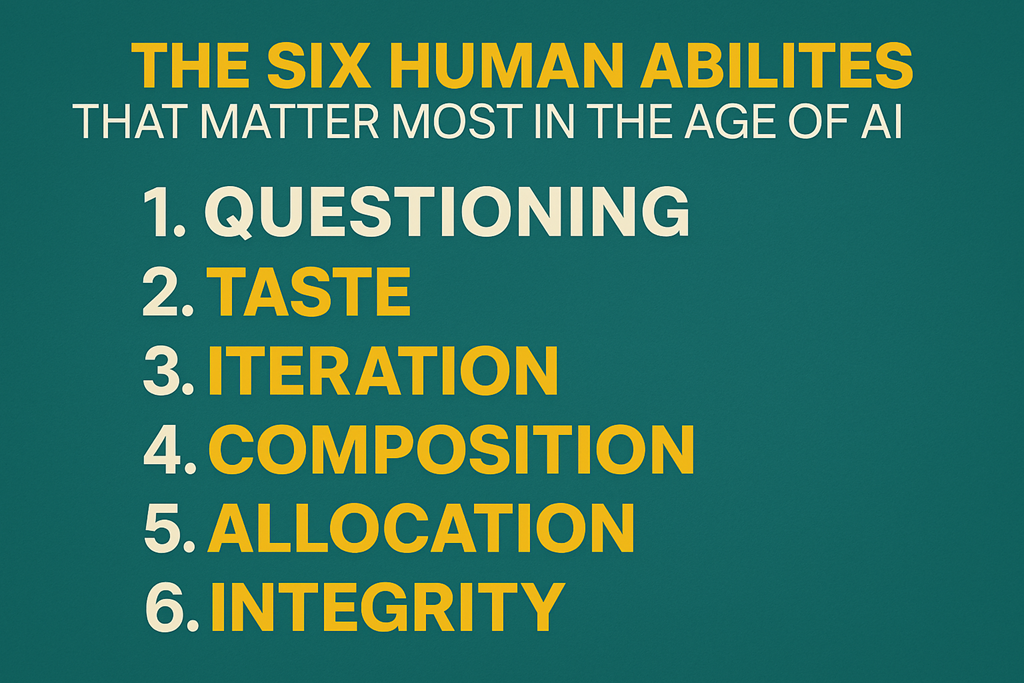
Welcome to another podcast episode where I aim to bring you up to date with the latest in the Microsoft Cloud as well as share my knowledge and insights. In this episode I dig into how you need to focus and avoid distractions as well as building your knowledge with products and automations you already have.

Brought to you by www.ciaopspatron.com

you can listen directly to this episode at:

https://ciaops.podbean.com/e/episode-357-less-is-more/

Subscribe via iTunes at:

https://itunes.apple.com/au/podcast/ciaops-need-to-know-podcasts/id406891445?mt=2

or Spotify:

https://open.spotify.com/show/7ejj00cOuw8977GnnE2lPb

Don’t forget to give the show a rating as well as send me any feedback or suggestions you may have for the show.

Resources

Explore the tools, communities, and content mentioned in this episode:

Announcements

Show Notes

Advancing Microsoft 365: New capabilities and pricing update | Microsoft 365 Blog

Available today: GPT-5.2 in Microsoft 365 Copilot | Microsoft 365 Blog

Meet Agents in OneDrive : Your AI assistant built with your own content | Microsoft Community Hub

What’s New in Copilot Studio: November 2025 Updates and Features

View or restore previous versions of Microsoft 365 Copilot Pages

Security and governance innovations for Microsoft 365 Copilot and agents from Ignite 2025 | Microsoft Community Hub

New! Centralized Agent Dashboard and Enhanced Reporting | Microsoft Community Hub

Security and governance innovations for Microsoft 365 Copilot and agents from Ignite 2025 | Microsoft Community Hub

What’s new in Microsoft Intune: December 2025 – Microsoft Intune Blog

Microsoft 365 adds advanced Microsoft Intune solutions at scale – Microsoft Intune Blog

What’s New in Microsoft Sentinel: December 2025 | Microsoft Community Hub

What’s new in Microsoft Entra – November 2025

Microsoft Ignite 2025: Top Security Innovations You Need to Know | Microsoft Community Huba

CIAOPS AI Dojo 007

image

What’s the session about?

This month we will be focusing on new Copilot features and updates.

Who should attend?

This session is perfect for:

  • IT administrators and support staff
  • Business owners
  • People looking to get more done with Microsoft 365
  • Anyone looking to automate their daily grind

Save the Date

Date: Tuesday the 30th of December 2025

Time: 9:30 AM Sydney AU time

Location: Online (link will be provided upon registration)

Cost: $80 per attendee (free for Dojo subscribers)

Register Now

Copilot Agents licensing usage update


Things have changed recently when it comes to licensing Coilot Agents. Here is the latest information I can find. In short, every user that needs access to tenant information for use with Copilot, requires a license.


🔒 Confirmed Licensing Requirements

1. No Included Message Capacity with a Single M365 Copilot License

Confirmation: Correct. Your individual Microsoft 365 Copilot license does not include a pool of Copilot Studio message capacity that can be used by other users in the tenant who are unlicensed.

  • Your License Rights: Your M365 Copilot license grants you the right to:

    • Create and manage Copilot Studio agents for internal workflows at no extra charge for your own usage.

    • Access and use those agents yourself without incurring additional usage costs.

  • The Consumption: The consumption of your unlicensed colleagues is considered an organizational-level cost that must be covered by a separate organizational subscription for Copilot Studio.

2. Unlicensed Users Cannot Use Tenant-Grounded Agents Without Organizational Metering

Confirmation: Correct. Unlicensed users will not be able to use an agent that grounds its answers in shared tenant data (like SharePoint or OneDrive) unless the organization has set up a Copilot Studio billing subscription.

  • Agents that Access Tenant Data (SharePoint/OneDrive):

    • These agents access Graph-grounded data, which is considered a premium function and is billed on a metered basis (using “Copilot Credits”).

    • This metered consumption must be paid for by the organization.

  • The Required Organizational Licensing: To enable the unlicensed users to chat with your agent, the tenant administrator must set up one of the following Copilot Studio subscriptions:

    • Copilot Studio Message Pack (Pre-paid Capacity): Purchase packs of Copilot Credits (e.g., 25,000 credits per pack/month). The unlicensed users’ interactions are consumed from this central pool.

    • Copilot Studio Pay-As-You-Go (PAYG): Link a Copilot Studio environment to an Azure subscription. The interactions from the unlicensed users are billed monthly based on actual consumption (credits used) through Azure.

Official Licensing References

SharePoint / OneDrive Agent — Licensing & Usage Summary

Quick reference table describing what licenses and costs are required for users to access an agent that integrates with SharePoint or OneDrive.

Scenario User’s License Licensing Requirement to Access SharePoint/OneDrive Agent Usage Cost
Licensed User (You) Microsoft 365 Copilot (Add-on License) No additional license required. No additional charges for using the agent you created.
Unlicensed User (Colleague) Eligible M365 Plan (e.g., E3/E5) WITHOUT M365 Copilot Organizational Copilot Studio subscription (Pay‑As‑You‑Go or Message Pack) must be enabled in the tenant. Metered charges (Copilot Credits) are incurred against the organizational capacity / Azure subscription.

Key Reference: Microsoft documentation explicitly states: “If a user doesn’t have a Microsoft 365 Copilot license… if their organization enables metering through Copilot Studio, users can access agents in Copilot Chat that provide focused grounding on specific SharePoint sites, shared tenant files, or third-party data.” This confirms the unlicensed users’ access is contingent on the organizational metering being active.

Summary of Action Required

To make your agent available to your unlicensed colleagues, you need to inform your IT/licensing administrator that they must procure and enable Copilot Studio capacity (either Message Packs or Pay-As-You-Go metering) in your tenant. Your personal M365 Copilot license covers your creation and use, but not the consumption of others who are accessing premium, tenant-grounded data.

Microsoft agent usage estimator

The organizational consumption for agents created in Copilot Studio is measured in Copilot Credits.


💰 Copilot Studio Organizational Pricing (USD)

Microsoft offers two main ways for the organization to purchase the capacity consumed by unlicensed users accessing tenant-grounded data:


Copilot Credits — Pricing

Pricing Model Cost Capacity Provided Best For
Prepaid Capacity Pack USD $200.00 per month (per pack) 25,000 Copilot Credits per month (tenant-wide pool) Stable/predictable, moderate usage, budget control (lower cost per credit).
Pay-As-You-Go (PAYG) USD $0.01 per Copilot Credit No upfront commitment. Billed monthly based on actual usage. Pilots, highly variable usage, or as an overage safety net for the Prepaid Packs.

Note: All prices are Estimated Retail Price (ERP) in USD and are subject to change. Your final price will depend on your specific Microsoft agreement (e.g., Enterprise Agreement) and local currency conversion.


📊 Copilot Credit Consumption Rates

The cost is based on the complexity of the agent’s response, not just the number of messages. Since your agent uses SharePoint/OneDrive data, the key consumption rate to note is for Tenant Graph grounding.


Copilot credit consumption per agent action / scenario
Agent Action/Scenario Copilot Credits Consumed (Per Event)
Tenant Graph Grounding (Accessing SharePoint/OneDrive data) 10 Copilot Credits
Generative Answer (Using an LLM to form a non-grounded answer) 2 Copilot Credits
Classic Answer (Scripted topic response) 1 Copilot Credit
Agent Action (Invoking tools/steps, e.g., a Power Automate flow) 5 Copilot Credits

Example Cost Calculation

Let’s assume an unlicensed user asks the agent a question that requires it to search your SharePoint knowledge source (Tenant Graph Grounding) and generate a summary answer (Generative Answer)The Prepaid Pack option is more economical for this level of steady, high usage. Your IT team will need to monitor usage and choose the appropriate mix of Prepaid Packs and PAYG overage protection.

Total Credits = (Credits for Grounding) + (Credits for Generative Answer)
Total Credits = 10 + 2 = 12 Credits per conversation

If 100 unlicensed users each have 5 conversations per day:

Daily Conversations: 100 users × 5 conversations = 500
Daily Credits: 500 conversations × 12 credits/conversation = 6,000 credits

Monthly Credits (approx): 6,000 credits/day × 30 days = 180,000 credits

Monthly Cost Estimate:

Using Prepaid Packs:
180,000 credits / 25,000 credits per pack ≈ 7.2 packs
The organization would need to buy 8 packs per month.

Monthly Cost: 8 packs × $200 = USD $1,600

Using Pay-As-You-Go (PAYG):
Monthly Cost: 180,000 credits × $0.01/credit = USD $1,800

The Prepaid Pack option is more economical for this level of steady, high usage. Your IT team will need to monitor usage and choose the appropriate mix of Prepaid Packs and PAYG overage protection.

Here are the sources that were used to compile the information, each with a direct hyperlink:

  1. Copilot Studio licensing – Microsoft Learn

  2. Billing rates and management – Microsoft Copilot Studio

  3. Microsoft 365 Copilot Pricing – AI Agents | Copilot Studio

  4. Copilot Studio pricing & licensing (2025): packs and credits

  5. Copilot Credits consumption – LicenseVerse – Licensing School

  6. Get access to Copilot Studio – Microsoft Learn

  7. Manage Copilot Studio credits and capacity – Power Platform | Microsoft Learn


Need to Know podcast–Episode 356

I am joined once again by Phil Meyer to review the most important and relevant announcements from Microsoft Ignite. Plenty around AI but also a few other gems you may have overlooked, so sit back and listen in as we focus on what you should be paying attention to.

Brought to you by www.ciaopspatron.com

you can listen directly to this episode at:

https://ciaops.podbean.com/e/episode-356-philme-is-back/

Subscribe via iTunes at:

https://itunes.apple.com/au/podcast/ciaops-need-to-know-podcasts/id406891445?mt=2

or Spotify:

https://open.spotify.com/show/7ejj00cOuw8977GnnE2lPb

Don’t forget to give the show a rating as well as send me any feedback or suggestions you may have for the show.

Resources

Explore the tools, communities, and content mentioned in this episode:

Announcements

Flight School: Mastering Copilot for IT Pros – https://blog.ciaops.com/2025/11/14/flight-school-mastering-copilot-for-it-pros/
CIAOPS Academy deprecation notification – https://blog.ciaops.com/2025/11/10/ciaops-academy-deprecation-notification/

Show Notes

Microsoft 365 powered by Work IQ: Built to Support How You Work –

https://www.youtube.com/watch?v=ve66gLVYaRw

Synced Passkeys in Microsoft Entra for Phishing-resistant MFA –

https://www.youtube.com/watch?v=36nIaSBJ7_U

Ignite’25 Spotlight: Announcing Microsoft Baseline security mode –

https://techcommunity.microsoft.com/blog/microsoft_365blog/ignite%E2%80%9925-spotlight-announcing-m…

Introducing Microsoft 365 Copilot Business: Empowering Small and Medium Businesses with AI –

https://techcommunity.microsoft.com/blog/microsoft365copilotblog/introducing-microsoft-365-copilot-…

Future-Proofing Your Channel Business: Strategies for Asia Partners – Future-Proofing Your Channel Business: Strategies for Asia Partners | PBRK440 – https://www.youtube.com/watch?v=xvwZYUbVW08

Question – https://youtu.be/xvwZYUbVW08?t=2604

Need to Know podcast–Episode 355

In this episode of the Need to Know Podcast, we explore the evolving landscape of learning in the Microsoft Cloud ecosystem, with a spotlight on the SMB market. From the latest in Microsoft 365 Copilot innovations to critical cybersecurity updates and the end of CIAOPS Academy, this episode delivers essential insights for IT professionals and business leaders navigating the modern digital workplace.

Brought to you by www.ciaopspatron.com

you can listen directly to this episode at:

https://ciaops.podbean.com/e/episode-355-learning-reboot/

Subscribe via iTunes at:

https://itunes.apple.com/au/podcast/ciaops-need-to-know-podcasts/id406891445?mt=2

or Spotify:

https://open.spotify.com/show/7ejj00cOuw8977GnnE2lPb

Don’t forget to give the show a rating as well as send me any feedback or suggestions you may have for the show.

Resources

Explore the tools, communities, and content mentioned in this episode:

Announcements

Flight School: Mastering Copilot for IT Pros – https://blog.ciaops.com/2025/11/14/flight-school-mastering-copilot-for-it-pros/
Disabling Office Macros via ASR to Meet Essential Eight Requirements – https://blog.ciaops.com/2025/11/13/disabling-office-macros-via-asr-to-meet-essential-eight-requirements/
ASD OWA settings check script – https://blog.ciaops.com/2025/11/13/asd-owa-settings-check-script/
ASD Mailflow settings check script – https://blog.ciaops.com/2025/11/12/asd-mailflow-settings-check-sript/
CIAOPS Academy deprecation notification – https://blog.ciaops.com/2025/11/10/ciaops-academy-deprecation-notification/

Show Notes

The next chapter of the Microsoft–OpenAI partnership –

https://blogs.microsoft.com/blog/2025/10/28/the-next-chapter-of-the-microsoft-openai-partnership/

Automate with Workflows Agent in Microsoft 365 Copilot (Frontier) –

https://www.youtube.com/watch?v=Vvk1ScZT-lo

Introducing Researcher with Computer Use in Microsoft 365 Copilot –

https://techcommunity.microsoft.com/blog/microsoft365copilotblog/introducing-researcher-with-comput…

Build apps in minutes with App Builder agent in Microsoft 365 Copilot (Frontier) –

https://www.youtube.com/watch?v=v27H_R1ltB0

Microsoft 365 Copilot now enables you to build apps and workflows –

https://www.microsoft.com/en-us/microsoft-365/blog/2025/10/28/microsoft-365-copilot-now-enables-you

Introducing Teams Mode for Microsoft 365 Copilot –

https://techcommunity.microsoft.com/blog/microsoft365copilotblog/introducing-teams-mode-for-microso…

Introducing MAI-Image-1, debuting in the top 10 on LMArena –

https://microsoft.ai/news/introducing-mai-image-1-debuting-in-the-top-10-on-lmarena/

Building human-centric security skills for AI –

https://techcommunity.microsoft.com/blog/microsoftlearnblog/building-human-centric-security-skills-…

GenAI vs Cyber Threats: Why GenAI Powered Unified SecOps Wins –

https://techcommunity.microsoft.com/blog/microsoft-security-blog/genai-vs-cyber-threats-why-genai-p…

What’s new in Microsoft 365 Copilot | October 2025 –

https://techcommunity.microsoft.com/blog/Microsoft365CopilotBlog/what%E2%80%99s-new-in-microsoft-36…

The 5 generative AI security threats you need to know about detailed in new e-book –

https://www.microsoft.com/en-us/security/blog/2025/10/30/the-5-generative-ai-security-threats-you-n…

SharePoint Showcase highlights: Smarter Copilot responses using metadata with the Knowledge Agent –

https://techcommunity.microsoft.com/blog/microsoft365insiderblog/sharepoint-showcase-highlights-sma…

Work smarter with Copilot in the People, Files, and Calendar apps –

https://techcommunity.microsoft.com/blog/microsoft365insiderblog/work-smarter-with-copilot-in-the-p…

The weakest link: Stolen staff passwords now the biggest cyber threat to workplaces –

https://www.smh.com.au/politics/federal/the-weakest-link-stolen-staff-passwords-now-the-biggest-cyb…

Cyber security priorities for boards of directors 2025-26 –

https://www.cyber.gov.au/business-government/protecting-business-leaders/cyber-security-for-busines…

Secure external attachments with Purview encryption –

https://techcommunity.microsoft.com/blog/azurepurviewblog/secure-external-attachments-with-purview-…

What’s New in Microsoft Intune: October 2025 –

https://techcommunity.microsoft.com/blog/microsoftintuneblog/what%E2%80%99s-new-in-microsoft-intune…

Custom detections are now the unified experience for creating detections in Microsoft Defender –

https://techcommunity.microsoft.com/blog/microsoftthreatprotectionblog/custom-detections-are-now-th…

10 ways Microsoft Intune supports a smooth upgrade to Windows 11 –

https://techcommunity.microsoft.com/blog/microsoftintuneblog/10-ways-microsoft-intune-supports-a-sm…

How Windows 11 and AI are transforming the future of work –

https://techcommunity.microsoft.com/blog/windows-itpro-blog/how-windows-11-and-ai-are-transforming-…

Security Copilot Agents: The New Era of AI, Driven Cyber Defense –

https://techcommunity.microsoft.com/blog/microsoft-security-blog/security-copilot-agents-the-new-er…

6 truths about migrating Microsoft Sentinel to the Defender portal –

https://techcommunity.microsoft.com/blog/microsoftsentinelblog/6-truths-about-migrating-microsoft-s…

Microsoft named a Leader in the 2025 Gartner® Magic Quadrant™ for SIEM –

https://www.microsoft.com/en-us/security/blog/2025/10/16/microsoft-named-a-leader-in-the-2025-gartn…

Extortion and ransomware drive over half of cyberattacks –

https://blogs.microsoft.com/on-the-issues/2025/10/16/mddr-2025/

Microsoft 365 Insider Round-Up: October 2025 –

https://www.linkedin.com/pulse/microsoft-365-insider-round-up-october-2025-microsoft-365-insider-ub…

Making every Windows 11 PC an AI PC –

https://blogs.windows.com/windowsexperience/2025/10/16/making-every-windows-11-pc-an-ai-pc/

Microsoft raises the bar: A smarter way to measure AI for cybersecurity –

https://www.microsoft.com/en-us/security/blog/2025/10/14/microsoft-raises-the-bar-a-smarter-way-to-…

Building a lasting security culture at Microsoft –

https://www.microsoft.com/en-us/security/blog/2025/10/13/building-a-lasting-security-culture-at-mic…

Satya – My annual letter: Thinking in decades, executing in quarters –

https://www.linkedin.com/pulse/my-annual-letter-thinking-decades-executing-quarters-satya-nadella-7…

Flight School: Mastering Copilot for IT Pros

image

Join us for an immersive 5-day virtual training designed exclusively for IT Professionals and Managed Service Providers from the 12 – 16 January 2026. This isn’t just another webinar—it’s a hands-on, deep dive into how Microsoft Copilot can transform the way you manage, automate, and secure your IT environment.

What you’ll gain:

* Master Copilot’s capabilities for IT operations, security, and automation.

* Learn practical workflows that save time and boost efficiency.

* Explore advanced scenarios for troubleshooting and compliance.

* Future-proof your skills with insights into emerging Copilot integrations.

Why attend?

* Live, interactive sessions with real-world demos.

* Expert-led guidance tailored for IT Pros and MSPs.

* Actionable takeaways you can implement immediately.

Format:

* 5 consecutive days

* 2 hours per day

* Delivered remotely via Microsoft Teams. Recording available after session.

Your Copilot journey starts here—are you ready to take off If so, register your interest here – http://bit.ly/ciaopsroi. Early bird discounts until 12 December 2025.

Prices


Patron level RRP GST ex GST Saving
None $399.00 $36.27 $362.73
Bronze $199.00 $18.09 $180.91 $200.00
Silver $99.00 $9.00 $90.00 $300.00
Gold $49.00 $4.45 $44.55 $350.00

CIAOPS AI Dojo 006–News from Ignite

image

What’s the session about?

This month we will be focusing on the expected fire hose of updates around AI we are expecting from the upcoming Microsoft Ignite.

Who should attend?

This session is perfect for:

  • IT administrators and support staff
  • Business owners
  • People looking to get more done with Microsoft 365
  • Anyone looking to automate their daily grind

Save the Date

Date: Friday the 28th of November 2025

Time: 9:30 AM Sydney AU time

Location: Online (link will be provided upon registration)

Cost: $80 per attendee (free for Dojo subscribers)

Register Now

CIAOPS AI Dojo 005–MCP Servers

bp1

What’s the session about?

Empower attendees to design, build, and deploy intelligent chat agents using MCP servers, with a focus on real-world automation, integration, and user experience

Who should attend?

This session is perfect for:

  • IT administrators and support staff
  • Business owners
  • People looking to get more done with Microsoft 365
  • Anyone looking to automate their daily grind

Save the Date

Date: Friday the 31st of October 2025

Time: 9:30 AM Sydney AU time

Location: Online (link will be provided upon registration)

Cost: $80 per attendee (free for Dojo subscribers)

Register Now