
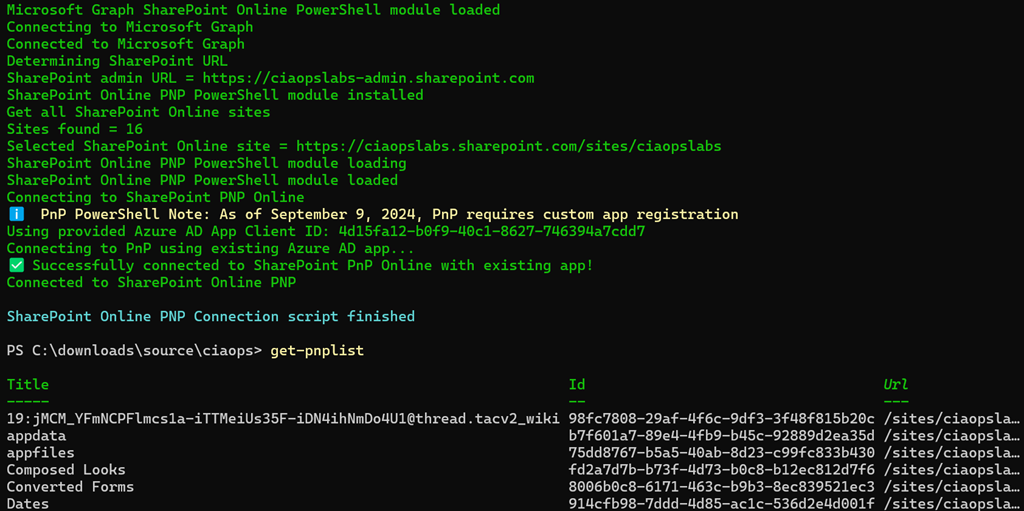
One of the challenging things about manipulating SharePoint items with PowerShell was that you need to use PnP PowerShell. I have always found this tricky to get working and connect and it seems things have changed again.
Now when you want to use PnP PowerShell you can only do so using a Azure AD app! This is additionally challenging if you want to do that manually so I modified by free connection script:
https://github.com/directorcia/Office365/blob/master/o365-connect-pnp.ps1
to allow the creation of the Azure AD app as part of the process and to also allow you to specify an existing Azure Ad app that was already created by the process as the way to connect. The documentation is here:
https://github.com/directorcia/Office365/wiki/SharePoint-Online-PnP-Connection-Script
but in essence, you run the script the first time and it will create an Azure AD app for you like this:
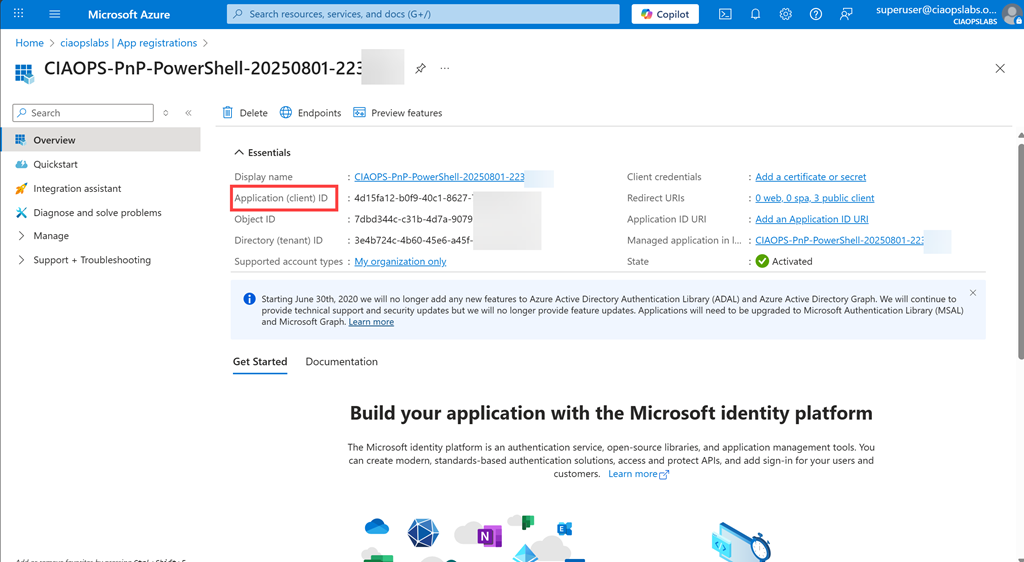
Subsequent times you can simply use the apps again by specifying the ClientID GUID in the command line to make the connection. If you don’t then the script will create a new Azure AD app. So create an Azure AD app the first time and use that same app going forward I suggest. Of course, consult the full online documentation for all the details.
Hopefully, this makes it a little easier to use PnP PowerShell in your environment.
 CIAOPS