
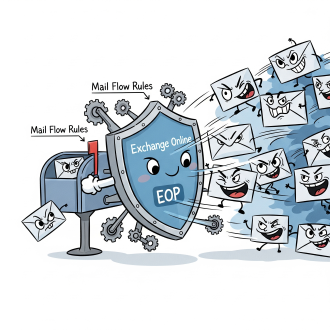
In Exchange Online, mail flow rules (formerly known as transport rules) are a powerful tool that IT administrators can use to fine-tune how emails are handled, and they are intricately tied to an organization’s overall spam policies within Microsoft 365.
Here’s how they are connected in non-technical terms:
1. Exchange Online Protection (EOP) as the Foundation:
- **EOP is your first line of defense: Think of Exchange Online Protection (EOP) as the core spam filtering engine built into Microsoft 365. It automatically scans all incoming and outgoing emails for known spam, malware, phishing attempts, and other threats. EOP uses a variety of technologies, including:
- Connection Filtering: Checks the sender’s IP address reputation.
- Spam (Content) Filtering: Analyzes the message content for characteristics of spam. This assigns a Spam Confidence Level (SCL), a numeric score (0-9, higher means more likely spam).
- Anti-Malware and Anti-Phishing: Detects malicious attachments, links, and spoofing attempts.
- Anti-Spam Policies: Within EOP, you have “Anti-spam policies” (also called spam filter policies). These policies define what actions EOP should take based on the spam verdict (e.g., if an email is “Spam,” “High Confidence Spam,” or “Bulk Email”). Actions can include:
- Moving the message to the Junk Email folder.
- Quarantining the message (holding it in a safe place for review).
- Rejecting the message.
- Redirecting the message to an administrator.
- Adding an X-header to the message for further processing.
- Default Policy: There’s a default anti-spam policy that applies to everyone in your organization, but you can create custom policies for specific users, groups, or domains.
2. Mail Flow Rules (Transport Rules) as the Customization Layer:
- Mail flow rules work with EOP policies: While EOP and its anti-spam policies provide a robust baseline, mail flow rules allow you to create custom, highly specific conditions and actions that can interact with, bypass, or enhance the default spam filtering behavior.
- How they’re tied to spam policies:
- Setting the SCL: A primary way mail flow rules tie into spam policies is by allowing you to set the Spam Confidence Level (SCL) for messages that meet certain criteria. For example:
- If you receive legitimate newsletters that are frequently marked as “Bulk,” you can create a rule that says: “If an email is from
newsletter@example.com, set its SCL to -1 (Bypass Spam Filtering).” This tells EOP to treat that specific sender’s emails as non-spam, effectively allowing them to bypass the regular spam filters and directly reach the inbox. - Conversely, if you notice a new type of spam getting through that contains specific keywords or phrases, you can create a rule that says: “If the subject or body contains ‘Urgent crypto investment opportunity,’ set the SCL to 9 (High Confidence Spam).” This will ensure that anti-spam policies apply their “High Confidence Spam” action (e.g., quarantine or delete) to those messages, even if EOP’s default content filters haven’t yet caught up.
- If you receive legitimate newsletters that are frequently marked as “Bulk,” you can create a rule that says: “If an email is from
- Overriding or Enhancing Actions: Mail flow rules can also take actions independently or in conjunction with anti-spam policies. For instance:
- You might have an anti-spam policy that quarantines “high confidence spam.” A mail flow rule could say: “If an email is from
badspammer.comAND it’s marked as ‘High Confidence Spam,’ also send a notification to the security team.” - You can create rules to completely bypass spam filtering for certain trusted senders or internal communication, preventing false positives (legitimate emails being mistaken for spam).
- You can block messages outright based on criteria like sender domain, specific keywords, or attachments, even before EOP fully processes them for spam, providing a very direct defense.
- You can tag messages with custom headers that can then be used by other systems or for further processing.
- You might have an anti-spam policy that quarantines “high confidence spam.” A mail flow rule could say: “If an email is from
- Setting the SCL: A primary way mail flow rules tie into spam policies is by allowing you to set the Spam Confidence Level (SCL) for messages that meet certain criteria. For example:
- Order of Processing: It’s important to understand that mail flow rules have a priority, and they are processed before or alongside the standard anti-spam policies. This allows administrators to ensure critical rules are applied first.
In essence:
- EOP and Anti-Spam Policies provide the automated, intelligent, and broad-spectrum defense against spam.
- Mail Flow Rules are your administrative scalpel, allowing you to fine-tune, customize, override, or supplement that broad defense for specific scenarios unique to your organization. They let you proactively respond to new threats, ensure delivery of critical legitimate mail, and implement your own nuanced email handling policies beyond the default spam filtering.
 CIAOPS