
One of the options in the EntraID Authorization policy in the Default user permissions section is a setting blockMsolPowerShell which means when you dig into it:
Specifies whether the user-based access to the legacy service endpoint used by MSOL PowerShell is blocked or not.
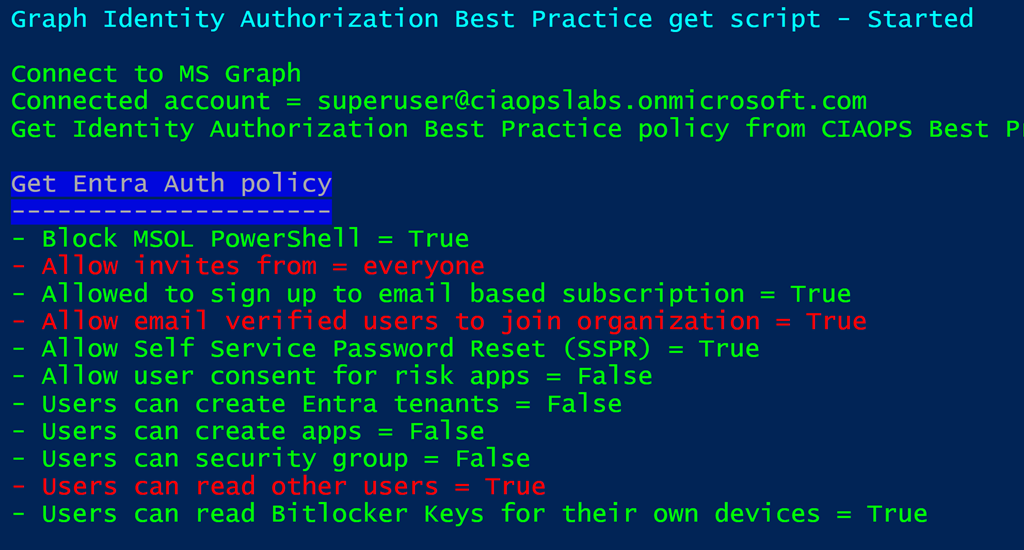
Using my script:
https://github.com/directorcia/Office365/blob/master/graph-idauthpolicy-get.ps1
you can see whether this is enabled, which it is as shown above.
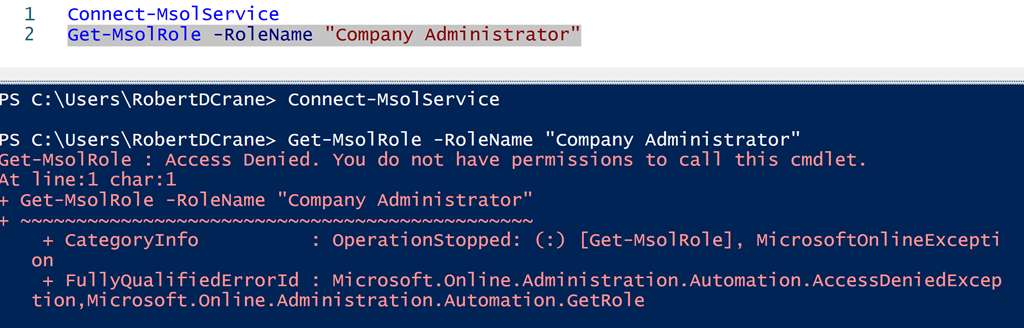
With this setting blockMsolPowerShell set to True, then all user access to the msolservice PowerShell commands are blocked as shown above. This applies to users, ordinary and administrators (even Global Administrators, which is the result I tested in the above screenshot). The user can connect to the service BUT they can’t run an msol commands as shown above.
Now given that the msolservice module will be deprecated on March 30, 2024 there shouldn’t be any issue disabling this for ALL users. However, you may want to make sure you test any Outlook add-ins or other third party apps you have in place that might have a dependency on the old msolservice module. The easiest way to achieve this is probably to simply disable the settings and see if problems arise. If they do, just make sure you know how to revert the setting back. I think is going to be the fastest way to determine if and what any dependencies you may have.
I would suggest that unless you have a dependency it should be disabled to improve the security of your environment.
 CIAOPS