
I have been looking forward to the new Teams Webinar functionality. So as soon as I saw it appeared in my tenant I was keen to implement it.
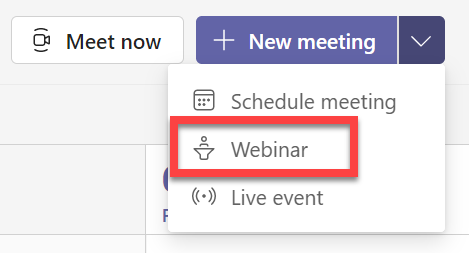
I went to the calendar app inside Microsoft Teams and displayed all the meeting options available in the top right as shown above. In there I could see that I had the Webinar option, which mean that I was in theory good to set up a webinar.
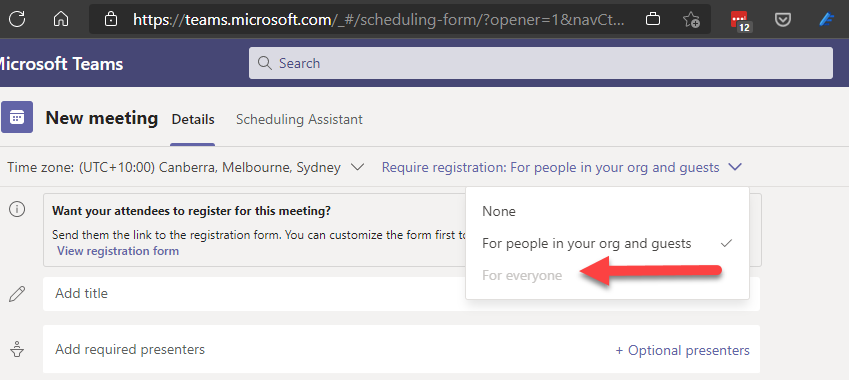
However, I discovered I had a problem that I couldn’t require registration For everyone as shown above. The option was greyed out!
A little digging revealed this article:
Set up for webinars in Microsoft Teams
which indicated I need to run the following PowerShell commands:
Set-CsTeamsMeetingPolicy -AllowPrivateMeetingScheduling $True
and
Set-CsTeamsMeetingPolicy -WhoCanRegister Everyone
to allow anyone, including anonymous users, to register for webinars.
So, I ran these commands and waited, and waited, and waited but the For Everyone option would still not allow selection??
After much investigation here is what solved the issue for me.
I went into the Teams administration area and selected Users on the left or you can use the direct link:
https://admin.teams.microsoft.com/users
I then found the user in my tenant I wanted to check and select them.
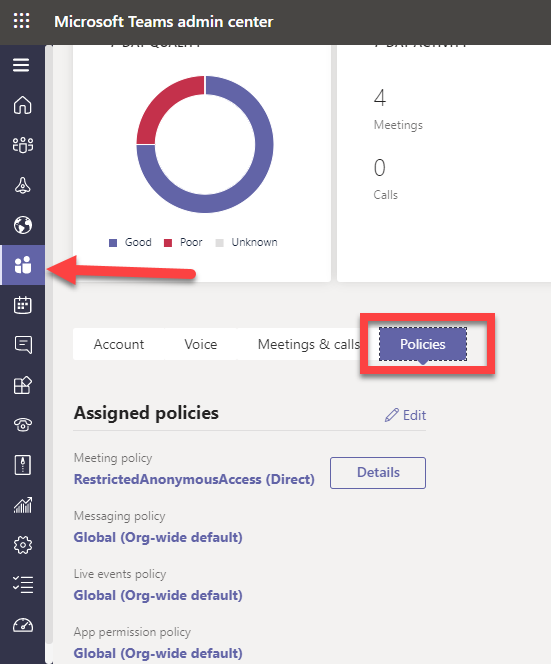
I then selected Policies from the menu in the middle of the page as shown above.
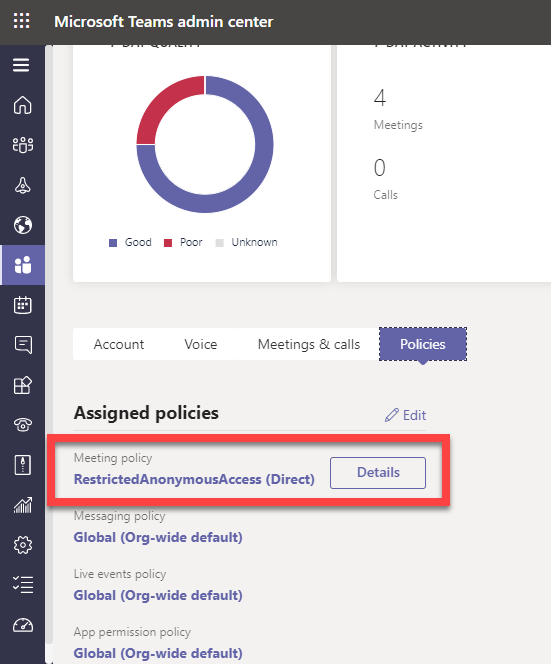
In my case, you’ll note that the Meeting policy is set to RestrictedAnonymousAccess (Direct) as shown. I then selected Details button and the following dialog appeared from the right:
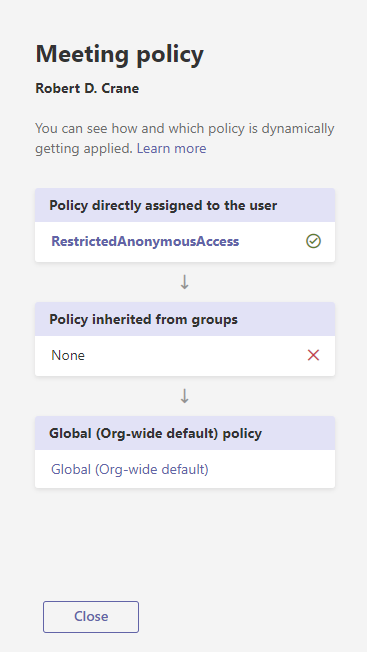
RestrictedAnonymousAccess didn’t sound like the right option to have set, so I closed that dialog and selected the Edit button to change the policy assignments.
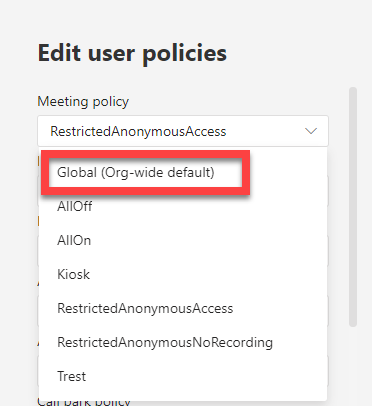
I changed the Meeting policy option to Global (Org-wide default) from the list that appeared and saved the changes.
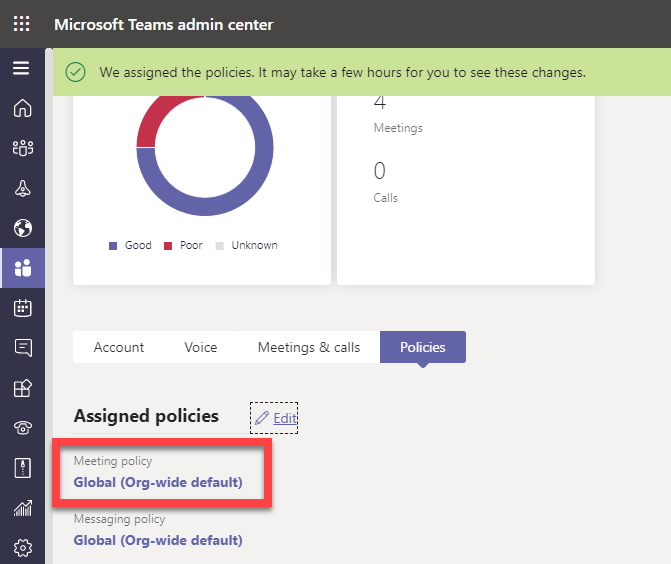
I received an assignment message at the top of the screen and the Meeting policy value changed to Global (Org-wide default) as shown above.
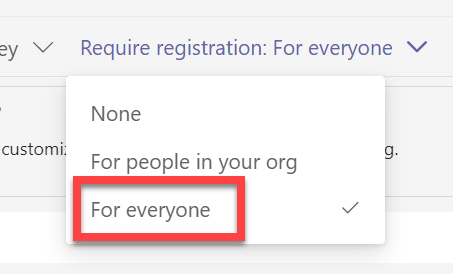
After about one hour or so I could now see the For Everyone option in the Teams webinar registration section could be selected and I was good to go!
I have no idea why the Meeting policy had changed from Global To Restricted but I found the same configuration on another tenant I have. It may have something to do with the security I set up for my environments. Not sure. However, hopefully, if you see the same issue you now know where to look to get it sorted!
 CIAOPS