Office for iPad resources

Here are some resources for Office for iPad that I took from a recent webinar that are worthwhile.

Great OneNote videos

If you are reader of this blog you’ll know what a big advocate I am for OneNote. Coupled with SkyDrive or SharePoint Online it is really the premier collaboration solution out there. if you haven’t used it then you really should.

With that in mind here are three new videos demonstrating what OneNote can do for a variety of people.

http://www.youtube.com/watch?v=YSH6gOt5dEw

http://www.youtube.com/watch?v=nw1WTa9vvO4 

http://www.youtube.com/watch?v=gMAuwE3O1e0

OneNote, use it. You won’t regret it!

Visio and SharePoint Online

I see a growing use of Visio but what many don’t appreciate is the power that combining Visio with SharePoint Online brings.

Firstly, you are going to need an Office 365 plans that includes SharePoint Online Plan 2 because only this includes Visio Services. The plans that currently incorporate SharePoint Online Plan 2 are:

– SharePoint Online Plan 2 (stand alone)

– Office Web Apps SharePoint Online Plan 2

– Enterprise E3 Suite

– Enterprise E4 Suite

Visio services basically allows Visio drawings to be displayed directly in a web browser.

image

In the above SharePoint Online document library I have 3 Visio files:

– demo.vdw

– demo.vsd

– o365-plan-choice.vsdx

If I select the older Visio VSD file:

image

I’m asked to either open the file or save it locally.

If I however now select the older VDW file:

image

because I am using an E3 plan that include SharePoint Online Plan 2 with Visio services, that Visio drawing opens in a browser with the functionality of a Visio viewer.

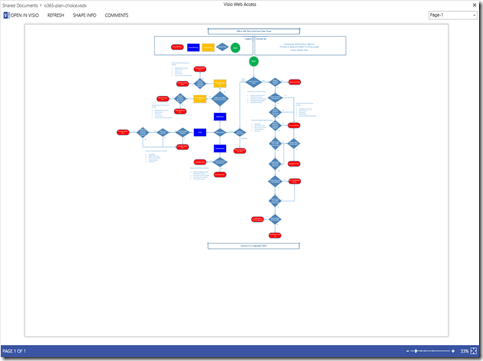
If I now select the newer VSDX file:
image

you see once again, thanks to the magic of Visio services, the file opens up in a web browser.

So in summary, only older VDW and newer VSDX files can be opened directly in Visio services with SharePoint Online Plan 2.

image

With Visio services you can also embed a web part into a SharePoint Online page and display any compatible Visio diagram directly in a web page like show above.

Also don’t forget that Visio diagrams can contain things like links so when someone clicks on a image in the diagram (like on a server in the above screen shot) it can take them to another page (maybe a list of the specifications for that server, also in SharePoint Online).

If you like what you see get into SharePoint Online Plan 2 and Visio. Very cool!

Microsoft double shot exam available

If you planning on taking a Microsoft certification exam between now and May 31, 2014 then you should sign up for the double shot offer from Microsoft at:
http://www.microsoft.com/learning/en-us/second-shot.aspx?WT.mc_id=MSLS_secondshot
This means that you can take an exam and if you don’t pass then you can retake that exam again at no cost.
I would commend all resellers here in Australia to take up this offer because I’ll have some news soon on a new round of exam cram sessions that I will presenting.

SkyDrive to be renamed

For everyone who found all this SkyDrive stuff confusing you’ll be interested to hear that Microsoft is going to re-brand the whole suite of products after losing a trademark dispute over the name. You’ll find more information about that here:
http://www.zdnet.com/microsoft-to-rebrand-skydrive-after-losing-trademark-skirmish-7000018804/
This would also indicate that SkyDrive Pro in SharePoint 2013 will be renamed as well. No indications on what it will be called yet. My vote is for something like Azure drive. What do you reckon works?

Office Mobile for Android now available

Not unexpectedly Microsoft has now released Office Mobile for Android much like the recent release for iOS. You’ll find all the details at:
http://blogs.office.com/b/office-news/archive/2013/07/31/office-365-subscribers-get-office-mobile-for-android-phones.aspx
Once again, like the iOS version, it is a phone rather than a tablet app and you’ll need an active Office 365 Business subscription to gain access to all the features.
As I have said many times in this blog, you do need to give Microsoft credit for the speed at which it is now bringing these apps to different platforms, especially mobile ones.

Project and Visio Pro for Office 365 available in Australia

One of the pieces of the Office 365 puzzle that is still missing in Australia is Project Online. That is basically hosted Project Server 2013 provided as a service from Office 365. I have plenty of people who are keen on gaining access to this.
However, Telstra (the exclusive provider of Office 365 here in Australia for less than 250 seats) has announced the availability of Project and Visio Pro for Office 365. This is basically a subscription to the current Microsoft Professional and Visio Professional for up to 5 devices per license. This is just the client software, much like Word, Excel, PowerPoint, etc for your desktop. You can certainly store Project and Visio data files on SharePoint Online but you don’t get the full power of Project until Project Online becomes available, and there is no word on when that may be available here.
It is important to understand that the new Project and Visio Pro plans are only available as part of the Enterprise SKUs (i.e. not available with Small Business (P) and Medium Business (M) plans). For more information about these plans visit:
http://www.telstra.com.au/business-enterprise/enterprise-solutions/cloud-services/collaboration-applications/microsoft-online-services/index.htm