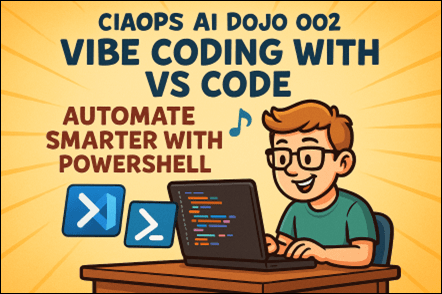
Following the success of our first session, https://blog.ciaops.com/2025/06/25/introducing-the-ciaops-ai-dojo-empowering-everyone-to-harness-the-power-of-ai/, we’re thrilled to announce the next instalment in the CIAOPS AI Dojo series.
What’s This Session About?
In Session 2, we dive into the world of Vibe Coding—a dynamic, intuitive approach to scripting that blends creativity with automation. Using Visual Studio Code and PowerShell, we’ll show you how to save hours every day by automating repetitive tasks and streamlining your workflows.
Whether you’re a seasoned IT pro or just getting started with automation, this session will equip you with practical tools and techniques to boost your productivity.
What You’ll Learn
- What is Vibe Coding?
Discover how this mindset transforms the way you write and think about code.
- Setting Up for Success
Learn how to configure Visual Studio Code for PowerShell scripting, including must-have extensions and productivity boosters.
- Real-World Automation with PowerShell
See how to automate everyday tasks—like file management, reporting, and system checks—with clean, reusable scripts.
- AI-Powered Coding
Explore how tools like GitHub Copilot can supercharge your scripting with intelligent suggestions and completions.
- Time-Saving Tips & Tricks
Get insider advice on debugging, testing, and maintaining your scripts like a pro.
️ Who Should Attend?
This session is perfect for:
- IT administrators and support staff
- DevOps engineers
- Microsoft 365 and Azure professionals
- Anyone looking to automate their daily grind
Save the Date
️ Date: Friday the 25th of July
Time: 9:30 AM Sydney AU time
Location: Online (link will be provided upon registration)
Cost: $80 per attendee (free for Dojo subscribers)
Register Now
Don’t miss out on this opportunity to level up your automation game with all these benefits:
✅ 1. Immediate Time Savings
Attendees will learn how to automate repetitive daily tasks using PowerShell in Visual Studio Code. This means:
- Automating file management, reporting, and system monitoring
- Reducing manual effort and human error
- Saving hours each week that can be redirected to higher-value work
⚙️ 2. Hands-On Skill Building
This isn’t just theory. The session includes:
- Live demonstrations of real-world scripts
- Step-by-step guidance on setting up and optimising VS Code for scripting
- Practical examples attendees can adapt and use immediately
3. AI-Enhanced Productivity
Participants will discover how to:
- Use GitHub Copilot and other AI tools to write, debug, and optimise scripts faster
- Integrate AI into their automation workflows for smarter, context-aware scripting
4. Reusable Templates & Best Practices
Attendees will walk away with:
- Reusable PowerShell script templates
- Tips for modular, maintainable code
- A toolkit of extensions and shortcuts to boost efficiency in VS Code

 CIAOPS