This guide will provide a comprehensive, production-safe approach using both the Microsoft 365 Defender portal and Exchange Online PowerShell. We will start with a baseline of security and then layer on advanced protections. The core strategy involves keeping the default EOP anti-malware policy as a foundational safety net while creating a higher-priority, custom policy for sensitive users, such as executives and finance teams. This ensures critical assets have the most aggressive, up-to-date protection without disrupting the entire organisation. We’ll also cover essential features like the Common Attachment Filter, Safe Attachments, Safe Links, and the Zero-hour Auto Purge (ZAP) engine to defend against a wide array of evolving threats, from zero-day malware to sophisticated phishing attacks.
1. Prerequisites & Licensing Checks
Before you begin, it’s crucial to understand your licensing model.
Exchange Online Protection (EOP): This is the baseline email security included with all Microsoft 365 subscriptions (e.g., Business Basic, Standard, E3). It provides fundamental anti-malware and anti-spam protection.
Microsoft Defender for Office 365 (MDO): This is an add-on or an included feature in higher-tier plans (e.g., Microsoft 365 Business Premium, E5). MDO Plan 1 adds Safe Attachments and Safe Links, while MDO Plan 2 adds advanced hunting, investigation, and automation features (e.g., Threat Explorer, Automated Investigation and Response). This guide assumes you may have an MDO licence and will detail the optional add-ons.
2. Policy Inventory & Strategic Approach
Best Practice: Do not modify the Default anti-malware policy. This ensures a consistent baseline of protection across all users who aren’t covered by a custom policy. Instead, create new, more restrictive policies for targeted, high-risk groups. Policies are processed by priority (0 being the highest), so a new custom policy with priority 0 will apply to its users, and the default policy will catch everyone else.
GUI Method: Inventory Existing Policies
Navigate to the Microsoft Defender portal at https://security.microsoft.com.
Go to Email & collaboration → Policies & rules → Threat policies.
Under the Policies section, click on Anti-malware. You will see the default policy and any custom ones you have created.
PowerShell Method: Inventory Existing Policies
First, connect to Exchange Online.
PowerShell
# Connect to Exchange Online PowerShell
Connect-ExchangeOnline -UserPrincipalName <your-admin-email> -ShowProgress:$true
Then, view the current policies.
PowerShell
# Get all malware filter policies and their associated rules
Get-MalwareFilterPolicy
Get-MalwareFilterRule
3. Recommended Anti-malware Settings
This section details the recommended settings for your new custom anti-malware policy.
GUI Method: Creating a New Policy
In the Microsoft Defender portal, go to the Anti-malware page from the previous step.
Click Create a policy.
Give the policy a descriptive Name (e.g., High-Risk Users - Anti-malware Policy) and a Description. Click Next.
On the Users and domains page, choose the users, groups, or domains you want to protect. For our example, select Groups and search for ExecutiveTeam. Click Next.
On the Protection settings page, configure the following:
Protection settings
Enable zero-hour auto purge for malware: This is a service-side feature that, when enabled, automatically removes previously delivered malicious messages from user mailboxes. It’s a key part of EOP and is highly recommended.
Quarantine policy: Use the default AdminOnlyAccessPolicy. The rationale is simple: end-users should not be able to release malware. This prevents them from accidentally or maliciously releasing a dangerous file.
Common attachments filter
Check Enable common attachments filter. This is a powerful, extension-based block list that is a fantastic first line of defence. The list of file types has been expanded by Microsoft, but you should periodically review it.
Click Customize file types and ensure a robust list of high-risk file types is selected. The list should include: exe, dll, js, jse, vbs, vbe, ps1, com, cmd, bat, jar, scr, reg, lnk, msi, msix, iso, img, 7z, zipx. You can also add other file types that are not needed in your environment, such as wsf, wsh, url.
Notifications
Admin notifications: Check Notify an admin about undelivered messages from internal senders and Notify an admin about undelivered messages from external senders. Use your security mailbox for this (e.g., security@contoso.com).
Sender notifications:Do not enable Notify internal sender or Notify external sender. Notifying external senders can validate their address for future spam, and an internal sender’s mailbox might be compromised, which could alert the attacker.
PowerShell Method: Creating and Configuring the Policy
This script is idempotent (you can run it multiple times without errors) and will create or update the policies as needed.
PowerShell
# --- PowerShell Script to Configure Exchange Online Anti-malware Policies ---

# Define variables for your tenant
$tenantDomain = "contoso.com"
$highRiskGroupName = "ExecutiveTeam"
$adminNotificationMailbox = "security@contoso.com"
$policyName = "High-Risk Users - Anti-malware Policy"
$ruleName = "High-Risk Users - Anti-malware Rule"

# Define the common attachment filter file types
$fileTypes = @(
    'ade','adp','ani','app','bas','bat','chm','cmd','com','cpl',
    'crt','csh','dll','exe','fxp','hlp','hta','inf','ins','isp',
    'jar','js','jse','ksh','lnk','mda','mdb','mde','mdt','mdw',
    'mdz','msc','msi','msix','msp','mst','pcd','pif','prg','ps1',
    'reg','scr','sct','shb','shs','url','vb','vbe','vbs','wsc',
    'wsf','wsh','xnk','iso','img','7z','zipx','docm','xlsm'
)

# Connect to Exchange Online
Connect-ExchangeOnline -UserPrincipalName $adminNotificationMailbox -ShowProgress:$true

# Check if the policy exists
$policy = Get-MalwareFilterPolicy -Identity $policyName -ErrorAction SilentlyContinue

if ($null -ne $policy) {
    Write-Host "Policy '$policyName' already exists. Updating settings..." -ForegroundColor Yellow
    Set-MalwareFilterPolicy -Identity $policyName `
        -Action DeleteMessage `
        -EnableFileFilter:$true `
        -FileTypes $fileTypes `
        -EnableInternalSenderAdminNotifications:$true `
        -EnableExternalSenderAdminNotifications:$true `
        -AdminDisplayName "Custom policy for high-risk users."
} else {
    Write-Host "Policy '$policyName' not found. Creating a new one..." -ForegroundColor Green
    New-MalwareFilterPolicy -Name $policyName `
        -Action DeleteMessage `
        -EnableFileFilter:$true `
        -FileTypes $fileTypes `
        -EnableInternalSenderAdminNotifications:$true `
        -EnableExternalSenderAdminNotifications:$true `
        -AdminDisplayName "Custom policy for high-risk users."
}

# Check if the rule exists
$rule = Get-MalwareFilterRule -Identity $ruleName -ErrorAction SilentlyContinue

if ($null -ne $rule) {
    Write-Host "Rule '$ruleName' already exists. Updating settings..." -ForegroundColor Yellow
    Set-MalwareFilterRule -Identity $ruleName `
        -MalwareFilterPolicy $policyName `
        -Comments "Applies to high-risk group." `
        -SentToMemberOf $highRiskGroupName `
        -Priority 0
} else {
    Write-Host "Rule '$ruleName' not found. Creating a new one..." -ForegroundColor Green
    New-MalwareFilterRule -Name $ruleName `
        -MalwareFilterPolicy $policyName `
        -Comments "Applies to high-risk group." `
        -SentToMemberOf $highRiskGroupName `
        -Priority 0
}

Write-Host "Configuration complete. Run 'Get-MalwareFilterPolicy' and 'Get-MalwareFilterRule' to verify." -ForegroundColor Green
4. Defender for Office 365 Add-ons (If Licensed)
These advanced policies provide an additional layer of protection.
Safe Attachments: This sandboxing technology “detonates” email attachments in a virtual environment to detect zero-day malware.
Block: The most secure option. Messages with attachments are held while being scanned. If a threat is found, the message is blocked and quarantined. This can introduce a short delay (minutes) for emails with attachments.
Dynamic Delivery: A balance between security and user experience. The email body is delivered immediately with a placeholder for the attachment. The attachment is delivered once the scan is complete. Use this for users who can tolerate a minor delay on the attachment itself but need the email content right away. For a high-risk user group, Block is often the recommended setting.
Safe Links: This feature scans URLs at the time of the click, not just upon arrival. If a URL is later determined to be malicious, it will be blocked even if it was safe when the email was first received.
Zero-hour Auto Purge (ZAP): ZAP for malware is included in EOP and is enabled by default. MDO adds ZAP for high-confidence phishing and spam. This is a powerful, service-side feature that removes messages that have already been delivered to a user’s inbox if new threat intelligence indicates they are malicious. There is no per-policy PowerShell switch for this; its behaviour is managed by the service and the policy’s action on detection.
5. Quarantine Policies
Quarantine policies control what users can do with messages held in quarantine.
The default quarantine policy for malware (AdminOnlyAccessPolicy) prevents end-users from releasing messages. This is the recommended setting. You can create a new policy and enable notifications or release requests for other threat types (e.g., spam), but for malware, keep it locked down.
You can set up quarantine notifications (digests) for users, which provide a summary of messages in their quarantine.
6. Testing & Validation
Once your policies are configured, you must validate them.
The EICAR Test
Use a safe, legal test file to validate your policies. The EICAR (European Institute for Computer Antivirus Research) test file is a non-malicious file that all major anti-malware programs will detect.
To test the Common Attachment Filter, create a plain text file, rename it to eicar.zip, and place the EICAR string X5O!P%@AP[4\PZX54(P^)7CC)7}$EICAR-STANDARD-ANTIVIRUS-TEST-FILE!$H+H* inside it.
To test Safe Attachments, send a test email with the EICAR file attached (as a .zip or other container) to a user in your test group.
Verifying with Message Trace
In the Microsoft Defender portal, go to Email & collaboration → Exchange message trace.
Search for the test message.
Click on the message to view details. The Event field should show a Fail status with the reason Malware.
Header Analysis: You can also check the message headers. Look for the X-Forefront-Antispam-Report header and the SCL (Spam Confidence Level) and PCL (Phishing Confidence Level) values. A message blocked by an anti-malware policy will have a CAT (Category) entry indicating malware.
7. Ongoing Monitoring & Tuning
Threat Explorer (MDO P2) / Reports (EOP): Regularly review the Threat Explorer (or Reports for EOP) in the Microsoft Defender portal to see what threats are being blocked. This helps you identify trends, attack vectors, and potential false positives.
Configuration Analyzer: Located under Email & collaboration → Policies & rules → Threat policies → Configuration analyzer, this tool compares your custom policies to Microsoft’s recommended Standard and Strict preset security policies. Use it to find and fix settings that are less secure than the recommended baselines.
ORCA Module: The Office 365 Recommended Configuration Analyzer (ORCA) is a community-developed PowerShell module that provides a comprehensive report of your M365 security posture. While not an official Microsoft tool, it’s an excellent resource for a deeper dive.
False Positive/Negative Submissions: If a legitimate message is blocked (false positive) or a malicious message gets through (false negative), you must submit it to Microsoft for analysis to improve their detection engines. The submission workflow is found under Actions & submissions → Submissions in the Microsoft Defender portal.
8. Change Control & Rollback
Documentation: Always document any changes made to a policy, including the date, reason, and the specific settings changed.
Phased Rollout: When creating a new policy, first apply it to a small test group before rolling it out to production users.
Rollback: If you encounter issues, you can disable the custom policy in the GUI by toggling its status to Off or with PowerShell using Set-MalwareFilterRule -Identity "Rule Name" -State Disabled. You can also decrease its priority to ensure it no longer applies.
9. Final Checklist
Use this checklist to ensure all best practices have been implemented.
[ ] Prerequisites: Confirm M365 Business Premium or Defender for Office 365 licensing for advanced features.
[ ] Policy Strategy: Leave the default anti-malware policy untouched as a safety net.
[ ] New Policy: Create a new custom anti-malware policy for high-risk users/groups (e.g., ExecutiveTeam).
[ ] Action: Set the action for malware detection to Quarantine the message.
[ ] Common Attachment Filter: Enable and verify a comprehensive list of high-risk file extensions.
[ ] Admin Notifications: Configure admin notifications for malware detections.
[ ] Sender Notifications: Disable notifications for both internal and external senders.
[ ] Safe Attachments (if licensed): Configure a new policy and set the action to Block for high-risk users.
[ ] Safe Links (if licensed): Configure a new policy to scan URLs in emails at the time of click.
[ ] Quarantine Policies: Confirm the quarantine policy for malware is set to AdminOnlyAccessPolicy to prevent user releases.
[ ] Testing: Send a test email with a containerised EICAR file to a user in the new policy’s scope.
[ ] Validation: Use Message Trace to confirm the message was blocked, and review the headers for malware detection results.
[ ] Monitoring: Schedule a regular review of threat reports and submissions.
[ ] Tuning: Address false positives/negatives by submitting them to Microsoft.
[ ] Change Control: Document all changes and have a rollback plan in place.
[ ] Configuration Analyser: Run the Configuration Analyser and compare your policies to Microsoft’s recommended settings.
For more information, refer to these authoritative resources:
Short answer (for a remote‑first SMB on Microsoft 365 Business Premium that’s configured well): For most scenarios, you do not need an expensive, next‑gen/UTM hardware firewall at every site. A basic, reliable edge router/firewall for NAT, stateful filtering, and ISP failover is usually sufficient—provided you shift protection to identity, device and app layers using Business Premium’s built‑in controls (Intune, Microsoft Defender for Business, and Conditional Access) and keep Windows Defender Firewall always on and centrally managed. [1][2][3][4]
Why the perimeter is no longer the control that matters most
Remote work + SaaS have moved users and data outside the office network. Microsoft’s Zero Trust approach puts the control points at identity, device health, and applications, not at a single network chokepoint. Business Premium packages these controls for SMBs: Endpoint EDR/ASR and network/web protection on the device (Defender for Business), Conditional Access to gate app access, and Defender for Office 365 to neutralise email‑borne attacks. In other words: you inspect and block at the endpoint and the cloud, which significantly reduces the value of a costly on‑prem firewall for a typical remote workforce. [5][1][6]
Defender for Business (MDB) adds web protection, network protection, web content filtering, attack surface reduction (ASR), and EDR—controls that used to be sold as “firewall features” in branch appliances. These run on the endpoint and follow the user everywhere. [2][5]
Windows Defender Firewall should remain enabled and centrally configured via Intune security baselines—giving you host‑based segmentation and policy without paying for advanced edge appliances. [7][4]
Conditional Access (Entra ID P1) lets you require MFA and compliant devices for Exchange/SharePoint/Teams and other SaaS apps, blocking risky sign‑ins even if a user is “on the office network.” [8][9]
Defender for Office 365 (Plan 1) (Safe Links/Attachments, anti‑phishing) removes the single biggest ingress vector—malicious email—before it ever hits a device. [10]
So… is anything beyond a basic firewall required?
For a typical SMB with many remote workers and no critical on‑prem apps, the cost‑effective pattern is:
Keep a simple edge: ISP router/basic firewall with NAT, DHCP, basic filtering, and failover.
Do the heavy lifting in M365: Intune + Defender for Business + Conditional Access + Defender for Office 365.
Optionally add Microsoft’s cloud‑delivered network security (SSE) if you want SWG/Zero‑Trust Network Access without hardware (see below). [11]
This “thin‑edge, strong‑endpoint” model routinely outperforms legacy “big firewall, flat endpoints” setups in both risk reduction and TCO for remote‑first SMBs—because controls travel with the user and are enforced before data is accessed. [5][1]
When a high‑priced firewall might still be justified
Choose a premium firewall/UTM only if you truly need capabilities that are network‑only and site‑centric, for example:
High‑throughput site‑to‑site VPNs/SD‑WAN, or numerous branch tunnels to on‑prem resources you’ll keep long term.
Strict network segmentation/IPS for OT/IoT or lab environments that cannot run endpoint controls.
Regulatory demands for on‑prem IDS/IPS or mandated perimeter logging at a specific site.
Complex public services hosted in your office (reverse proxying/WAF for internet‑facing apps).
If none of these apply, put your budget into endpoint, identity, and app security rather than into an oversized edge box.
A practical blueprint: Configure Business Premium to replace “firewall features”
Below is a concrete, field‑tested setup that reduces or eliminates reliance on dedicated firewall appliances for most SMBs. I’ve mapped each step to the relevant Business Premium capability and included sources you already have.
1) Device hardening & local firewall (Intune + MDB)
Deploy Intune Security Baseline for Windows; enforce Windows Defender Firewall (all profiles), BitLocker, Windows Hello, credential guard, disable legacy protocols. [7]
In Defender for Business, enable:
Network protection (block mode) to stop outbound calls to malicious domains from any app.
Web content filtering to block risky categories (e.g., malware, proxies, adult, gambling) on the device.
ASR rules (e.g., block Office from creating child processes; block credential theft).
EDR with Automated Investigation & Remediation. [2][5]
These controls deliver the “URL filtering,” “DNS security,” and “IPS‑like prevention” marketing bullets you’d otherwise buy in a firewall—except they work everywhere the user goes. [6]
2) Identity gate (Entra ID Conditional Access)
Require MFA for all users (break‑glass excluded).
Require compliant device for Exchange, SharePoint, Teams; block legacy auth; add sign‑in risk and location conditions if needed.
Use App Protection Policies for BYOD to keep corporate data in protected app containers. [8][12]
3) Email & collaboration ingress (Defender for Office 365)
Turn on Safe Links and Safe Attachments with Dynamic Delivery; enable anti‑phishing and impersonation protection; route high confidence spam to quarantine. [10][13]
4) “Always‑on” local firewall
Ensure Windows Defender Firewall is on (even if another firewall exists). Manage via Intune; never disable it as a shortcut. [4]
5) Verification & posture
Track and remediate via Microsoft Secure Score and Defender for Business TVM dashboards; use the Business Premium setup checklists to close gaps. [3][14]
Want a cloud alternative to hardware perimeter security?
If you still want centralised egress policy and VPN‑less private app access—without buying boxes—Microsoft now offers Security Service Edge (SSE) under Global Secure Access:
Microsoft Entra Internet Access = identity‑aware Secure Web Gateway for internet/SaaS (generally available).
Microsoft Entra Private Access = Zero‑Trust Network Access that can replace traditional VPNs for private apps. [11][15][16][17]
These are add‑ons (not bundled with Business Premium), but they’re often cheaper and simpler than rolling out/maintaining premium branch firewalls, especially for multi‑site SMBs. [11]
Decision framework (quick)
Remote‑first, SaaS‑first, no critical on‑prem: Go basic edge + Business Premium blueprint above. No high‑priced firewall required. [1][2]
Some on‑prem, but limited: Consider basic edge + Entra Private Access for VPN‑less private access. Add Entra Internet Access if you need centralised web policy/logging across sites. [11][16]
Heavy on‑prem/OT, compliance‑driven, or high‑throughput site mesh: A premium firewall/UTM may be justified—ideally fewer, centralised ones—combined with the Business Premium controls above.
Put it into action in 2–3 weeks (what I’d run for your clients)
Baseline: Deploy Intune security baseline and onboard all devices to Defender for Business; verify Network protection and Web filtering are in block mode. [7][2]
For most remote‑heavy SMBs standardising on Microsoft 365 Business Premium, spend on configuring Business Premium properly and keeping Windows Defender Firewall enforced, not on premium hardware firewalls. Use Global Secure Access if/when you need cloud‑delivered SWG/Zero‑Trust access. Keep hardware at the edge simple unless you have clear, site‑specific needs that only a high‑end firewall can meet. [1][2][11]
If you like, I can turn this into a client‑ready one‑pager with a policy checklist you can drop into proposals, plus an Intune/MDB baseline JSON to deploy across tenants. Want me to draft that?
References
[1] Module 02 – Security
[2] Microsoft Defender for Business A Comprehensive Guide to Endpoint Protection, Capabilities, and Comparison with Defender for Endpoint Plans
[3] Microsoft 365 Business Premium Setup Checklist A Comprehensive Guide for IT Professionals
In the traditional office-centric model, these were critical because most corporate data lived inside the LAN, and the firewall was the security choke point.
2. The SMB + Remote Work Reality
Today’s SMBs:
Store most of their data in cloud services (SharePoint, OneDrive, Exchange Online).
Have distributed workforces — employees working from home, coffee shops, or on the road.
Rely less on a central office network, so the expensive firewall no longer sees or controls most traffic.
Need cost-effective, identity-centric security, not just network perimeter defense.
This shift makes it harder to justify high-priced, feature-rich firewall appliances for many SMBs.
3. What Microsoft 365 Business Premium Already Delivers
When configured to the maximum security posture, Business Premium provides many capabilities that overlap or outright replace firewall functionality:
Identity & Access
Azure AD Conditional Access: Enforces location/device/role-based access.
Multi-Factor Authentication (MFA): Protects user logins.
Privileged Identity Management (PIM): Limits exposure of admin accounts.
Defender for Endpoint web protection: URL filtering, blocking malicious domains (no need for hardware-based URL filtering).
Conditional Access with Named Locations: Blocks risky geographies or anonymous IPs.
4. Do You Still Need a Firewall?
Basic firewall/router is still required: For NAT, stateful inspection, and safe connectivity at the office.
Expensive NGFWs (with deep inspection, SSL inspection, sandboxing) are usually overkill for SMBs already invested in Business Premium.
The real attack surface today is user identity + endpoints + cloud apps, which Business Premium protects more effectively than any edge firewall.
5. Cost-Effective SMB Model
For a typical SMB with a cloud-first, remote-heavy workforce:
Use a basic business-grade firewall/router (Ubiquiti, Fortinet entry-level, Cisco Meraki Go, etc.) at each office for connectivity and minimal protection.
Push all security to Microsoft 365 Business Premium:
Enforce Conditional Access + MFA.
Require compliant devices via Intune.
Use Defender for Endpoint for threat protection + web filtering.
Enable Defender for Office 365 (Safe Links, Safe Attachments).
Apply DLP policies and sensitivity labels.
This setup gives comprehensive, identity- and cloud-centric protection without needing a $10k+ hardware firewall sitting in an office few people use.
6. When a Hardware Firewall Still Makes Sense
A high-end firewall may still be justified if:
The business runs on-premises servers/apps that must be protected.
There are compliance requirements (e.g., PCI DSS, HIPAA) requiring full network logging or specific controls.
You need site-to-site VPNs across multiple offices.
You want network segmentation that can’t be handled by cloud policies.
Otherwise, for remote-heavy, cloud-first SMBs, Microsoft 365 Business Premium reduces or eliminates the need for expensive dedicated firewall appliances.
✅ Answer in short: For most SMBs using Microsoft 365 Business Premium at full security posture, a basic firewall/router is sufficient. Expensive NGFW appliances add little value compared to the security already built into Microsoft 365. The smarter investment is in identity, endpoint, and cloud security controls via Business Premium rather than perimeter hardware.
Would you like me to also create a visual reference architecture diagram that shows how an SMB can replace traditional firewall functions with M365 Business Premium security features? That way you could present it clearly to clients.
Strategic Recommendation: For a typical small to medium-sized business (SMB) that has fully configured its Microsoft 365 Business Premium (M365 BP) subscription, the acquisition of a high-priced, high-end hardware firewall is an unnecessary and financially inefficient expenditure. A basic firewall, often integrated into a standard network router, is sufficient to provide a minimal layer of network filtering for the physical office location. The strategic security focus and budget for such an organization should be concentrated on maximizing the integrated, cloud-native protections within the M365 BP suite.
The New Paradigm: The traditional cybersecurity model—which relies on a hardened network perimeter to protect on-premise assets—is fundamentally obsolete for a workforce that operates from diverse locations such as home offices, coffee shops, and client sites.1 Modern security must dynamically follow the user and their data wherever they go. M365 BP is purpose-built to address this paradigm shift, employing a Zero Trust architecture that verifies every user, device, and access request, regardless of its network location.3
Key Findings at a Glance:
M365 BP is a comprehensive, multi-layered security platform: It is not a single tool but a cohesive suite of identity, endpoint, application, and data protection services that provides robust defense against modern threats.6
Hardware Firewalls are for Perimeter Defense: High-end firewalls are exceptionally effective at protecting a fixed, physical location but are largely irrelevant for securing a distributed, remote workforce and their cloud-based services.9
TCO Favors M365 BP: The Total Cost of Ownership (TCO) for a high-end hardware firewall is often prohibitive for most SMBs, with significant upfront costs and ongoing expenses for maintenance and specialized expertise. In contrast, M365 BP offers predictable, subscription-based pricing that consolidates multiple security functions into a single, cost-effective solution.12
PCI DSS is a Critical Exception: For SMBs that handle and store credit card data on-premise, a dedicated, high-end hardware firewall is not a luxury but a mandated compliance requirement under the Payment Card Industry Data Security Standard (PCI DSS).15 This is the primary exception to the general recommendation.
II. The Evolving SMB Security Landscape
2.1. The Dissolution of the Traditional Perimeter
The traditional cybersecurity model, which centered on creating a digital “fortress” around a central, on-premise network, is no longer a viable strategy for most businesses.2 The widespread shift to remote and hybrid work, accelerated by recent global events, has fundamentally changed the operational landscape of the SMB.19 As a result, the concept of a singular network perimeter has dissolved, replaced by a diffuse, expanded boundary that includes every home Wi-Fi network, coffee shop, and personal mobile device used by employees.1
This transformation has a profound implication for security investment. The efficacy of a hardware firewall is directly proportional to the volume of a company’s network traffic that passes through it. For a company that has fully embraced cloud-based applications like Microsoft 365, the majority of its data traffic and sensitive information no longer resides within the physical office network. Instead, it flows directly between the user’s remote device and Microsoft’s globally distributed data centers. This reality renders a high-end, perimeter-focused appliance a non-strategic investment for protecting the primary threat vectors targeting the organization’s data and identities. The modern threat landscape has shifted its focus from breaching a physical network boundary to compromising the user’s identity and their endpoint device, regardless of where they are located.
2.2. The Imperative of Identity-Centric Security (Zero Trust)
Securing a distributed workforce necessitates a security model that assumes no network—internal or external—can be inherently trusted.4 This is the core principle of a Zero Trust architecture: “verify explicitly,” “use least privilege,” and “assume breach”.3 This model moves away from location-based trust and toward a continuous, context-based evaluation of every access request.
M365 BP is designed as an integrated, platform-based solution for implementing this Zero Trust architecture.3 It fundamentally shifts the point of security enforcement from the network to the user’s identity, their device, and the data itself.2 This approach is inherently more scalable and effective for securing a remote workforce than a physical appliance. It provides a cohesive, multi-layered defense that addresses threats at their source, rather than a single choke point.
2.3. The SMB Challenge
SMBs face unique constraints that make traditional, hardware-based security models particularly challenging. They often operate with limited budgets, a shortage of in-house cybersecurity expertise, and little tolerance for operational downtime.19 A high-end hardware firewall is a poor fit for these businesses due to its significant cost and inherent complexity.9 The intricate configuration and ongoing management of such an appliance require specialized network security knowledge and skilled staff, a resource that is both expensive and scarce for most SMBs.9 This high barrier to entry often forces businesses to either outsource management or adopt a “set it and forget it” mentality, which leaves them vulnerable to new and emerging threats. In contrast, M365 BP, with its simplified, “out-of-the-box” policies and AI-powered automation, is designed to reduce this operational burden, making enterprise-grade security accessible to businesses without a dedicated security team.13
III. The Power of Microsoft 365 Business Premium’s Integrated Security
3.1. Foundation of a Zero Trust Architecture
M365 BP is a comprehensive, multi-layered security platform that natively supports a Zero Trust model, consolidating what were once disparate, single-purpose security products into a unified solution.6
Identity and Access Control: This is the cornerstone of the M365 BP security model, providing a robust defense against one of the most common attack vectors—compromised credentials.2 Multi-Factor Authentication (MFA) is a key feature that should be implemented for all users, administrators, and emergency “break-glass” accounts as it is the single most effective defense against identity-related attacks.6 Extending this, Conditional Access (CA) policies function as the “firewall” for the modern remote workforce. CA is an “if-then” policy engine that enforces security based on the context of the access request, not the network location.2 For example, CA policies can be configured to block legacy authentication protocols, which are a major attack vector, and to require MFA when a user attempts to log in from outside a trusted corporate IP range.25 This capability directly replaces the functionality of a hardware firewall for remote users. By shifting the security mindset from “Is this person on our network?” to “Is this person, using this device, from this location, accessing this specific application, explicitly allowed to do so?”, a more robust and scalable defense is established for a hybrid workforce.
3.2. Endpoint and Device Protection
In a distributed work environment, the endpoint—the user’s computer, tablet, or phone—becomes the new security perimeter.6 M365 BP provides a unified solution for managing and protecting these devices.
Microsoft Defender for Business: This is the core Endpoint Detection and Response (EDR) solution included in M365 BP, providing enterprise-grade, AI-powered protection against modern cyber threats such as ransomware, malware, and phishing.23 It includes next-generation antivirus, attack surface reduction, and automated investigation and remediation, all managed from a single, simplified dashboard.23
Microsoft Intune: Intune serves as the Mobile Device Management (MDM) and Mobile Application Management (MAM) solution, centralizing control over both corporate and personal devices.7 It enforces security policies, such as requiring hard disk encryption, a minimum OS version, and an active firewall on managed devices.30 For Bring Your Own Device (BYOD) scenarios, Intune can containerize company data within approved applications, allowing an administrator to remotely wipe corporate data from a lost or stolen device without affecting personal files.24 This holistic approach allows a company to enforce a consistent security posture across a diverse ecosystem of devices and platforms (Windows, macOS, iOS, and Android) without relying on a physical choke point.28
3.3. Information and Data Protection
Even if an attacker were to bypass identity and endpoint controls, M365 BP provides a final layer of defense for the data itself.
Microsoft Defender for Office 365 (P1): This service protects against sophisticated email and collaboration threats, including phishing, malware, and unsafe links.7 It automatically scans and detonates malicious attachments in a sandbox environment and re-writes suspicious URLs to block access to known malicious websites.7
Microsoft Purview (Data Loss Prevention): This service helps discover, classify, label, and protect sensitive data (e.g., credit card numbers, personal information) to prevent its unauthorized sharing, whether accidental or malicious.6
This integrated approach to data protection is significantly more effective than a traditional hardware firewall, which can only inspect network traffic at a fixed point.34 M365 BP, conversely, protects data at rest (in SharePoint and OneDrive), in transit (via encryption), and at the point of use (DLP policies applied to user activity), providing end-to-end security that a physical firewall cannot replicate.
IV. A Critical Evaluation of High-End Hardware Firewalls
4.1. The Role of a Next-Generation Firewall (NGFW)
High-end hardware firewalls, like those from vendors such as Palo Alto Networks, Fortinet, and Cisco Meraki, are powerful and sophisticated security appliances.9 These next-generation firewalls (NGFWs) offer a suite of advanced features, including deep packet inspection, application-based traffic control, encrypted traffic inspection (e.g., TLS/SSL), and automated threat intelligence sharing.9 They are purpose-built to handle high data throughput, ensuring network performance does not become a bottleneck, and provide a consistent, centralized security policy for all traffic passing through the appliance.10
4.2. The Case for On-Premise Defense
Despite the rise of cloud security, there are specific, non-negotiable use cases where a hardware firewall remains essential.
Protecting On-Premise Assets: If an SMB maintains physical servers, legacy systems, or Internet of Things (IoT) devices in a physical office, a hardware firewall provides a critical layer of segmentation and protection against threats originating from the internet or the internal network.1 It acts as a dedicated traffic cop, easing the burden on individual host firewalls and ensuring a consistent security policy across all connected devices.34
PCI DSS Compliance: For any organization that stores, processes, or transmits credit card data on-premise, a firewall is not a choice but a foundational requirement of PCI DSS Requirement 1.16 This standard mandates the installation and maintenance of a firewall configuration to protect the Cardholder Data Environment (CDE) from both external and internal threats.18
The high cost of a hardware firewall is only justifiable when it protects high-value, on-premise assets that cannot be migrated to the cloud. For a typical cloud-first SMB, where the “server” is Microsoft’s globally distributed data center, the investment becomes disproportionate to the risk it mitigates. The “hard barrier” it provides is rendered obsolete if the sensitive data it is meant to protect is no longer behind it.
4.3. Challenges and Diminishing Returns for the Cloud-First SMB
For a business fully committed to a cloud-first strategy, a high-end hardware firewall presents more challenges than benefits. Its perimeter-centric design is fundamentally misaligned with the security needs of a remote workforce, as it fails to secure the modern attack surface—the remote user on an untrusted network.1 Furthermore, these high-end firewalls can cost thousands of dollars for the hardware alone, with significant ongoing subscription and support fees.12 The complexity of their configuration and management is a major barrier for SMBs, which often lack the necessary technical expertise.9
V. Strategic Security Analysis and Total Cost of Ownership (TCO)
5.1. Capability vs. Context
A direct comparison reveals that M365 BP provides a more effective security posture for the modern SMB’s primary threat vectors. While a high-end firewall’s capabilities, such as deep packet inspection and application control, are powerful, their context is limited to a physical network. M365 BP, conversely, delivers equivalent or superior capabilities—such as advanced phishing protection and EDR—in the context of the user and device, providing a solution that scales with a distributed workforce.
5.2. The TCO Equation
The true cost of a security solution extends far beyond its initial purchase price.13
Hardware Firewall TCO: A hardware firewall involves high upfront acquisition costs for the appliance and its licenses, with models for small businesses ranging from $700 to $4,000.12 Deployment is complex and often requires a dedicated, skilled professional, adding to costs.12 Ongoing costs include annual support subscriptions and the need for scarce, dedicated IT staff for maintenance, patching, and policy tuning.9
M365 Business Premium TCO: M365 BP operates on a predictable, per-user monthly or annual subscription fee.8 While not “zero-touch,” its setup is wizard-driven and can be managed from a centralized dashboard, reducing the need for deep technical expertise.23 Most importantly, M365 BP consolidates the costs of multiple separate solutions, such as antivirus, spam filters, mobile device management, and data loss prevention, into a single, comprehensive offering.7
A low-priced hardware firewall may seem like a cost-effective solution initially, but its TCO often escalates due to the hidden costs of expertise, maintenance, and the need for additional point solutions to protect against the threats it cannot address. M365 BP’s TCO, while not insignificant, is more predictable and provides a much higher security return on investment (ROI) for the modern threat landscape.42
5.3. Qualitative and Quantitative Comparison Tables
Security Feature Comparison by Solution
M365 Business Premium
High-End Hardware Firewall
Basic Firewall (Router)
MFA Enforcement
Integrated via Conditional Access 3
Can integrate with directory services via API 10
No native capability
Remote Access Control
Primary mechanism via Conditional Access 3
Yes, via VPN or secure gateway 10
Limited or no support for granular policies
Threat Protection for Endpoints
Integrated with Defender for Business 23
Limited or no capability 9
No capability
BYOD Management
Integrated with Intune MAM/MDM 31
No capability; limited to network traffic
No capability
Email/Phishing Protection
Integrated with Defender for O365 7
Limited or no capability; inspects traffic but not content 15
No capability
Data Loss Prevention
Integrated with Purview DLP 6
Limited; only inspects network traffic 34
No capability
On-Premise Server Protection
Integrated with Defender for Business Servers 1
Primary purpose is to protect on-premise servers 9
Basic packet filtering 1
PCI DSS Compliance
Provides components that assist in compliance 16
Mandatory for on-premise CDE 16
Not sufficient for compliance
Total Cost of Ownership (TCO) Breakdown
M365 Business Premium
High-End Hardware Firewall
Initial Hardware/License Cost
Predictable monthly/annual fee 8
High upfront cost for hardware and software ($1,000 to >$200,000) 12
Deployment/Setup Cost
Managed with a guided, wizard-based process 43
Complex setup requires specialized expertise 12
Ongoing Subscription/Support
Included in per-user fee 12
Continuous costs for threat intelligence and support 12
Dedicated IT Staff/Expertise
Reduced need for in-house security specialists 14
Requires dedicated, skilled personnel for maintenance and tuning 22
Cost of Additional Tools (AV, MDM, etc.)
Consolidated into a single solution 7
Requires additional licenses for endpoints, email, etc. 15
Predictability of Costs
Highly predictable 14
Subject to hardware upgrades and unforeseen maintenance costs 14
VI. Final Recommendation and Implementation Strategy
6.1. Answering the Core Questions
Is it still a worthwhile option to purchase a high-priced firewall device for an SMB using M365 Business Premium that has been fully configured to its maximum level of security? No, for a typical cloud-first, remote-first SMB, it is a significant over-investment that provides limited benefit for the modern threat landscape. The strategic value of a perimeter defense appliance has diminished as the modern attack surface has moved to the user and their endpoint.
Is anything other than a basic firewall required to cost-effectively protect a typical SMB environment that has many employees who are working remotely? For a business with no on-premise servers and no need to protect a Cardholder Data Environment (CDE), a basic router with a built-in firewall is sufficient for the physical office. M365 BP’s integrated suite is the core security solution for the remote workforce.
6.2. The Modern Hybrid Security Model
The optimal security strategy is a hybrid model that intelligently allocates resources. The foundational investment should be M365 BP, which provides end-to-end protection for identities, endpoints, applications, and data. This investment should be complemented by a basic, low-cost firewall appliance or the functionality of a standard router to secure the physical office’s network connection and provide a basic layer of packet filtering.1 A high-end hardware firewall should only be considered for businesses with a persistent on-premise footprint, such as physical servers, legacy systems, or those required for compliance, particularly PCI DSS.1
6.3. The Implementation Checklist
A practical, step-by-step guide for an SMB to follow to fully configure their M365 BP security:
Phase 1: Foundational Setup 6:
Enable MFA for all users, administrators, and the mandatory “break-glass” account.3
Block legacy authentication protocols, which are a major attack vector for credential theft.25
Set up dedicated administrator accounts and protect them with Conditional Access policies.6
Phase 2: Endpoint and Device Hardening 28:
Onboard all company devices to Microsoft Defender for Business.28
Configure security policies using Intune, including requiring a firewall, disk encryption, and a minimum OS version.30
Deploy Conditional Access policies to enforce device compliance before access to company resources is granted.3
Phase 3: Data and Application Security 6:
Configure Microsoft Defender for Office 365 to protect against phishing and malware.6
Implement Information Protection policies to discover, label, and encrypt sensitive data.6
Set up Data Loss Prevention (DLP) policies to prevent sensitive data from leaving the organization.6
Phase 4: Remote Work and BYOD 31:
Deploy Intune’s Mobile Application Management (MAM) policies to secure company data on personal devices, isolating corporate data from personal files.31
Require approved apps for mobile access and block native mail clients to ensure policies are enforced.26
Enforce Conditional Access policies that require MFA for off-site or BYOD access.26
6.4. Final Conclusion
For the modern, remote-first SMB, a paradigm shift in security investment is required. The traditional “fortress” model, protected by a high-end hardware firewall, is a relic of a bygone era. Microsoft 365 Business Premium, with its integrated, identity- and endpoint-centric security suite, represents a more intelligent, cost-effective, and comprehensive solution that aligns with the realities of today’s distributed workforce. A properly configured M365 BP license is not just a productivity tool but the single most important security investment an SMB can make.
For a typical SMB using M365 Business Premium with a fully remote workforce, a basic firewall is still a necessary foundational element, but a high-priced, advanced enterprise-grade firewall is no longer a cost-effective or strategically sound investment. The security focus has decisively shifted from the traditional network perimeter to the identity and data perimeters, which M365 Business Premium is explicitly designed to protect.
Here’s a detailed breakdown illustrating why and how M365 redefines the need for expensive hardware.
1. The Changing Landscape: The “Deperimeterized” World
The concept of a “network perimeter” is nearly obsolete for companies with remote employees. When staff work from home, coffee shops, or other offices, they are connecting directly to the internet, completely bypassing the company’s hardware firewall.
Traditional Model: Internet -> Corporate Firewall -> Internal Users/Data
Modern Model (Remote Work): Internet -> User’s Home Router -> M365 Cloud Services (Email, Files, Teams)
The new “perimeter” is the user’s identity and their devices. Therefore, investing thousands of dollars in a fortress-like firewall to protect an empty castle (the office) is a misallocation of resources. The budget is better spent securing the identities and data that are now everywhere.
2. How M365 Business Premium Can Replace Firewall Functions
A fully configured M365 Business Premium provides layers of security that replicate or surpass the capabilities of a traditional firewall for the remote workforce. Think of it as a “firewall in the cloud” that follows each user.
a) Replacing Network Threat Prevention
Firewall Function: Inspects incoming/outgoing web traffic for malware, phishing, and malicious sites.
M365 Equivalent: Microsoft Defender for Office 365 (Plan 1)
Safe Links: Scans URLs in emails and Office documents in real-time. Even if a user clicks a malicious link, they are blocked before reaching the site, negating the need for the firewall to filter that DNS request.
Safe Attachments: Opens emails with attachments in a virtual sandbox to detect malicious behavior before the email is ever delivered to the user’s inbox. This is more effective than a firewall simply blocking a file type.
b) Replacing Content Filtering & DNS Security
Firewall Function: Blocks access to inappropriate or dangerous websites.
M365 Equivalent: Microsoft Defender for Endpoint & Web Content Filtering
Web Content Filtering: This is a core feature of Defender for Endpoint (included in Business Premium). It allows you to create policies that block access to specific website categories (e.g., adult content, malware sites, gambling) on the endpoint itself, regardless of network location. Whether the user is at the office, at home, or on a public WiFi, the policy is enforced. This makes network-level DNS filtering on a firewall redundant for company devices.
c) Replacing Intrusion Prevention & Advanced Threat Protection
Firewall Function: Detects and blocks sophisticated attacks and exploits.
M365 Equivalent: Microsoft Defender for Endpoint (Integrated)
This is a next-generation antivirus (NGAV) and Endpoint Detection and Response (EDR) solution. It monitors endpoints (computers, phones) for malicious activity, behavioral anomalies, and vulnerability exploitation. It detects and responds to threats that have bypassed other defenses, a function far beyond what a standard firewall does for a device already on the network.
d) The Ultimate Firewall Replacement: Zero Trust with Conditional Access
This is the most powerful concept. Instead of trusting a device because it’s on the corporate network (a flawed model), Zero Trust means “never trust, always verify.”
M365 Tool: Azure Active Directory Conditional Access
You can create policies that act as dynamic, identity-centric firewalls. For example, you can configure a policy that states:
“If a user tries to access company email from a device that is not Marked as Compliant by Intune (e.g., it doesn’t have disk encryption, a password, or an antivirus), then block access completely.”
“If a login attempt comes from a country we don’t operate in, block it.”
“Require Multi-Factor Authentication (MFA) when accessing SharePoint from outside the office network.”
This means even if an attacker steals a password, without the second factor and a compliant device, they are stopped at the identity layer—the new perimeter.
3. The Role of a “Basic Firewall”
A basic firewall is still a worthwhile, minimal investment for the following reasons:
Protecting the Physical Office: It still provides essential Network Address Translation (NAT) and a basic stateful inspection barrier for any on-premise equipment (e.g., a local file server, printers, VoIP system).
Segmenting IoT Devices: Isolating “smart” devices (thermostats, cameras) on a separate network from business-critical systems.
First Line of Defense for On-Site Users: It provides a layer of security for any employees who do work in the office.
A basic, modern firewall from vendors like Ubiquiti, Fortinet (FortiGate 40F series), or Cisco (Meraki MX) is sufficient for these tasks and is relatively inexpensive.
Cost-Effective Security Architecture for a Remote-First SMB
Security Layer
Traditional Approach (Costly)
Modern Approach (Cost-Effective)
Network Security
High-end enterprise firewall ($3k+ + annual fees)
Basic Firewall ($500 – $1k) for the office.
Threat Prevention
Firewall subscription for IPS/IDS
Defender for Office 365 (Included in M365 BP)
Web Filtering
Firewall subscription for DNS filtering
Defender for Endpoint Web Content Filtering (Included)
Endpoint Protection
Separate third-party antivirus subscription
Defender for Endpoint (Included)
Access Control
VPN to get “inside” the network
Azure AD Conditional Access (Included)
Device Management
Limited or separate tool
Intune (Included for device compliance)
Data Protection
Separate DLP appliance/software
Microsoft Purview DLP (Included for email/files)
Conclusion and Recommendation
No, it is not a worthwhile option to purchase high-priced firewall devices for an SMB whose workforce is primarily remote and is using M365 Business Premium.
The investment is dramatically more effective when directed towards:
Properly licensing and configuring M365 Business Premium to its full potential. This is where 80% of your security gains will be made.
Purchasing a capable but cost-effective basic firewall to protect the office network segment.
Investing in user security training to create a human firewall, as many attacks (phishing) target users directly.
By fully leveraging the security stack in M365 Business Premium, you build a dynamic, identity-centric security model that protects users, devices, and data anywhere in the world, making an expensive hardware firewall an outdated solution for the remote work paradigm.
For a cloud-first SMB that’s fully leveraging Microsoft 365 Business Premium and has many remote workers, a high-priced “next‑gen” or UTM firewall at each office is rarely cost‑effective. A reliable business-class router/firewall that provides NAT, stateful inspection, VLANs/guest Wi‑Fi, and basic VPN/site‑to‑site is typically sufficient when combined with Business Premium’s endpoint, identity, email, and data protections.
Consider an advanced firewall only if you have specific on-prem/network needs (for example, hosting public-facing services, heavy site‑to‑site VPN/SD‑WAN, regulated environments that explicitly require network IDS/IPS, or complex WAN requirements).
Why Business Premium can replace most perimeter security for typical SMBs
Endpoint protection and EDR everywhere (on and off the office network)
Microsoft Defender for Business (included in Business Premium) delivers next‑gen AV, endpoint detection and response, automated investigation/remediation, firewall management, attack surface reduction (ASR) rules, controlled folder access (ransomware mitigation), network protection, and web content filtering across Windows, macOS, iOS, and Android. These controls travel with the device, so remote workers are protected even off-network.
Defender for Office 365 Plan 1 (included in Business Premium) adds Safe Links, Safe Attachments, and anti‑phishing to protect Exchange Online, SharePoint, OneDrive, and Teams from zero‑day malware/phishing/BEC. This removes the need for email filtering on the firewall.
Identity-driven Zero Trust access instead of network trust
Business Premium includes Microsoft Entra ID P1 (formerly Azure AD P1). Conditional Access plus Intune device compliance lets you gate access to M365 and SaaS based on MFA, device health/compliance, platform, app, and location—without hairpinning traffic through a central firewall.
Sensitivity labels, encryption, and Microsoft Purview DLP in Business Premium protect data in email, SharePoint, OneDrive, and Office apps—addressing use cases that perimeter DLP/UTM appliances try to cover on a network chokepoint.
Microsoft’s Zero Trust guidance for SMB explicitly positions Business Premium with Defender for Business and Defender for Office 365 as the foundation to “verify explicitly,” “use least privilege,” and “assume breach,” reducing reliance on perimeter devices.
When a basic firewall is enough vs. when to consider more
A basic business-class router/firewall is enough when:
You are primarily cloud/SaaS (Microsoft 365, line-of-business SaaS).
You don’t host public-facing services on-prem.
Remote users connect directly to the internet; you don’t backhaul traffic through HQ.
You can implement simple VLANs for office/IoT/guest segmentation and provide site-to-site VPN only if needed.
Consider a higher-end firewall or specialized edge only if you require:
Publishing on-prem apps to the internet and needing reverse proxy/WAF at the edge.
Heavy site-to-site VPN/SD‑WAN, multi‑ISP load balancing, or strict QoS.
Compliance mandates that call for network IDS/IPS at the perimeter and centralized packet logging.
High-throughput VPN termination for many remote users or non‑Microsoft services that require network‑layer egress controls.
How to configure Microsoft 365 Business Premium to reduce or eliminate dedicated firewall appliances Below is a practical, step-by-step baseline you can apply. It assumes you manage devices with Intune and use Defender for Business and Defender for Office 365 that are included in Business Premium.
1) Identity and access (Zero Trust gatekeeping)
Require MFA for all users and admins.
Conditional Access policies (Entra ID P1):
Require compliant device for access to Microsoft 365.
Block legacy protocols (POP/IMAP/Basic auth) and require modern auth.
Restrict by platform (for example, block unknown/unsupported OS versions).
Require approved apps for mobile (Outlook/Office).
3) Endpoint protection baselines (Defender for Business)
Verify default Defender for Business policies are applied; then harden:
Attack Surface Reduction (ASR) rules—start in audit for a week, then enforce standard protection rules (for example, block LSASS credential theft, abused vulnerable signed drivers, WMI persistence).
Controlled folder access to mitigate ransomware.
Network protection to block malicious domains.
Web content filtering to block risky categories (legal liability, adult, high bandwidth, etc.)—applies on and off the corporate network.
Windows Defender Firewall with centrally managed rules via Intune; keep it enabled and only allow required inbound/outbound.
VLANs for Corp, Guest, and IoT; guest Wi‑Fi isolation on the APs.
Optional site‑to‑site VPN between offices. Avoid backhauling all remote traffic through HQ.
Simple inbound port forwarding only if truly needed; prefer cloud alternatives first.
Do not rely on perimeter TLS inspection to find threats; modern EDR/ASR on the endpoint and MDO do a better job for SaaS/cloud traffic, and TLS interception often breaks modern auth workflows.
Shift services off-prem where possible (files to OneDrive/SharePoint; apps to SaaS). If you must publish on-prem web apps, consider Microsoft Entra application proxy (included in P1) to avoid opening inbound ports.
Edge cases where high-end firewalls can still be justified
You host internet-facing workloads on‑prem and need WAF/reverse proxy and tight inbound publishing.
You require network IDS/IPS and packet capture for a compliance framework that explicitly demands it.
You operate many branches with high-volume site‑to‑site VPN/SD-WAN, advanced QoS, multi‑ISP path selection, or need >1–2 Gbps encrypted throughput.
You need complex segmentation inside a large on‑prem network with many legacy servers. If you have on-prem servers, also consider the Defender for Business servers add-on.
For a typical remote-first SMB on Microsoft 365 Business Premium, invest in strong endpoint, identity, and data controls you already own rather than expensive UTM firewalls. Use a solid but basic firewall/router for connectivity, segmentation, and VPN as needed. Step up to advanced edge gear only when your business requirements clearly demand capabilities that Microsoft 365 and endpoint security cannot deliver at the host, identity, or data layers.
Executive Summary: Small and mid-sized businesses (SMBs) increasingly rely on cloud services and remote work, raising the question: Is it still worthwhile to invest in expensive firewall appliances, or can Microsoft 365 Business Premium’s security features suffice alongside a basic router firewall? This report finds that with Microsoft 365 Business Premium fully configured for security, most SMBs can rely on its comprehensive protections and a standard network firewall, rather than purchasing high-priced dedicated firewall devices. Modern security has shifted from perimeter-focused hardware to a multi-layered “Zero Trust” approach built into cloud and endpoint solutions[1][2]. We detail how Microsoft 365 Business Premium’s advanced security—identity protection, device and endpoint defense, email threat filtering, and data controls—can reduce or eliminate the need for standalone firewalls, especially for distributed workforces. A comparison of features, costs, and effectiveness is provided to guide decision-making.
The Traditional SMB Firewall Approach: Role and Limitations
High-priced firewall appliances (often called “next-generation firewalls” or unified threat management devices) have long been a staple of SMB IT security. These hardware devices sit at the network perimeter (e.g. office internet gateway) to inspect and filter traffic. Key capabilities of a typical advanced firewall include:
Network Traffic Filtering & Intrusion Prevention: Scanning incoming/outgoing data packets for malicious signatures or anomalous patterns, blocking attacks before they reach internal systems. For example, a firewall can stop external hacking attempts or deny access to known malicious IP addresses[1].
Web Content Filtering and URL Blocking: Many SMB firewalls offer category-based filtering to block dangerous or inappropriate websites enterprise-wide. This helps prevent users from accessing malware-hosting sites—but only when device traffic passes through the firewall.
VPN Server for Remote Access: Firewalls often provide VPN capabilities so remote workers can “tunnel” into the office network securely. This was crucial when on-premises servers and network drives were the norm.
Application Control and QoS: High-end models recognize and control applications (e.g. blocking peer-to-peer file sharing, prioritizing VoIP traffic) to secure and optimize network use.
Email/Spam Filtering and AV Proxy: Some UTM devices can scan email or web downloads for viruses and spam (though in cloud email setups, this may be bypassed).
Segmentation and Monitoring: They allow creating network zones (e.g. guest Wi-Fi vs internal) and monitoring internal traffic flows for suspicious lateral movement.
Value: In a classic office-centric environment, these capabilities provided a strong perimeter defense. A firewall can act as a single choke point to enforce security policies for all devices on the office LAN. For example, it might stop a ransomware attack from reaching a vulnerable PC, or log an intrusion attempt on the server.
However, the traditional firewall model has significant limitations in today’s SMB context:
Dissolving Network Perimeter: With many employees now working from home offices, coffee shops, and client sites, much of their internet traffic never traverses the office firewall[1]. If remote users connect to cloud apps (Microsoft 365, Salesforce, etc.) directly, a firewall at HQ doesn’t see or filter that traffic. The perimeter “doesn’t exist” when data is spread across cloud services and roaming devices[1].
VPN Dependency: Firewalls can protect remote users only if those users VPN into the office network consistently. In practice, forcing all remote traffic through a VPN and firewall is cumbersome and can slow things down. Many SMBs find users connect via VPN only for specific internal resources, leaving general internet use uninspected. Stolen or weak VPN credentials have also become a common breach vector[1].
Blind Spots to Identity and Devices: A firewall makes binary decisions based on IP addresses and ports, but it cannot verify user identities or device health. Once a connection is allowed (e.g. an employee VPNs in), traditional tools assume trust internally[1]. If an attacker steals a valid user’s credentials or if a legitimate laptop is infected, the firewall might not detect the resulting malicious activity.
Encrypted Traffic and Cloud Services: An increasing share of traffic is encrypted (HTTPS). Firewalls can perform deep inspection only by doing SSL decryption (complex to set up and a potential privacy issue) or relying on reputation feeds. They also can’t inspect data stored in cloud services (e.g. files in OneDrive) for sensitive info leaks – that requires cloud-native solutions.
Cost and Complexity: A quality next-gen firewall appliance can be expensive (several thousand dollars plus annual subscriptions for threat updates). Managing it requires expertise to tune rules and review alerts. For resource-constrained SMB IT teams, this can be challenging. Misconfigurations or missed updates can undermine the very protection it’s supposed to provide.
Trend – Beyond the Firewall: Modern security thinking recognizes that “firewalls were built for a perimeter that doesn’t exist anymore”[1]. With data in SaaS apps and employees everywhere, the new approach is Zero Trust: assume attackers might already be in or that any network is unsafe, and verify each user, device, and access continuously rather than relying solely on a gate at the network edge[1][1]. This is where Microsoft 365 Business Premium’s security features come in, aligning security to users and devices instead of a single office pipeline.
In summary, a basic firewall (for example, the built-in firewall on a router or Windows Defender Firewall on devices) is still necessary for baseline protection (blocking unsolicited inbound traffic, network address translation, etc.). But investing in high-priced, feature-rich firewall devices yields diminishing returns if your apps are cloud-based and your workforce is largely remote. The security focus for SMBs has shifted to protecting identities, endpoints, and cloud workflows – areas where Microsoft 365 Business Premium provides extensive capabilities, as we explore next.
Microsoft 365 Business Premium: A Comprehensive Security Suite
Microsoft 365 Business Premium (M365 BP) is an integrated offering that bundles Office productivity apps with a robust set of enterprise-grade security and management tools tailored for SMBs[3]. When fully configured, M365 Business Premium addresses many security layers that a firewall would, and in some cases goes further by protecting beyond the network boundary. Key security components include:
Azure AD Premium P1 (Identity and Access Management): Business Premium includes Azure Active Directory P1, enabling Multi-Factor Authentication (MFA) for all users and Conditional Access policies[3]. This means you can enforce that only verified users on compliant devices can access company resources, significantly reducing risk from stolen passwords. (MFA alone blocks 99.9% of account attacks[4].) Conditional Access allows policies like “Only allow login to M365 if the device is managed and healthy, or if coming from certain locations”. This identity-centric control is a cornerstone of Zero Trust, and something a network firewall cannot do. Single Sign-On also improves security (users have fewer passwords to manage, reducing phishing risks)[5].
Microsoft Defender for Office 365 (Email and Collaboration Security): This suite provides advanced threat protection for email, OneDrive, SharePoint, and Teams. It includes Safe Attachments (opening attachments in a detonation sandbox to catch zero-day malware) and Safe Links (URL scanning and rewriting to block phishing links at click time)[2]. It also adds anti-phishing algorithms that detect impersonation or spoofing attempts. These protections address threats (like phishing and ransomware) at the content level, regardless of network path. For instance, an employee working from home gets the same email threat protection as one behind the office firewall[2]. Traditional firewalls alone have limited visibility into such targeted content threats.
Microsoft Defender for Business (Endpoint Security): This is an enterprise-grade endpoint protection platform now included in M365 Business Premium[2]. It provides next-generation antivirus, behavioral monitoring, and Endpoint Detection and Response (EDR) capabilities across Windows PCs (and extends to Mac, iOS, Android)[2]. Critical features:
Anti-Malware and EDR: Defender uses AI-driven cloud protection to catch malware (viruses, ransomware, spyware) and suspicious behavior on the device in real time. If malware is detected on a laptop, it can automatically quarantine the threat and alert IT—no matter where that laptop is located or what network it’s on[6].
Attack Surface Reduction (ASR): Rules to harden the endpoint by blocking vulnerable behaviors (e.g. preventing Office macros from spawning executables, or blocking script abuse) which stop many attacks at an early stage[6]. These act like a personal firewall against exploit techniques, beyond what network devices do.
Network Protection & Web Filtering: Defender for Business includes Network Protection which extends the idea of a firewall to each device. It can block outbound connections from endpoints to risky domains (e.g. if a user clicks a phishing link, Defender can prevent the connection even if off the corporate network)[2]. It also offers Web Content Filtering by category via the Defender cloud, effectively doing what a web-filtering firewall does, but on the endpoint itself[6]. For example, an Intune policy can enforce that the Windows Defender Firewall is enabled on all profiles and apply web threat protection policies to block phishing sites[6]. This means each laptop has a continuously updated “cloud-informed firewall” for web threats – protection travels with the device.
Firewall & Device Control: Through Intune (Endpoint Manager), admins can ensure the built-in Windows Defender Firewall is ON and configured on every managed PC[7]. You can set rules or simply rely on Windows’ default-deny of unsolicited inbound traffic (which is akin to basic firewall functionality on each device). In short, M365 Business Premium makes sure every endpoint has its own firewall and AV/EDR sensor active[6] – a distributed security model.
Automated Investigation and Response: Defender can auto-investigate alerts and even remediate issues across devices (e.g. isolate a machine, remove a malicious file) without waiting for human intervention[2].
Intune – Mobile Device Management (MDM) and Mobile Application Management (MAM): Intune allows you to manage and secure devices and apps. You can enforce compliance policies: require disk encryption (BitLocker), strong passwords, up-to-date OS patches, enable antivirus and firewall, etc., on all company devices[7]. Non-compliant devices can be blocked from access (via Conditional Access). Intune also lets you wipe corporate data from lost devices or apply App Protection Policies on BYOD (e.g. prevent copy-paste from work apps to personal apps)[8]. By keeping devices in a known secure state and under watch, Intune reduces the risk of infection or data leakage that a firewall at the office couldn’t prevent if the device is off-network.
Data Protection and Compliance (Microsoft Purview): Business Premium includes features like Information Rights Management, Data Loss Prevention (DLP), sensitivity labeling (via Azure Information Protection P1)[9], and message encryption. These help ensure sensitive info is not leaked or accessed improperly – for example, DLP can block an employee from emailing out a credit card number or uploading confidential files to unapproved services. A firewall might block certain websites, but it cannot understand the content of a file being sent out; Purview DLP can, and it travels with the data (within M365 ecosystem). Email encryption can protect data in transit beyond the firewall’s reach.
Cloud App Security (Defender for Cloud Apps) – although not fully included in Business Premium, integration points exist (like app discovery logs via Defender endpoint). For many SMBs primarily using Microsoft 365 services, the need for a separate Cloud Access Security Broker (CASB) is reduced since most data stays within M365’s protected environment.
In effect, M365 Business Premium transforms security from a point-in-time network checkpoint to an always-on, holistic defense. Each user must prove their identity (MFA), each device is checked and monitored, each email or file is scanned, and sensitive data is governed. This aligns with the Zero Trust model (never trust, always verify).
Crucially, these protections apply uniformly whether an employee is in the office behind a simple firewall, or on the go using public Wi-Fi. For example, if a user’s home PC is infected with malware, a traditional office firewall can’t help; but if that PC is managed via Business Premium, Defender on the endpoint would catch and contain the malware[6]. Similarly, if an attacker phishes an employee, Safe Links can block the click whether or not they’re on the corporate network[2].
To maximize security, an SMB should ensure Business Premium is fully configured to “maximum” security – it’s not automatic. Out of the box, some features require setup by an admin. In the next section, we illustrate how to configure M365 Business Premium so that an SMB environment is locked down, effectively taking over many duties of a hardware firewall.
Configuring M365 Business Premium to Replace Firewall Functions
To effectively reduce reliance on a dedicated firewall, an SMB must enable and fine-tune M365 Business Premium’s security features. Here is how to configure the suite to achieve a high-security posture (often referred to as “configure to the max”):
Enforce Multi-Factor Authentication (MFA) for all users: Enable MFA for every account, either via Security Defaults or Conditional Access policy[3]. This ensures that even if passwords are phished, attackers cannot easily use them. (Administrators and remote access accounts must have MFA – these are high-risk targets). According to Microsoft, MFA thwarts 99.9% of automated credential attacks[4].
Set Conditional Access Policies: Go beyond basic MFA by defining rules in Azure AD:
Require compliant devices for certain sensitive applications (e.g., allow SharePoint access only from Intune-enrolled devices or through browser sessions with data controls)[10].
Block access from risky sign-ins or unfamiliar locations unless additional verification is passed.
Perhaps disallow legacy authentication protocols which bypass MFA. These policies ensure only trusted devices and users access your cloud resources, achieving a role similar to a firewall blocking unknown machines.
Onboard all devices to Intune and Defender for Business: All company PCs (and Macs, mobile devices) should be enrolled in Intune MDM. This will:
Push down a Security Baseline configuration (Intune has templates) that enables Windows Defender Antivirus, cloud protection, and the Windows Firewall on each endpoint[6].
Deploy the Defender for Business endpoint agent (on Windows 10/11, enabling Intune onboarding will automatically enroll them into Defender for Business EDR)[6]. Verify in the Microsoft 365 Defender portal that devices show up as secure and reporting.
Configure Attack Surface Reduction (ASR) rules via Intune. For example, turn on Controlled Folder Access to protect documents from ransomware encryption, and enable rules like blocking Office from creating child processes[6]. These settings harden devices against threats that might slip past network controls.
Ensure Web Protection is active: via Intune security policies, enable Network Protection and, optionally, Web Content Filtering categories (e.g., block known malware sites or adult content company-wide). A check on a test device’s Windows Security > App & Browser Control can confirm these are on[6].
Firewall rules: Intune can enforce firewall rules if needed (e.g., to block SMB file sharing traffic on public networks, or allow certain ports for an app). At minimum, verify the firewall is enabled on domain, private, and public profiles[6] – Intune’s default Device Compliance policy can flag if firewall or AV is off.
In the Microsoft 365 Defender portal (Security Center), configure Safe Links and Safe Attachments for all users. For Safe Attachments, use “Dynamic Delivery” so users get email body instantly while attachments are scanned in background[3]. Enable Safe Attachments for SharePoint/OneDrive/Teams as well[6].
Set up Anti-phishing policies to protect high-risk users or domains (e.g., ensure the CEO’s display name can’t be impersonated easily in incoming mail). Also configure Spoof intelligence and Impersonation protection features which come with Defender for O365.
Train users: Despite technical controls, phishing can still trick users. Use the Attack Simulator in M365 or third-party phishing tests to educate staff.
Email Security and Spam Tuning: Although Exchange Online Protection (EOP) automatically filters spam/malware, review the policies:
Ensure ATP Anti-Spam is on and consider stricter thresholds if spam is a problem.
Enable Outbound spam alerts to catch if an internal account is compromised and sending malicious emails (which a firewall wouldn’t catch).
Apply DMARC, DKIM, SPF for your email domain to prevent spoofing.
**Enable and enforce *BitLocker encryption* on all Windows devices via Intune**. This ensures data remains safe even if a device is stolen. (While unrelated to network threats, it’s a critical part of a “fully secure” posture that a firewall doesn’t address).
Use Data Loss Prevention (DLP) and Sensitivity Labels: In the Purview compliance portal, create DLP policies for sensitive info (credit cards, personal IDs, etc.) to prevent accidental leaks via email or Teams. Configure Sensitivity Labels (with encryption if needed) for confidential data, so even if files leave your environment they remain protected[9]. These measures mitigate insider threats and data exfiltration that a firewall could never catch (since they operate at the content level and follow the data).
Monitor and Respond: Set up alerting in the security portal for important events (e.g., multiple failed login attempts, malware found on a device, user added to admin role). M365 Defender’s dashboards should be regularly checked. Many SMBs use an IT partner or MSP to manage this; if so, the partner can use tools like Microsoft 365 Lighthouse for multi-tenant visibility.
Incident Response Plan: Even without a dedicated firewall, SMBs should have a plan using M365 tools. For example, if a breach is suspected, use Azure AD to disable the account, Intune to wipe or lock a device, Defender to isolate the device from the network, and then investigate with Defender for Business’ logs[11].
Maintain a Basic Network Firewall/Router: While M365 covers users and data, you should still have a basic firewall at any office location for fundamental network hygiene:
Make sure default router passwords are changed and firmware updated.
Enable basic firewall features (block all unsolicited inbound traffic, only allow necessary ports like VPN or remote desktop if needed – and consider turning those off entirely in favor of cloud solutions).
If using Wi-Fi, use strong WPA2/3 encryption. Segment guest Wi-Fi from corporate devices.
This “plumbing” level of security ensures that if employees do come to office or if there are local servers/IOT devices, they have some perimeter protection against internet threats like port scans. However, this box can be a simple device (often provided by the ISP or a low-cost business router) since the heavy lifting of threat detection is handled by M365.
By following the above steps, an SMB will have multiple layers of cloud-driven security active: strict identity verification, well-protected endpoints (with local firewall and global intelligence), and real-time scanning of content and communications. In such an environment, a high-end hardware firewall provides relatively little additional benefit, since there are few gaps for it to cover. The organization’s data is largely on Microsoft’s secure cloud or on encrypted, managed devices; users authenticate through Azure AD with MFA; threats like malware are caught on devices or in emails by Defender.
Importantly, this configuration is also more suitable for remote work: it doesn’t force traffic through a central choke point, which could become a bottleneck or single point of failure. Each device and cloud app is self-secured, allowing direct yet safe connectivity.
Anecdotally, IT consultants report that well-secured M365 environments experience dramatically fewer incidents. For example, enforcing MFA and device compliance has stopped password-related breaches, and Defender for Business has automatically contained malware that previously might have spread on the network. These successes highlight that investment is better spent on maintaining M365 security (and user awareness) than on firewall appliances.
Comparison: High-End Firewalls vs. M365 Business Premium Security
To summarize the differences, the table below compares a traditional dedicated firewall appliance approach versus the Microsoft 365 Business Premium security approach, across key criteria:
Security Aspect
High-Priced Firewall Device (Perimeter-Based)
M365 Business Premium Security (Cloud/Endpoint-Based)
Network Threat Protection
Strong at blocking external network attacks at office site. Intrusion Prevention Systems can detect known exploits, DDoS, port scans, etc. Effective for on-prem servers and LAN. However, provides no protection when users connect from outside networks (unless via VPN)[1].
Distributed protection on each device via Defender’s next-gen antivirus and network protection. Blocks malware, suspicious traffic, and malicious domains directly on endpoints[6]. Cloud intelligence feeds updated threat info to all devices. Covers users anywhere, not just in office. Azure AD Conditional Access can also block network access based on location or risk.
Remote Workforce Coverage
Requires VPN to channel remote traffic through the firewall for full protection. If users don’t use VPN (common for SaaS apps), those sessions bypass the firewall completely. Firewalls have “no visibility into remote users on unmanaged networks”[1].
Built for remote/hybrid work. Security is tied to user identity and device, not physical network. All policies (MFA, device compliance, Defender) apply equally off-network. Examples: A laptop is protected on public Wi-Fi by its own firewall/Defender; cloud email is filtered by Microsoft’s datacenters[2]. No need for VPN for security – conditional access and app protections govern access.
Email & Phishing Protection
Some UTMs can filter SMTP email for spam/viruses if email flows through them. But many SMBs use Exchange Online, meaning email bypasses the on-prem firewall entirely. Firewalls cannot analyze the content of Office 365 emails or Teams chats.
Robust built-in Email security (Defender for Office 365): Always on, scanning every email and link. Phishing emails are blocked or neutralized by Safe Links/Attachments[2]. Impersonation protection and AI detect fraud attempts. These protections don’t depend on user’s network – even a home user clicking a phishing link gets blocked[2].
Web Filtering & Malicious URLs
Yes, can block websites by category or reputation for any user traffic going through it. However, SSL inspection may be needed to see inside HTTPS, which adds complexity. Doesn’t help remote devices off-network.
Yes, via Defender’s Network Protection and Web Content Filtering on endpoints: Blocks access to known dangerous domains enterprise-wide[2]. Configurable categories (gambling, etc.) on each device. Also, Safe Links feature in M365 rewrites URLs in emails and Office docs to prevent clicks to bad sites[2]. These apply regardless of network – essentially each device has a web filter and the cloud services do too.
Internal Threats & Lateral Movement
Offers internal network segmentation and can detect some suspicious lateral traffic, but once an attacker or malware is inside the network, a firewall’s ability to stop it is limited (especially if it uses allowed ports). It treats internal traffic as trusted by default[1].
Uses a Zero Trust mindset: no inherent trust for internal traffic. Every access is verified. If a device is compromised, Defender can flag abnormal behavior (e.g., ransomware-like file access patterns) and isolate that device[6]. Conditional access can force re-auth or block if a user account exhibits risky signs. So, lateral movement is constrained because compromised credentials or devices quickly lose their access.
Device Security (AV, Firewall)
Not provided by perimeter firewall – you’d need separate endpoint AV on each machine. The network firewall can’t stop an attack that originates from a USB drive or a rogue insider launching malware from within.
Comprehensive endpoint security included: Every Windows PC gets Defender AV/EDR with Business Premium[2]. Intune ensures host firewalls, encryption, and updates are enabled[7]. Threats are stopped at the device. Even if a user runs an infected file, Defender will catch and quarantine it, often before it spreads[6].
Access Control & Identity
Basic network-level control (IP or port-based rules, VLANs). Cannot differentiate users beyond IP/MAC or require MFA. VPN can enforce user auth for entry, but once connected, internal access is broad (unless complex network ACLs set up).
Granular identity-based access: Azure AD Conditional Access can grant or deny access to apps based on user, group, role, device state, location, etc.[3]. Can enforce MFA, device compliance, even time-of-day. This fine-grained control means even if network is open, data access is locked to only authorized, verified sessions – a level of control traditional firewalls don’t have.
Data Loss Prevention
Limited. A firewall might block certain file types or large transfers, but it cannot understand the contents of files (e.g. detect IP or GDPR data) leaving the network without complex DLP proxies (generally not in SMB firewalls).
Built-in DLP and encryption: Business Premium includes DLP policies that detect sensitive info in emails or files and prevent it from being shared outside policy[9]. Also, sensitivity labels can encrypt documents so even if they leave approved channels, they remain inaccessible to outsiders. This helps prevent data exfiltration by malicious insiders or malware. The firewall is out of the loop; M365’s cloud services provide this protection at the app/data layer.
Management & Maintenance
Dedicated appliance requires setup and ongoing management (rule updates, firmware patches, subscription renewals for threat lists). Needs an expert to interpret logs or tune rules to avoid blocking business traffic. Hardware has capacity limits – may need upgrade if company grows.
Unified cloud management through Microsoft 365 admin portals. Policies are mostly set-and-forget, with Microsoft managing the threat intelligence updates. No physical hardware to patch or replace – Microsoft ensures the security cloud is updated. IT admin focuses on reviewing security reports and adjusting policies, rather than low-level traffic rules. This reduces overhead and error risk. Additionally, one integrated ecosystem means fewer compatibility issues.
Cost
Typically a significant upfront cost ($500–$5,000+ depending on model and size) plus annual support/license fees (for security services subscriptions, often a few hundred dollars a year). Costs are mostly fixed, not per user (good for static environments, but costly for small teams relative to usage). If multiple sites, need multiple devices.
Subscription per user – Business Premium is about $22/user/month (versus ~$12.50 for Business Standard with no advanced security)[12]. For an SMB with 20 users, that’s ~$4,400/year, which also includes all Office apps and cloud services. Since many SMBs would already pay for email/Office, the increment for security is smaller. It scales with user count – you pay only for the people you have. No extra charge for deploying on up to 5 devices per user. This can be more cost-effective than a $3000 firewall serving 20 users, especially if those users are rarely in office. Also, consolidation saves costs: Business Premium’s security can replace multiple point products (AV, VPN, email filtering), yielding license savings[5].
Table: Comparison of a traditional on-premises firewall approach vs. Microsoft 365 Business Premium’s cloud-centric security in an SMB context[1][2][3].
As the table shows, Microsoft 365 Business Premium provides a broad spectrum of protections that overlap with or surpass firewall capabilities in many areas, especially for securing remote users and cloud-based workflows. High-end firewalls still excel at certain network-specific functions (like protecting legacy on-prem servers or linking office networks via VPN), but if your infrastructure is largely cloud-based (Exchange Online, SharePoint/OneDrive, Teams, etc.), those functions see diminished use.
Financially, the value proposition is clear: instead of spending thousands on an appliance and separate security software, an SMB can invest in Business Premium licenses that cover everything. A rough cost comparison: A UTM firewall for ~50 users might cost $2,000 upfront + $500/year, and you’d still purchase anti-virus for endpoints at maybe $30/device/year – over 3 years, that totals ~$5,500. In contrast, upgrading 50 users from a basic Microsoft 365 plan to Business Premium at +$9.50/user/month costs ~$17,100 over 3 years[12], but that also replaces email security subscriptions, separate VPN services, and provides far more capability (and productivity tools). For smaller teams (10–20 users), the math often favors skipping the big firewall; for larger, one might do both, but even then, the firewall is just one layer.
For a typical SMB with a distributed workforce and heavy reliance on cloud services, investing in Microsoft 365 Business Premium’s security stack offers more bang for the buck than purchasing high-priced firewall hardware. Business Premium, when properly configured, functions as a security shield that envelops each user and device, rather than just the office network perimeter. This modern approach is better aligned to current threats and work patterns:
Remote and roaming users stay protected by cloud-driven security no matter where they work, something an on-premises firewall cannot achieve[1][6].
Identity- and device-centric controls in M365 prevent breaches (through MFA, conditional access, endpoint hardening) rather than simply reacting at the network edge[3][6].
Integrated threat protection across email, endpoints, and cloud apps stops phishing, malware, and other attacks more comprehensively than a perimeter device scanning traffic[2].
Simplified management and scalability reduce the need for dedicated network security appliances and their upkeep, which is a relief for small IT teams.
That said, a basic firewall device is still recommended as part of a layered defense – essentially to handle what M365 doesn’t, such as: providing a minimal barrier between your office network and the wild internet (blocking unsolicited inbound connections), ensuring reliable site-to-site connectivity if needed, and offering fail-safe protections (for example, if a device isn’t yet enrolled in Intune, the network firewall might catch something). Fortunately, most SMB routers include these basic firewall features out-of-the-box. Thus, you likely do not need an expensive “next-gen” upgrade; a stable, basic firewall/router plus the security of M365 is sufficient in most cases.
In scenarios where an SMB still hosts significant on-premises assets (file servers, PBX systems, etc.) or has compliance requirements for network monitoring, a higher-end firewall or unified threat device might remain worthwhile. Additionally, some businesses add a cloud-based firewall-as-a-service (as part of a SASE solution) if they want to extend network-style controls to roaming devices without hardware. But for many, leveraging the security you already pay for in M365 Business Premium is the most cost-effective strategy.
Bottom Line: If your organization has maximized Microsoft 365 Business Premium’s security features – MFA on every account, Intune-managed and Defender-secured endpoints, up-to-date policies against phishing and data leaks – then pouring additional budget into a premium standalone firewall has diminishing returns. Your security posture will be strong with just a reliable basic firewall at any office Internet junction and the rich, cloud-backed protections in M365 guarding your users and data. In other words, Business Premium can legitimately reduce or eliminate the need for dedicated firewall hardware for a cloud-oriented SMB environment, allowing you to reallocate resources to other critical areas (like user training, incident response readiness, or improving infrastructure). This aligns with the industry shift to cloud-first security for SMBs, where trust is placed in platforms like Microsoft 365 to deliver comprehensive protection as a service[1][3], rather than piling on more physical devices.
Small and medium businesses (SMBs) with remote employees have shifted from a single “office network” model to a Zero Trust model. Microsoft 365 Business Premium (BPP) already includes extensive security layers – identity protection, device management, email scanning, and endpoint defenselearn.microsoft.comlearn.microsoft.com. With those controls fully configured, the traditional on-premises network perimeter (and thus an expensive firewall appliance) becomes far less critical. In practice, a standard router/NAT firewall combined with Windows/macOS built‑in firewalls and M365’s cloud protections can cost‑effectively secure a remote SMB. We explain how M365 BPP’s features cover typical firewall functions, and when a dedicated firewall (beyond a basic one) may not be needed.
Built-In Security in Microsoft 365 Business Premium
Microsoft 365 Business Premium bundles multiple security layers: endpoint protection, identity/access controls, device management, and more. Key built‑in features include:
Endpoint Security – Microsoft Defender for Business (included) provides next‑gen antivirus, threat detection/response and a host firewall on each devicelearn.microsoft.comlearn.microsoft.com. Devices (Windows, macOS, iOS, Android) get managed protection against ransomware, malware and network attacks.
Email and App Protection – Defender for Office 365 Plan 1 (included) scans email attachments and links for malware and phishing. Safe Links/Safe Attachments help stop threats before they reach userslearn.microsoft.com.
Identity and Access (Zero Trust) – Azure AD Premium P1 (included) enables Conditional Access policies and mandatory multi-factor authenticationmicrosoft.comlearn.microsoft.com. Only compliant, enrolled devices can access company resources, and admins/devices are always re‑authenticated.
Device Management – Microsoft Intune can enforce security policies on all devices: requiring device encryption (BitLocker), patching, endpoint firewalls, and even configuring VPN or Wi‑Fi profileslearn.microsoft.comlearn.microsoft.com. In short, Intune ensures every device meets the company’s security baseline before it connects.
Secure Remote Access – Azure AD Application Proxy (via Azure AD P1) publishes any on‑premises app through Azure AD, so remote users can reach internal resources without opening inbound firewall portssherweb.com. This often replaces a VPN or on‑site reverse proxy, making remote access simpler and safer.
These built-in layers cover most attack vectors. For example, M365 BPP’s Defender for Business includes a managed host-based firewall and web filtering, so each laptop is protected on any networklearn.microsoft.com. And Conditional Access can block sign-ins from unsecured locations or unregistered devices, effectively extending the network perimeter to only trusted endpoints.
Zero Trust and Remote Work
In a modern SMB, employees “can work anywhere,” so the old model of trusting the office LAN no longer applies. As Microsoft describes, traditional protections rely on firewalls and VPNs at fixed locations, whereas Zero Trust assumes no network is inherently safelearn.microsoft.com. Every sign-in is verified (via Azure AD) and every device is checked (via Intune) no matter where the user is.
In this diagram, a corporate firewall on the left no longer suffices when employees roam (right side)learn.microsoft.com. With Business Premium, identity and device policies take over: multifactor authentication and Conditional Access ensure only known users on compliant devices connectlearn.microsoft.commicrosoft.com. In effect, the organization’s “perimeter” is the cloud. Remote workers authenticate directly to Azure/Office 365 and receive Microsoft’s protection (e.g. encrypted tunnels, safe browser checks), rather than passing first through an on‑site firewall.
Host-Based Firewalls and Device Security
Even without a hardware firewall, devices must protect themselves on untrusted networks. All common operating systems include a built‑in firewall. Enabling these host firewalls is free and highly effective – many MSP guides advise turning on Windows Defender Firewall (and macOS’s) on every device before even buying a hardware applianceguardianangelit.com. Microsoft Defender for Business not only installs antivirus but can manage each device’s firewall settings: for instance, Intune can push a profile that blocks all inbound traffic except essential serviceslearn.microsoft.com.
By treating each endpoint as its own secured “network edge,” an SMB covers the user’s connection in coffee shops or home Wi‑Fi. For example, if a user’s laptop is on public Wi‑Fi, the Windows firewall (enforced by Defender policies) stops inbound attacks, while Defender’s web protection filters malicious sites. This layered endpoint approach (antivirus+EDR + host firewall + encrypted disk) significantly shrinks the need for a central firewall inspecting all traffic.
Network Perimeter and When to Use Firewalls
If an SMB still maintains an office or data closet, some firewall or router will normally be used for basic perimeter functions (NAT, DHCP, segmentation of guest networks, etc.). However, the level of firewall needed is typically minimal. A basic managed router or inexpensive UTM is often enough to separate IoT/guest Wi-Fi from internal staff, and to enforce outbound rules. Beyond that, heavy enterprise firewalls yield little benefit in a predominantly cloud-centric setup.
For remote-heavy SMBs, many experts suggest zero-trust access (e.g. VPN, ZTNA) instead of relying on office hardware. ControlD’s SMB security checklist, for instance, recommends ensuring VPN or Zero-Trust Network Access for remote employees, rather than expecting them to route through the office firewallcontrold.com. In other words, with cloud apps and M365-managed devices, the on‑site firewall sees only its local subnet – almost all work and threats are already handled by Microsoft’s cloud services and endpoint defenses.
Configuring M365 Business Premium as Your “Firewall”
A Business Premium tenant can be tuned to cover typical firewall functions:
Enroll and Update All Devices: Use Intune (part of BPP) to enroll every company device (Windows, Mac, mobile) and onboard them to Defender for Businesslearn.microsoft.comlearn.microsoft.com. Ensure full disk encryption (BitLocker/FileVault), automatic OS updates, and Defender real‑time protection are all enabled.
Enforce Host Firewalls: Create an Intune endpoint security policy that turns on Windows Defender Firewall for all profiles (Domain/Private/Public) and disables unnecessary inbound rulesguardianangelit.comlearn.microsoft.com. Similarly, enable the macOS firewall via Intune configuration. This ensures devices block unwanted network traffic by default.
Enable Multi-Factor Authentication & Conditional Access: Turn on Azure AD security defaults or define Conditional Access policies so that every login requires MFA and checks device compliancelearn.microsoft.commicrosoft.com. You can restrict access by device state or location, preventing unknown devices from even reaching company apps.
Protect Email and Apps: Activate Defender for Office 365 (Plan 1) to scan all incoming email and Teams messages. Safe Links/Attachments in Office documents serve as an additional layer that no firewall can providelearn.microsoft.com.
Use Application Proxy for Internal Apps: If you have any on-premises servers, install the Azure AD Application Proxy connector. This publishes apps (e.g. intranet, CRM) through Azure without punching holes in your firewallsherweb.com. Remote users then access the app via Azure AD login, with no need to maintain a VPN or open router ports.
Monitor and Respond: Use Microsoft 365 Defender’s security portal (included) to monitor alerts. Its threat analytics will flag unusual traffic or sign-ins. Automated investigation and remediation in Defender for Business can contain a threat on a device before it spreads.
Network-Level Protections (Optional): For extra DNS- or web-filtering, an SMB might add services like Microsoft Defender SmartScreen (built into Edge/Windows) or a cloud DNS filter. These complement – but don’t replace – the firewall; they block malicious domains at the device level.
In this configuration, each device and identity becomes a control point. The M365 stack effectively sits in front of your data, rather than hardware at the network perimeter.
Cost vs. Benefit of Dedicated Firewalls
Without regulatory mandates, a high-end firewall appliance is often not cost-justified for an SMB fully on M365. The hardware itself and ongoing subscriptions (threat feeds, VPN licenses, maintenance) add significant cost. Given that M365 Business Premium already provides next-generation protection on endpoints and enforces secure access, the marginal security gain from a $2k+ firewall is small for remote-centric SMBs.
That said, a simple firewall/router is still recommended for the office LAN. It can provide:
Basic NAT/segmentation: Separating staff devices from guest or IoT VLANs.
VPN termination (if needed): A site‑to‑site VPN or point‑to‑site gateway for branch offices or legacy systems (though Azure VPN with Azure AD is an alternative).
On‑prem device connectivity: If on-premises servers exist, the firewall can regulate incoming traffic.
For example, installing Azure AD Application Proxy (no cost beyond BPP license) often removes the need to expose an on‑site port for remote accesssherweb.com. Similarly, if home users connect via secure VPN with M365 credentials, the corporate firewall is bypassed by design.
In contrast, host-based security and cloud controls cover most threats: phishing and remote intrusion are handled by Defender and MFA, malware is stopped at the device, and data exfiltration is controlled by identity and DLP settings. As one MSP guide notes, for small businesses the built-in OS firewalls should be used before investing in hardware firewallsguardianangelit.com. In practice, the total protective overlap from Intune+Defender+Conditional Access can eliminate many risks that a hardware firewall is meant to address.
Conclusion
For a typical SMB with Microsoft 365 Business Premium fully enabled, the need for an expensive dedicated firewall is greatly reduced. M365 BPP delivers comprehensive security – endpoint protection, email filters, and zero-trust access – that, when properly configured, cover most attack vectorslearn.microsoft.comlearn.microsoft.com. A basic network firewall (even the one built into a router) is useful for simple segmentation, but beyond that most protections are handled by Microsoft’s cloud services and host firewalls. In short, by leveraging Business Premium’s features (Defender, Intune, Azure AD P1, etc.), an SMB can safely rely on default and cloud-managed defenses rather than purchasing a high-end firewall applianceguardianangelit.comsherweb.com.





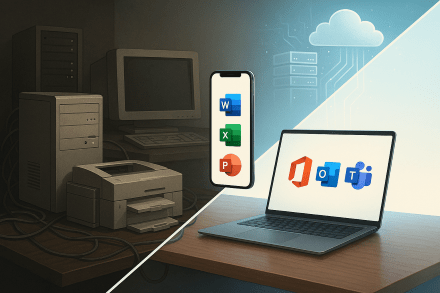


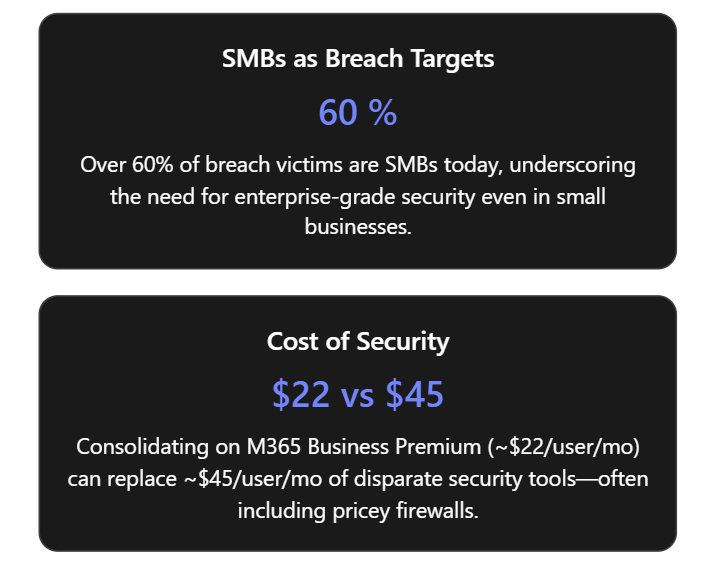
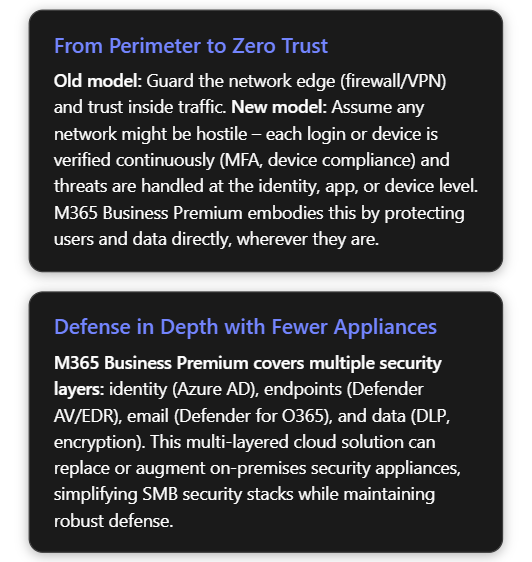

 CIAOPS