
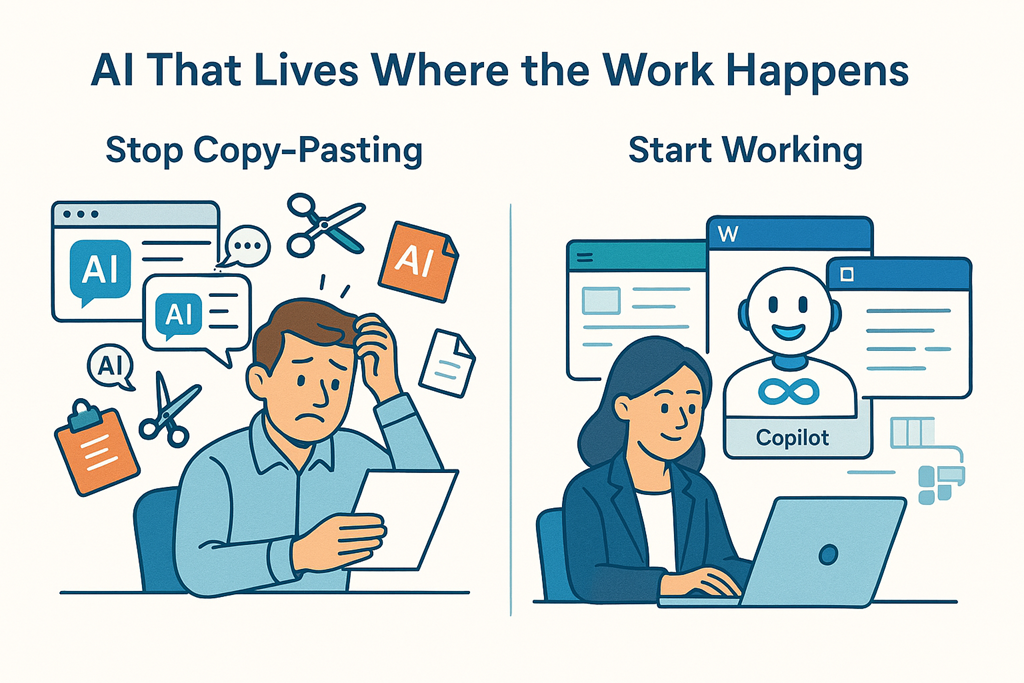
There’s a lot of noise right now about AI tools.
Everyone has one. Everyone claims theirs is “the best”. And on the surface, they all seem to do the same thing: you type a prompt, it spits out words, code, or ideas.
But after working with AI daily — and helping MSPs and businesses actually use it — I’ve come to a very clear conclusion:
Microsoft Copilot isn’t better because it’s smarter.
It’s better because it’s integrated.
And that changes everything.
The Copy‑Paste Tax No One Talks About
Most AI tools live in a browser tab.
You ask a question.
You get an answer.
Then you copy it.
Then you paste it somewhere else.
Word. Excel. Outlook. Teams. PowerPoint. CRM. Ticketing system.
That constant switching feels minor… until you add it up.
It’s mental context‑switching.
It’s broken flow.
It’s extra clicks.
It’s friction.
Over a day, a week, a month — it’s a tax on productivity that nobody puts in a pricing comparison.
AI that forces you to copy and paste is still making you do the hard work.
Copilot Lives Where the Work Happens
Copilot doesn’t sit off to the side like a clever intern waiting for instructions.
It’s embedded directly into the tools people already use:
- Writing inside Word
- Analysing data inside Excel
- Responding inside Outlook
- Summarising conversations inside Teams
- Building decks inside PowerPoint
That matters more than most people realise.
Because the real value of AI isn’t generating content.
It’s reducing friction in the flow of work.
With Copilot, you’re not moving information between systems.
You’re working on the thing, while the AI works with you.
Context Is the Secret Sauce
Here’s the uncomfortable truth about most AI tools:
They only know what you tell them.
Every prompt starts from scratch unless you manually paste in context. Emails. Documents. Spreadsheets. Notes. Meeting transcripts.
That’s not intelligence. That’s busywork.
Copilot, on the other hand, is grounded in your Microsoft 365 data — respecting permissions, security, and compliance — and understands:
- The document you’re editing
- The email thread you’re replying to
- The meeting you just came out of
- The spreadsheet you’re staring at
- The chat you missed yesterday
You don’t have to re‑explain your world every time.
That’s the difference between an AI toy and an AI assistant built for work.
Real Productivity Is Invisible
The biggest productivity gains don’t look impressive in a demo.
They look like:
- Finishing an email in 30 seconds instead of 5 minutes
- Turning meeting notes into actions without rewriting them
- Asking “what changed?” instead of rereading 20 messages
- Starting a document without staring at a blank page
Copilot excels here because it removes micro‑tasks you shouldn’t be doing in the first place.
You’re not “using AI”.
You’re just getting work done faster.
Security and Compliance Aren’t Optional
This is where a lot of organisations quietly get nervous.
Browser‑based AI tools are often disconnected from your identity, your data controls, and your compliance posture. People paste sensitive information in because they’re trying to be efficient — and suddenly governance is gone.
Copilot inherits your existing Microsoft 365 security model:
- Identity
- Permissions
- Data boundaries
- Compliance controls
It only shows users what they already have access to.
That’s not just a technical detail.
For MSPs and regulated businesses, it’s the difference between “we can use this” and “we can’t touch this”.
The Best AI Is the One People Actually Use
Here’s the final point — and it’s the one that matters most.
If AI requires:
- Training people on a new interface
- Convincing them to change tools
- Forcing them to remember “where the AI lives”
…adoption will stall.
Copilot shows up inside the tools people already know.
No change management theatre.
No new browser tabs.
No “remember to use the AI”.
It’s just… there.
And that’s why it wins.
Not because it’s flashy.
Not because it’s louder.
But because it understands a simple truth:
AI only delivers value when it disappears into the workflow.
And right now, Copilot does that better than anything else on the market.
 CIAOPS