

A while ago I wrote an article about a PowerShell script I wrote that will extract JSON security configuration data from a tenant and feed that into an agent I had created using Azure AI foundry. That articles is here:
https://blog.ciaops.com/2026/01/22/combining-powershell-and-ai-for-m365-security-analysis/
I spend time on how I could get it working for anyone, given the model was inside my environment. I offered that access for free and have had no real takers.
Ok, I thought, maybe it ie because people are uncomfortable unloading private security data into ‘my model’, so then I created a script that just extracts the security configuration data, which you can find here:
This way you can take that configuration data, along with some prompts I also provided, and feed that into your AI wherever that may be. When you do this with the Essential 8 prompt I provided the results look like this:
https://blog.ciaops.com/2026/01/25/essential-8-ai-report-via-powershell/
My next step, for those who may also desire their AI model to be local, was to look at Microsoft Foundry Local. This allows you to use your local compute resources (CPU, GPU and NPU if you have it) and run AI model on that machine.
First in the process is to instal lFoundry local which you can do at the command prompt via:
winget install Microsoft.FoundryLocal
next you need to select a model you wish to use. You can find all the models here:
https://www.foundrylocal.ai/models
Initially, I tried Phi 4 but couldn’t get it to load. This probably due to it size and lack of resources I have locally on my device. Instead I went for phi-4-mini. You download the model you wish via the command:
foundry model download phi-4-mini
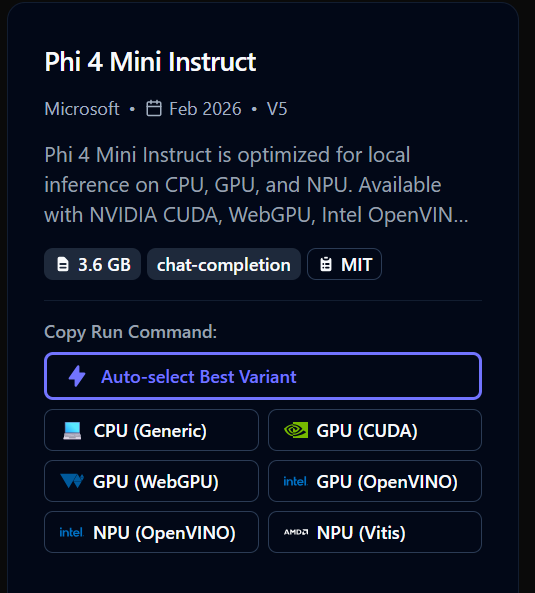
when I ran this I actually got the phi-4-mini-instruct

You’ll also see that I got the version that runs on my GPU. The card for this model is here:
To actually get this model to run I used the command:
foundry model run phi-4-mini
and after a few moments I was greeted with:
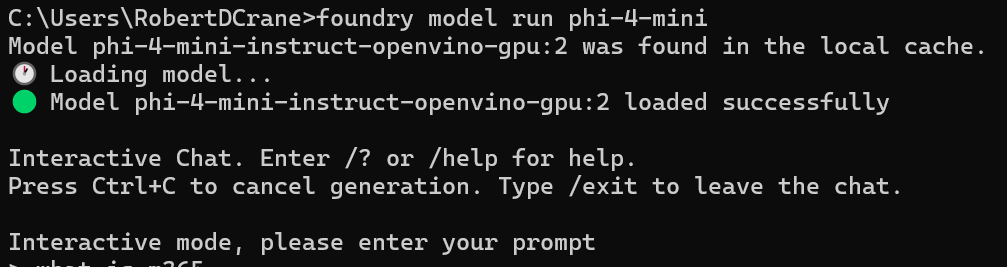
so I typed in the following prompt and got the following answer:

So, it works as expected.
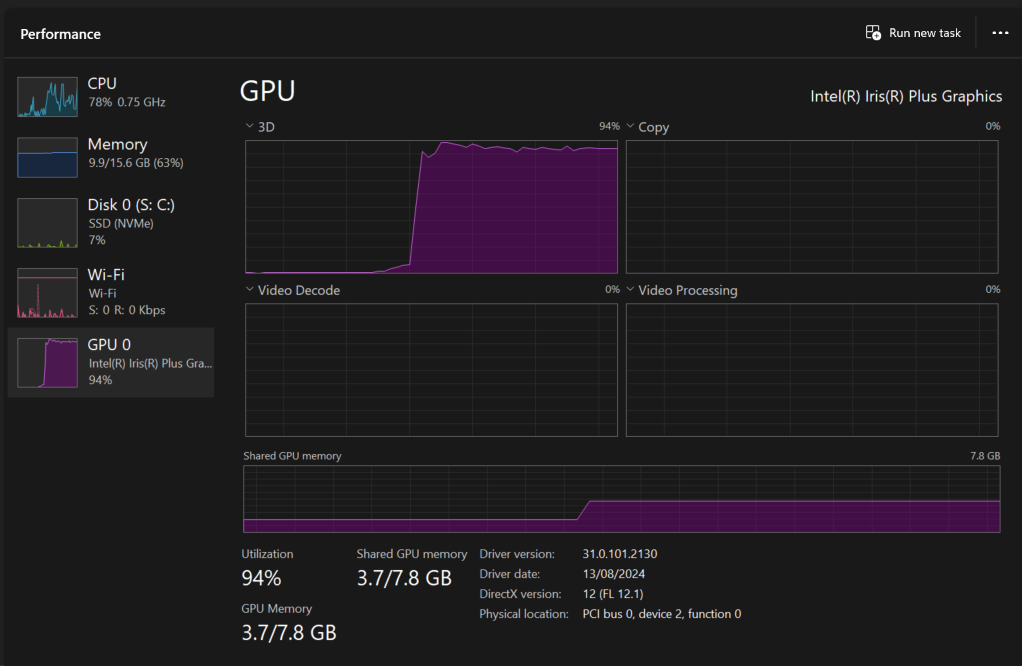
When I do prompt the local model I see my GPU utilisation spike like so:
Some observations so far about running local AI model
– Foundry local makes it pretty easy to get started with Ai models on yoru device
– It consumes significant local compute resources to run even the most basic AI model locally
– It is slow
– The results to prompts are limited
– It is all command line based
Now, that doesn’t mean local AI models don’t have a place and won’t improve but seeing the performance of these local models compared the online versions give you an appreciation for how much compute the online versions must have behind them! It has also demonstrated to me, finally, the reason that you may desire a device with a local NPU processor. I would expect to see some AI models pushed locally and connected back to online AI services in the future, so I now get the point of having a local NPU on the device. Would be interesting to test Foundry Local on a device with an NPU to see how much better it perform better if at all?
With Foundry Local now up and running on my machine, the next challenge is to try and create a script that again extract security information from Microsoft 365 but then feed it into the Foundry Local AI rather than an online model to see what the output and performance is like.
In short, I now see better what running local AI looks like but from what I see, it still needs a significant amount of compute to make sense when compared to anything online. It will be interesting to compare the online AI analysis of Microsoft 365 security data with local AI analysis. I think that will give me a much better appreciate for the value of a ‘business’ implementation of local AI services.
 CIAOPS
One thought on “Getting AI Foundry local working”