

I wrote about how I have now integrated PowerShell and AI recently:
https://blog.ciaops.com/2026/01/22/combining-powershell-and-ai-for-m365-security-analysis/
In that example, I use my own agent developed in Azure AI Foundry to analyse security data extracted from Microsoft 365. In there I did offer free access to the script and my Foundry AI agent for analysis. However, I do appreciate that many people are hesitant to allow a ‘foreign’ AI system to evaluate private M365 security data.
Therefore, I have created another script that will simply extract your M365 security data and put it into a local JSON file that you can then upload to your own AI for analysis. You will find that script at:
and the documentation is here:
https://github.com/directorcia/Office365/wiki/Extract-Microsoft-365-Secure-Score-information
To use this script you need to have the PowerShell Graph module installed and use an account that has appropriate access to M365 security information.
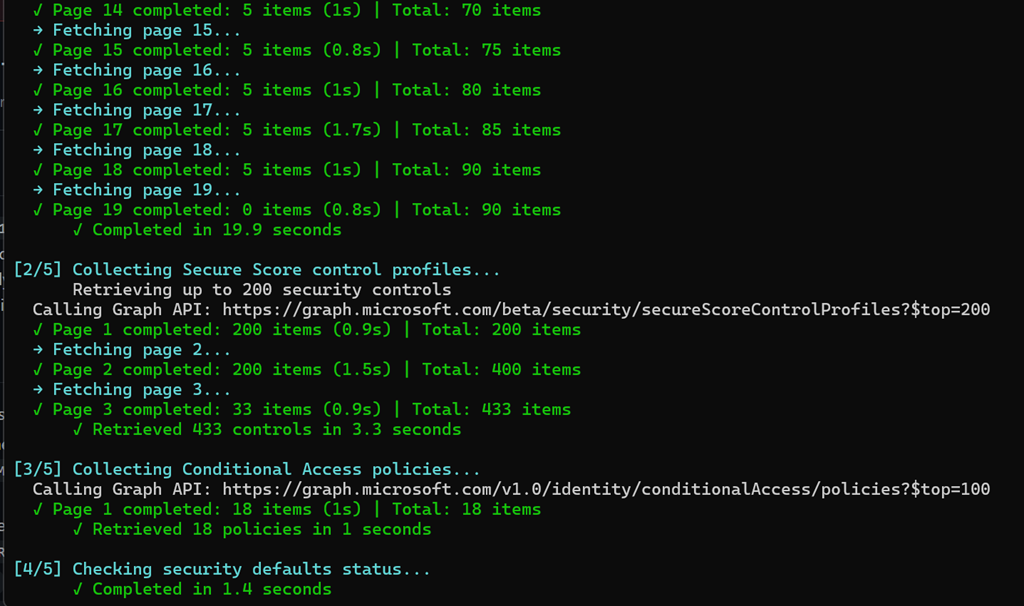
When run, you’ll see it extract the security from various places in the tenant as shown above.
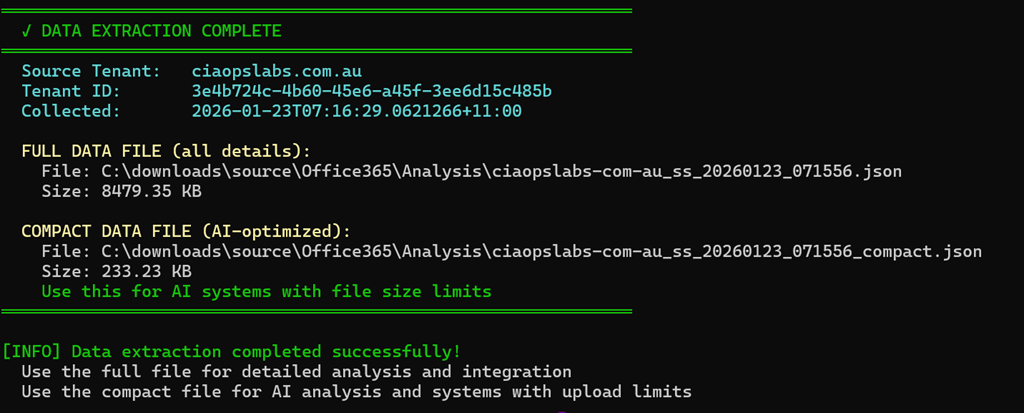
It will then save that information to a local file as shown above.

In this case you’ll see that I used the –compact option to two data files. The normal one, which is around 8MB and a smaller one around 234KB. The reason for this is that I found in my testing that many AI systems don’t support large file uploads (M365 Copilot does but). So the smaller one can work with those limited systems.
Once you give your AI system of choice access to the data file by uploading it, you can then use any prompt you wish to analyse the data. Here are some prompts I have created you can use. A long one:
https://github.com/directorcia/Office365/blob/master/Analysis/Secure%20Score/prompt-long.txt
and a shorter one:
https://github.com/directorcia/Office365/blob/master/Analysis/Secure%20Score/prompt-short.txt
I have uploaded my test data into a variety of AI systems but have gotten the best results from M365 Copilot Researcher and Analyst:
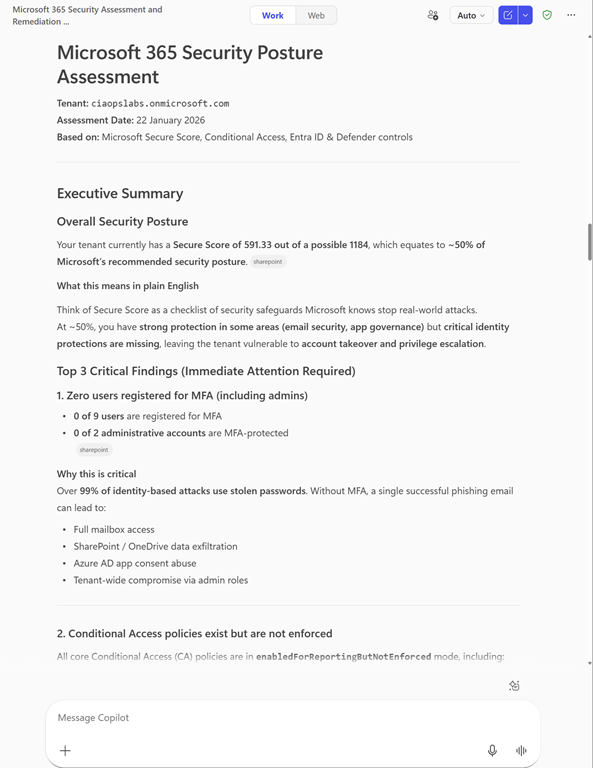
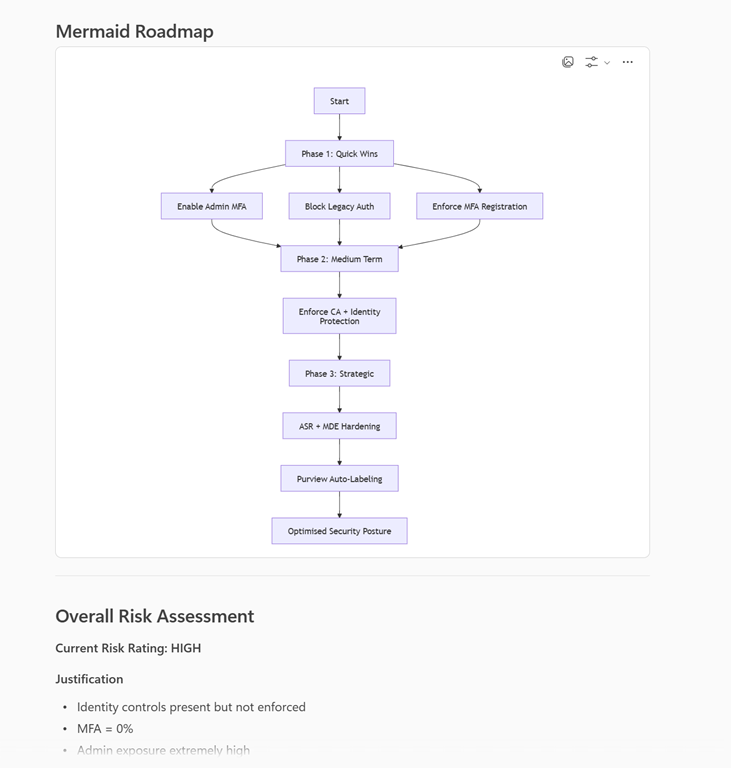
My original script does the extraction and the uploading for you together, but this new script now allows you to do just the extraction and then take that data and use any AI system or prompt you wish.
I have also created a number of additional scripts that extract as well as analyse a variety of other M365 services such as Exchange, SharePoint Entra Id and more. These are available to CIAOPS Patrons.
If you find a great prompt to use with this extracted data, let me know and I’ll share it so everyone can benefit.
 CIAOPS
4 thoughts on “PowerShell script to extract M365 security data for your own AI analysis”